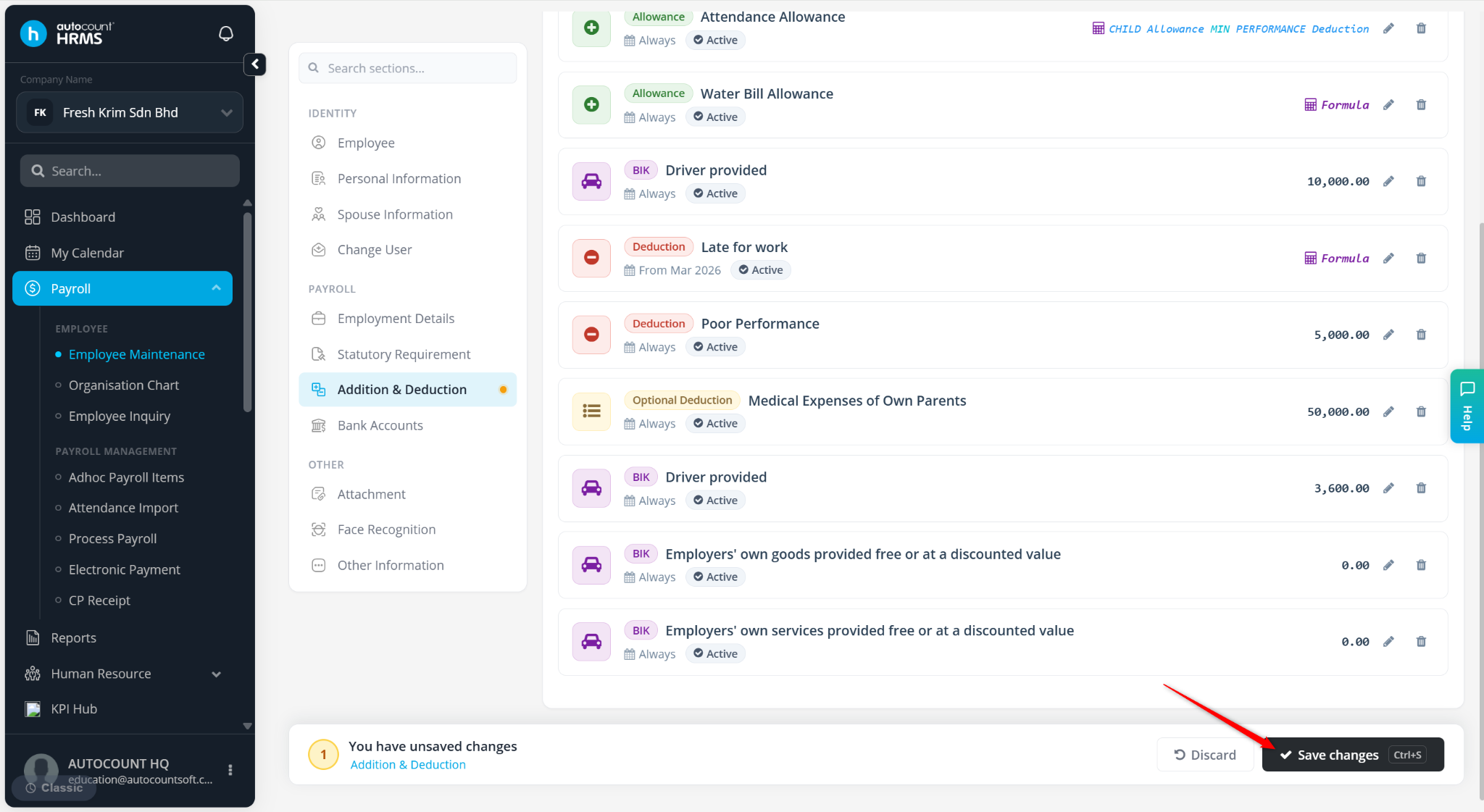
Benefit-in-Kind (BIK) refers to non-cash benefits provided by an employer to employees. These benefits must be properly configured in the system to ensure accurate payroll processing and tax (PCB) calculations.
Steps to Setup BIK Item(s) for an Employee:
Go to Payroll > Employee Maintenance.
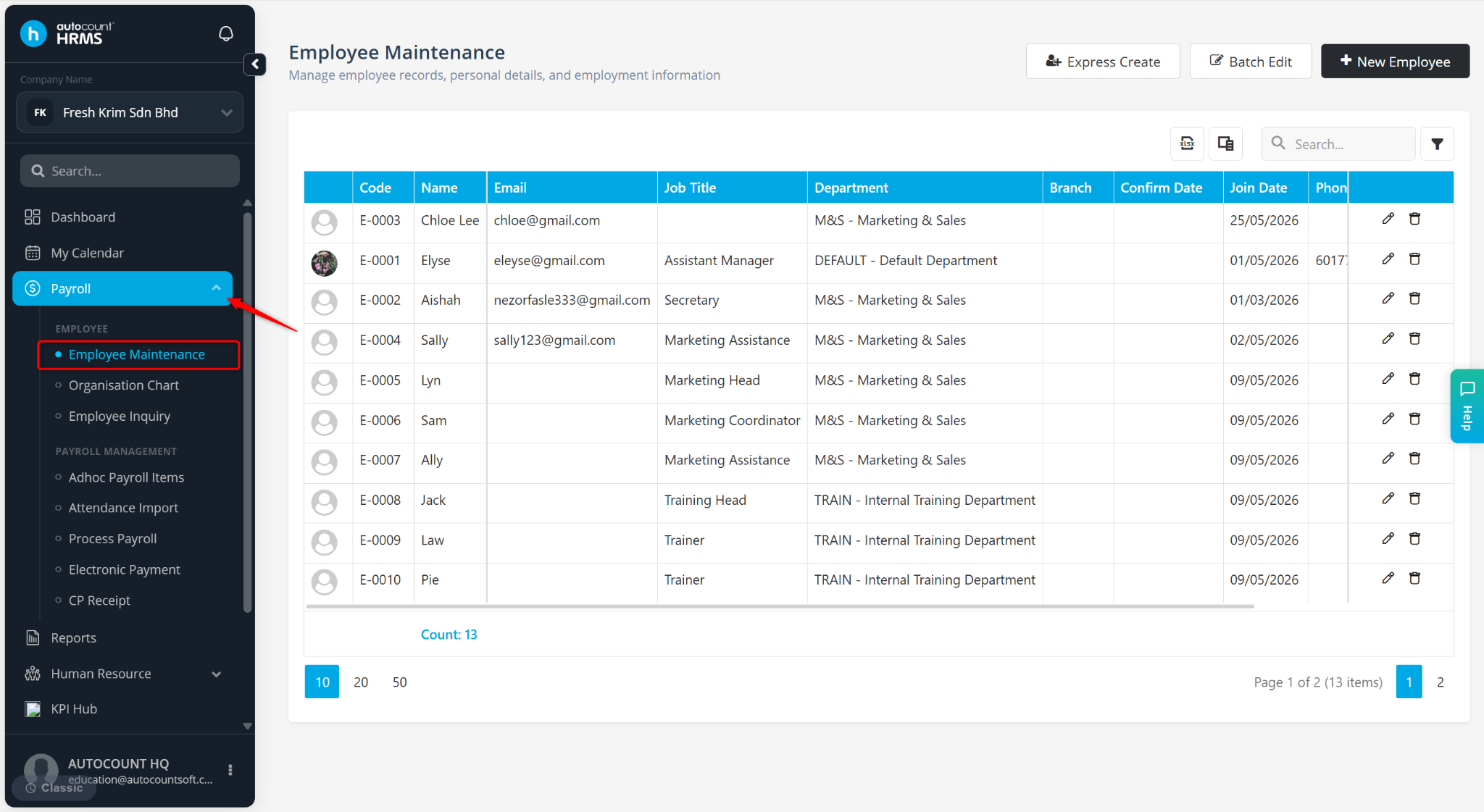
Locate the employee and click the pencil icon next to the employee.
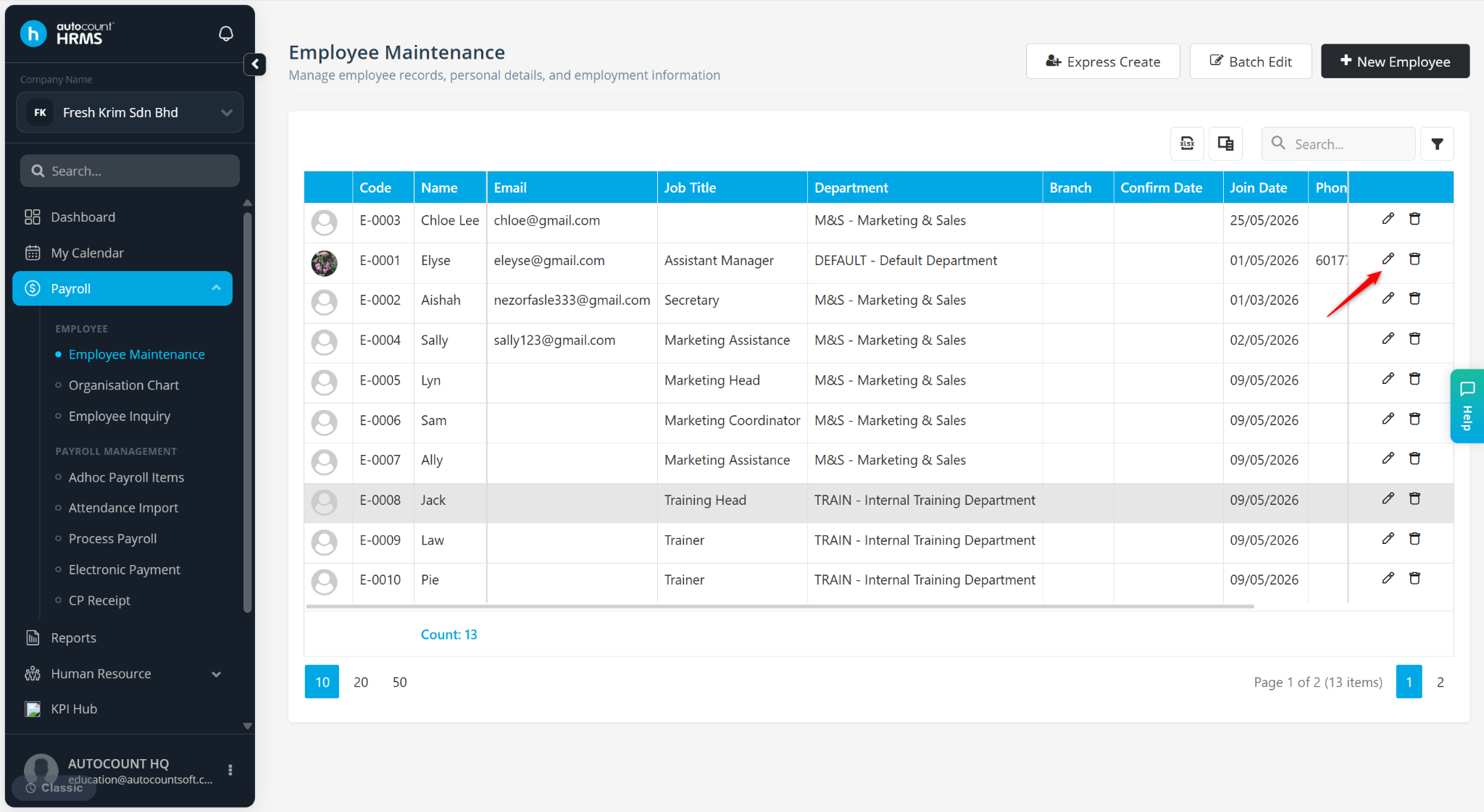
Go to Addition & Deduction.
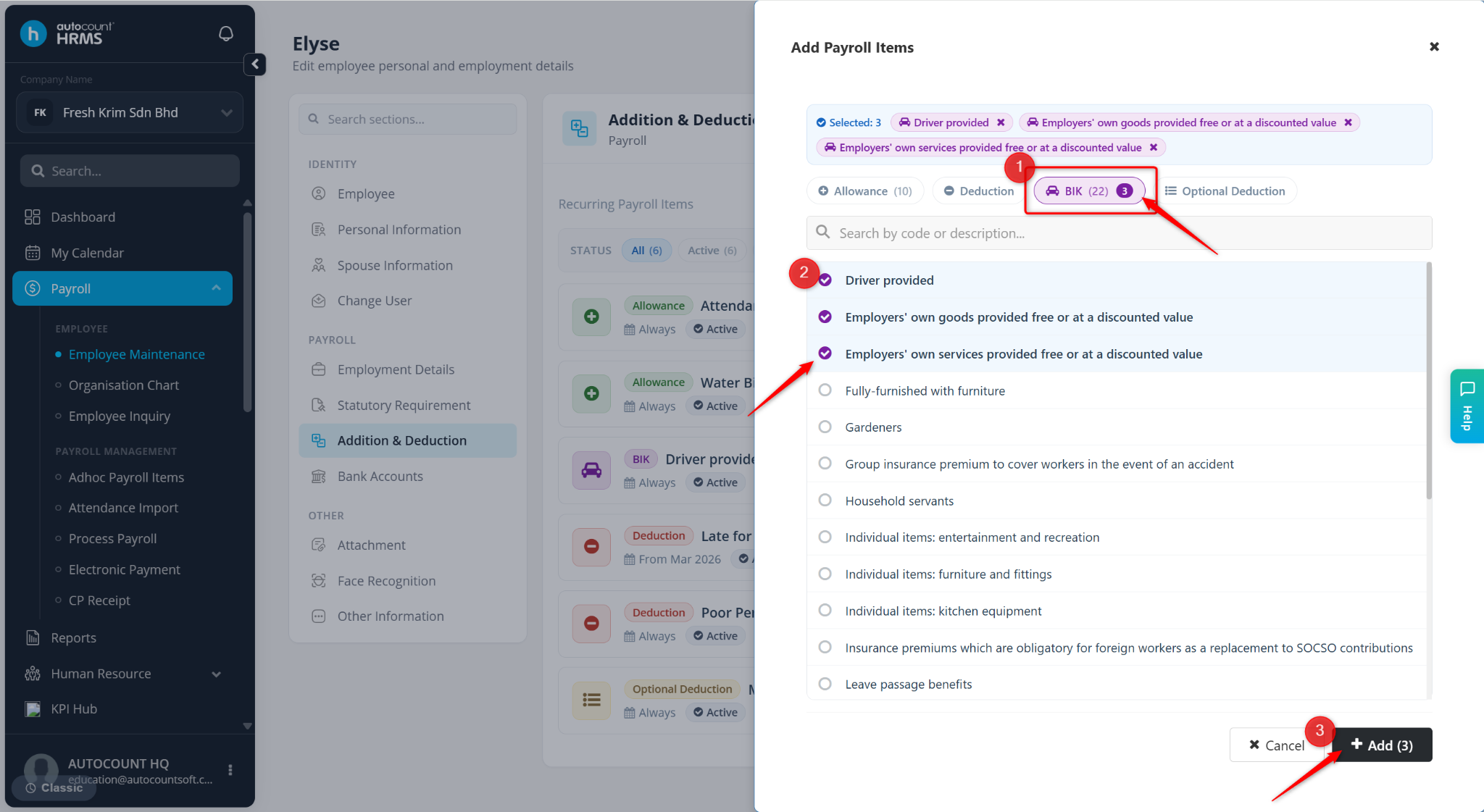
Click + Add Payroll Item.
Go to the BIK tab and choose the relevant BIK item(s).
Click + Add.
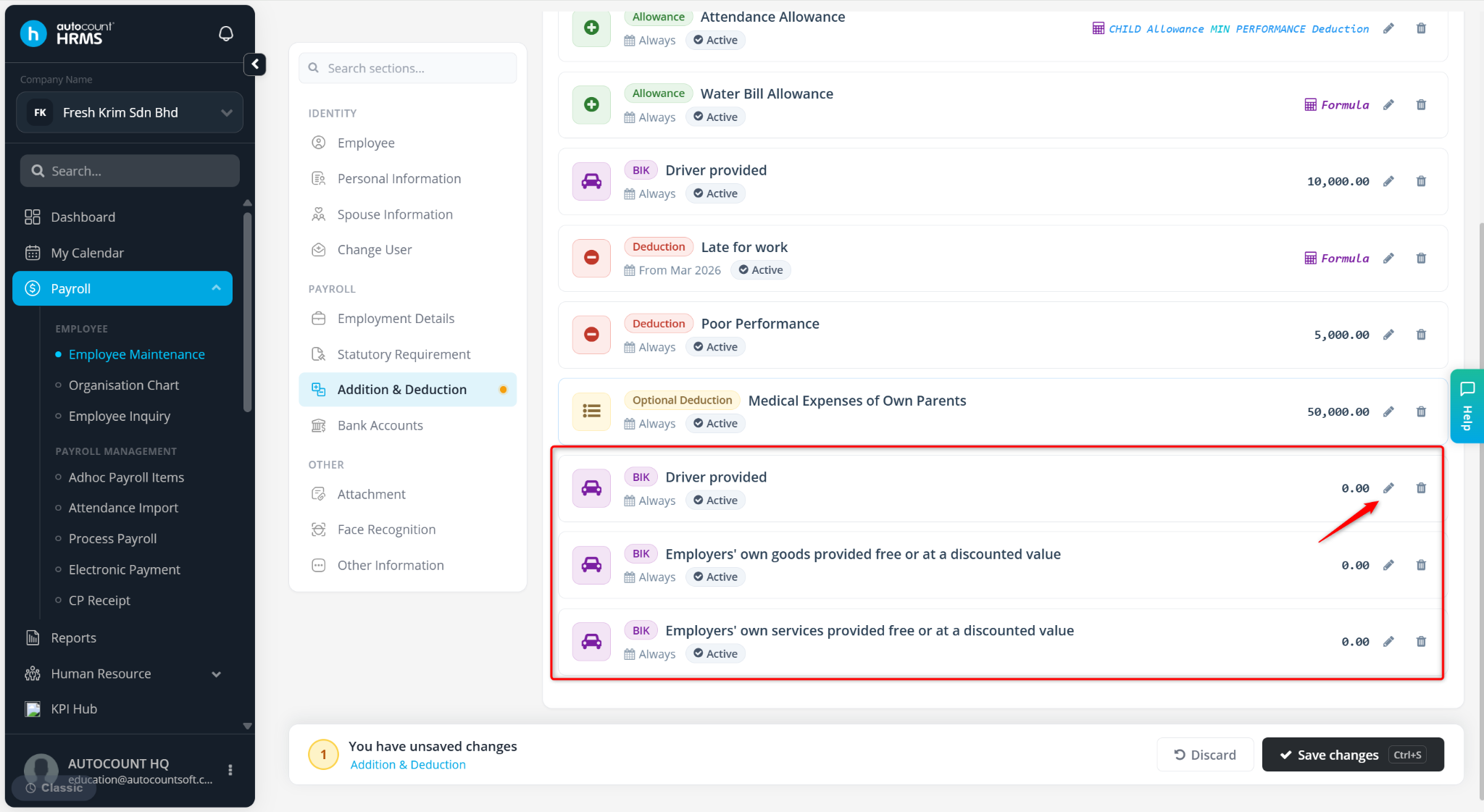
Click the pencil icon next to the newly added BIK item to update the amount.
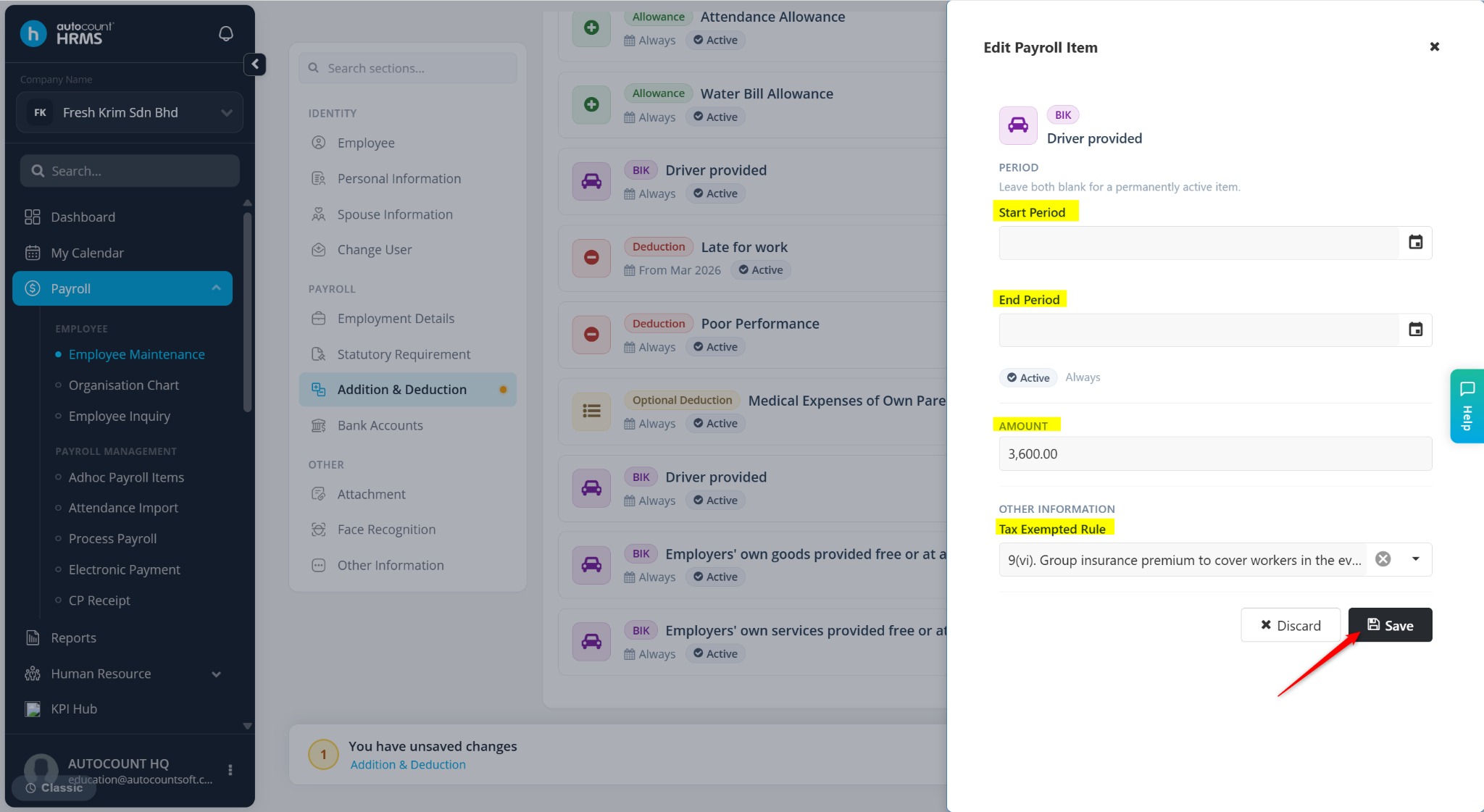
Enter the details:
Start Period / End Period – Define the validity period of the BIK.
Amount – Enter the BIK value.
Tax Exempted Rule – Select the applicable tax exemption rule.
Click Save.
Click Save changes to apply the setup.