
The Addition & Deduction tab is used to assign payroll items to employees for automatic payroll calculations. These payroll items determine additional earnings, deductions, taxable benefits, and voluntary deductions that will be included during payroll processing.
The available payroll item categories are:
Addition – Extra amounts added to basic salary (e.g., allowances, overtime, bonus). Refer to Allowance and Overtime.
Deduction – Amounts deducted from salary (e.g., unpaid leave, advances). Refer to Deduction.
BIK (Benefits-in-Kind) – Non-cash benefits provided (e.g., company car, housing).
Optional Deduction – Voluntary deductions requested by employees (e.g., tax relief-related expenses)
Steps to Maintain an Employee’s Payroll Items:
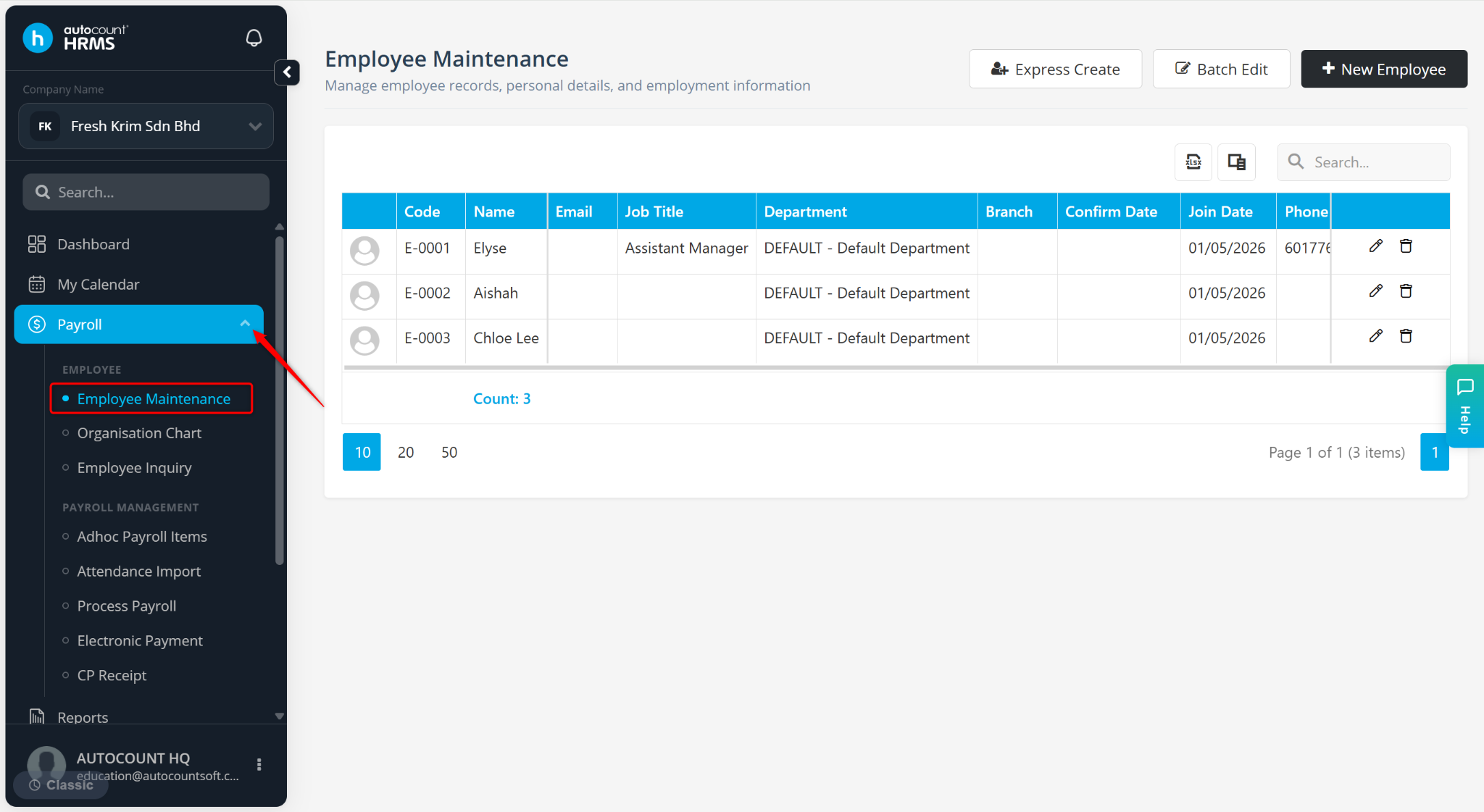
Go to Payroll > Employee Maintenance.
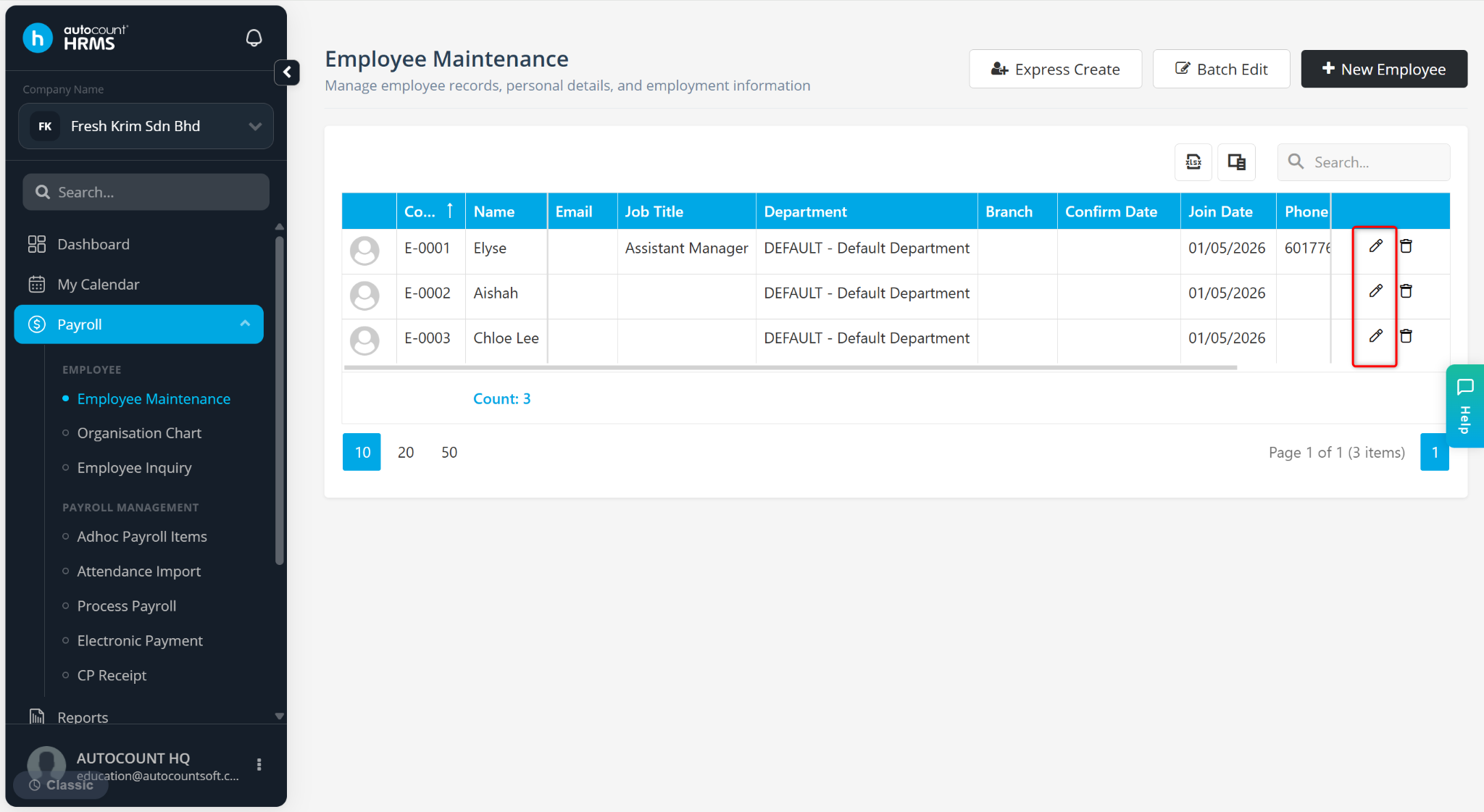
Click on the pencil icon next to the employee’s name.
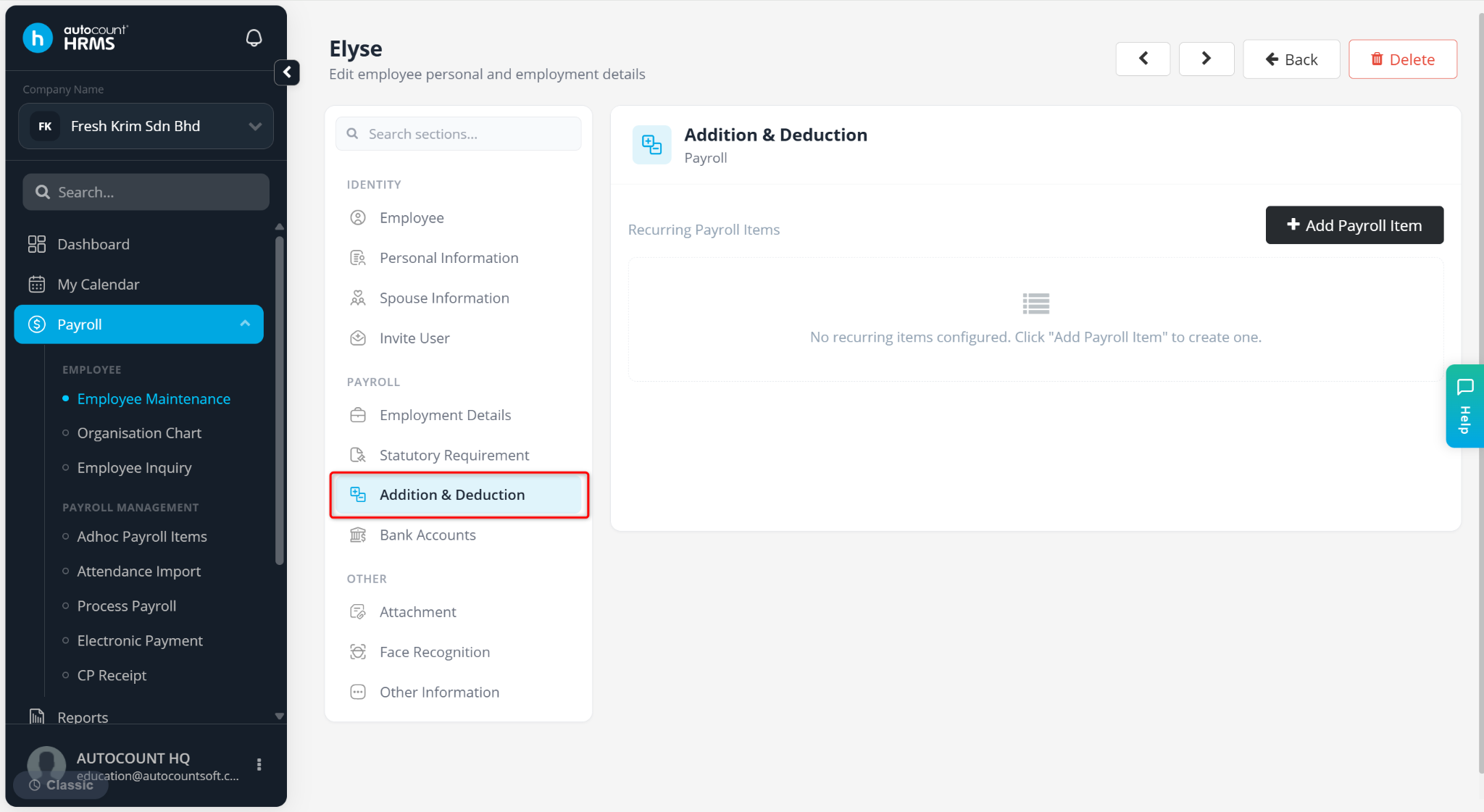
Go to the Addition & Deduction tab.
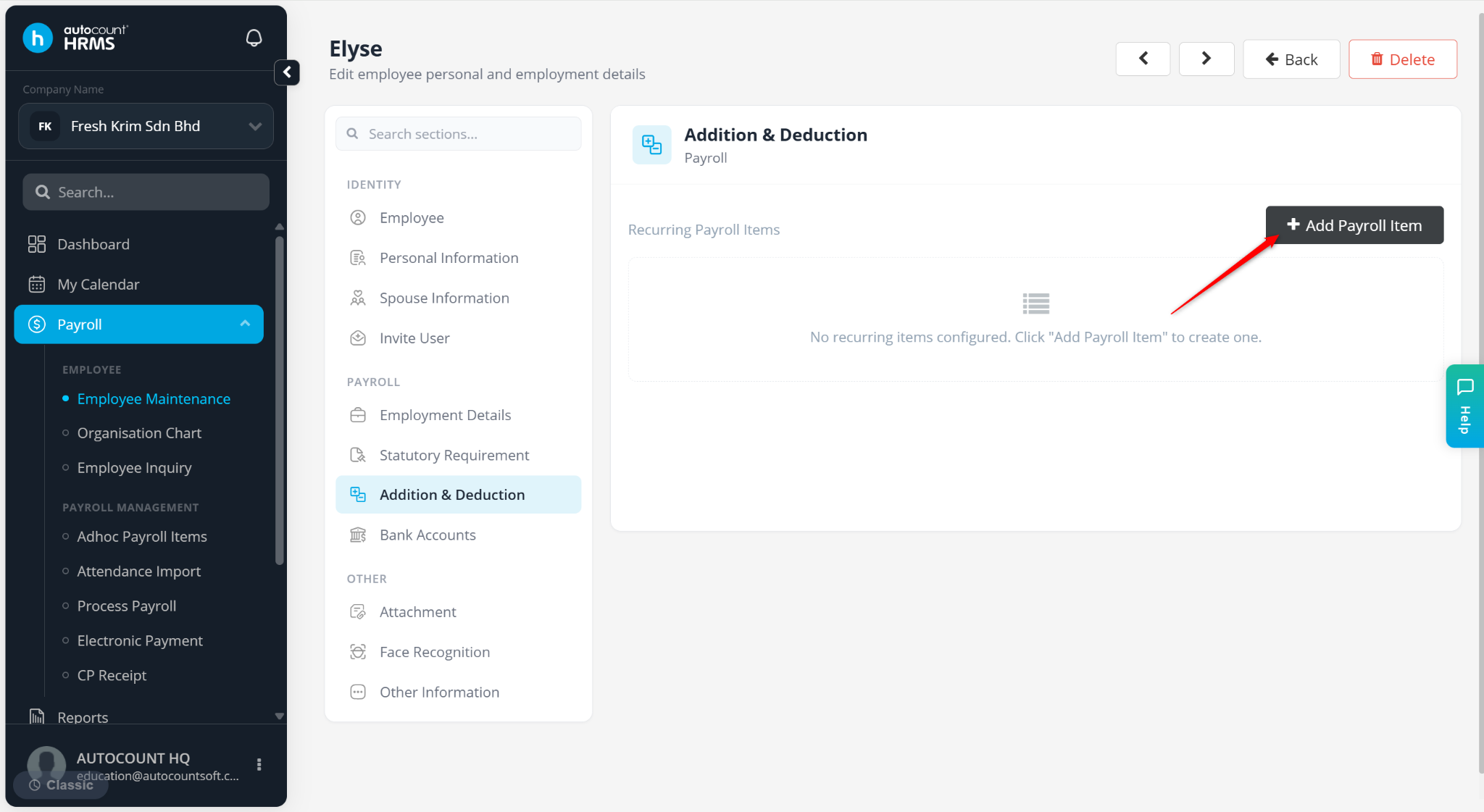
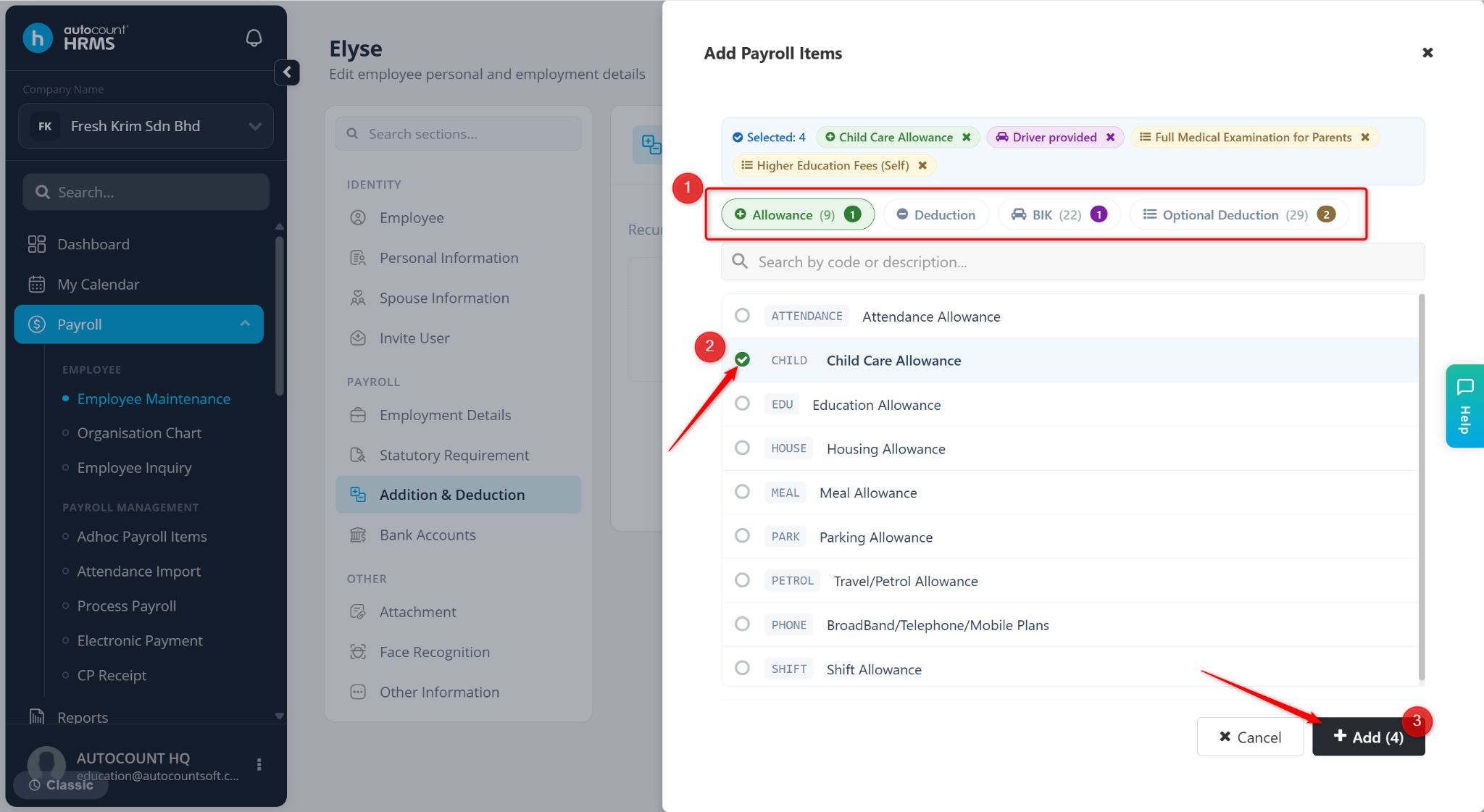
Click + Add Payroll Item.
Select the relevant tabs:
Allowance
Deduction
BIK
Optional Deduction
Select the required item(s) and click Add.
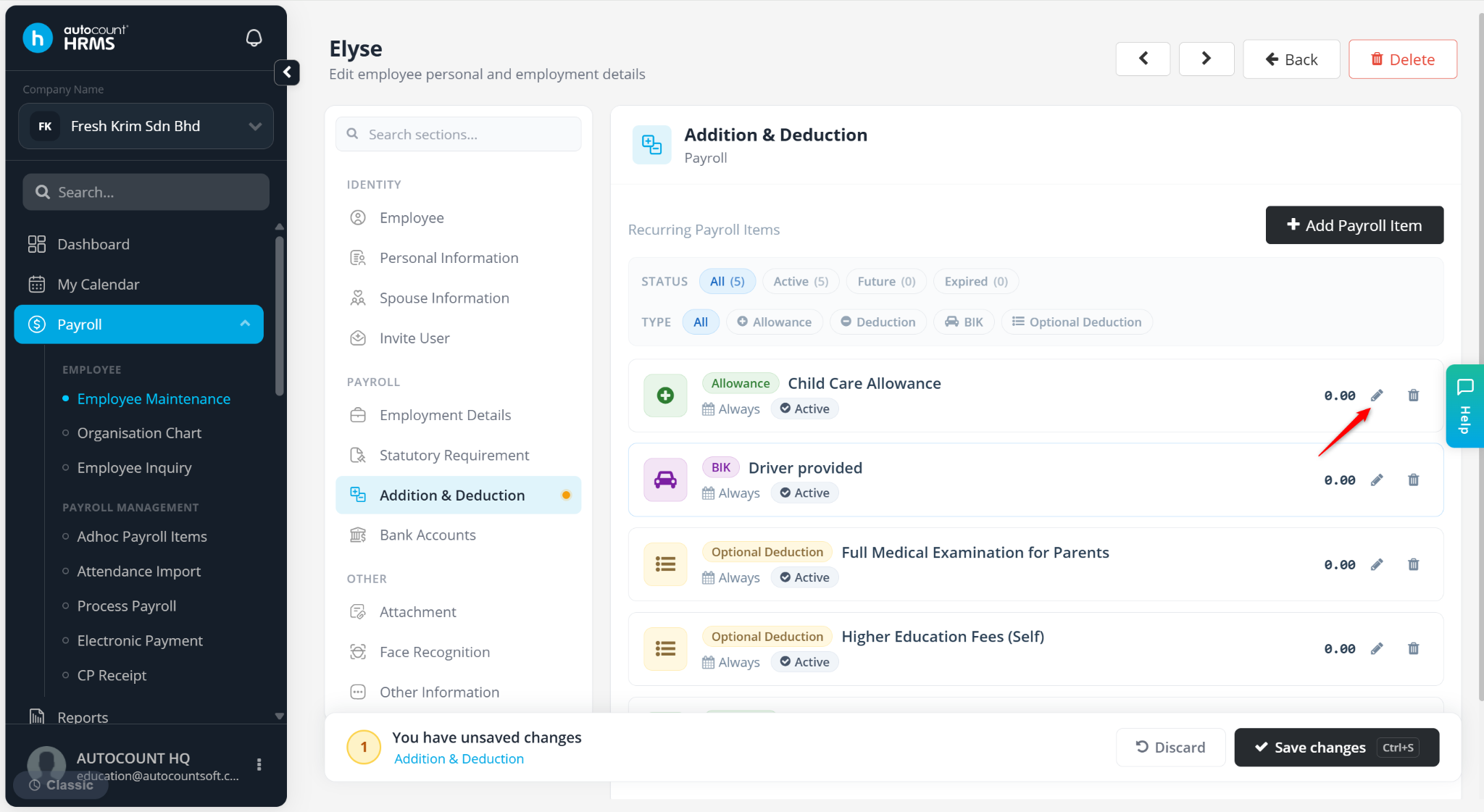
Click the pencil icon to set up the payroll item details.
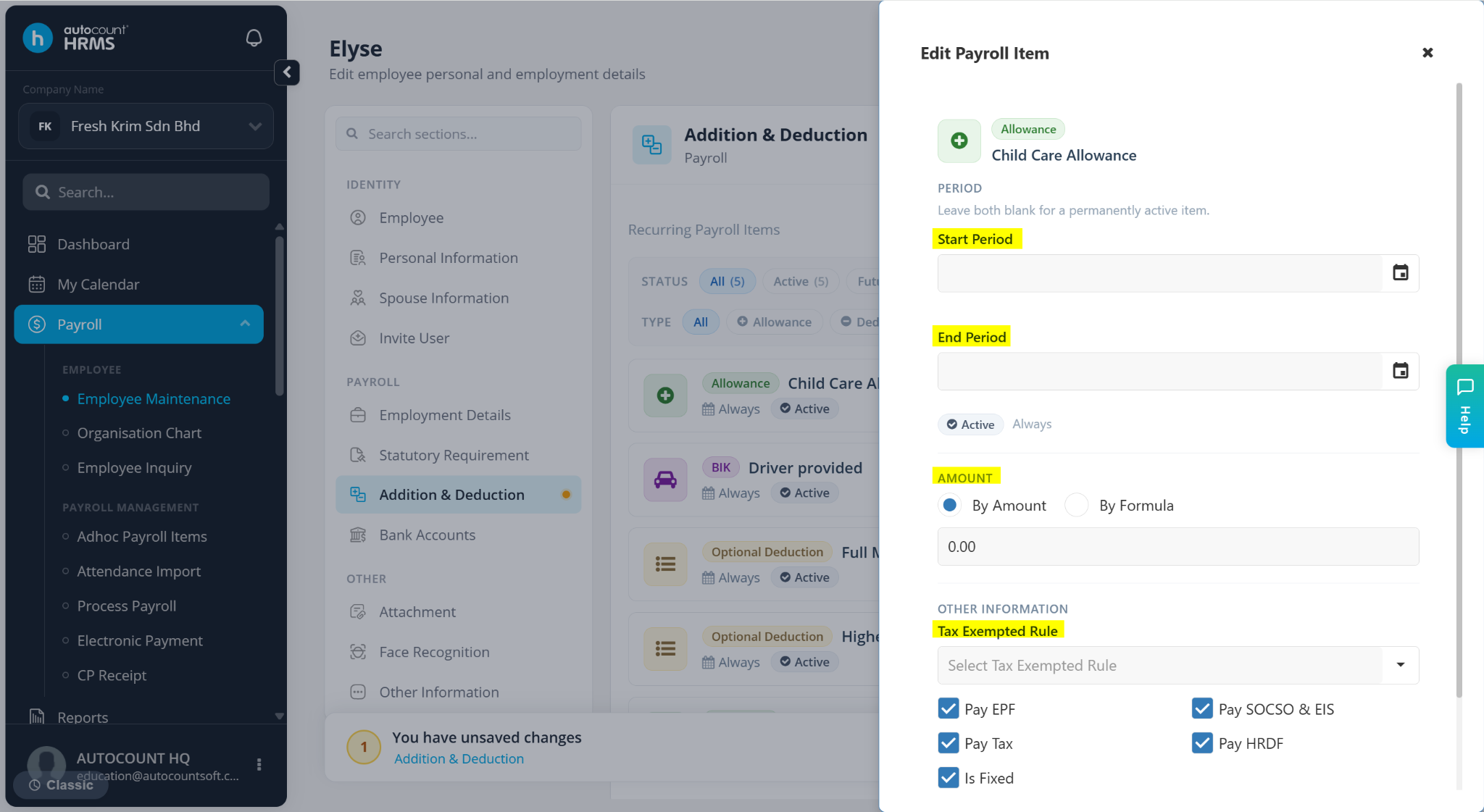
Enter the required details:
Allowance Items – Select the Start Period and End Period, choose By Amount or By Formula, select the Tax Exemption Rule and check the applicable statutory options.
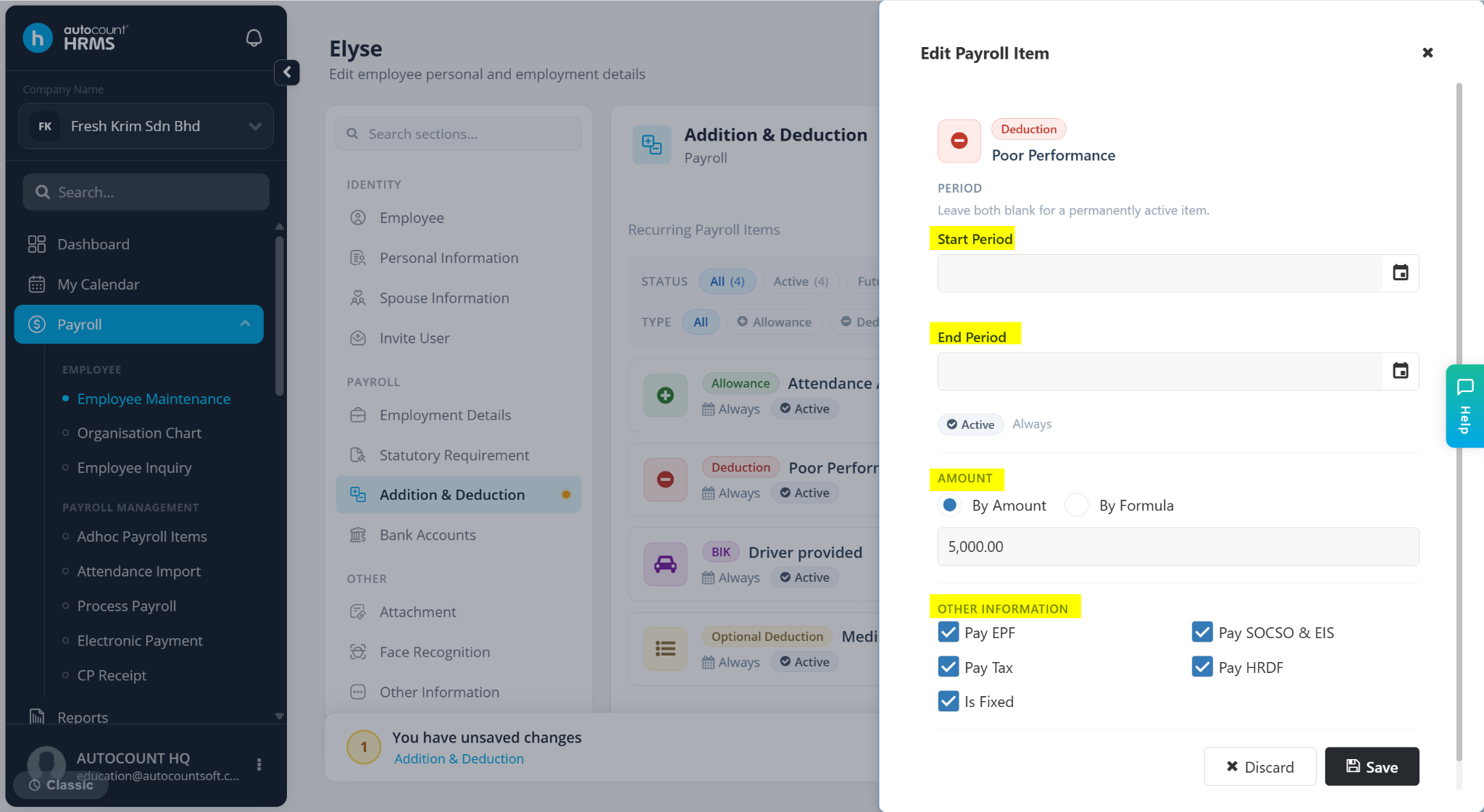
Deduction Items – Select the Start Period and End Period, choose By Amount or By Formula and check applicable statutory options.
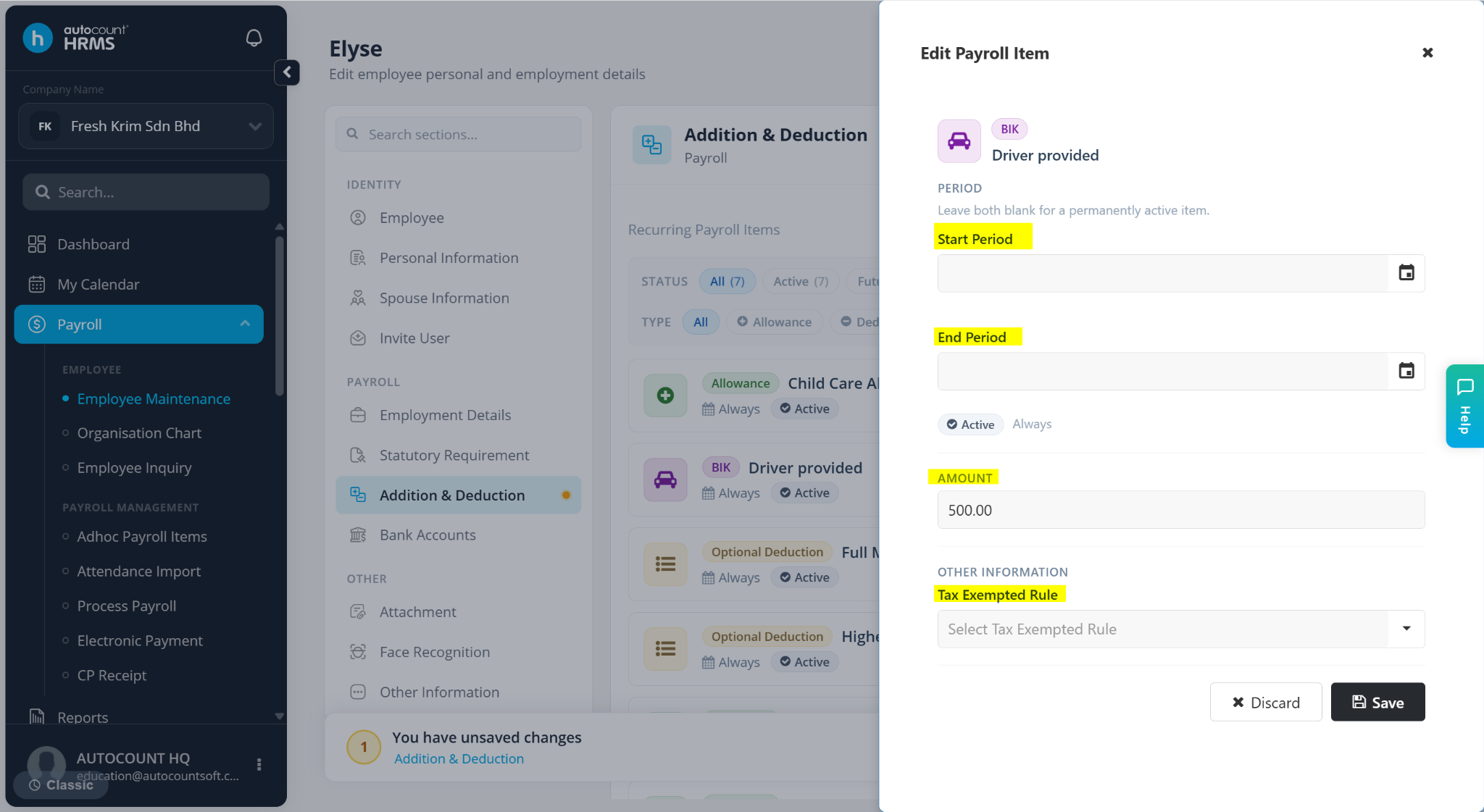
BIK – Enter the Start Period, End Period, Amount and select the Tax Exemption Rule.
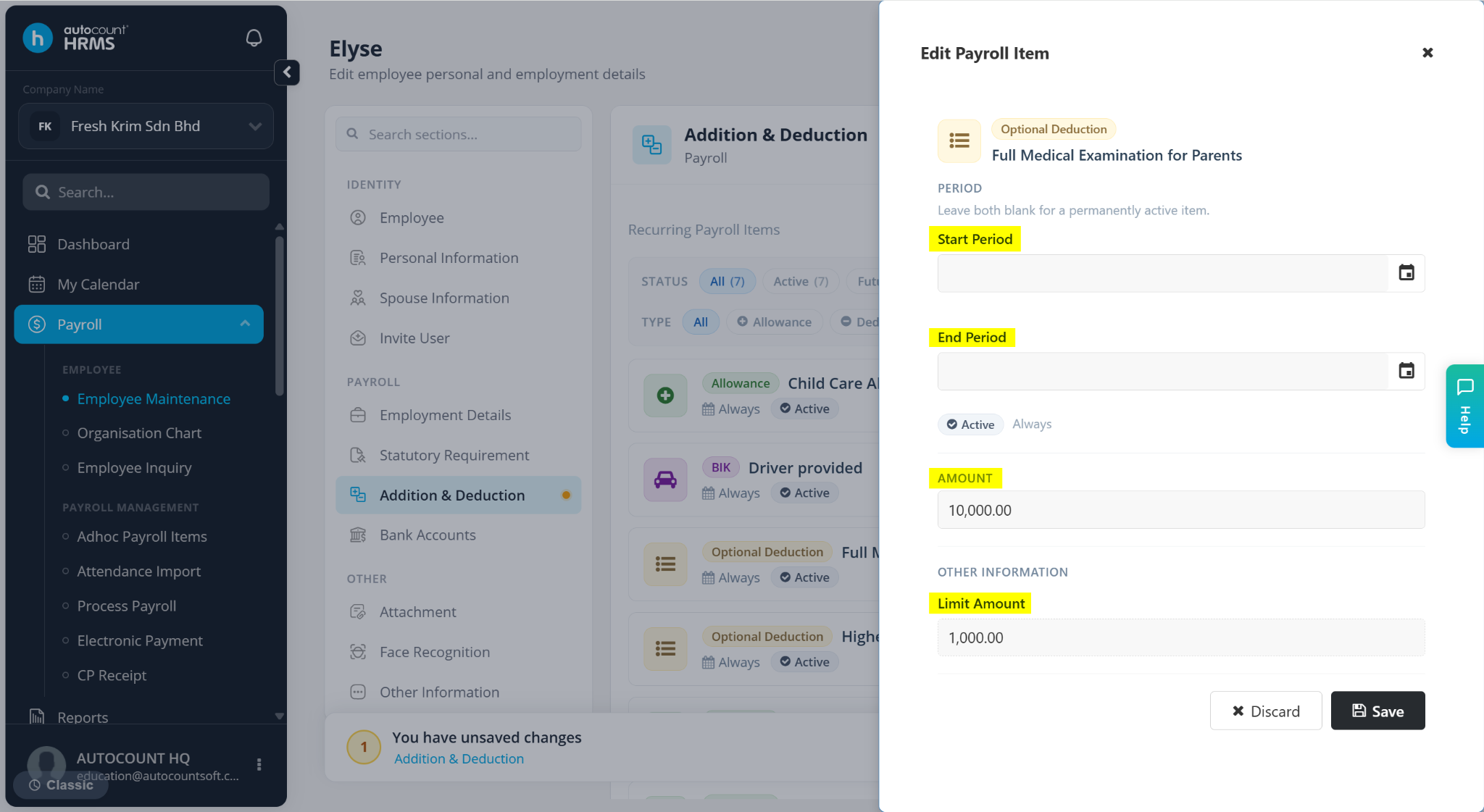
Optional Deduction – Enter the Start Period and End Period, Amount and Limit Amount.
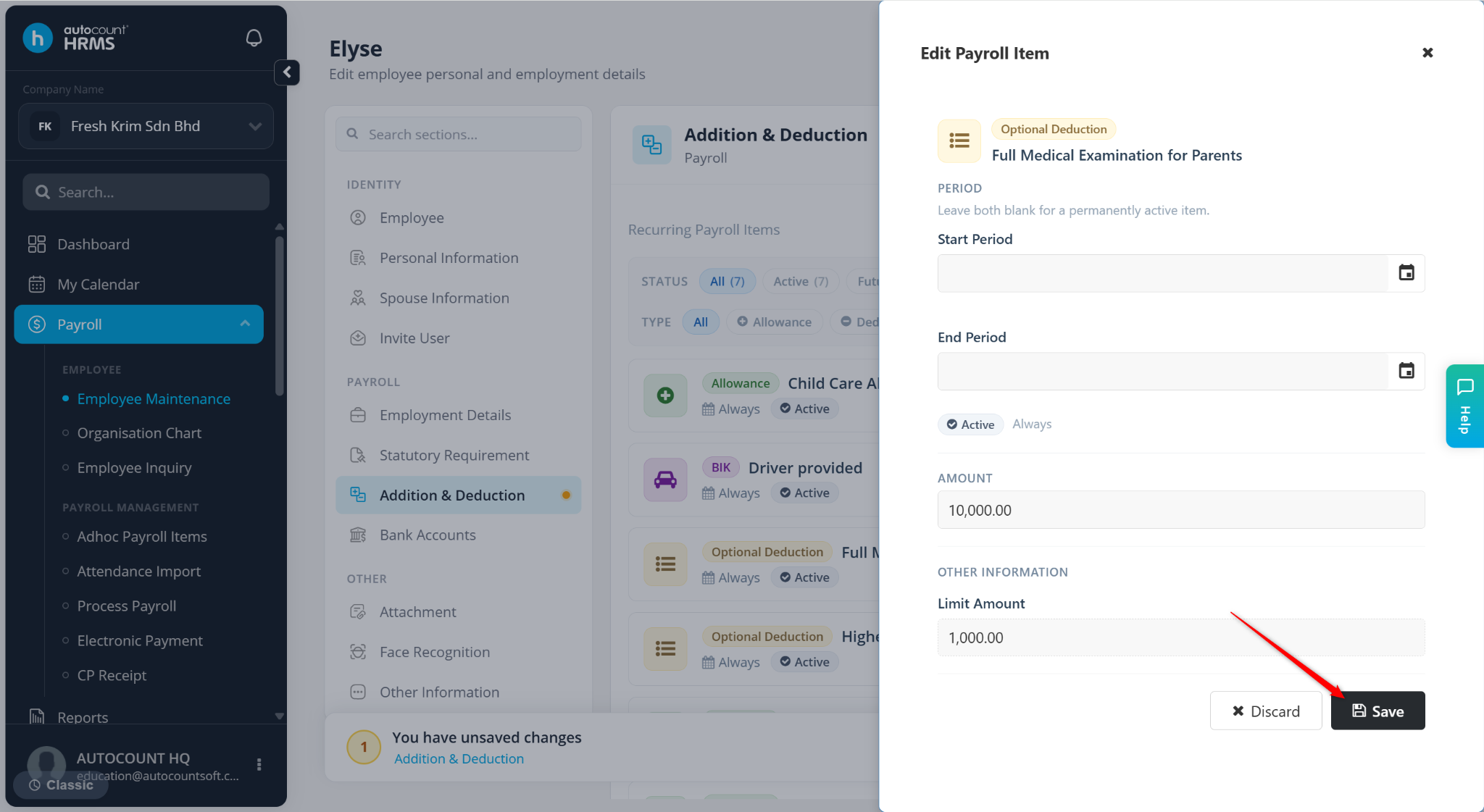
Click Save.
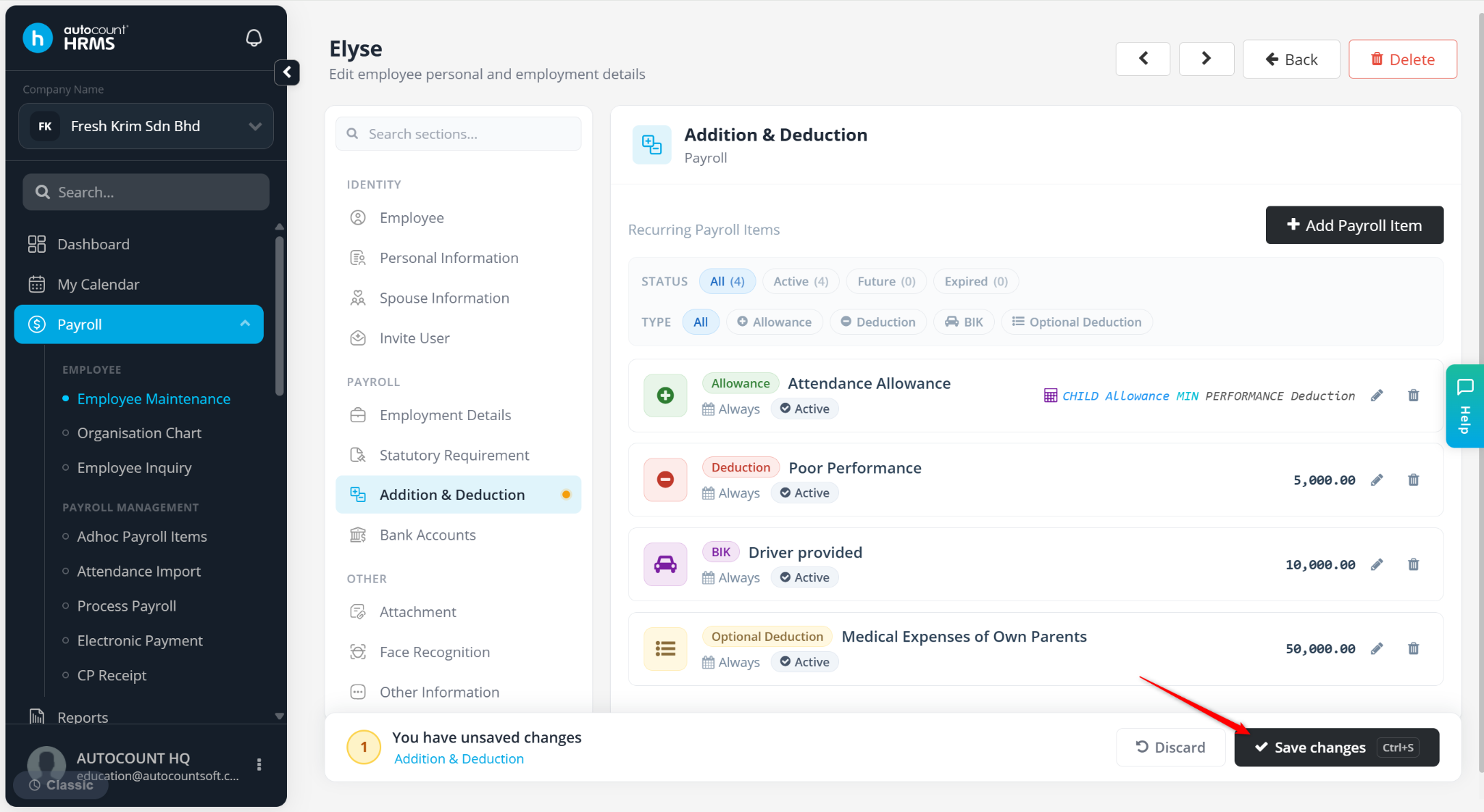
Click Save changes to apply the edits.
ℹ️ Field Explanations:
Start Period and End Period – Leave blank to keep the item active permanently.
By Amount / Amount – Enter a fixed value.
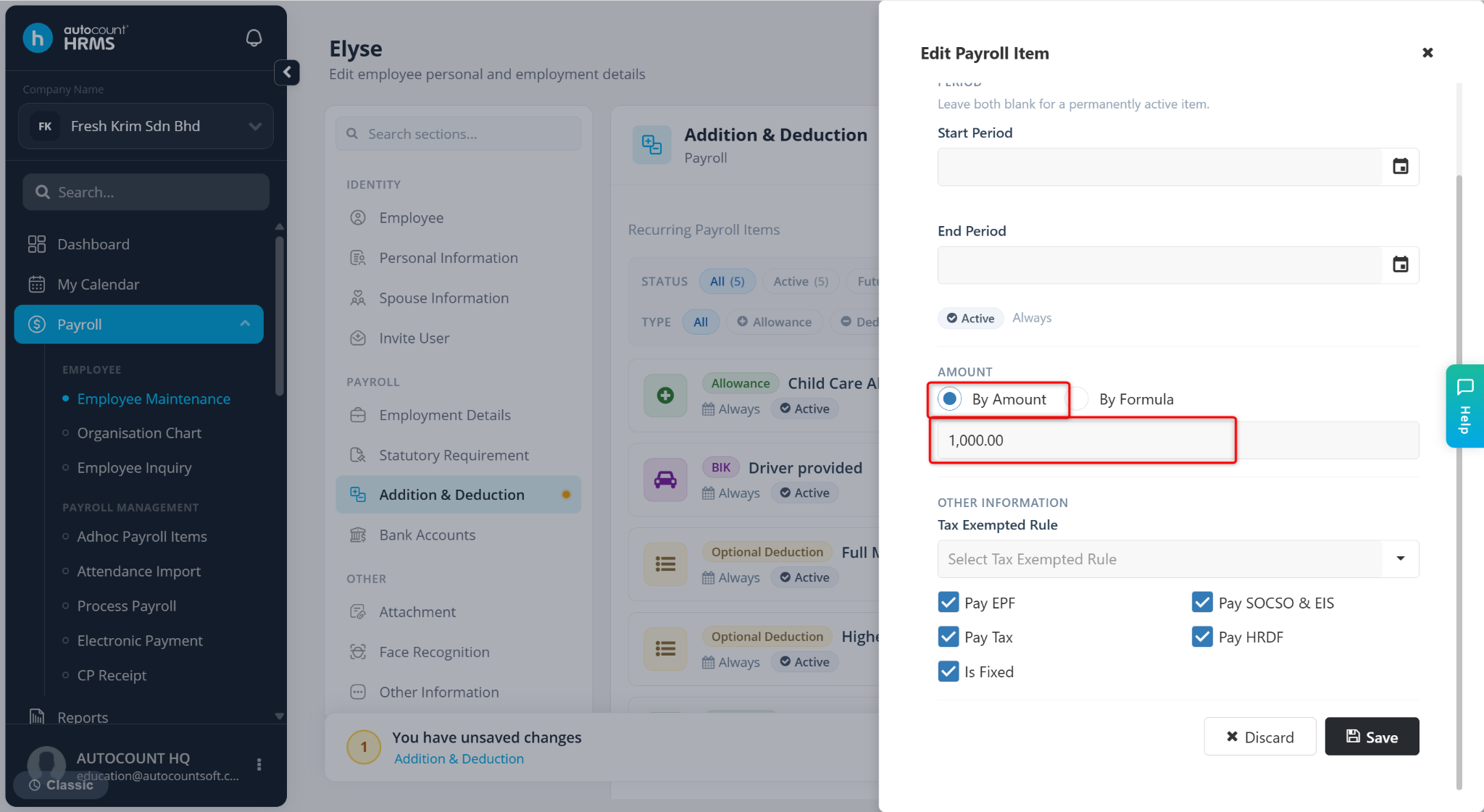
By Formula – Calculate by formula. Applicable for Allowance and Deduction.
Create Manually – Input the formula directly.
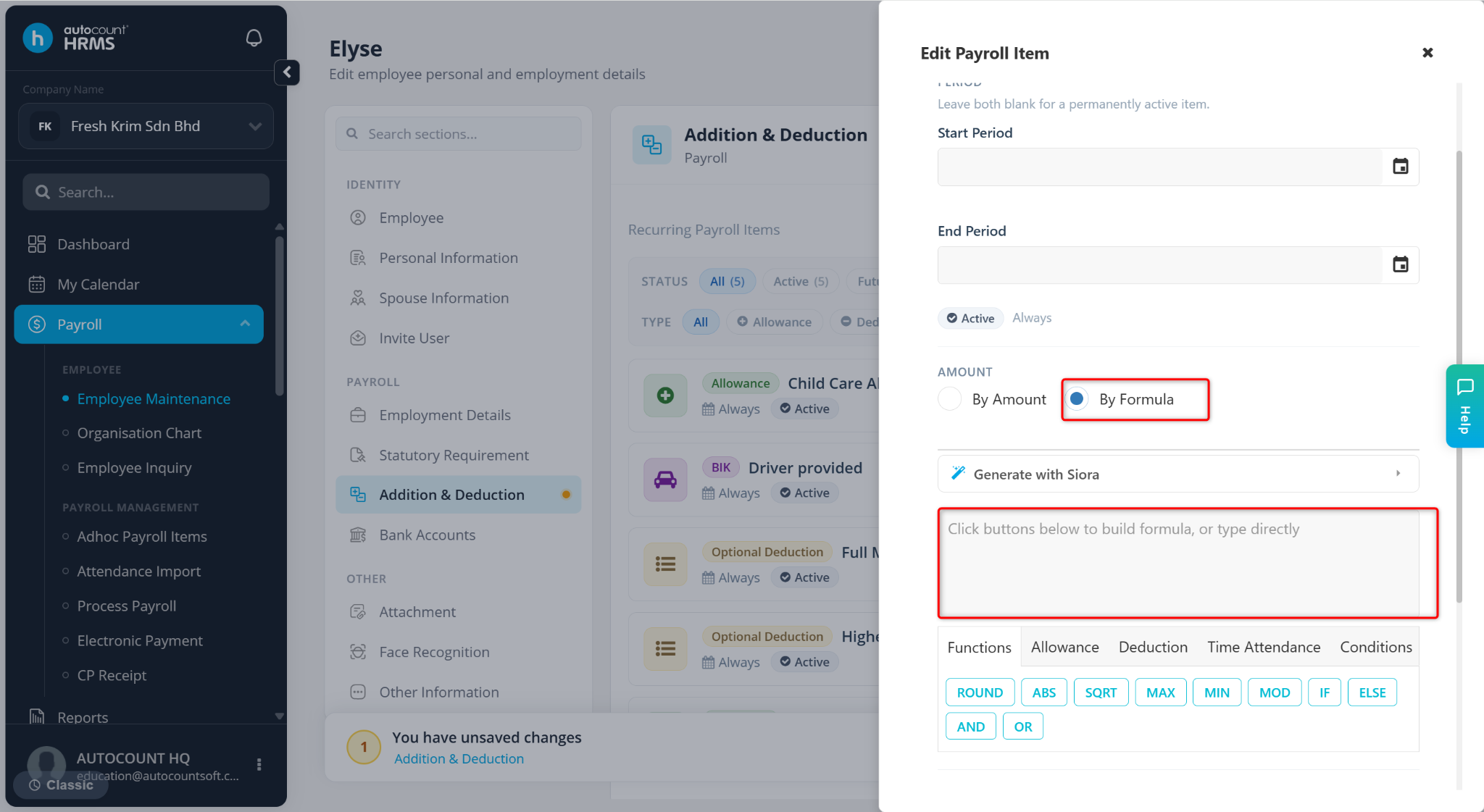
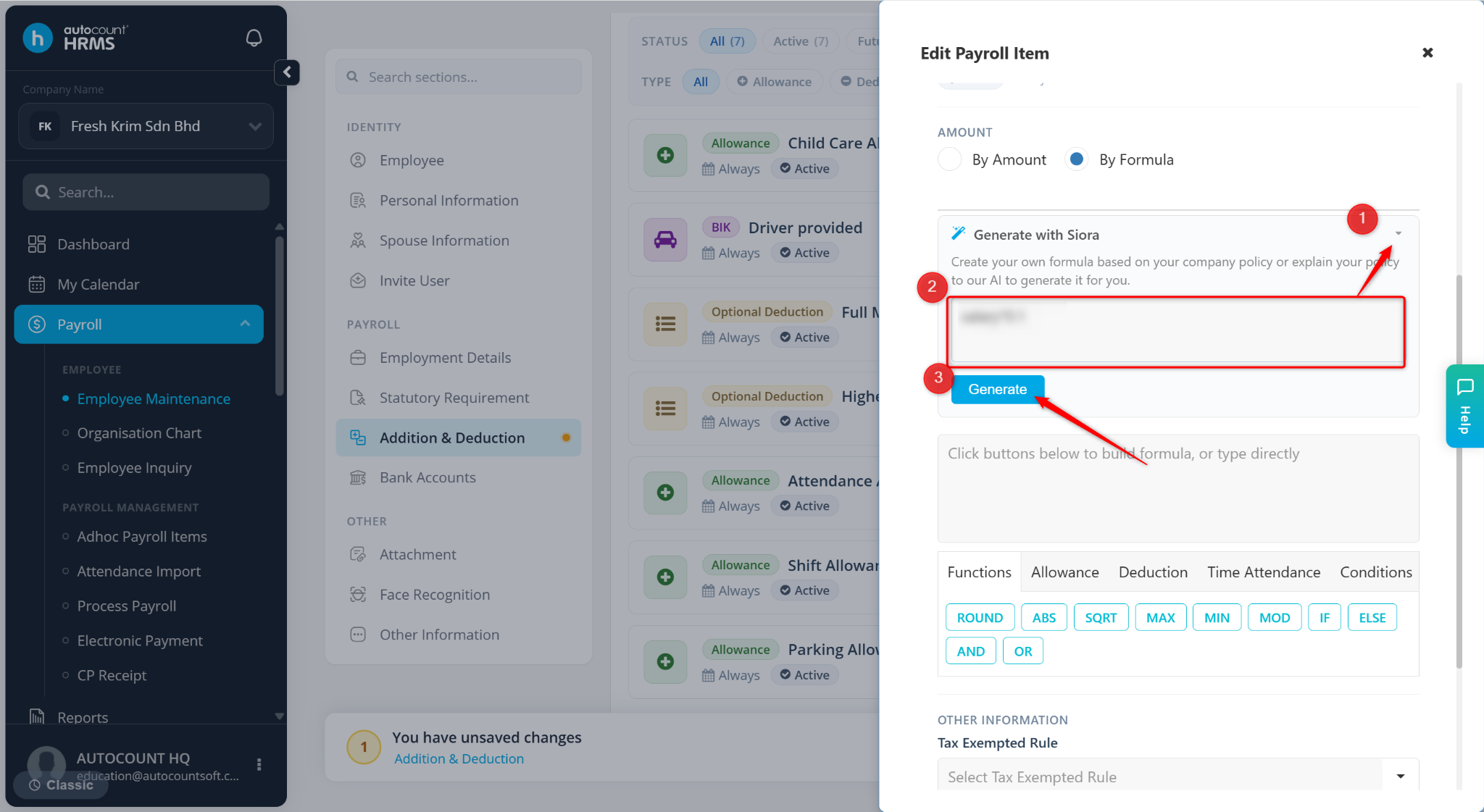
Generate with Siora – Click on the arrow down icon. Enter a brief description and click Generate.
Tax Exempted Rule – Select applicable exemption. Applicable for Allowance and BIK.
Pay EPF/Pay Tax/Pay SOCSO & EIS/Pay HRDF/Is Fixed – Check the options if applicable to the item. Applicable for Allowance and Deduction.
Limit Amount – Maximum allowable amount for the item. Applicable for Optional Deduction.