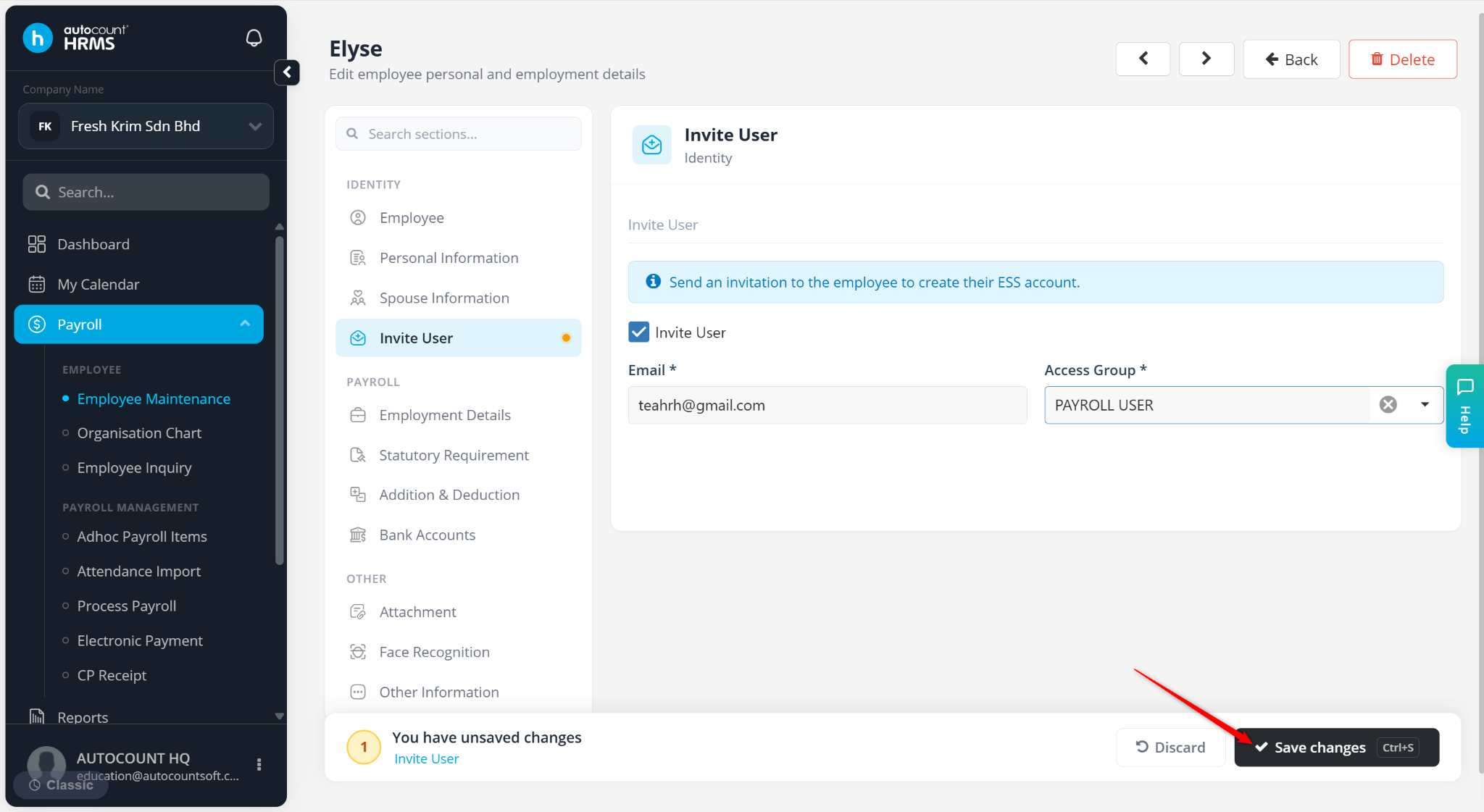
The Invite User feature allows employers to invite employees to access AutoCount HRMS and Employee Self Service (ESS). Once invited, employees will receive an email invitation to activate their account and log in.
Note: This feature is only available for Premium Plan subscriptions.
Steps to Invite User:
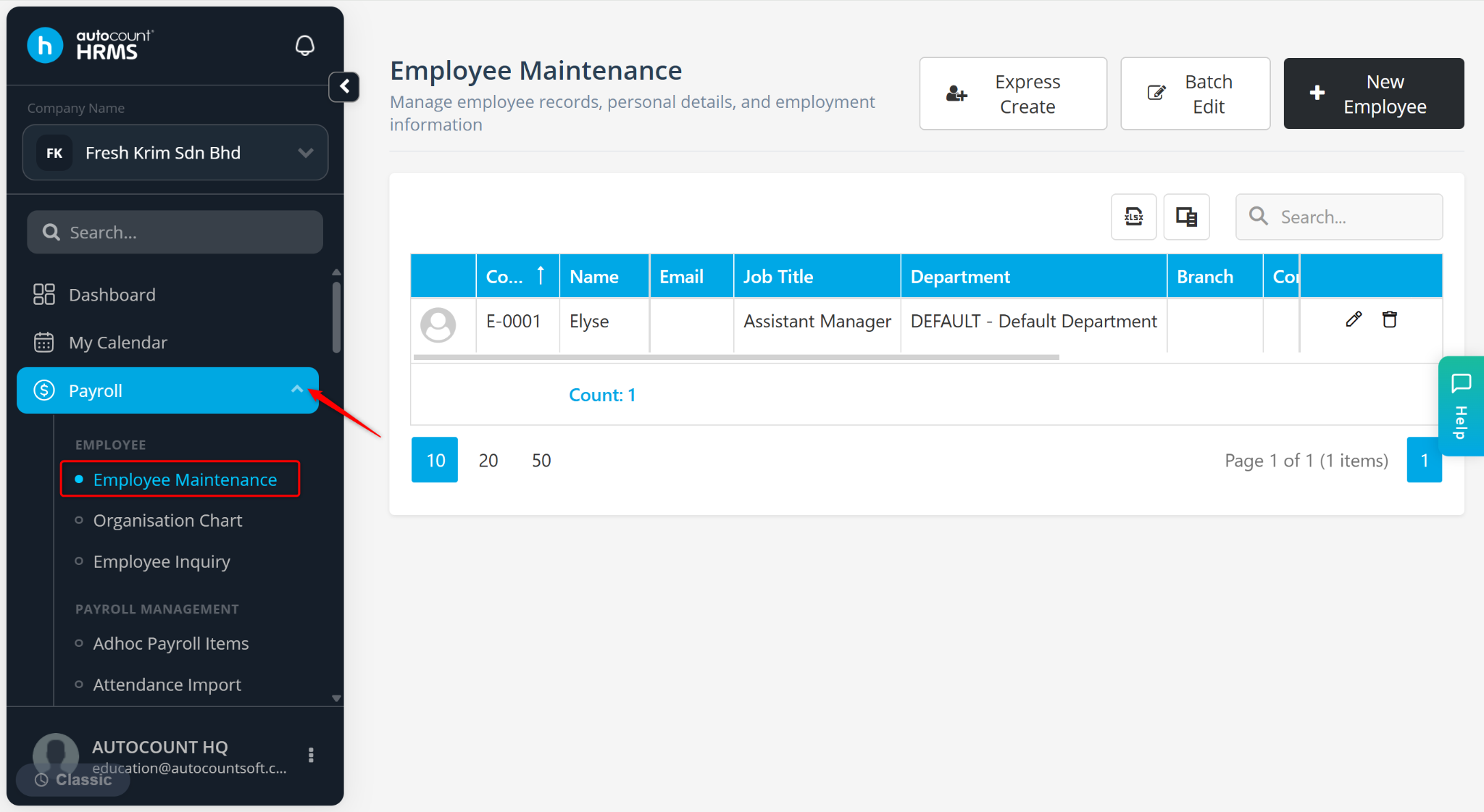
Go to Payroll > Employee Maintenance.
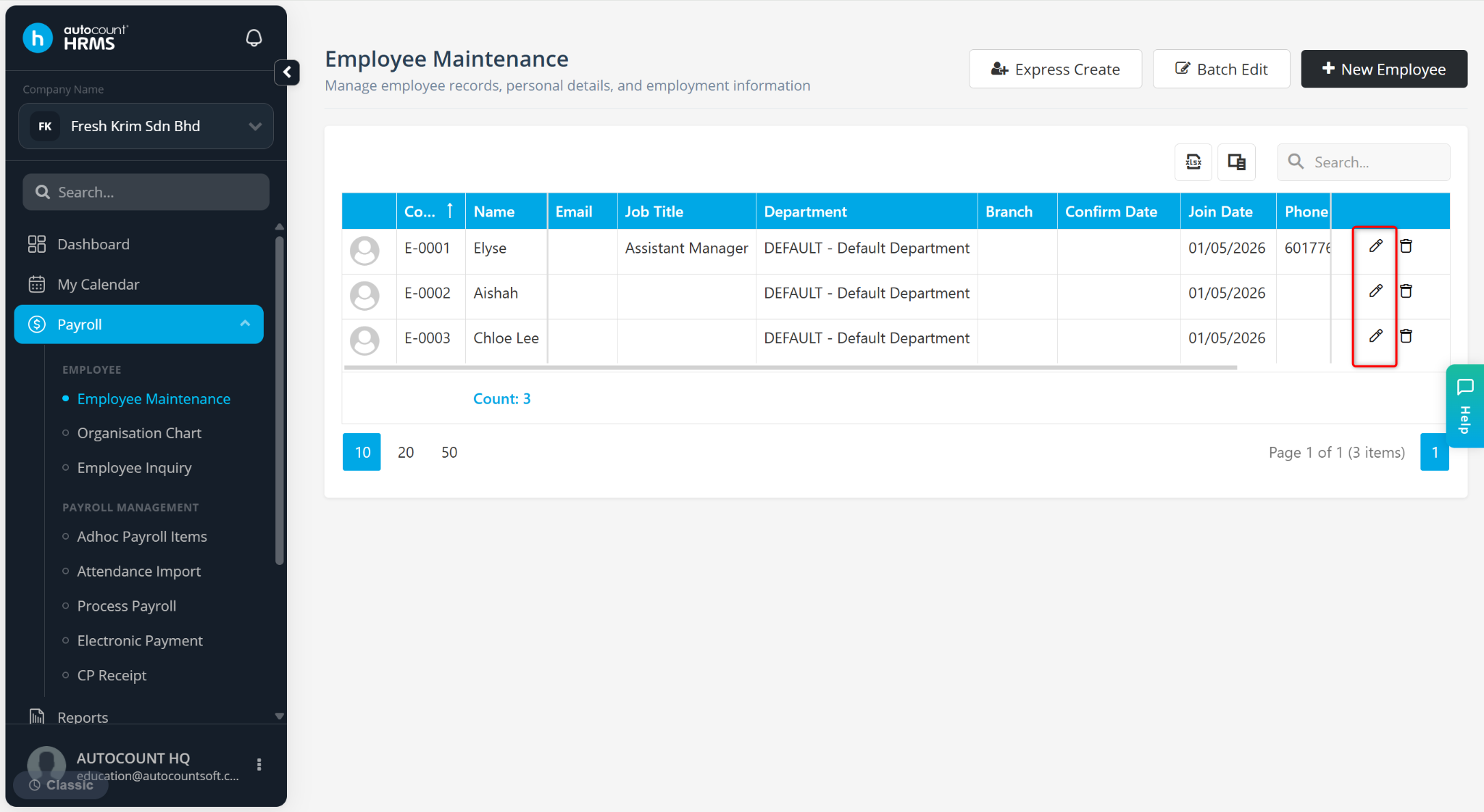
Click on the pencil icon next to the employee’s name.
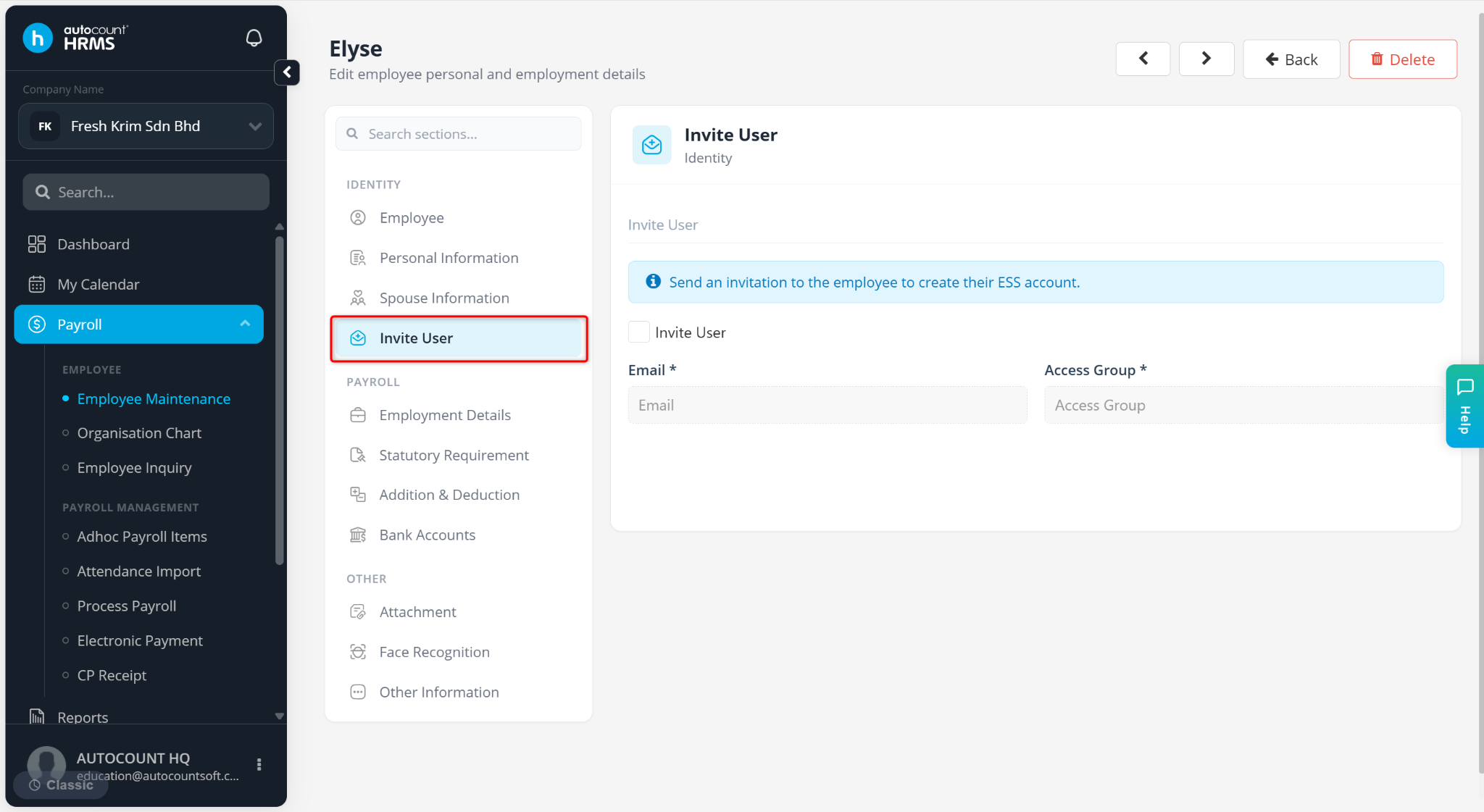
Go to the Invite User tab.
Enable the Invite User option.
Enter the employee's Email Address.
Select the appropriate Access Group. Access Groups can be maintained at Tools > Access Management > Access Group.
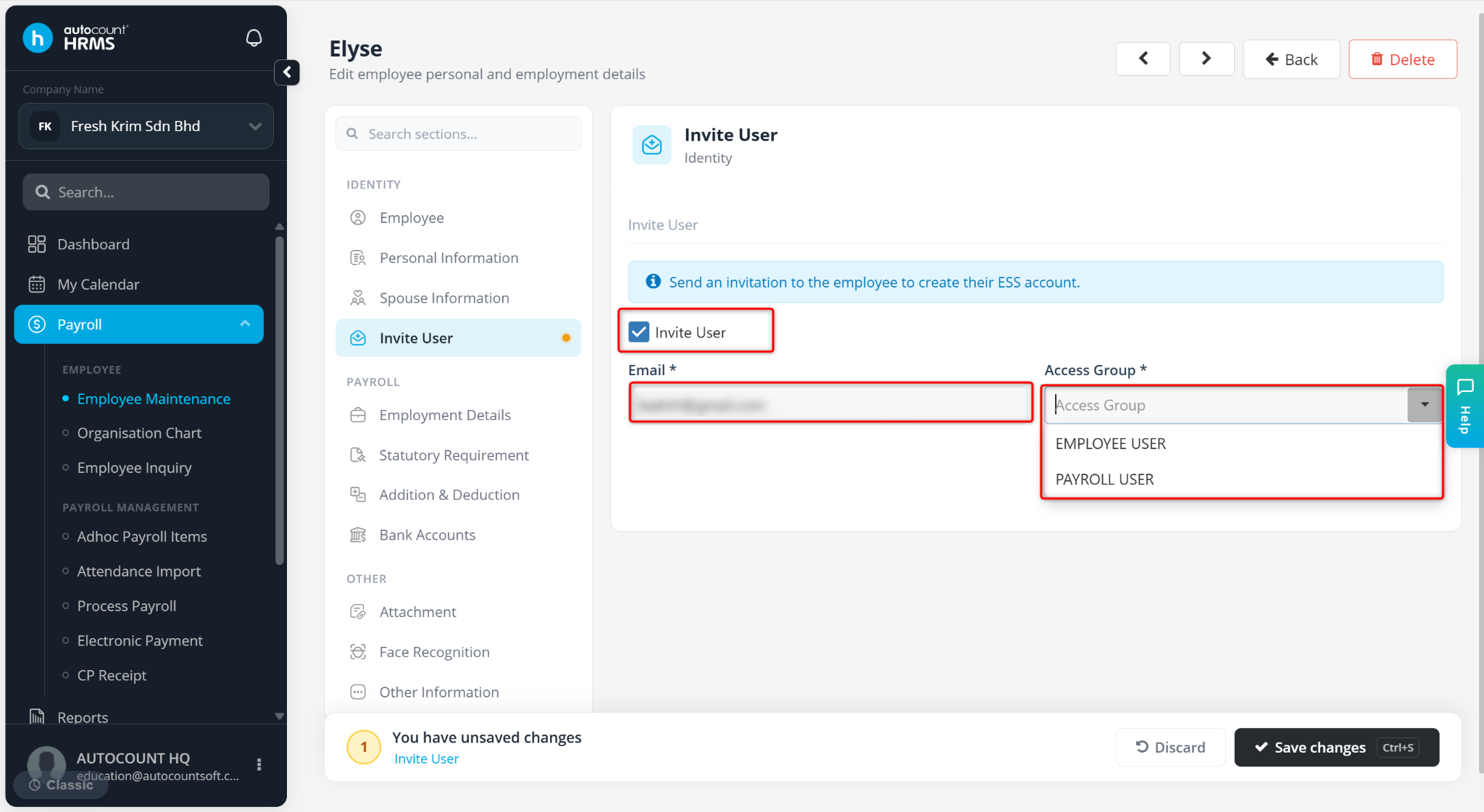
Click Save changes.