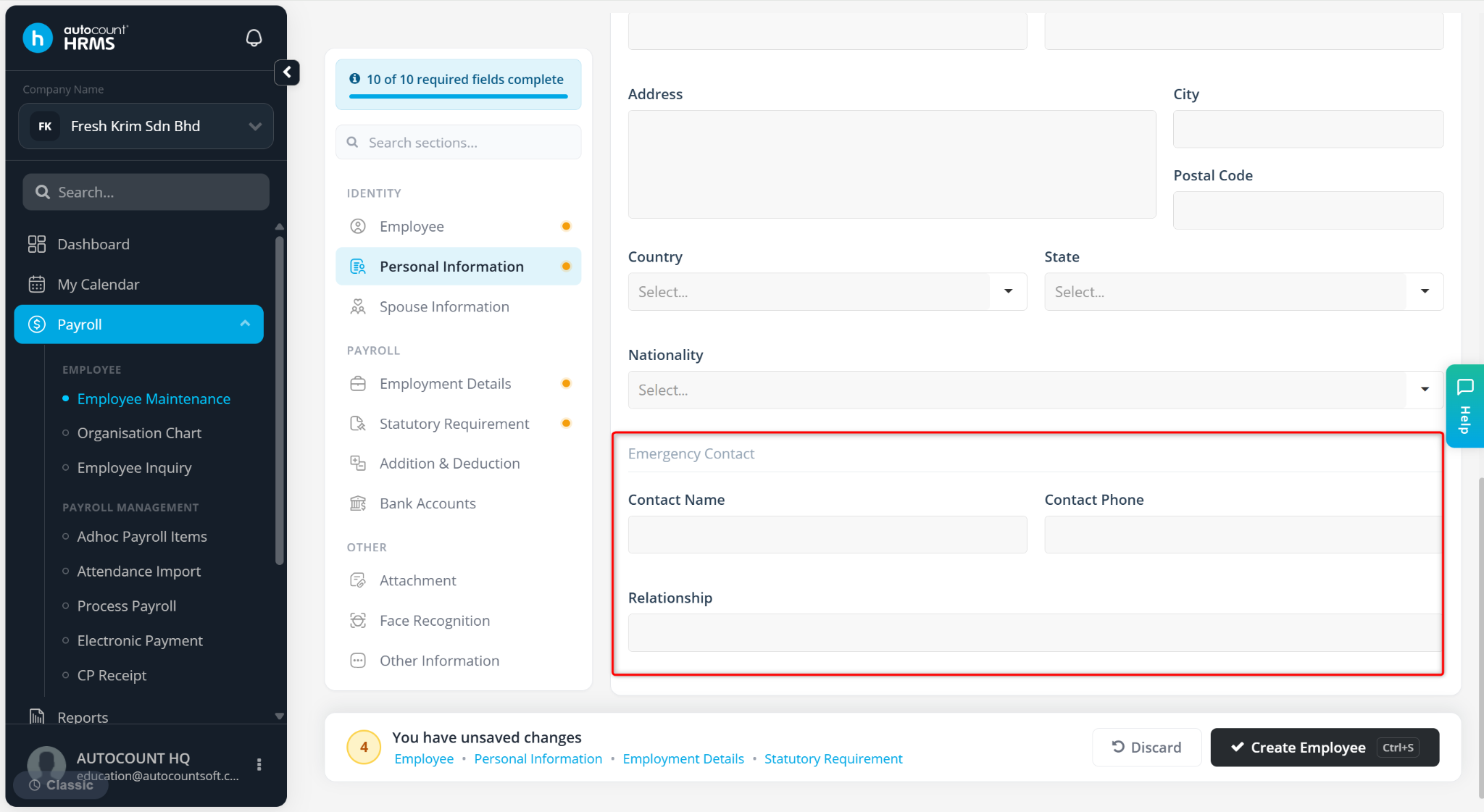
The Personal Information tab is used to maintain employees' personal details for payroll processing, statutory contributions, tax reporting, and document generation.
Step to Maintain Employee’s Personal Information:
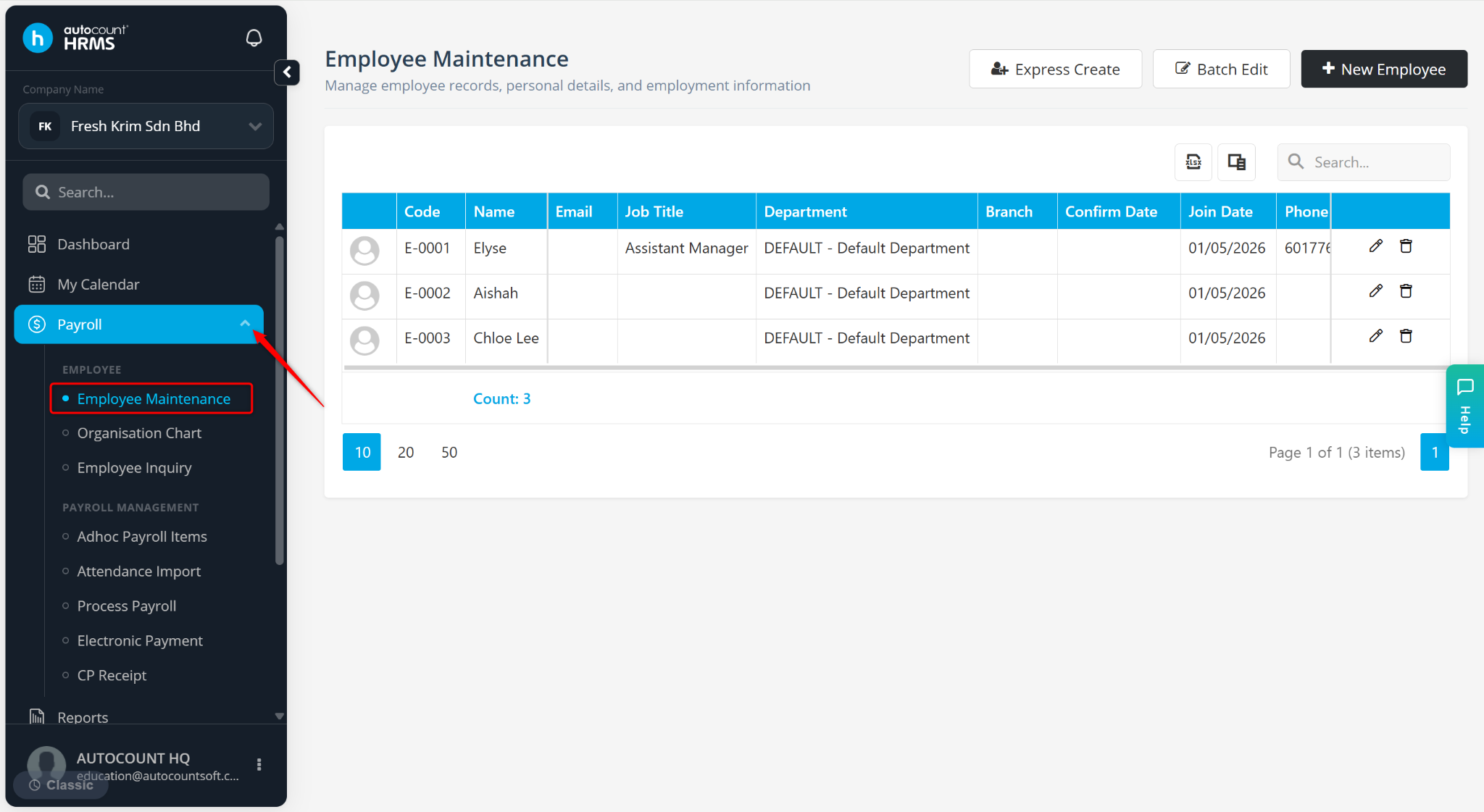
Go to Payroll > Employee Maintenance.
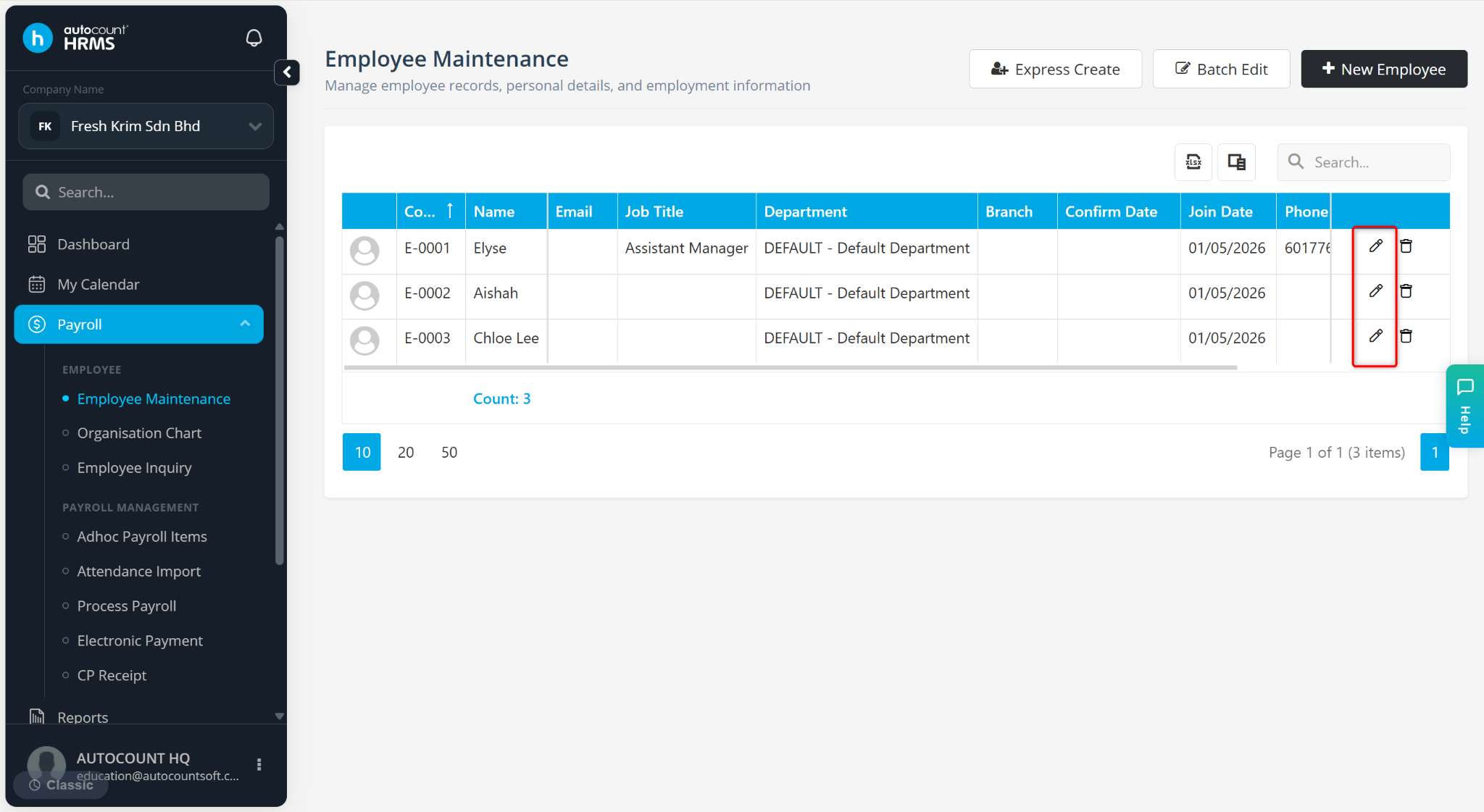
Click the pencil icon next to the employee’s name.
Go to the Personal Information tab.
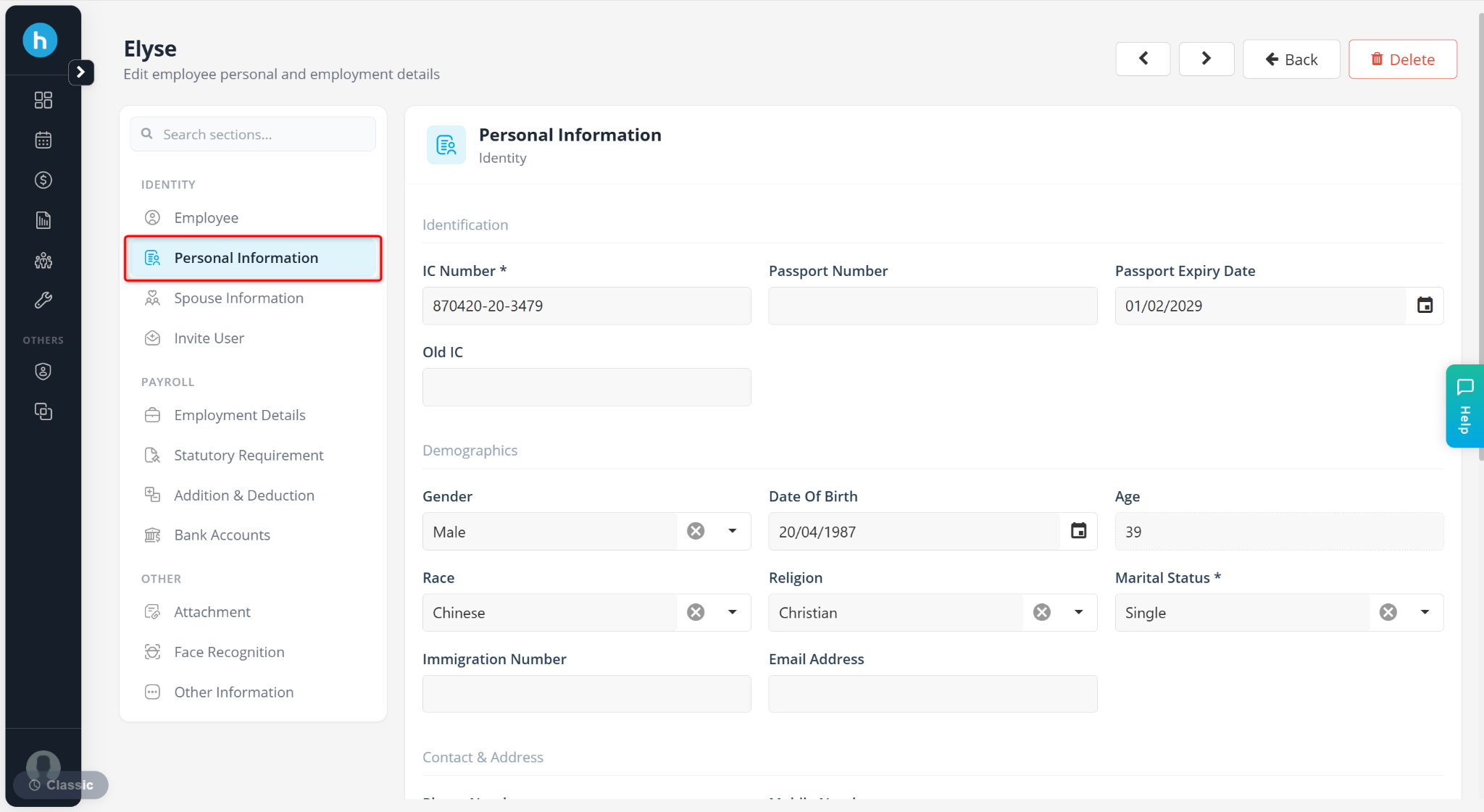
The Personal Information tab consists of the following sections:
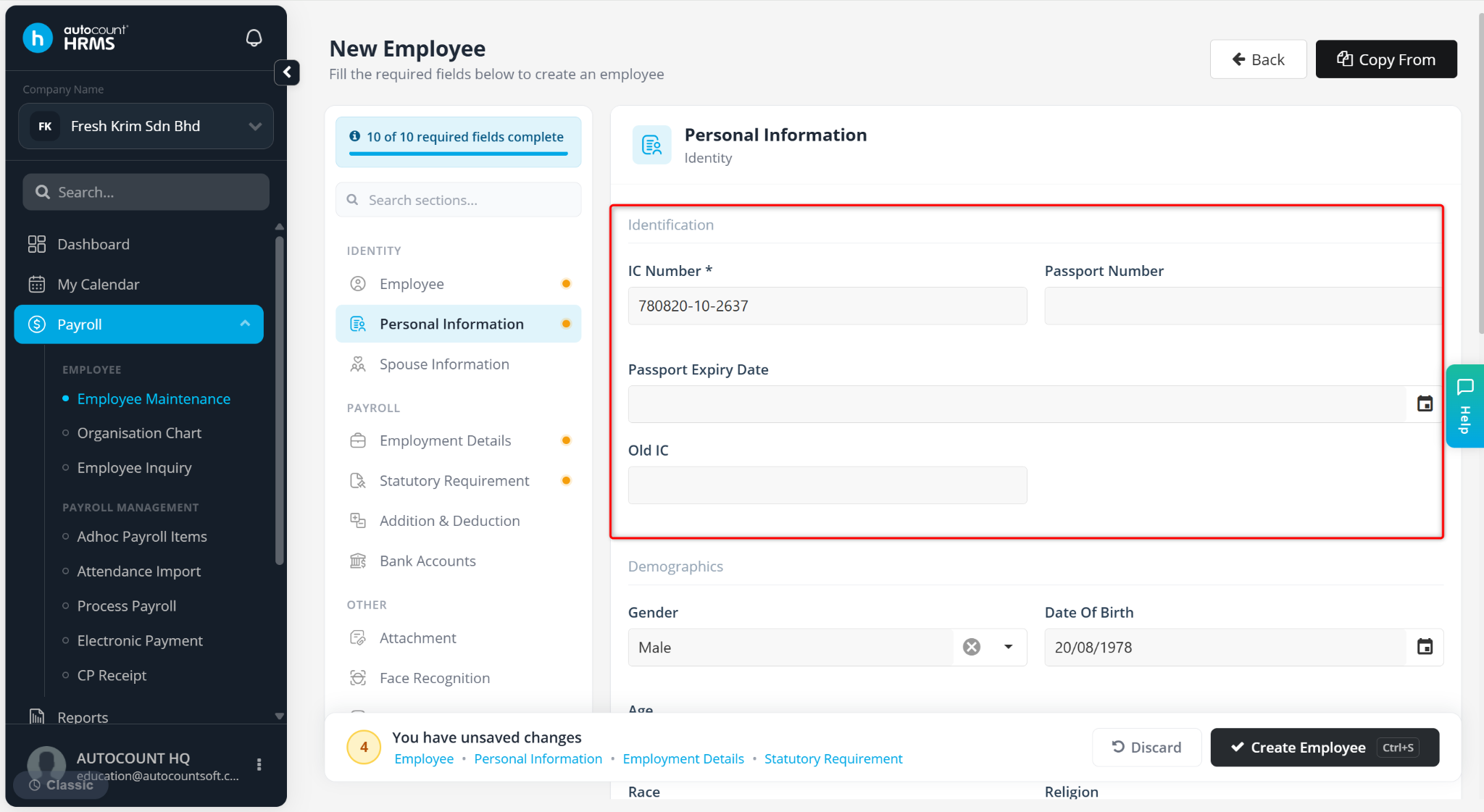
Identification
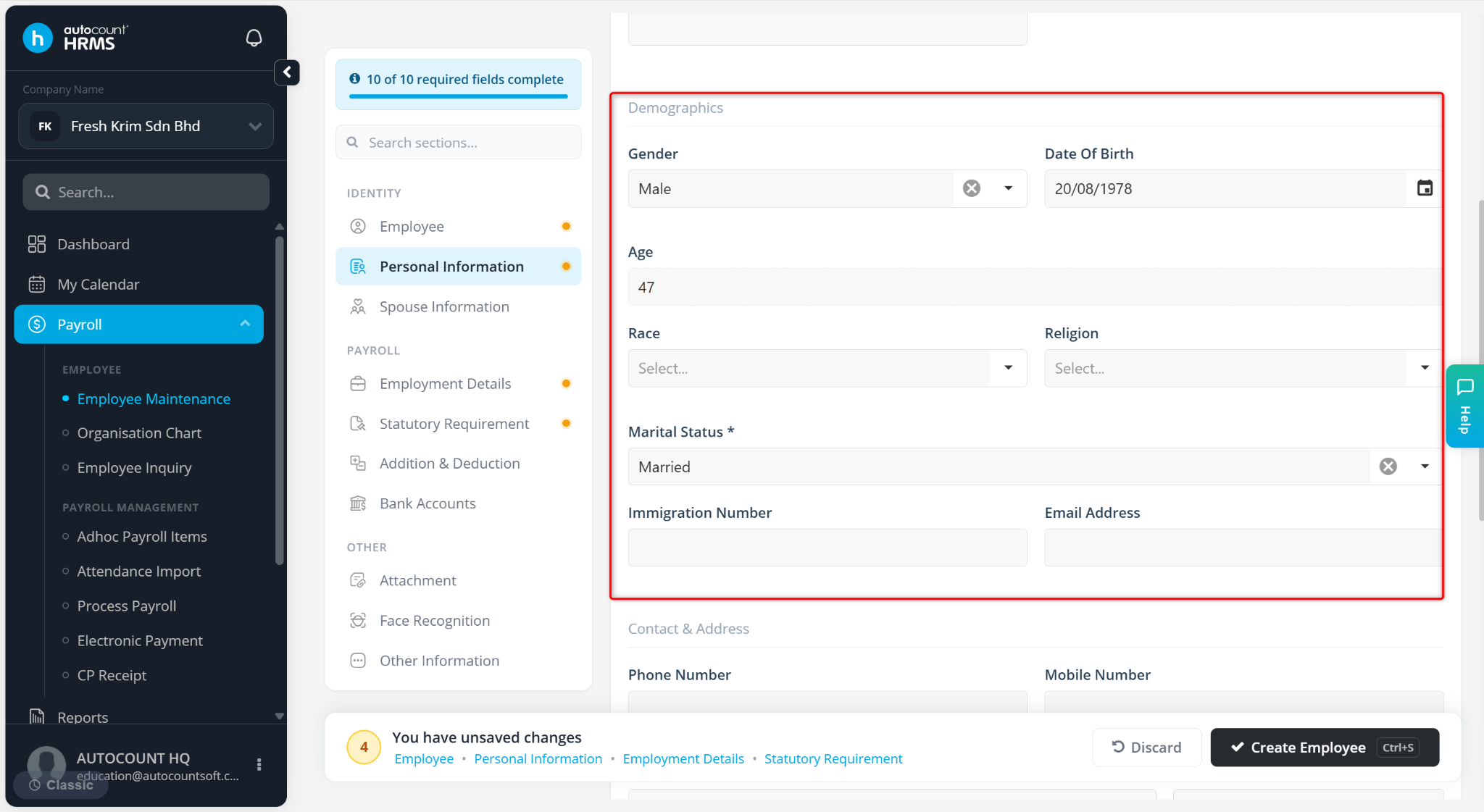
Demographics
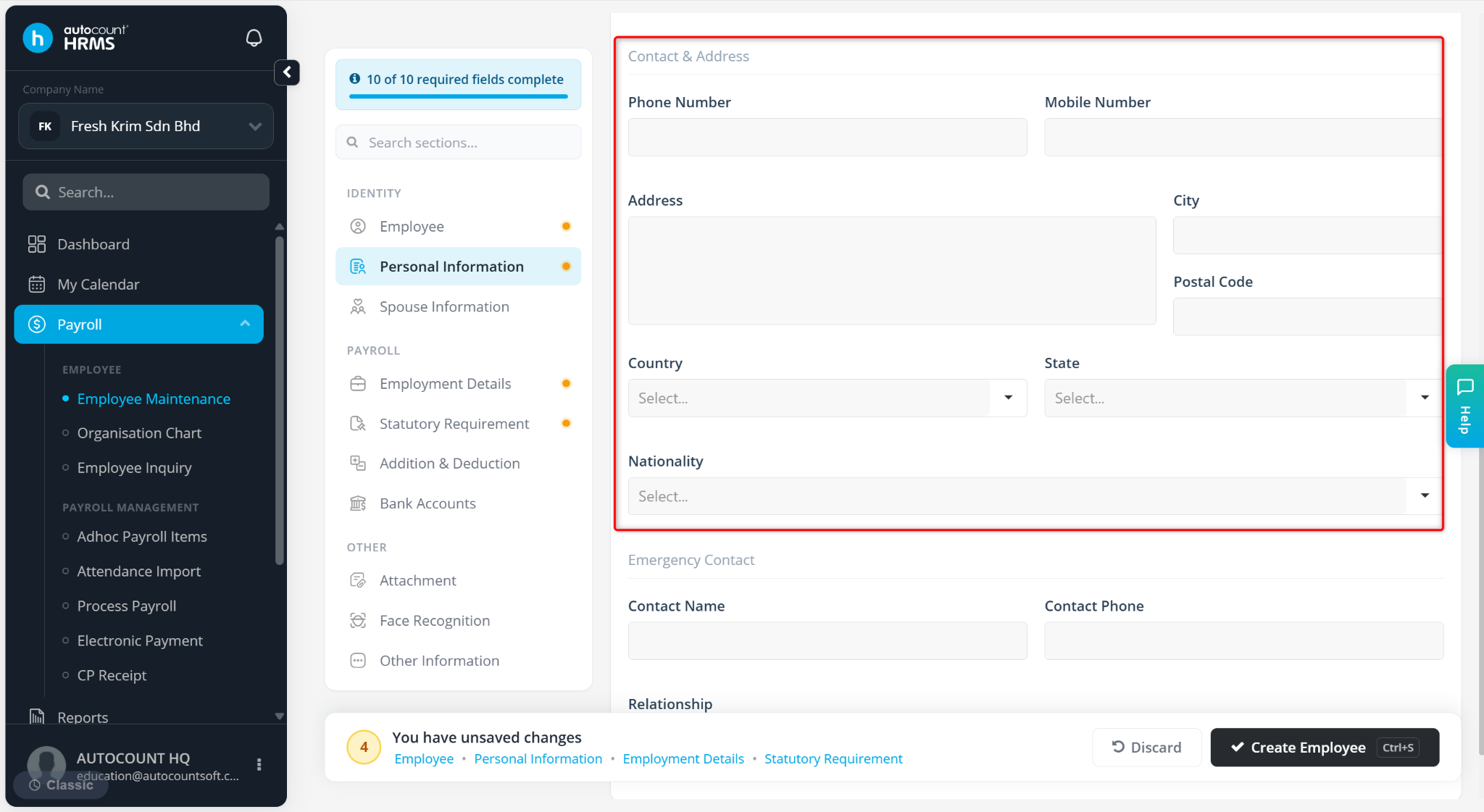
Contact & Address
A) Identification
Available fields:
IC Number – Enter employee’s national identification number.
Passport Number – Enter employee’s passport number.
Passport Expiry Date – Enter the expiry date of the passport.
Old IC – Enter previous identification number if applicable.
B) Demographics
Gender – Select the Female or Male.
Date Of Birth – Auto filled according to the IC number entered.
Age – Auto filled according to the IC number entered.
Race – Select Malay, Chinese, Indian or Others.
Religion – Select Islam, Buddhist, Hindu, Christian, Sikhism, Taoism or Others.
Marital Status – Select Married, Single, Divorced, or Widowed.
Immigration Number – Enter the immigration number of the foreign employee.
Email Address – Enter the employee’s primary email address.
C) Contact & Address
Phone Number – Enter employee’s contact number.
Mobile Number – Enter employee’s contact number.
Address – Enter the residential address.
City – Enter the city of residence.
Postal Code – Enter the postal or zip code.
Country – Select the country of residence.
State – Select the state or region.
Nationality – Select employee’s nationality.
D) Emergency Contact
Contact Name – Enter the name of the emergency contact person.
Contact Phone – Enter the contact number of the emergency contact.
Relationship – Enter the relationship with the employee (e.g., parent, spouse).