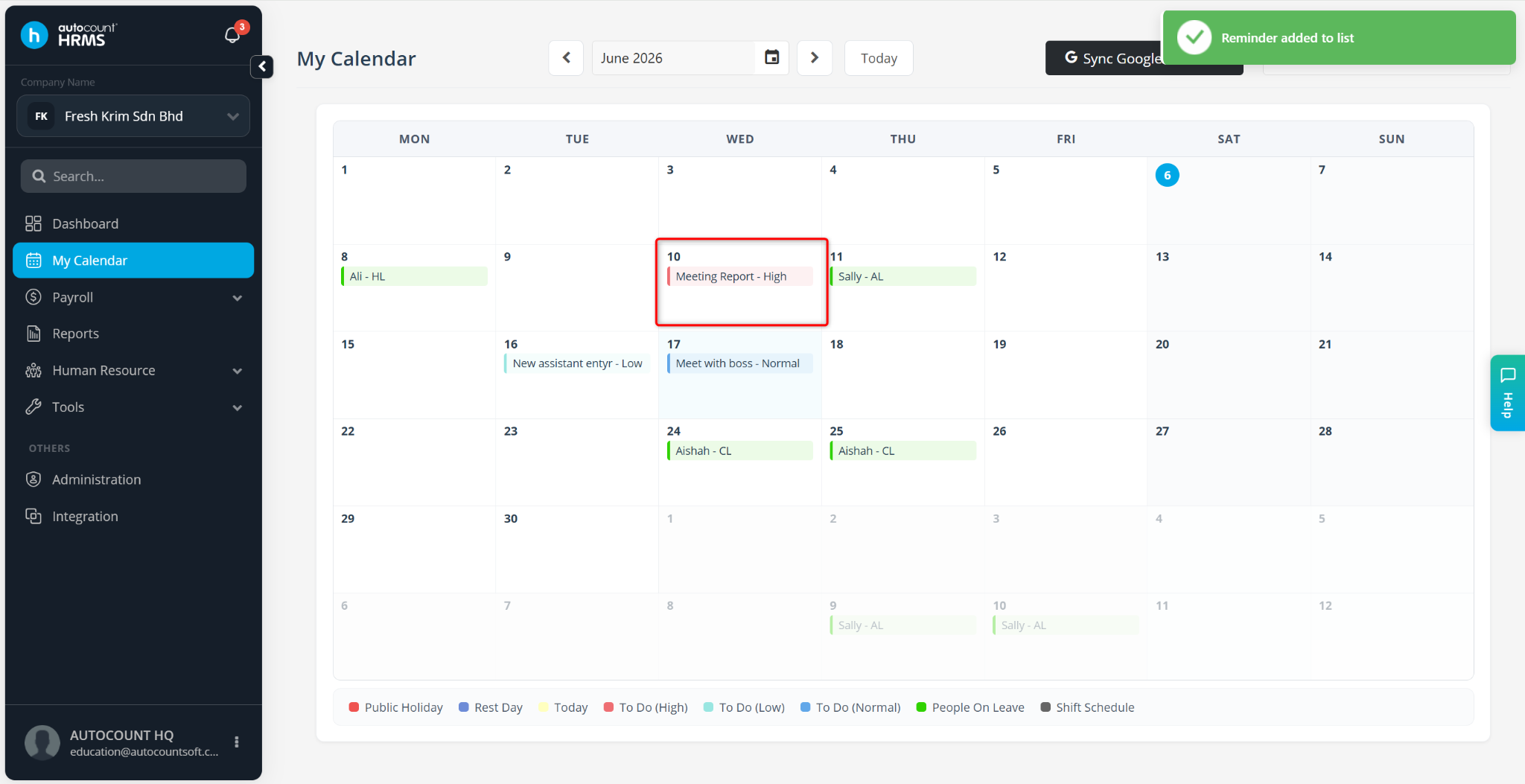
Yes. You can create reminders and manage personal to-do lists using My Calendar. This feature is available to Payroll Users only.
Steps to Set a Reminder or To-Do-List in My Calendar:
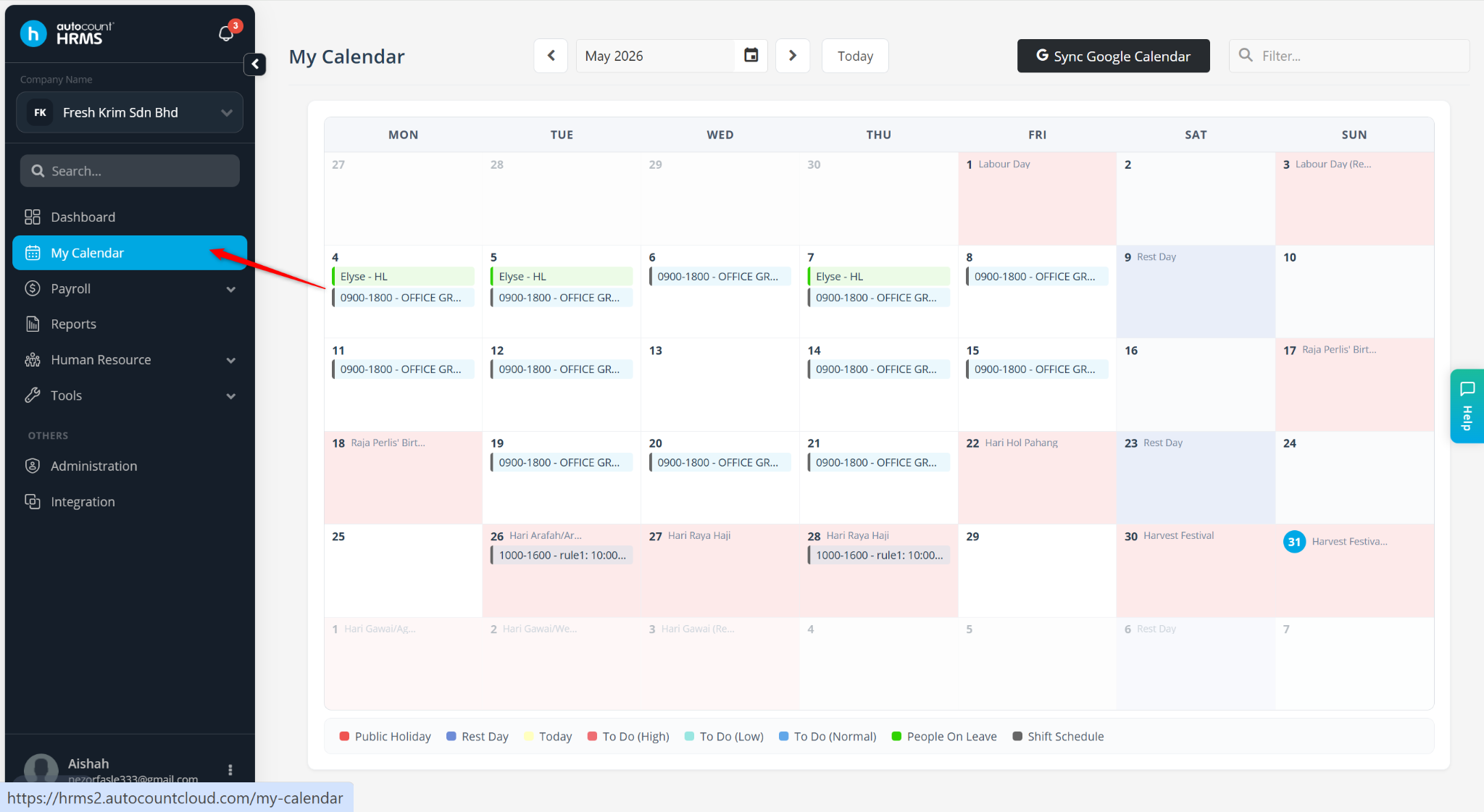
Go to My Calendar.
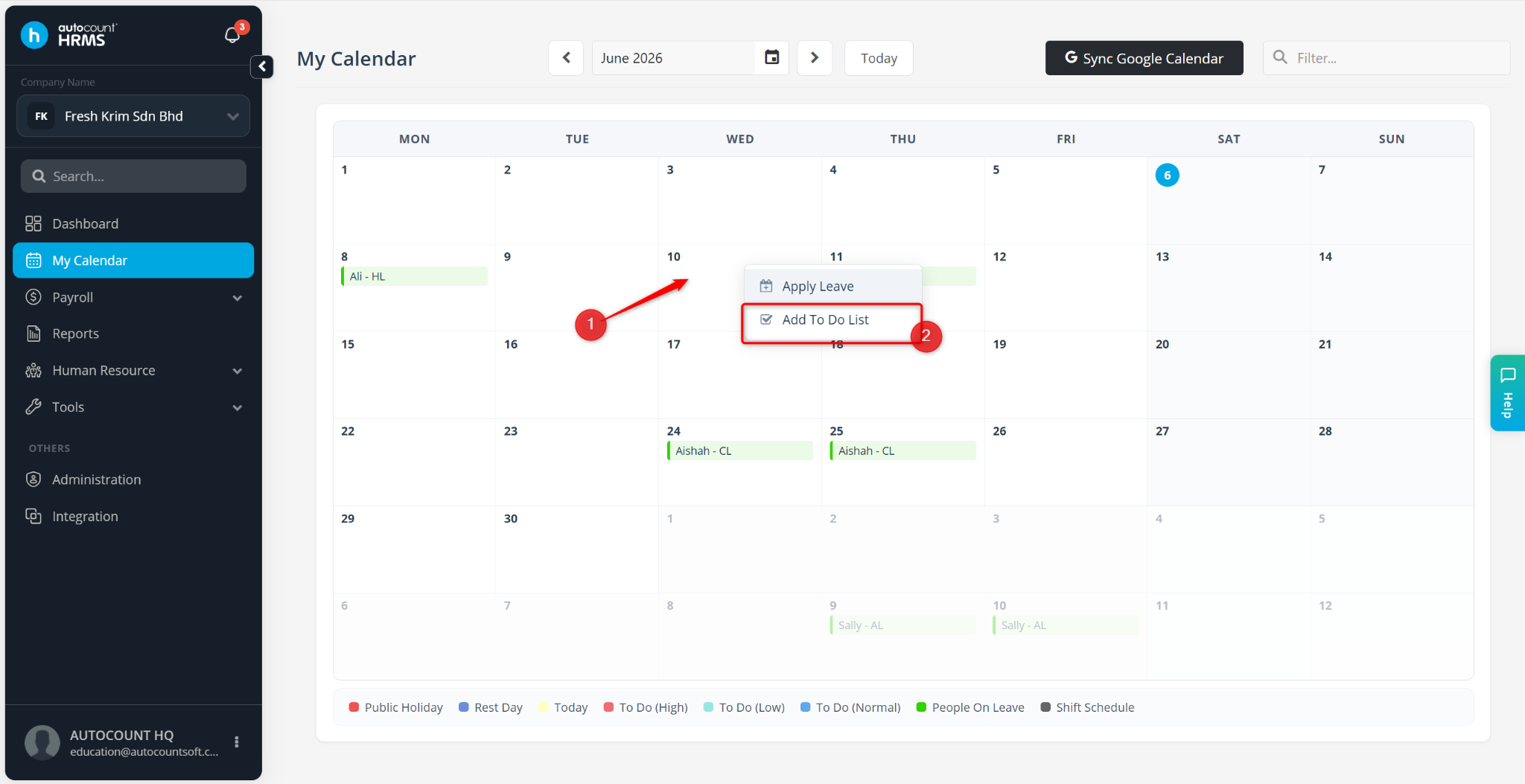
Right-click the date on which you want to create a reminder, then select Add To Do List.
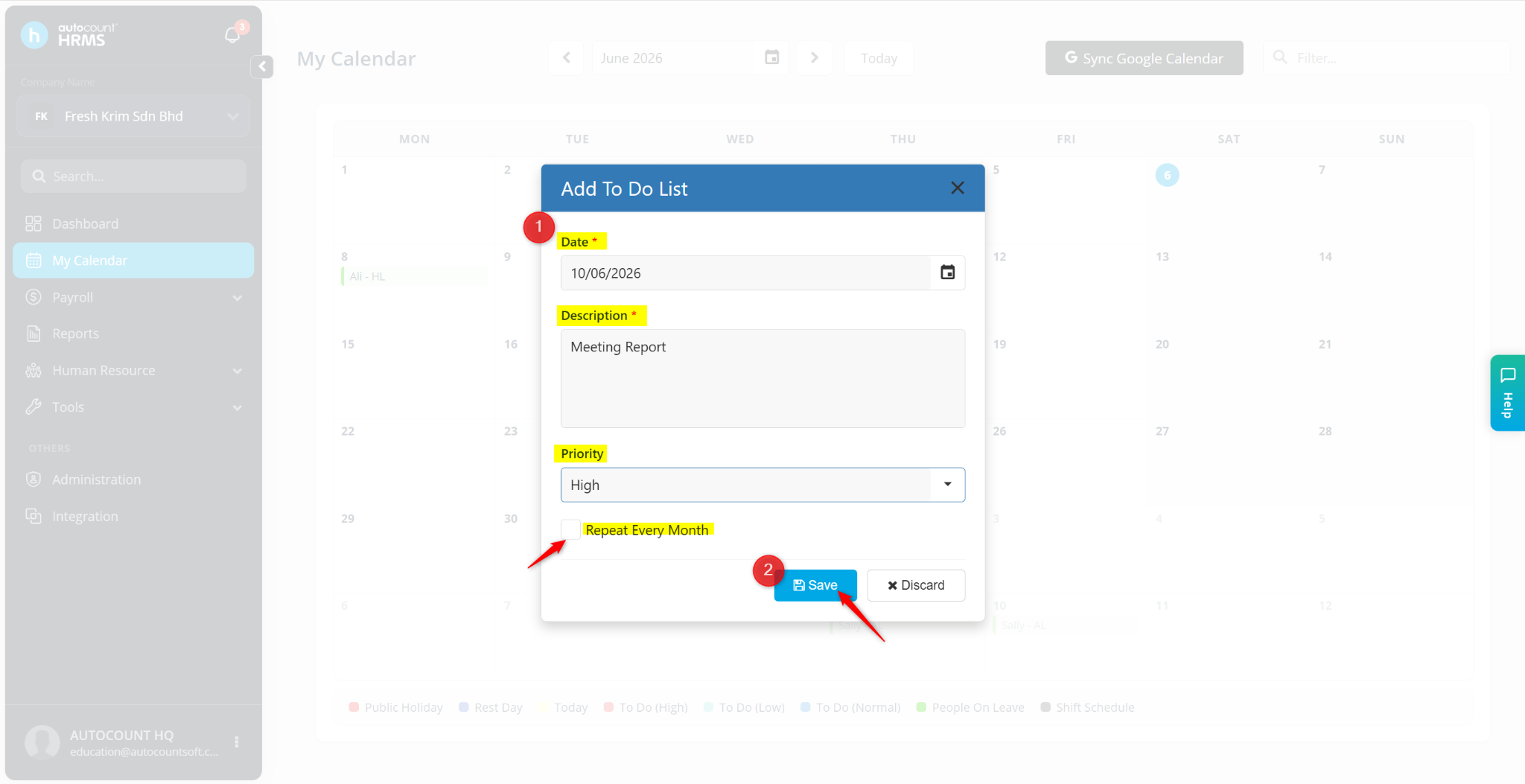
In the To-Do List tab, enter the following details:
Date – Select the date for the reminder.
Description – Enter the task name or reminder details.
Priority – Select High, Normal, or Low.
Repeat Every Month – Tick this option to automatically create the same reminder on the same date every month.
Click Save.
The To-Do List item will be added to My Calendar and displayed as a reminder on the selected date.