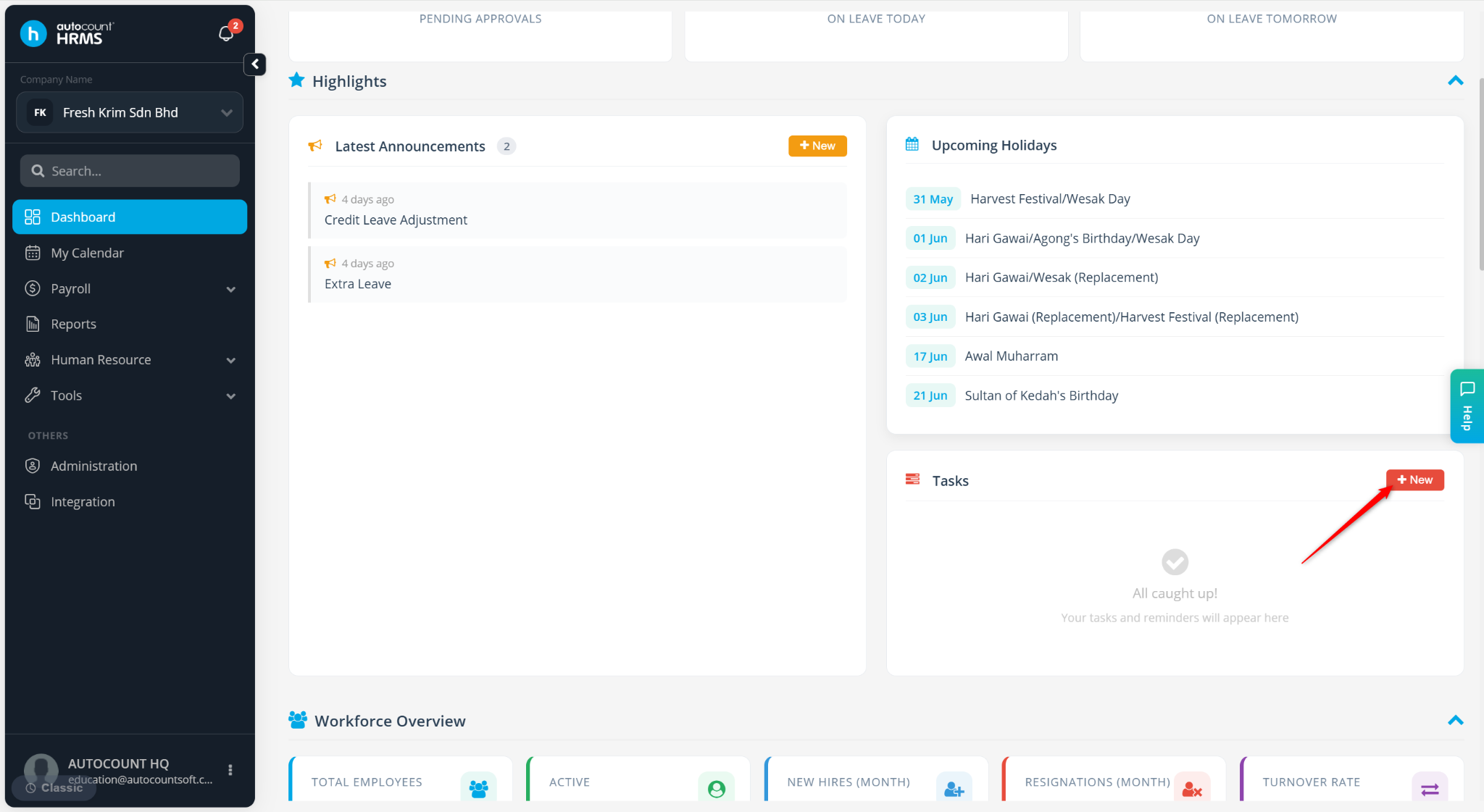
Users can create and manage a To-Do List directly from the dashboard to track tasks and reminders efficiently.
Steps to Set To-Do-List via Dashboard:
Go to Dashboard.
Under Tasks, click + New.
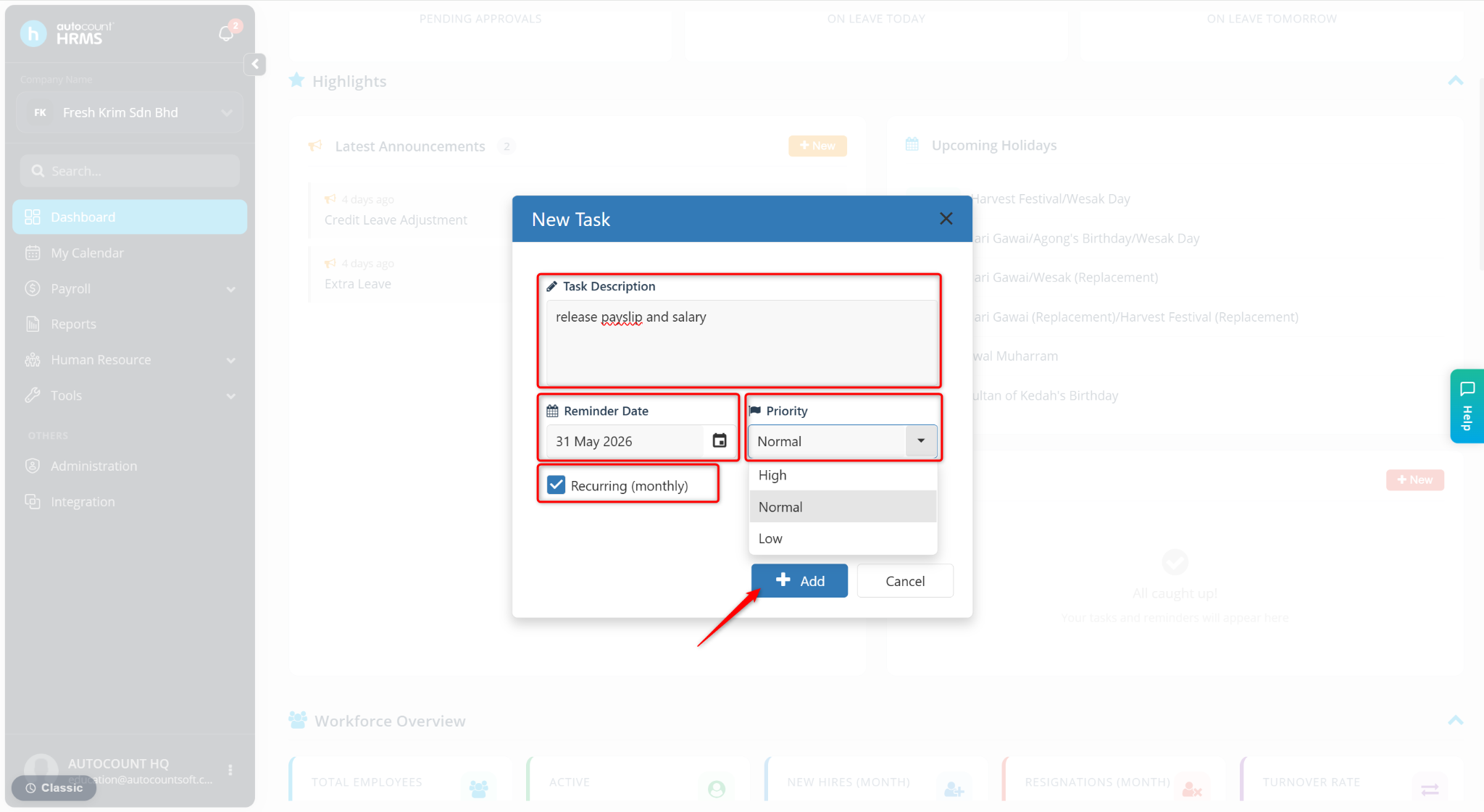
Enter the details:
Task Description – Enter the name of the task.
Reminder Date – Select the date for the reminder.
Priority – Choose High, Normal, or Low.
Recurring (Monthly) – Tick this option if the task should repeat every month.
Click Add.