Users can set a default claim payroll type to define how employee e-claim submissions will be processed in payroll. This setting determines which payroll run the claims will be included in. The options includes:
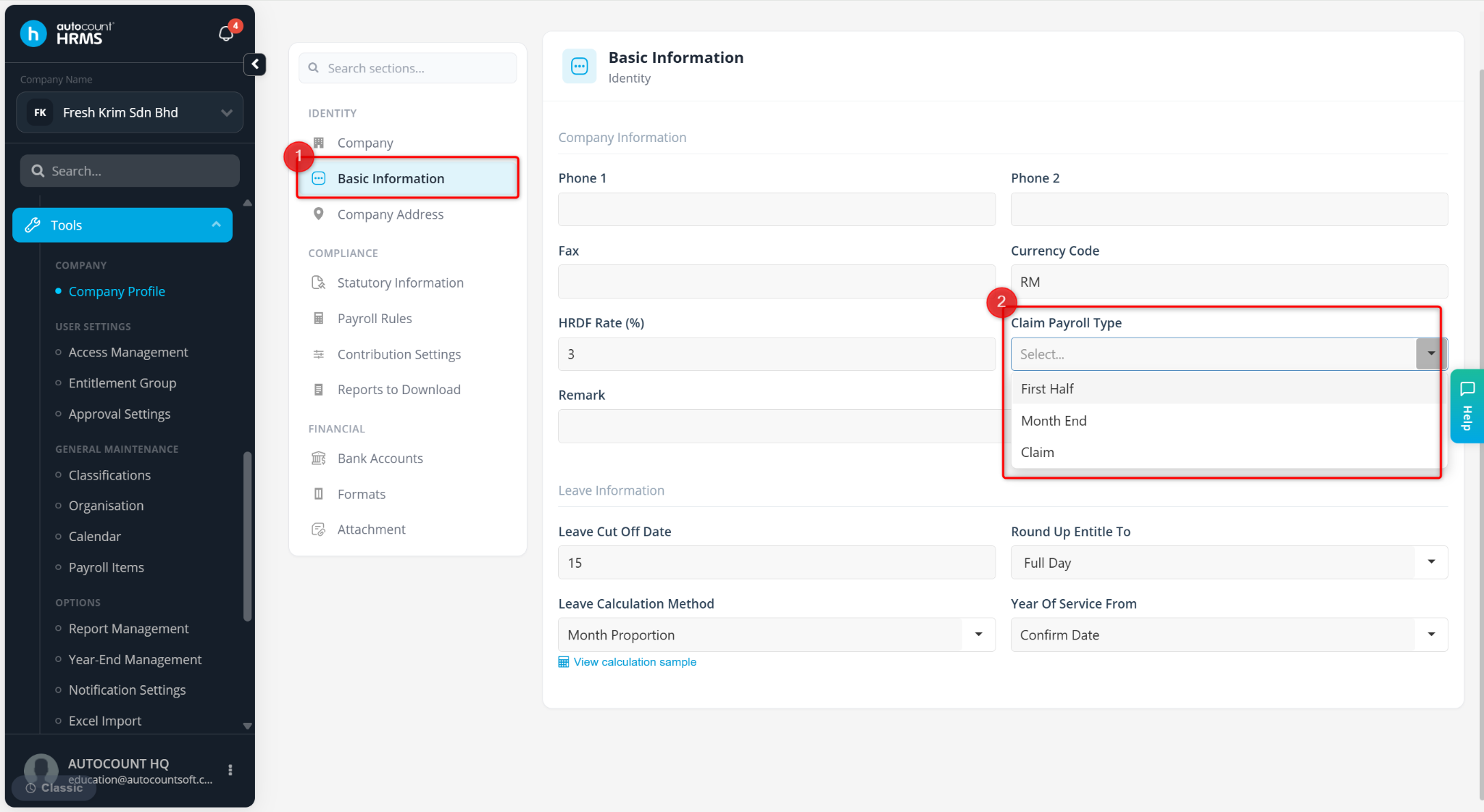
Month End – Claims are processed together with salary or second half payroll.
First Half – Claims are processed with the first half payroll.
Claim – Claims are processed separately in an individual payroll run, independent of salary payroll.
Steps to Set Default Claim Payroll Type:
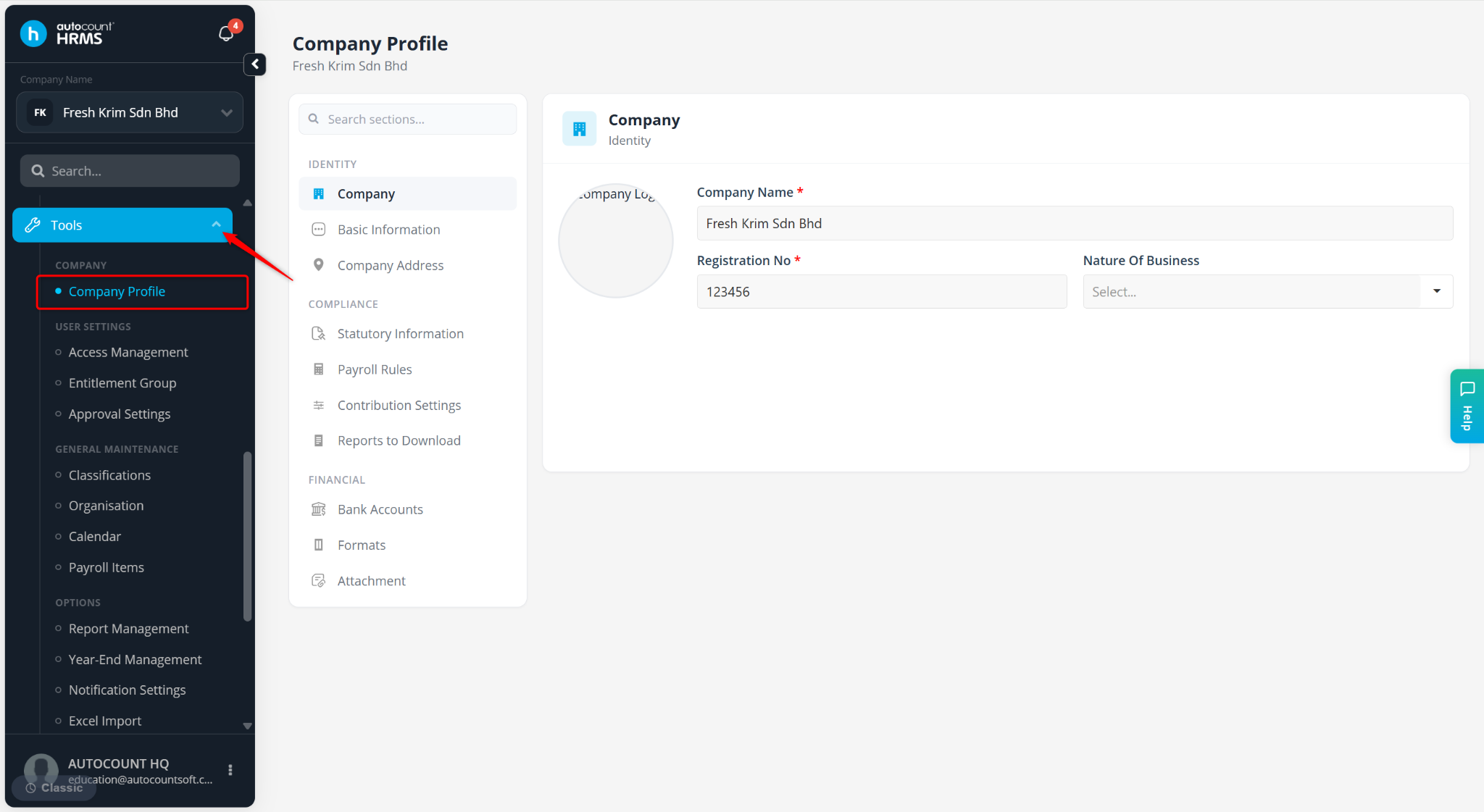
Go to Tools > Company Profile.
Go to Basic Information.
Select First Half, Month End or Claim at Claim Payroll Type field.
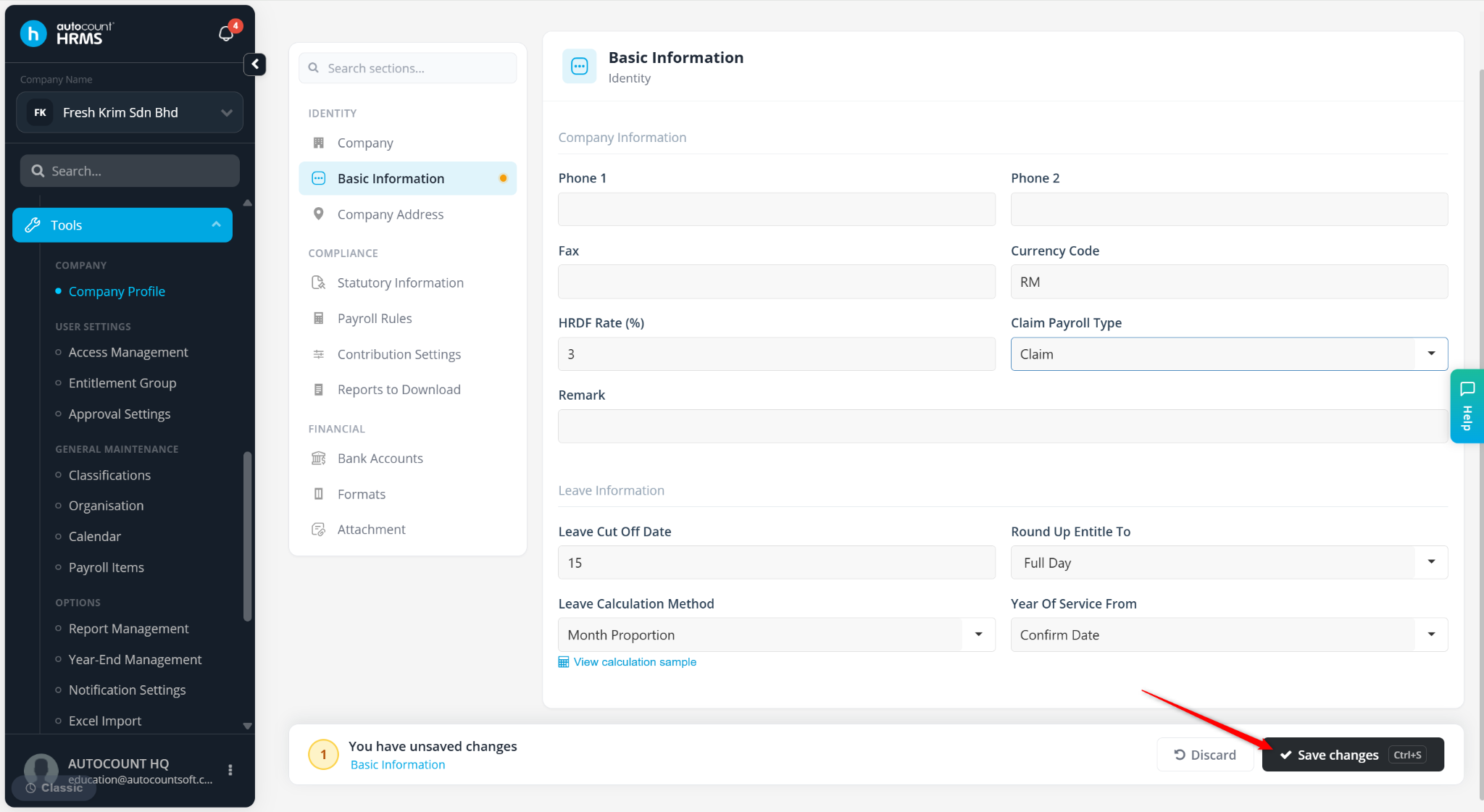
Click Save changes.