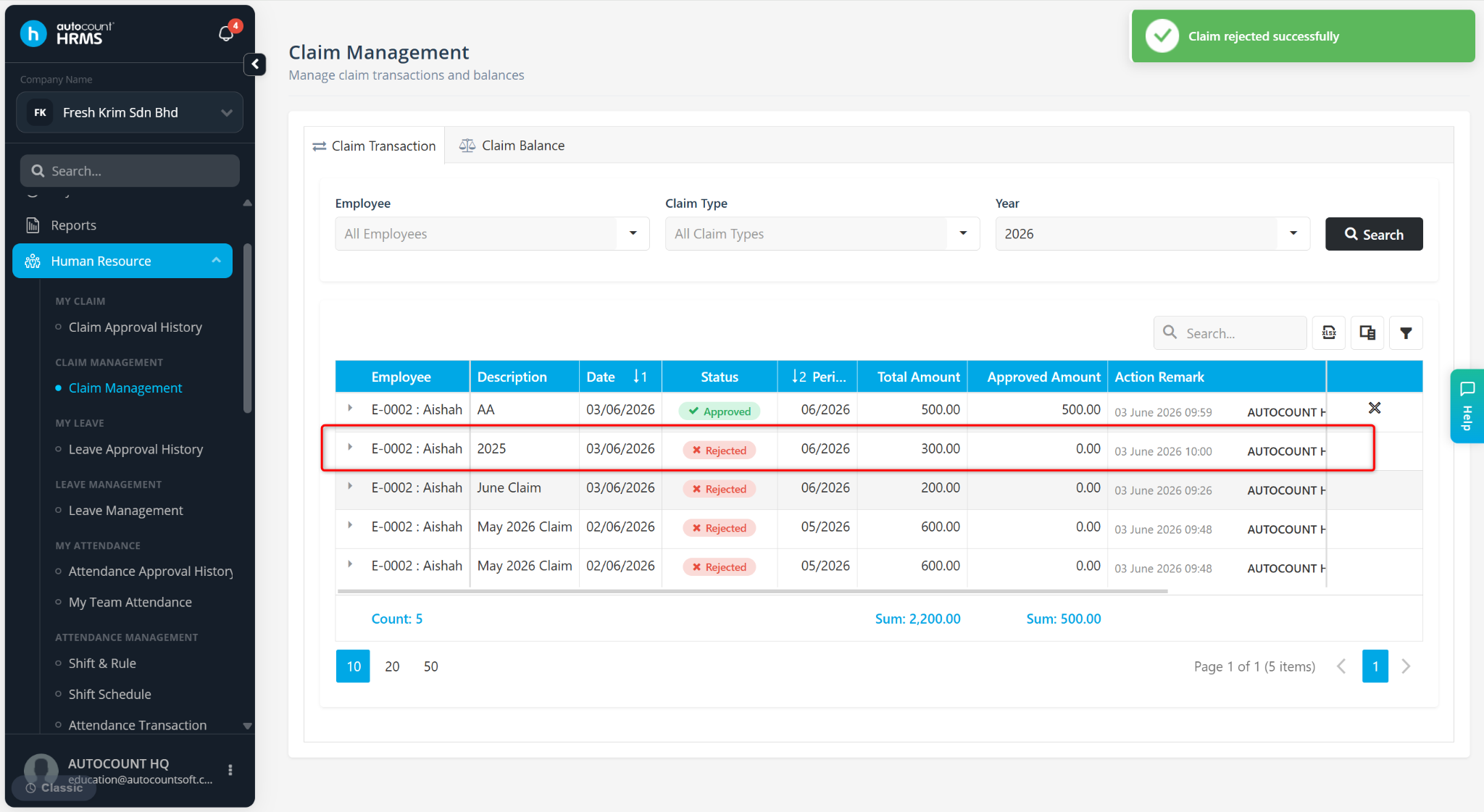
Users with the appropriate access rights can approve or reject employee claim applications through the Claim Transaction page. This is useful when processing claims on behalf of the designated claim approver or when administrative intervention is required.
Steps to Approve a Claim Application:
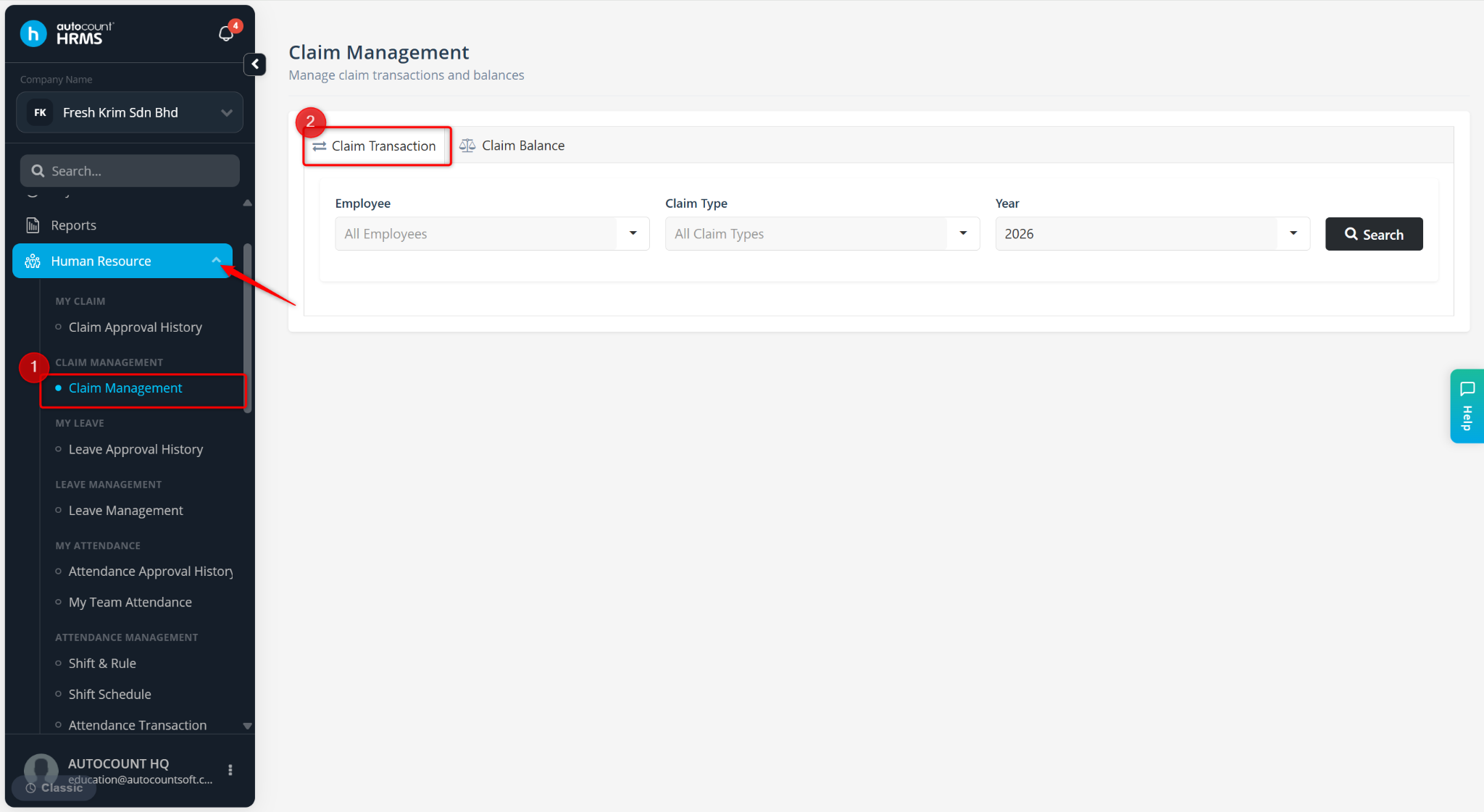
Go to Human Resources > Claim Management.
Go to Claim Transaction.
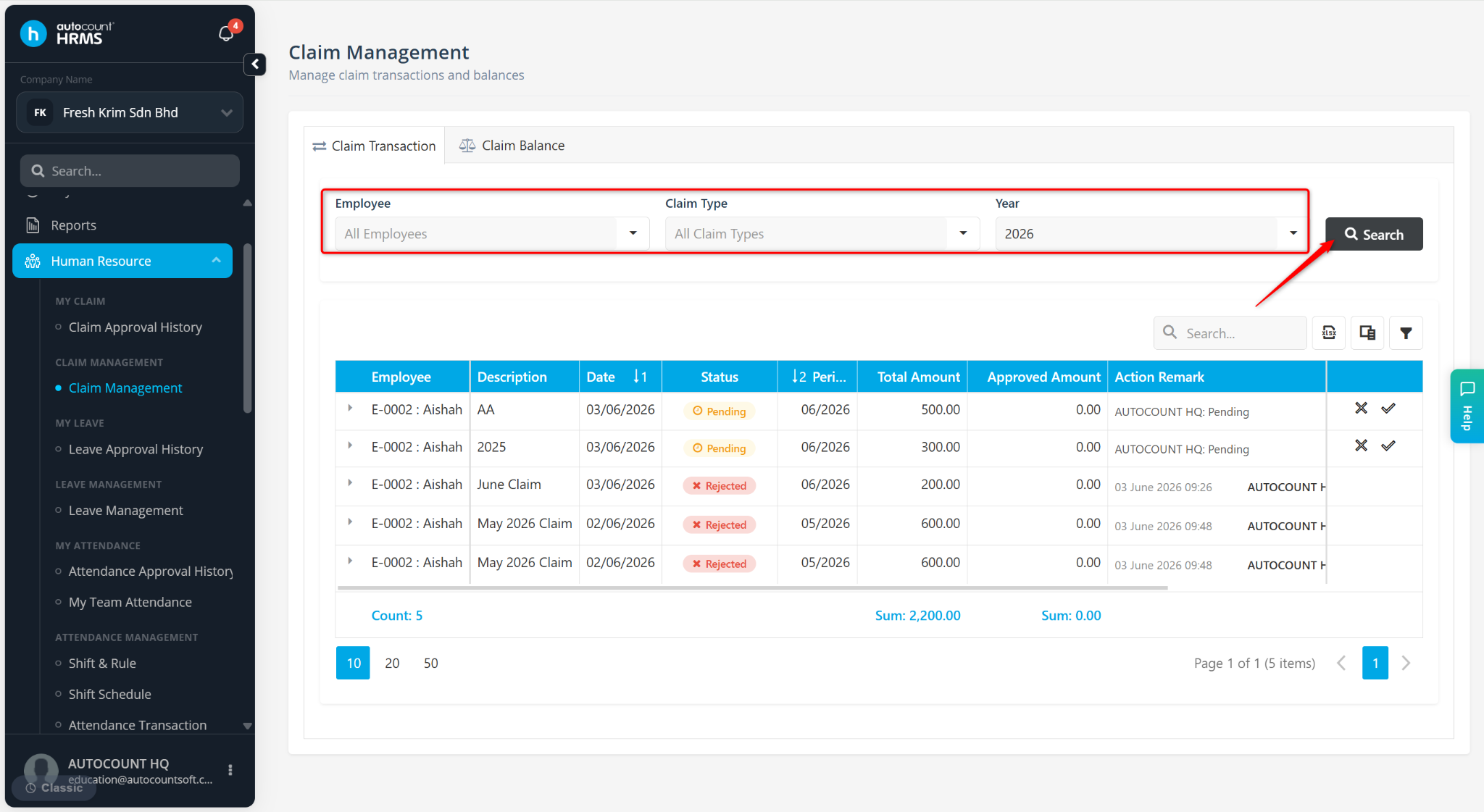
Filter by Employee, Claim Type and Year, then click Search.
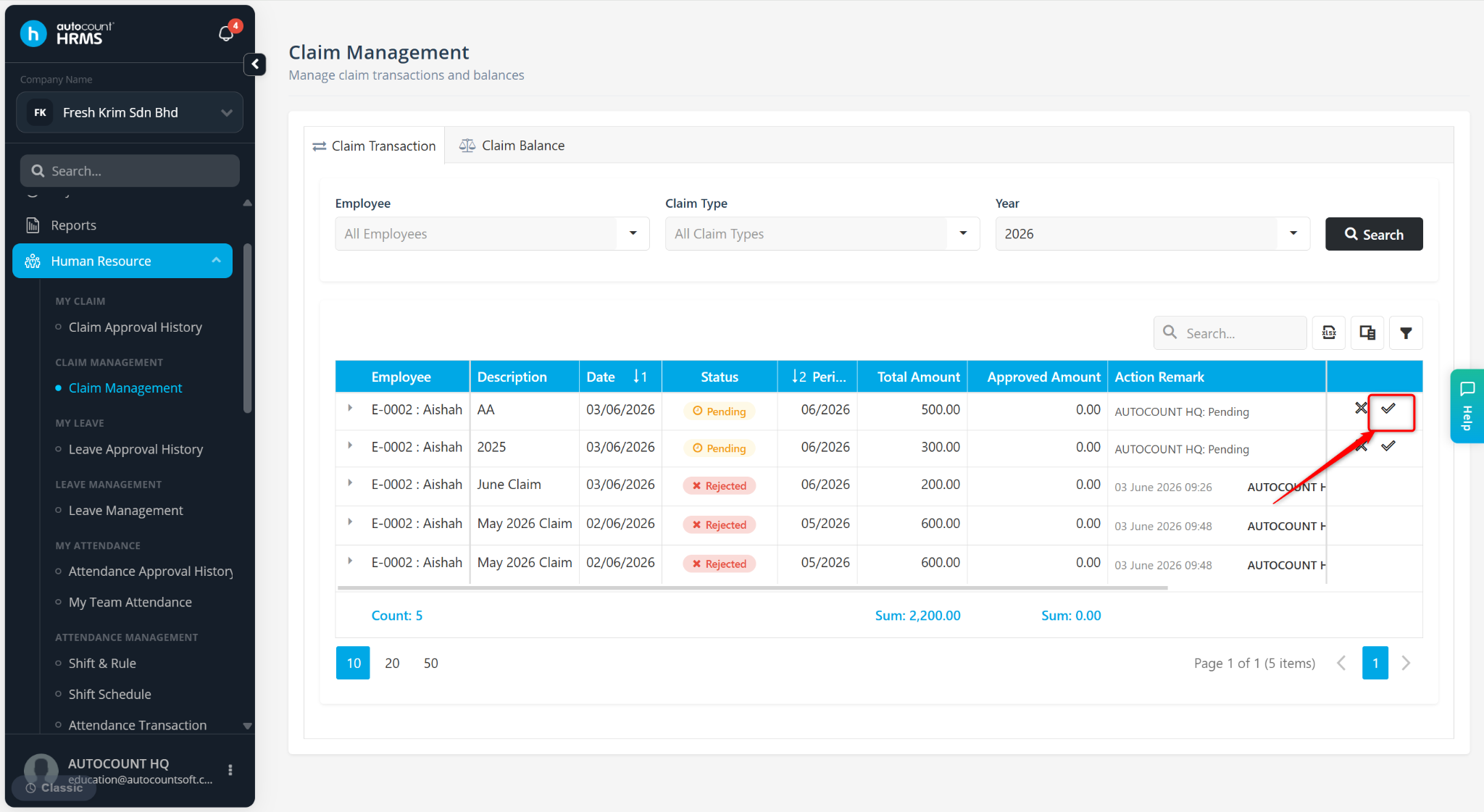
Locate the claim application and click the tick icon.
Enter a Remark and click Approve.
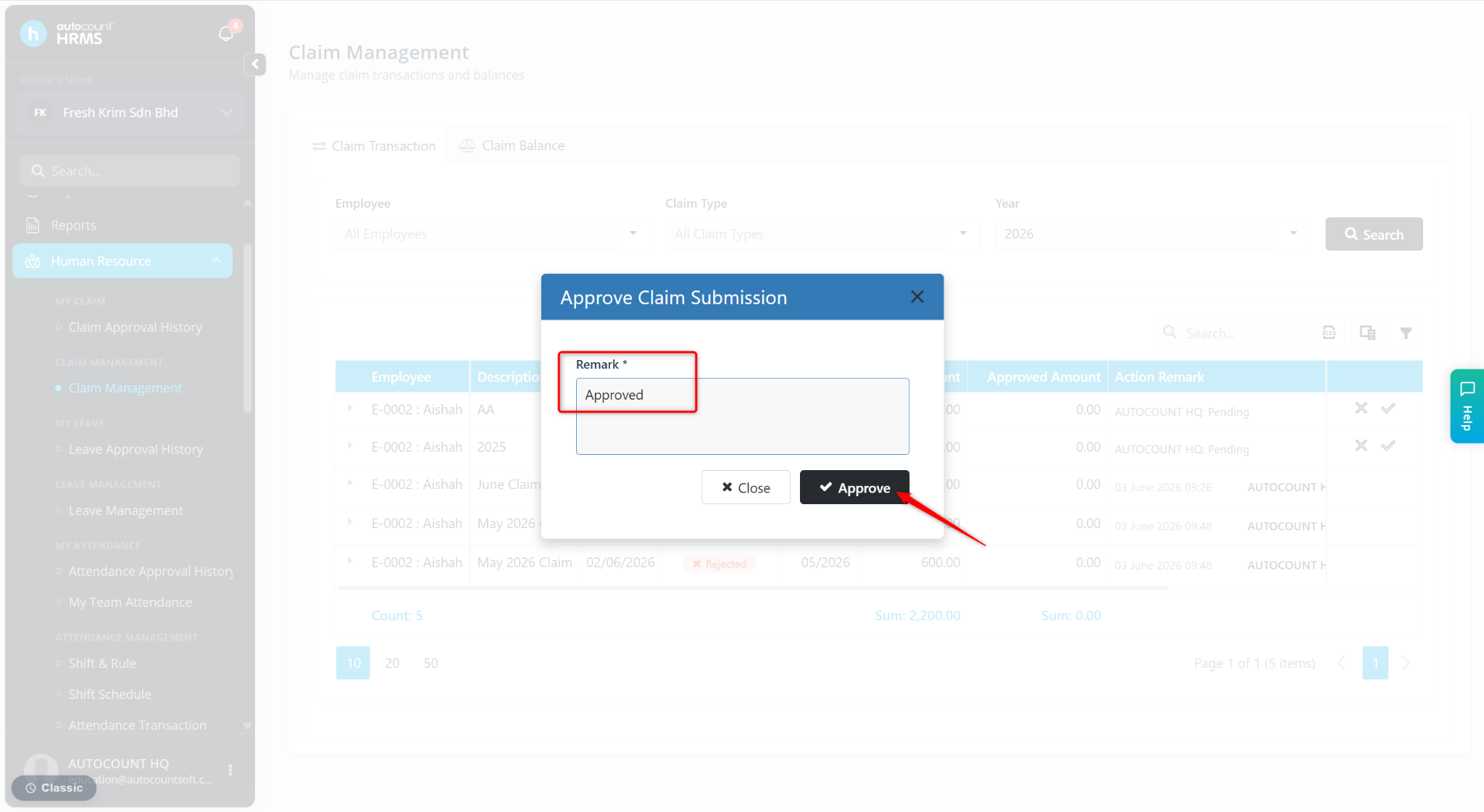
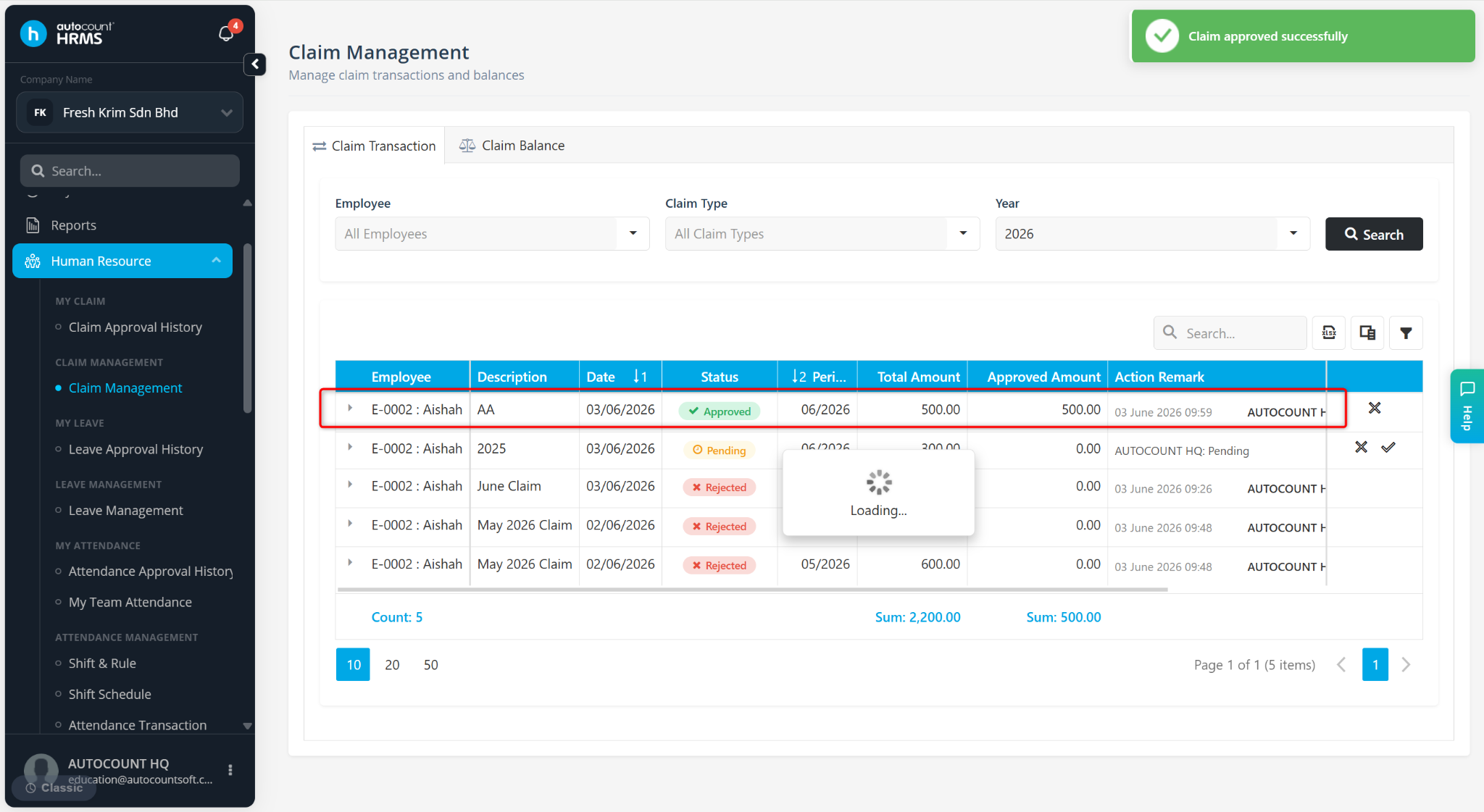
The claim application will be successfully approved.
Steps to Reject a Claim Application:
At the Claim Management page, go to Claim Transaction.
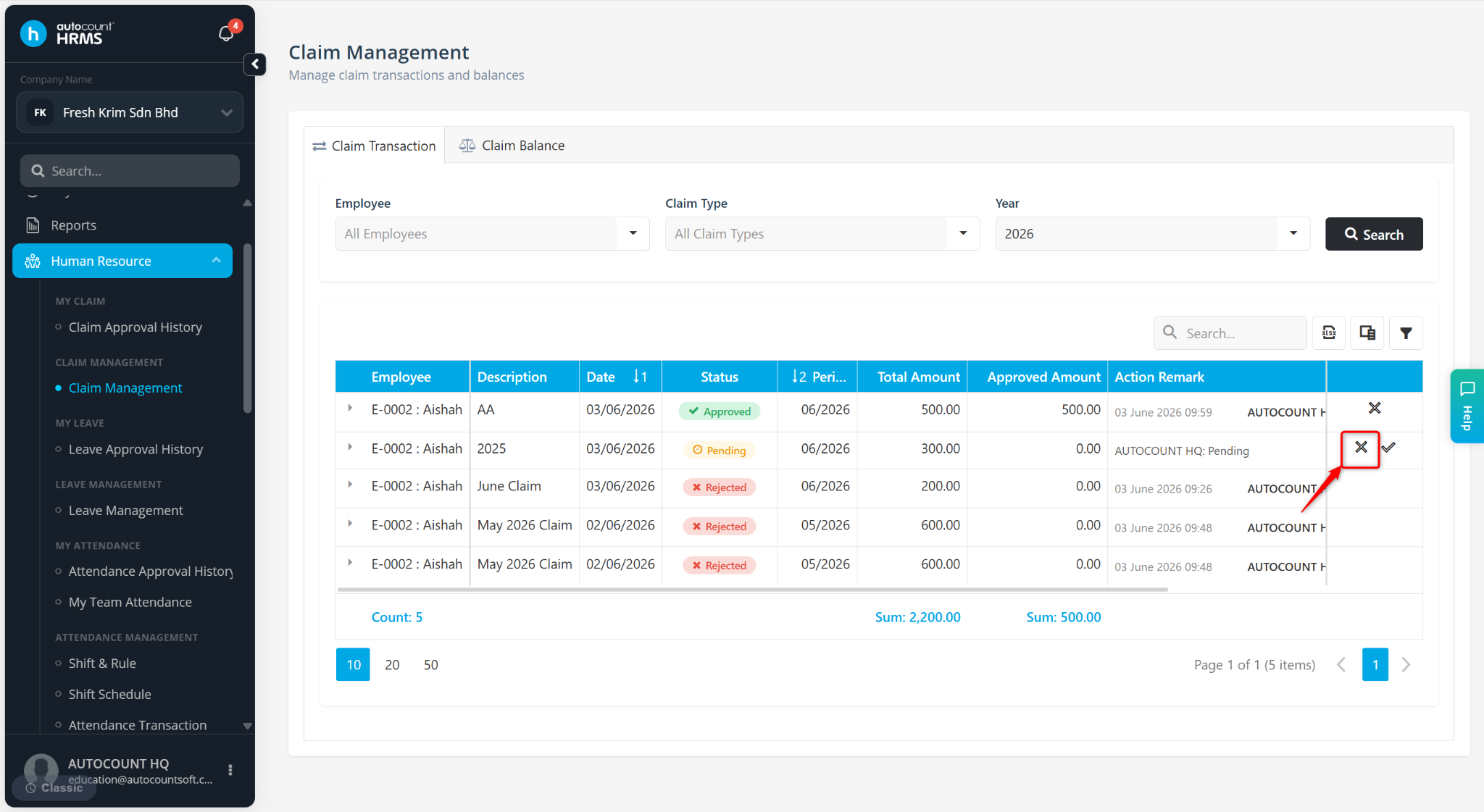
Locate the claim application and click the cross icon.
Enter a Remark and click Reject.
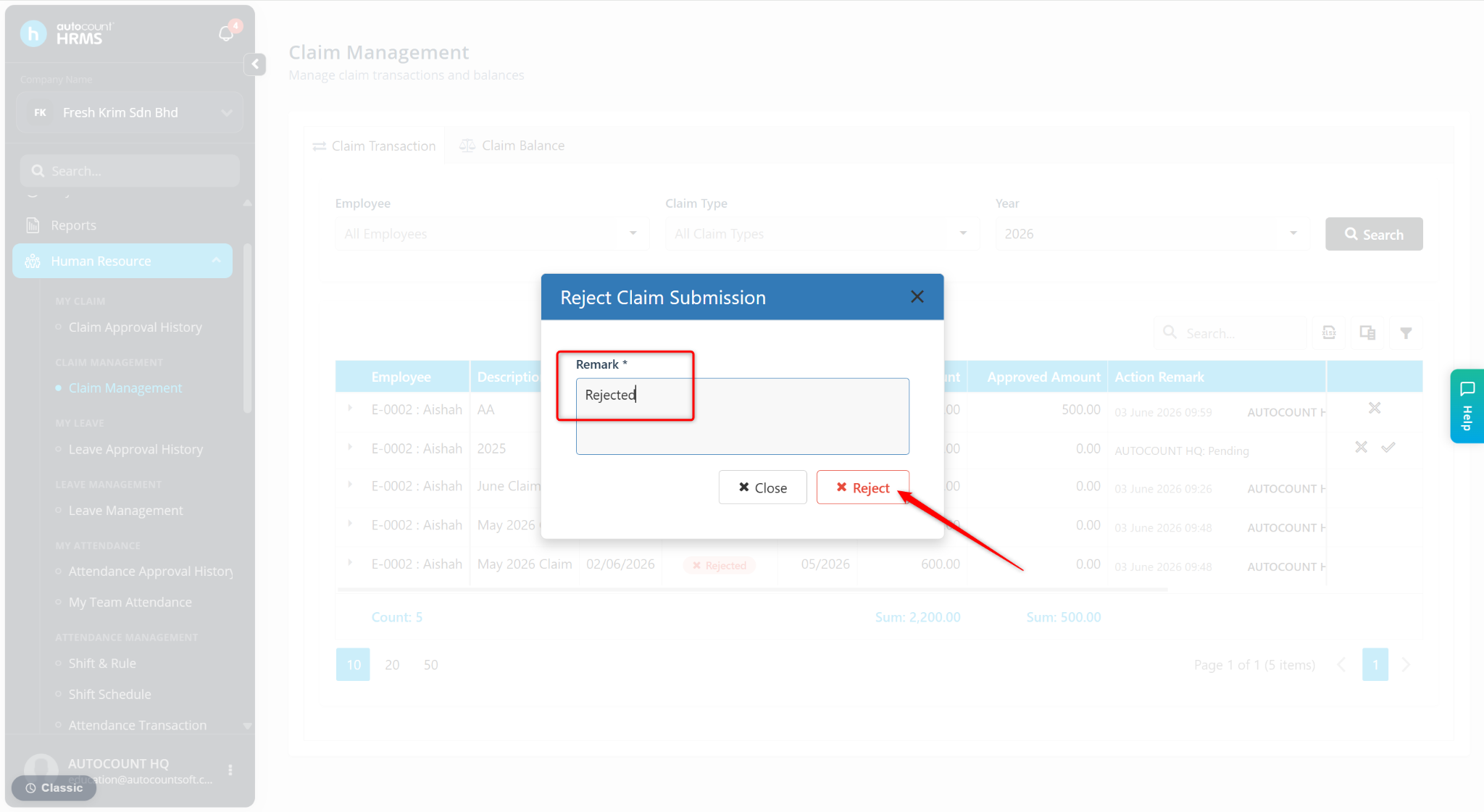
The claim application will be successfully rejected.