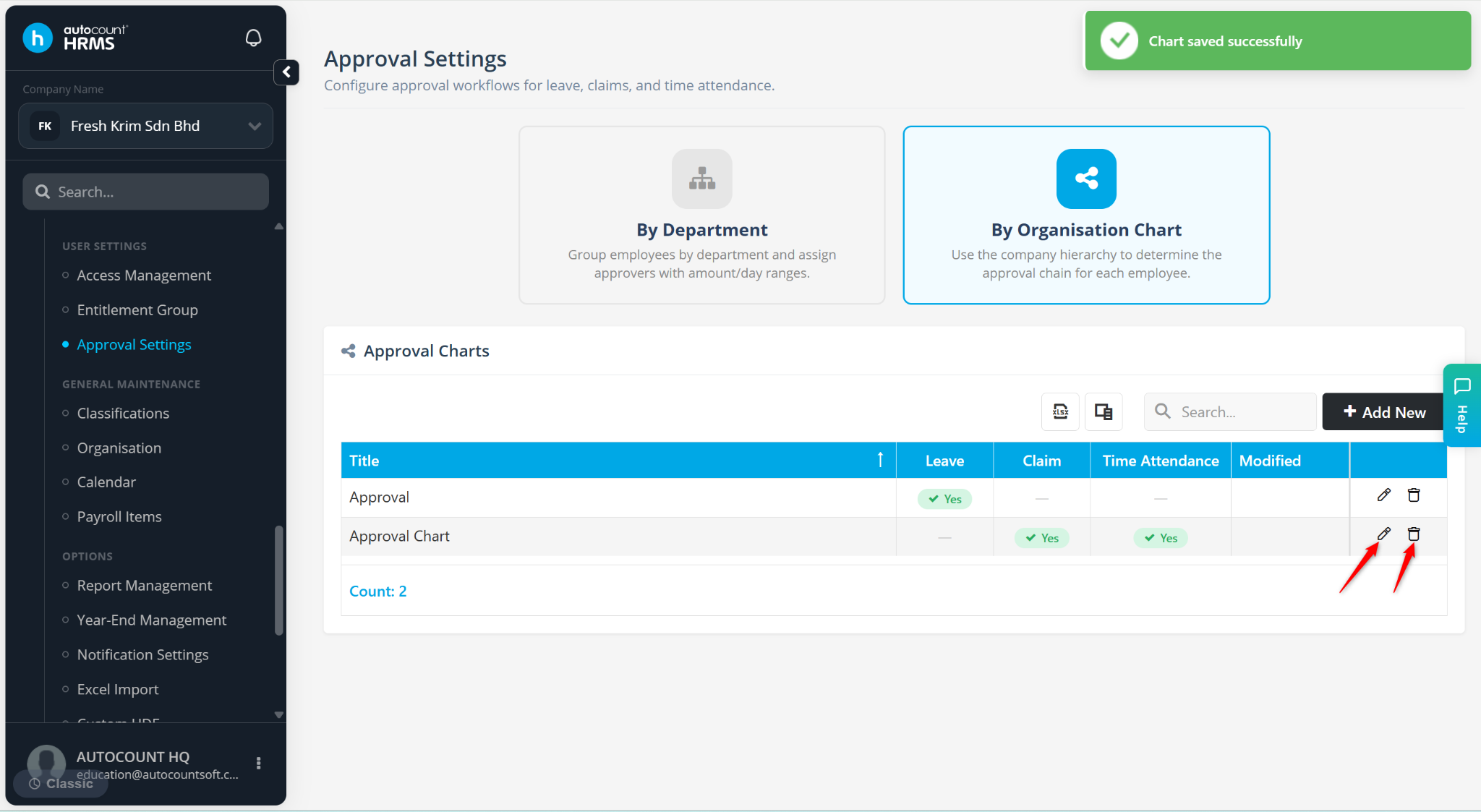
The Approval Settings is used to assign managers or supervisors to approve employee transactions, such as Leave Applications, Claim and Time Attendance. The system supports two approval structures:
By Department – Set approval workflow based on employee departments. The system default approval groups are CLAIM APPROVAL and LEAVE APPROVAL. Users may edit or add new approval groups.
By Organisation Chart – Uses the company reporting hierarchy to determine the approval flow. The system default approval group is Approval Chart.
Steps to Configure Approval Workflow By Department:
Go to Tools > Approval Settings.
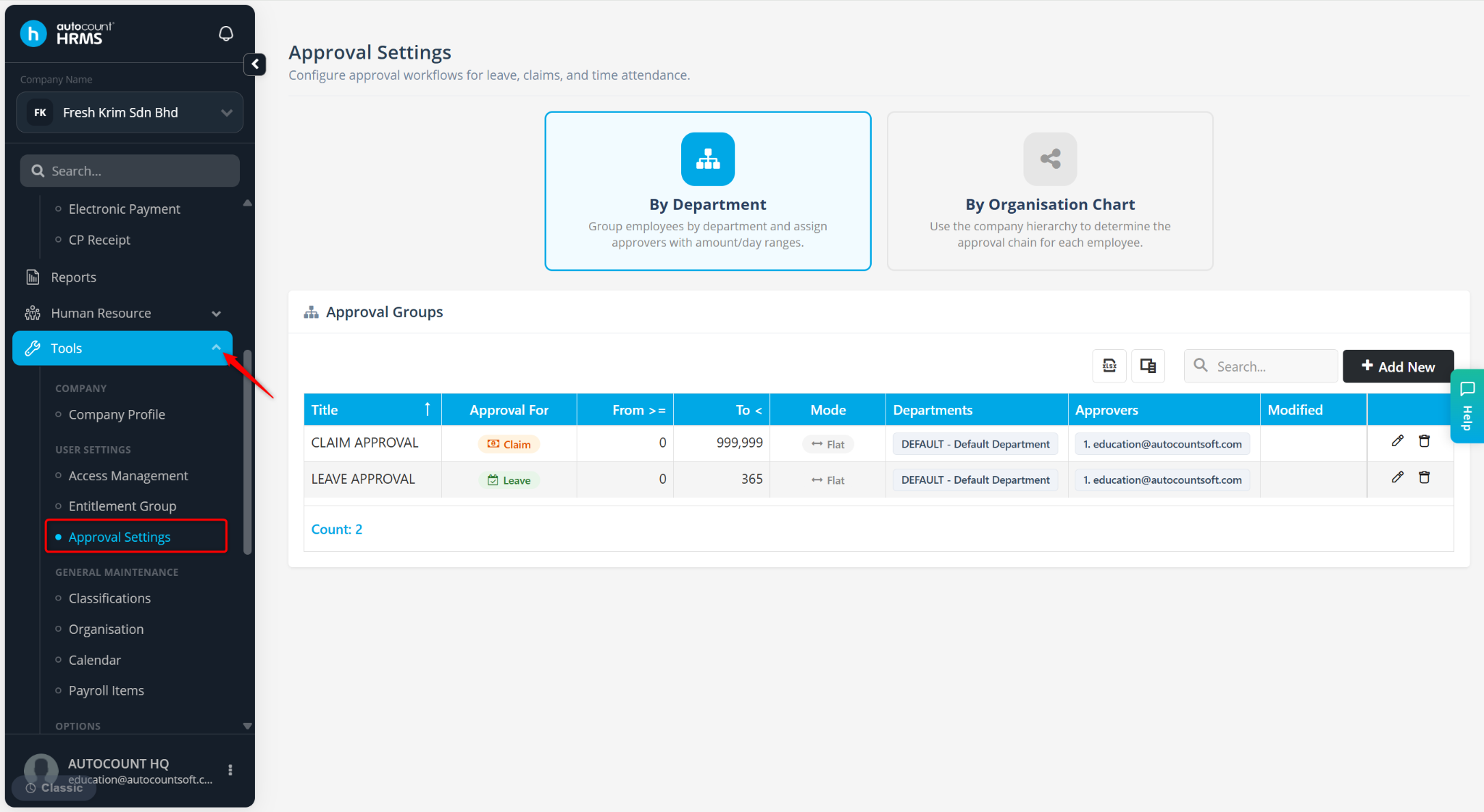
Select By Department.
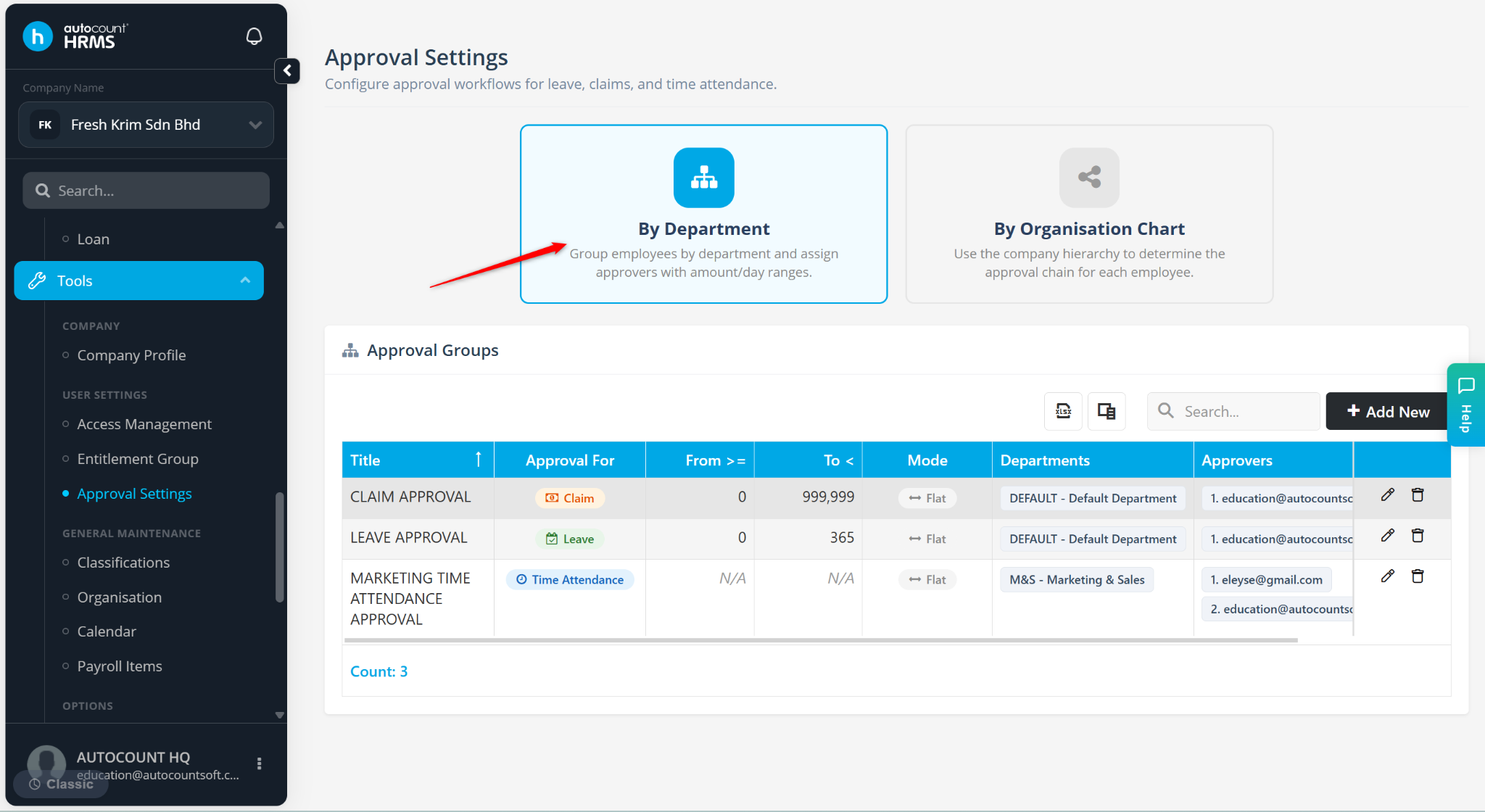
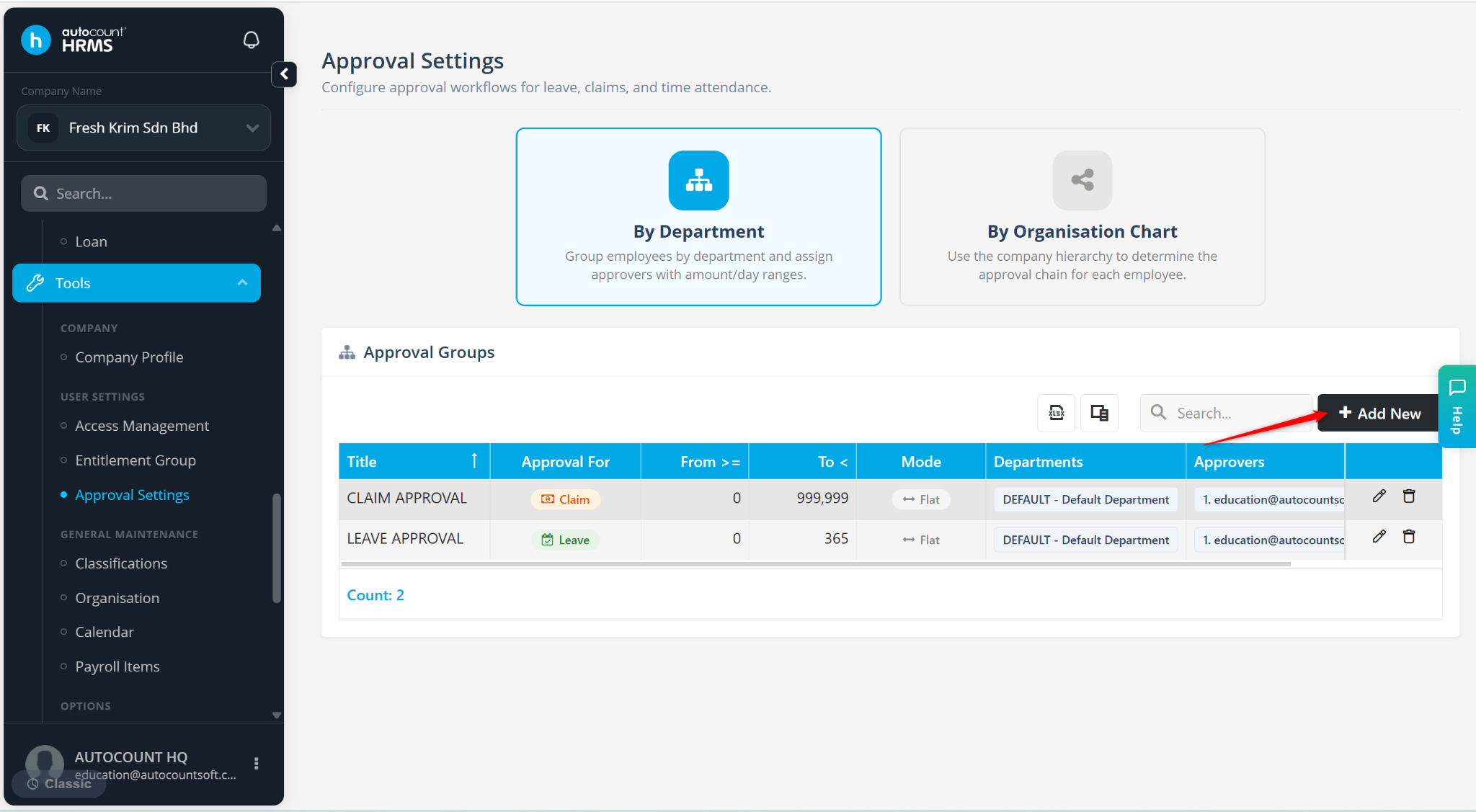
Click Add New.
Enter the field:
Title – Name the approval setting.
Approval For – Select Leave, Claim or Time Attendance.
Approval Method –
Flat Approval – All assigned approvers must approve. Suitable when all approvers must review the same request.
Sequence Approval – Approvals are processed in sequence from the first approver onwards. Commonly used for multi-level approvals.
Approvers – Select the assigned approver(s).
Department – Tick the departments covered by this approval group.
Click Save.
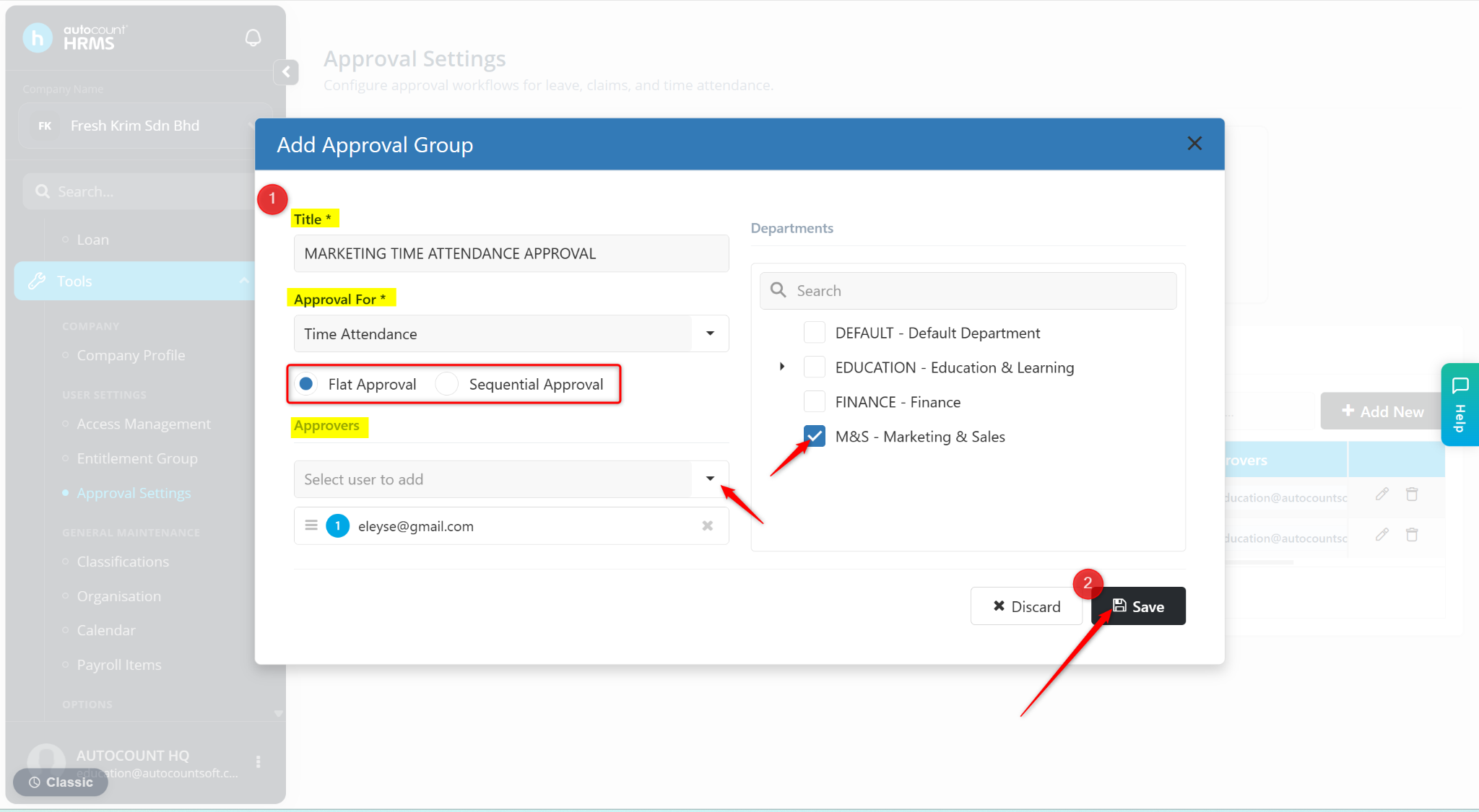
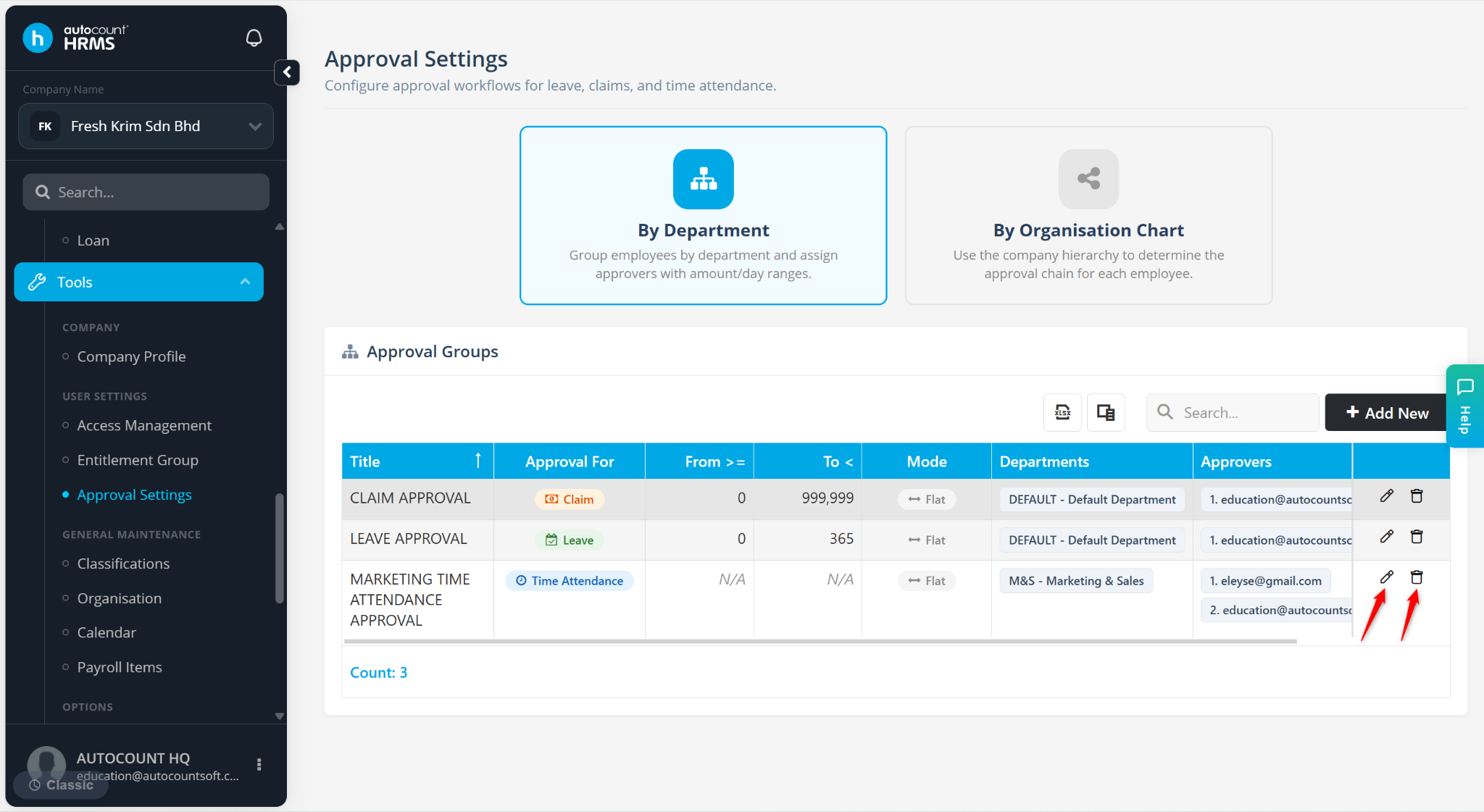
The Approval Group will be created and applied to employees within the selected department(s).
Click the pencil icon to save.
Click the trash bin icon to delete.
Steps to Configure Approval Workflow By Organisation Chart:
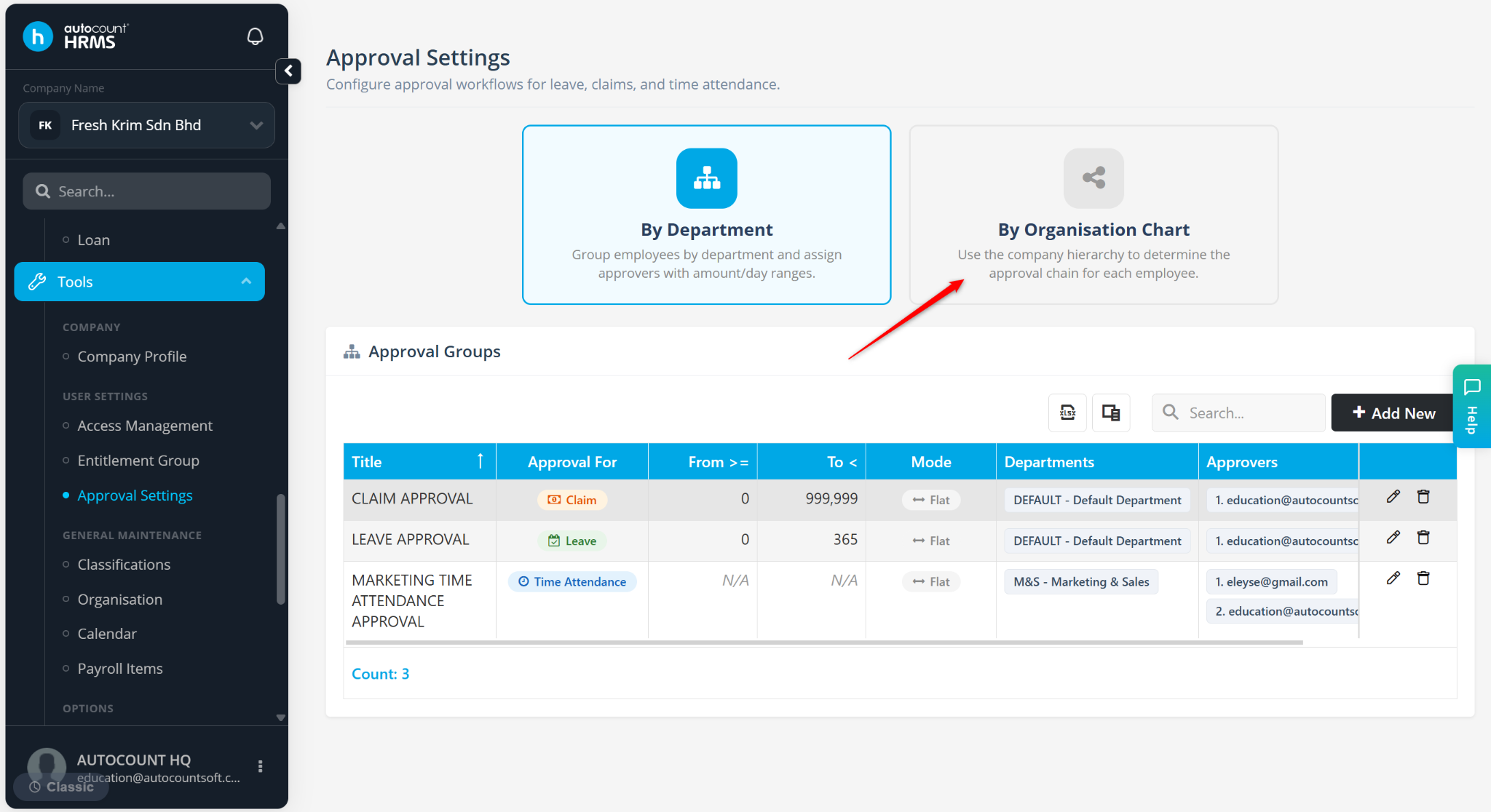
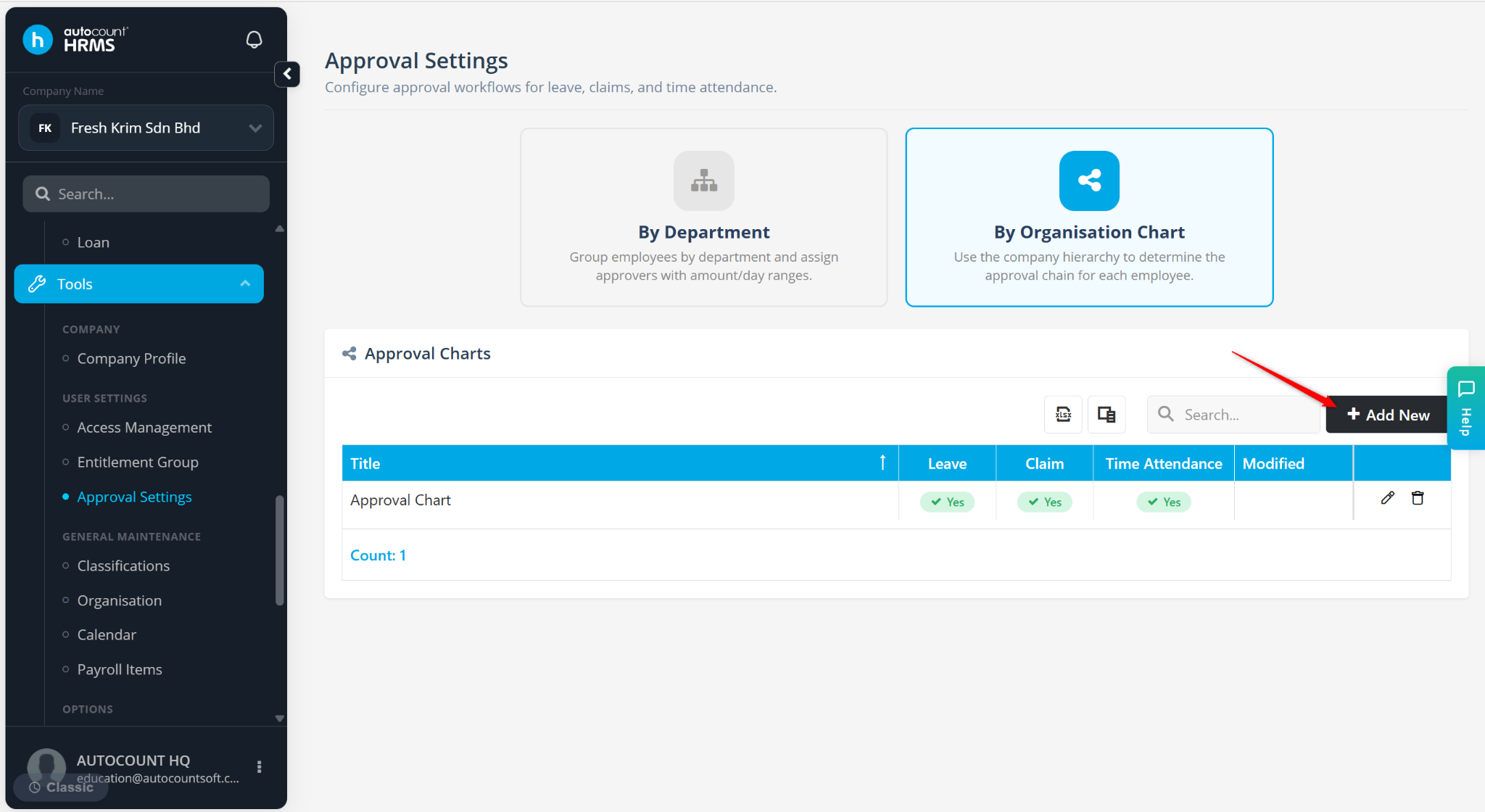
At the Approval Settings page, click By Organisation Chart.
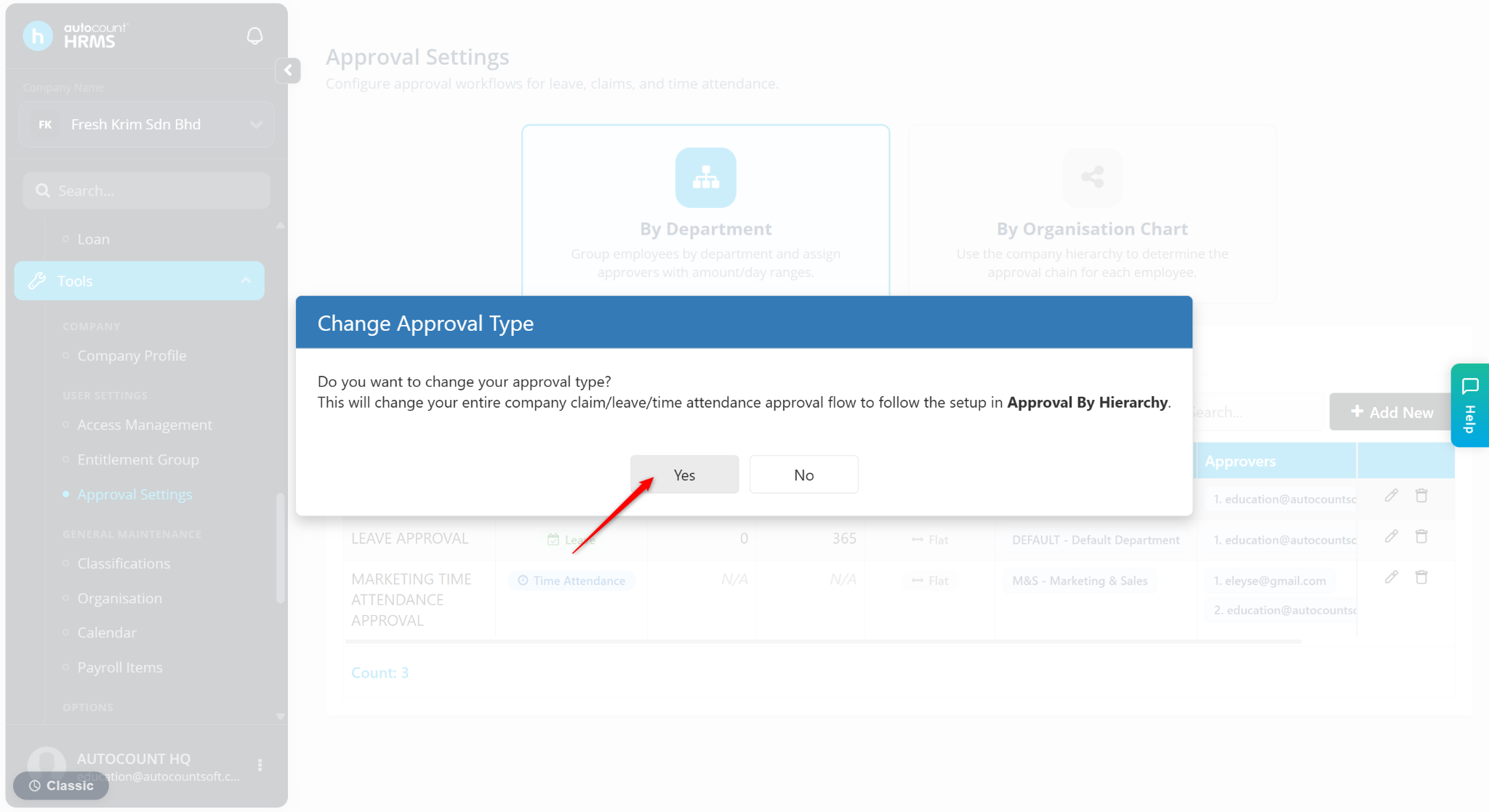
Click Yes to switch the Approval Type.
Click Add New.
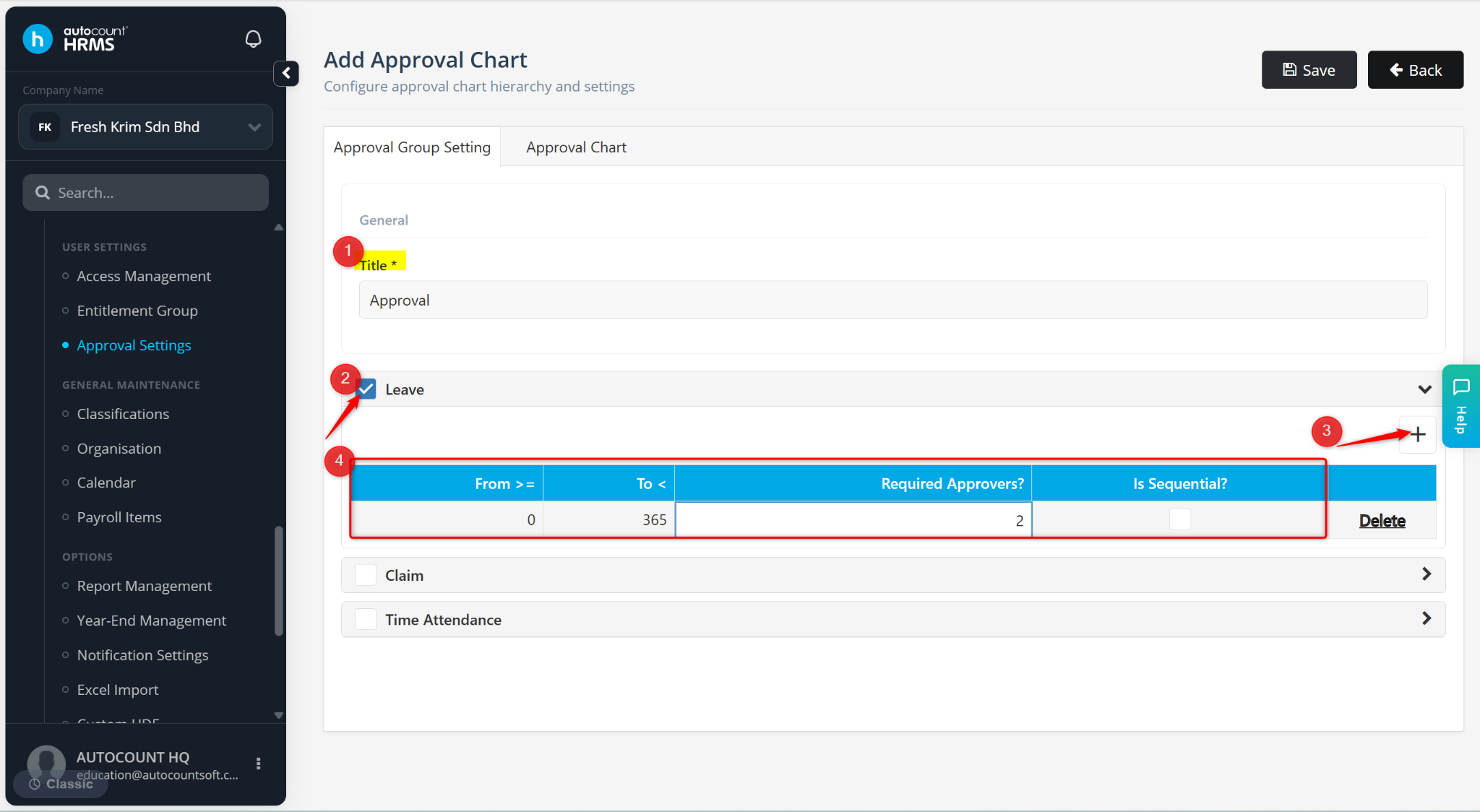
Enter the columns:
From >= – Enter the minimum number of leave days.
To < – Enter the maximum number of leave days.
Required Approvers? – Enter the number of approvers needed.
Is Sequential? – Enable if the approval must happen in order when there is more than one approver.
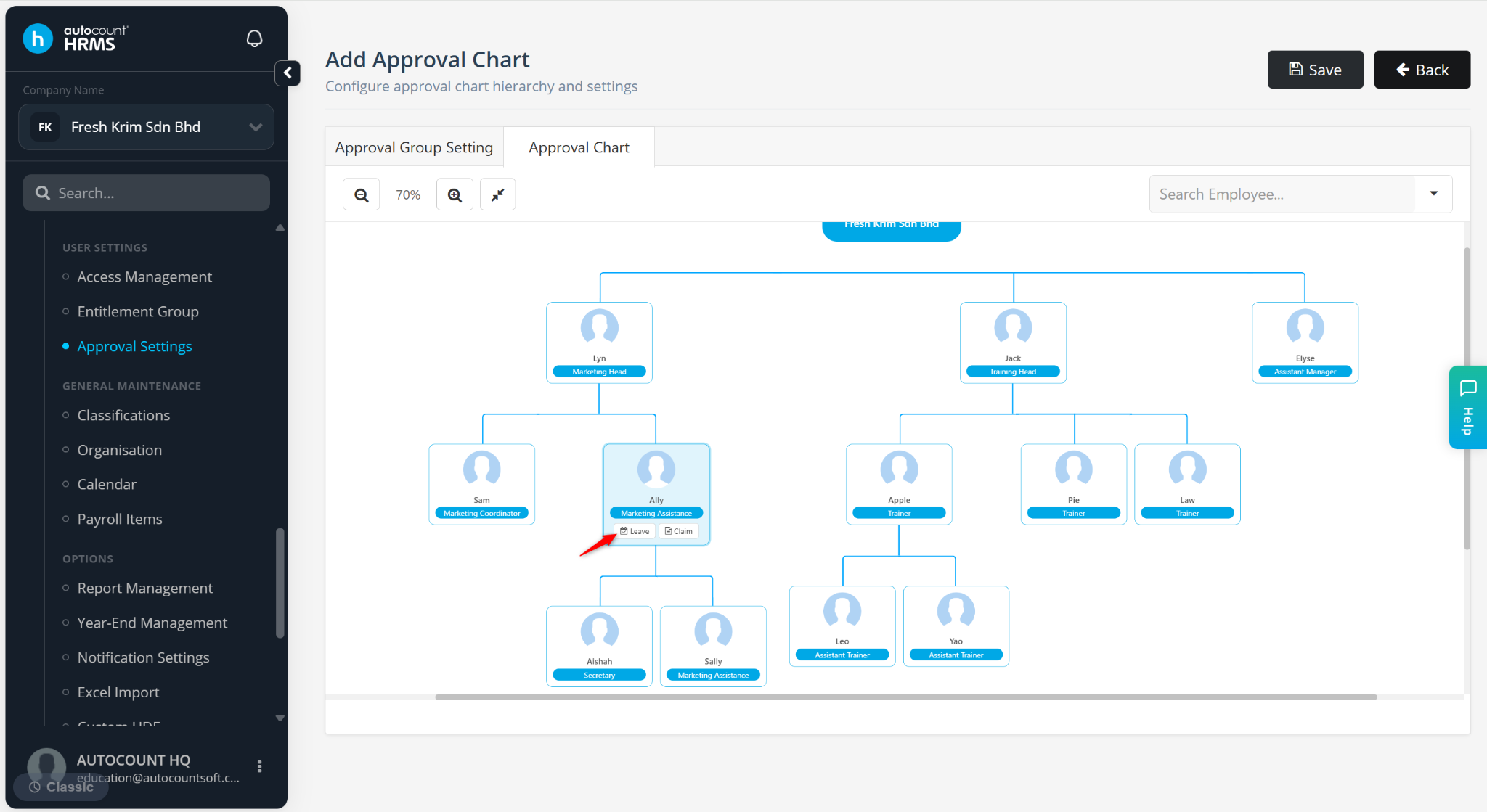
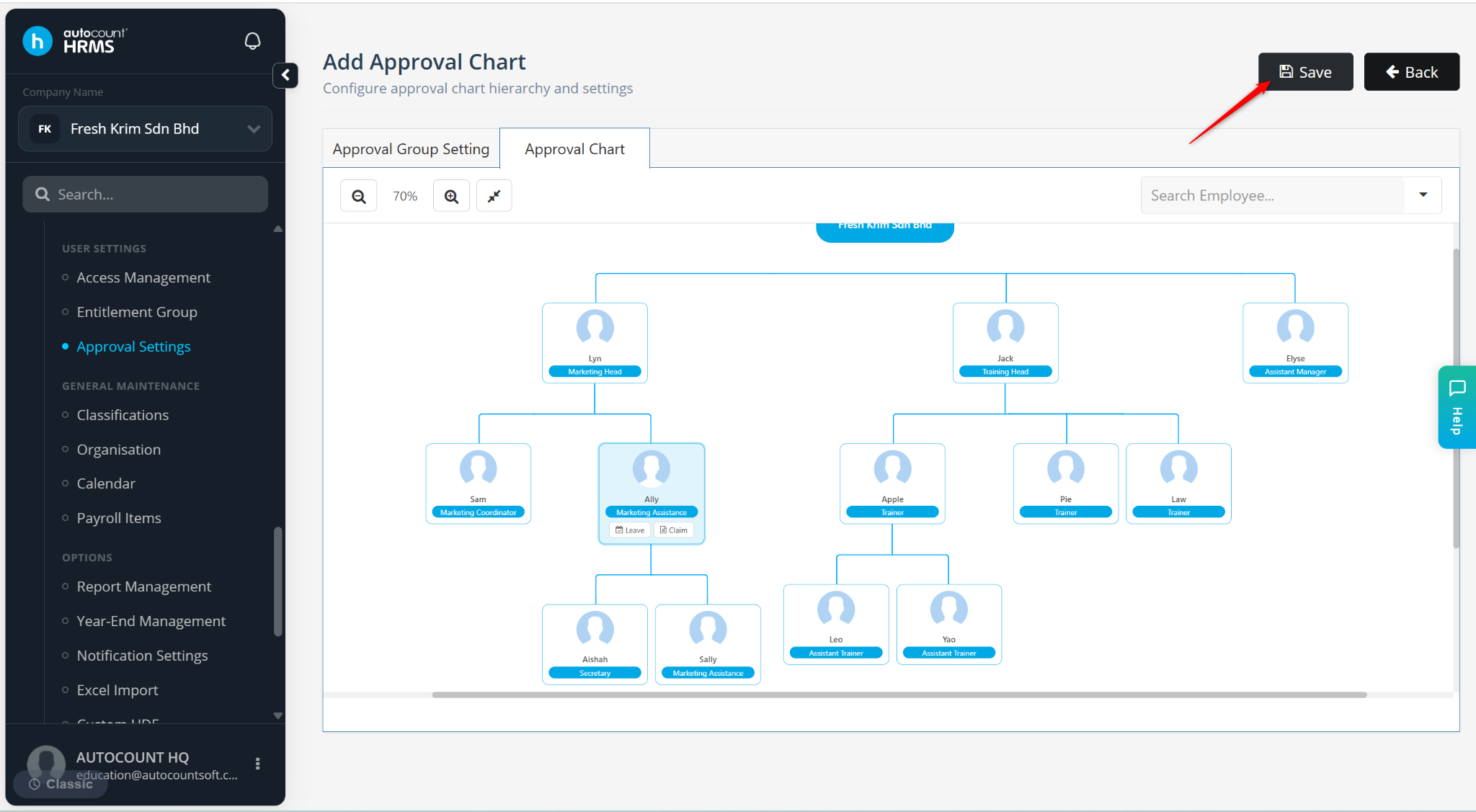
Go to the Approval Chart tab. This chart reflects employee reporting lines based on employee profiles.
If the approval requirement of certain employees is different from the default set earlier:
Click the employee from the organisation chart.
Click the relevant approval type (Claim or Leave).
Click + .
Enter the required details and click Apply.
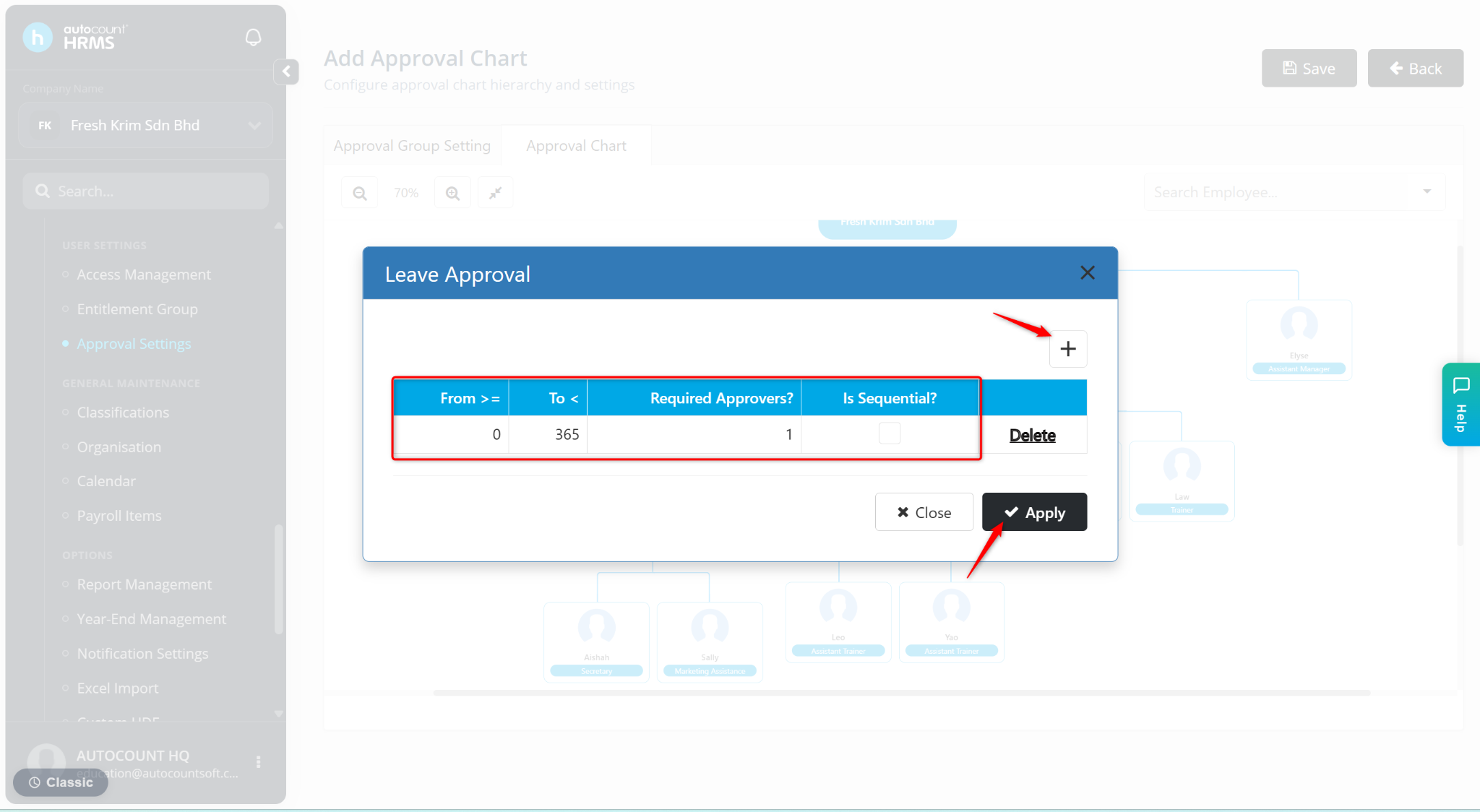
Click Save.
The Approval setting is saved.
Click the pencil icon to save.
Click the trash bin icon to delete.