The Calendar feature enables users to set up alternate rest days by using the Advance function. Follow the steps below to create a calendar with alternate rest days.
Steps to Set Up Alternate Rest Days:
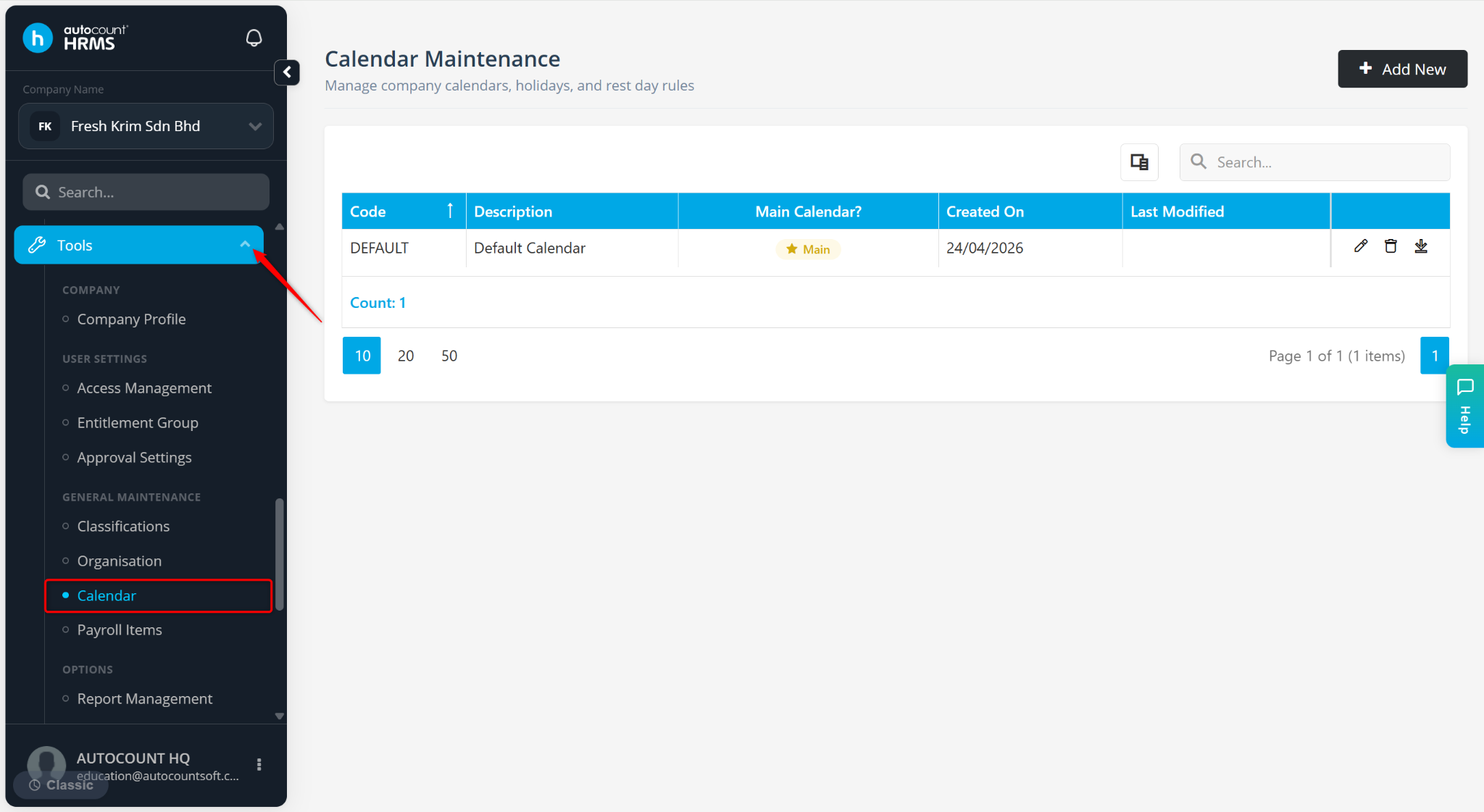
Go to Tools > Calendar.
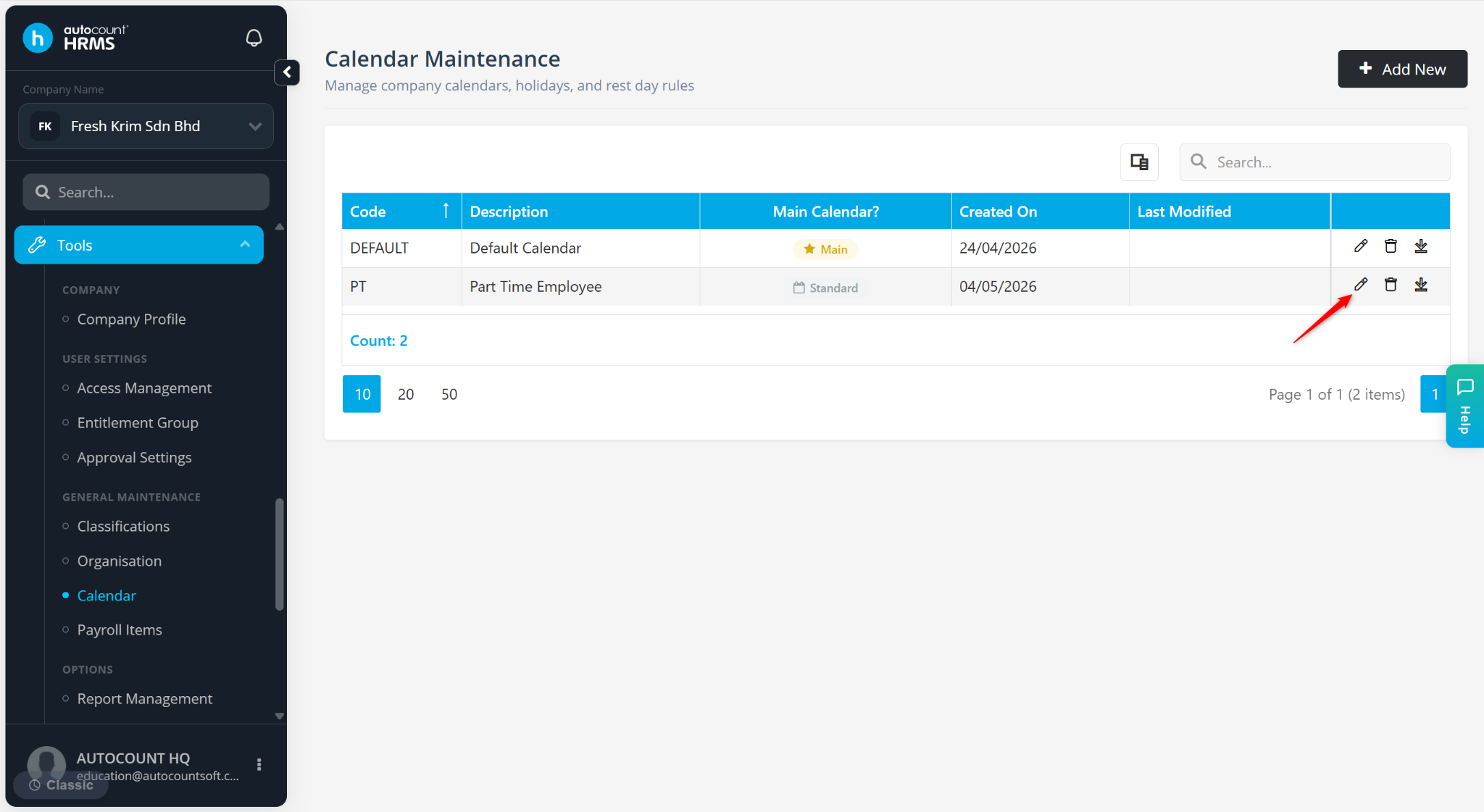
Locate the calendar you want to edit and click the pencil icon.
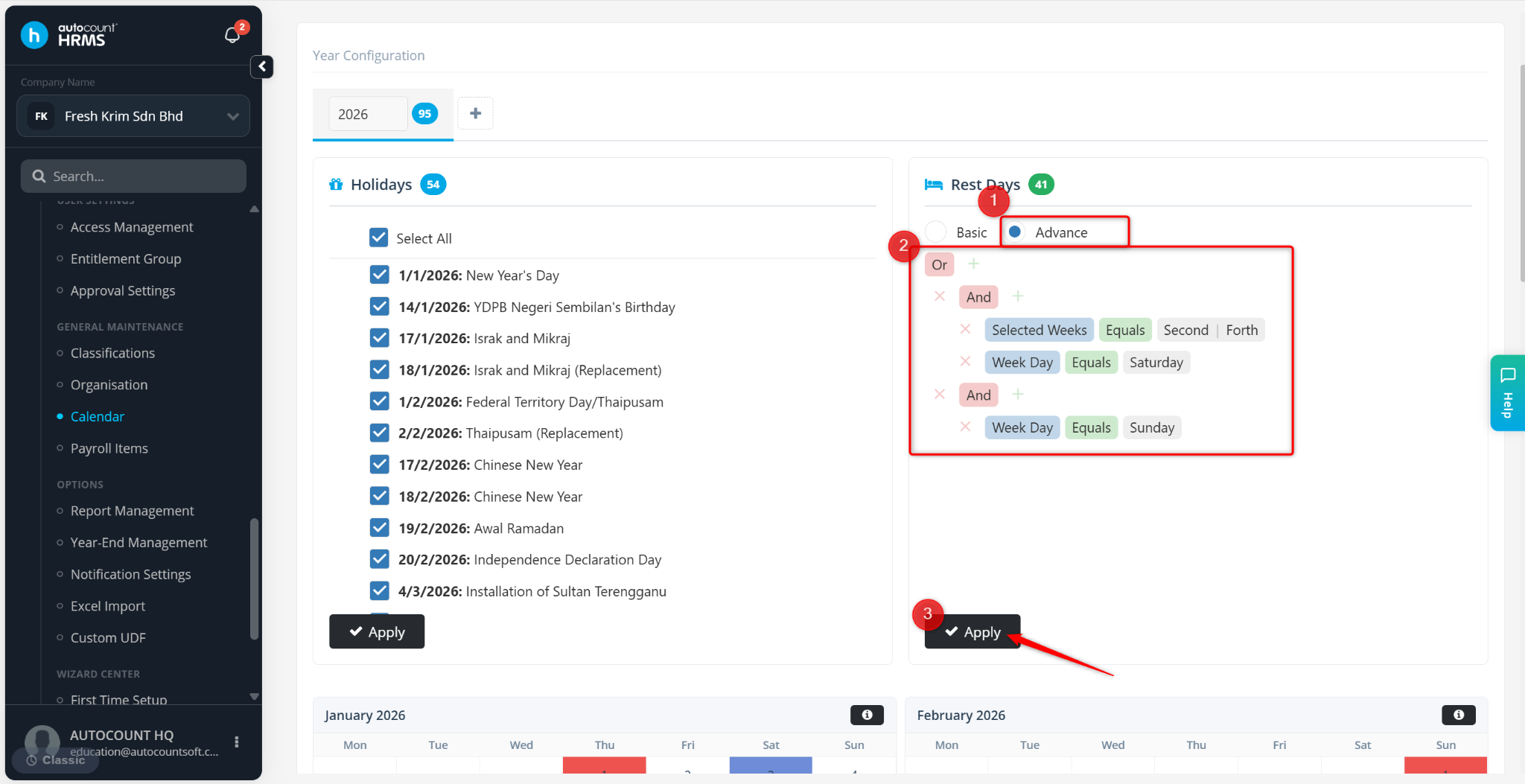
Select Advance under Rest Days.
Enter the settings as shown below and click Apply.