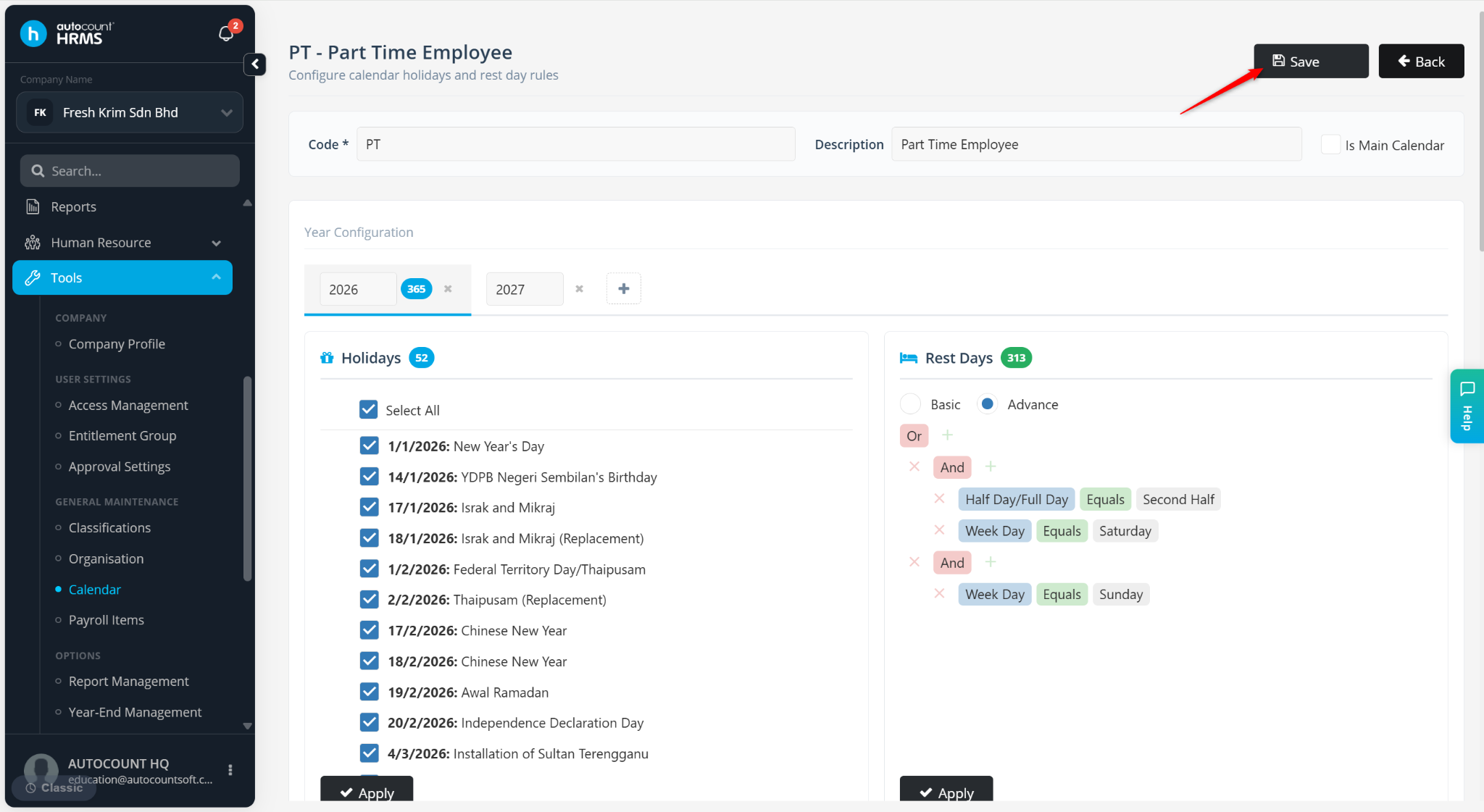
A Half-Day Rest Day allows part of a designated rest day to be treated as a working day while the remaining portion remains a rest day. This is commonly used by companies that operate on half-day schedules, such as Saturday mornings.
Steps to Set a Half Day Rest Day:
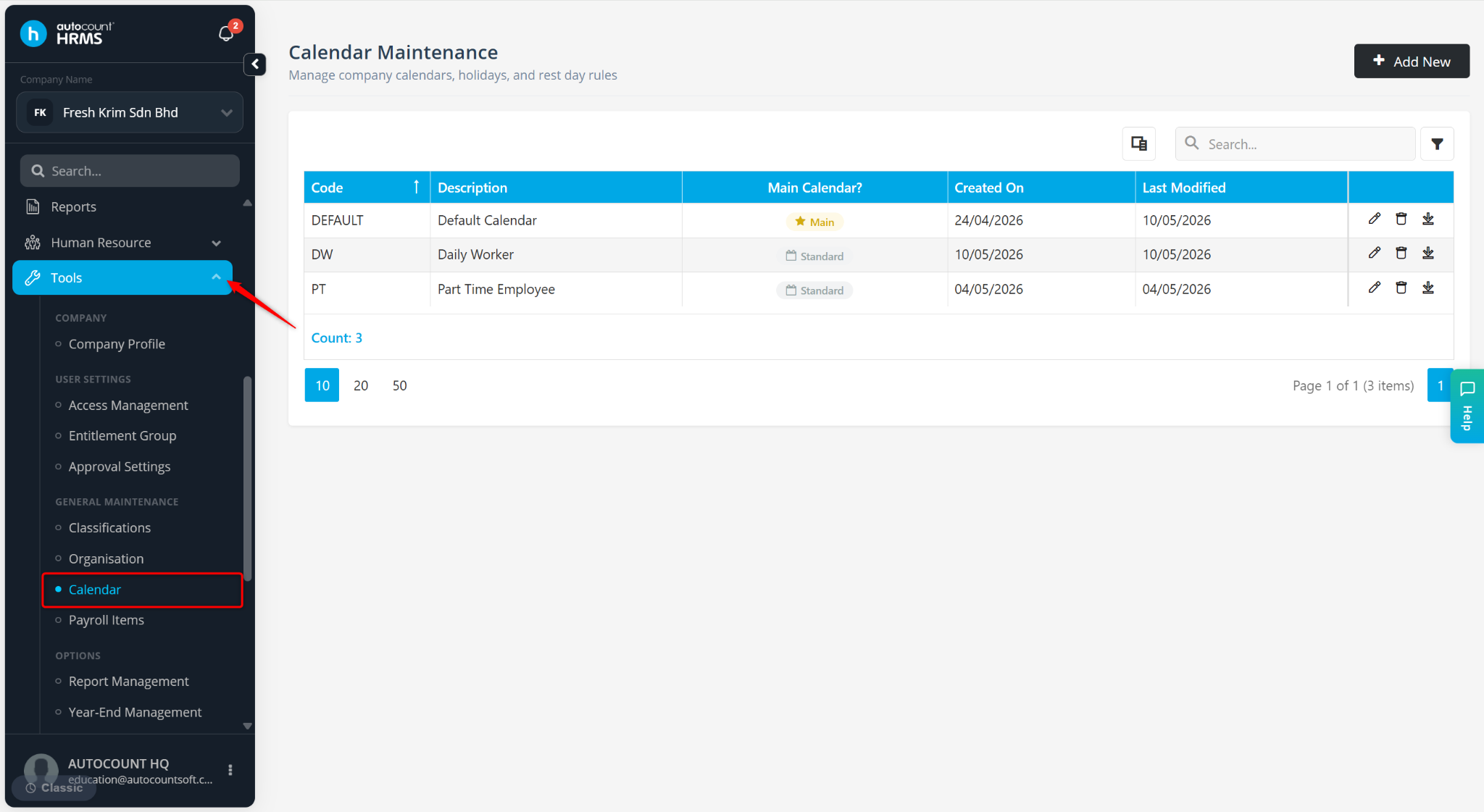
Go to Tools > Calendar.
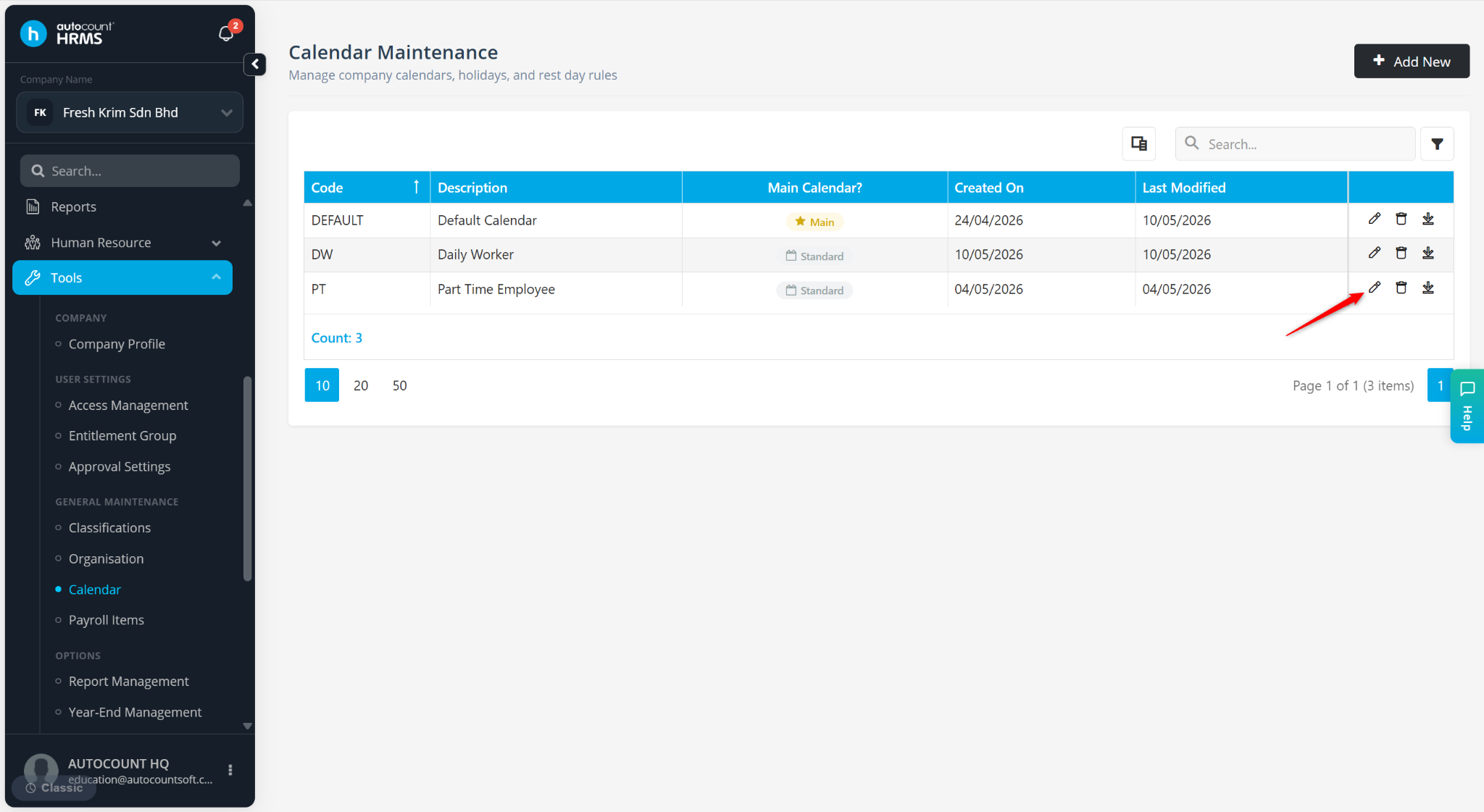
Locate the calendar and click the pencil icon.
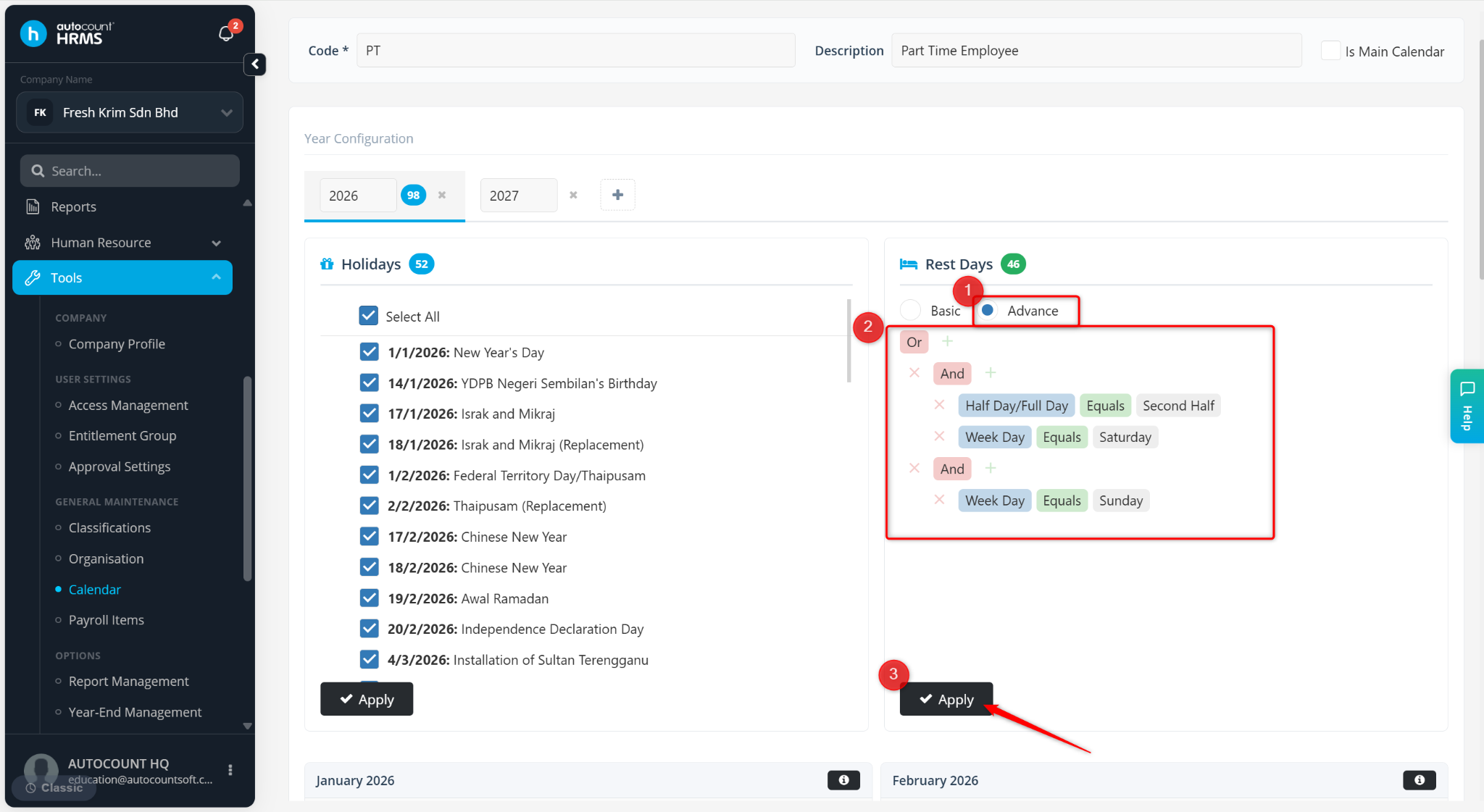
Under Rest Days, click Advance.
Maintain the following settings:
Half Day/Full Day Equals Second half
Week Day Equals Saturday
Week Day Equals Sunday
Click Apply.
If there is a date conflict between a rest day and a public holiday, select whether the date should be treated as a Rest Day or a Holiday.
Click Save.
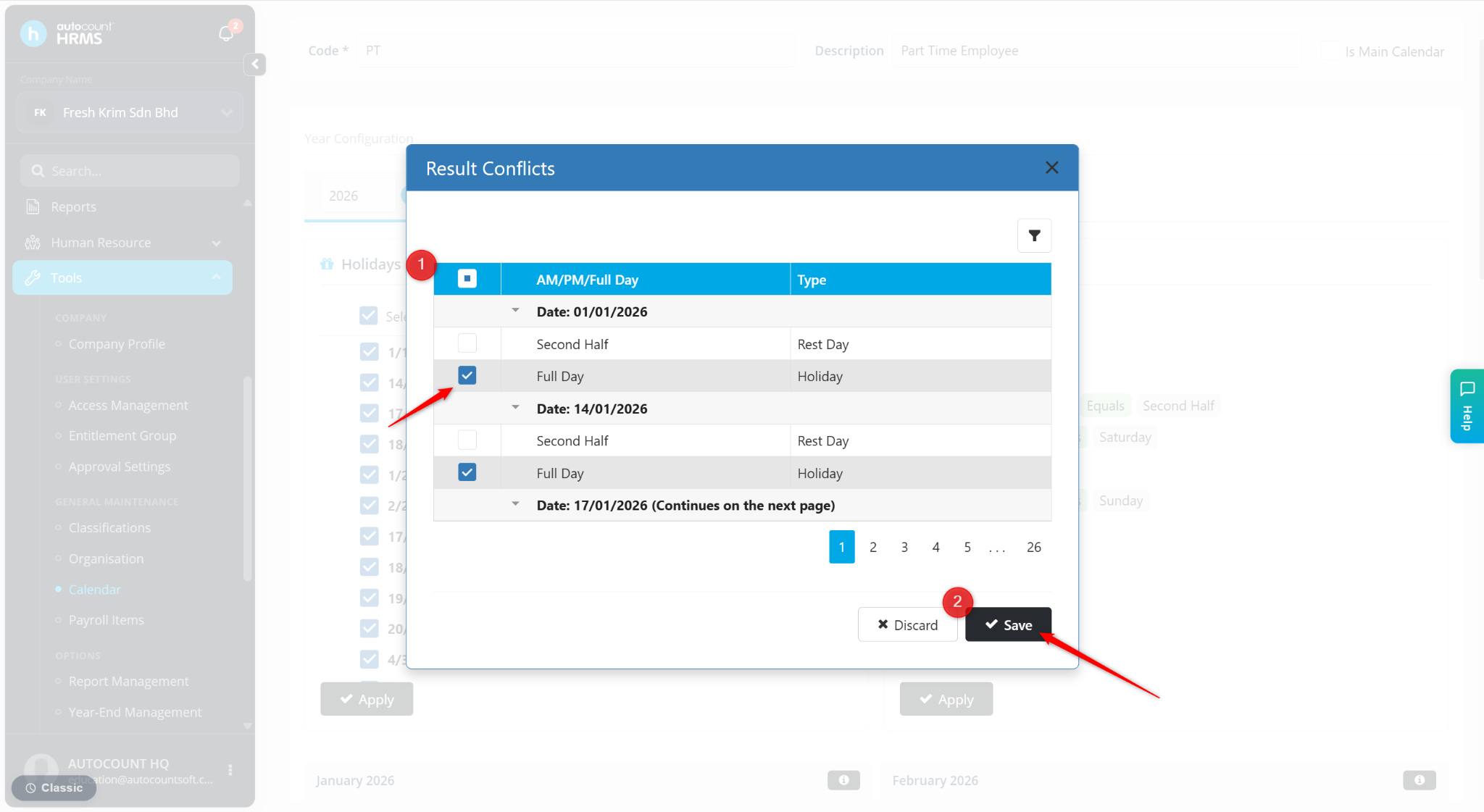
Click Save again to confirm the changes.