Leave Round Up determines how leave entitlement and applications are rounded in the system. It controls the minimum unit of leave that employees are allowed to apply for, ensuring consistency in leave calculation and approval.
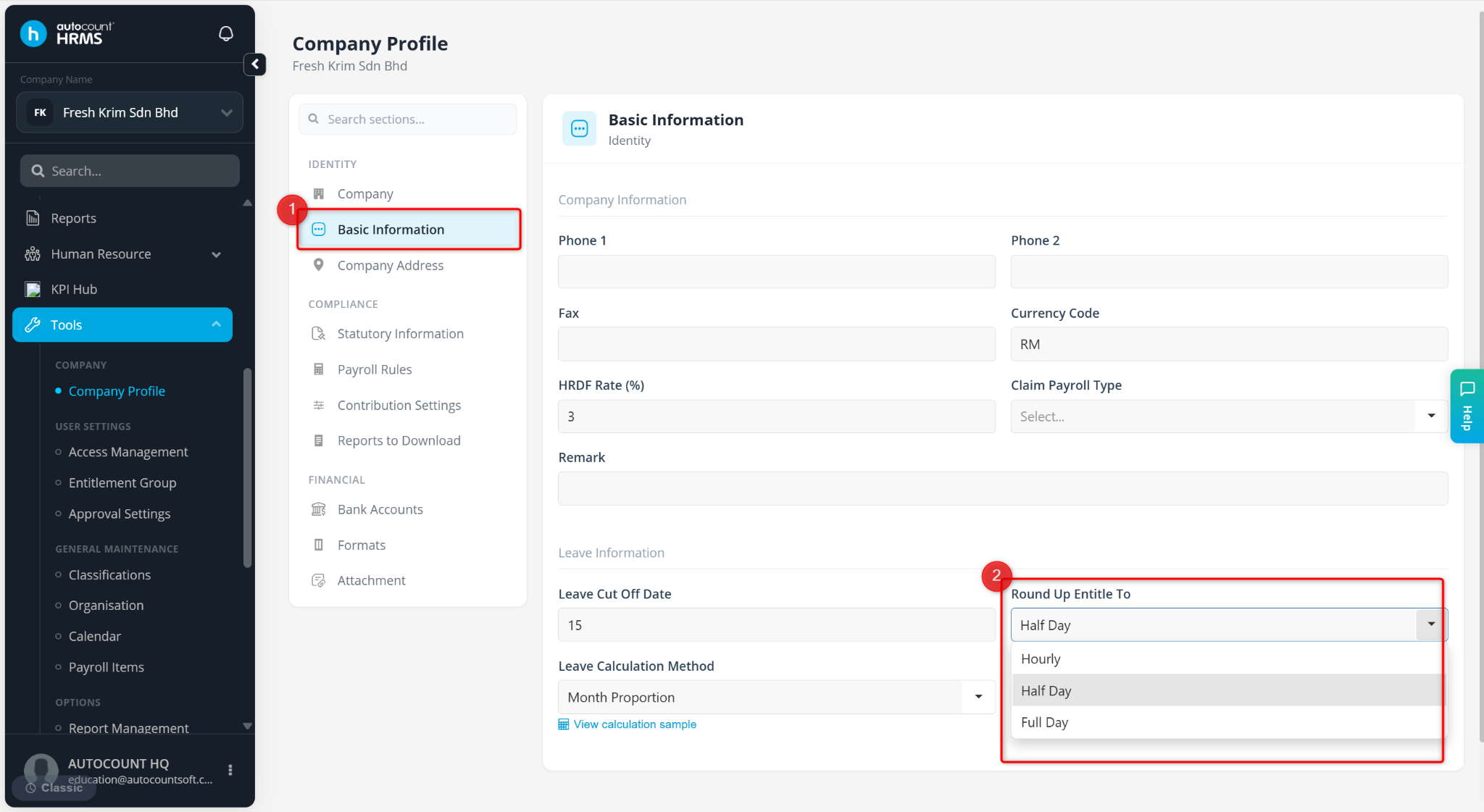
There are three rounding options:
Hourly – Allows leave applications in hours, half-day, and full-day units.
Half Day – Allows leave applications in half-day and full-day units.
Daily – Allows only full-day leave applications.
Steps to Maintain Leave Round Up Settings:
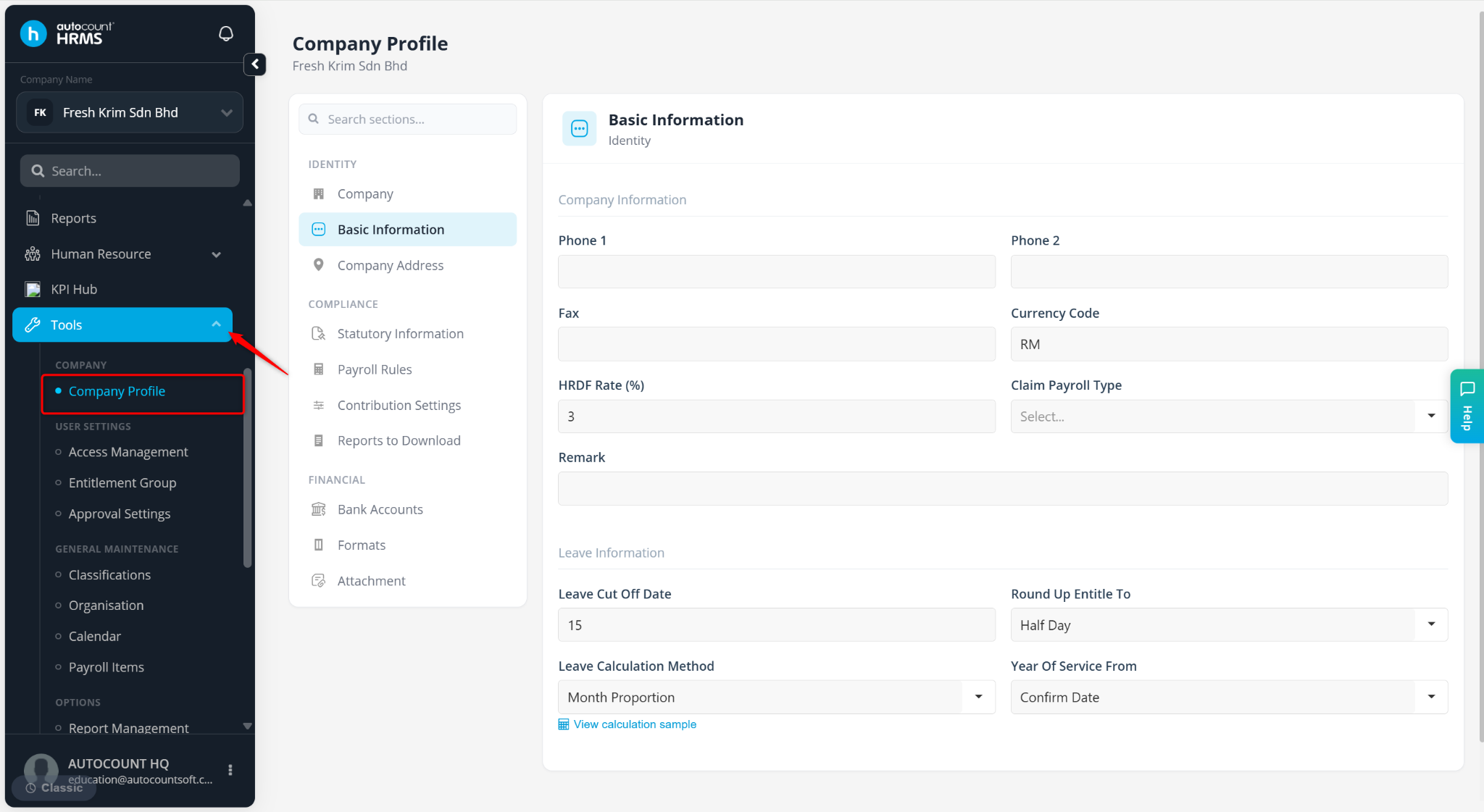
Go to Tools > Company Profile.
Go to Basic Information. At Round Up Entitled To, select the relevant setting.
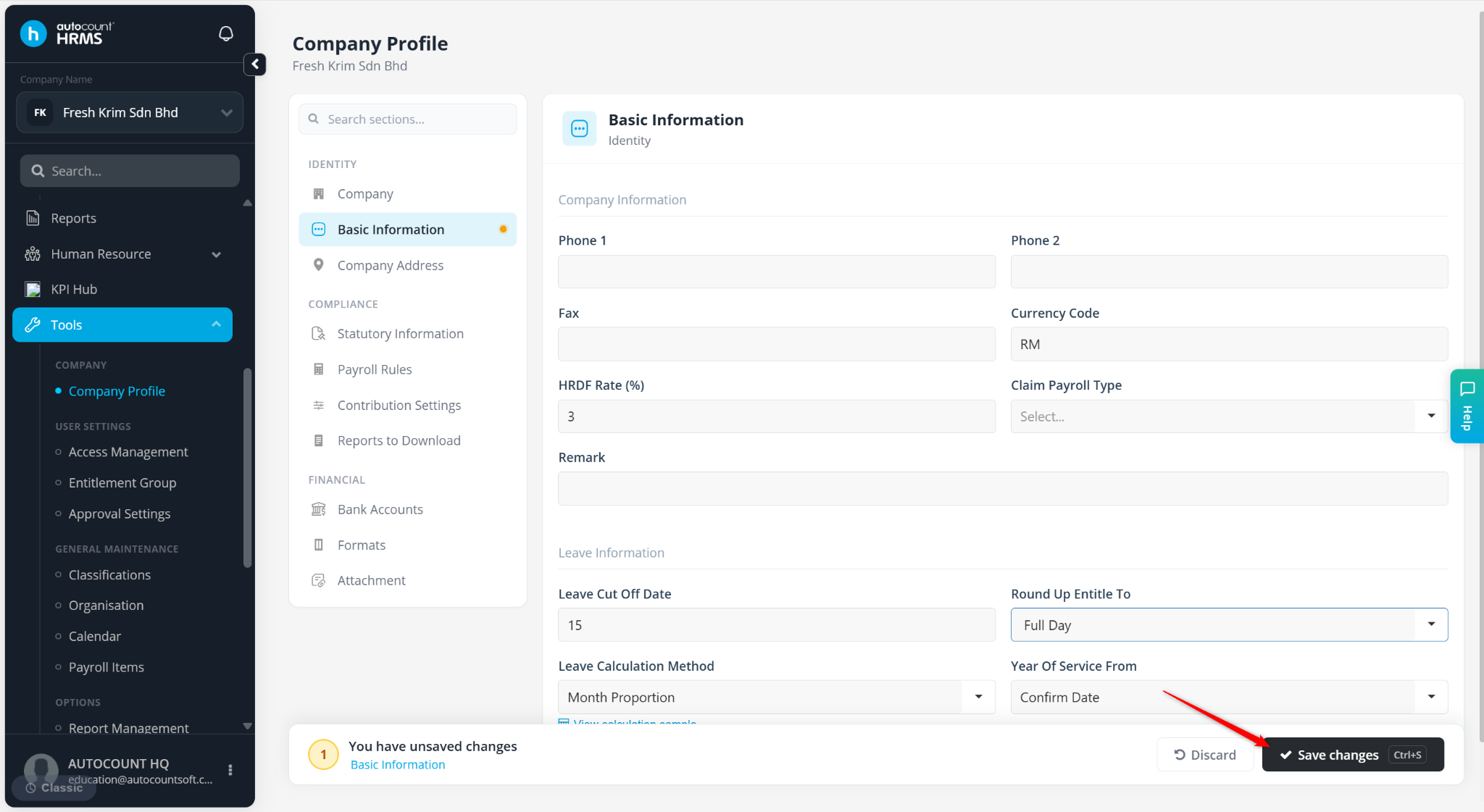
Click Save changes to apply.