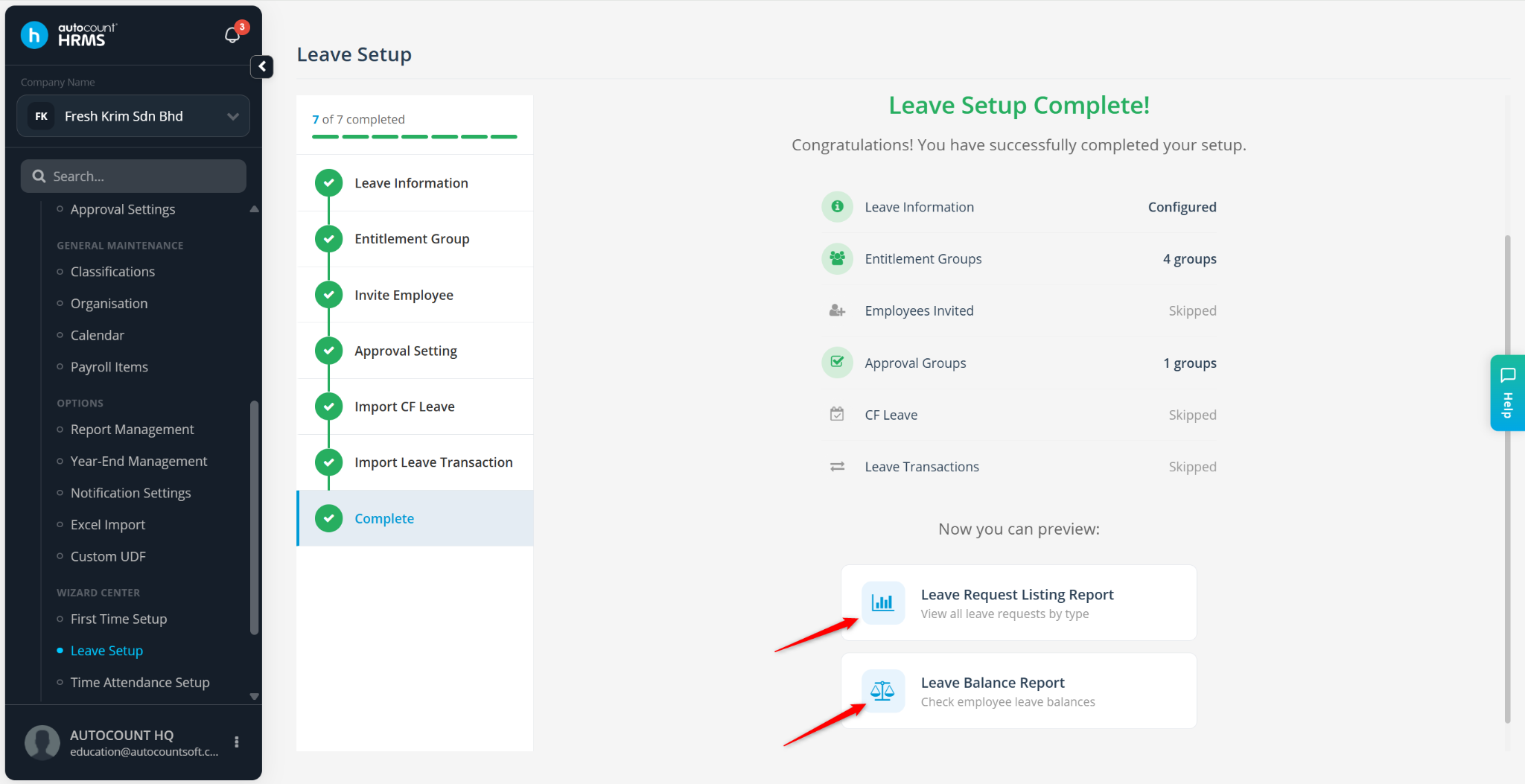
The Leave Setup Wizard helps users configure leave settings quickly and accurately. It guides you through the setup of leave calculation methods, entitlement groups, approval workflows, carry-forward leave balances, and leave transactions to ensure leave management is ready for use.
Steps to Set Up Leave Settings for the First Time:
Go to Tools > Leave Setup.
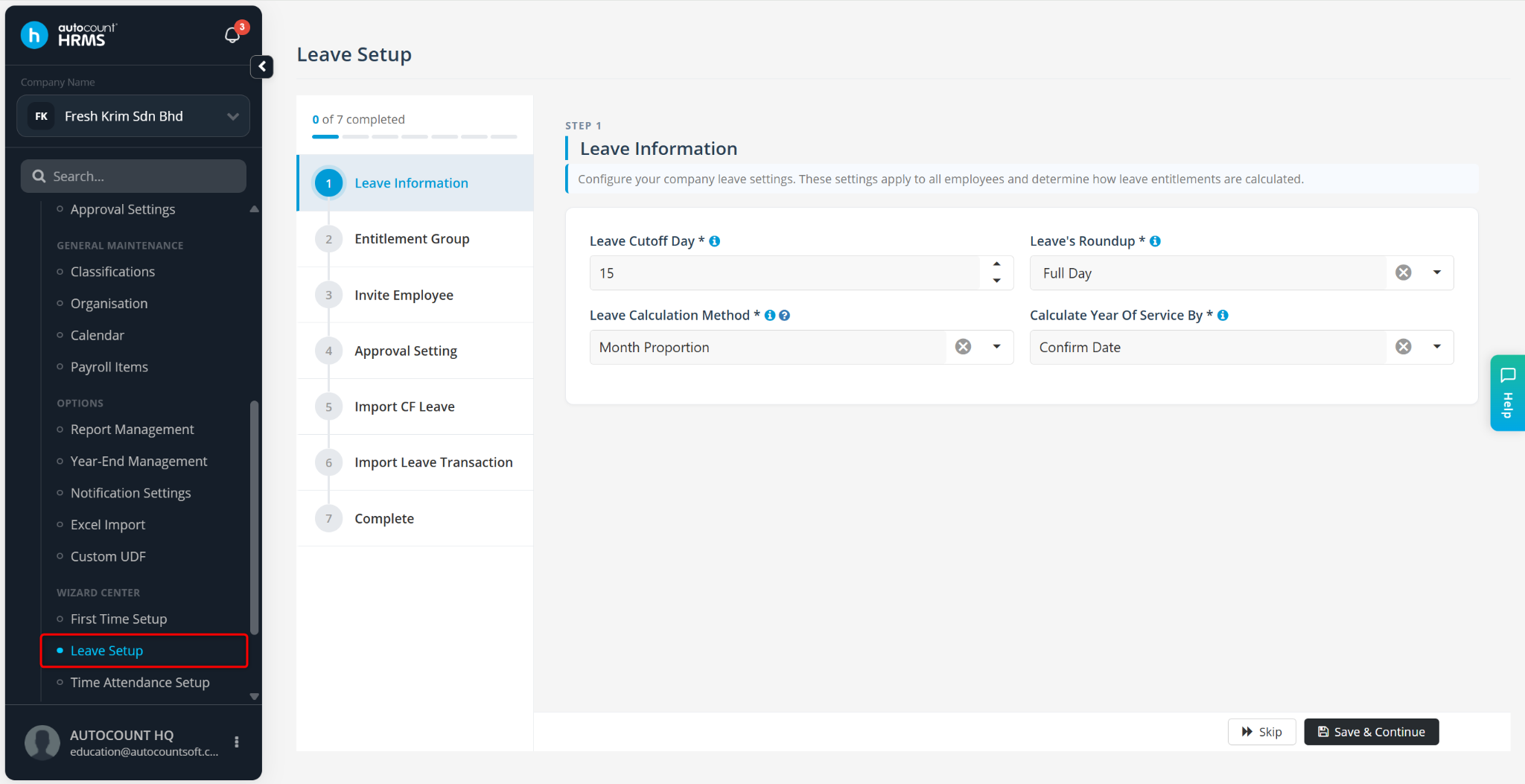
Configure the following settings:
Leave Cutoff Day
Leave Roundup – Full Day, Half Day, or Hourly
Leave Calculation Method – Month Proportion, Month Inclusive, or Day
Calculate Year of Service By – Confirm Date or Join Date
ℹ️ Note:
Hover over the i icon to view the explanation of each field.
Click the ? Help icon to open the detailed PDF guide.
Click Save & Continue.
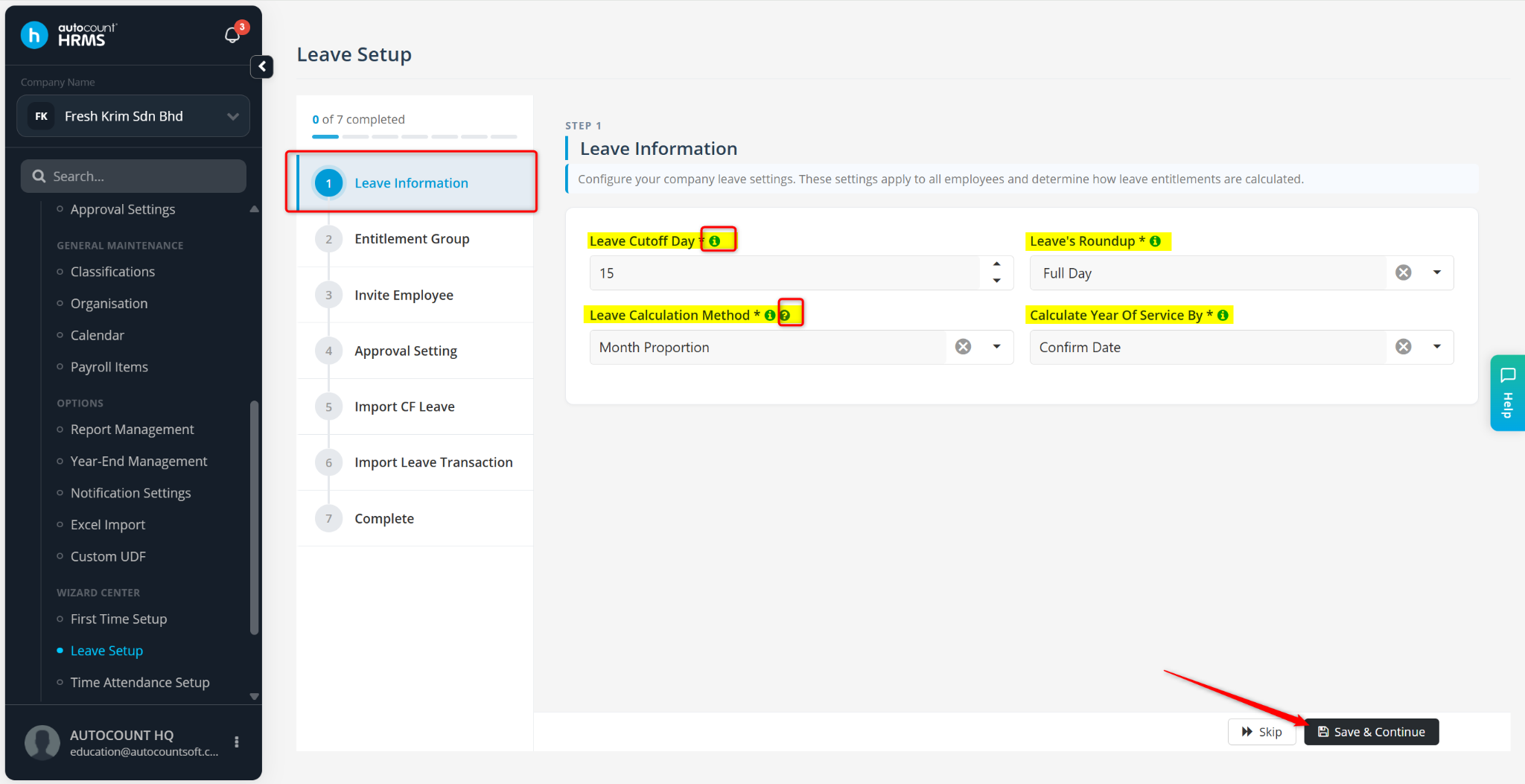
Maintain Entitlement Group Settings:
Create an Entitlement Group – Click + New Group.
Add Leave Types – Click + Add to add a leave type.
Edit Leave Types – Select the leave type from the panel, then click Edit.
Add Leave Rules – Click + Add Rule. Configure the entitlement rules as required.
Click Save & Continue.
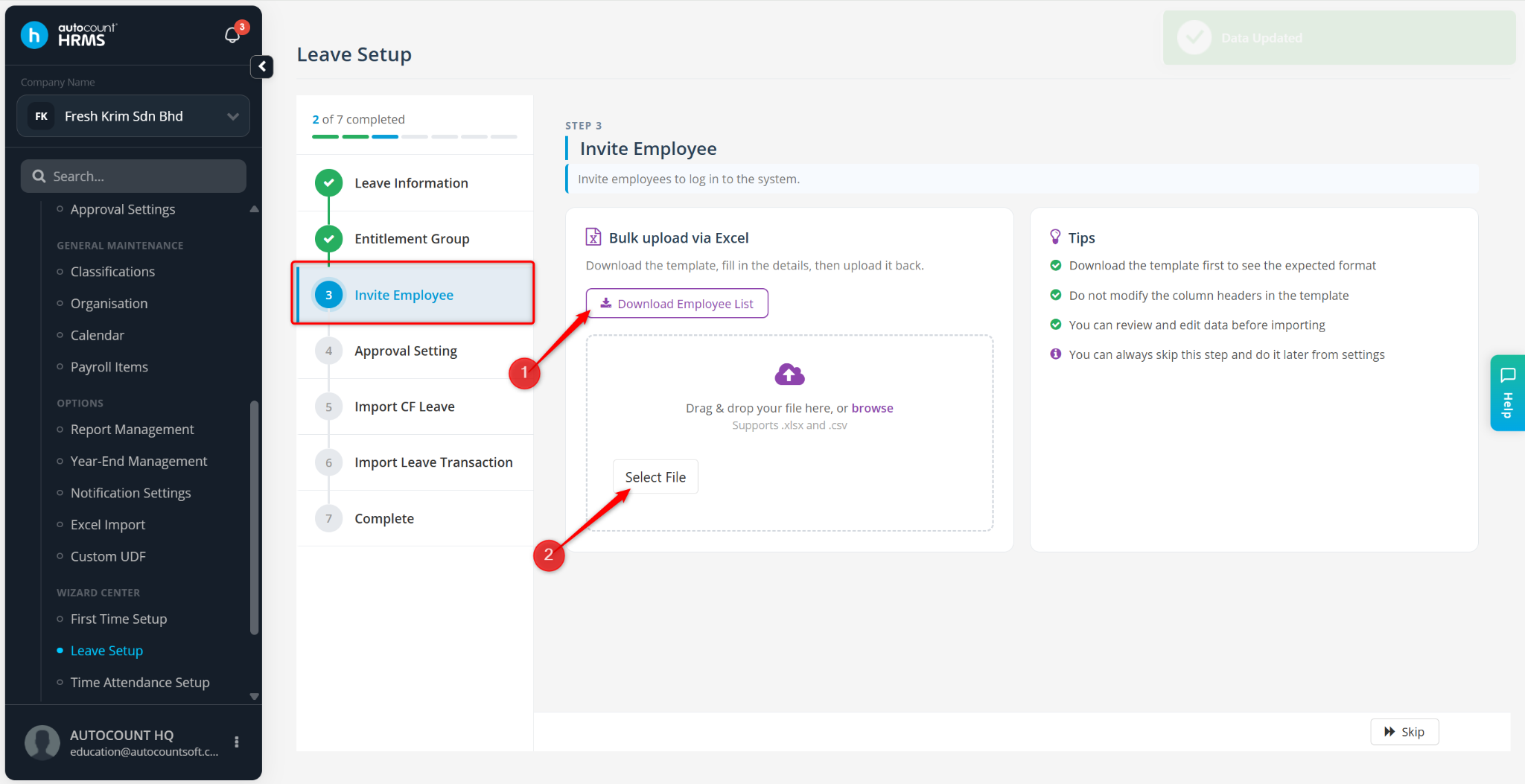
Invite Employees:
Click Download Employee List.
Enter employees' email addresses into the Excel file and save the file.
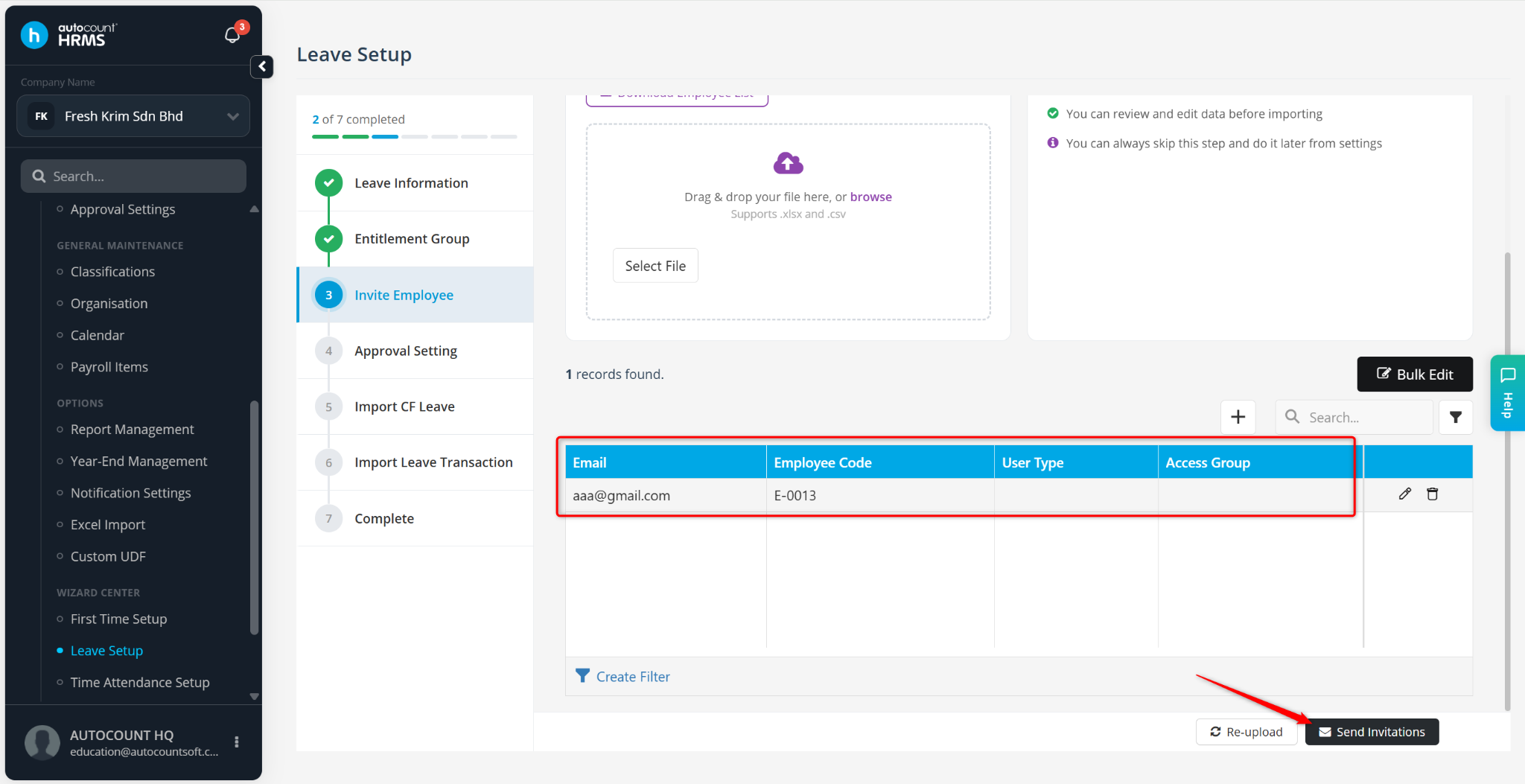
Click Select File and upload the completed file.
Verify the employees' email addresses.
Click Send Invitation.
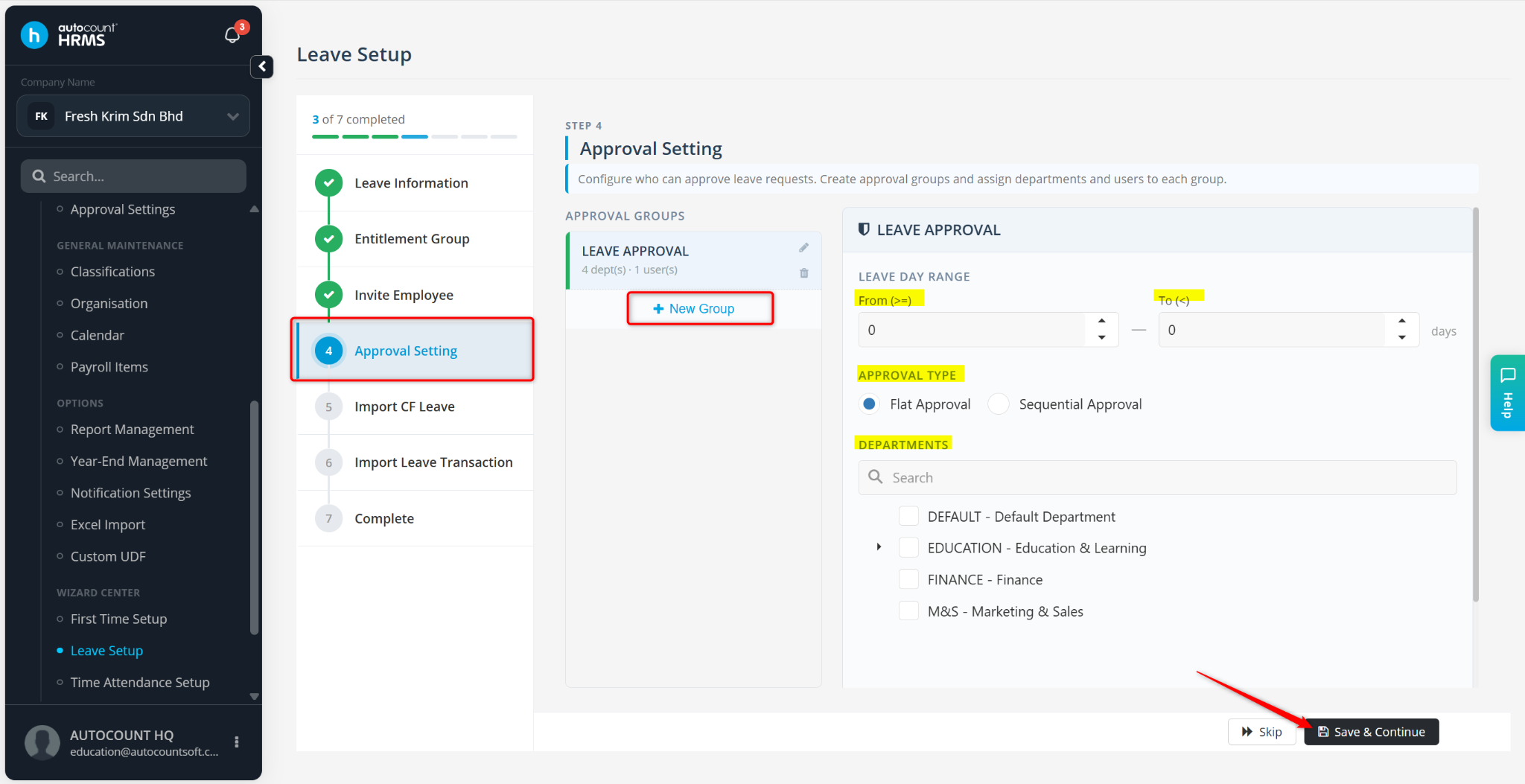
Maintain Approval Settings:
Click + New Group.
Enter the approval group details.
Configure the approvers and applicable departments.
Click Save & Continue.
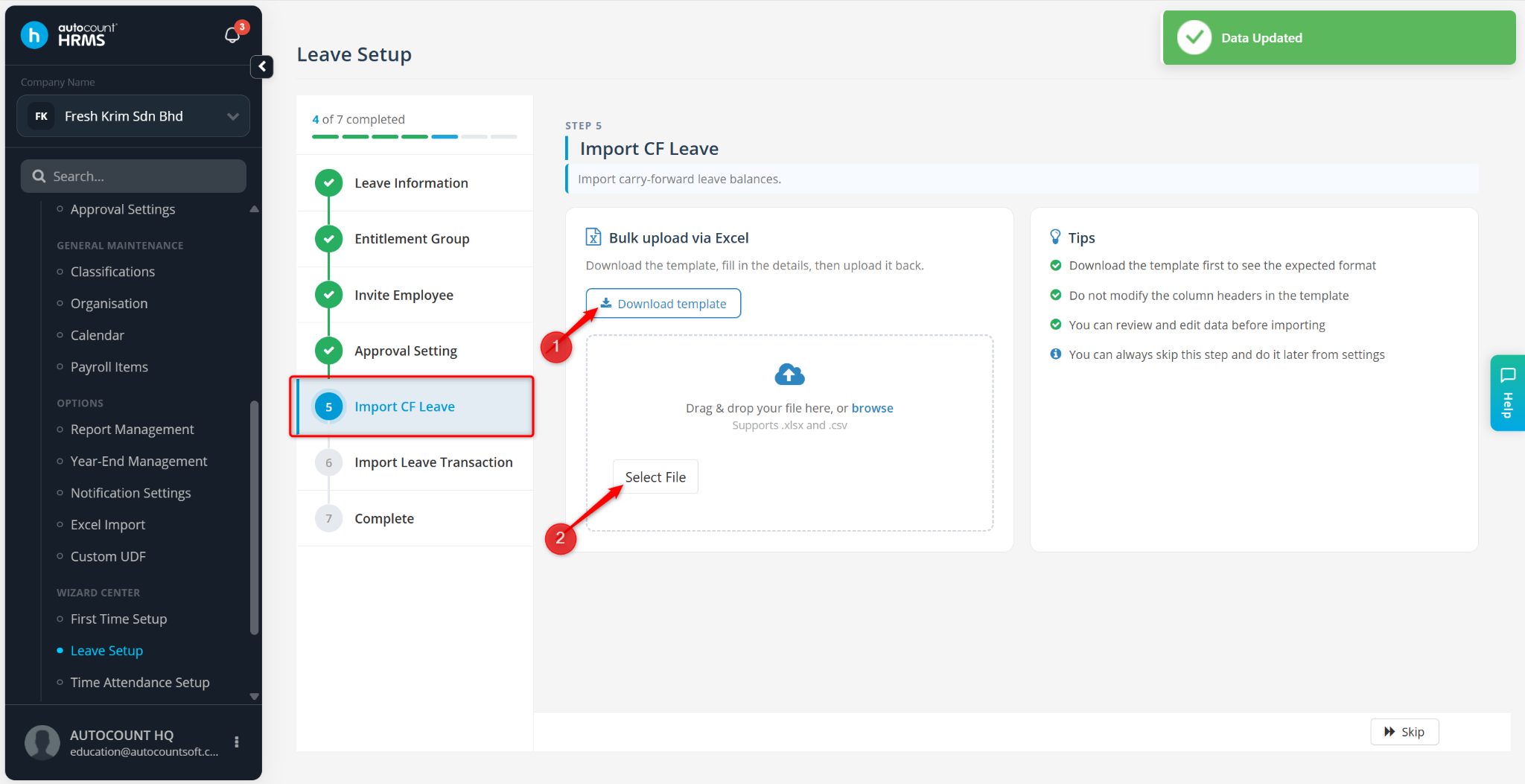
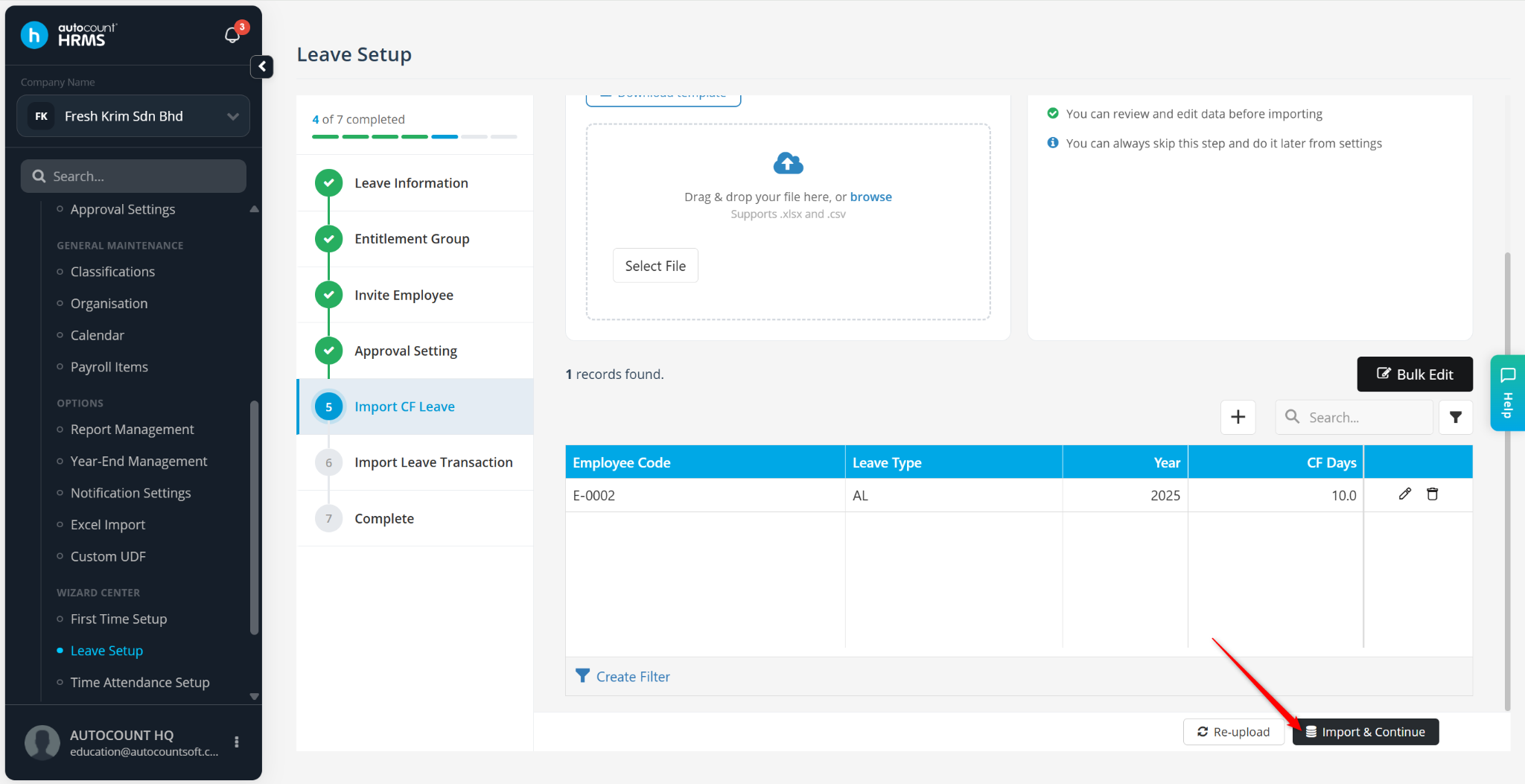
Maintain Carry Forward (CF) Leave:
Click Download Template.
Enter the Carry Forward (CF) leave data into the template.
Save the file.
Click Select File and upload the completed template.
Verify the imported data.
Click Import & Continue.
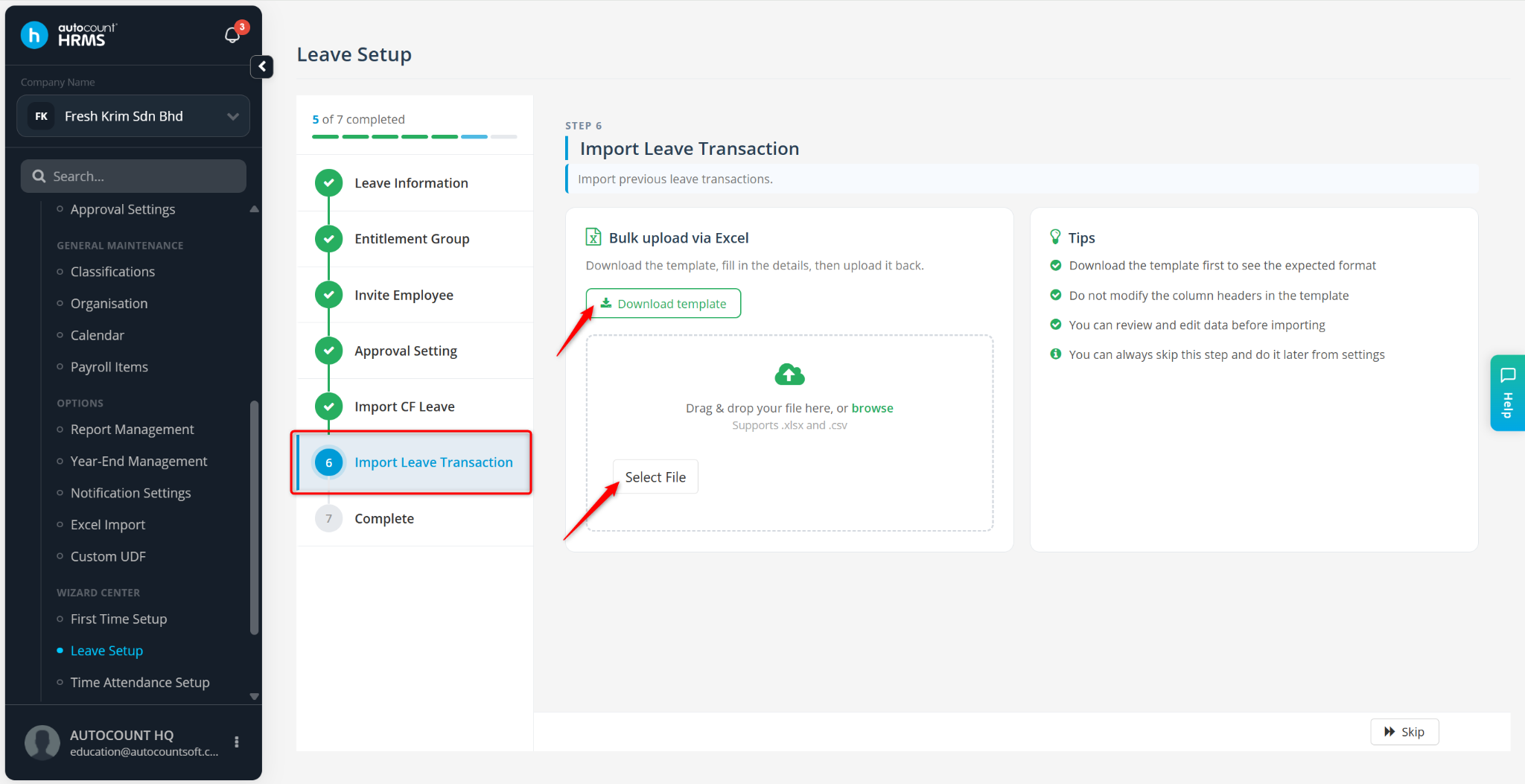
Import Leave Transactions:
Click Download Template.
Enter the leave transaction data into the template and save the file.
Click Select File and upload the completed template.
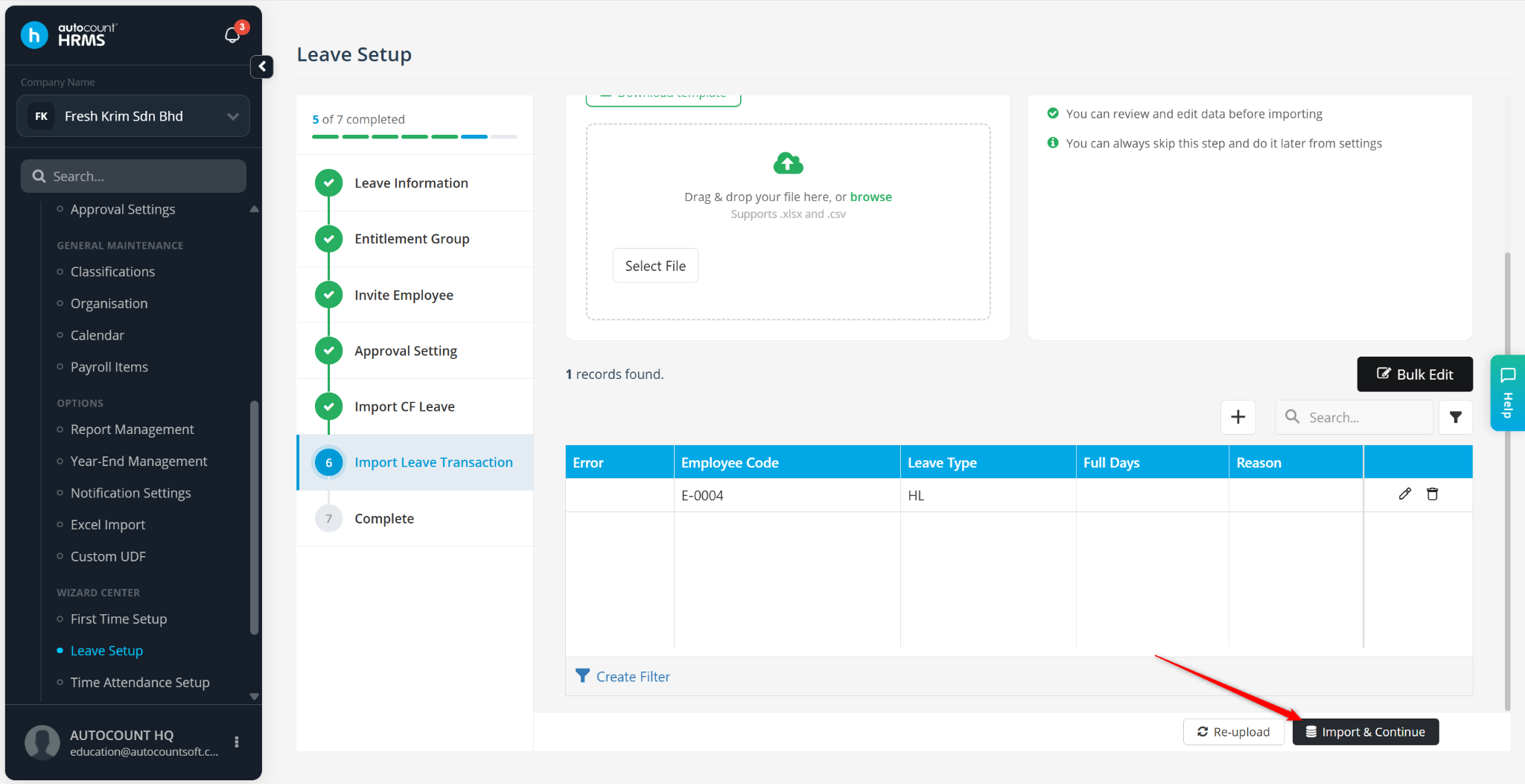
Verify the imported data.
Click Import & Continue.
The leave setup process is now complete.
You may review your leave information using the following reports:
Leave Request Listing Report
Leave Balance Report