Advance Notice Days allows companies to define how many days in advance an employee must apply for leave, based on company policy. This helps ensure proper workforce planning and prevents last-minute absences that may disrupt operations.
When this setting is applied, employees are not allowed to submit backdated leave applications, and must apply leave ahead of time according to the defined number of days.
Example:
If today’s date is 25 March 2025:
0 days – Leave can be applied starting 26 March onwards.
1 day – Leave can be applied starting 27 March onwards.
2 days – Leave can be applied starting 28 March onwards.
3 days – Leave can be applied starting 29 March onwards.
Steps to Setup Advance Notice Days:
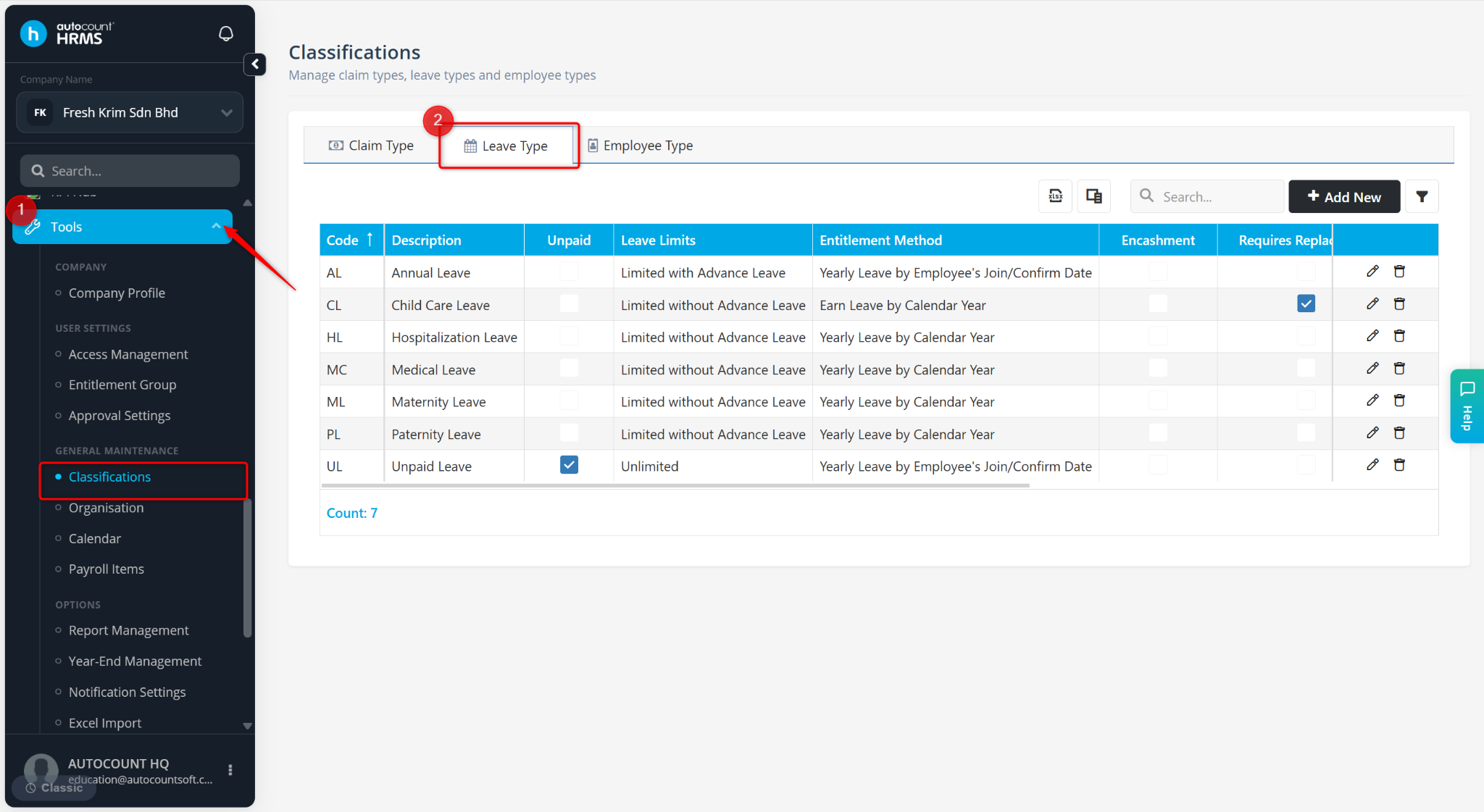
Go to Tools > Classification.
Go to Leave Type.
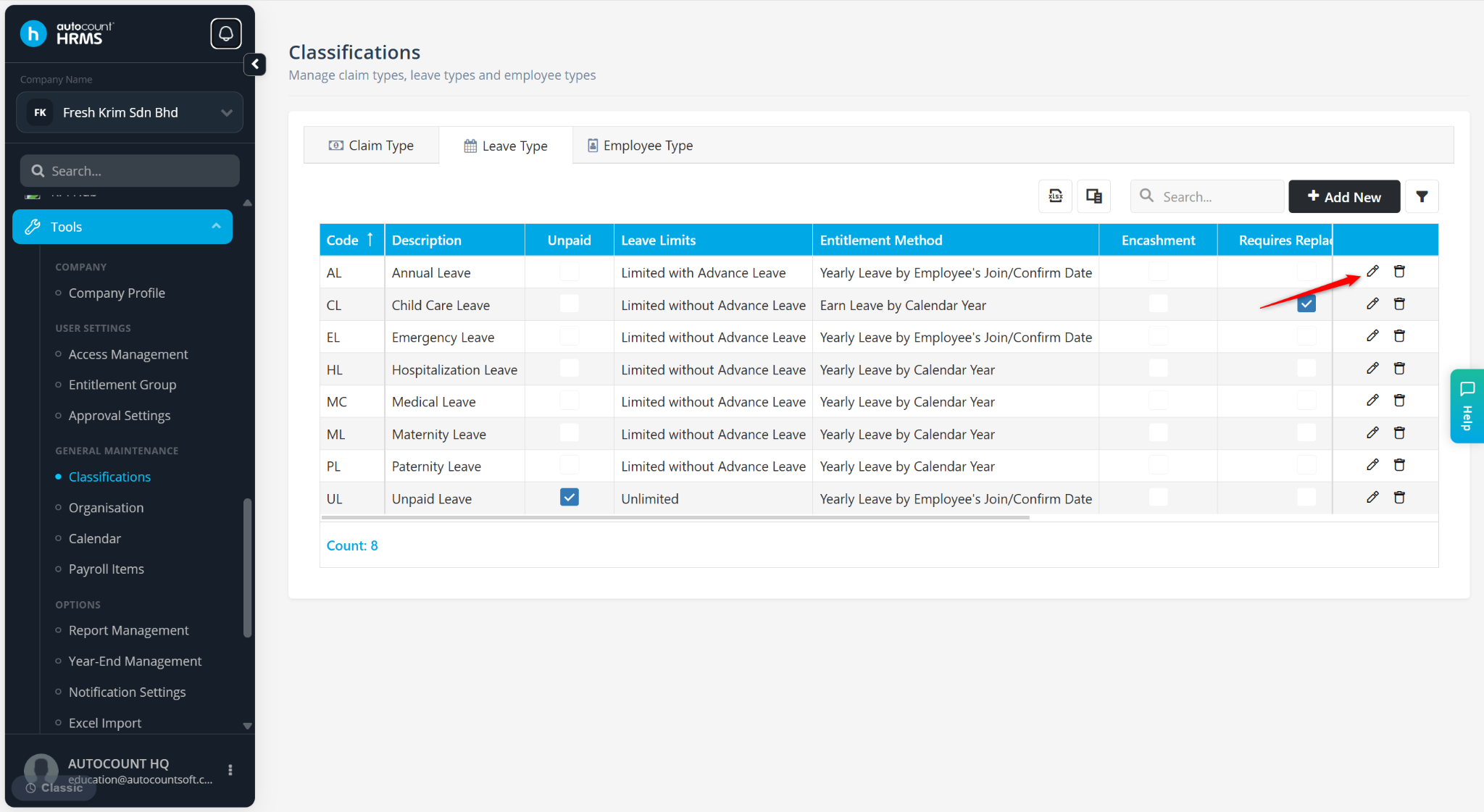
Locate the leave type and click the pencil icon.
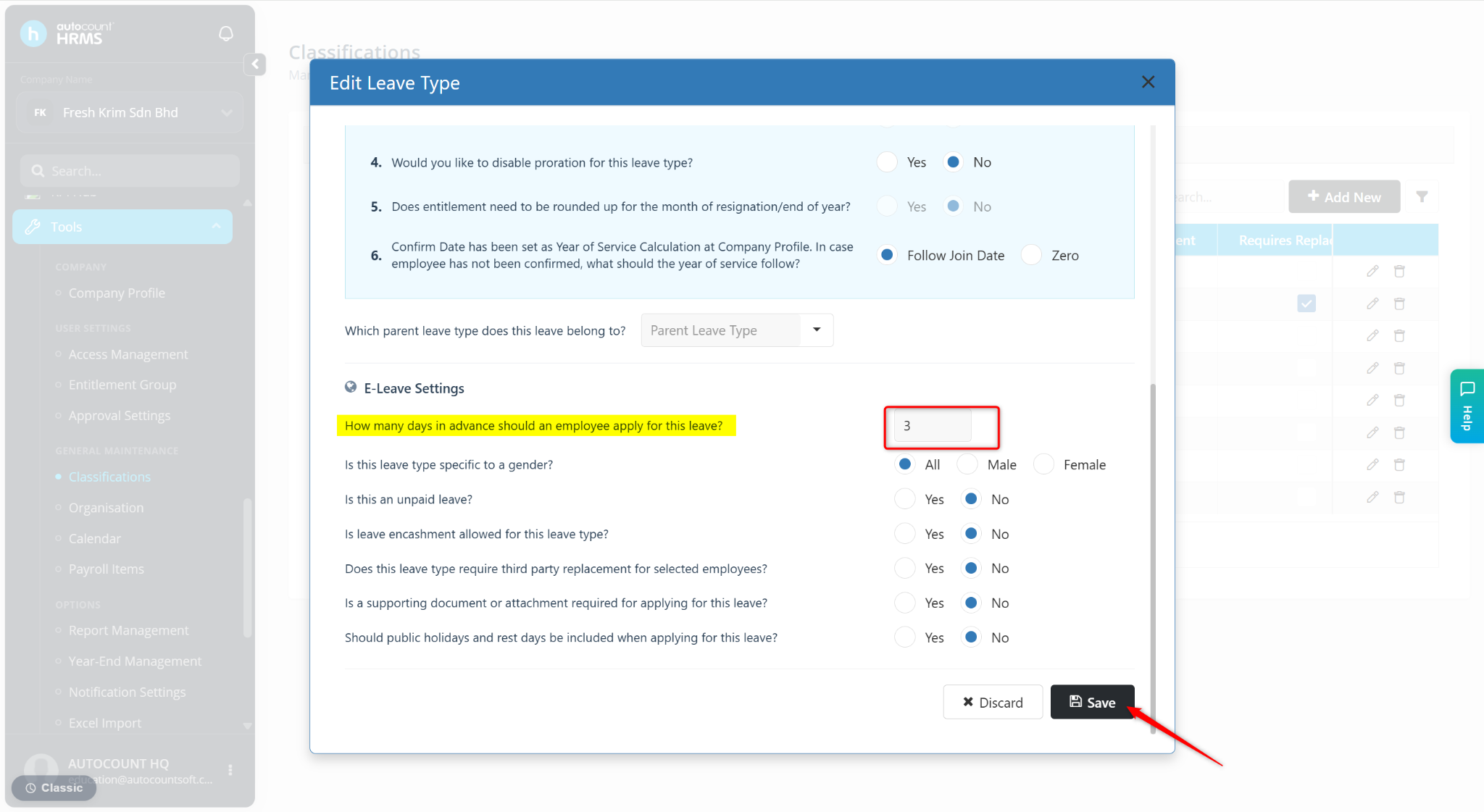
Enter the number of days employees must apply in advance at the How many days in advance should an employee apply for this leave? field.
Click Save.