
Users may maintain Leave Type settings at Tools > Classifications > Leave Type to define leave application rules and restrictions for employees.
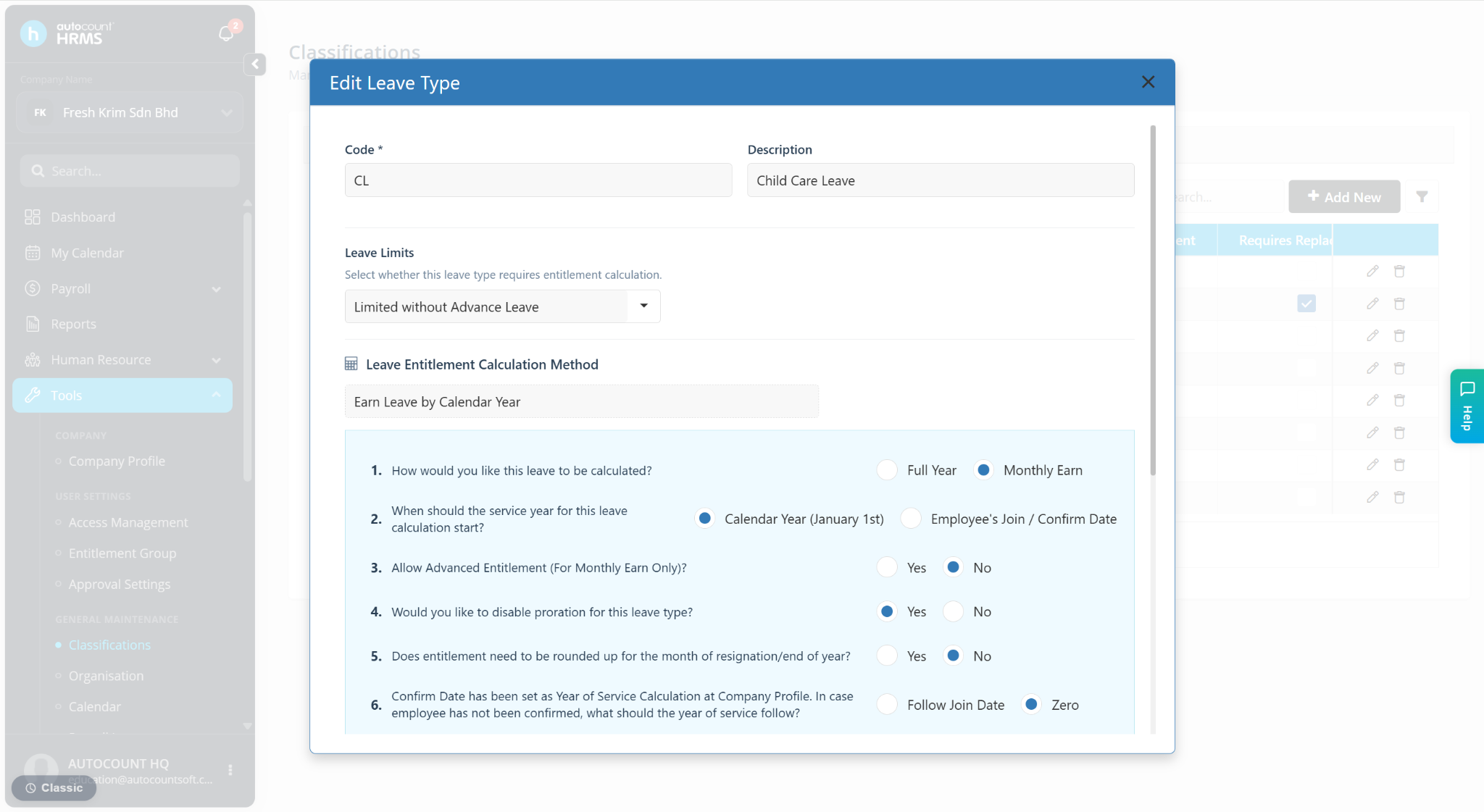
A) Leave Limits
This setting determines the limitations applied during the leave application process.
Limited with Advance Leave
Employees can apply for leave even when their leave balance is insufficient. The leave balance is allowed to become negative.
Limited without Advance Leave
Employees can only apply for leave based on their available leave balance. The leave balance cannot be less than zero.
Unlimited
No leave balance restrictions apply. Employees can apply for leave without limitation.
B) Leave Entitlement Calculation Method
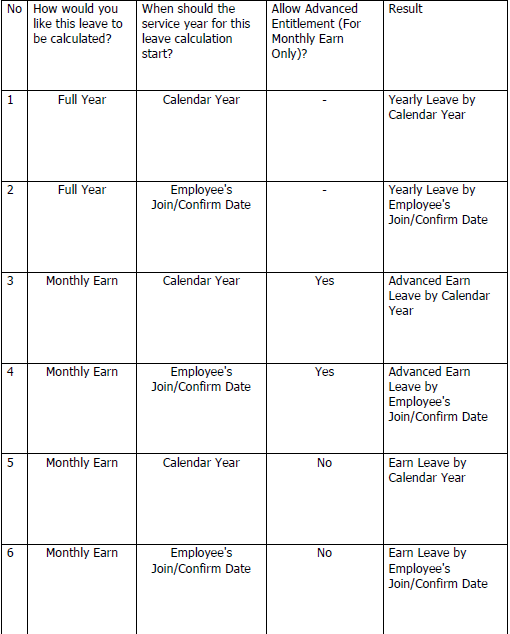
How would you like this leave to be calculated? – Defines the method used to calculate leave entitlement.
When should the service year for this leave calculation start? – Determines the date used to calculate the employee's service year for leave entitlement purposes.
Allow Advanced Entitlement (For Monthly Earn Only)? – Allows employees to utilize leave entitlement in advance before it is fully earned through the monthly earning method.
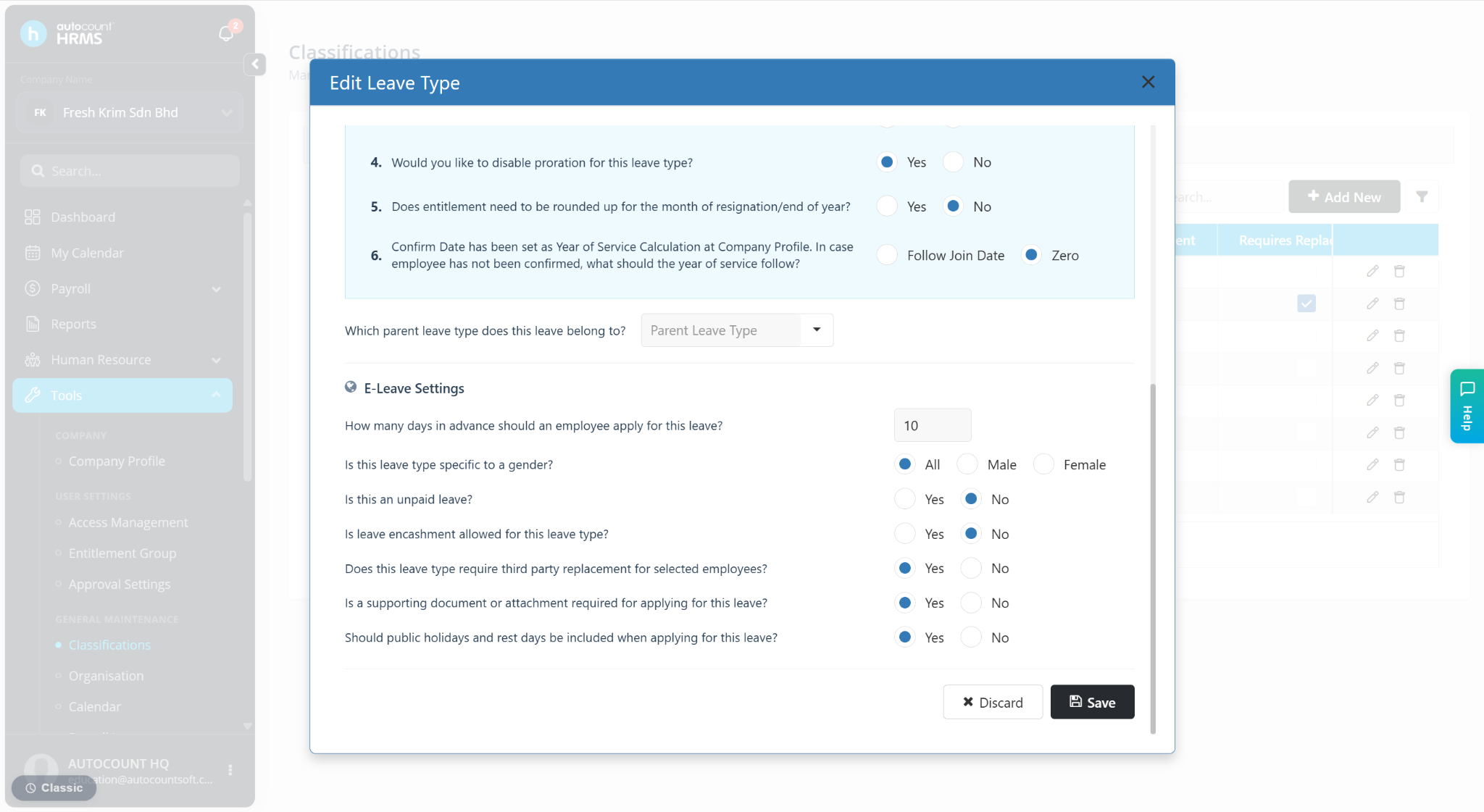
Would you like to disable proration for this leave type?
By default, the system prorates leave entitlement upon an employee's resignation.
Select Yes if you do not want this leave type to be prorated upon resignation.
C) E-Leave Settings
How many days in advance should an employee apply for this leave? – This setting controls how early employees must submit their leave applications.
Blank – Employees can apply for leave at any time, including backdated leave.
0 – Backdated leave applications are not allowed.
1 – Employees cannot apply for backdated leave or leave for the current day.
2 – Employees cannot apply for backdated leave, today's leave, or tomorrow's leave.
3, 4, 5... X – Employees must submit leave applications at least X days in advance.
Does this leave require third-party replacement? – When enabled, employees must select another employee as their replacement when applying for leave.
The selected replacement employee will be assigned as the replacement during the leave period and cannot apply for leave during the same period.