
In accordance with the latest PERKESO circular, the Skim LINDUNG 24 Jam (SKBBK) enhancement will take effect beginning 1 June 2026. The scheme expands employee protection coverage to 24 hours, including accidents occurring outside working hours and during road travel.
System Impact
- No system changes are required for payroll processing.
- The payroll system will automatically calculate the new SKBBK contribution starting from June 2026 payroll processing based on the latest PERKESO contribution table.
- No manual configuration or setup is required.
Contribution Updates
- A new SKBBK contribution rate of 0.75% will be applied and will be fully borne by employees.
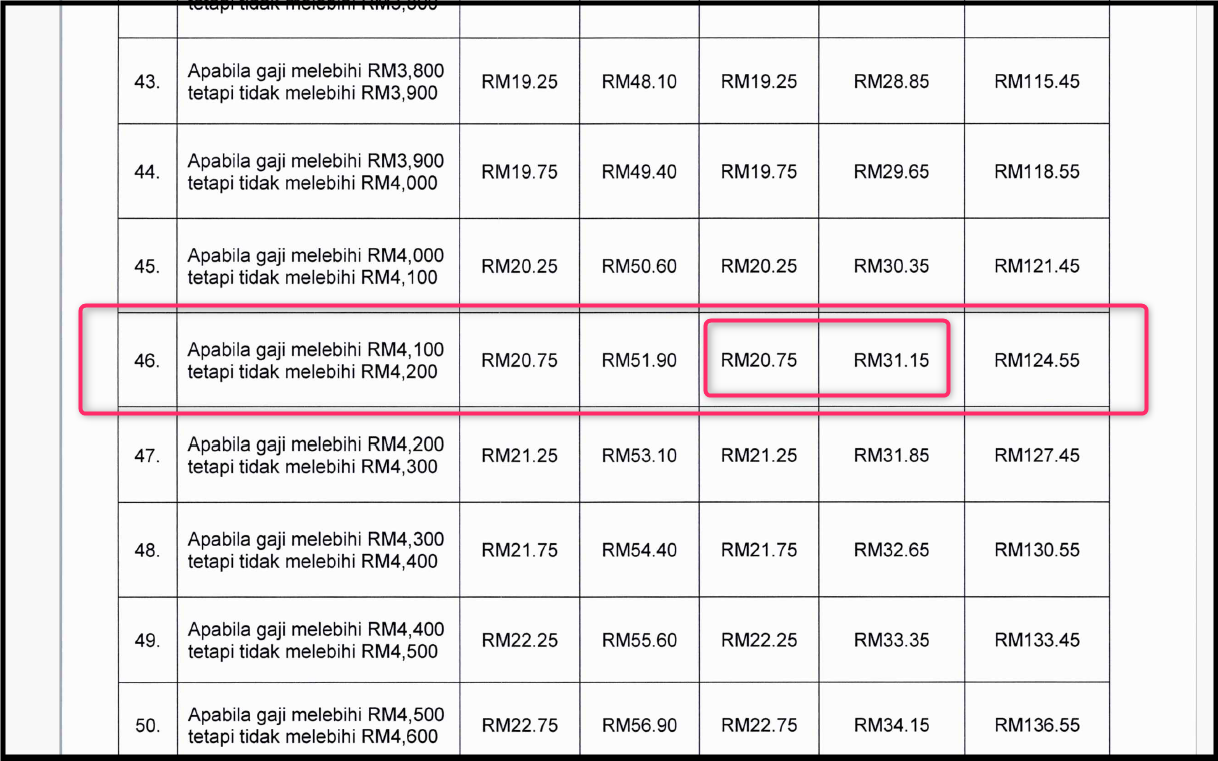
- Contribution calculations will follow the latest PERKESO contribution schedule according to employee salary range and category.
- Applicable to all employees covered under Act 4 for both Category 1 and Category 2.
Employer Responsibility
- Ensure payroll is processed from June 2026 onwards
- Deduct employee contributions accordingly
- Remit contributions to PERKESO within the stipulated timeline
Effective Date
Implementation is effective from 1 June 2026
Payroll Example
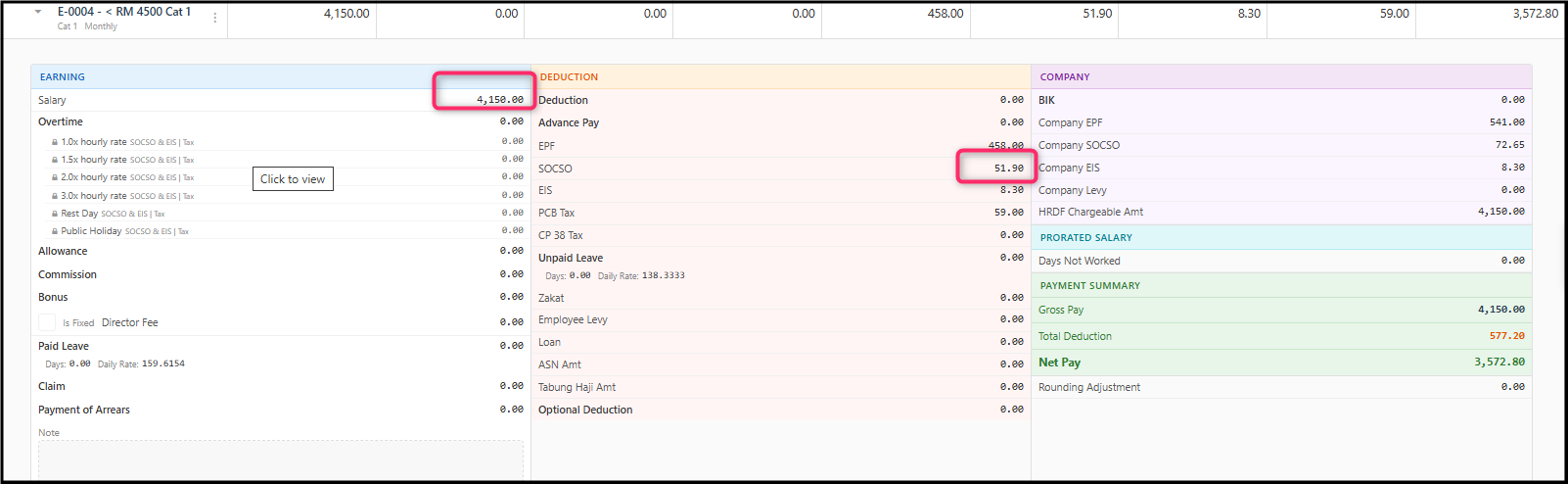
Salary: RM 4,150.00
Employee SOCSO Amount = RM 51.90 (inclusive of SKBBK amount)
Contribution Table
Employee SOCSO Amount = RM 20.75 + RM 31.15 = RM 51.90
Text File Submission
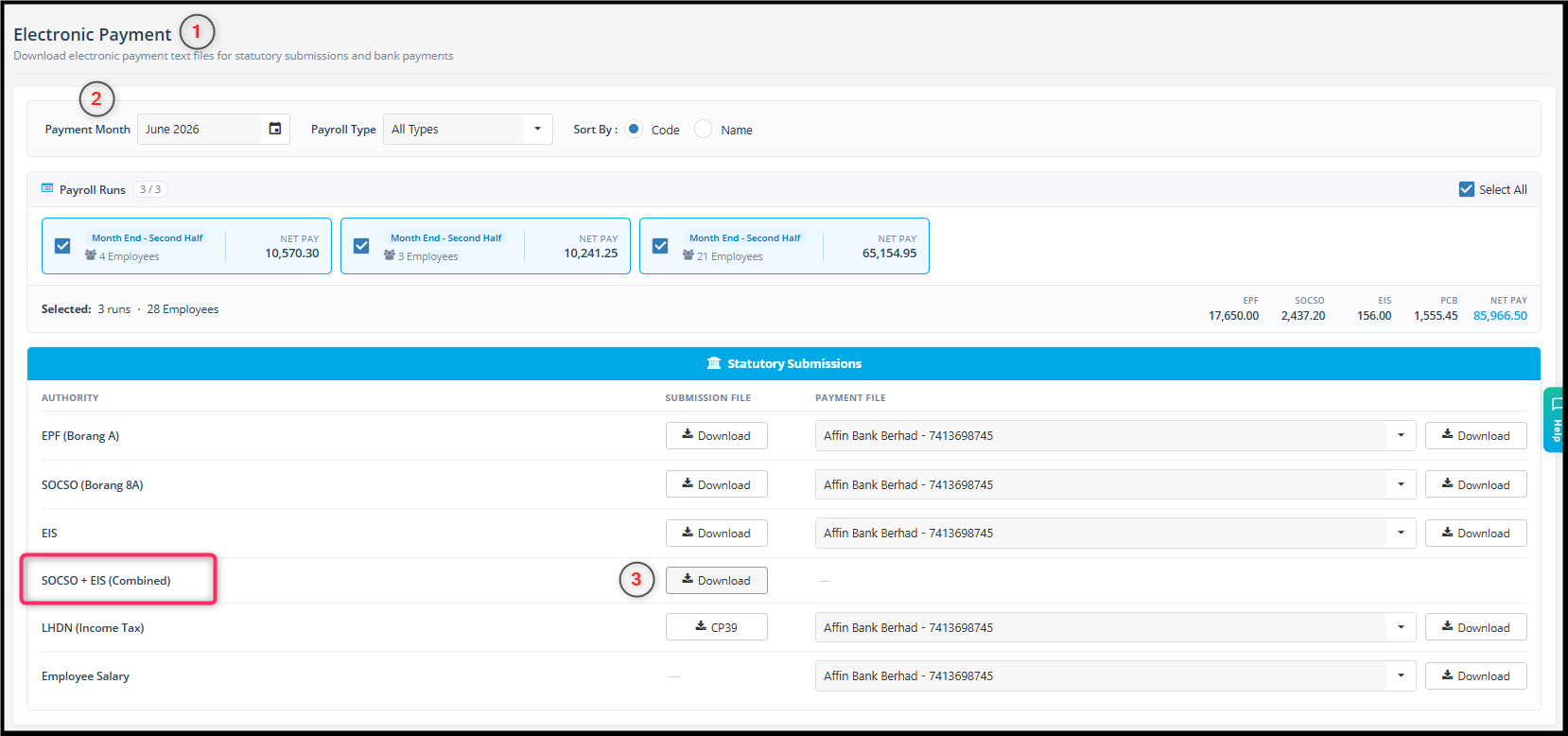
The existing single text file format will remain supported until 30 September 2026. However, effective from 1 October 2026 onwards, all contribution record submissions must use the SOCSO + EIS text file format. HRMS will generate the required SOCSO + EIS combined text file format for submission. Users are encouraged to start using the SOCSO + EIS combined text file format starting from June 2026 to ensure a smoother transition before the mandatory implementation on 1 October 2026.
- Electronic Payment > Select Payment Month > SOCSO + EIS (Combined)
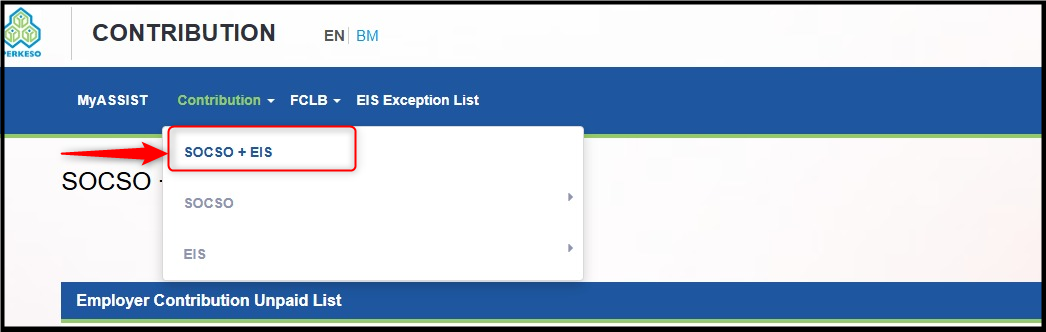
- Login to your Perkeso Portal Assist 2.0 > Contribution >Select SOCSO + EIS > Text File


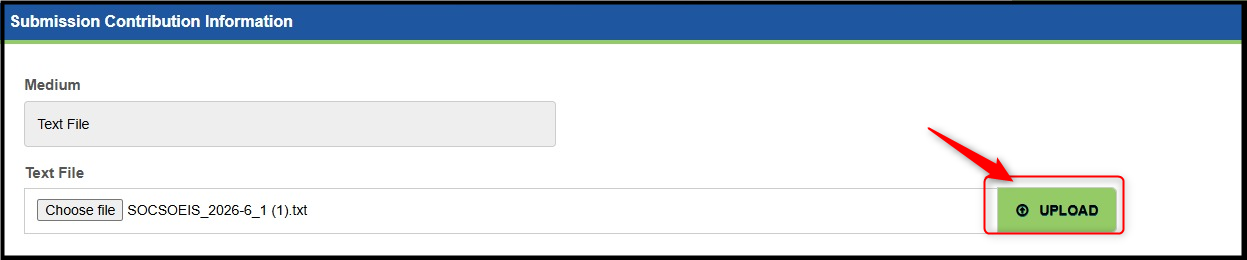
- Click on choose file, select the text file which is extracted from the ZIP file download from HRMS at step 1.

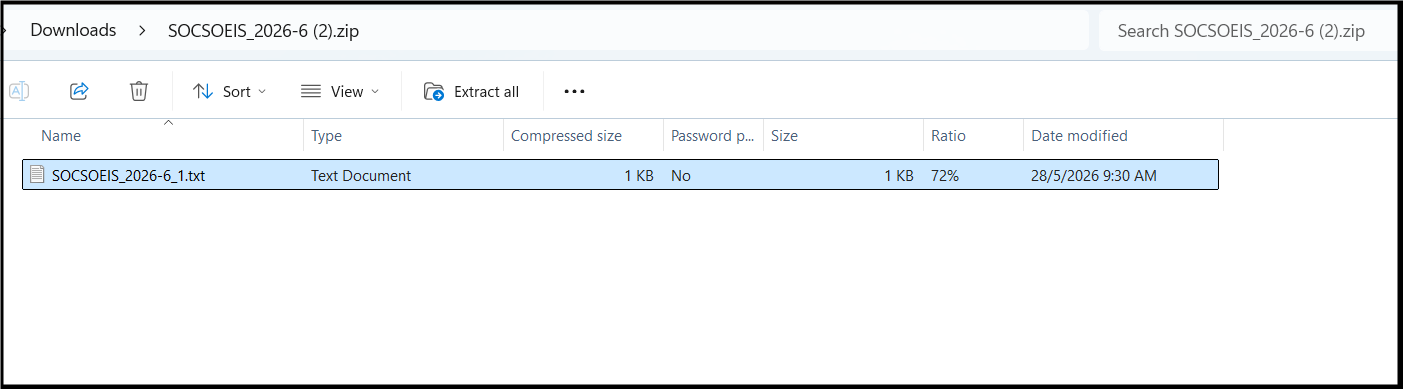
- Click upload and wait for result.
For more information can refer to PERKESO website:
https://www.perkeso.gov.my/skim-kemalangan-bukan-bencana-kerja-lindung-24-jam.html
SKBBK Contribution Rate Table:
https://www.perkeso.gov.my/images/lindung/lindung-24-jam/JadualCarumanBaharuTermasukSKBBK.pdf
By Chen Ong 260529