
This guide explains how employees can register on the portal and choose whether to participate in the LINDUNG 24 JAM Scheme SKBBK.
Action is only required for local employees who choose not to participate in the scheme. If no opt-out is submitted by 31 August 2026, the employee will be automatically enrolled in the LINDUNG 24 Hour Scheme.
1. Portal Registration
- Access the Benefit Application Portal at:
https://lindungfaedah.perkeso.gov.my/auth/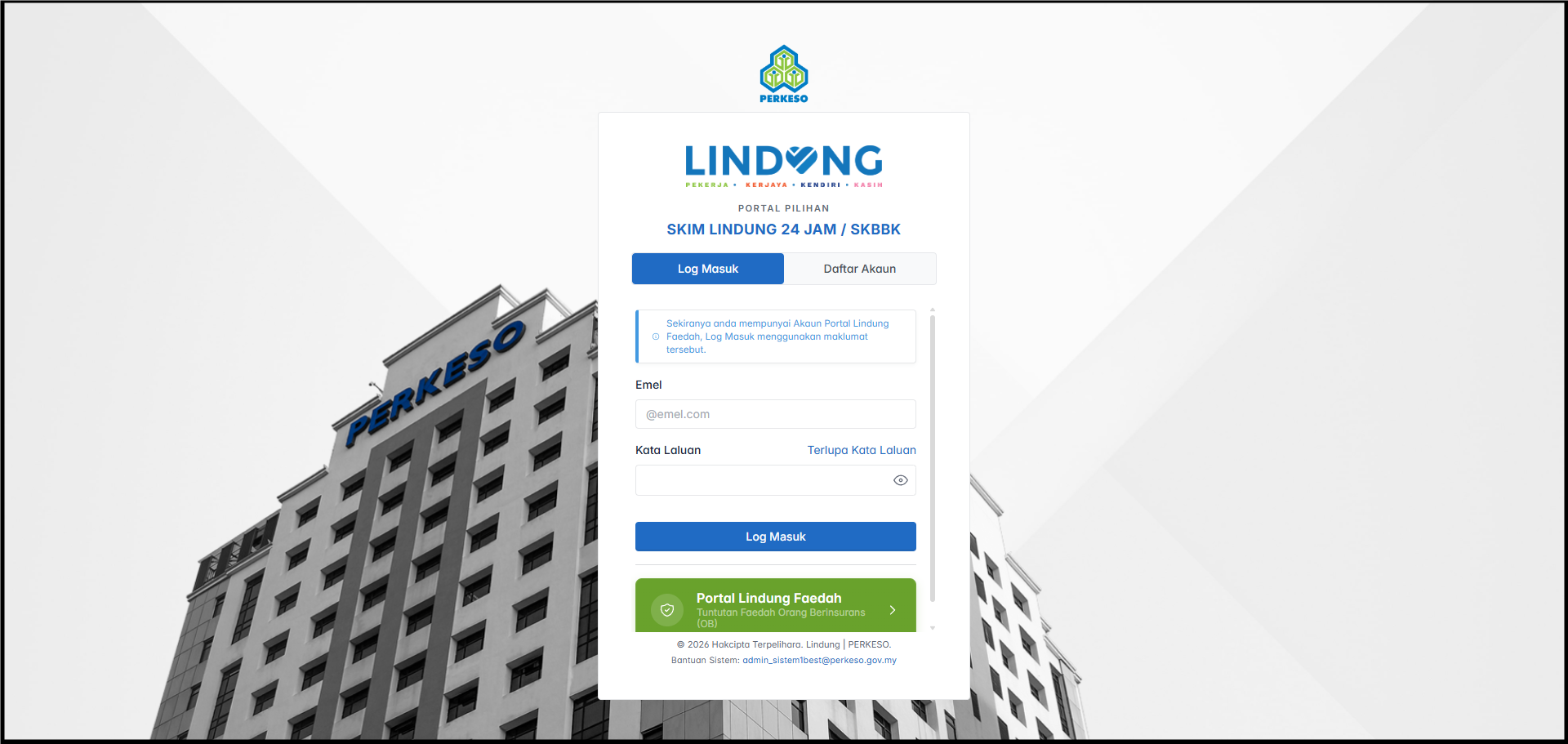
- If you already have an account, click Log In.
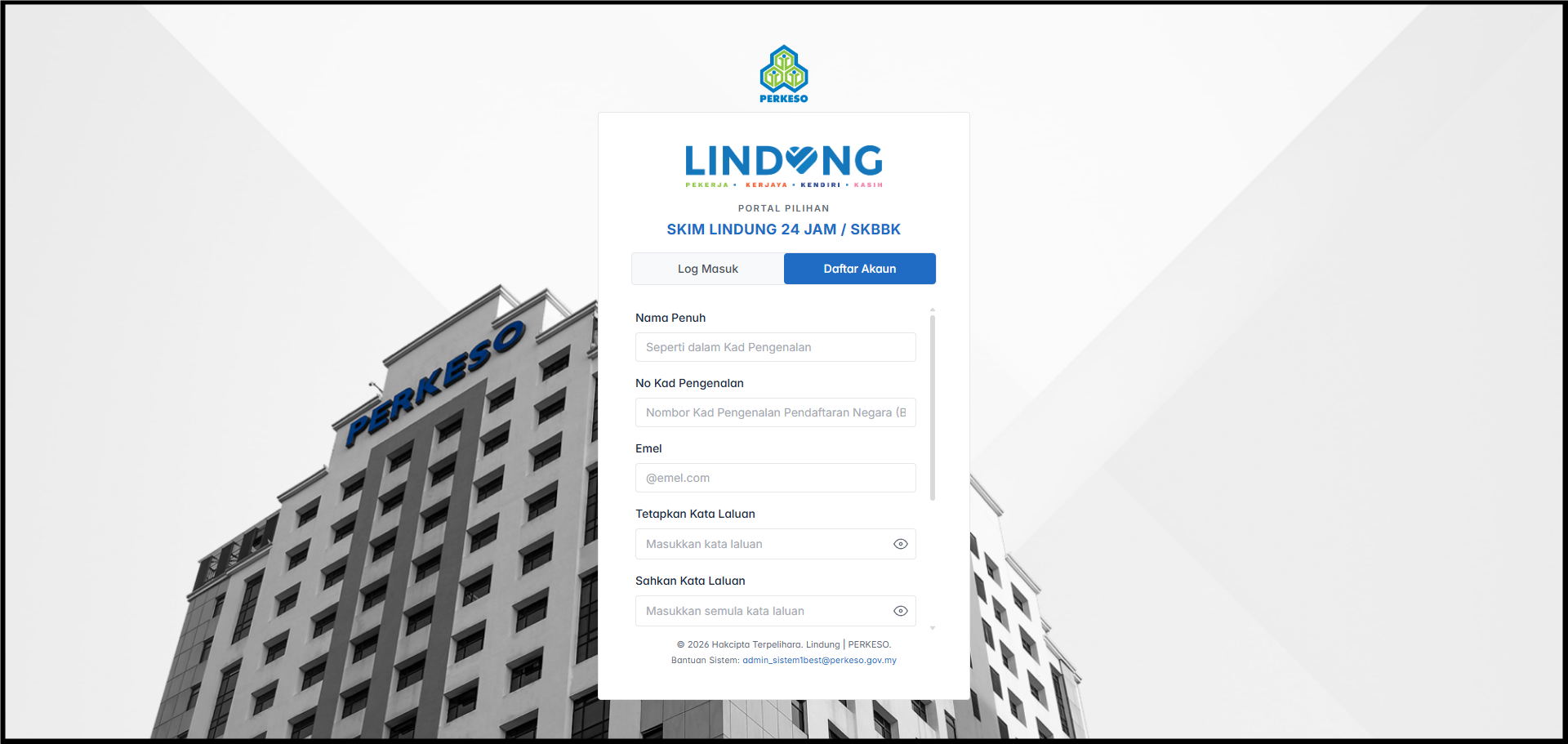
- If you are a new user, click Register Account and complete the following information:
- Full Name (as per NRIC)
- NRIC Number
- Email Address
- Create a password
- Tick the checkbox to accept the Terms and Conditions.
- Click Register Account.
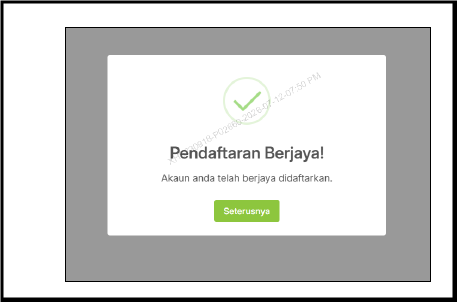
- After successful registration, a confirmation message will be displayed. Click Next to continue.
2. Employee Participation Selection
- Select your participation option: [x] Do Not Participate.
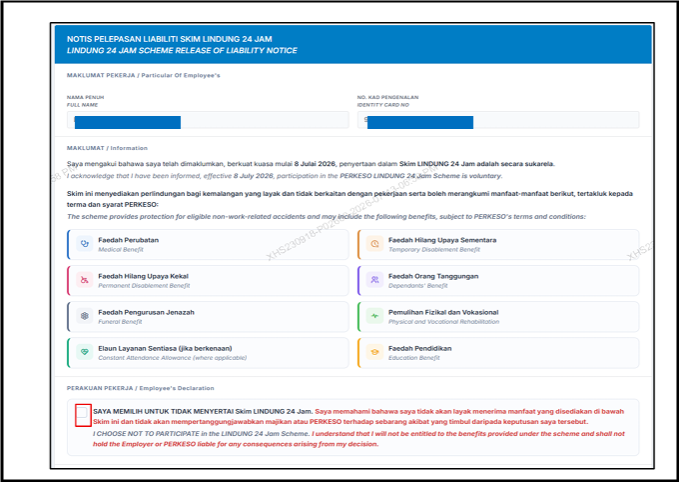
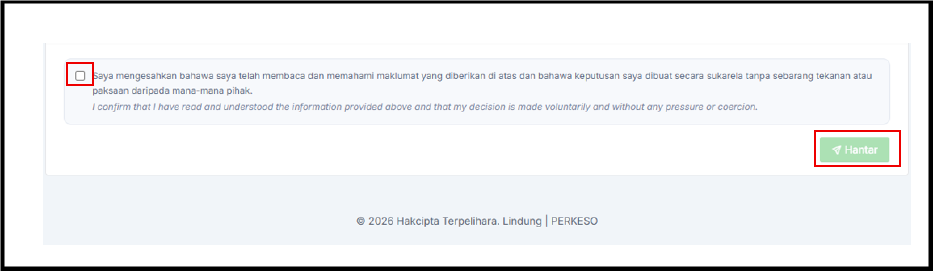
- Tick the confirmation checkbox, then click Submit.
3. A confirmation message will be displayed.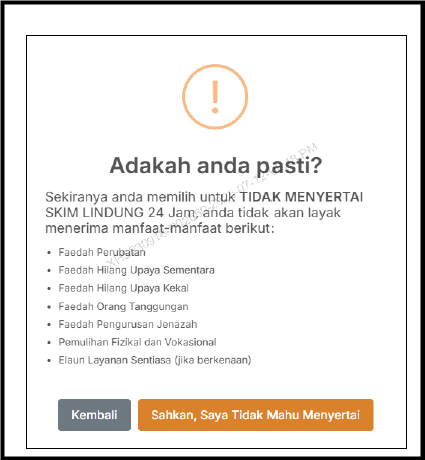
Note: Once your declaration has been submitted, your participation selection cannot be changed.
A success message will be displayed. Click OK to continue.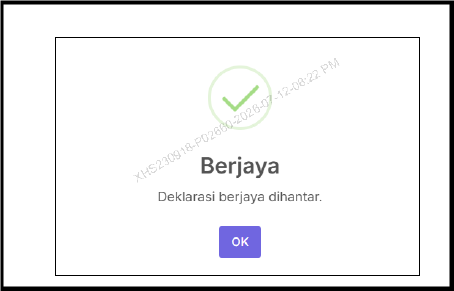
4. Download Declaration Form
Click Download Declaration Form to download and save a copy of your participation record.
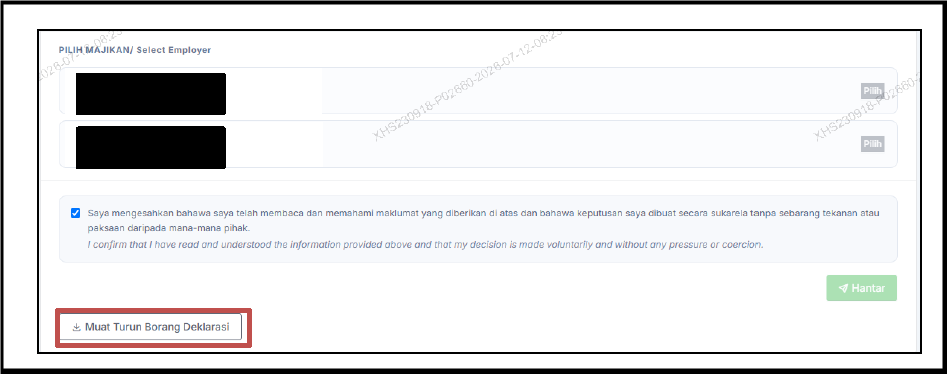
A declaration form will be generated
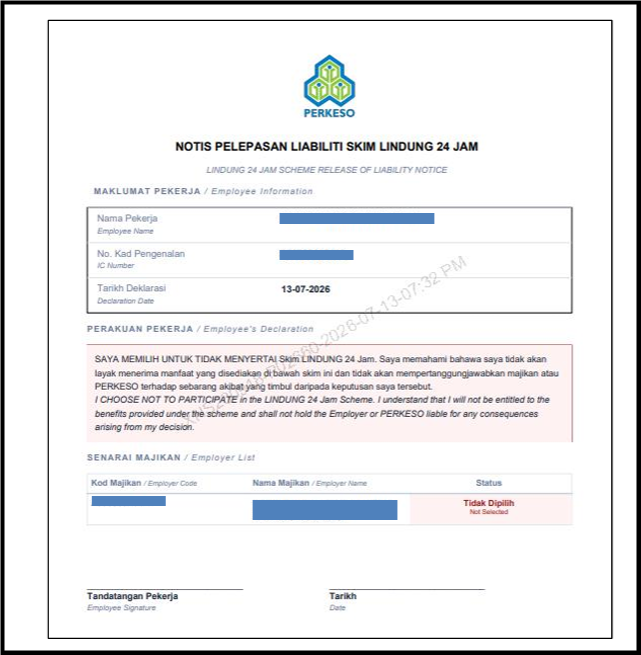
For the employer's record, employees may submit the LINDUNG 24 Hour Scheme Liability Release Notice by signing the notice and indicating the date on which the declaration was submitted through the Lindung Faedah Portal.
For more information, please refer to the PERKESO website:
- https://www.perkeso.gov.my/images/lindung/lindung-24-jam/130726-FAQ_LINDUNG_24_JAM.pdf
- https://www.perkeso.gov.my/images/lindung/lindung-24-jam/130726-PANDUAN_PENGGUNA_NOTIS_PELEPASAN_LIABILITI_SKIM_LINDUNG_24_JAM.pdf
By ChenOng 260713