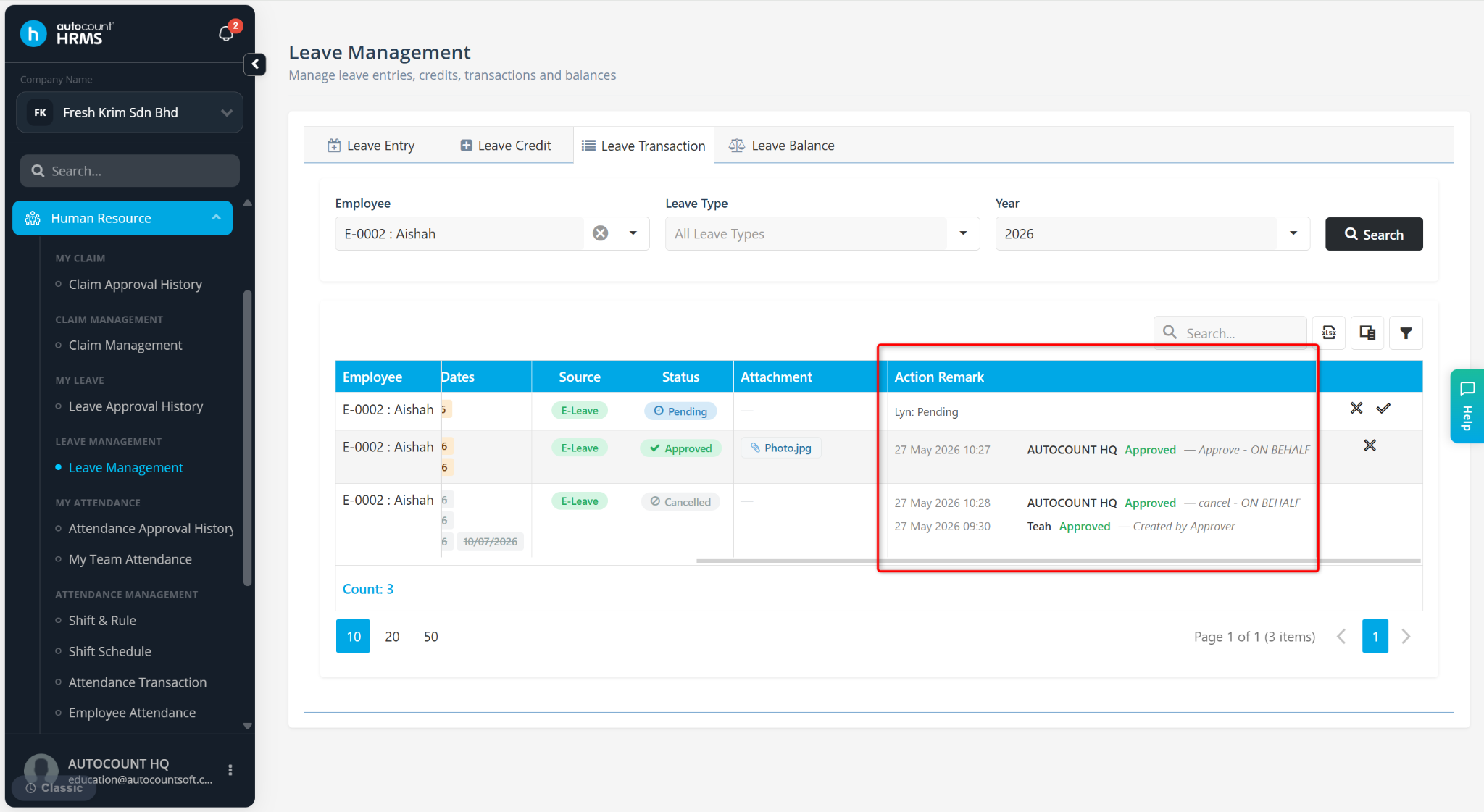
Subscriber or Payroll Users can view the leave approval status through the Leave Transaction module.
Steps to Check Leave Approval Status:
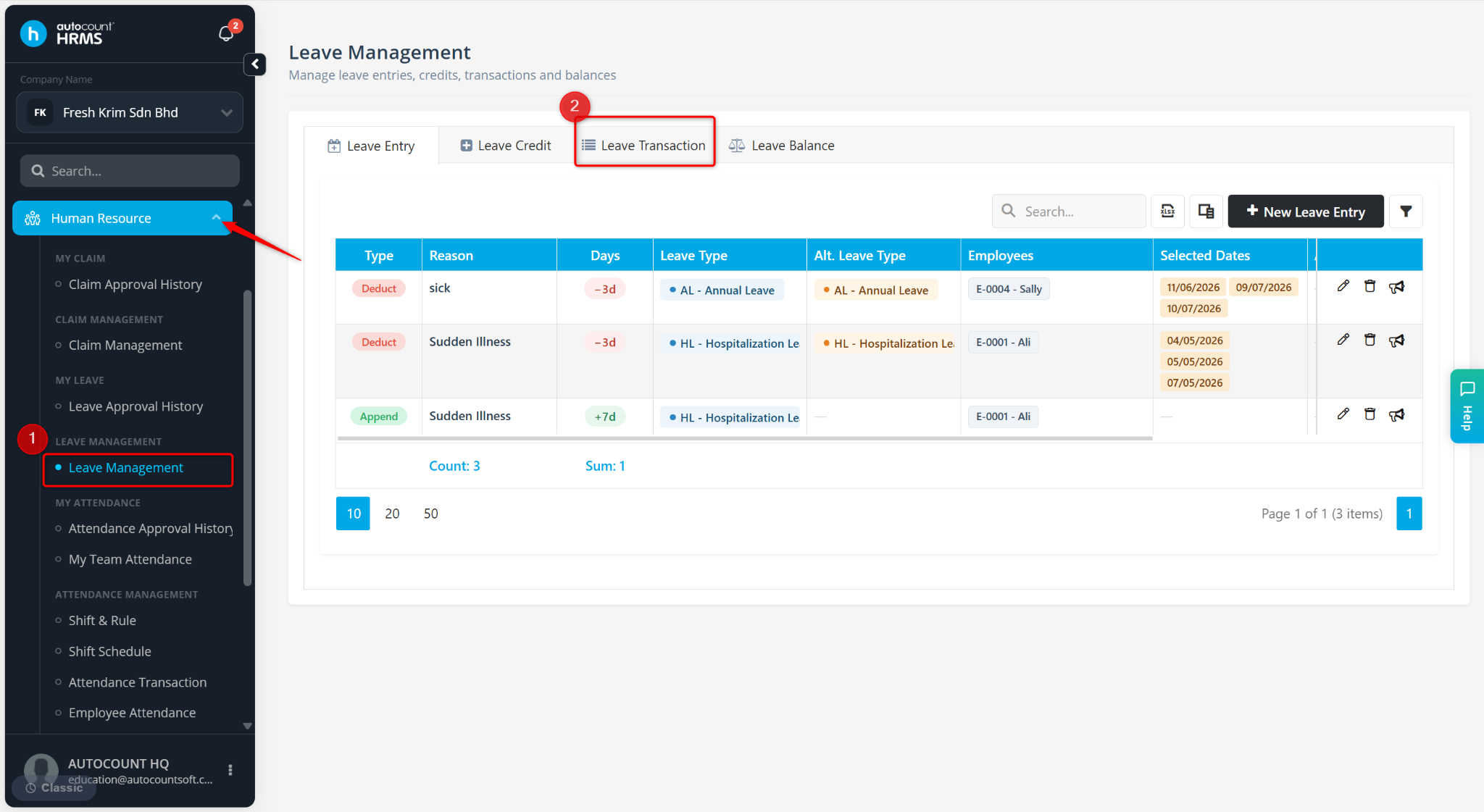
Go to Tools > Leave Management.
Go to Leave Transaction.
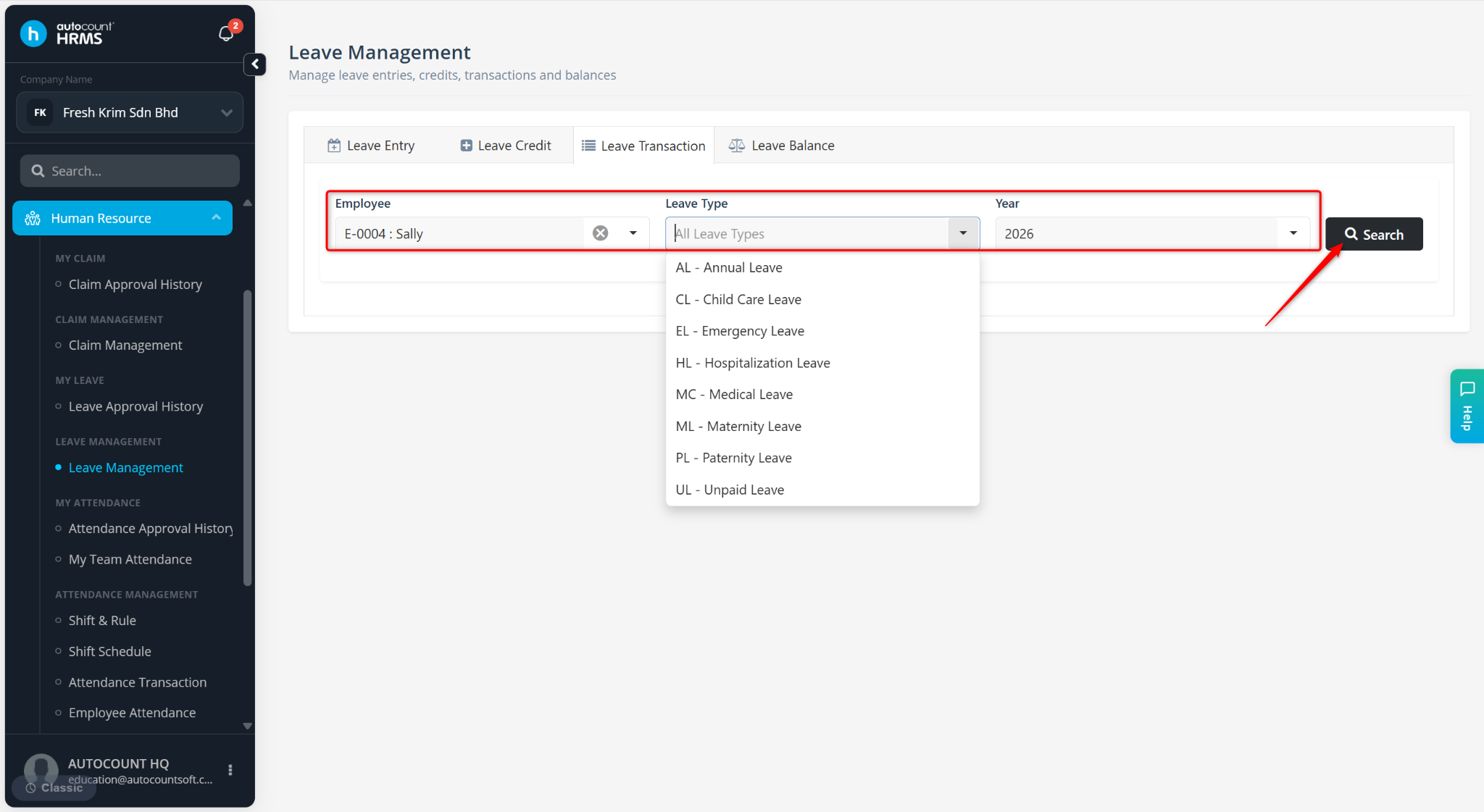
Select the Employee, Leave Type and Year.
Click Search.
Click the column chooser icon.
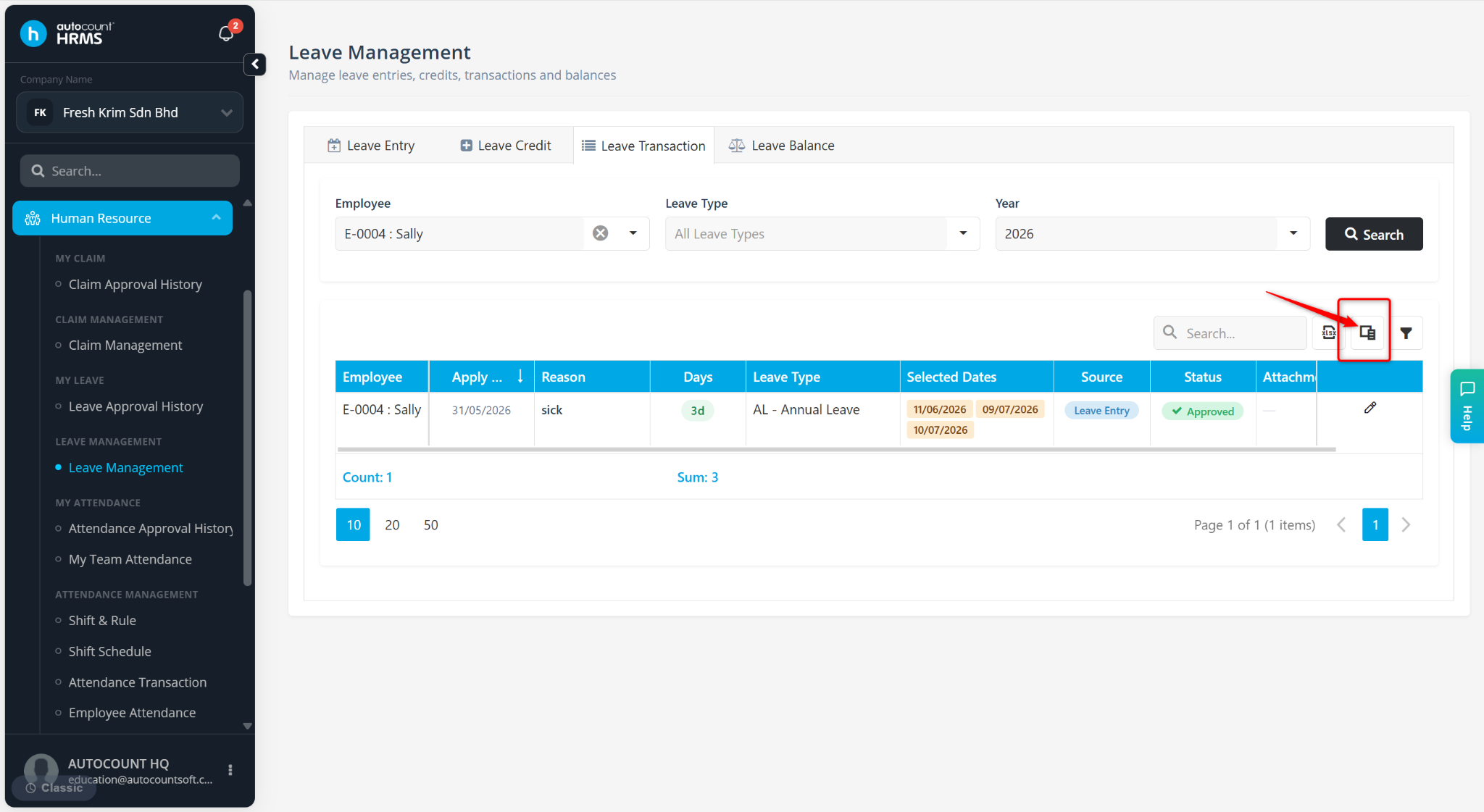
Enable Action Remark.
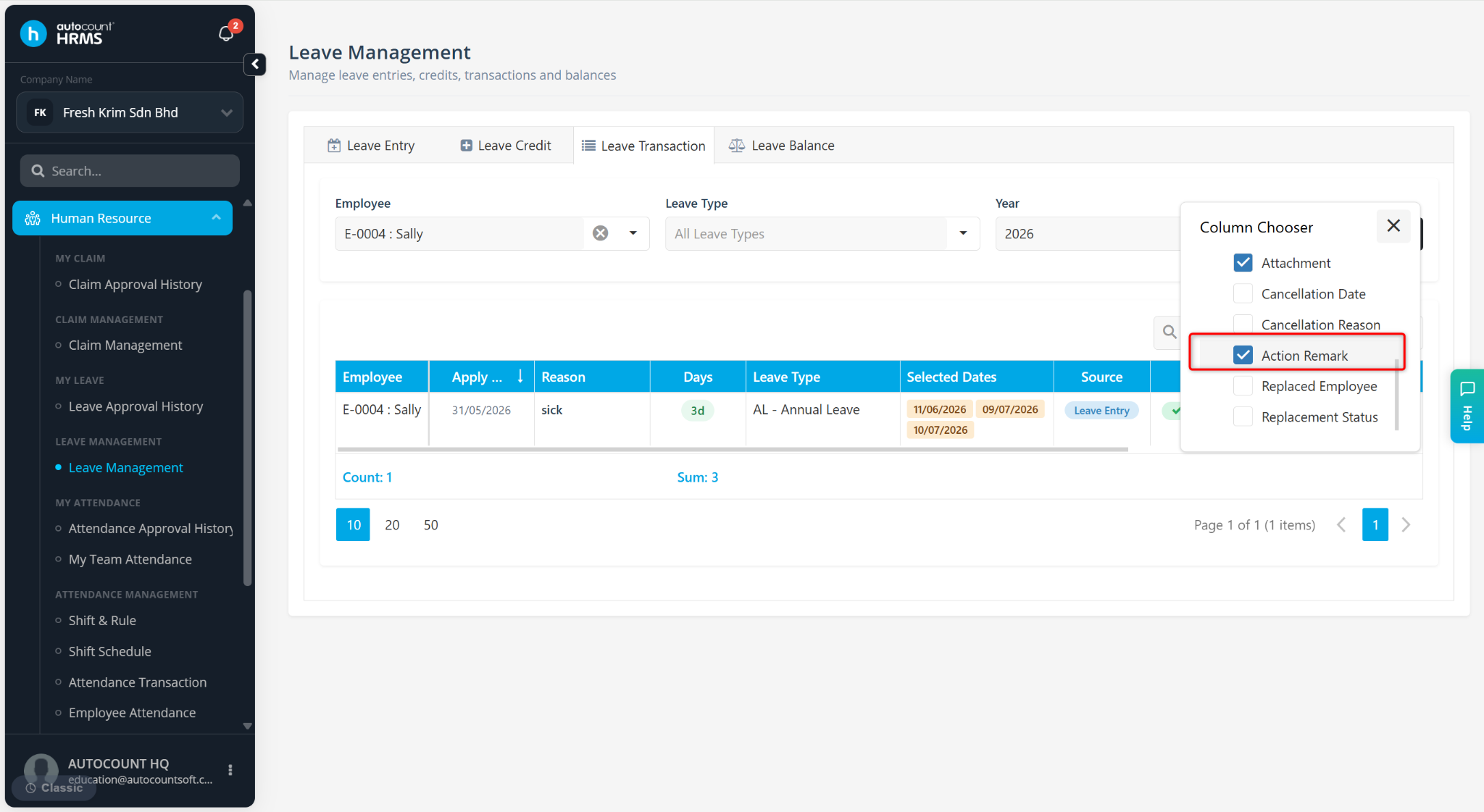
The leave application status will be displayed in the table under Action Remark.