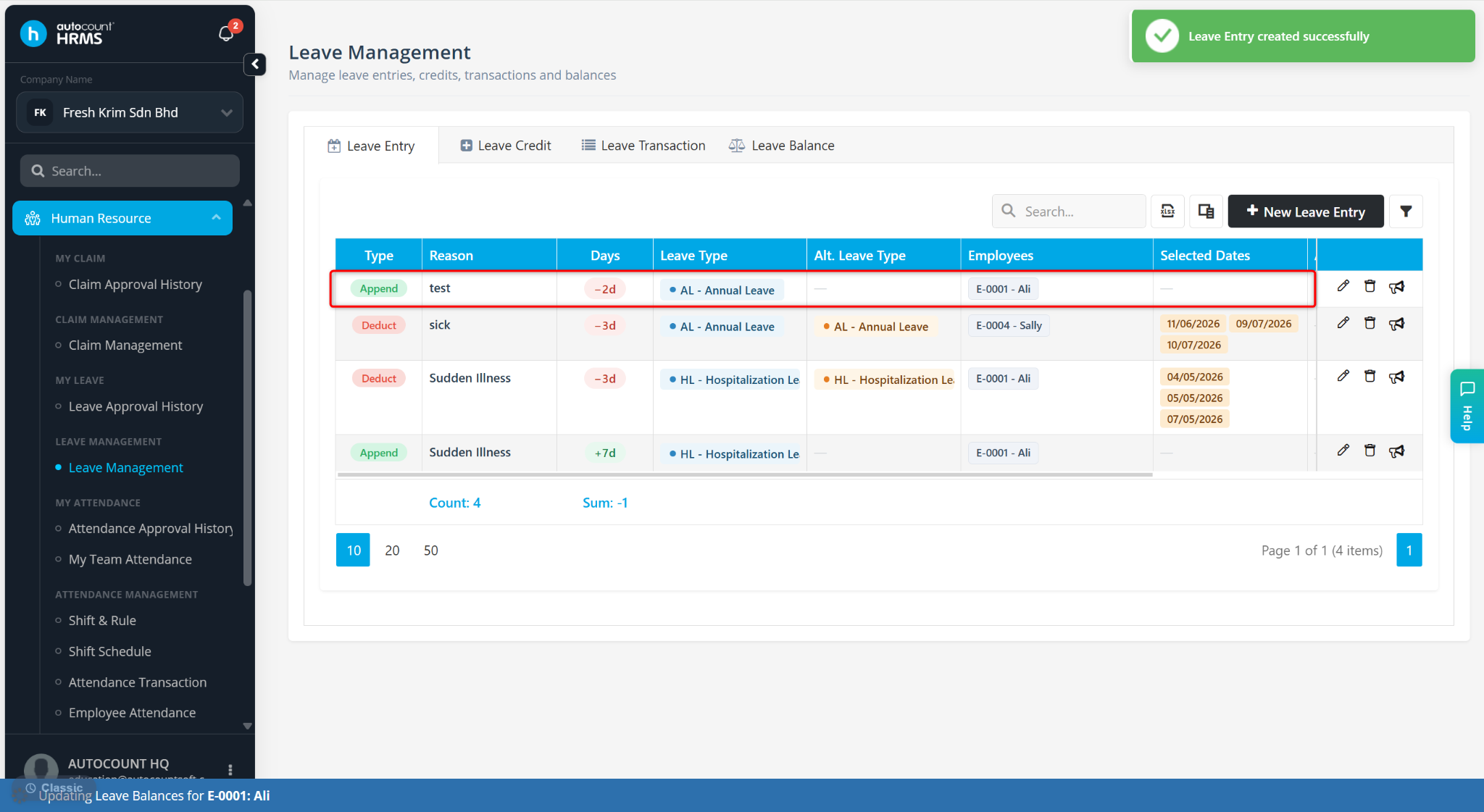
Users can reduce an employee’s leave entitlement by using the Leave Entry (Append) function and entering a negative (-) value.
Steps to Reduce an Employee’s Leave Entitlement:
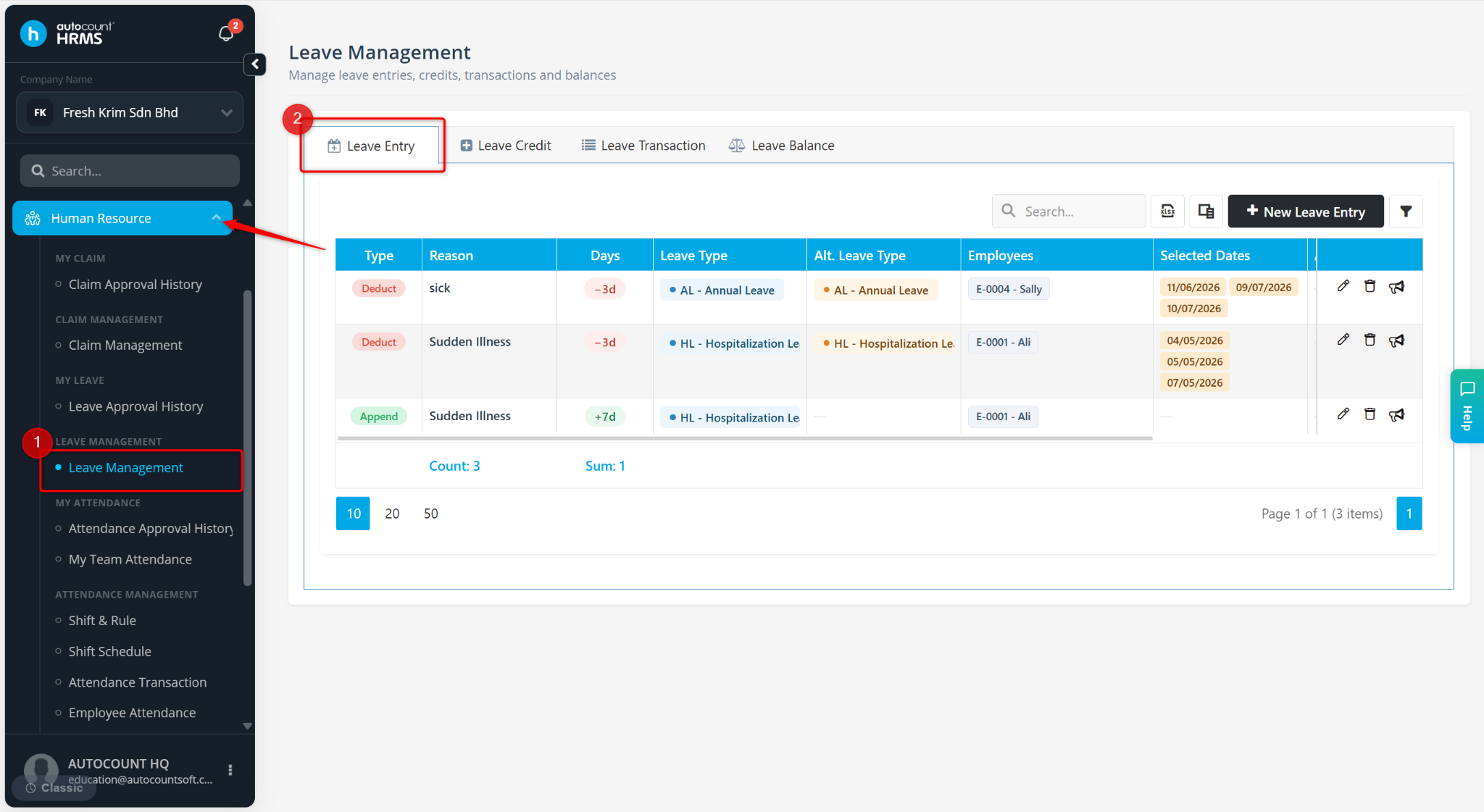
Go to Human Resource > Leave Management.
Go to Leave Entry.
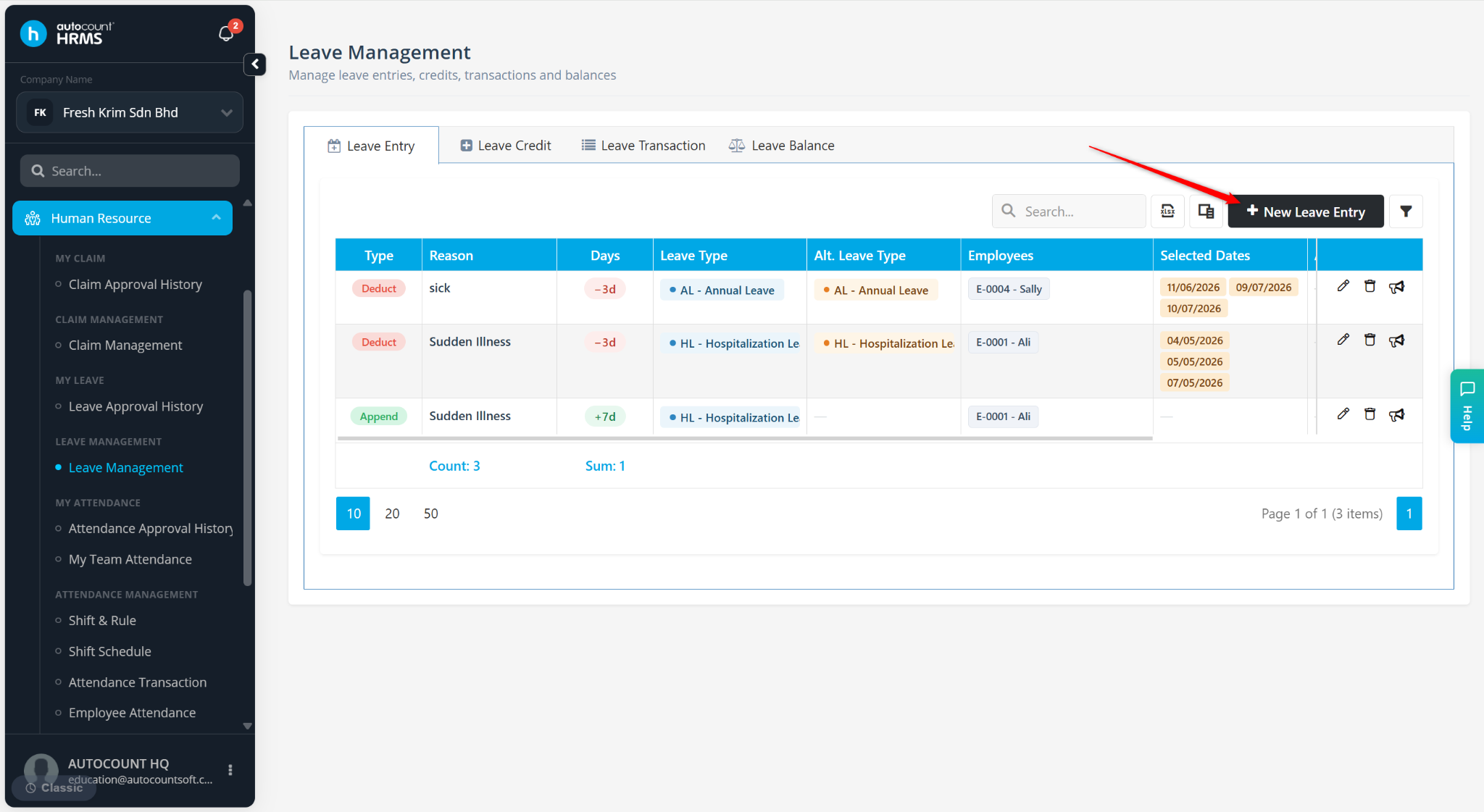
Click + New Leave Entry.
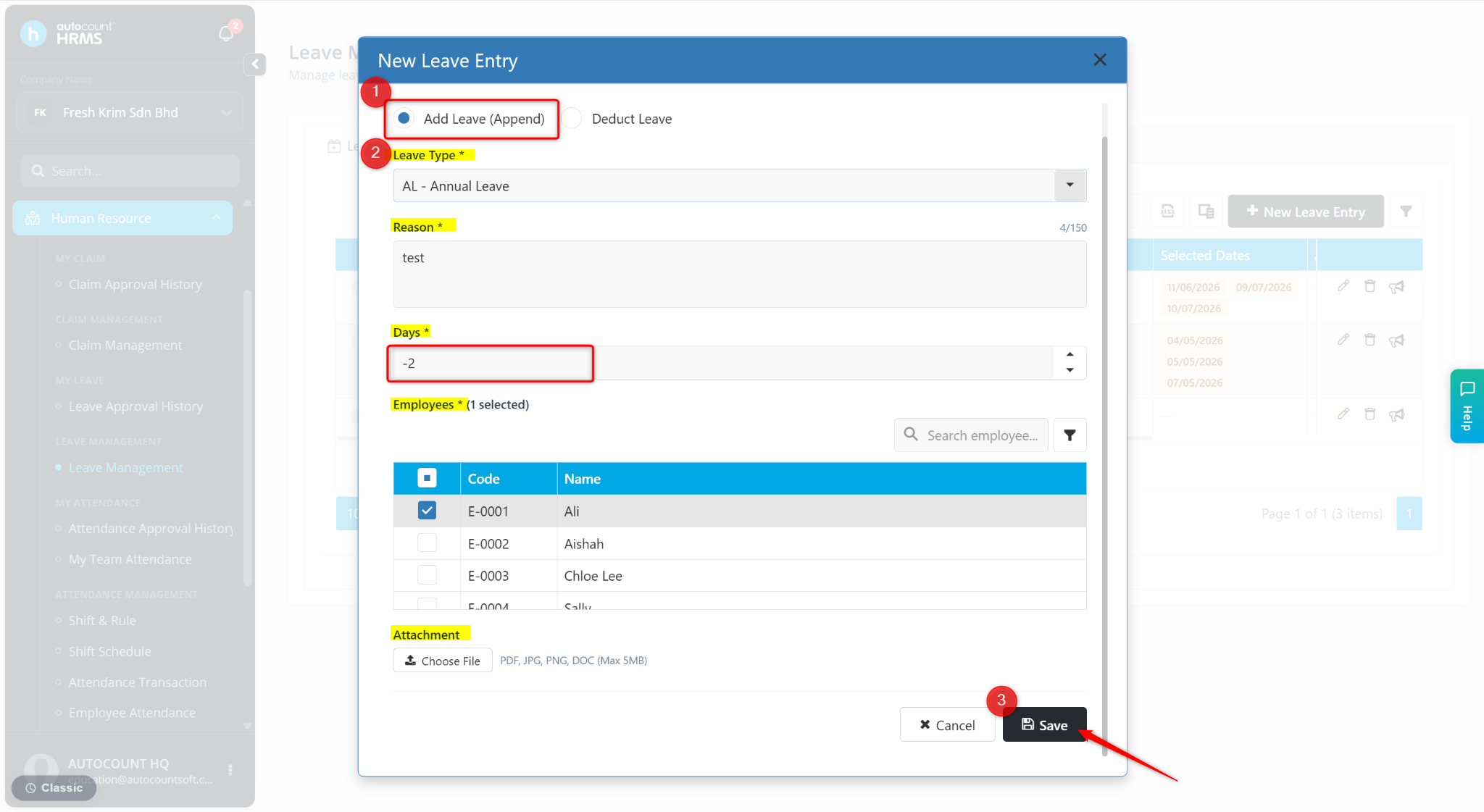
Select Add Leave (Append).
Choose the Leave Type and enter the Reason.
Enter the number of Days as a negative value.
Select the Employee(s) affected by the deduction.
Click Save.
The system will deduct the specified leave entitlement from the selected employee(s) and update their leave balance accordingly.