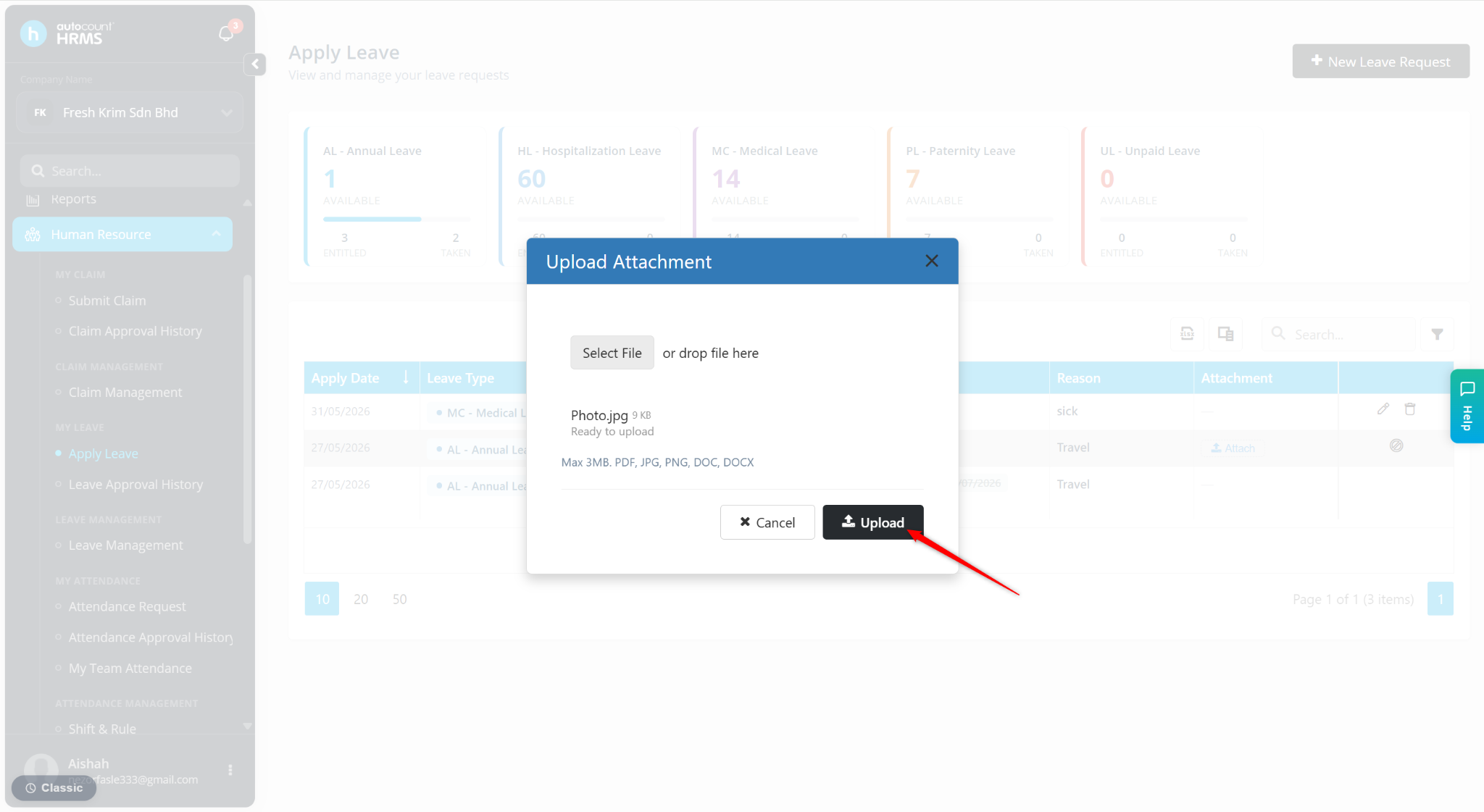
Yes. Employees can still upload supporting documents or attachments even after a leave application has been approved.
Steps to Submit an Attachment After Leave Approval:
Go to Apply Leave.
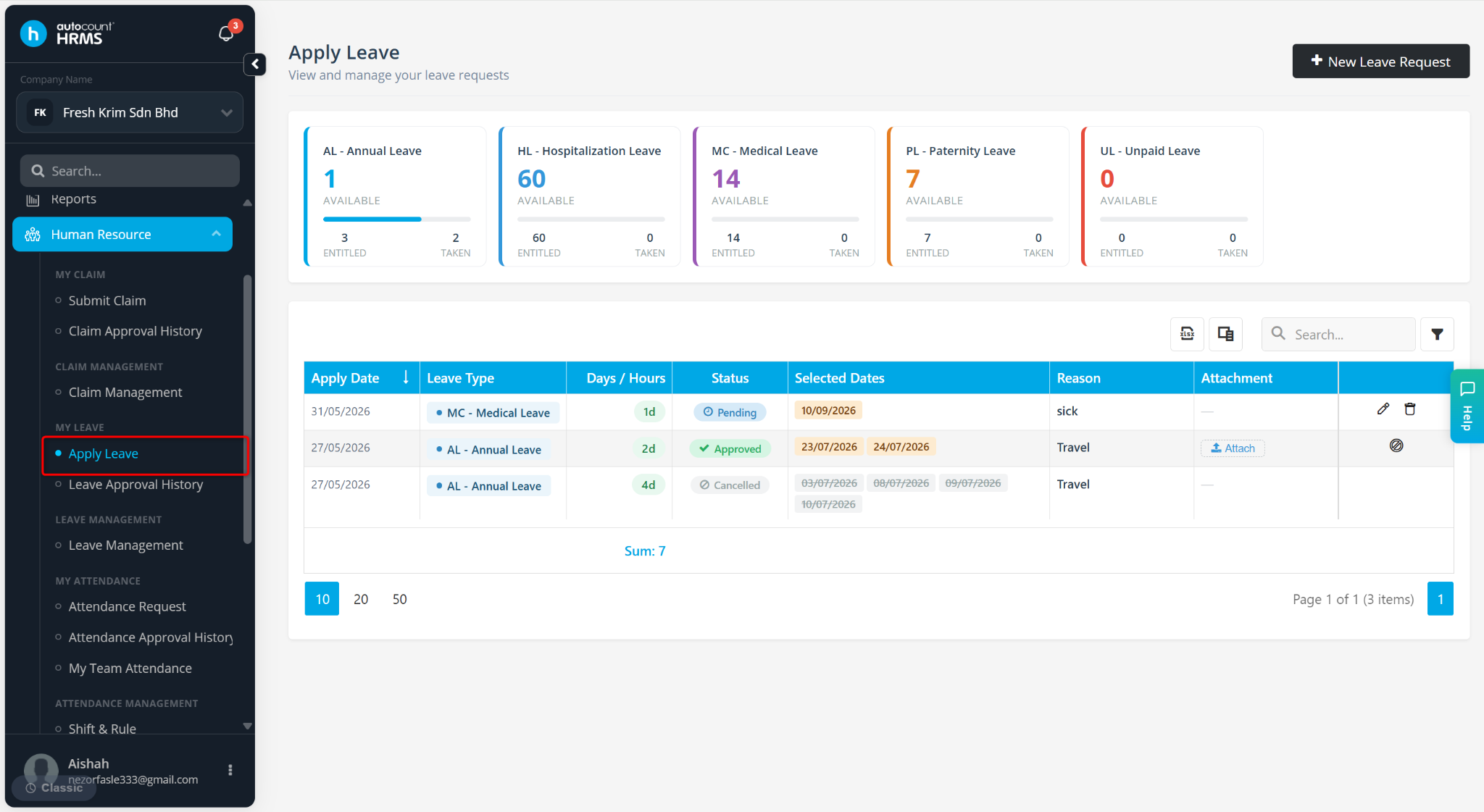
Locate the approved leave transaction and click Attach under the Attachment column.
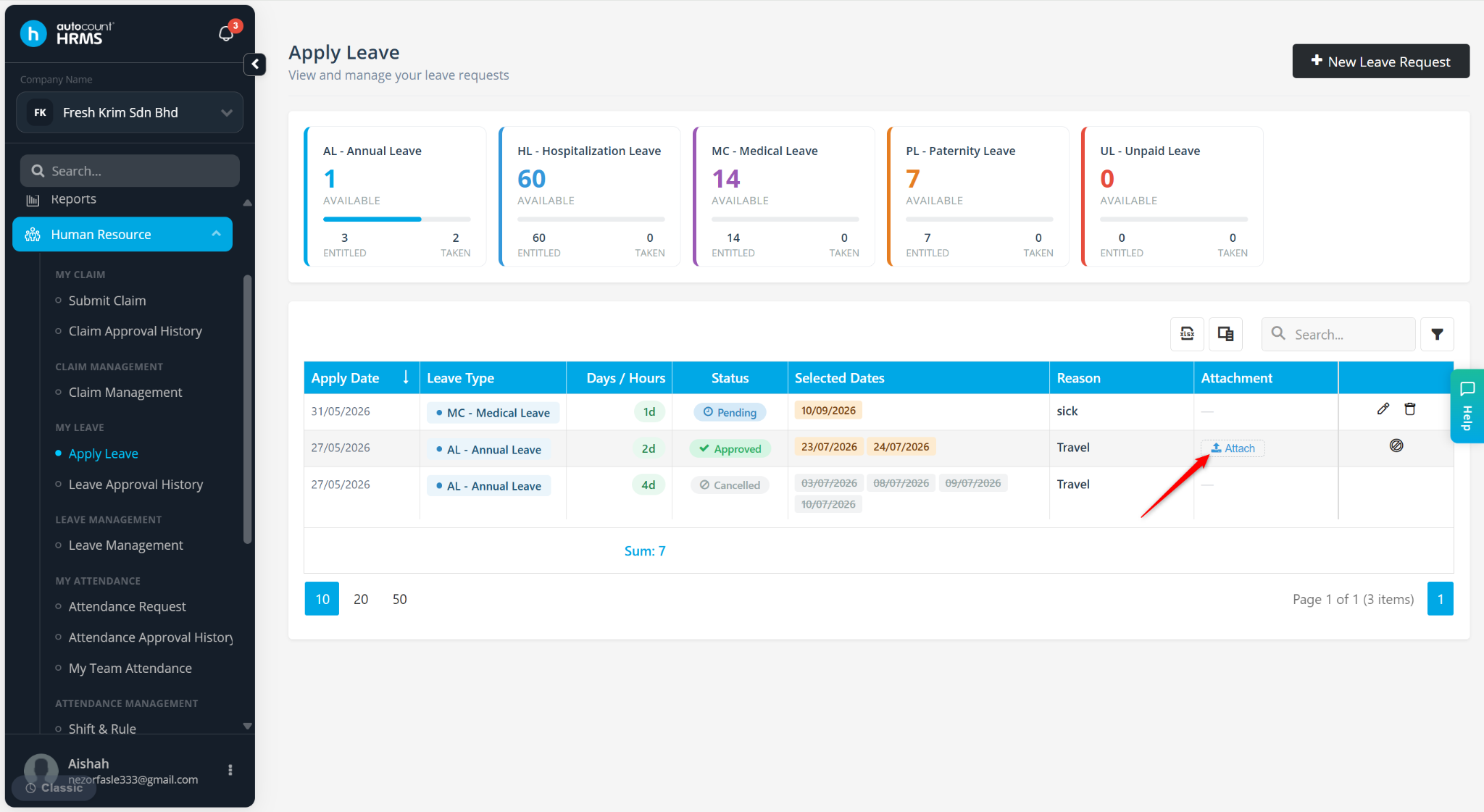
Click Select File.
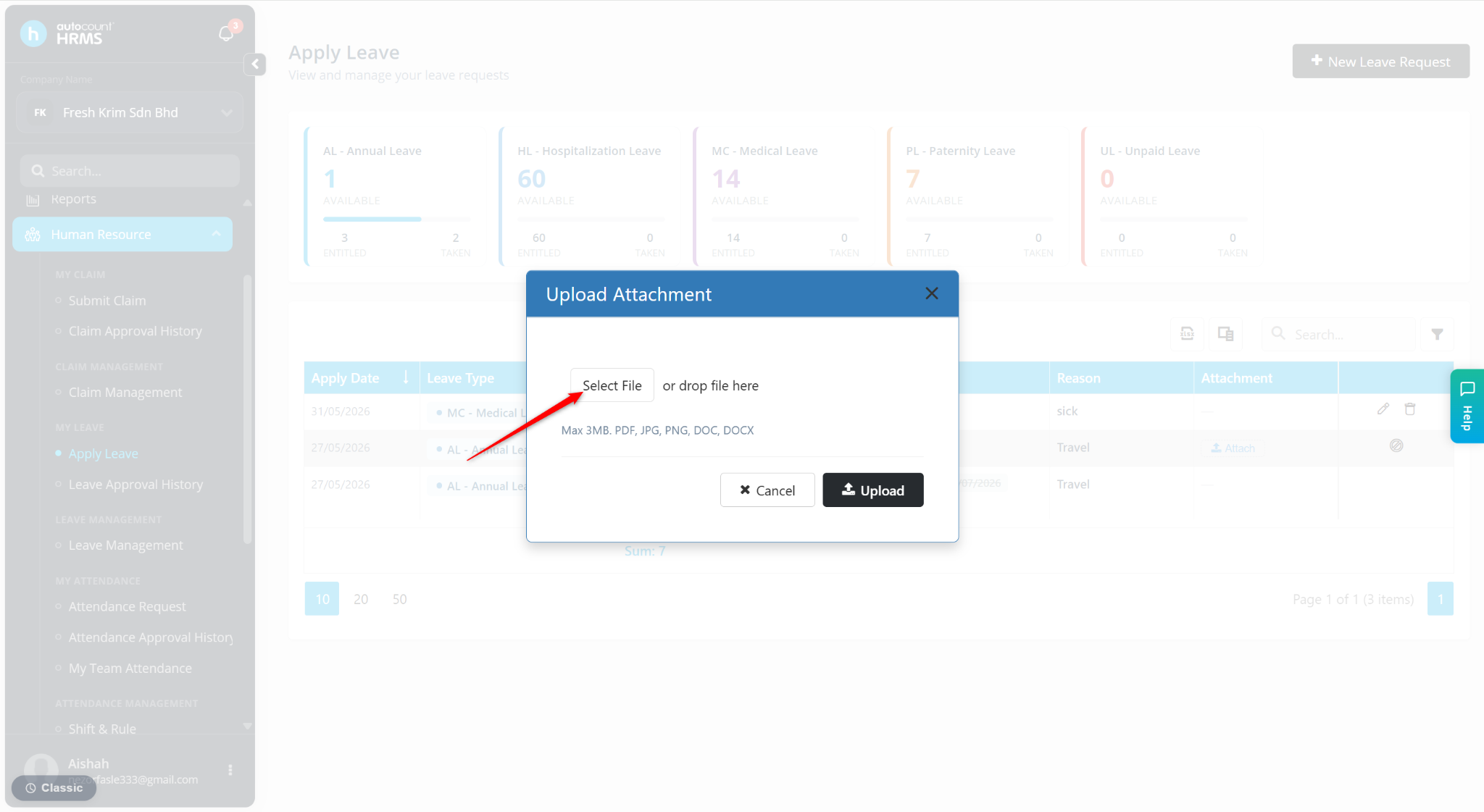
Select the required file and click Open.
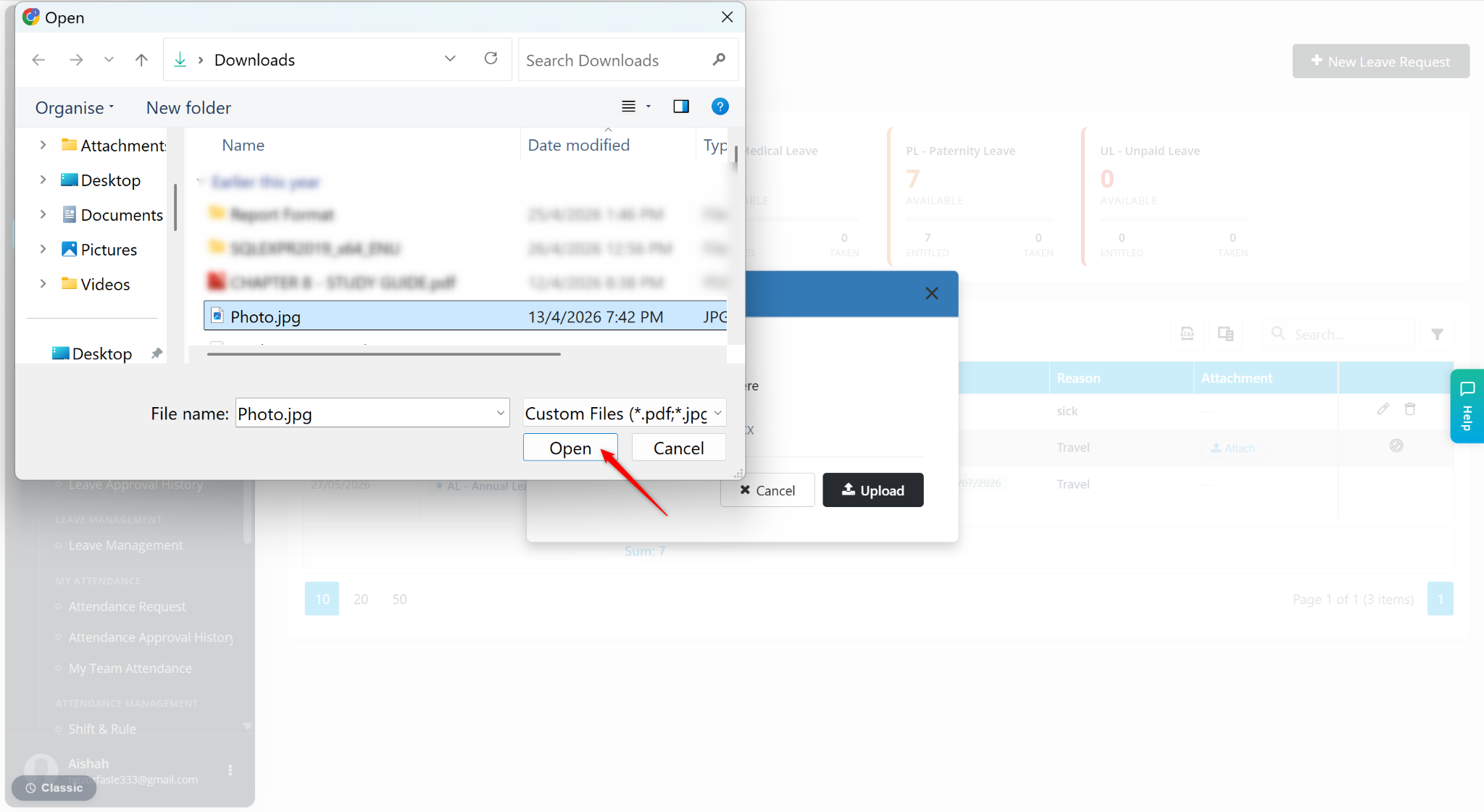
Click Upload to upload and save the attachment.