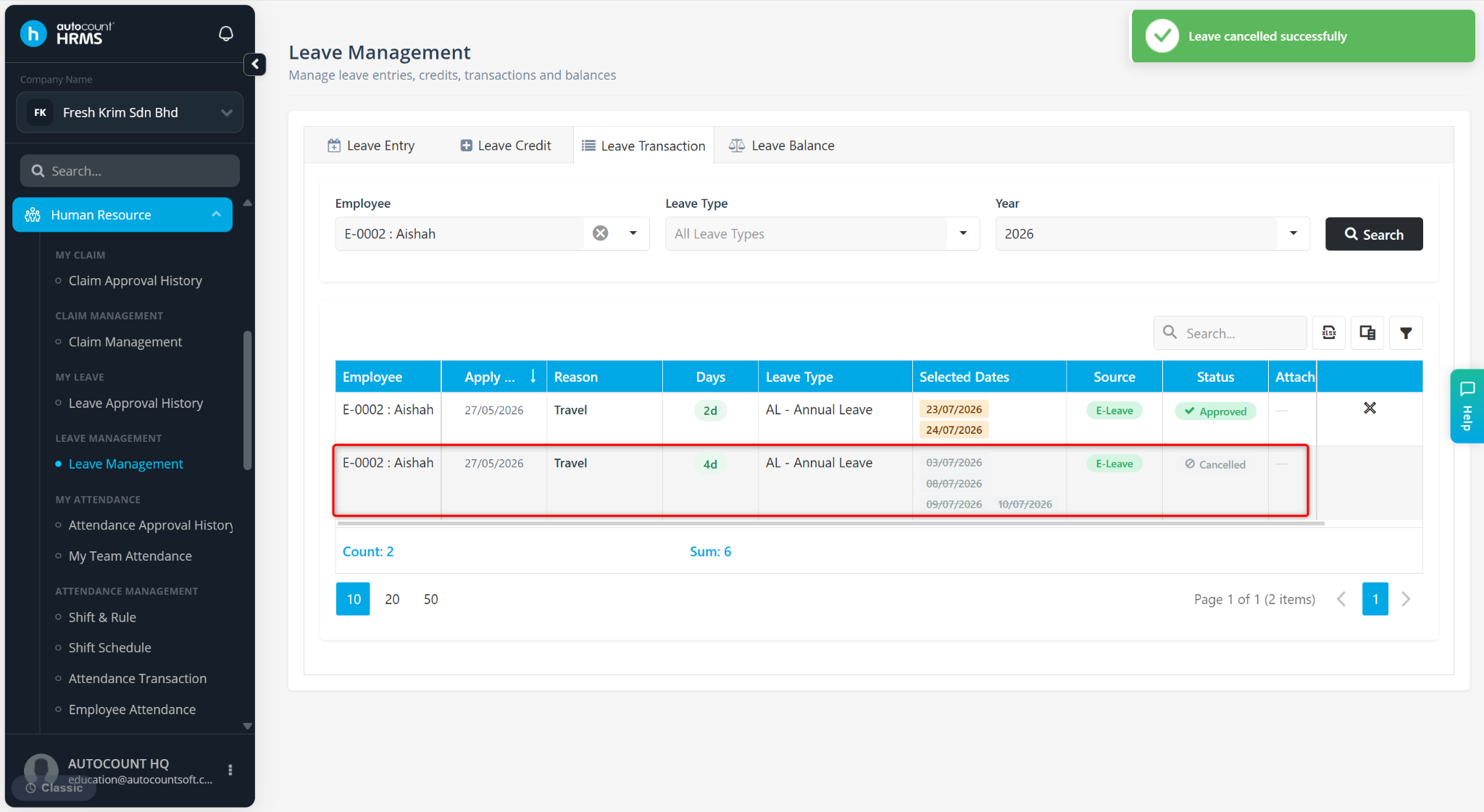
Payroll users can cancel employee leave applications through the Leave Transaction page, regardless of whether the leave has already been approved. Cancelling a leave application will update the employee's leave balance and ensure attendance and payroll records remain accurate.
Steps to Cancel an Approved Application:
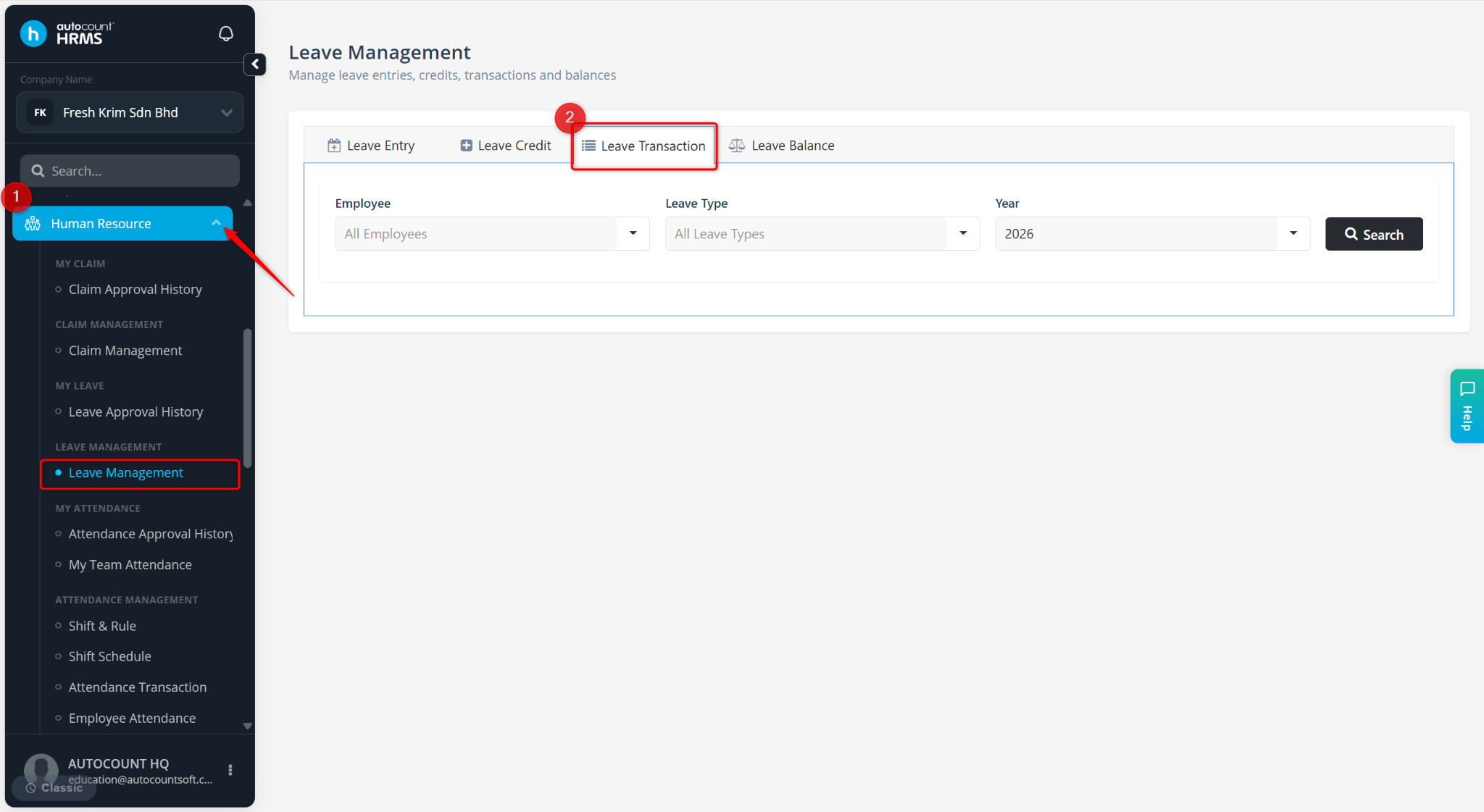
Go to Human Resources > Leave Management.
Go to Leave Transaction.
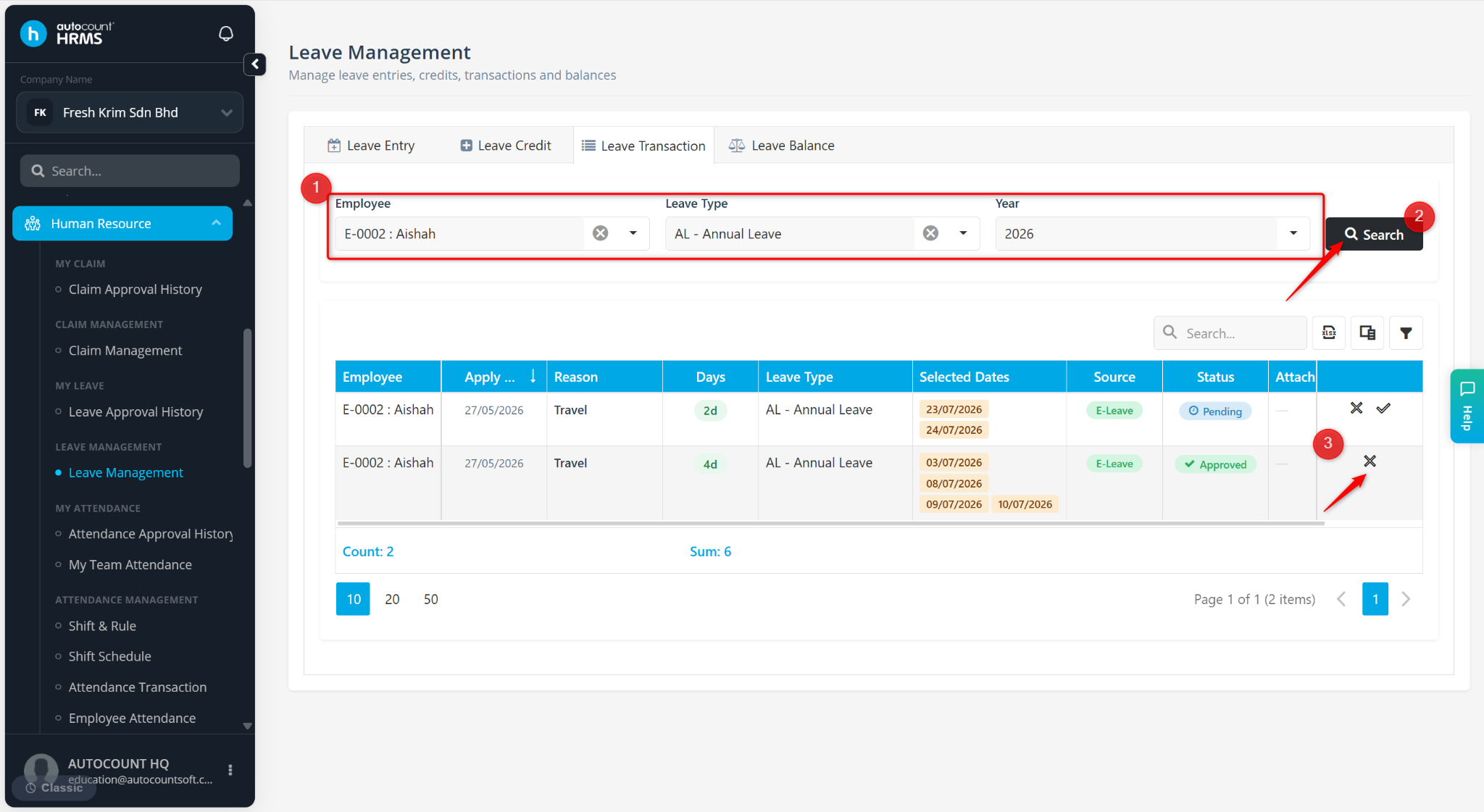
Define Employee, Leave Type and Year filters, then click Search.
Locate the leave application and click the cross icon.
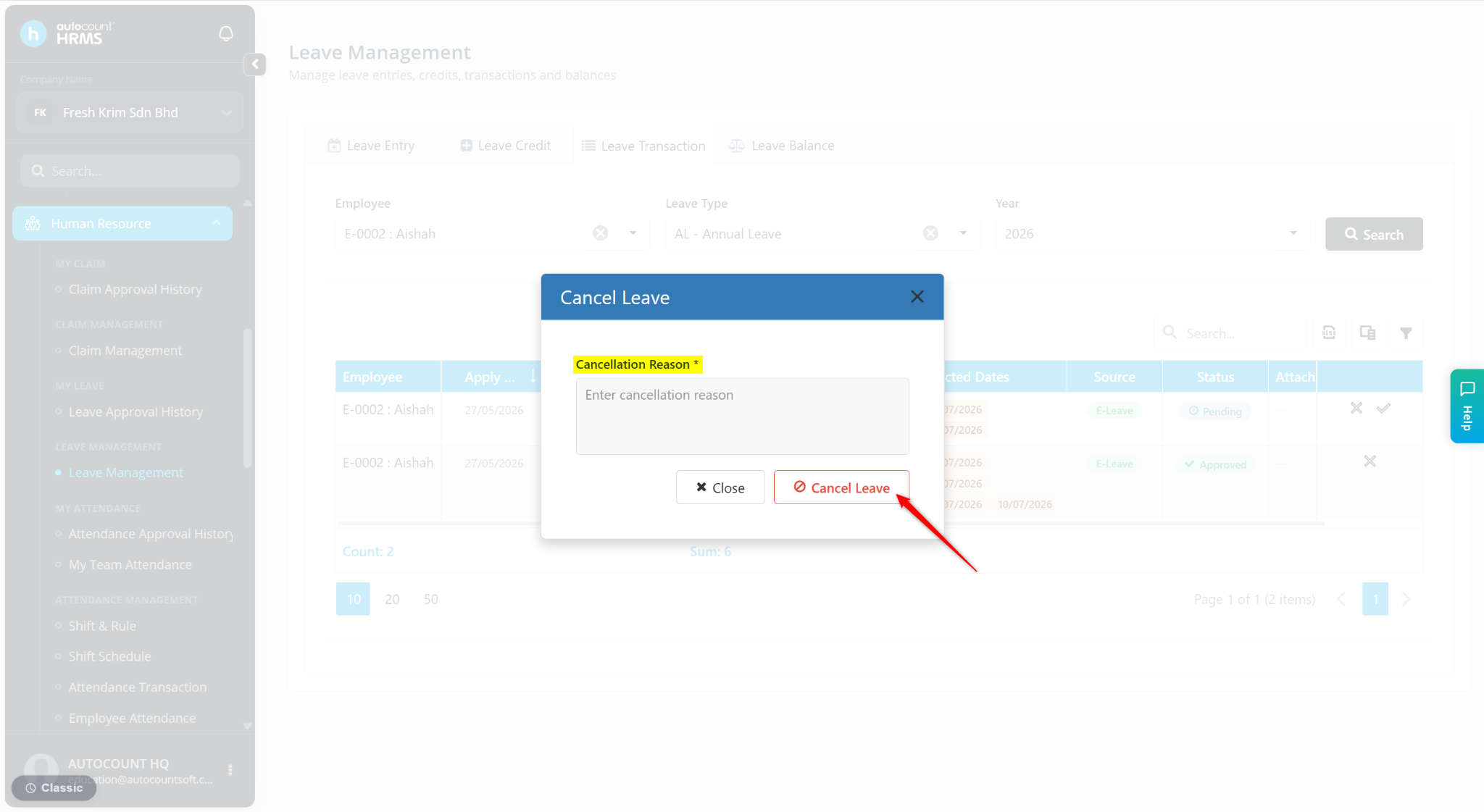
Enter the Cancellation Reason and click Cancel Leave.
The leave application will be cancelled successfully.