
Leave Encashment allows employees to convert their unused leave balance into cash, based on company policy. The encashed leave is processed through payroll and reflected as Paid Leave, typically paid out during the January payroll of the following year.
What is Unutilised Leave?
Unutilised leave refers to the portion of an employee’s annual leave entitlement that has not been taken within the year.
Example:
Annual leave entitlement (2025): 15 days
Leave taken: 10 days
Remaining balance: 5 days
The remaining 5 days are considered unutilised leave and may be encashed or carried forward, depending on company policy.
Steps to Perform Leave Encashment for a Leave Type:
Step 1: Enable Encashment for a Leave Type
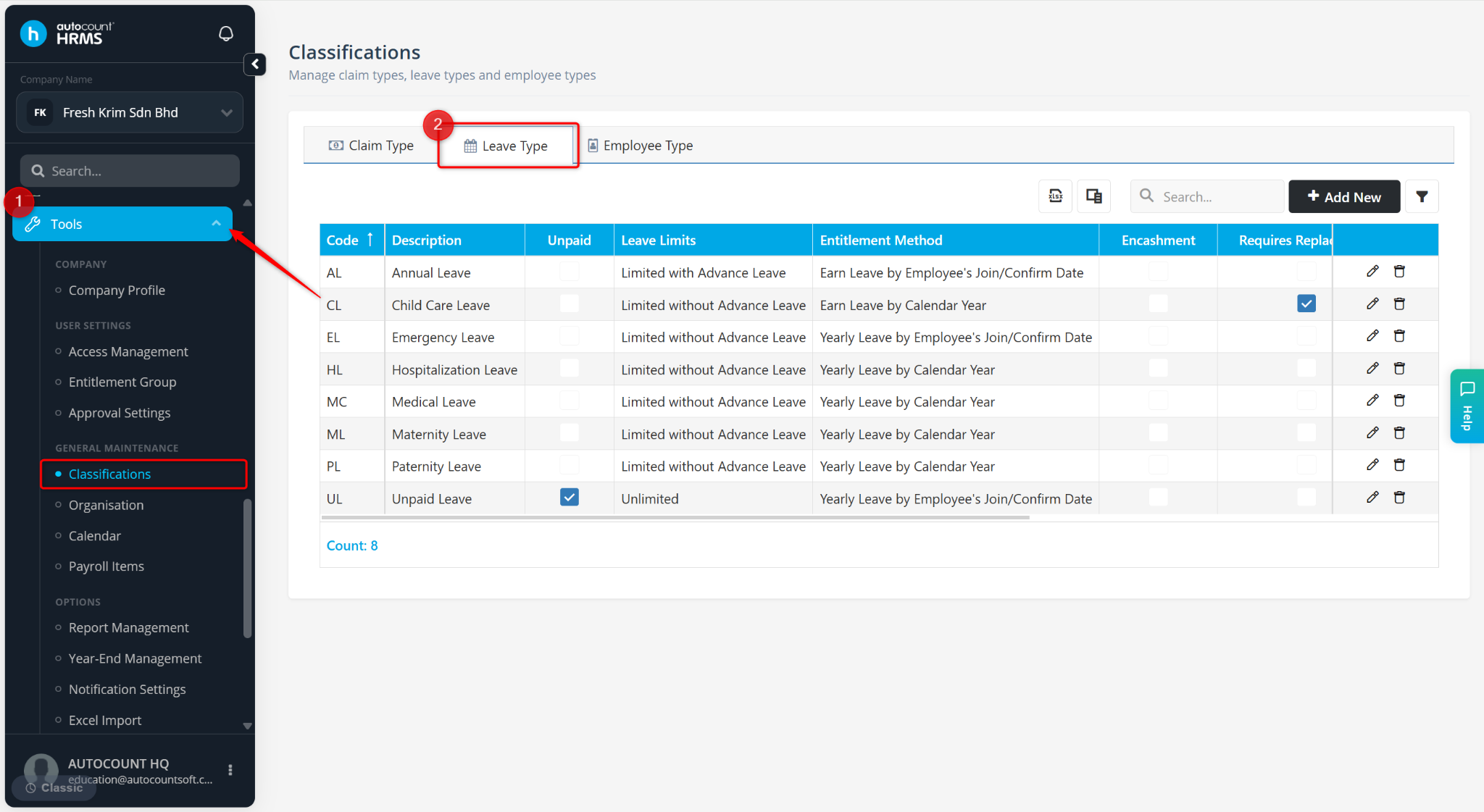
Go to Tools > Classification.
Go to Leave Type.
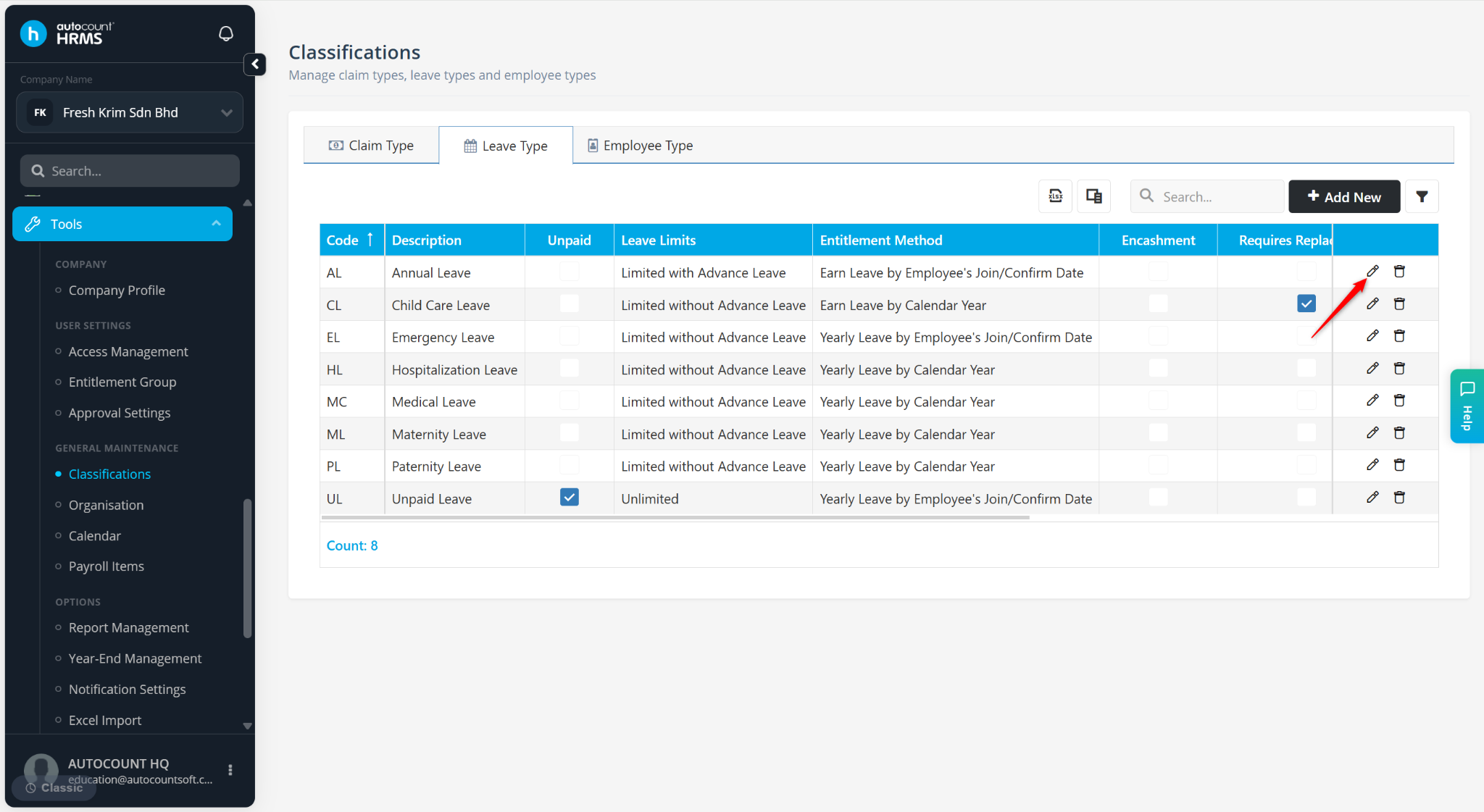
Locate the leave type and click the pencil icon.
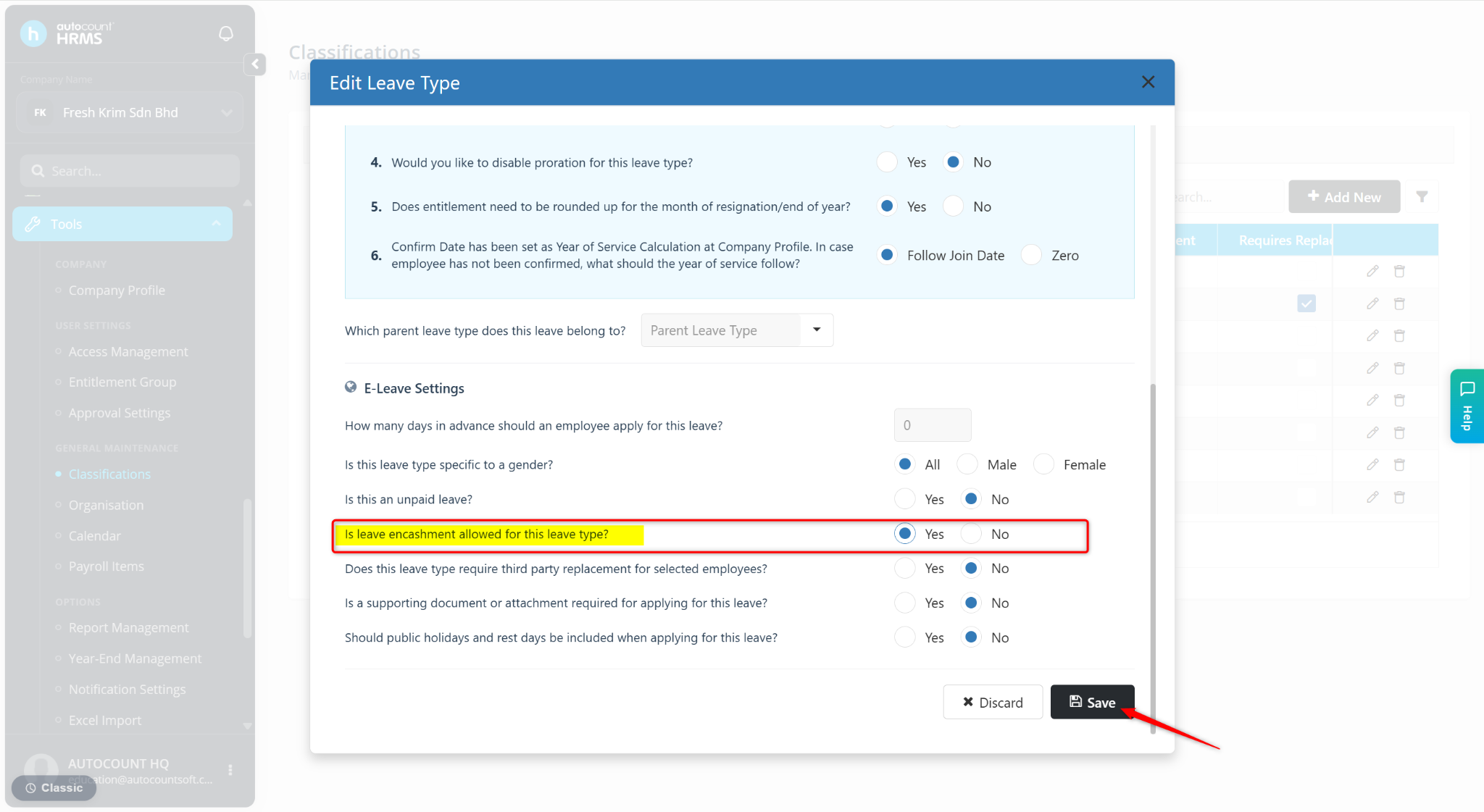
Under E-Leave Settings, set Is leave encashment allowed for this leave type? to Yes.
Click Save.
Step 2: Perform Leave Closing
Leave encashment is processed during Leave Closing.
Go to Tools > Year End Management.
Go to Leave Closing.
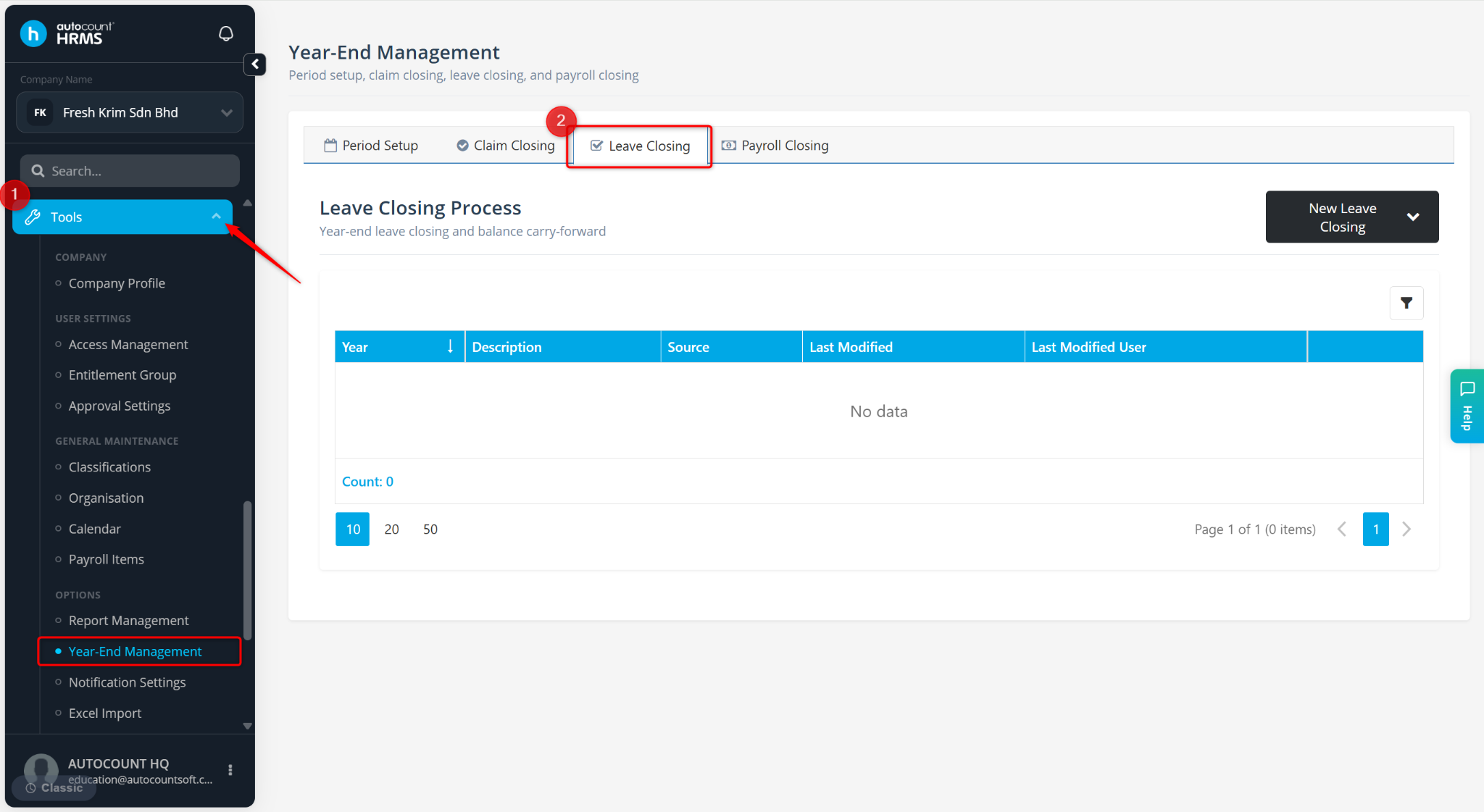
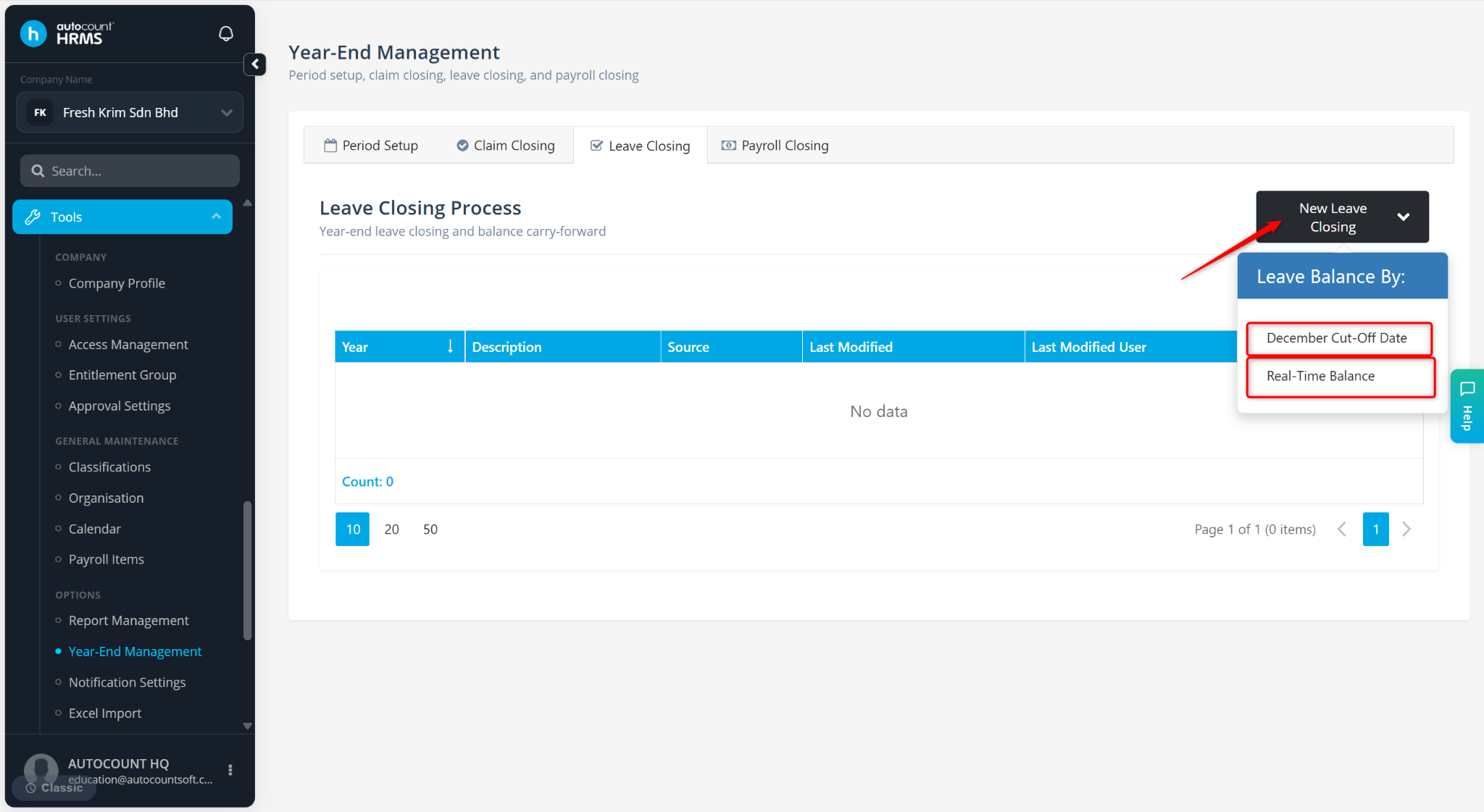
Click New Leave Closing.
Select a Leave Closing Method:
December Cut-Off Date – Captures leave balance after December payroll. December payroll must be completed first.
Real-Time Balance – Captures leave balance up to the current date
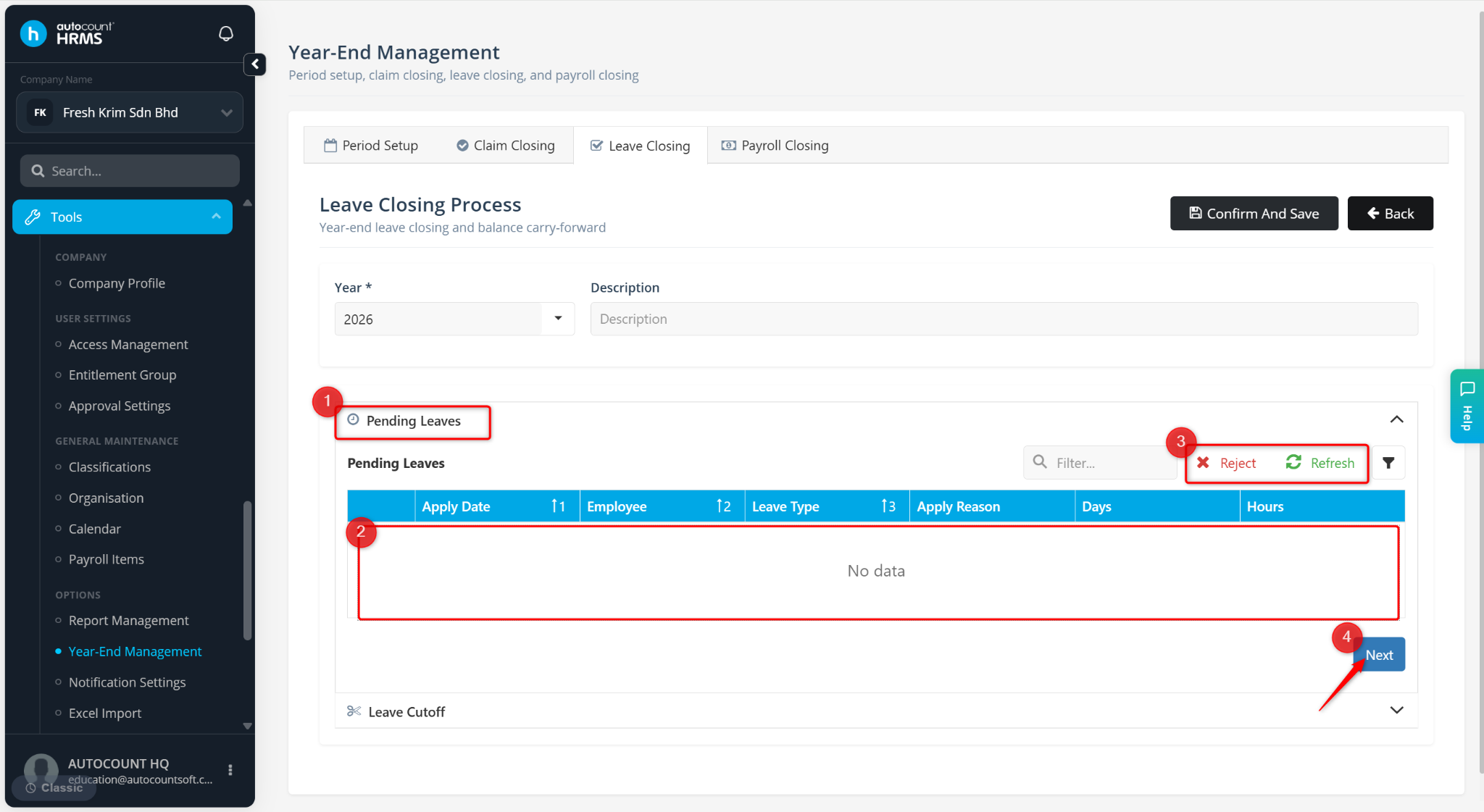
Review Pending Leaves. Approve or reject any pending leave applications, then click Next.
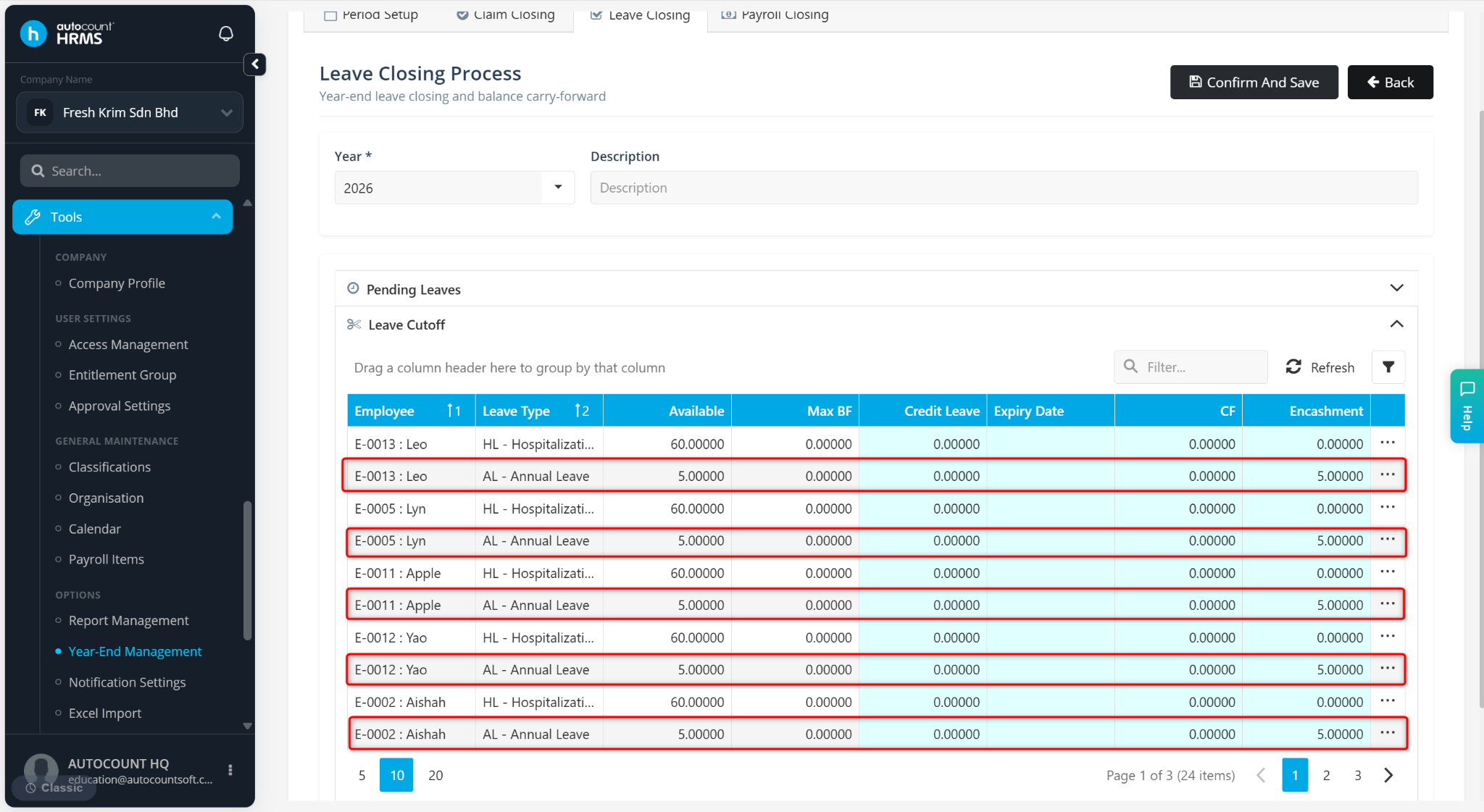
Review Leave Cutoff Details. The balance shown under the Encashment column will be converted to cash.
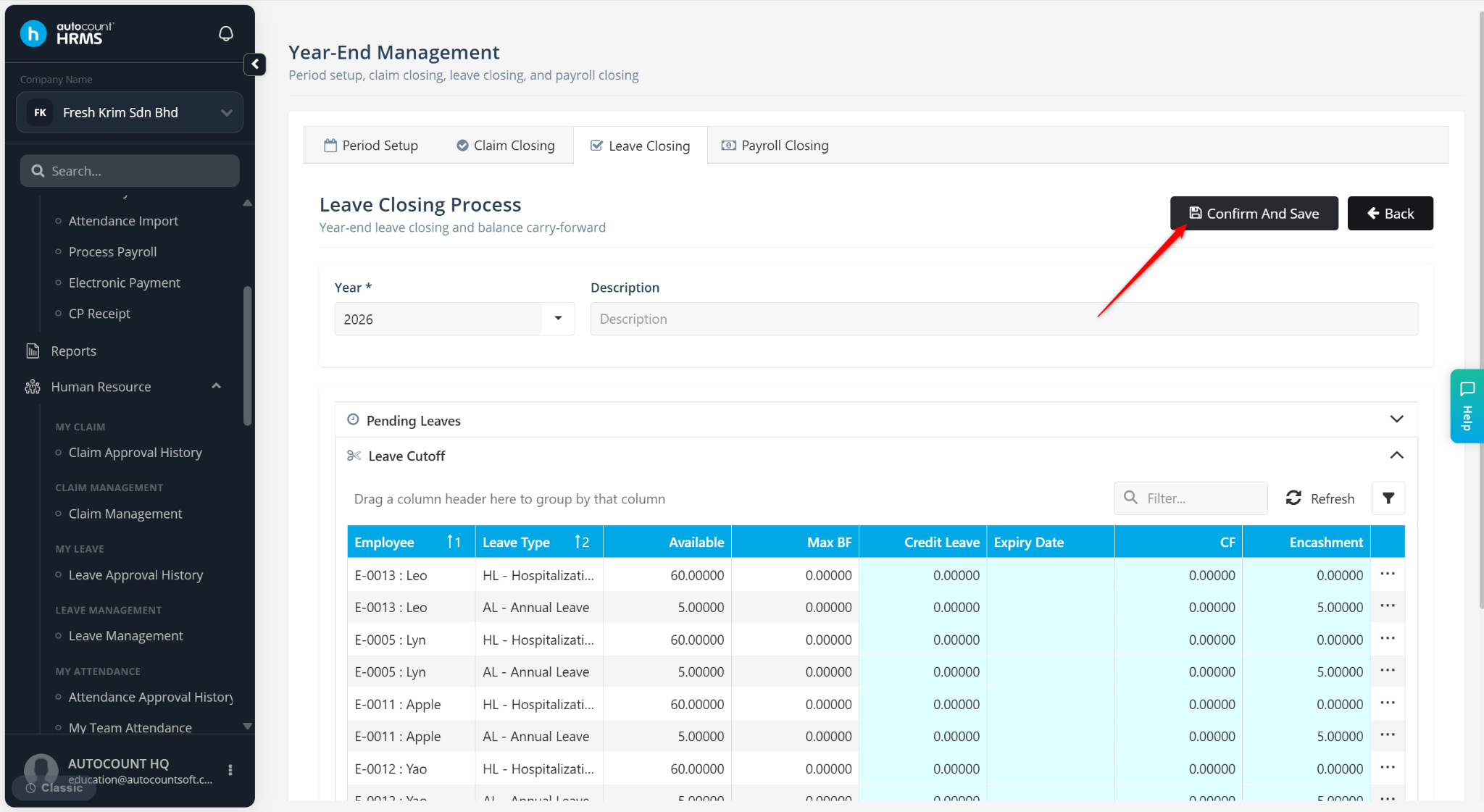
Click Confirm And Save.
Click Yes if you wish to double confirm the details. Click No to proceed.
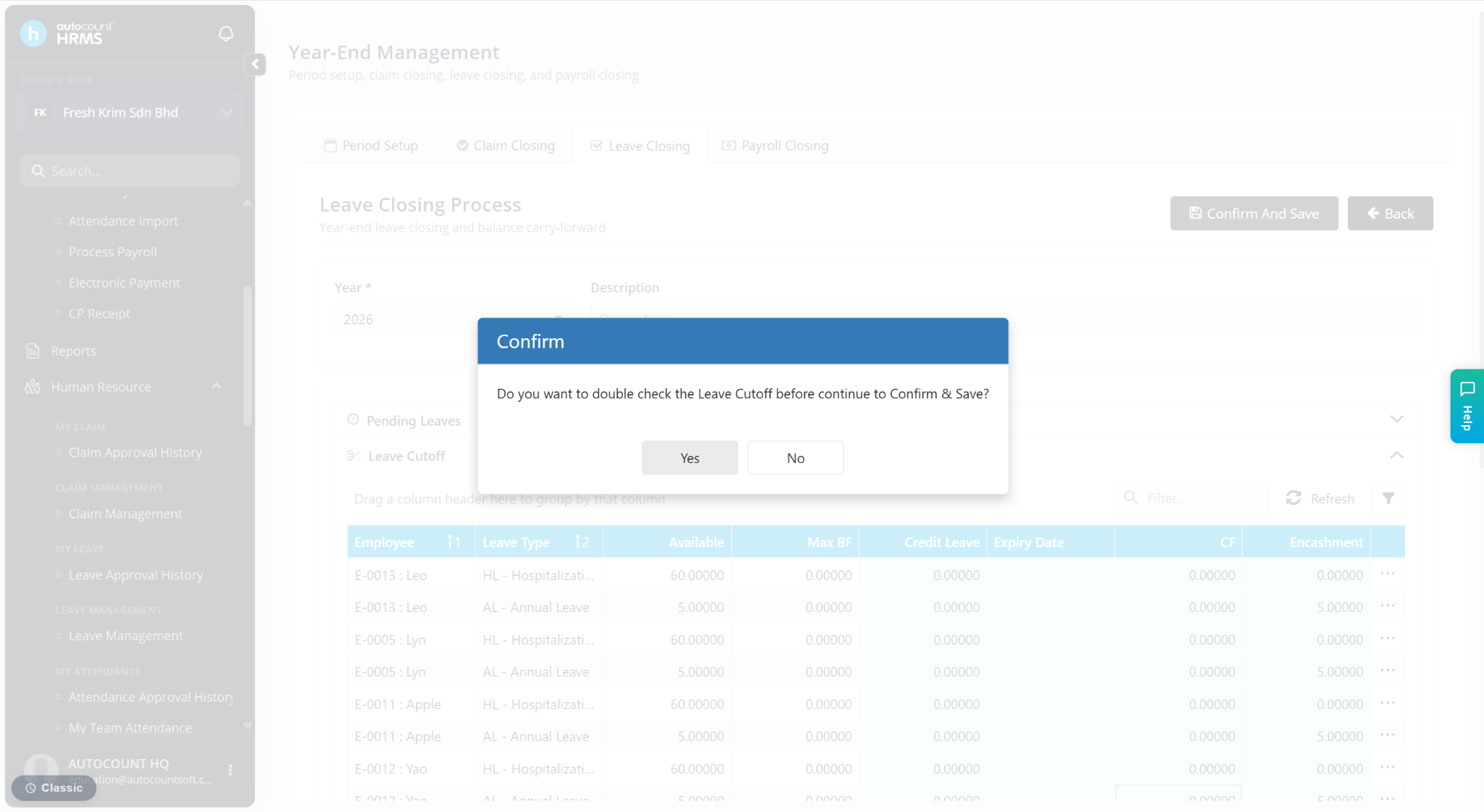
Click Yes to continue.
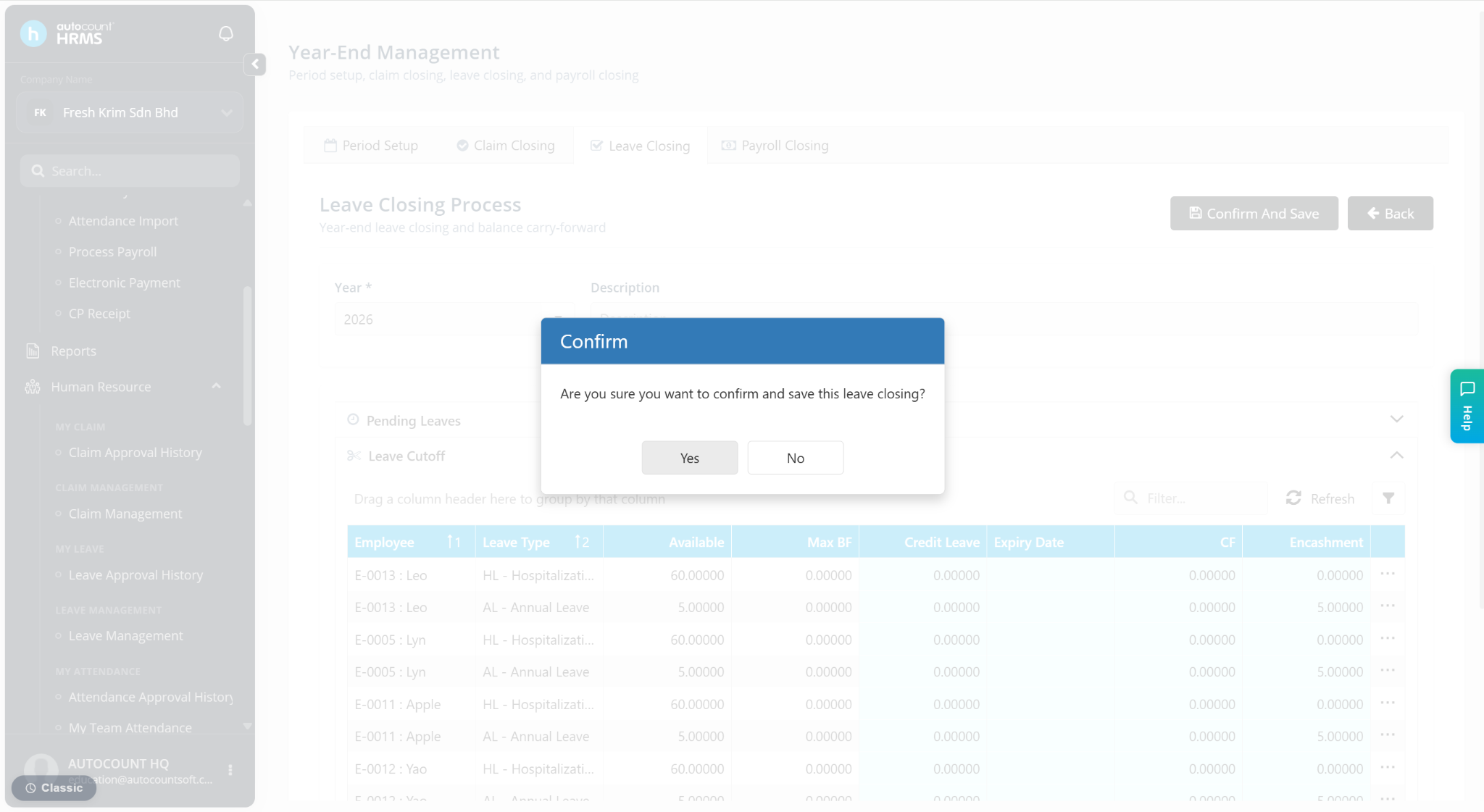
Scenario: Encashment with Carry Forward Leave (Only applicable if carry forward is allowed)
The system will first apply the maximum carry forward limit, and only the excess leave will be encashed.
Example:
Annual leave entitlement: 15 days
Leave taken: 8 days
Unutilised leave: 7 days
Maximum carry forward: 3 days
Result:
Carry forward: 3 days
Excess leave: 4 days
Encashed leave: 4 days
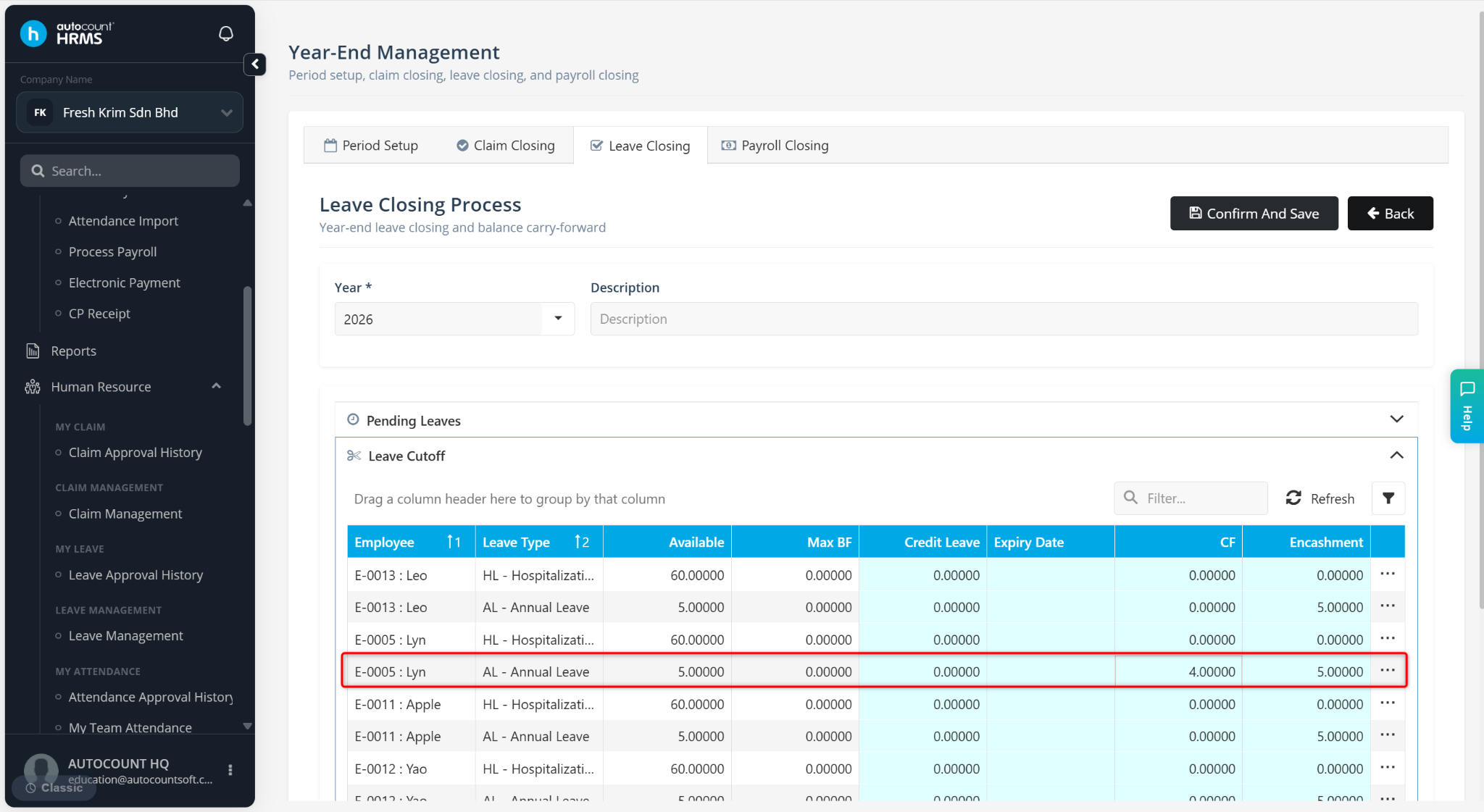
Note:
Only the excess leave appears in the encashment column and is paid.
Step 3: Process Payroll for Encashment
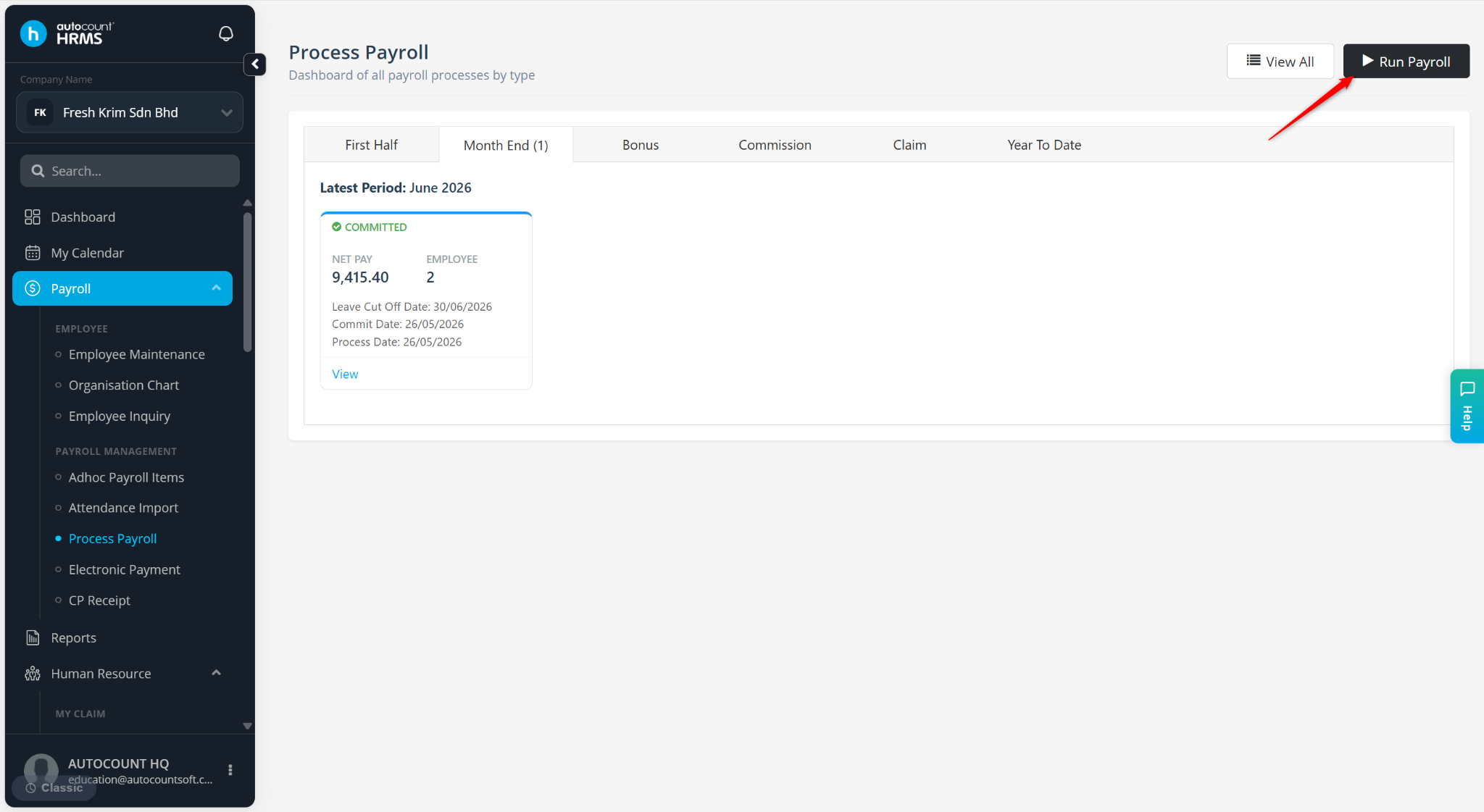
Go to Payroll > Process Payroll.
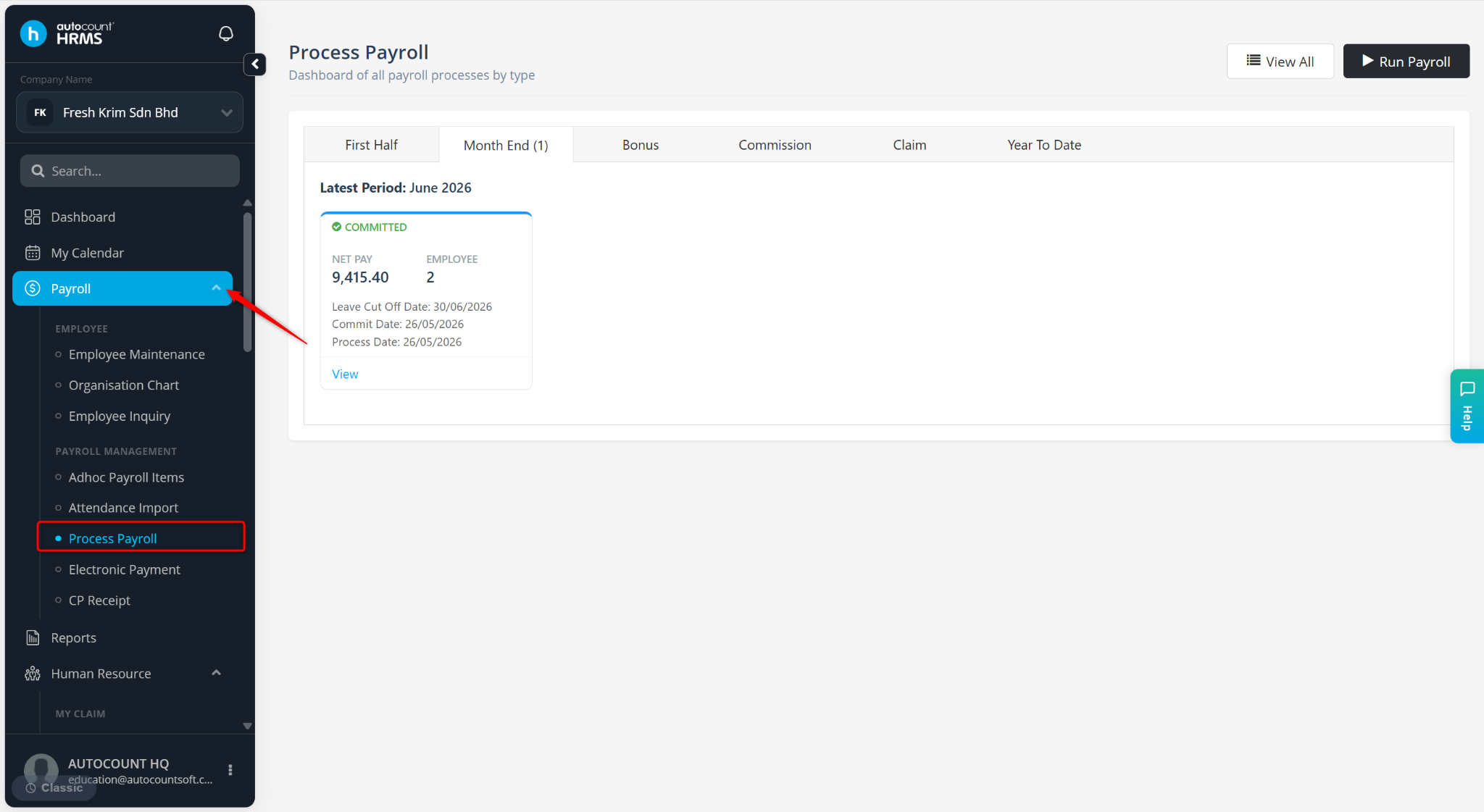
Click Run Payroll. Process payroll for January the following year.
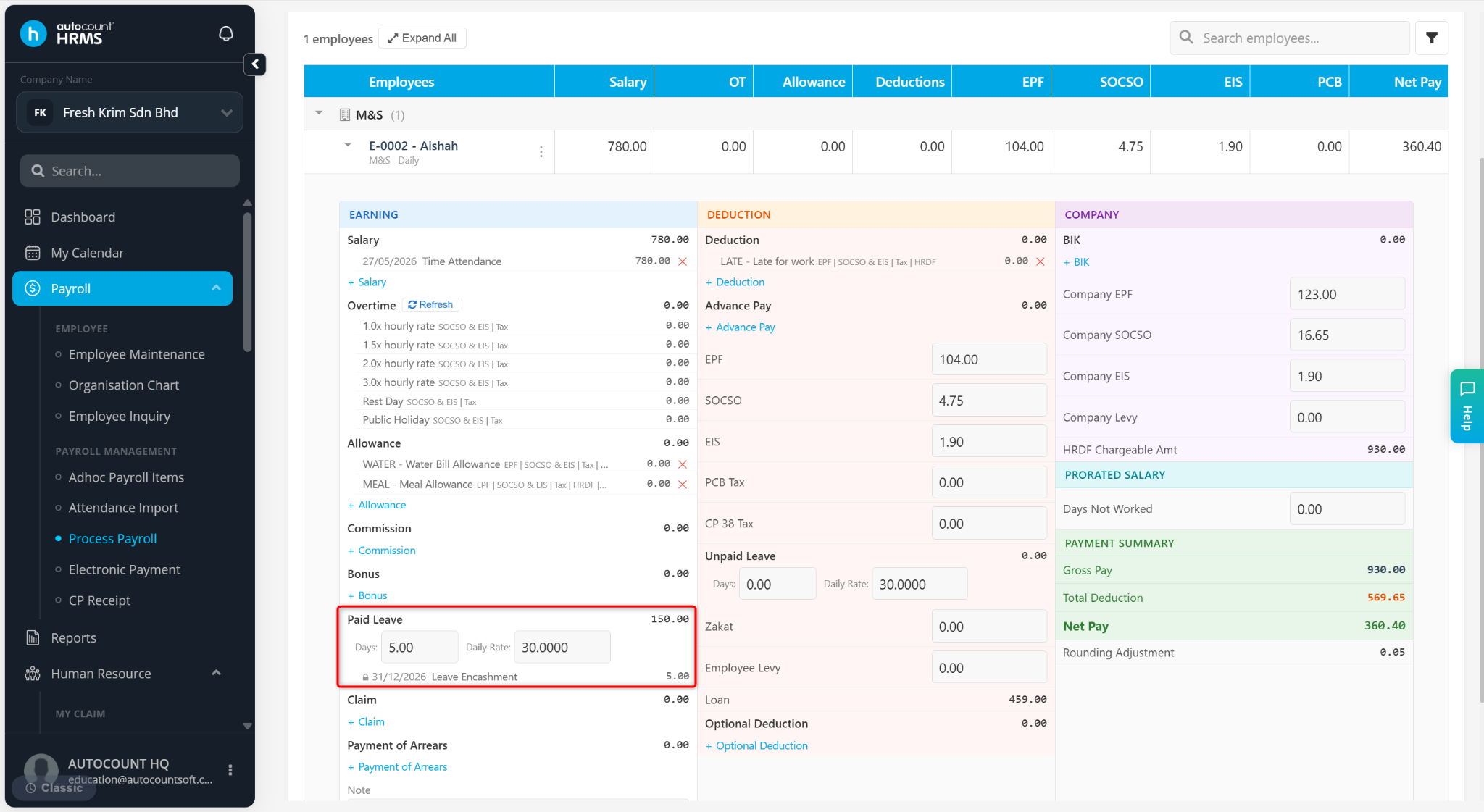
The encashed amount will appear under the Paid Leave column.
Notes:
Only unutilised leave within policy limits can be encashed.
Carry forward limits must be correctly configured.
Ensure all leave transactions are finalised before Leave Closing.
No manual calculation is required — the system calculates automatically.
Company policies may differ in:
Carry forward limits
Employee eligibility
Payroll payout timing
Written by: Azirah (20251222)