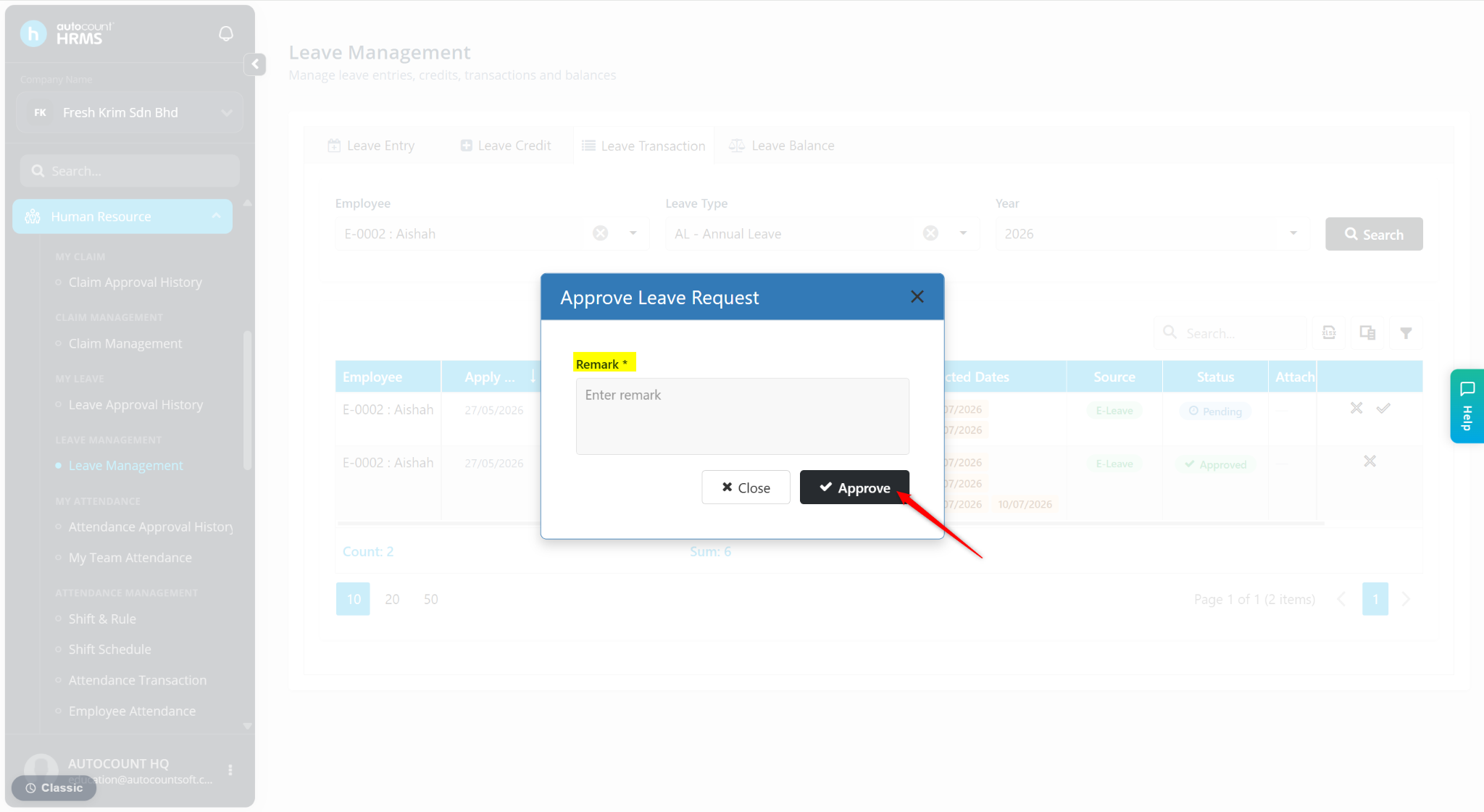
The Leave Transaction feature allows users to view and manage employee leave records, including leave applications that are approved, pending, rejected, or cancelled. Users can also approve pending leave applications or cancel existing leave records directly from the Leave Transaction page.
Steps to Review Leave Application via Leave Transaction:
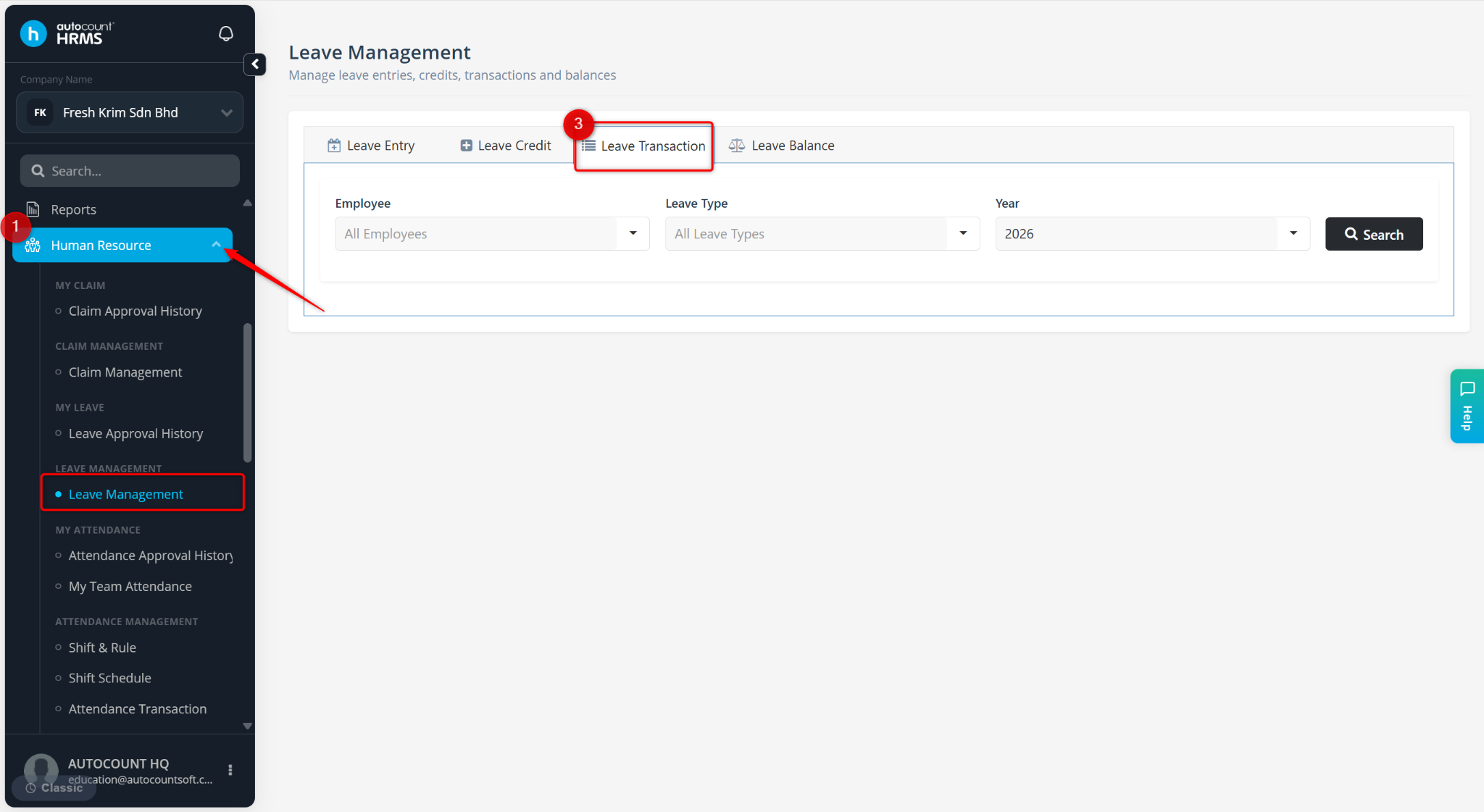
Go to Human Resources > Leave Management.
Go to Leave Transaction.
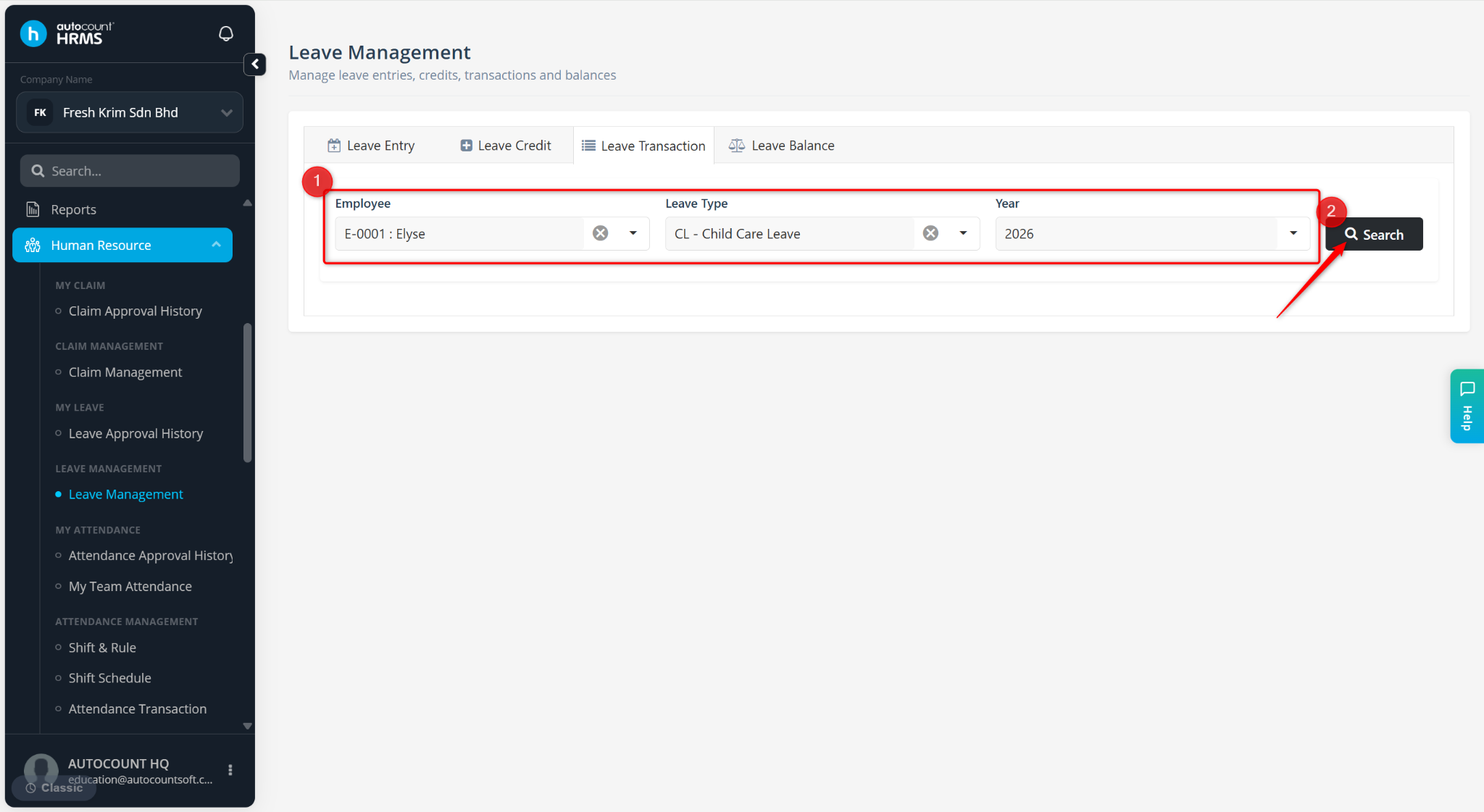
Choose the Employee, Leave Type and Year.
Click Search to load the leave transactions.
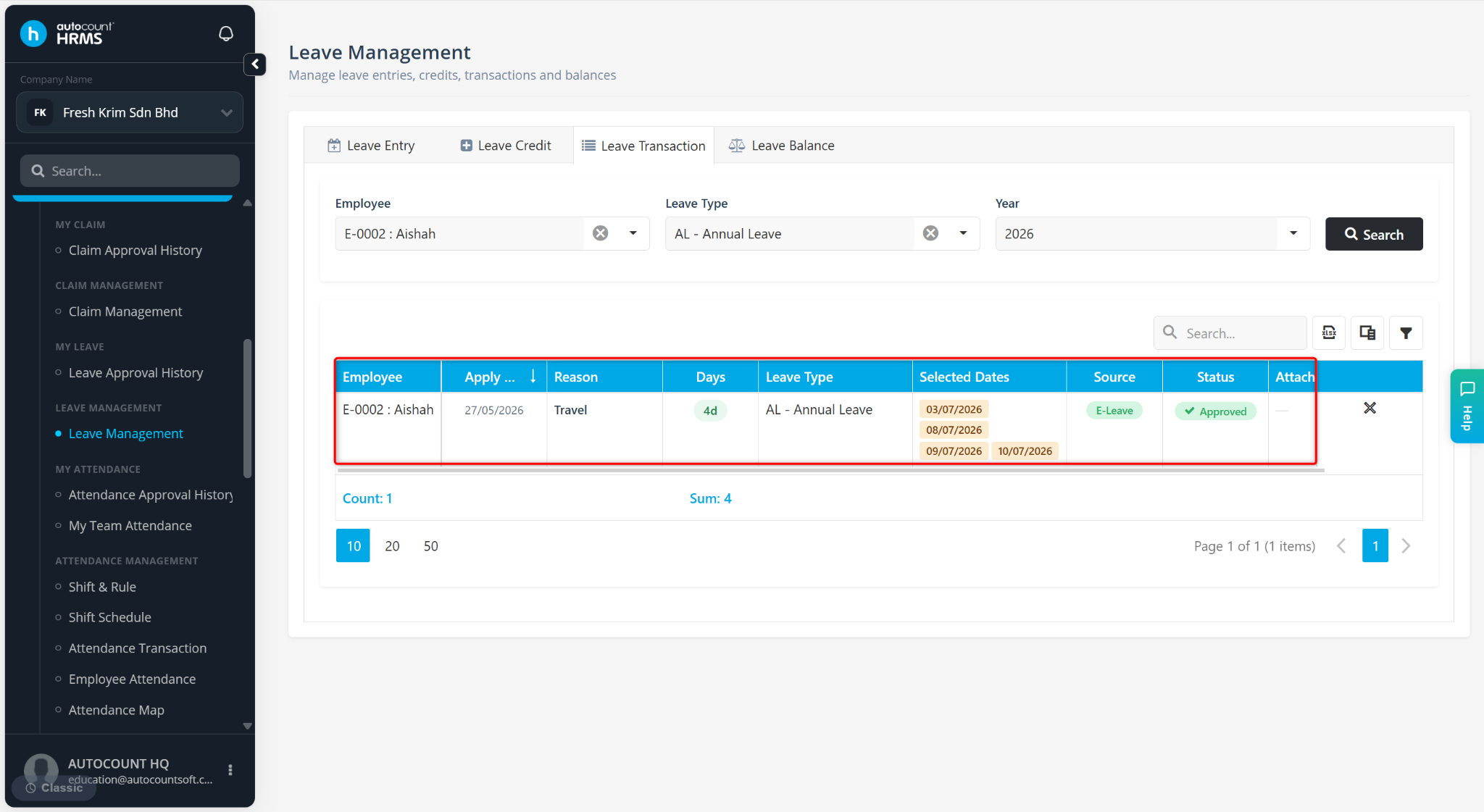
The employee’s leave transaction will be listed.
Steps to Cancel a Leave via Leave Transaction:
At the Leave Transaction page, select the Employee, Leave Type and Year.
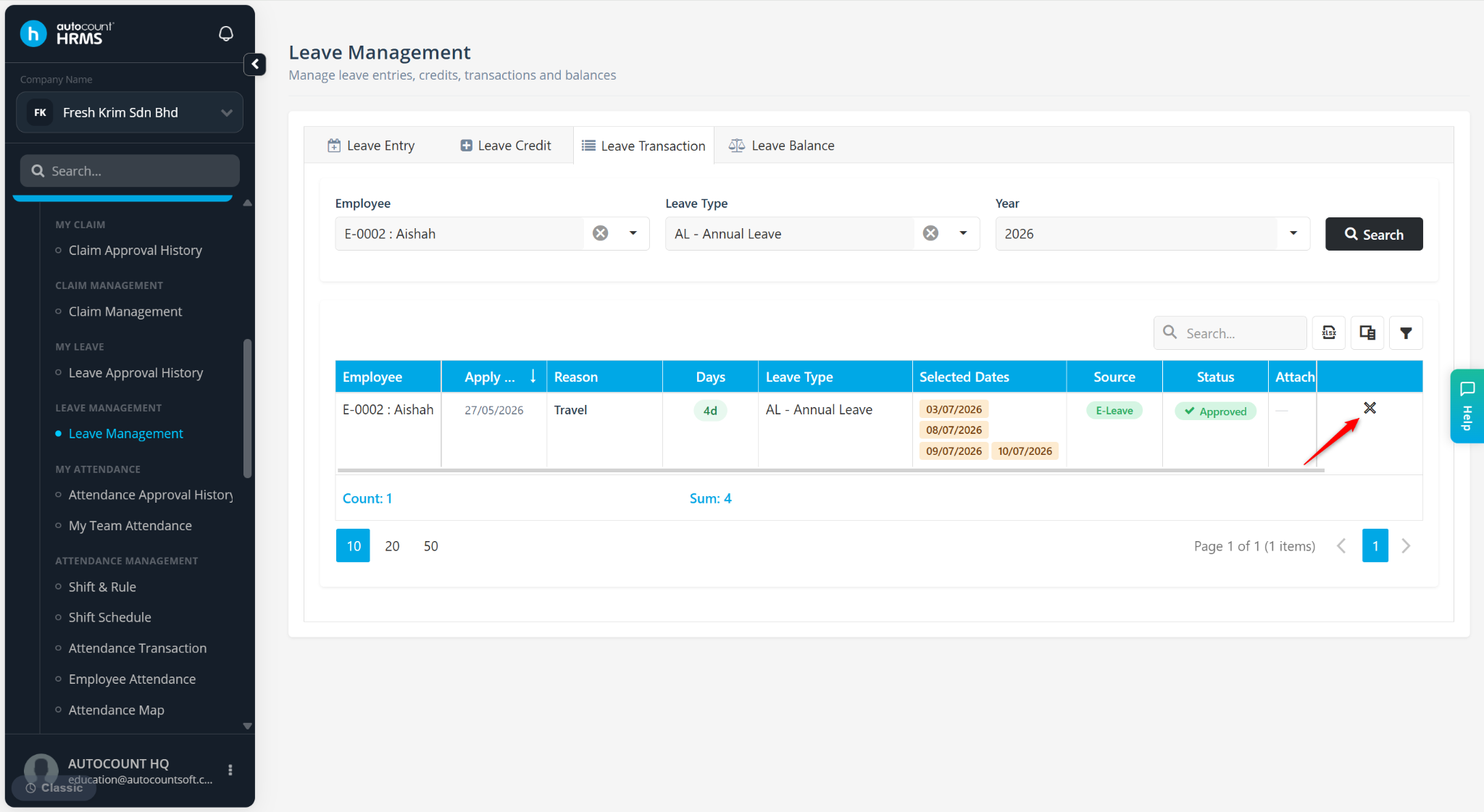
Locate the leave and click the cross icon.
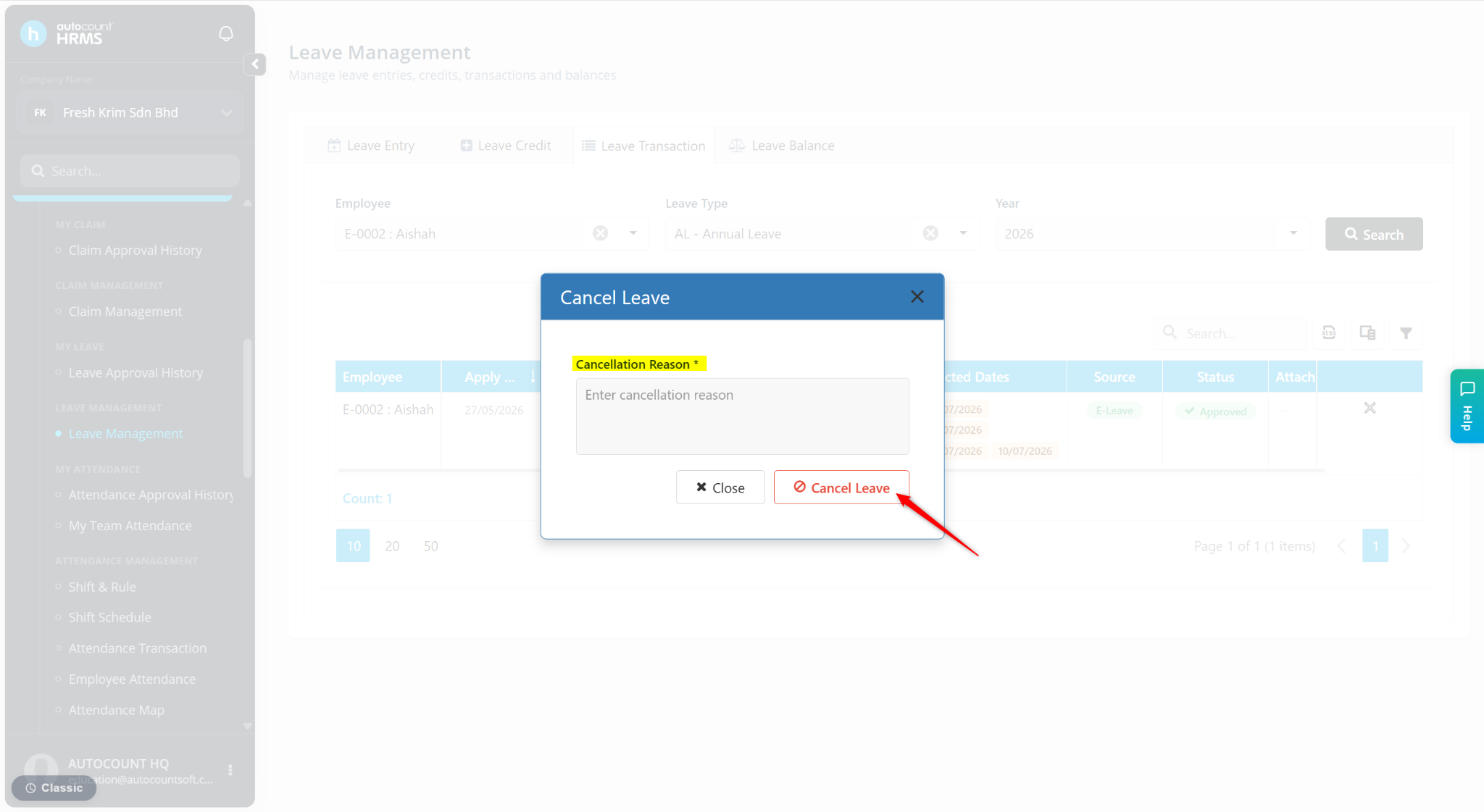
Enter the leave’s Cancellation Reason. Click Cancel Leave.
Steps to Approve a Pending Leave via Leave Transaction:
At the Leave Transaction page, select the Employee, Leave Type and Year.
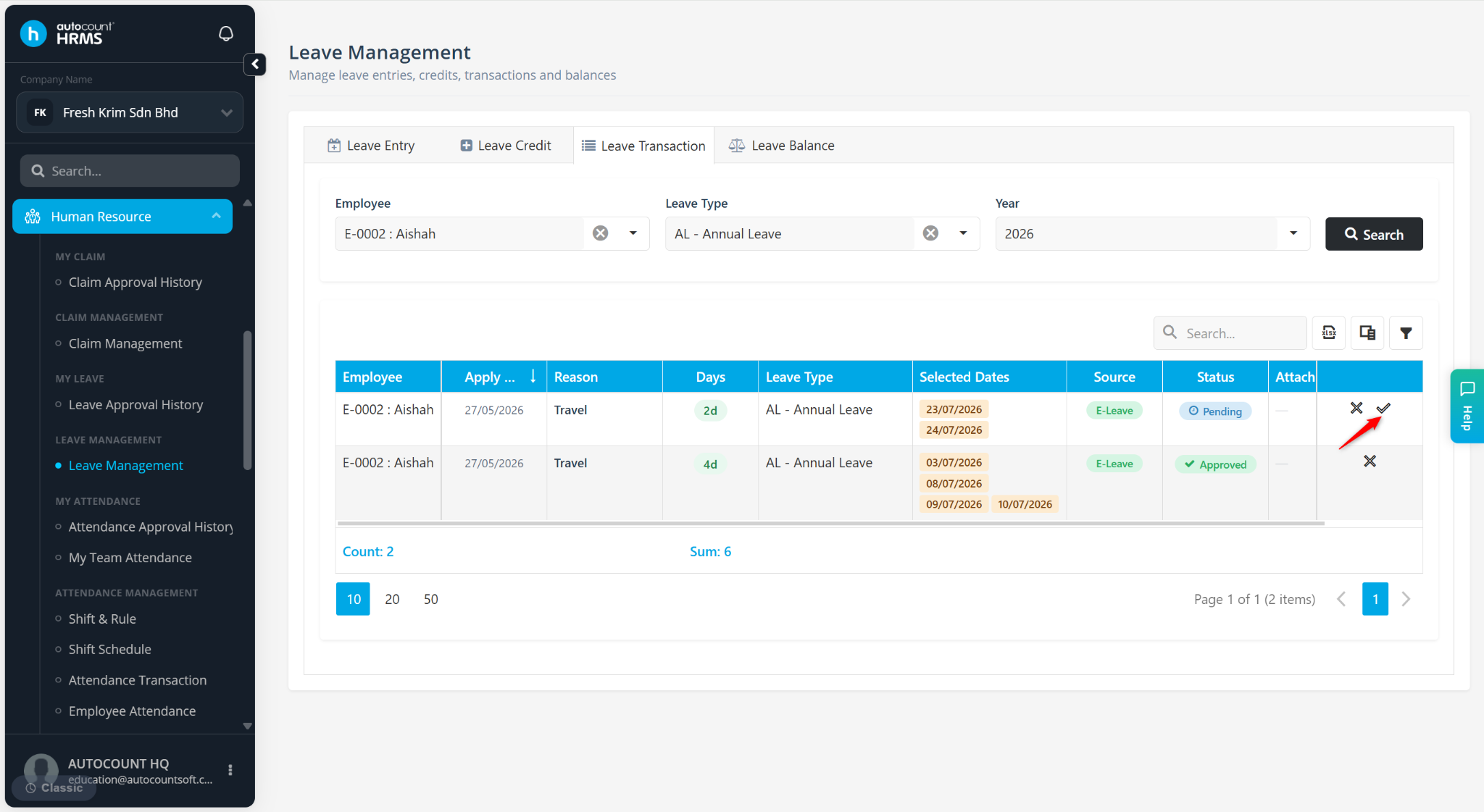
Locate the leave and click the tick icon.
Enter the Remark, then click Approve.