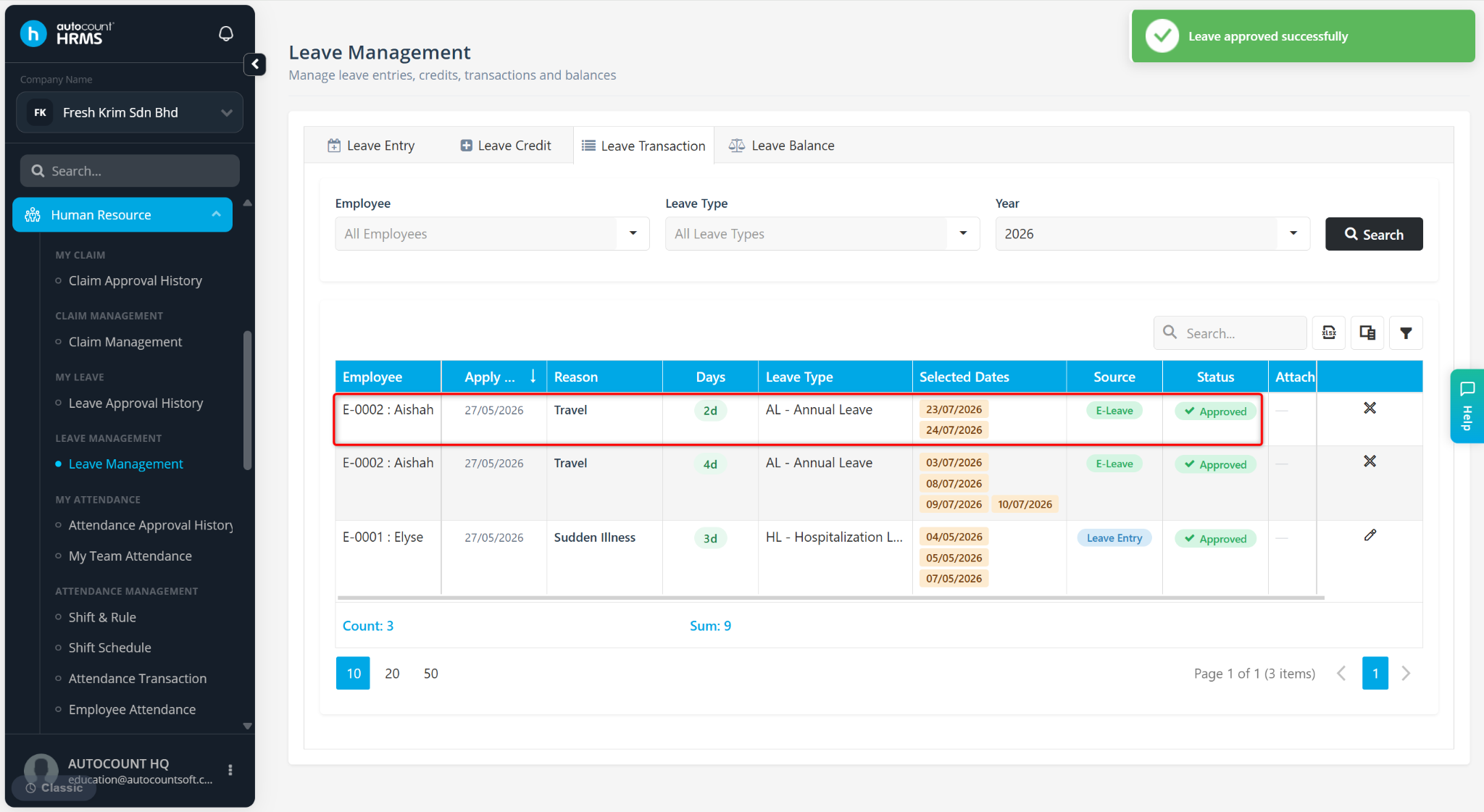
Users with the appropriate access rights can approve leave applications on behalf of the designated approver through the Leave Transaction page. This is useful when the assigned approver is unavailable or when administrative intervention is required.
Steps to Approve a Leave Application on Behalf
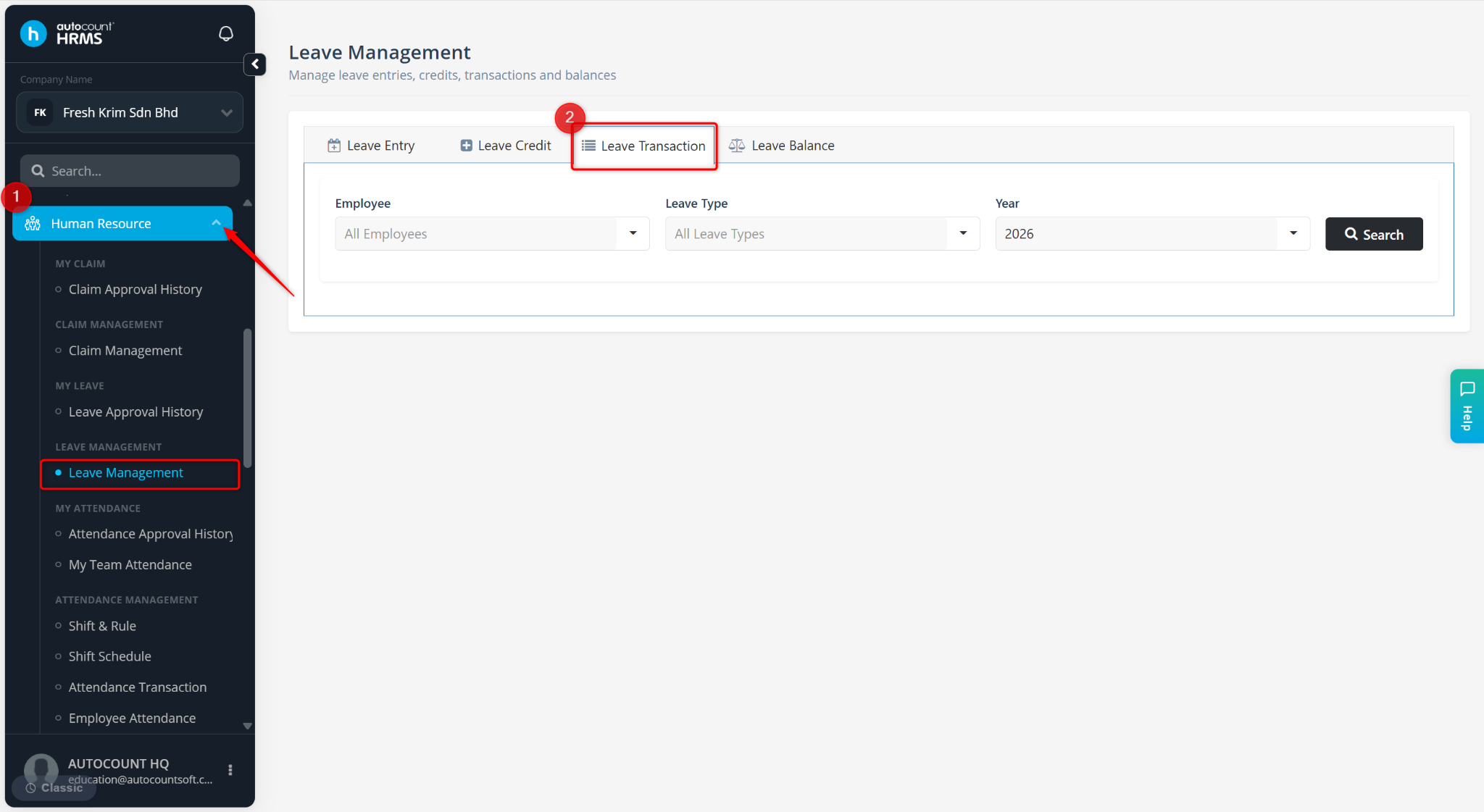
Go to Human Resource > Leave Management.
Go to the Leave Transaction tab.
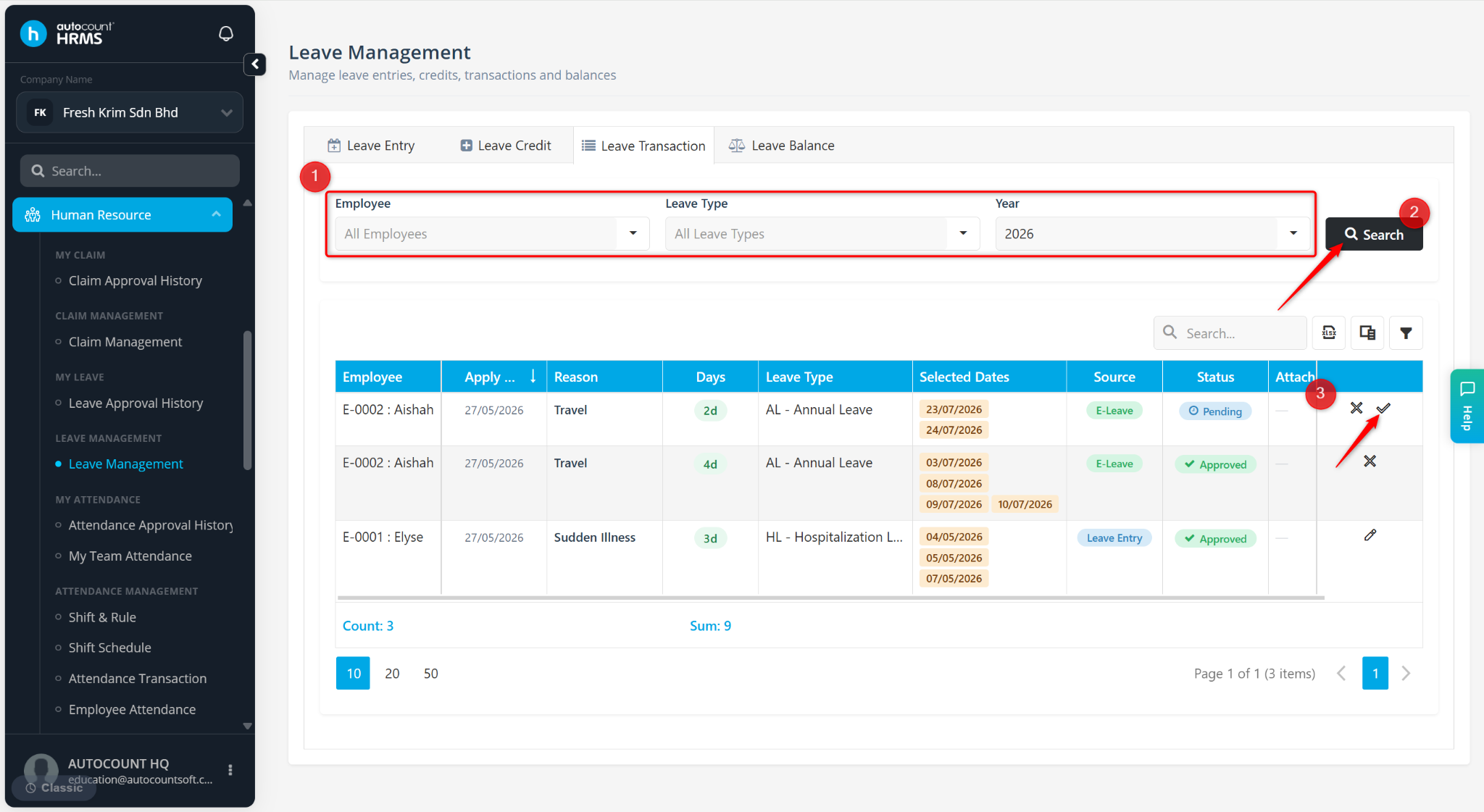
Define the Employee, Leave Type and Year filters.
Click Search.
Locate the pending leave application.
Click the tick icon.
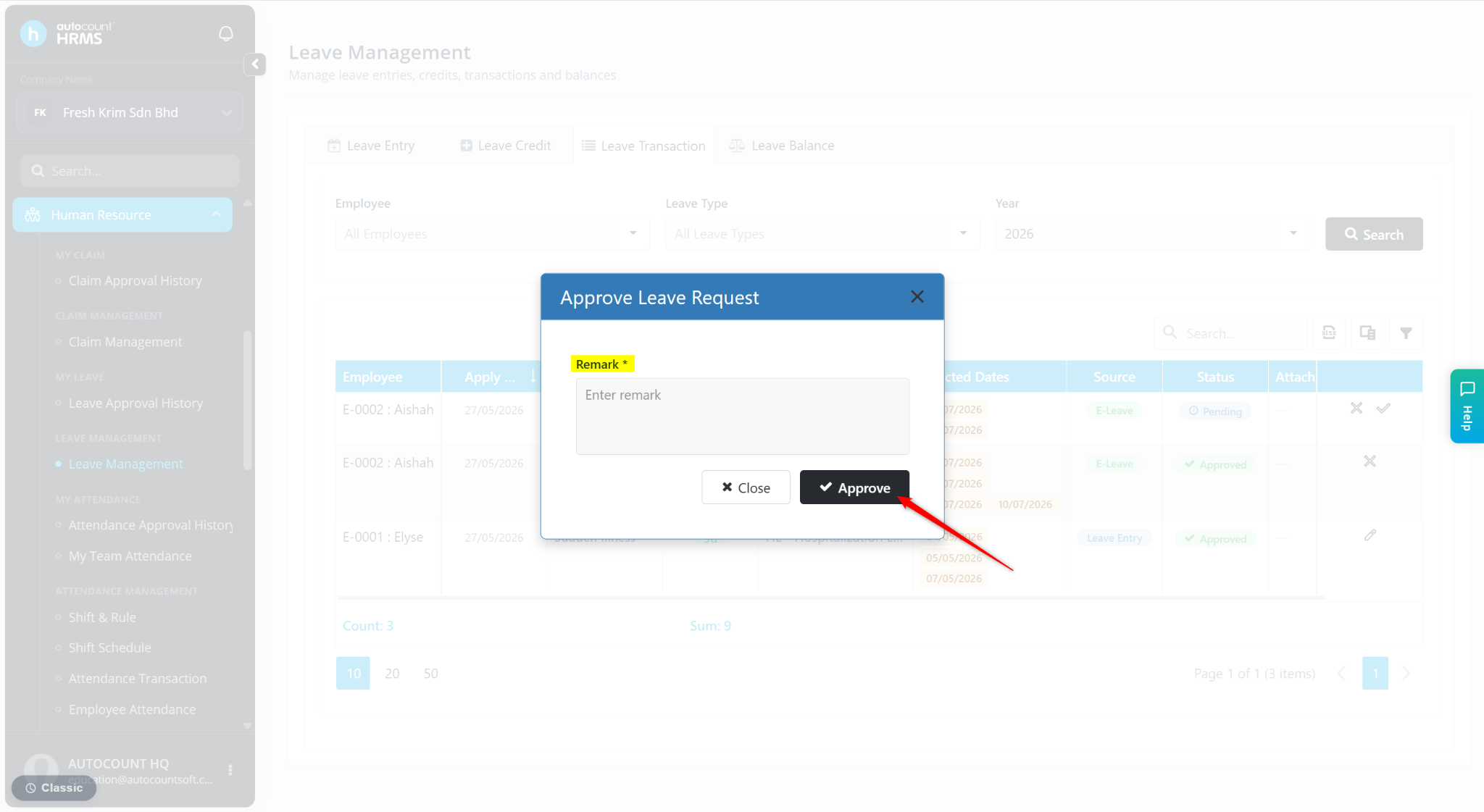
Enter a Remark if required.
Click Approve.
The leave application will be approved, and the employee's leave balance will be updated accordingly.