
The Leave Credit feature allows employers to grant additional leave entitlement to employees. Credit leaves function similarly to regular leave but may include expiry dates based on company policy.
Steps to Add a New Leave Credit:
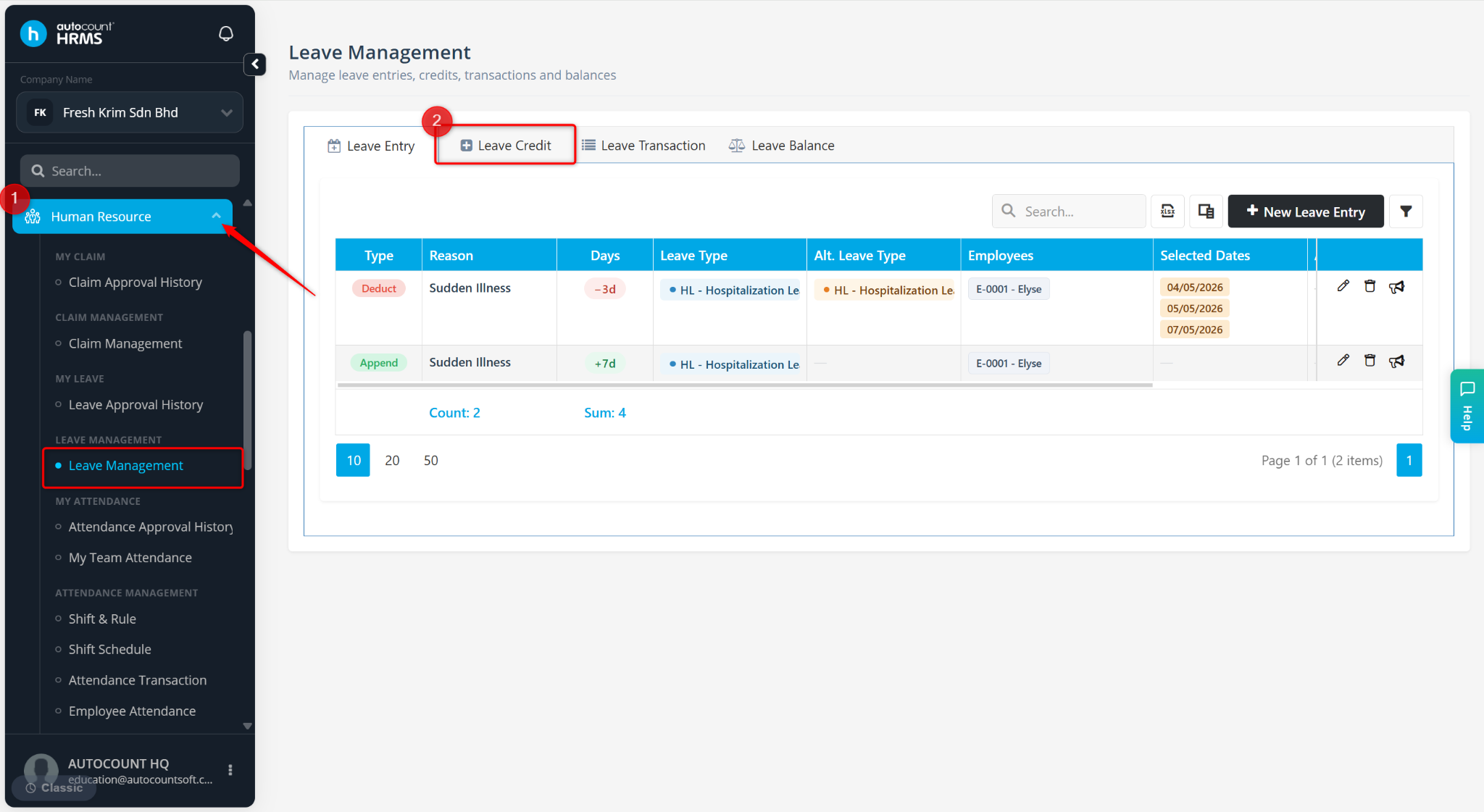
Go to Human Resource > Leave Management.
Go to Leave Credit.
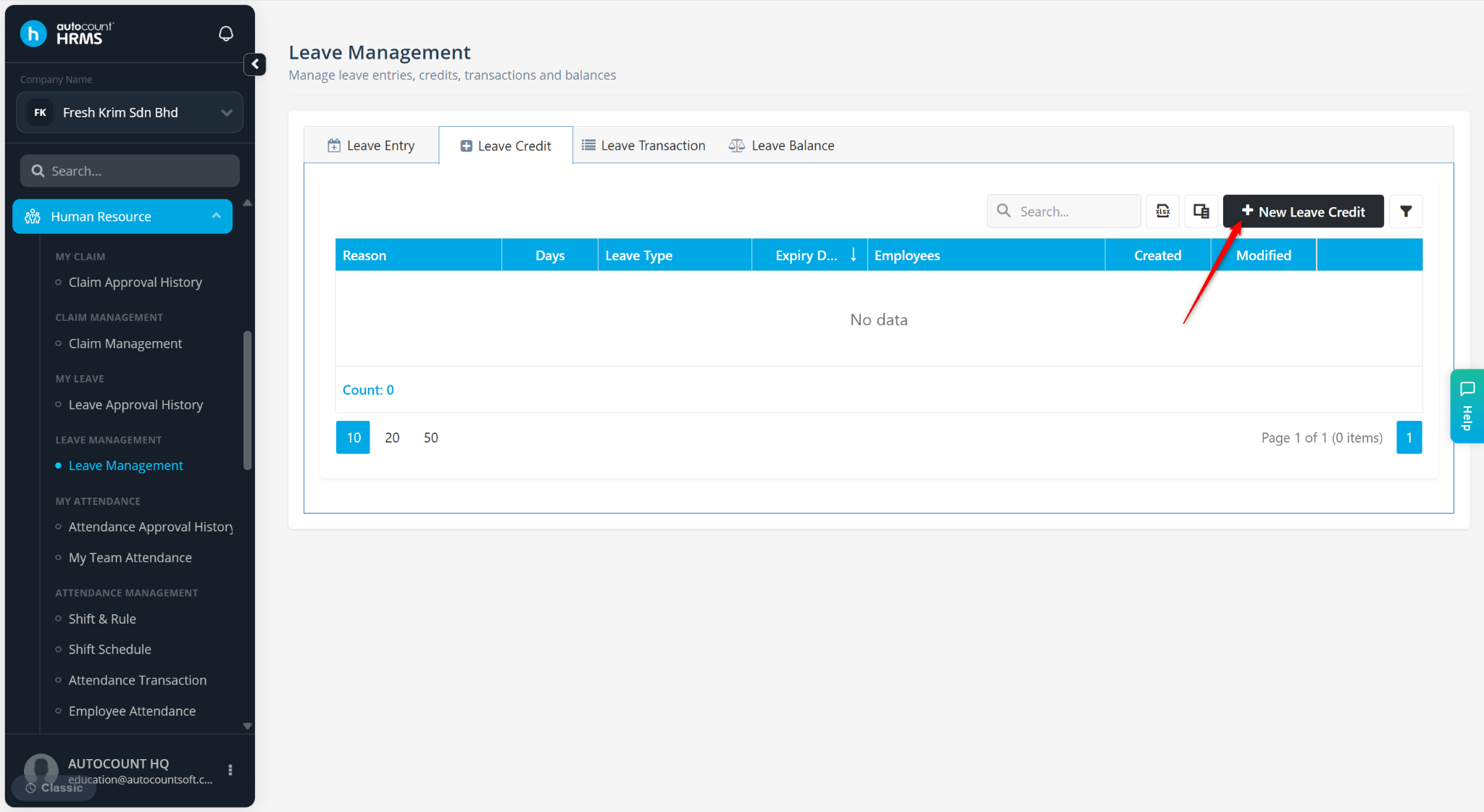
Click + New Leave Credit.
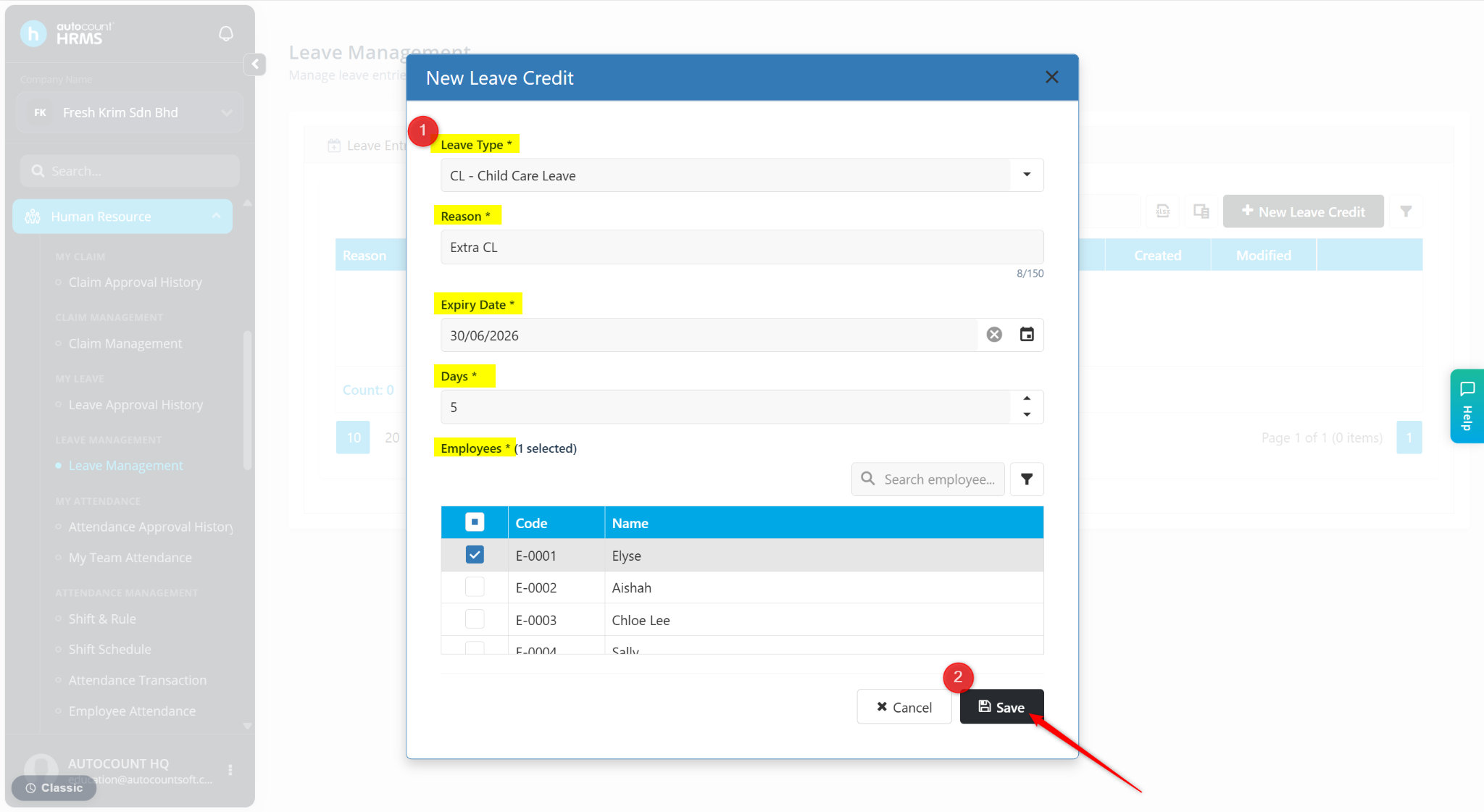
Enter the details:
Leave Type – Select the leave type for the credit leave.
Reason – Enter a short description or remark.
Expiry Date – Select the expiry date for the leave credit.
Days – Enter the number of credited leave days.
Employees – Select the employee(s) entitled to the leave credit.
Click Save.
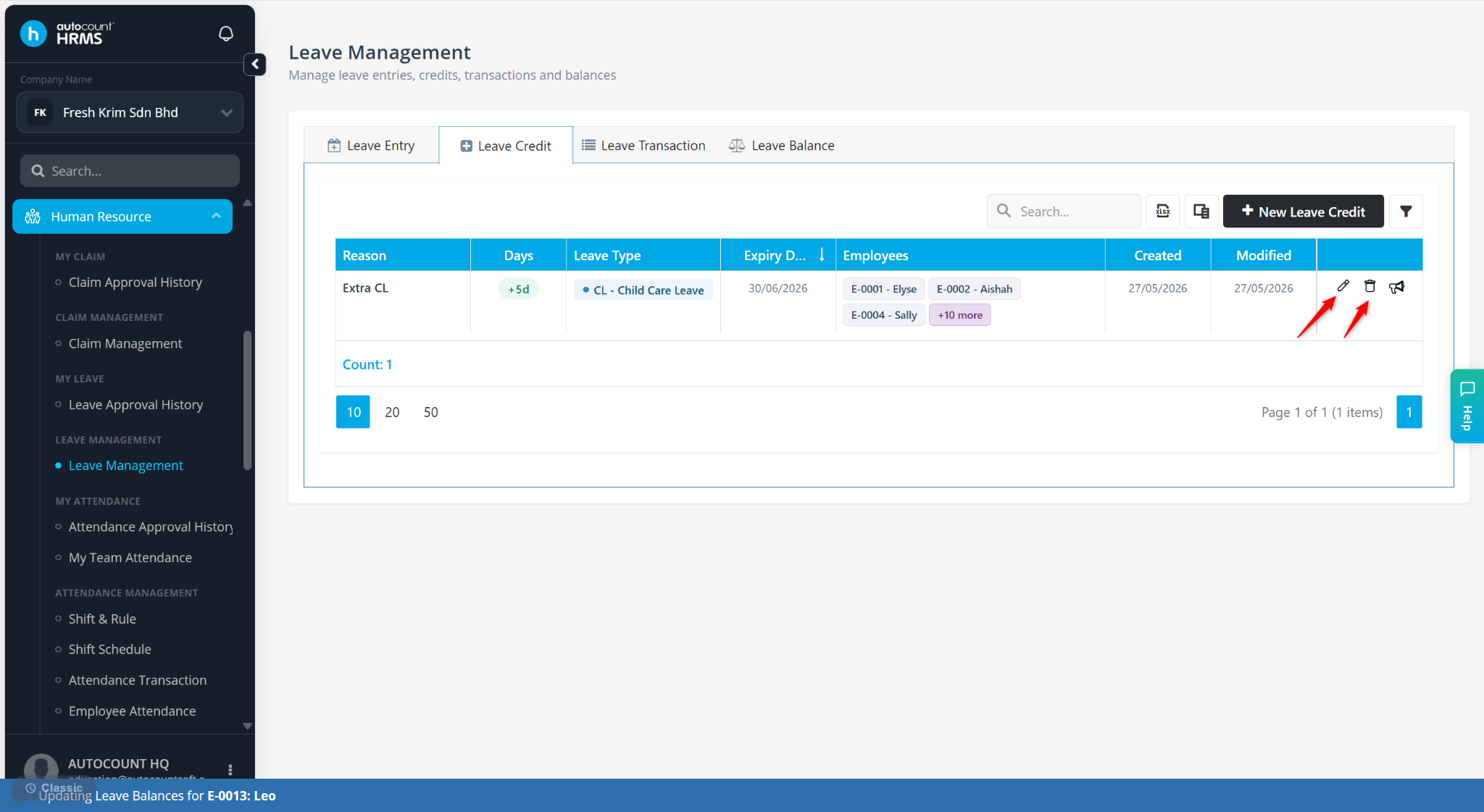
The Leave Credit will be created successfully.
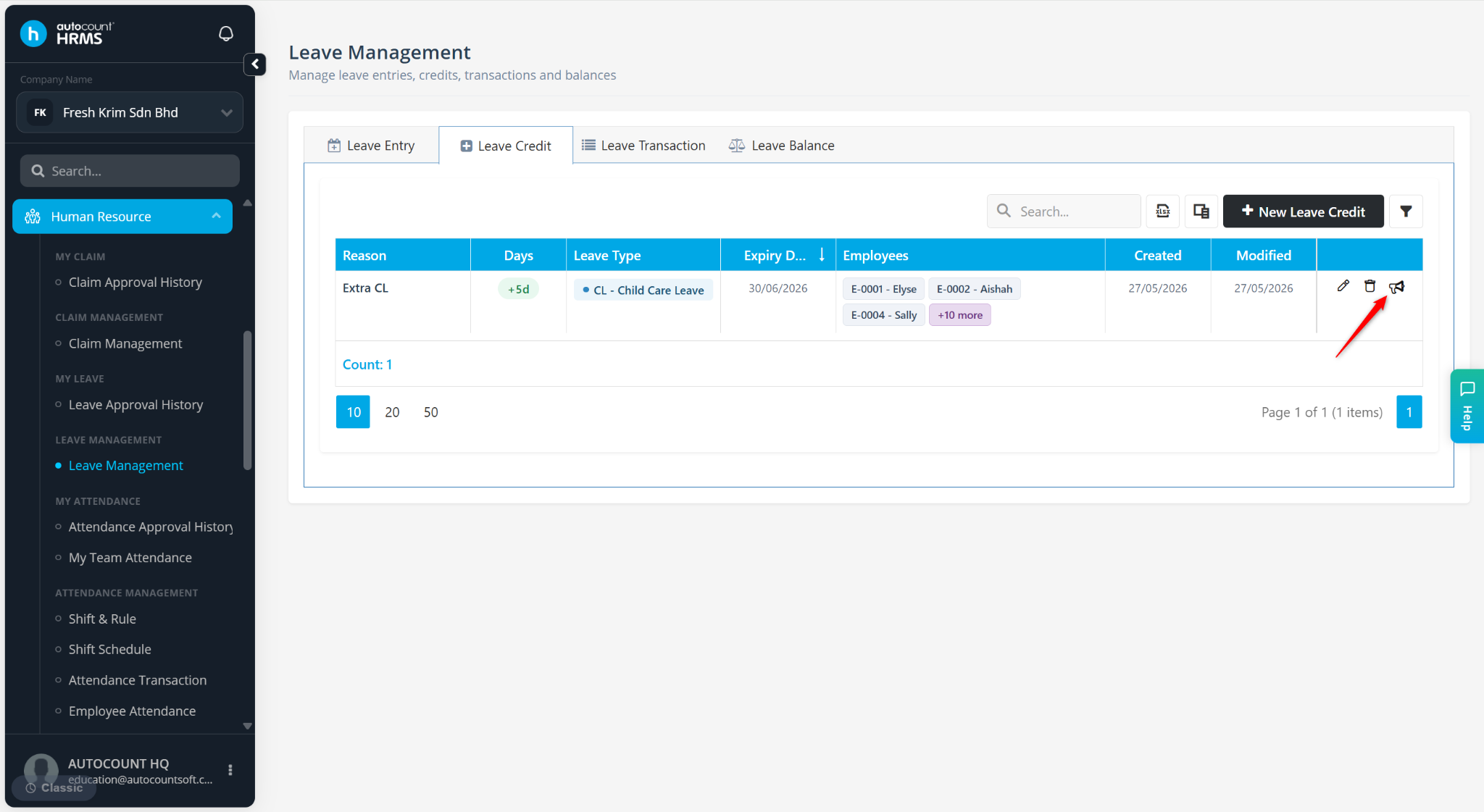
Click the pencil icon to edit.
Click the trash bin icon to delete.
Steps to Send Announcement:
Go to Human Resources > Leave Management > Leave Credit.
Click the megaphone icon.
Enter the Announcement message.
Click Send.
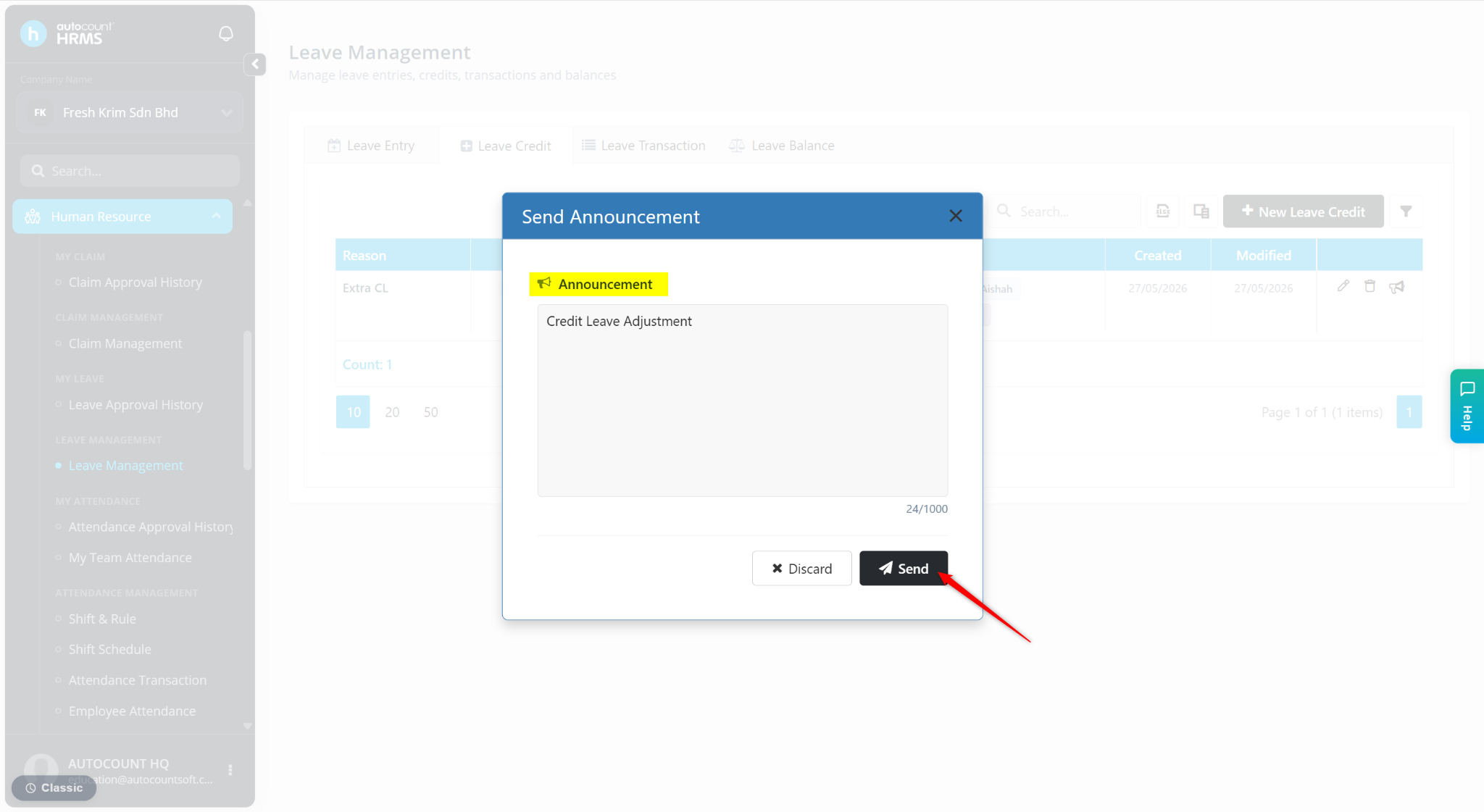
The announcement will be sent to the selected employee(s).