Leave Closing is a year-end process used to finalise employees' leave balances and transfer eligible leave balances to the following year. This ensures unused leave is processed according to company policy, whether it is carried forward, converted to leave credits, encashed, or forfeited.
ℹ️ Note: Ensure all pending leave applications are approved or rejected before performing Leave Closing.
Steps to Perform Leave Closing:
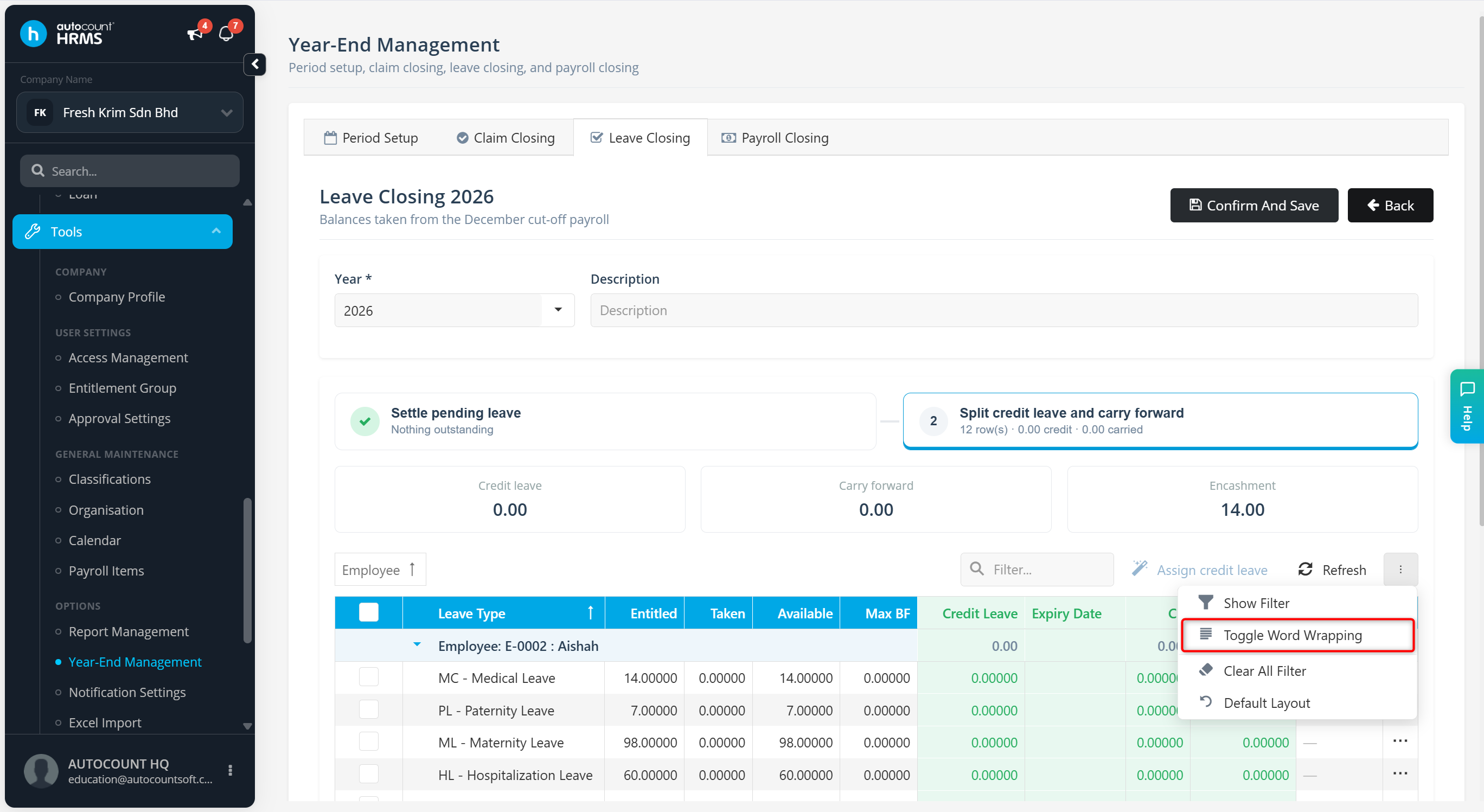
Go to Tools > Year-End Management.
Go to Leave Closing.
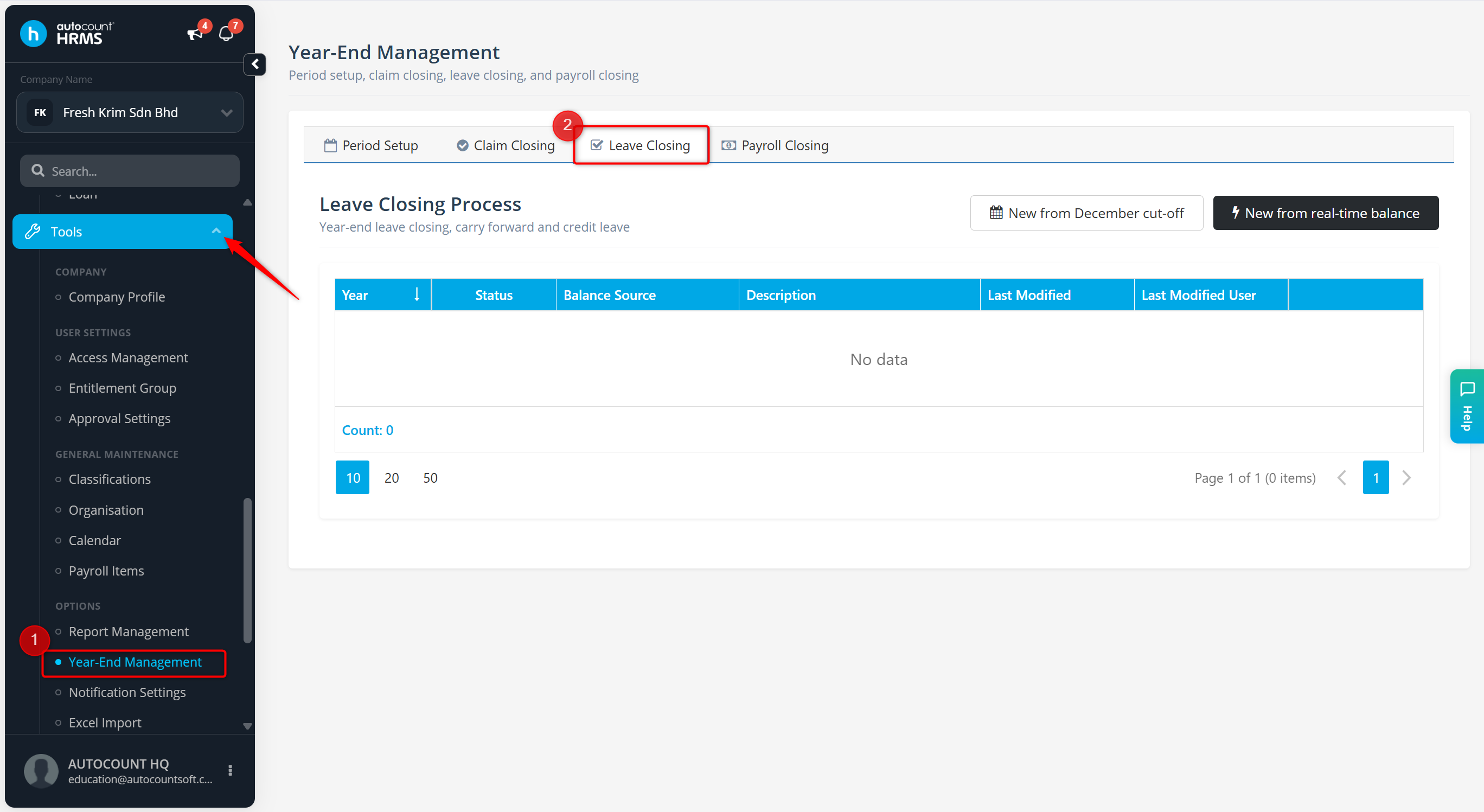
Click New Leave Closing.
Select the leave balance method:
December Cut-Off Date
Captures leave balances up to the December payroll.
December payroll must be completed before selecting this option.
Real-Time Balance
Captures leave balances up to the current date.
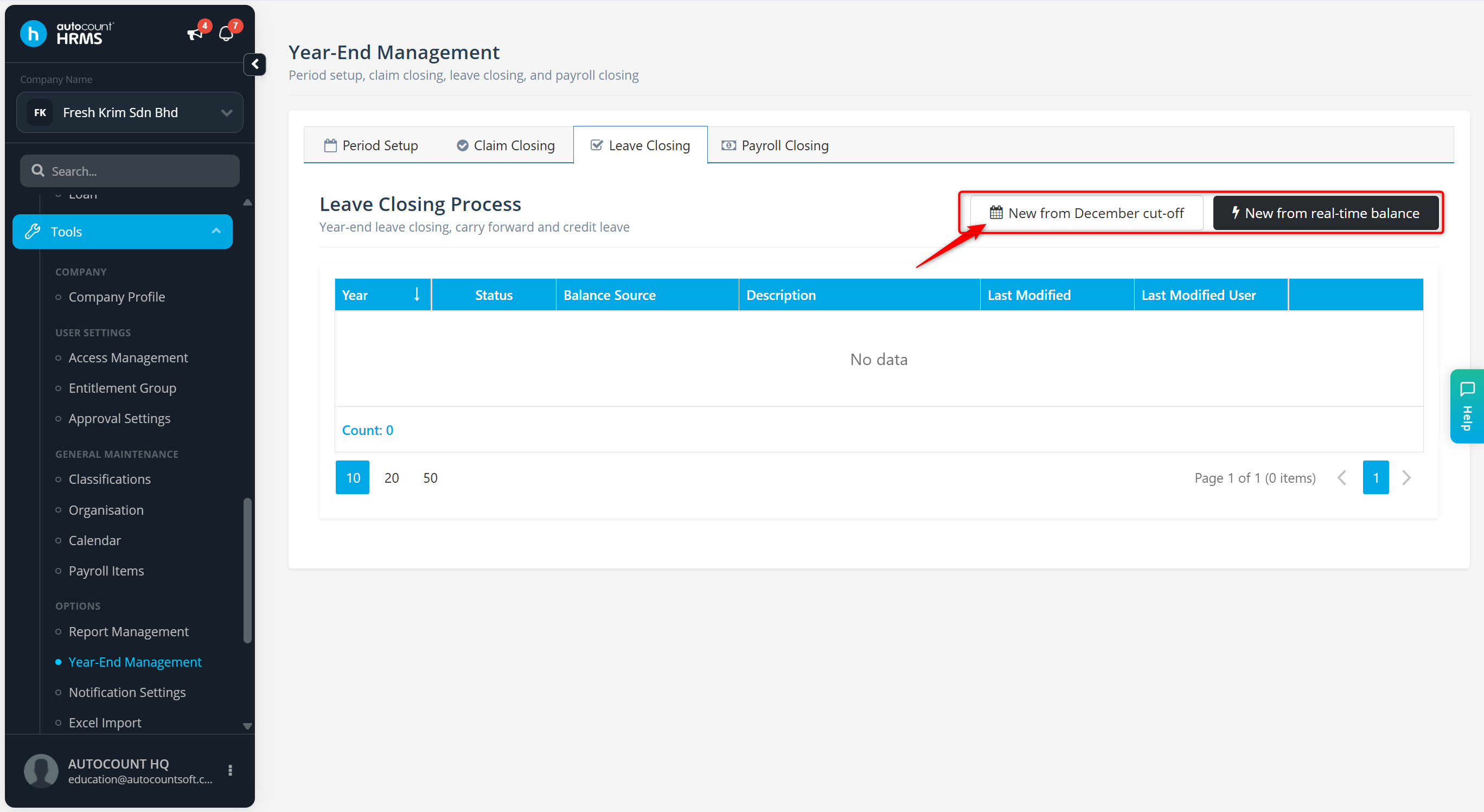
Enter the Year and Description.
Under Settle pending leave, ensure all pending leave applications are either Approved or Rejected. Tick the unapproved leave(s) and select Reject to proceed.
Click Continue to the cutoff.
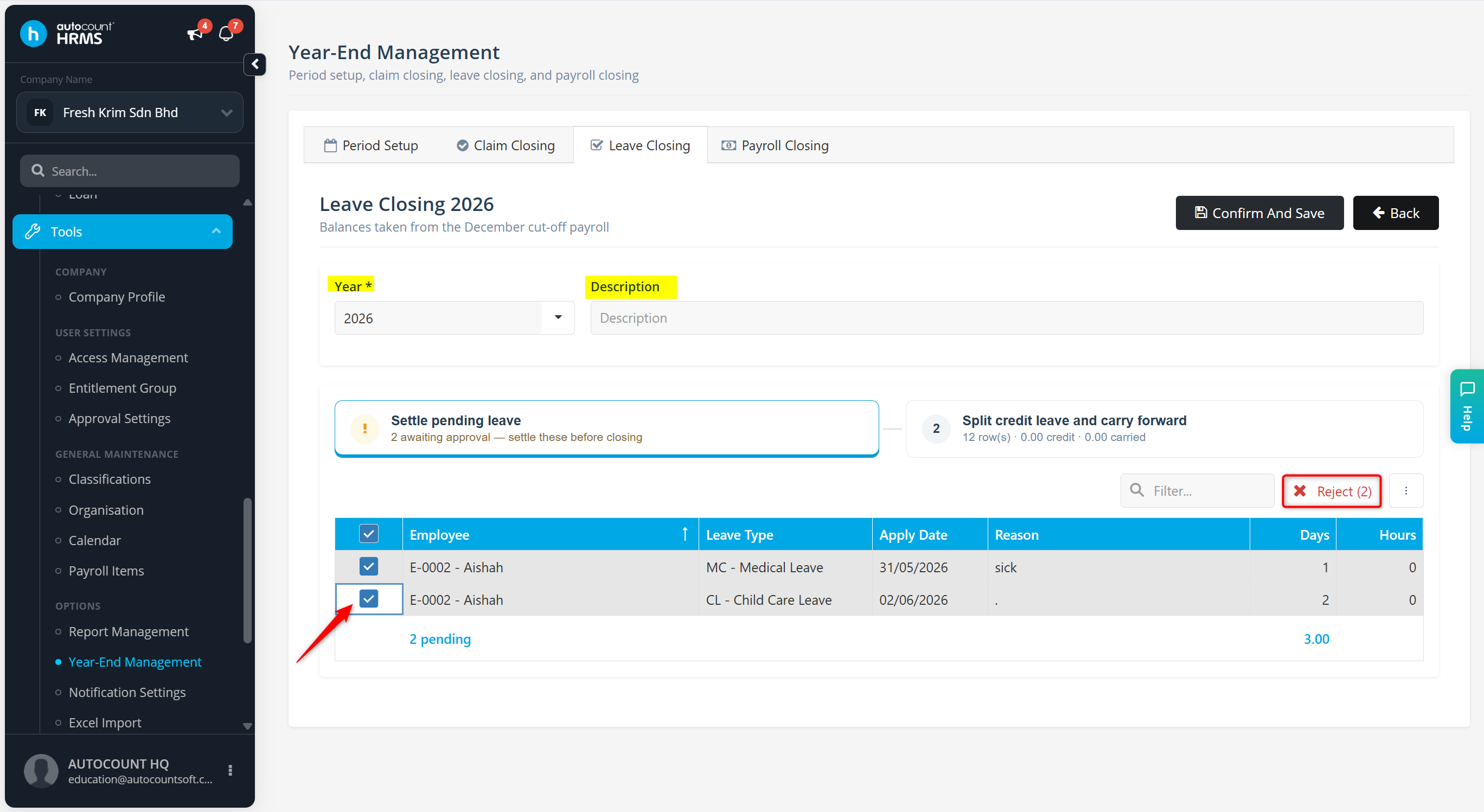
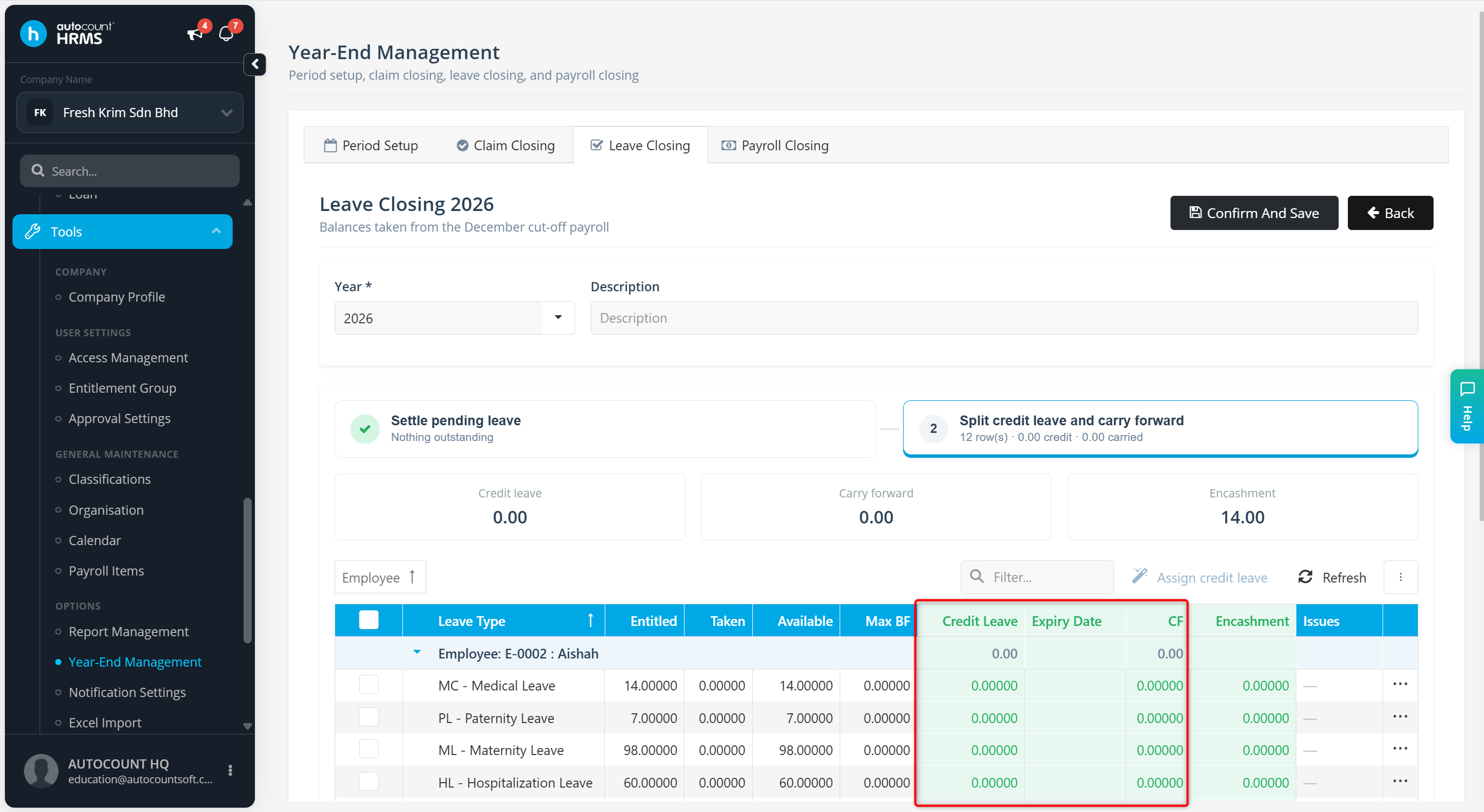
Review the leave cutoff details:
Credit Leave – Leave credits that are carried forward with an expiry date.
Expiry Date – The date when the carried-forward credit leave will expire.
CF (Carry Forward) – The number of leave days to be carried forward to the next year.
ℹ️ Note: Leave days in the CF column do not expire unless specified by company policy and may be carried forward again during the next Leave Closing process.
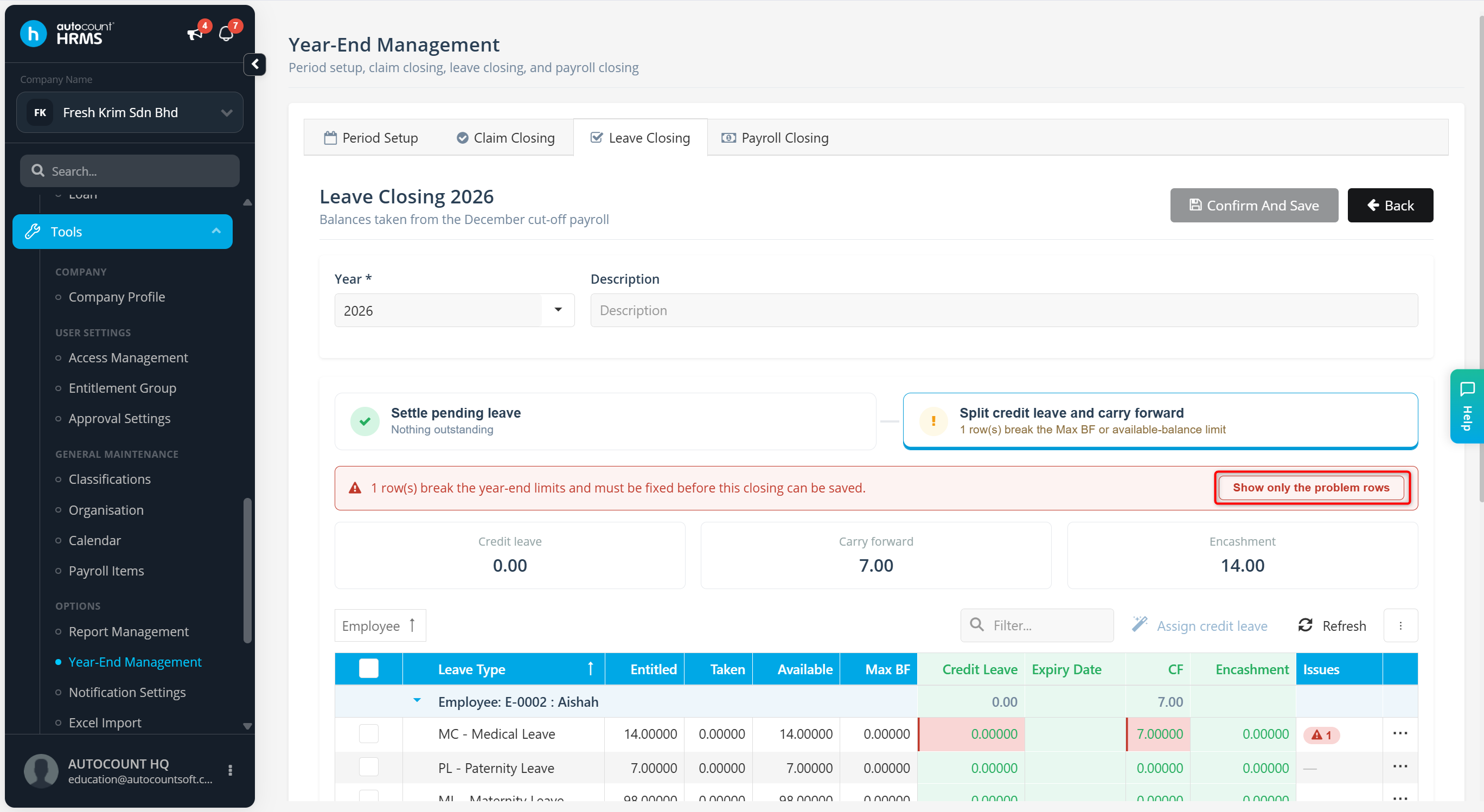
ℹ️ Note: An error message will appear upon unsuitable Credit Leave, Expiry Date and CF entered. Click Show only the problem rows to load only rows which required correction actions.
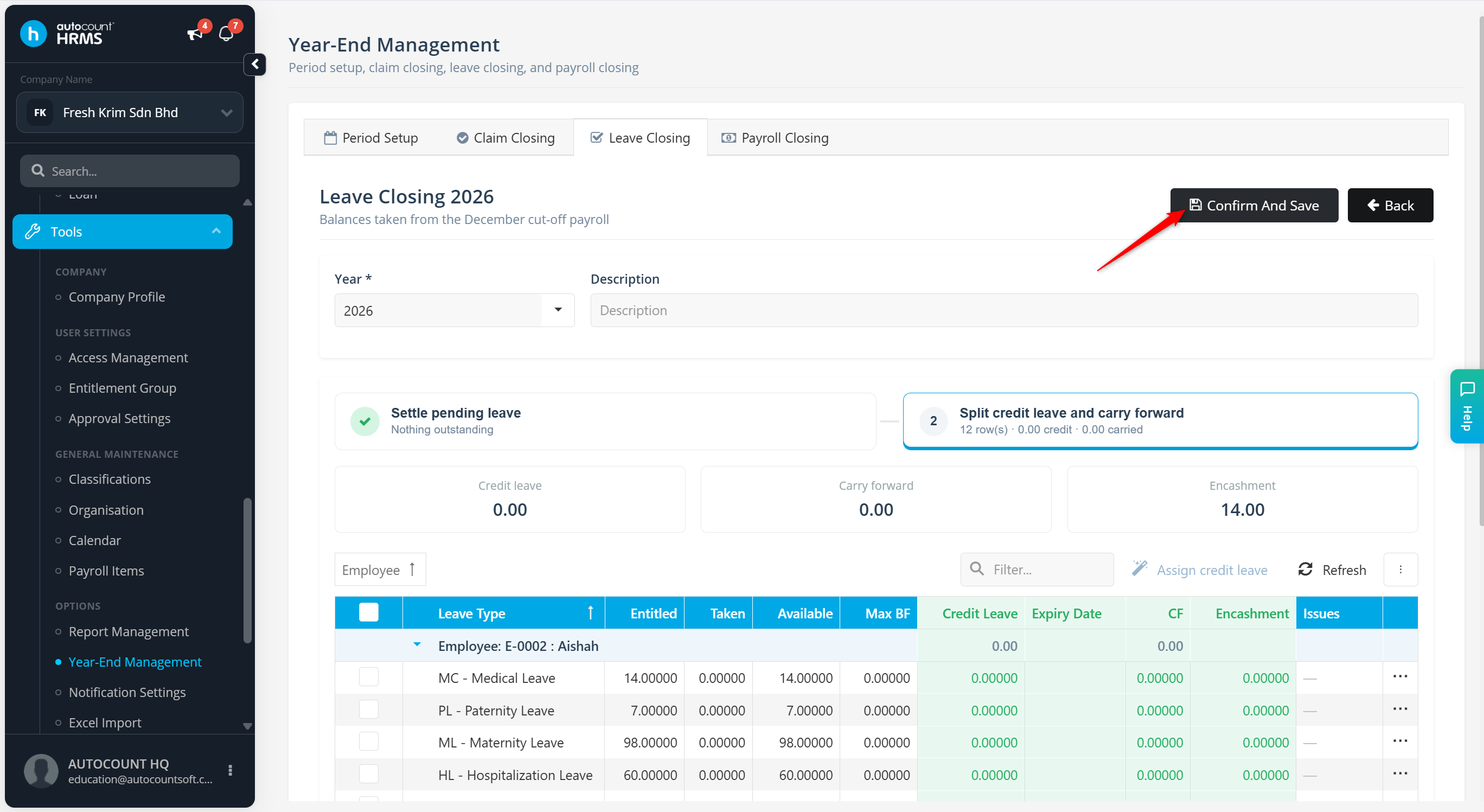
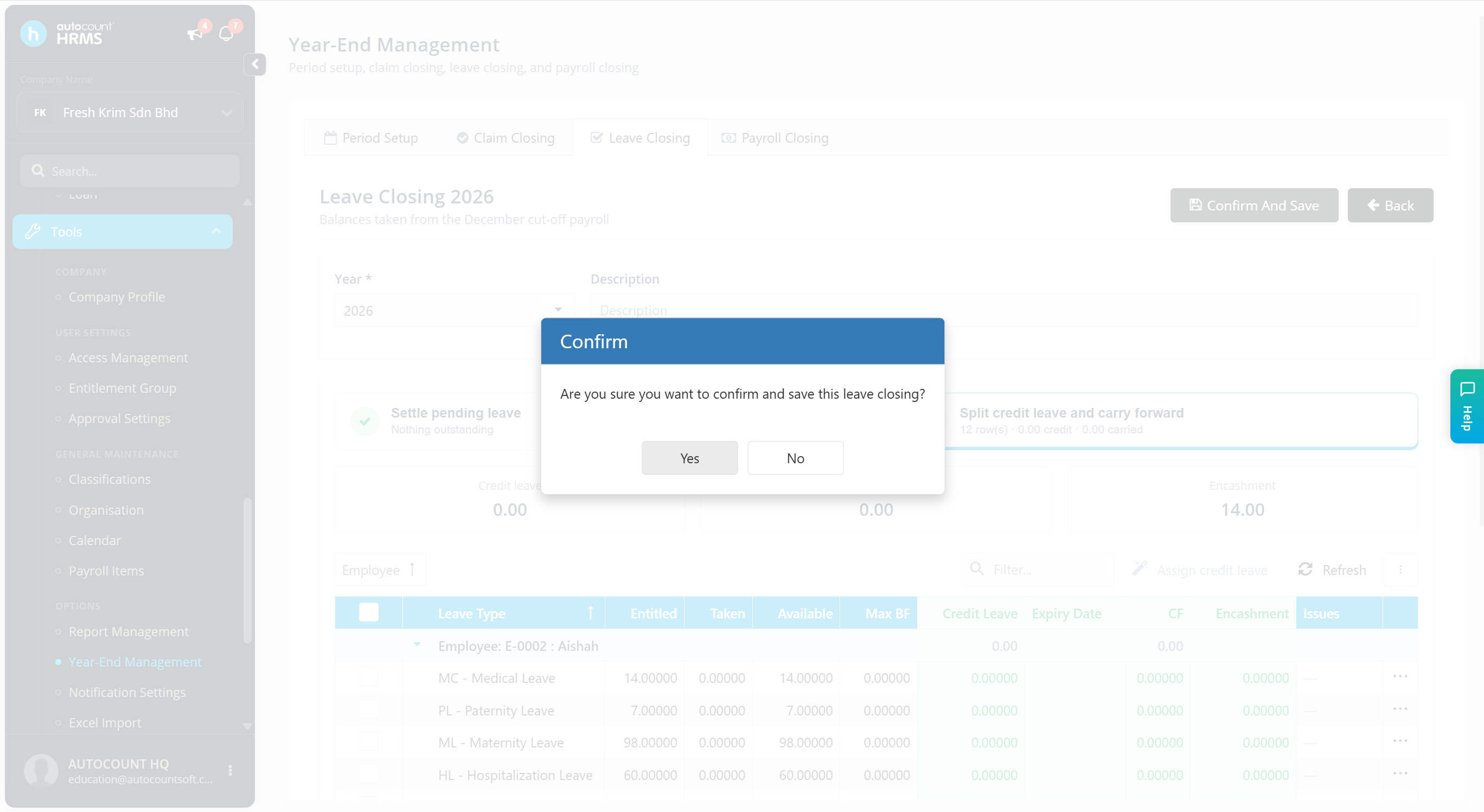
Click Confirm And Save.
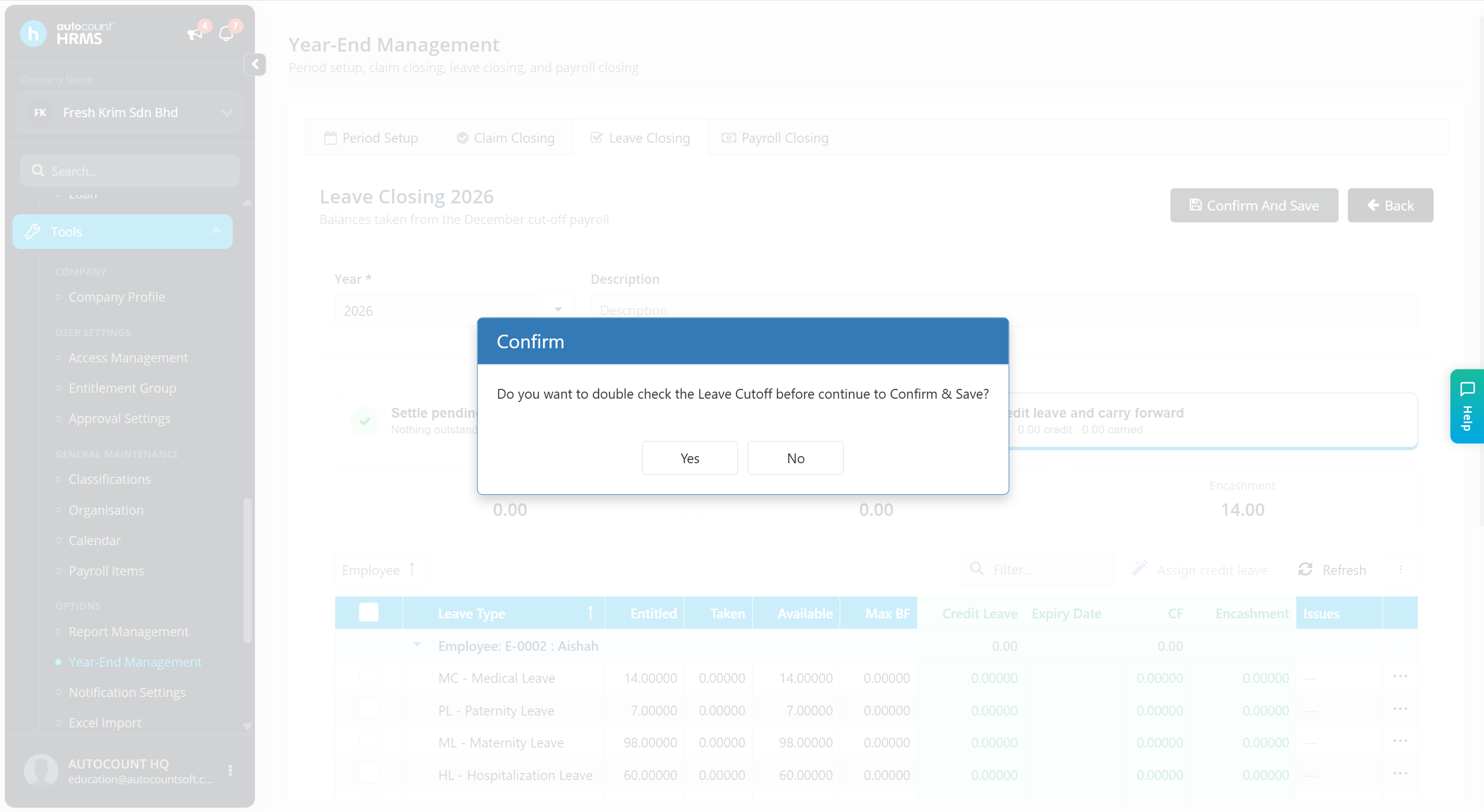
Click Yes if you wish to review the details again, or click No to proceed.
Click Yes to confirm the Leave Closing.
ℹ️ Note: Click the vertical ellipsis icon (⋮) and select Toggle Word Wrapping to wrap the details in the column.