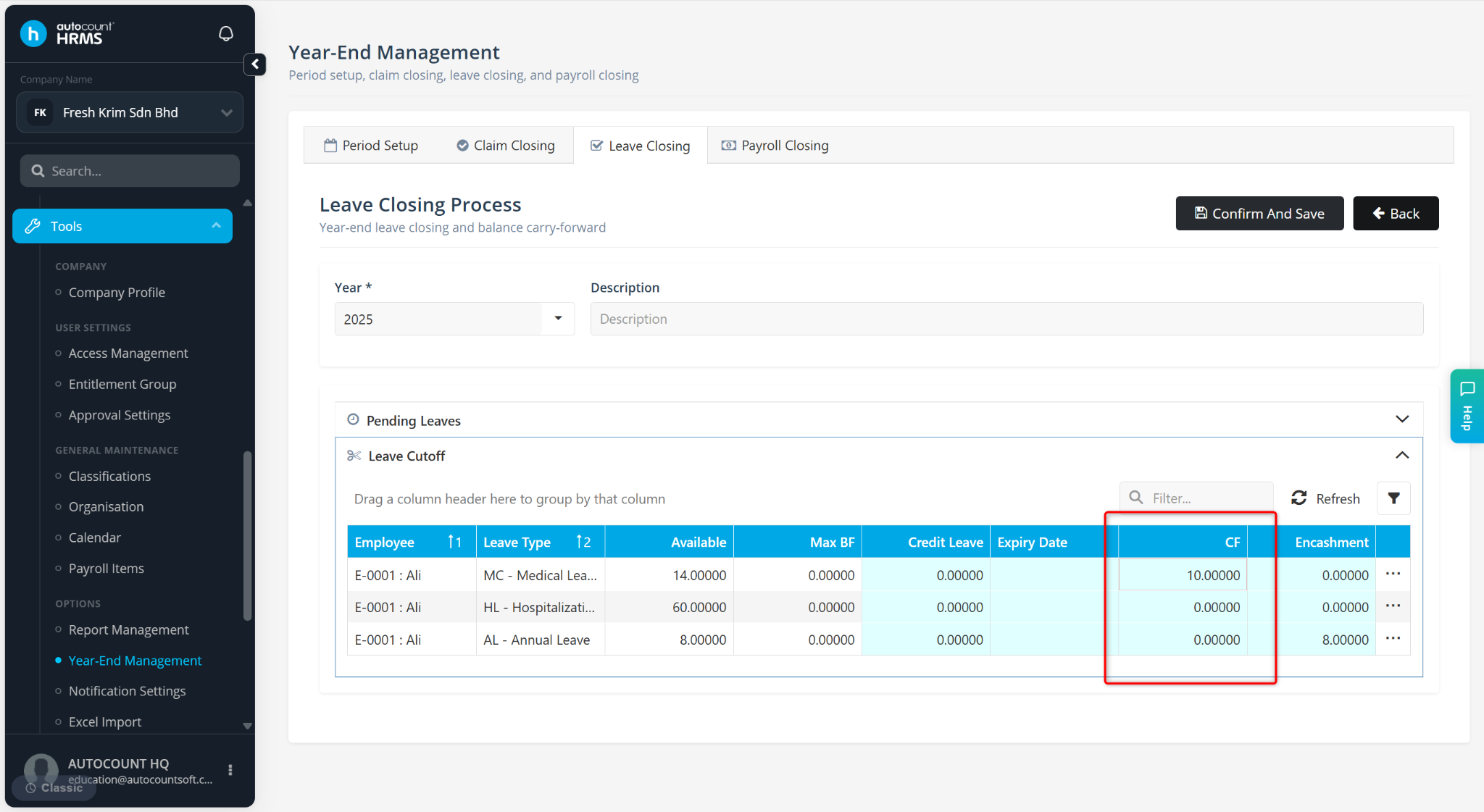
The CF (Carry Forward) column at Leave Closing indicates the number of leave days that will be carried forward from the current year to the following year during the Leave Closing process.
Steps to View Carry Forward Leave:
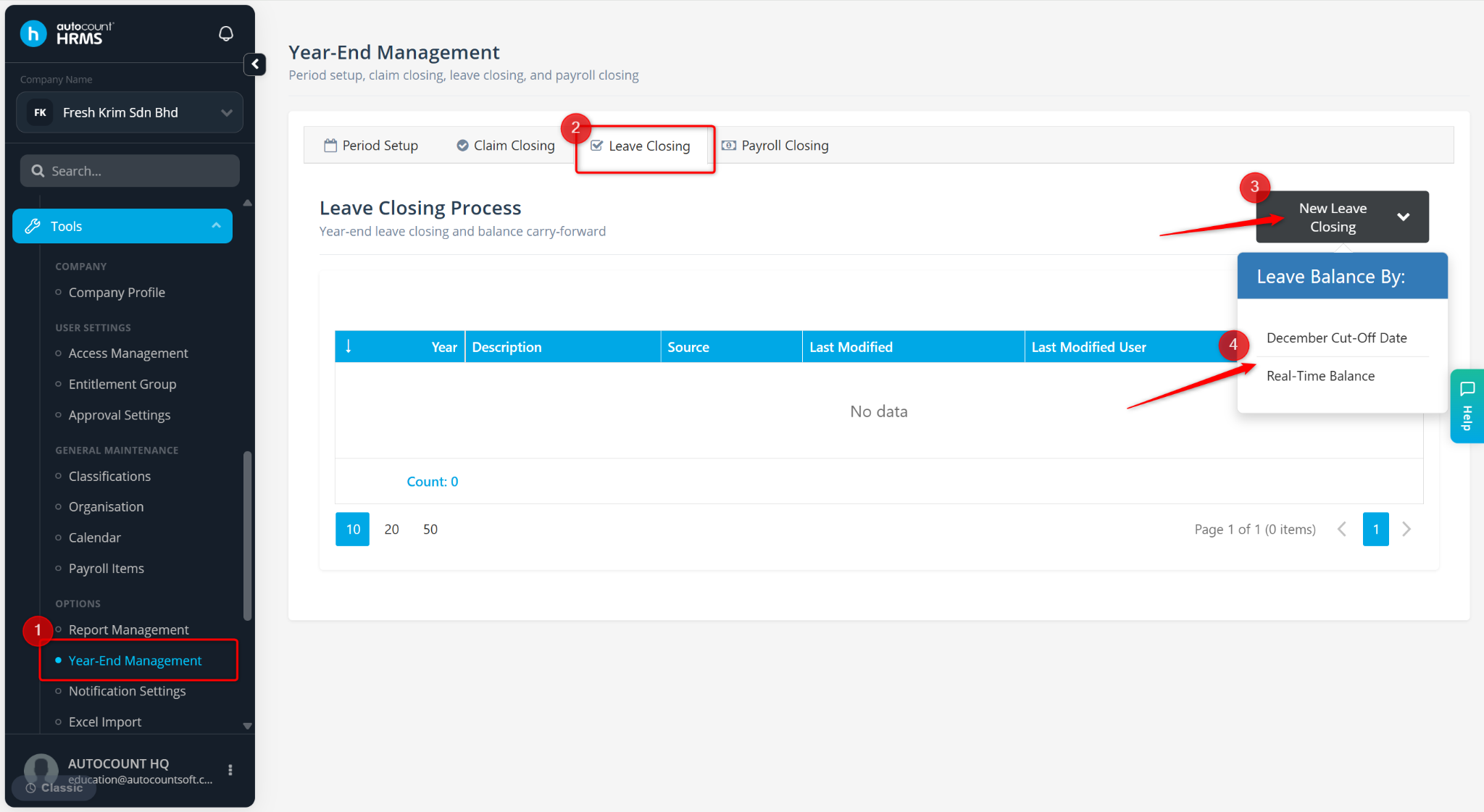
Go to Tools > Year-End Management.
Go to Leave Closing.
Click New Leave Closing and select December Cut-Off Date or Real Time Balance.
The number of leave days to be carried forward will be displayed in the CF column
Steps to Verify the Carry Forward Leave:
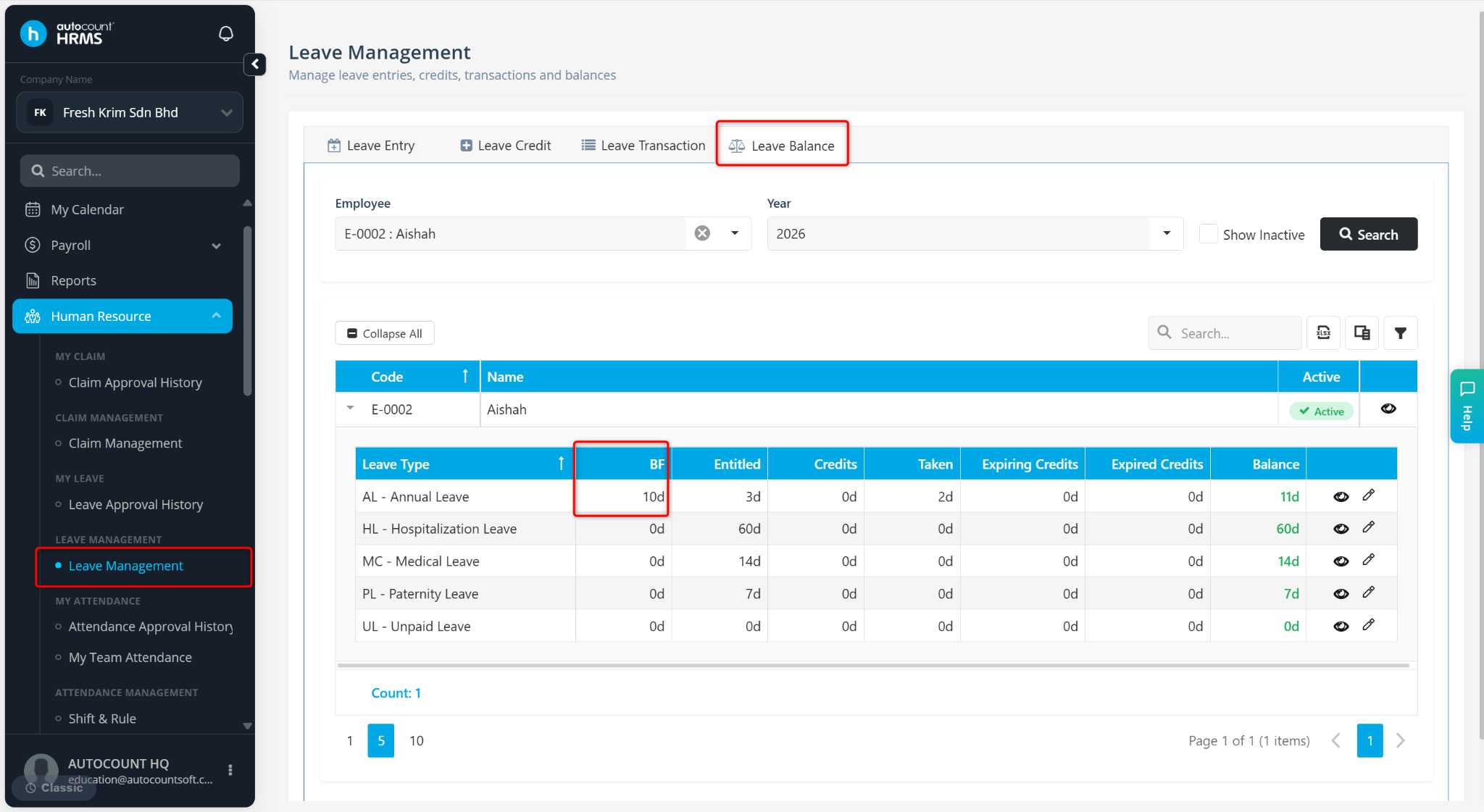
Go to Human Resources > Leave Management > Leave Balance.
Select the Employee and relevant Year.
The carried forward leave will be displayed under the BF (Balance Forward) column.