Users can maintain Carry Forward (BF) leave using Excel Import, Leave Closing, or manual editing. This section explains the manual method.
ℹ️ Note: Refer to How to Maintain Carry Forward Leaves from Excel Template? .
Steps to Maintain Carry Forward Leave(s) Manually:
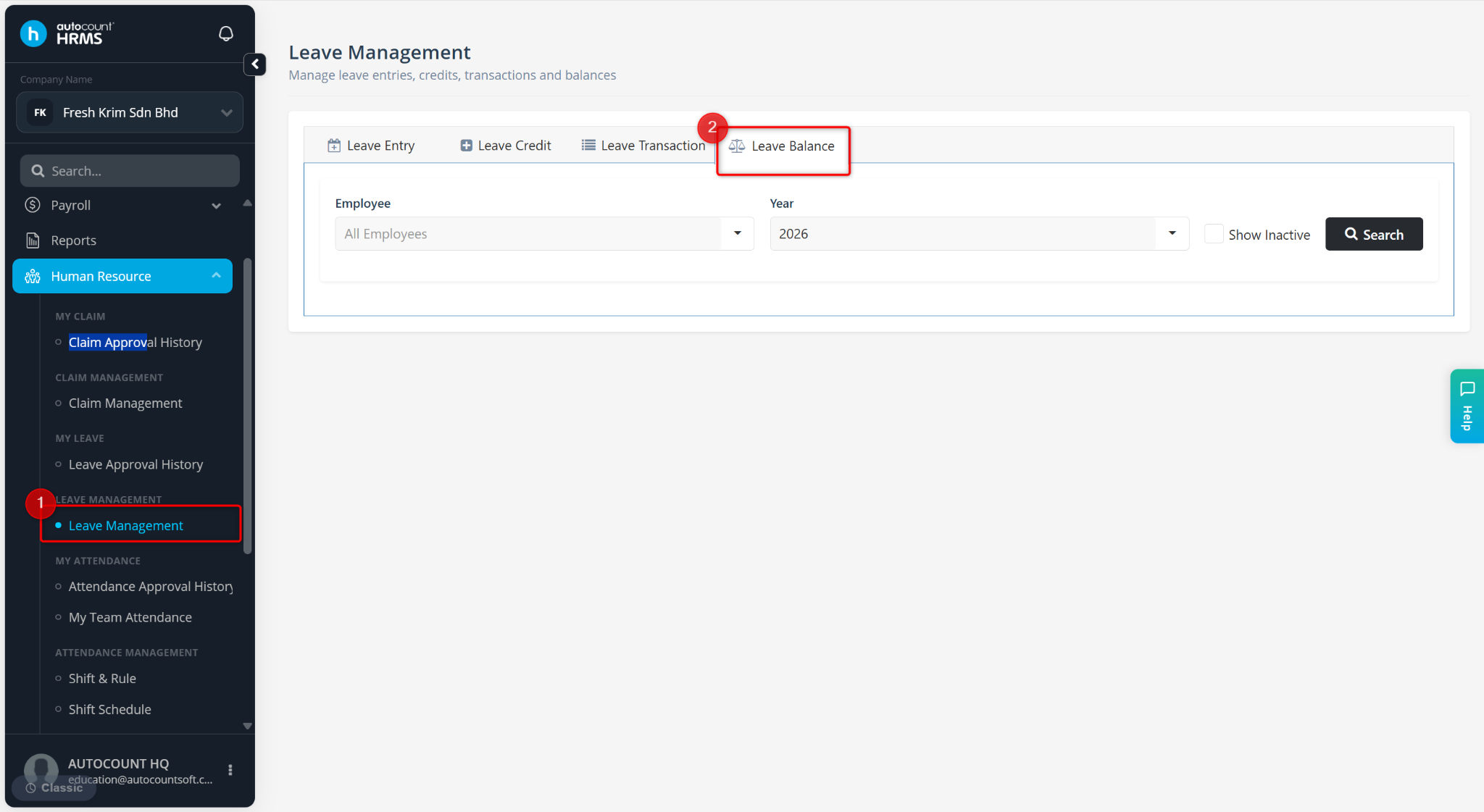
Go to Human Resources > Leave Management.
Go to Leave Balance.
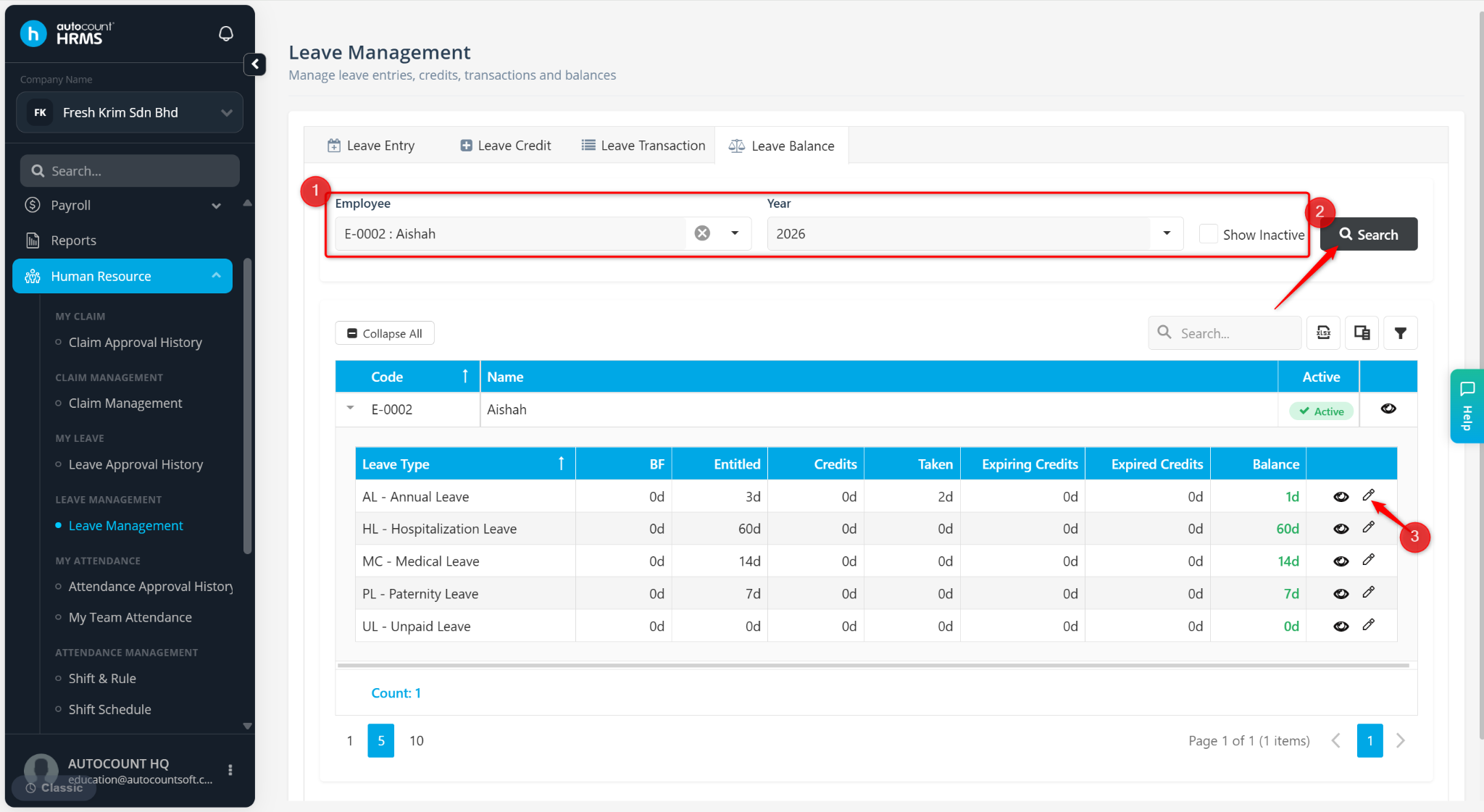
Select the Employee and Year.
Click Search.
Locate the leave type and click the pencil icon.
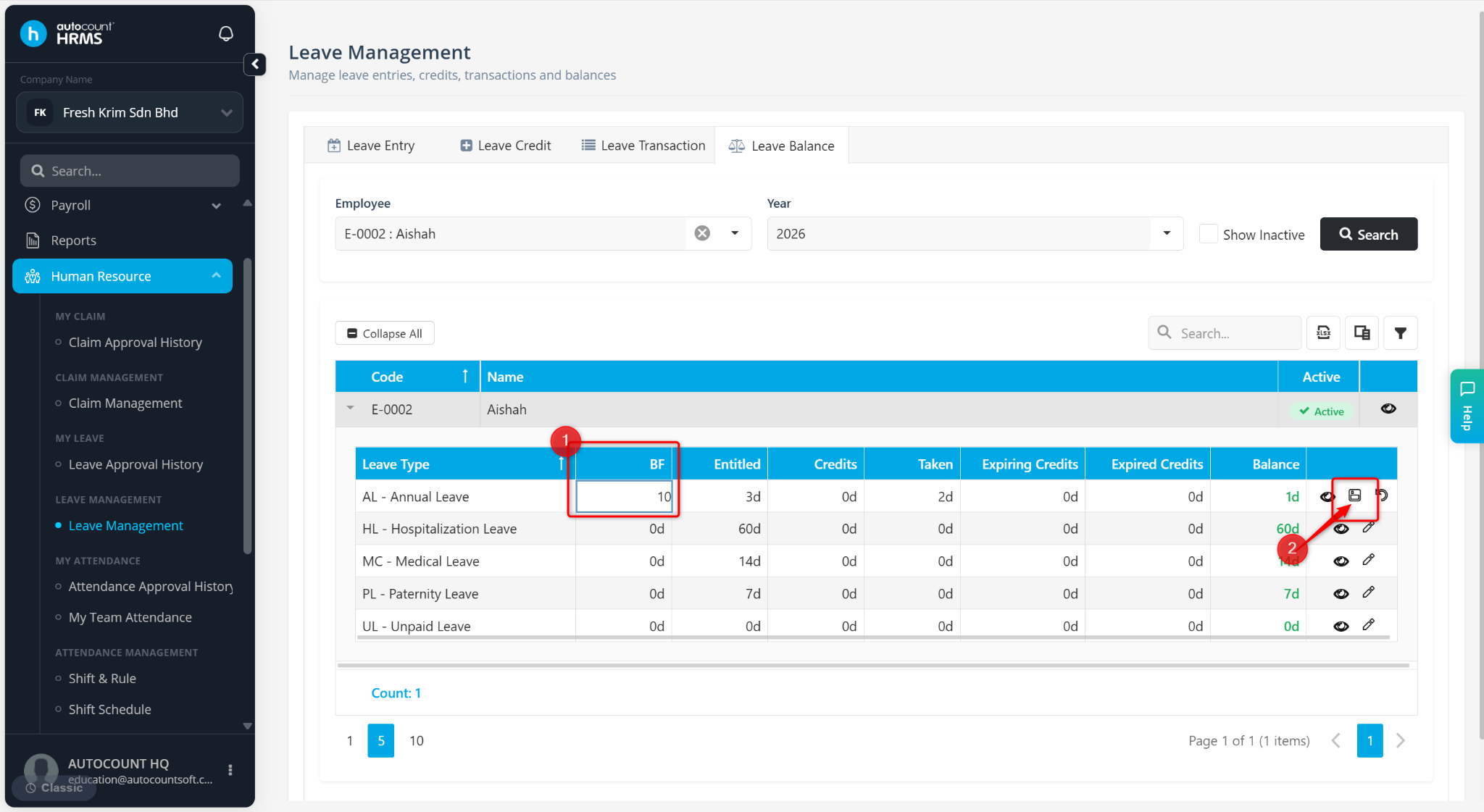
Click and enter the number of BF days and click the diskette icon.