A Parent Leave Type creates a relationship between two leave types, where one leave type (the child leave type) is linked to another leave type (the parent leave type). When an employee applies for the child leave type, the system will deduct leave from both the child leave balance and the assigned parent leave balance.
For example, if Annual Leave is set at Emergency Leave’s Parent Leave Type, both leave balances will be deducted when the employee applies for Emergency Leave.
Steps to Setup Parent Leave Type:
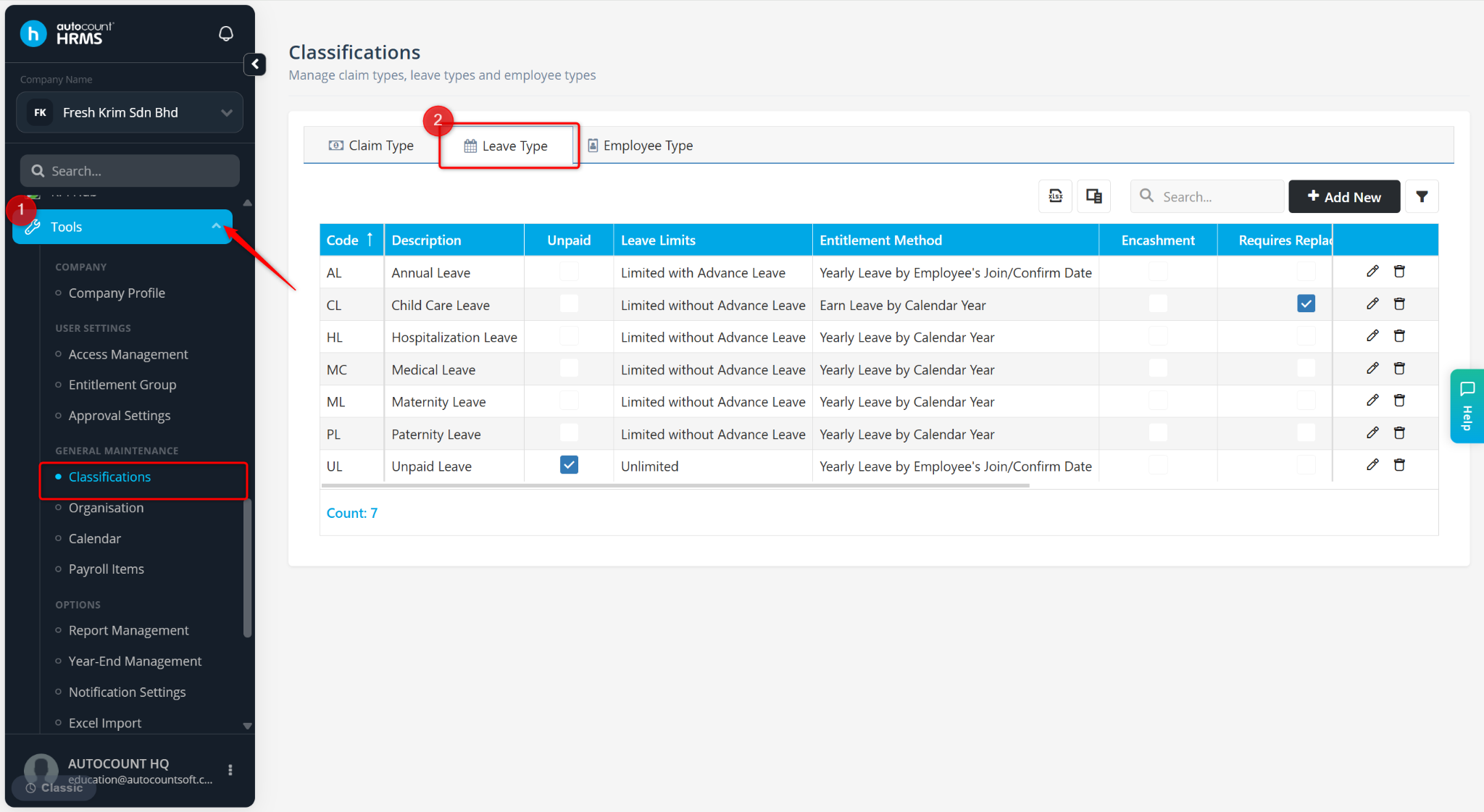
Go to Tools > Classifications.
Go to Leave Type.
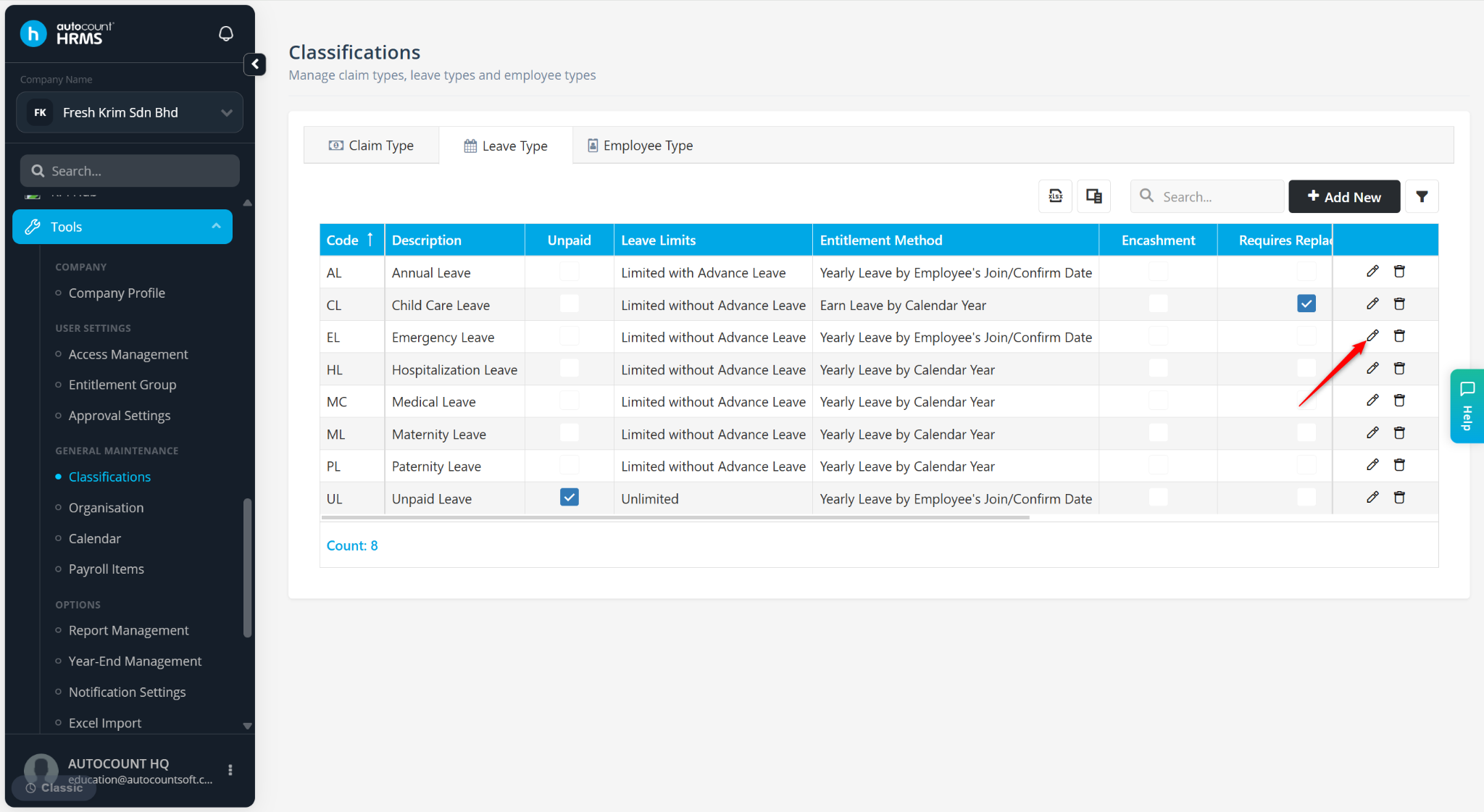
Locate a Leave Type and click the pencil icon.
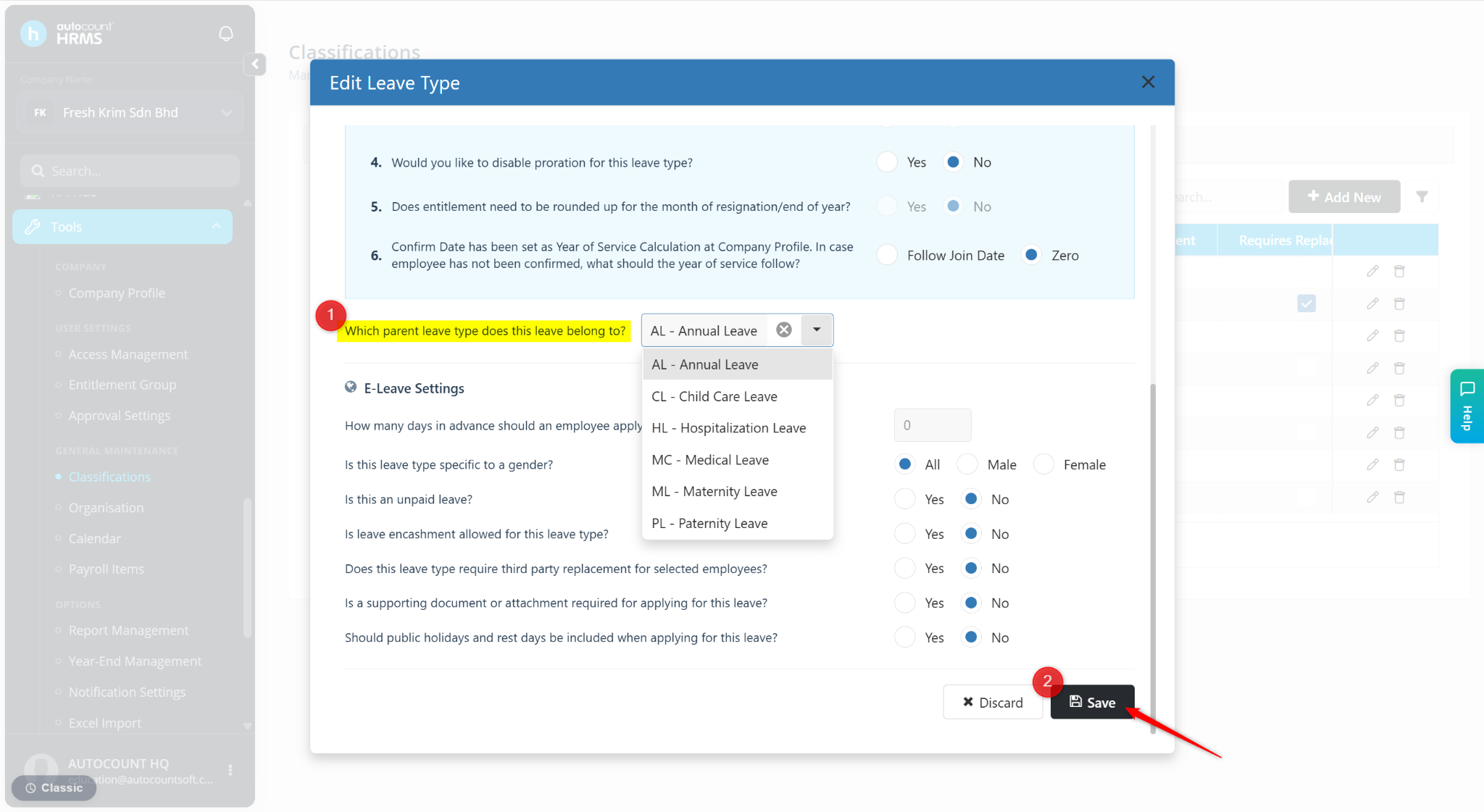
Select a Leave Type at the field, Which parent leave type does this leave belong to?.
Click Save.