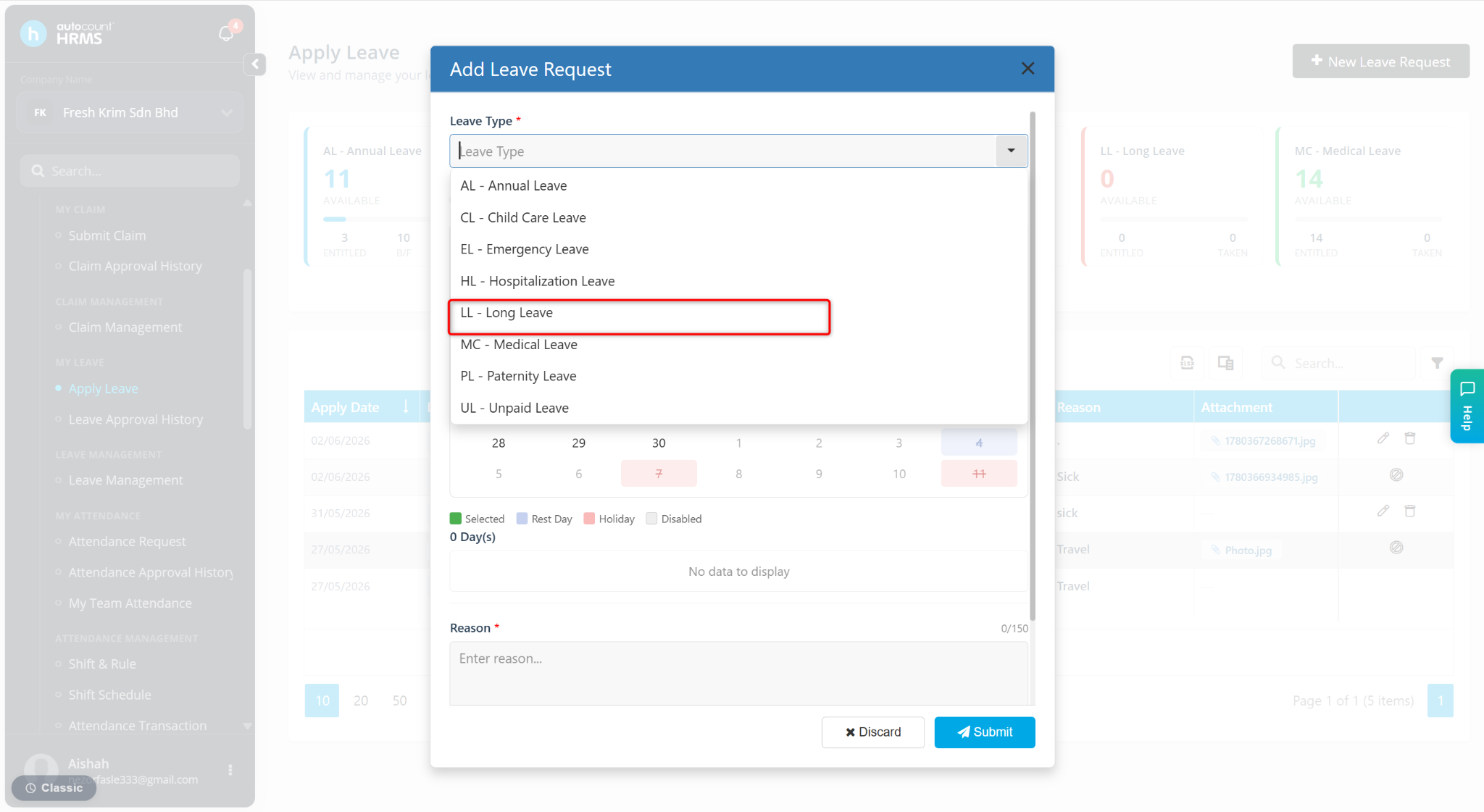
Employees will not be able to select a newly created leave type if it is not included in the Entitlement Group assigned to them. The leave type must also have a valid leave limit setting.
Steps to Allow the Leave Application:
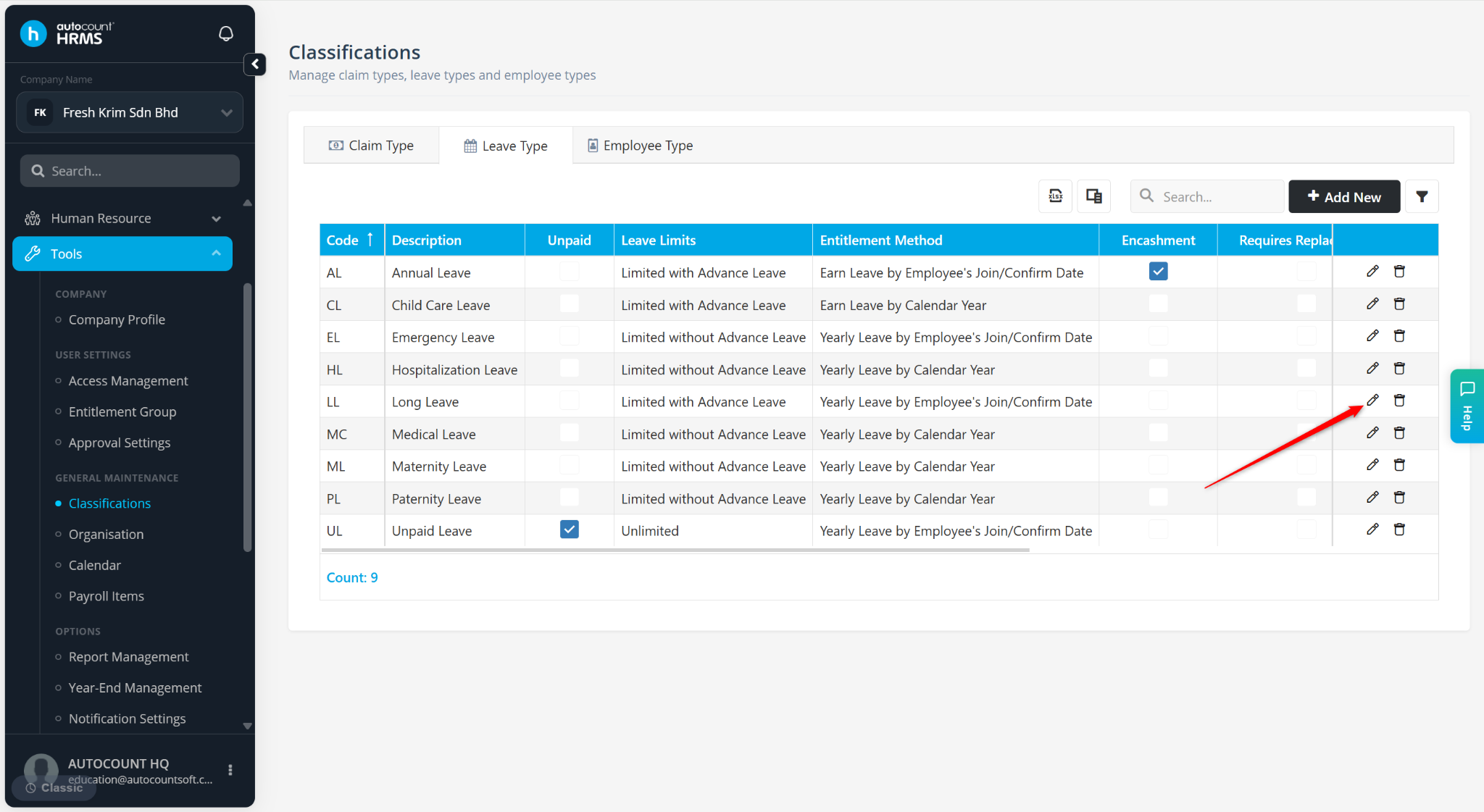
Go to Tools > Classification > Leave Type.
Locate the Leave Type and click the pencil icon.
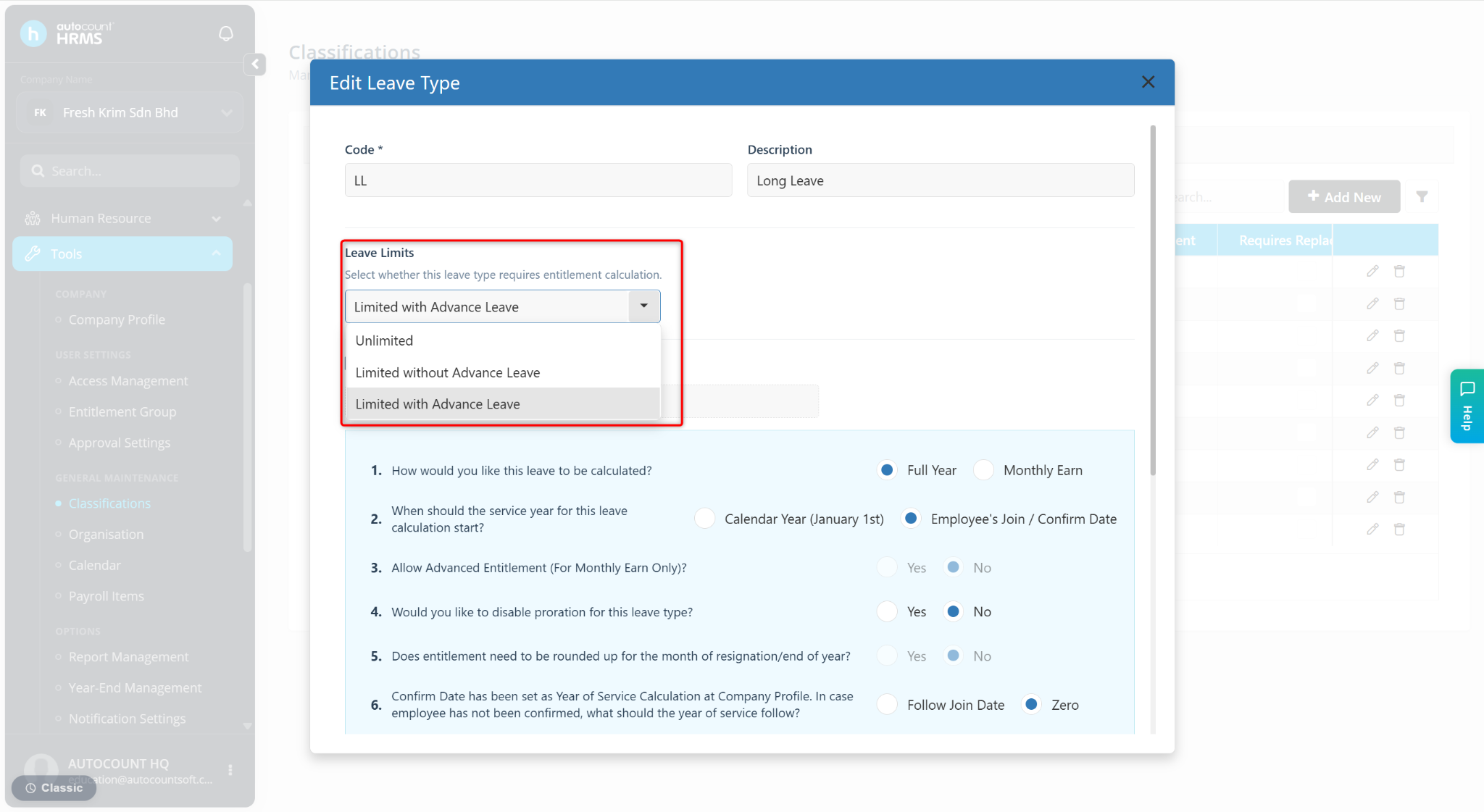
At the Leave Limits field, select one of the options:
Unlimited
Limited without Advanced Leave
Limited with Advanced Leave
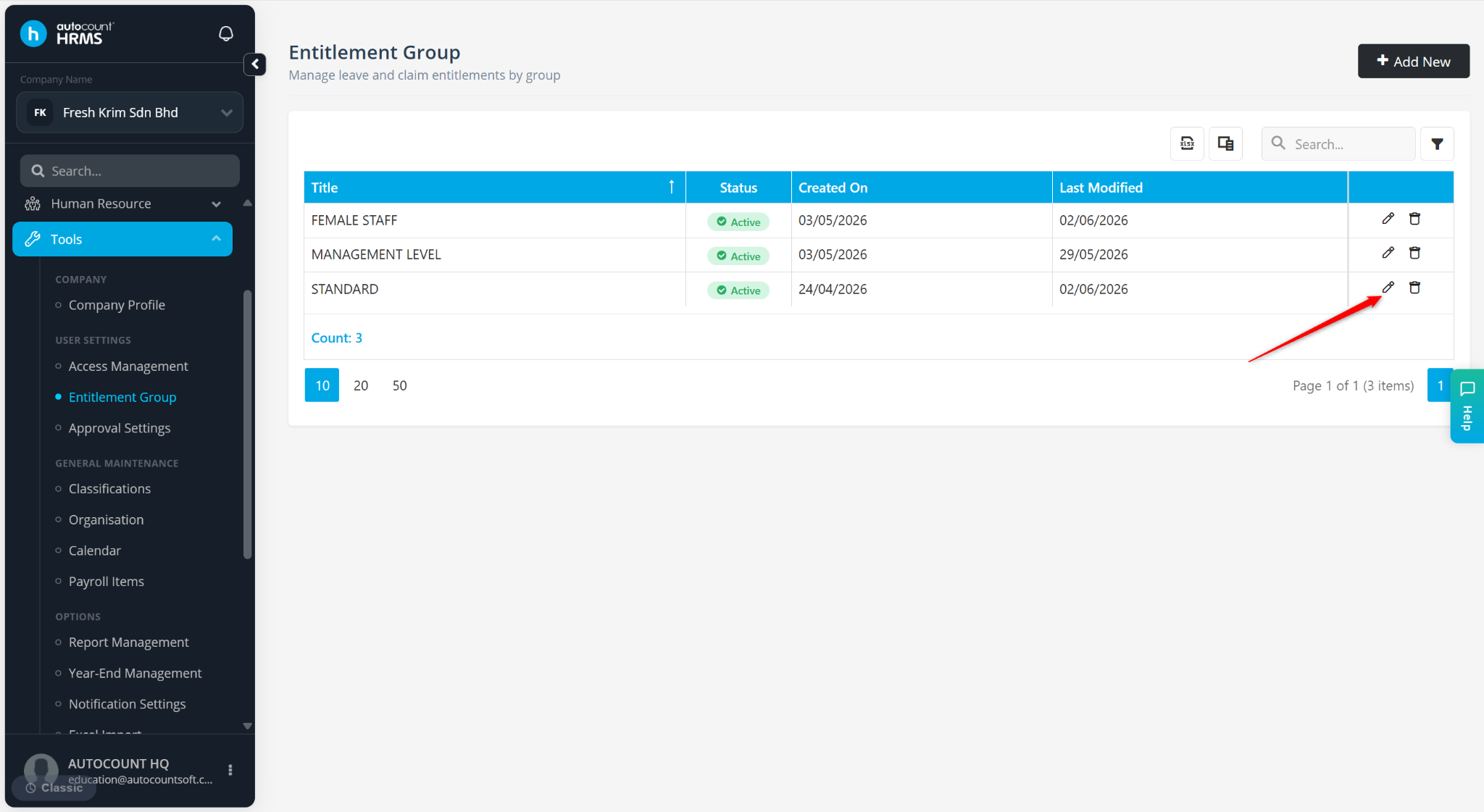
Go to Tools > Entitlement Group.
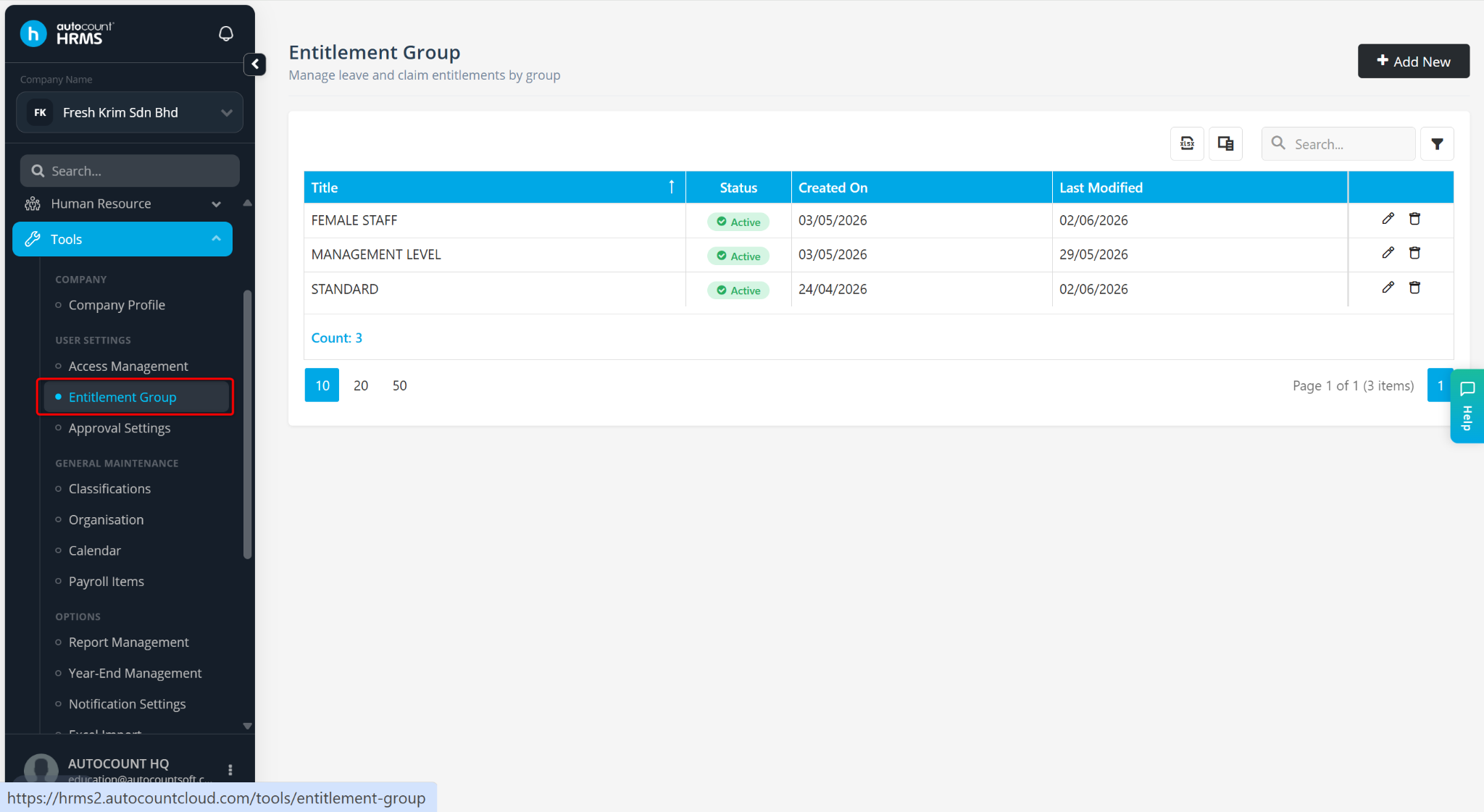
Locate the Entitlement Group and click the pencil icon.
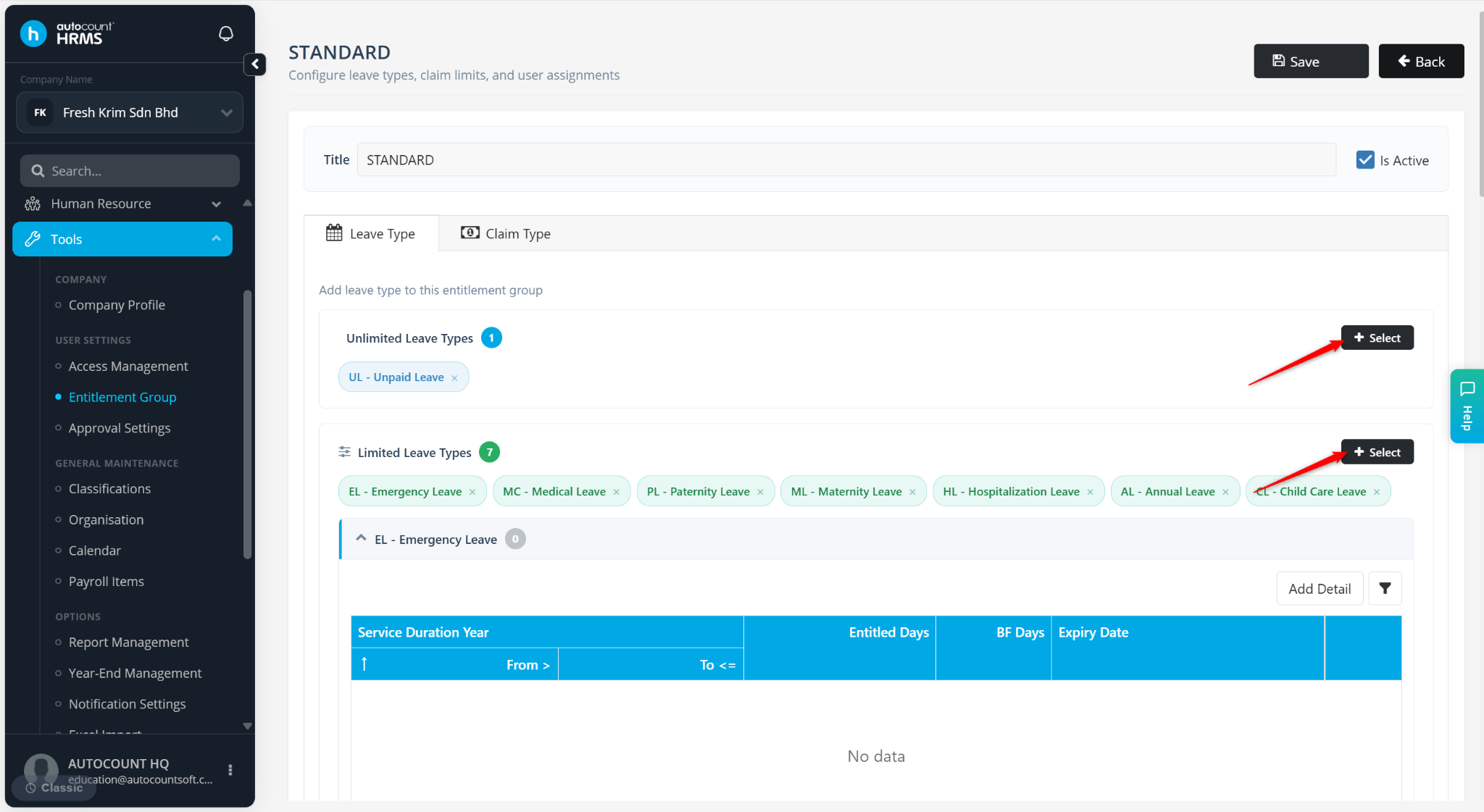
Click + Select.
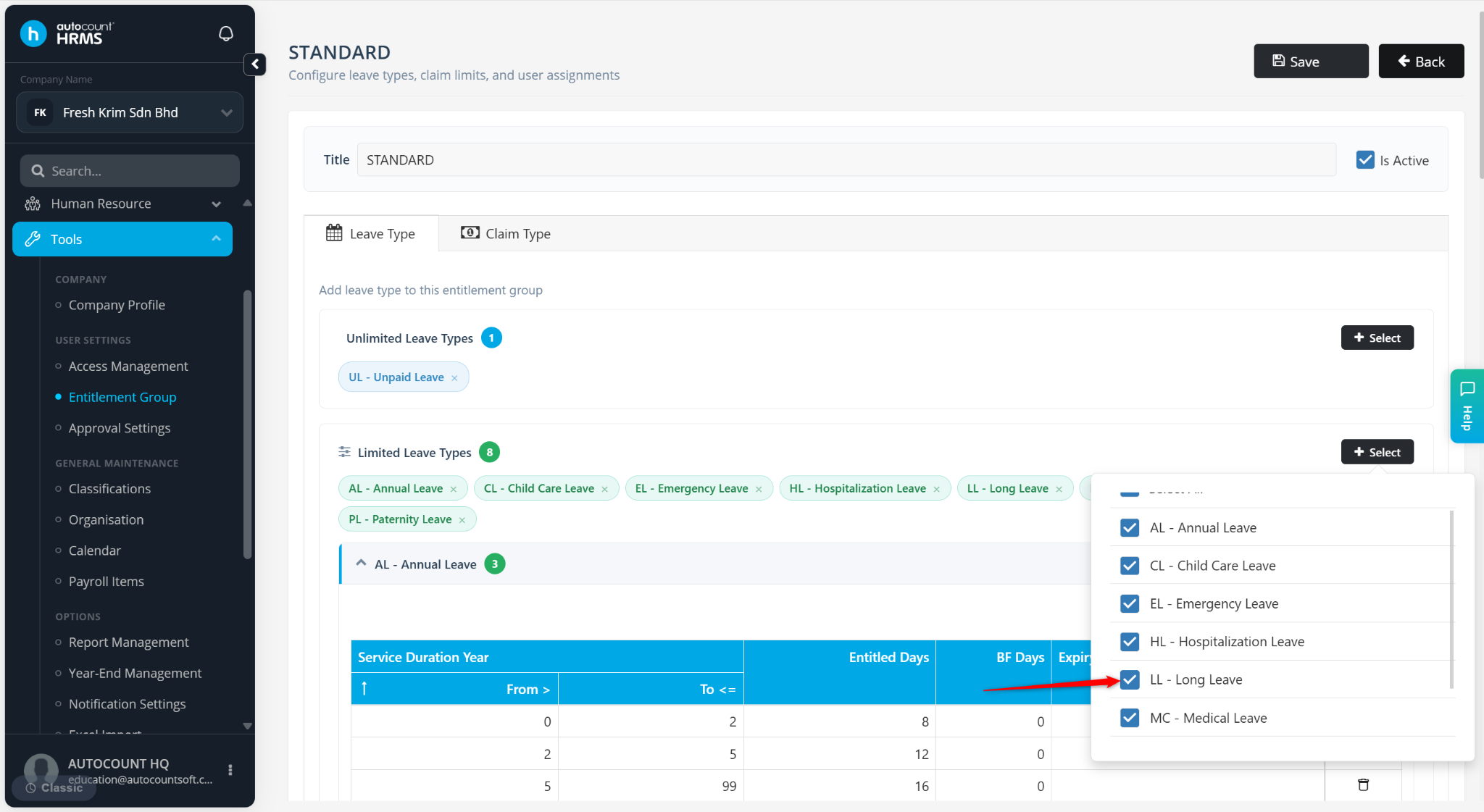
Check the newly created Leave Type.
Click Save.
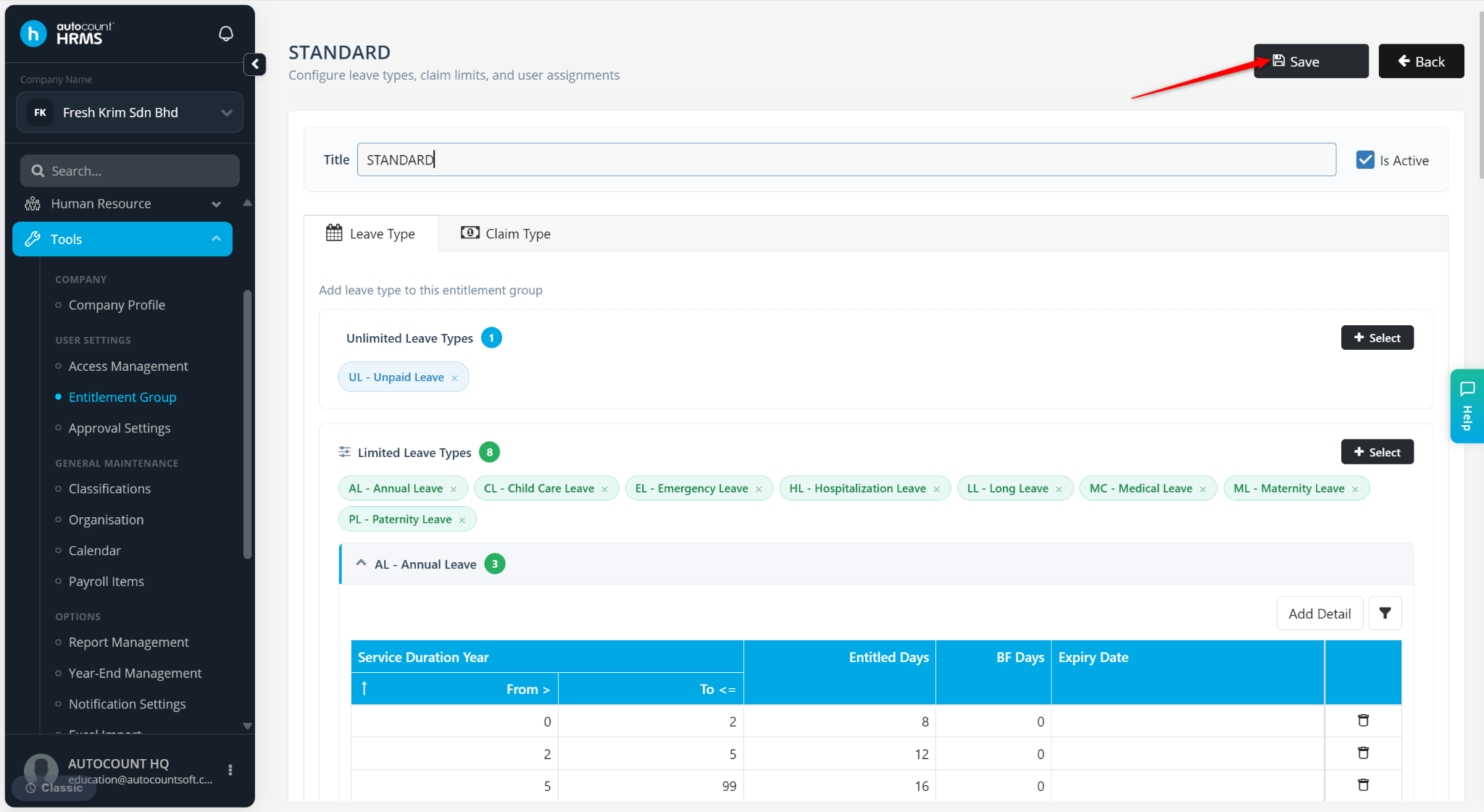
The leave type will be included in the employee's entitlement group and allowed to be applied.