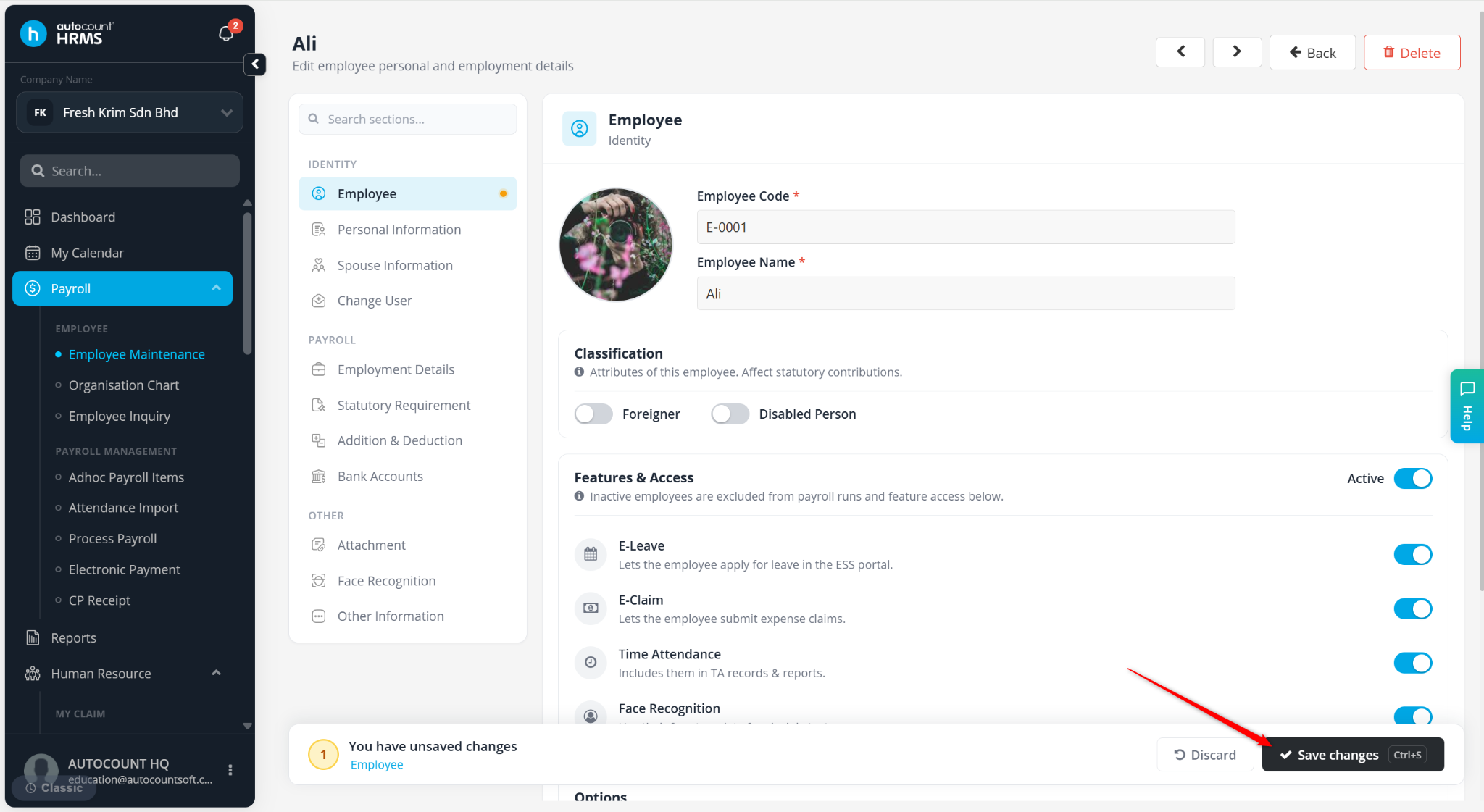
The e-Leave module must be enabled for employees to allow them to apply for leave individually via ESS.
Steps to Enable the eLeave Module:
Go to Payroll > Employee Maintenance.
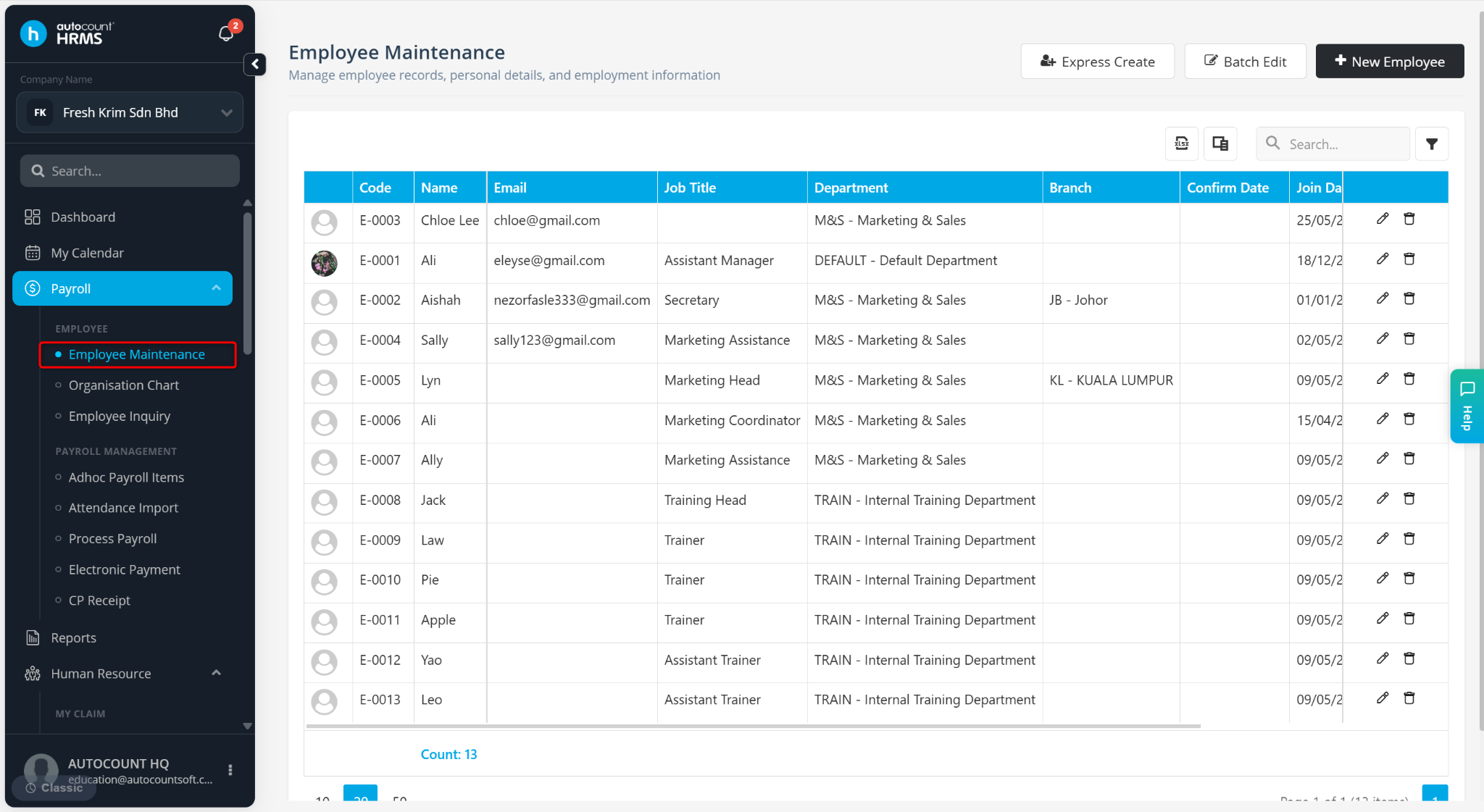
Locate the employee and click the pencil icon.
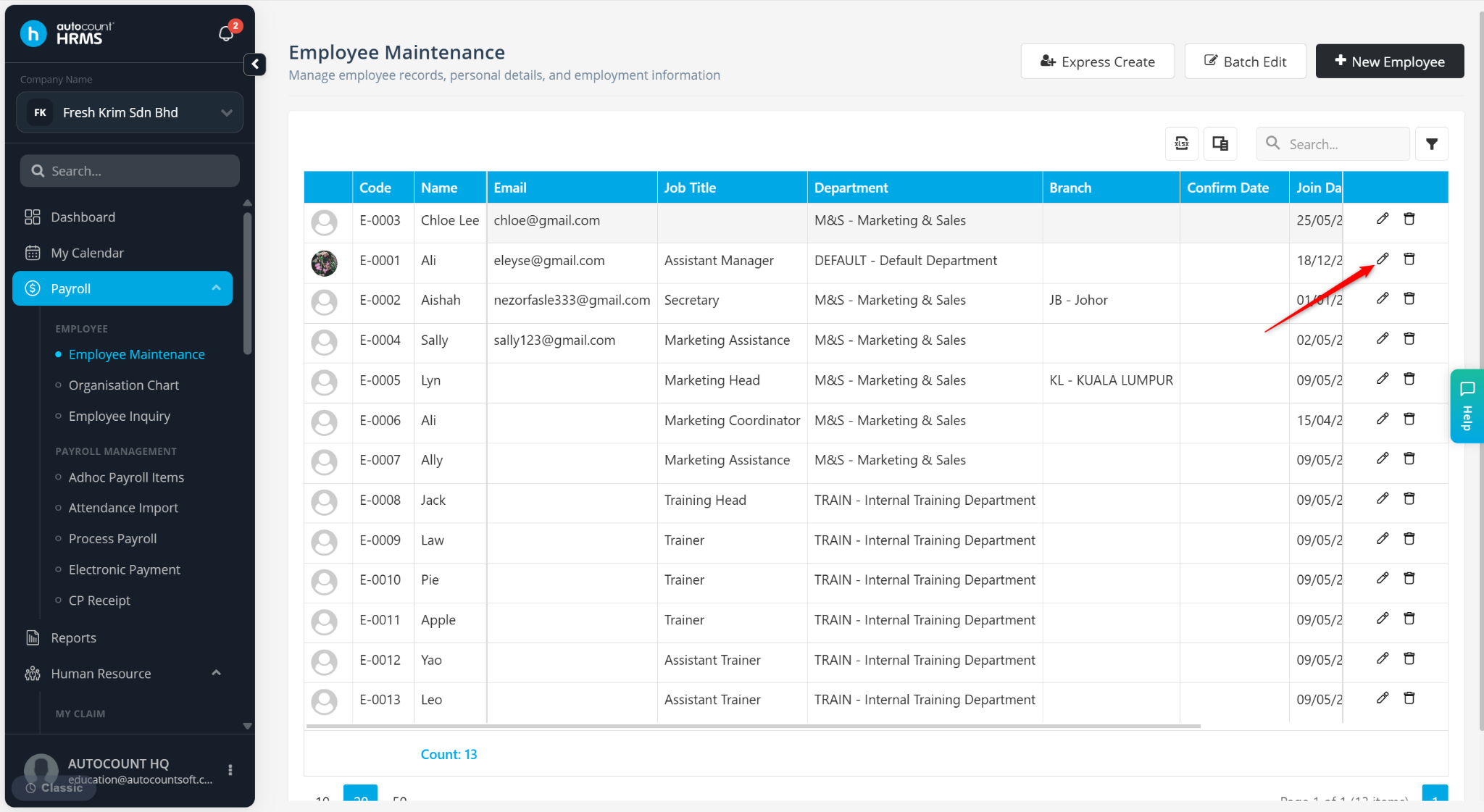
Go to Employee and enable E-Leave.
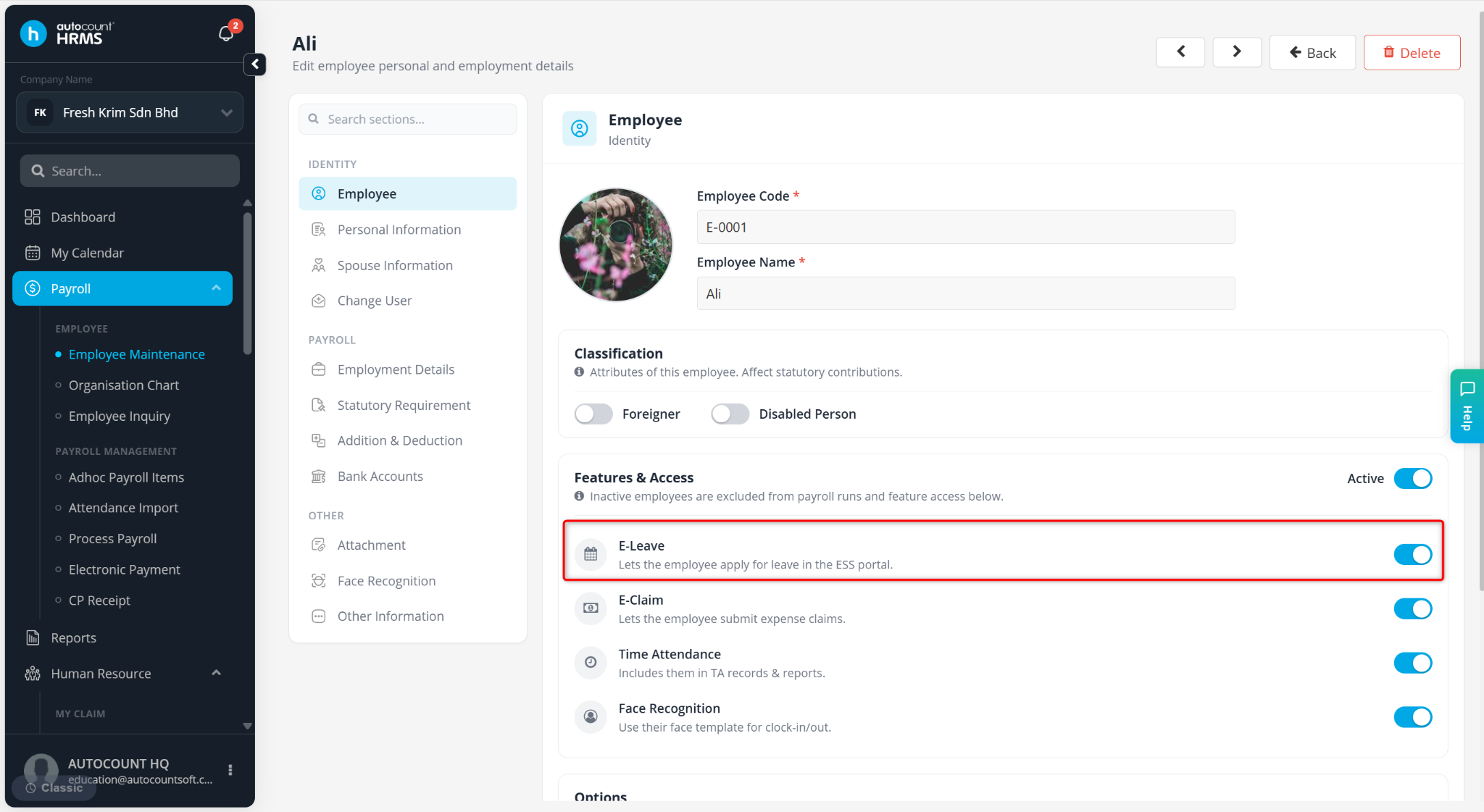
Click Save changes.