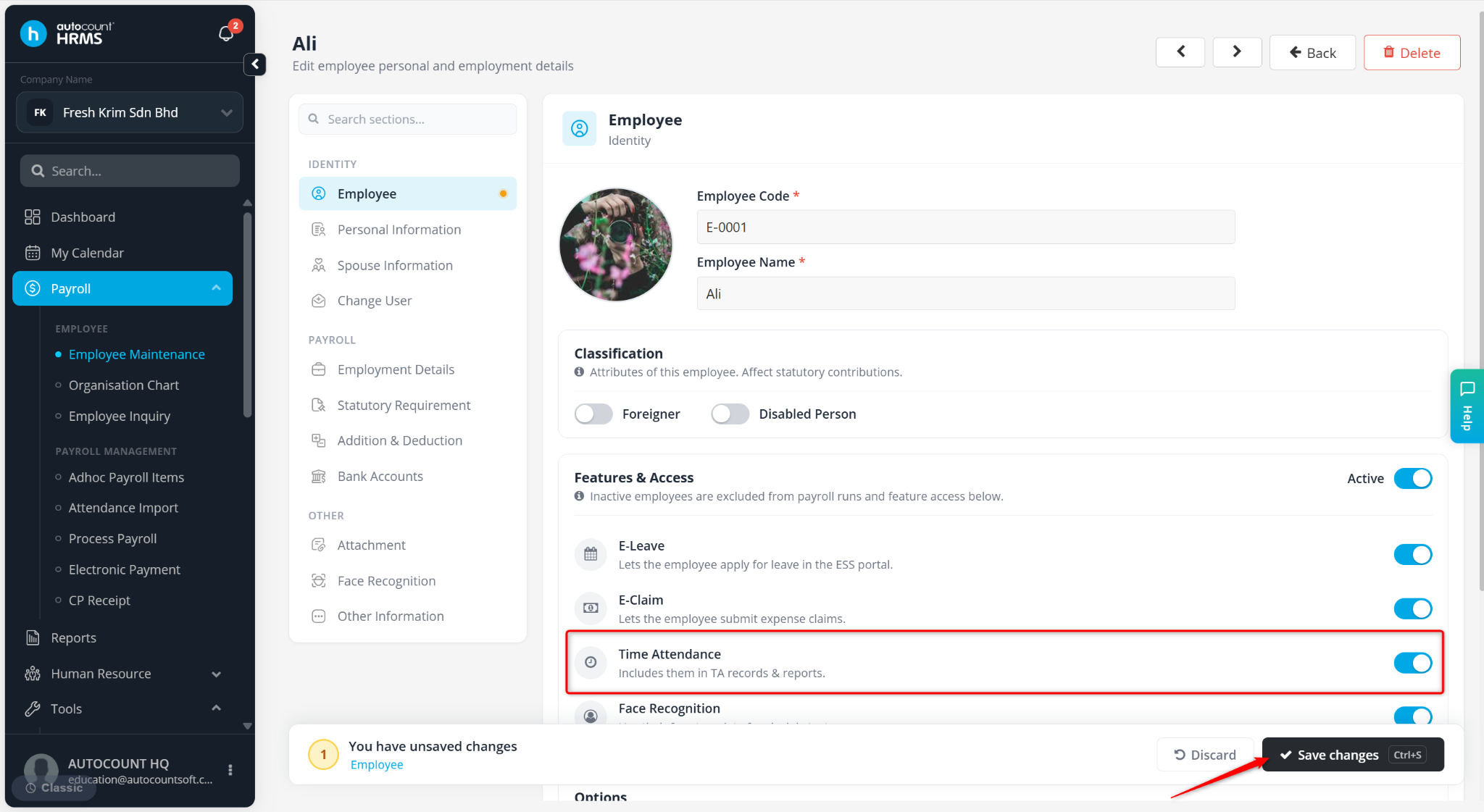
The eAttendance module must be enabled for employees who need access to attendance-related features. If this option is not enabled, the employee will not be able to use functions such as Clock In/Out, Overtime Requests, Shift Adjustment Requests, and other attendance-related features in ESS.
Steps to Enable eAttendance Module:
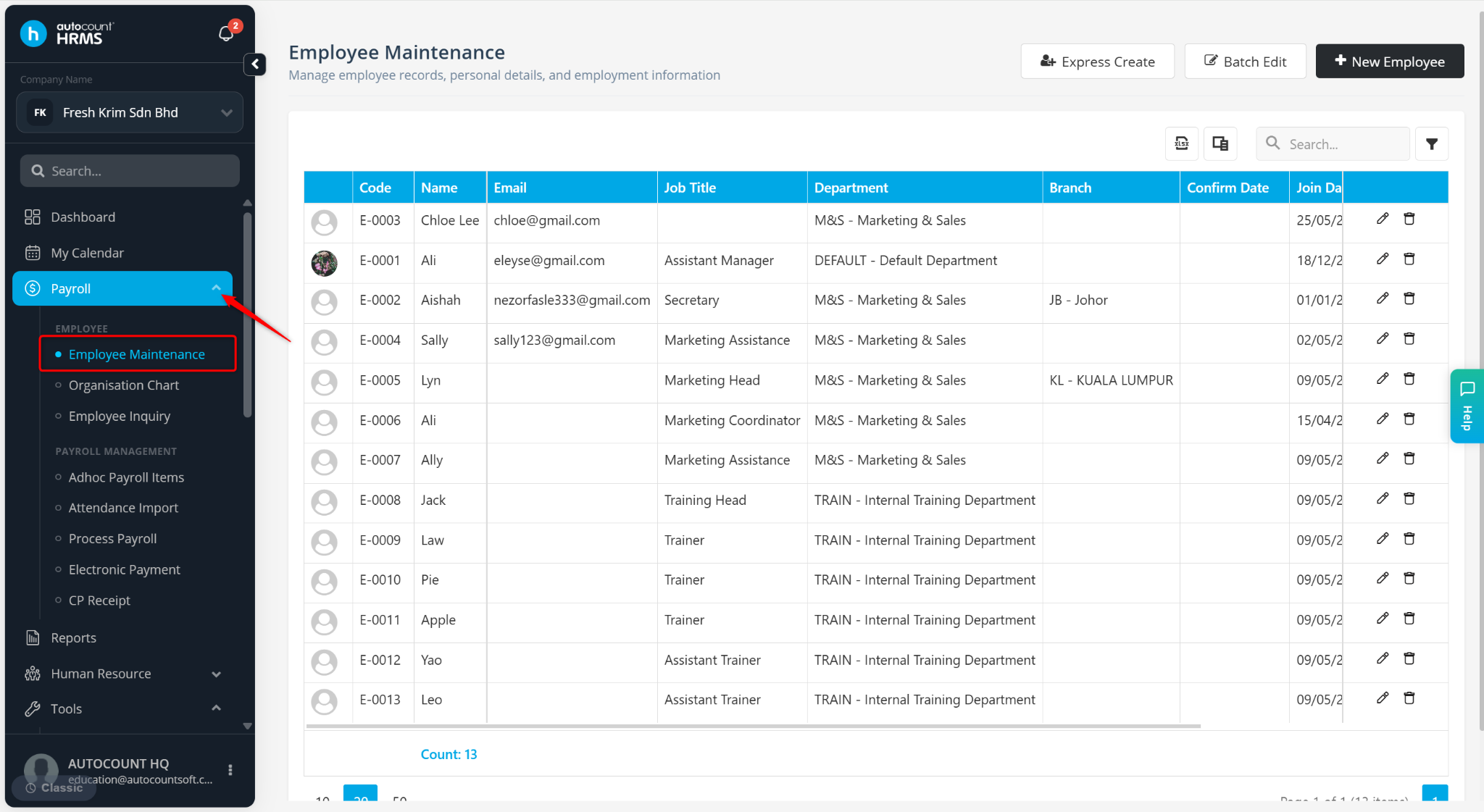
Go to Payroll > Employee Maintenance.
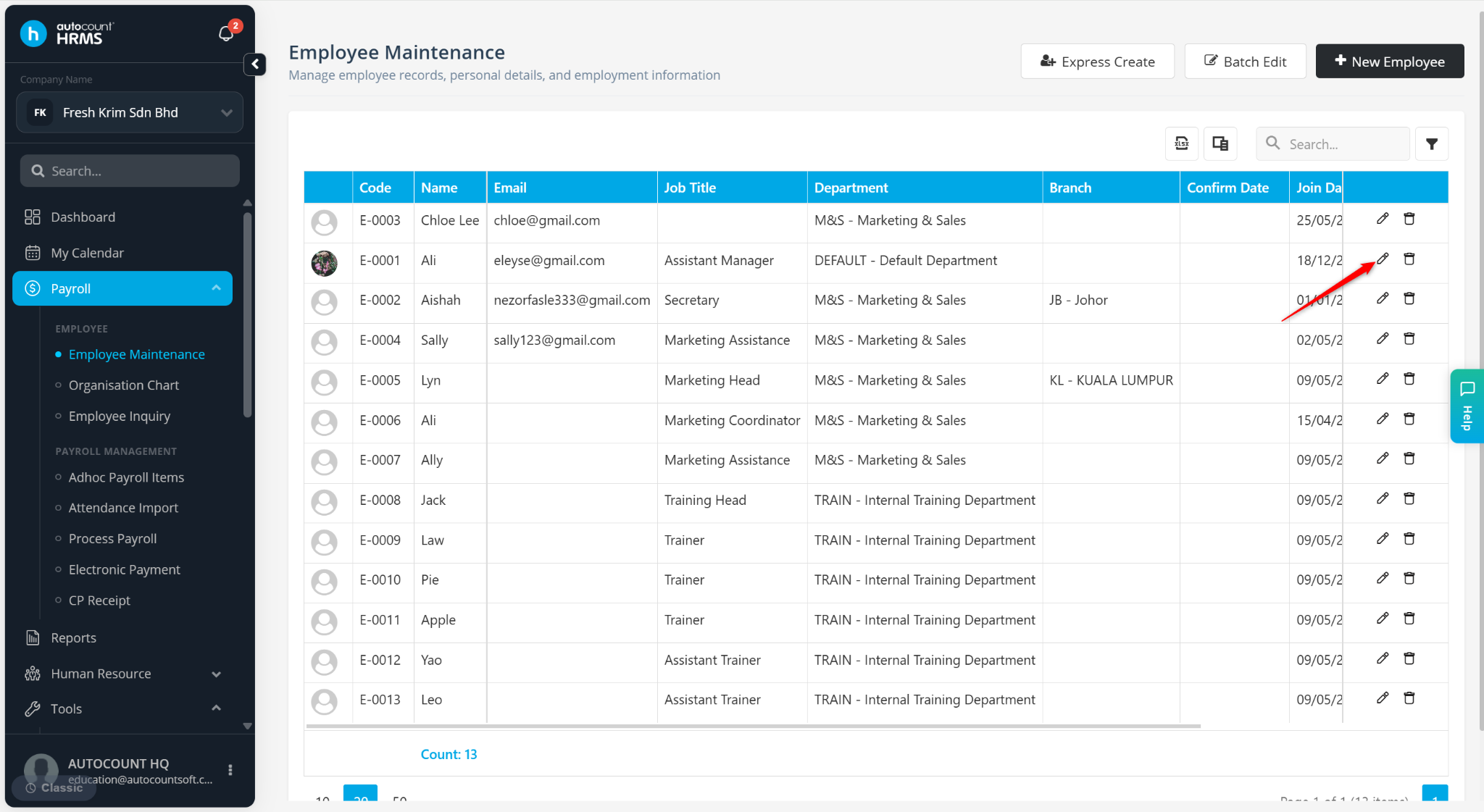
Locate the employee and click the pencil icon.
Under the Employee section, ensure Has eAttendance is enabled.
Click Save Changes.