
Users can adjust the headcount for Payroll, eLeave, eClaim, and eAttendance modules in an active subscription based on the number of employees required.
Steps to Change Headcount:
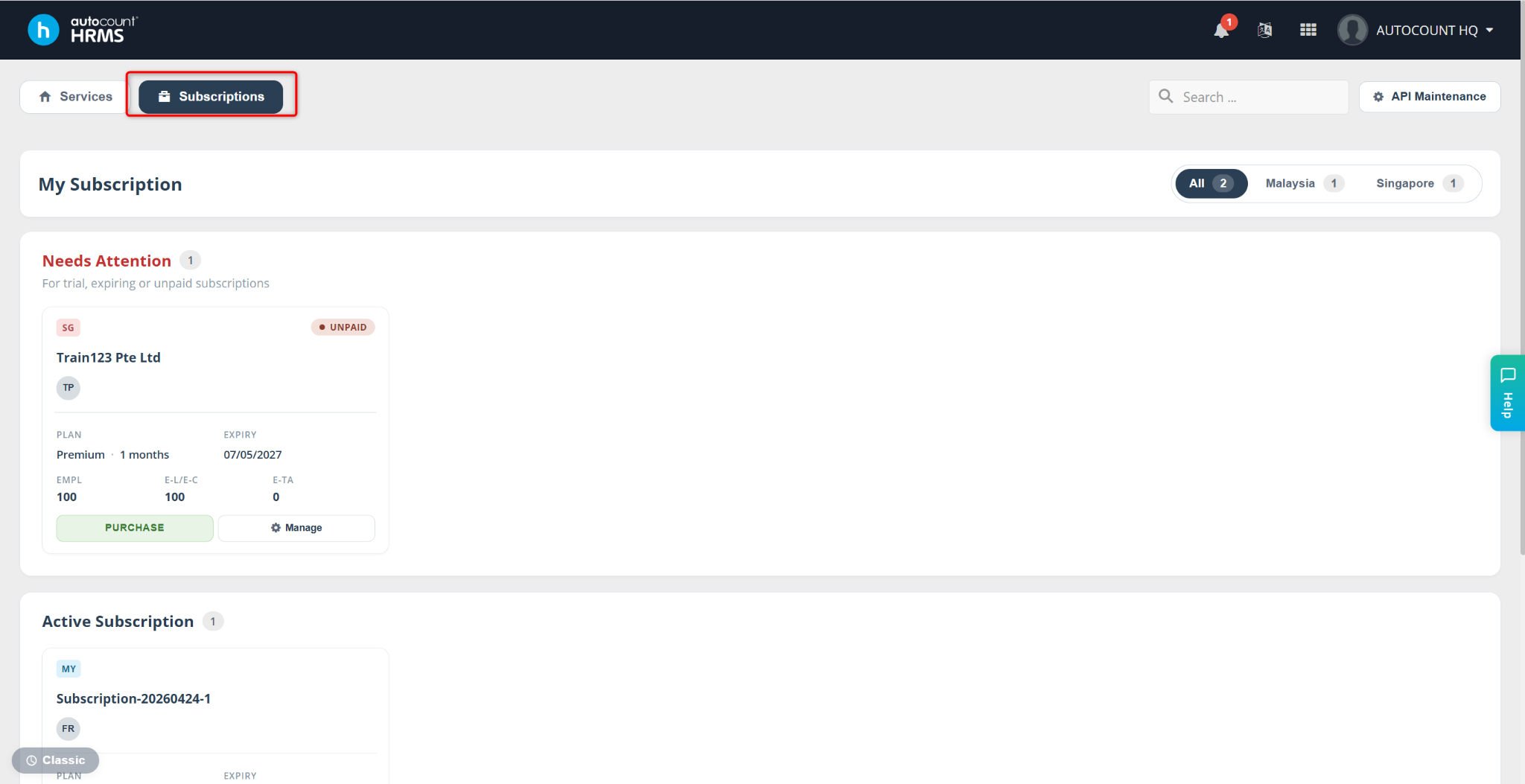
Go to Subscriptions.
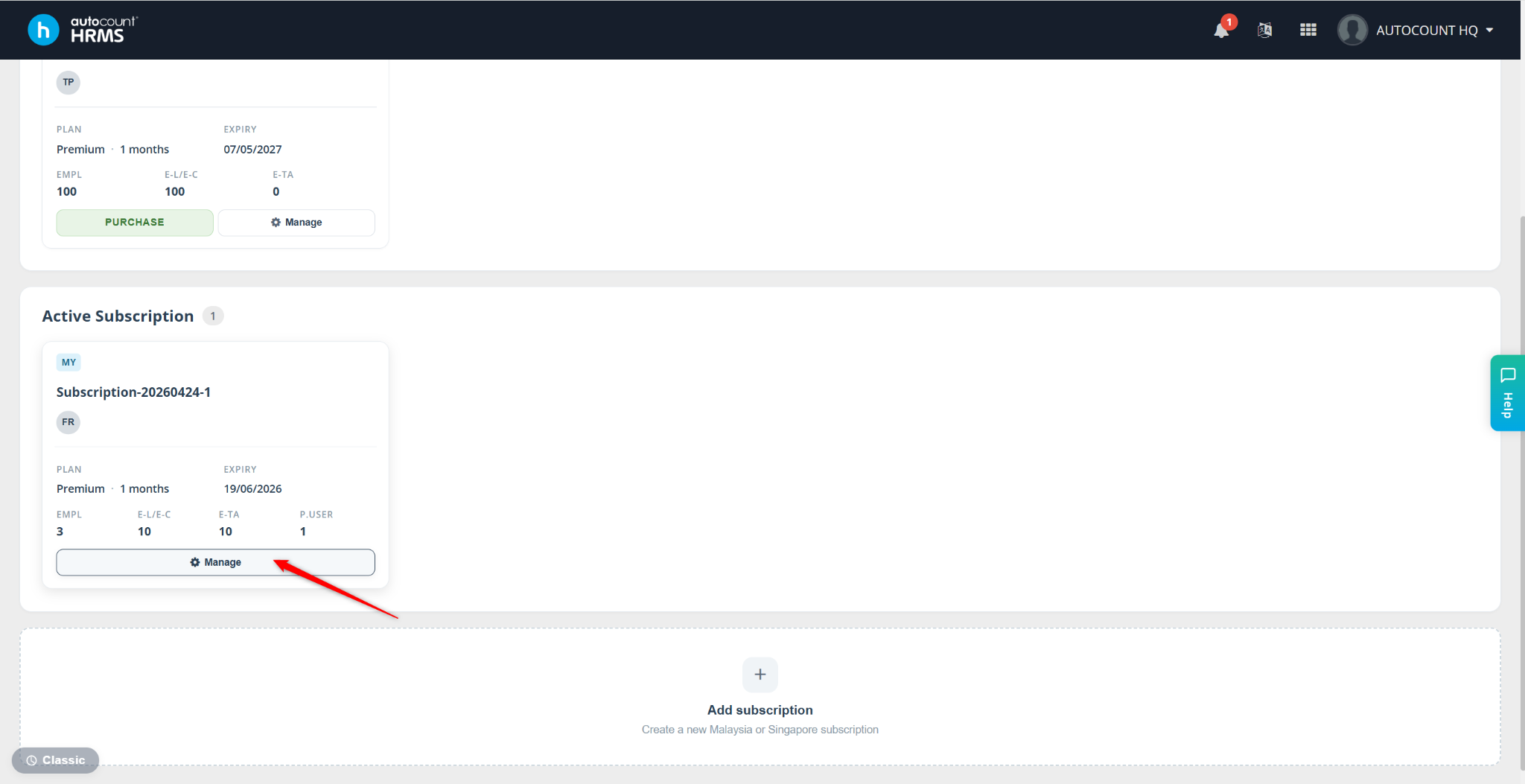
Click Manage next to the relevant active subscription.
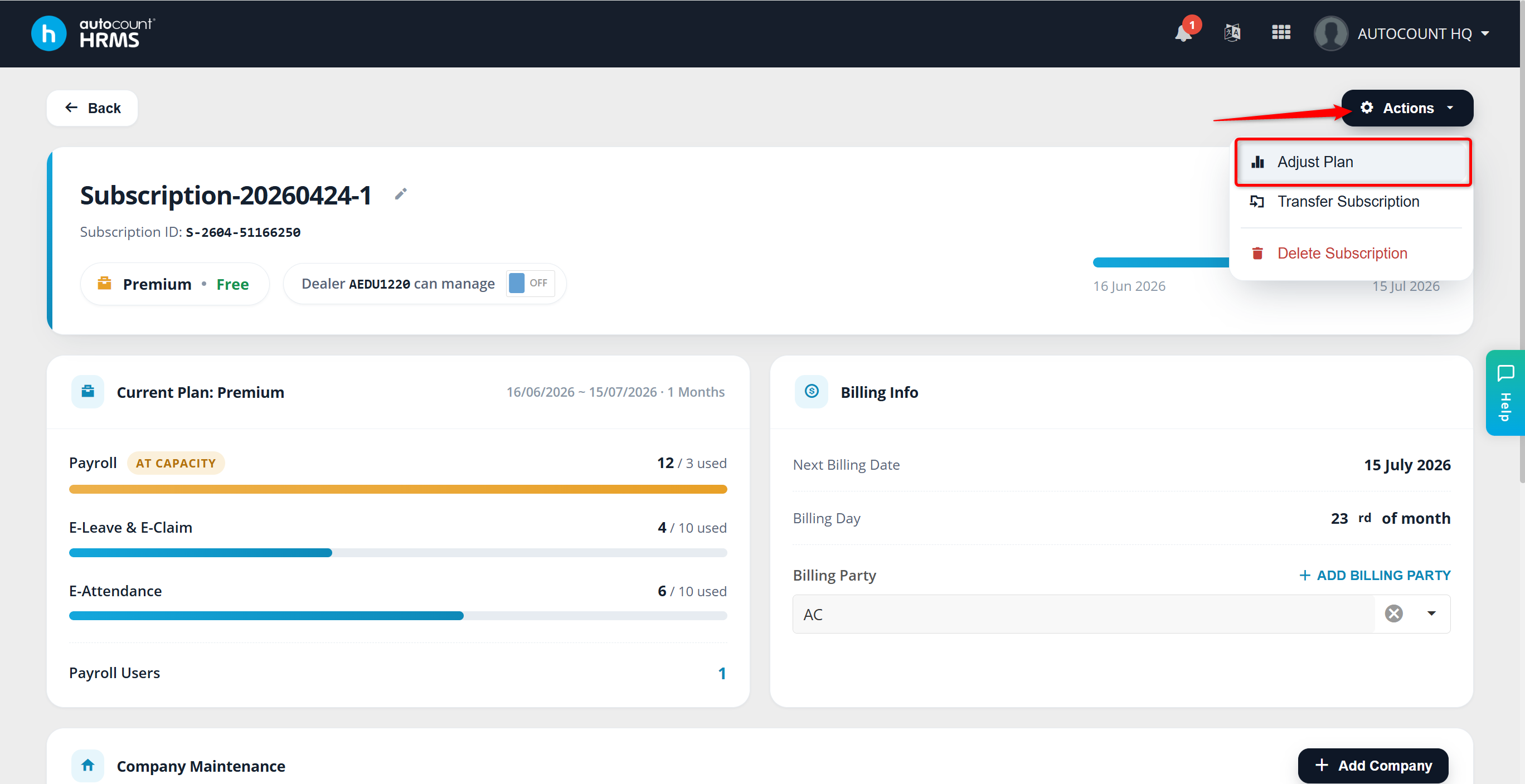
Click Actions and select Adjust Plan.
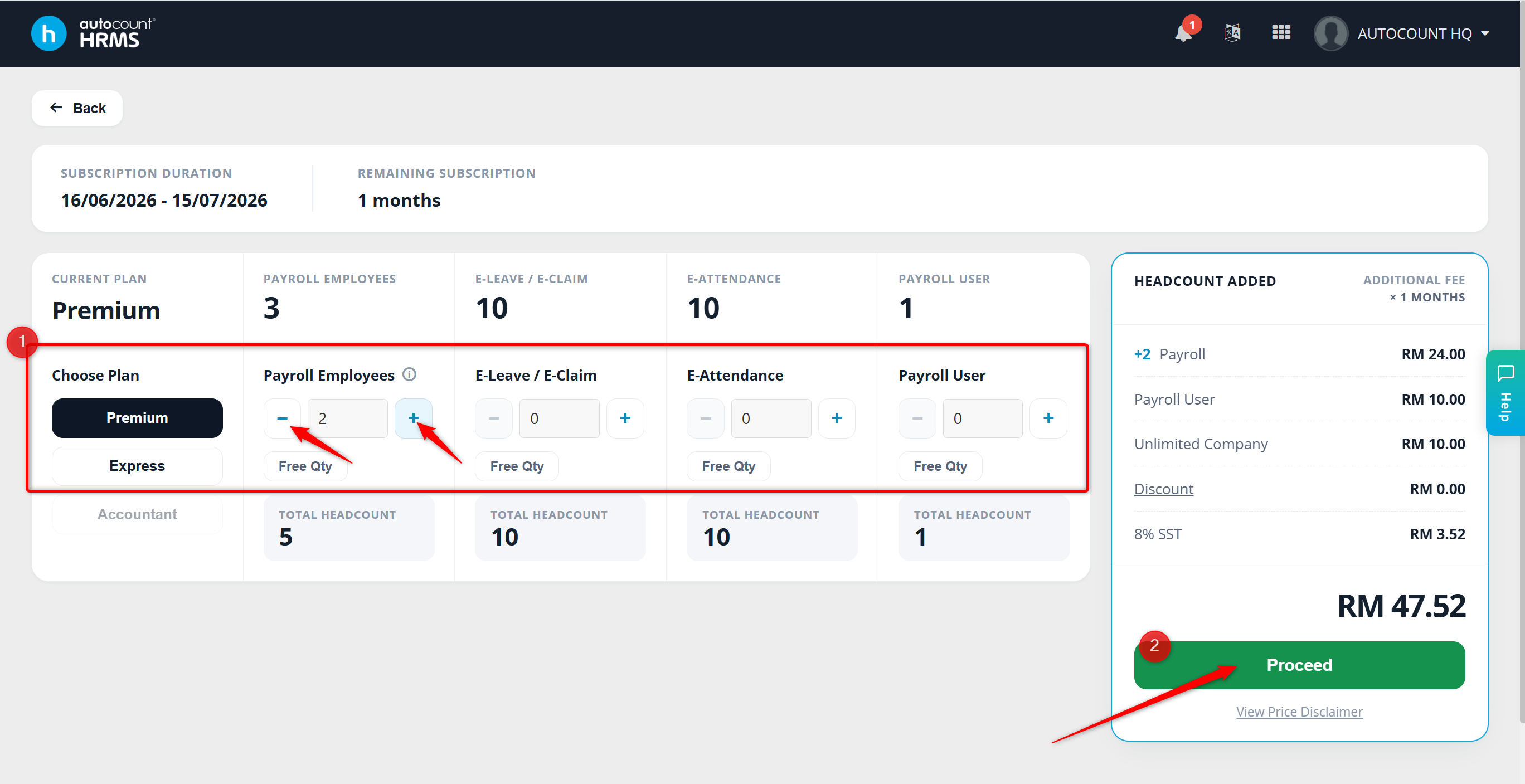
Click + or - to adjust the Headcount as needed for:
Payroll
eLeave
eClaim
eAttendance
If additional charges apply, click Proceed to continue with payment.
Written by: Azirah (20250730)