
A valid subscription is required to use AutoCount HRMS. Each subscription is assigned to one (1) subscriber but can support multiple companies under the same subscription.
Steps to Create a New Subscription:
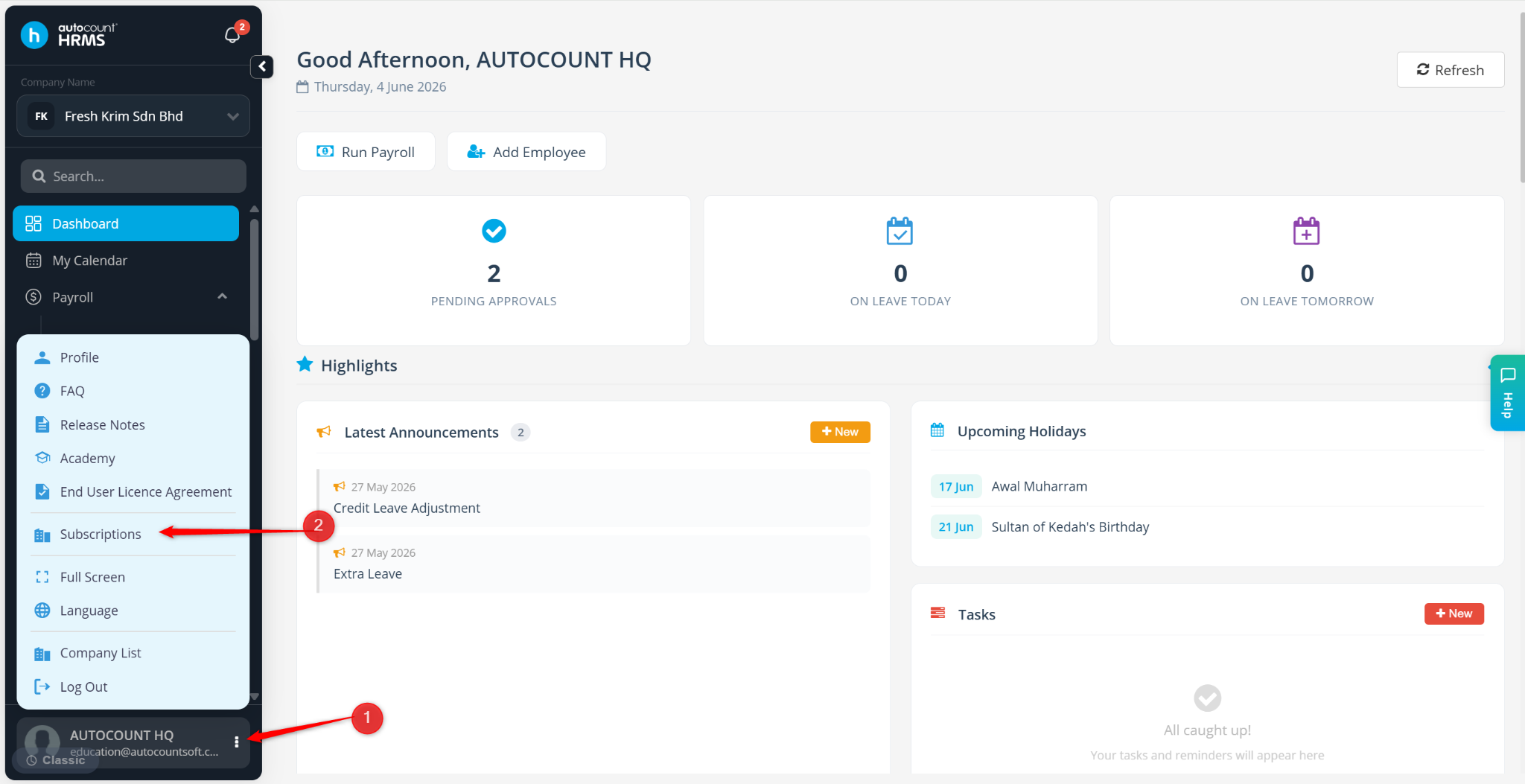
Go to the Subscriptions page.
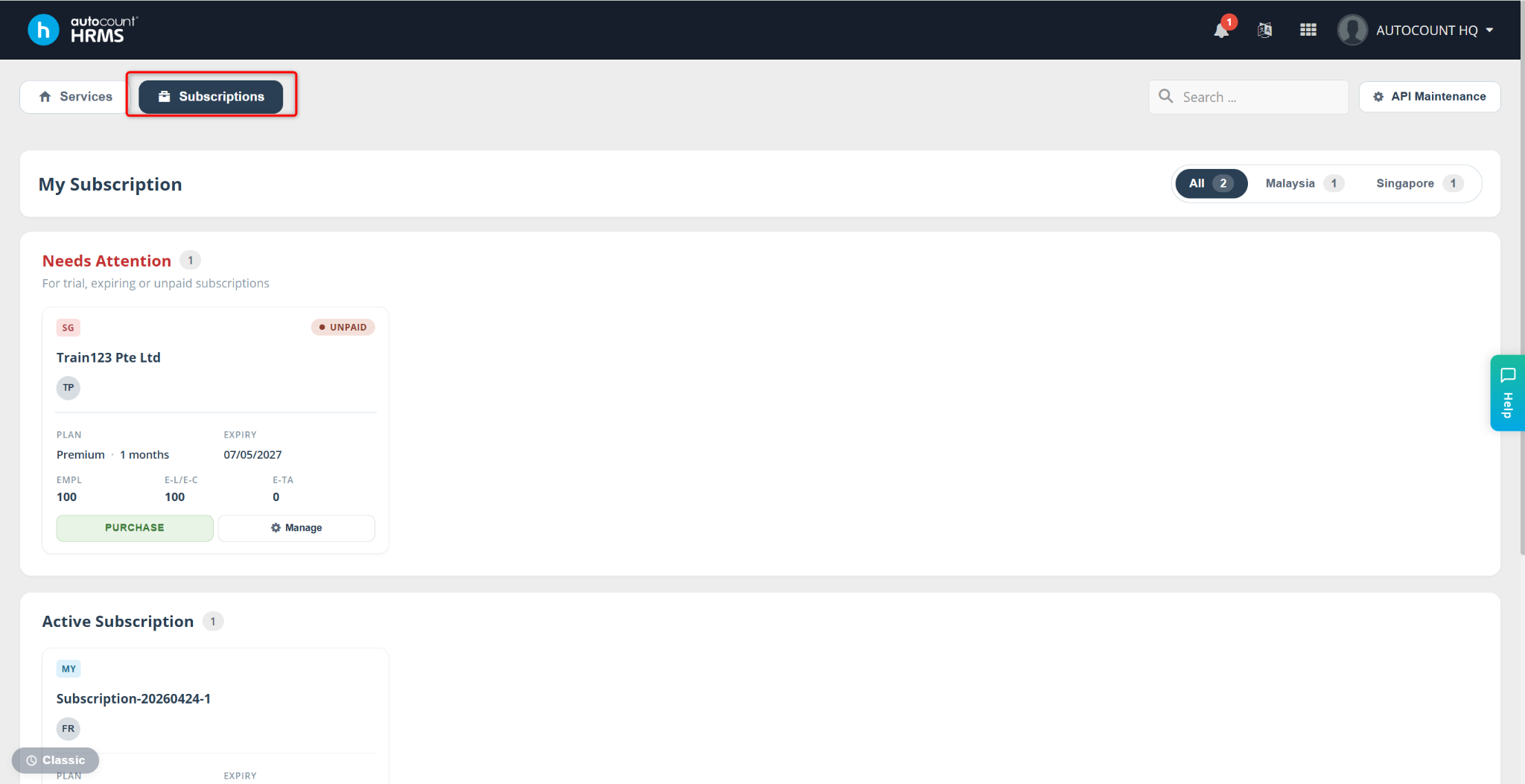
Scroll down and click Add Subscription.
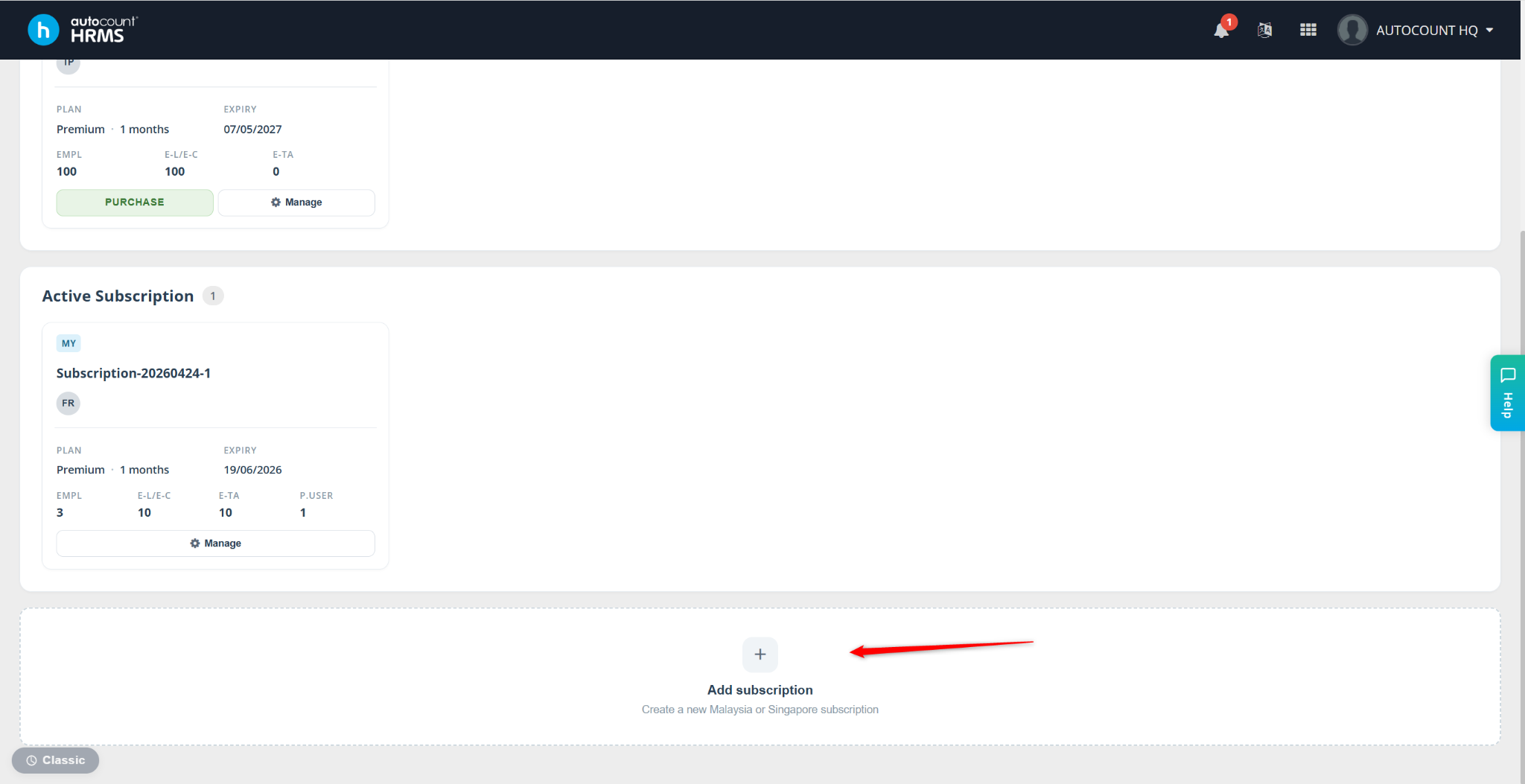
Select your country (Malaysia or Singapore).
Click Select.
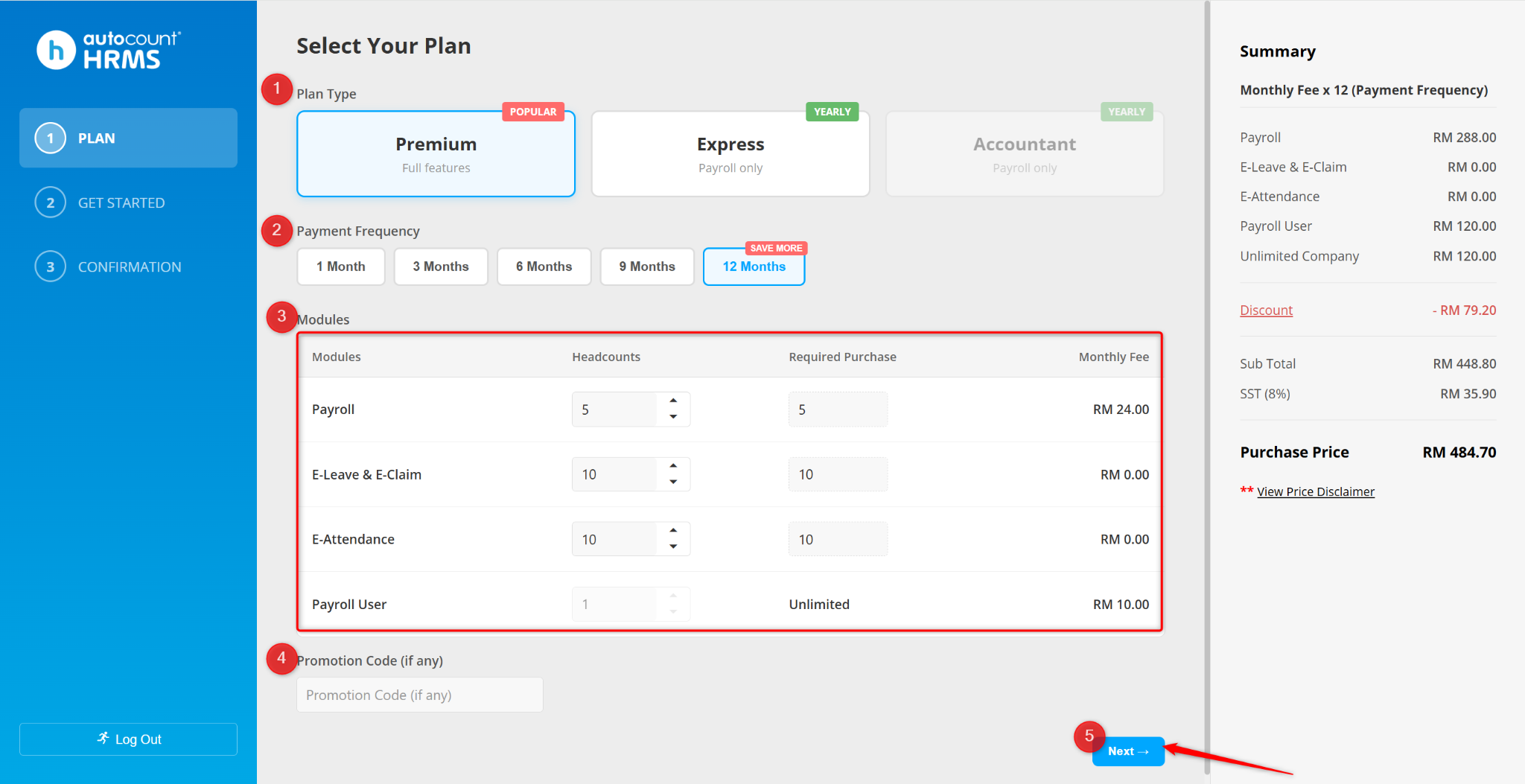
You will be redirected to the subscription page. Select a plan to purchase.
Choose your preferred payment frequency.
Enter the required headcount for each module.
Enter a promotion code (if applicable).
Click Next.
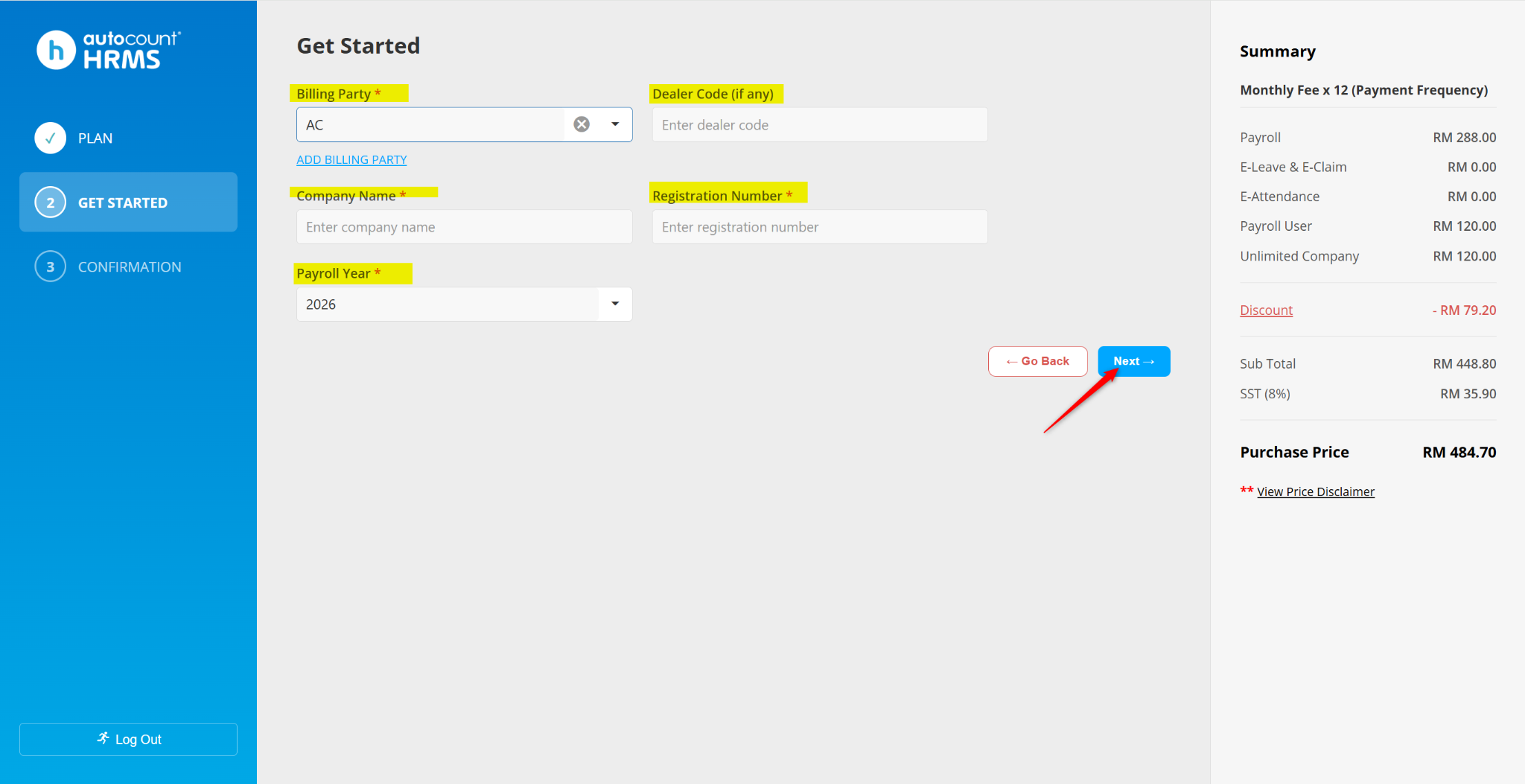
Enter the billing details:
Billing Party – If not available, click Add Billing Party to create a new one
Dealer Code (if any)
Company Name
Registration Number
Payroll Year
Click Next.
Review all details carefully and ensure accuracy.
Tick the checkbox to agree to the Terms and Conditions.
Choose one of the following options:
Skip Payment & Start Trial
Confirm – Skip the trial and make payment directly.
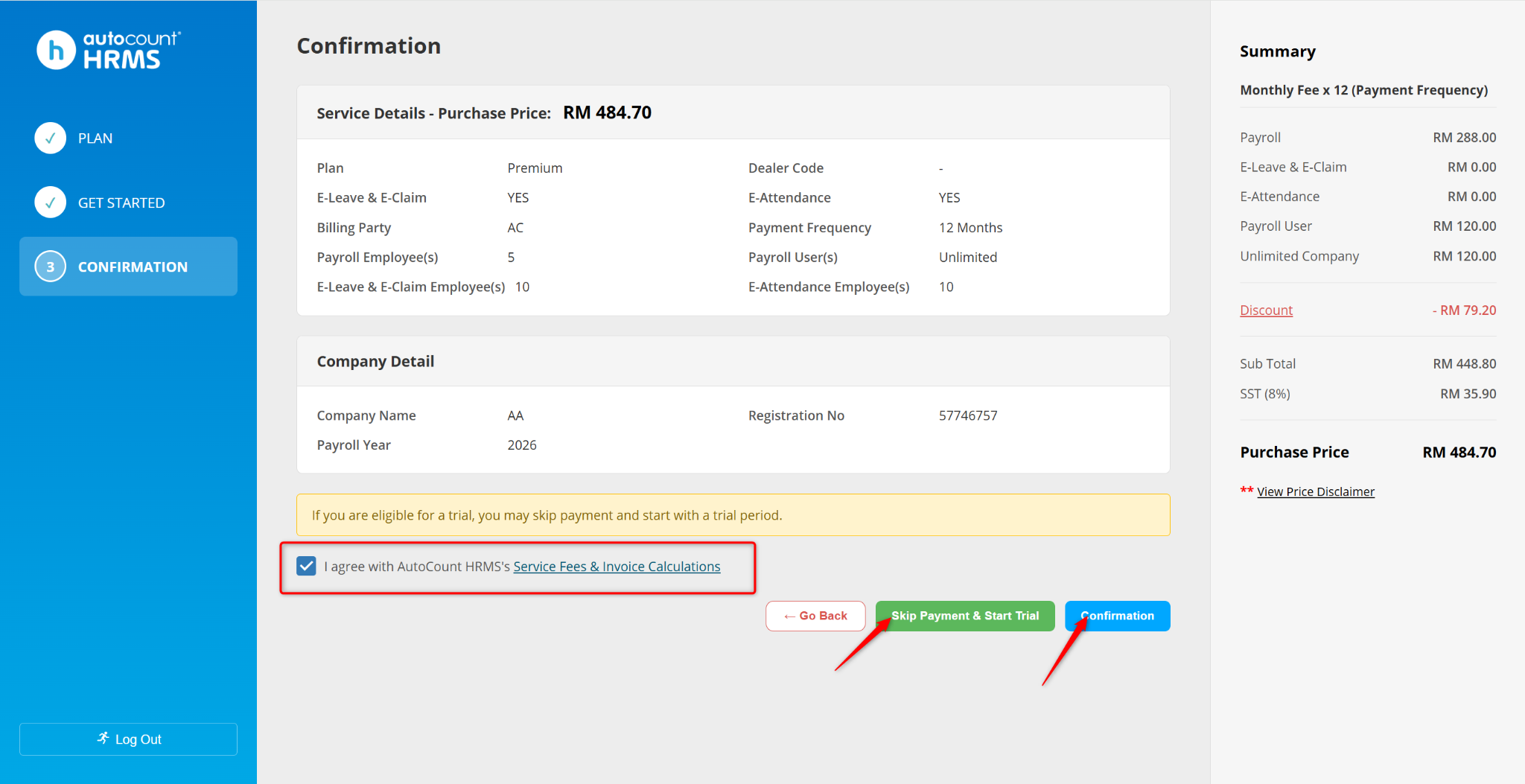
Complete the process to activate your subscription.
Written by: Azirah (20250910)