
Users are encouraged to renew their subscriptions before or after expiry to ensure uninterrupted access to AutoCount HRMS and its subscribed modules.
Steps to Renew Subscription:
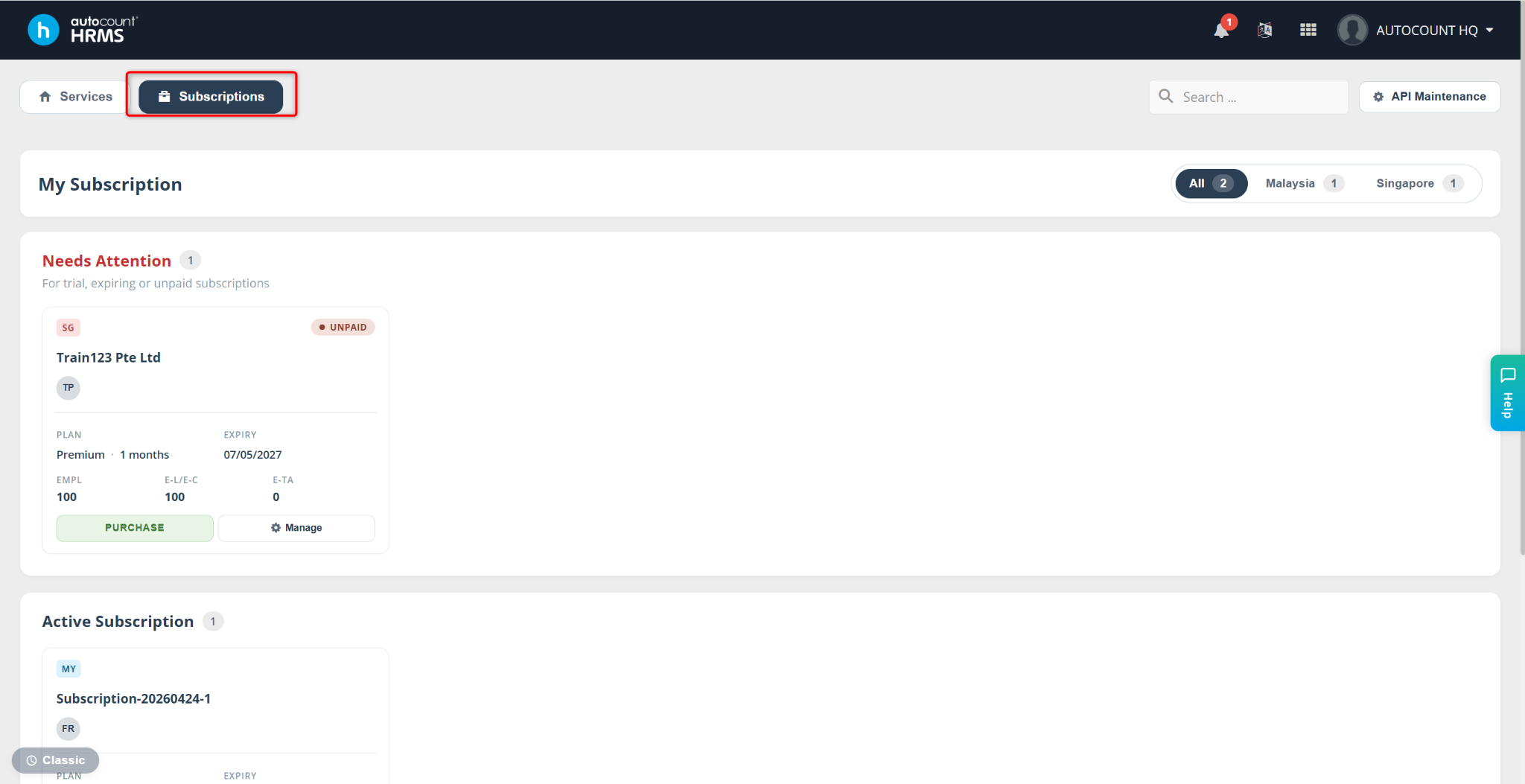
Go to the Subscription page.
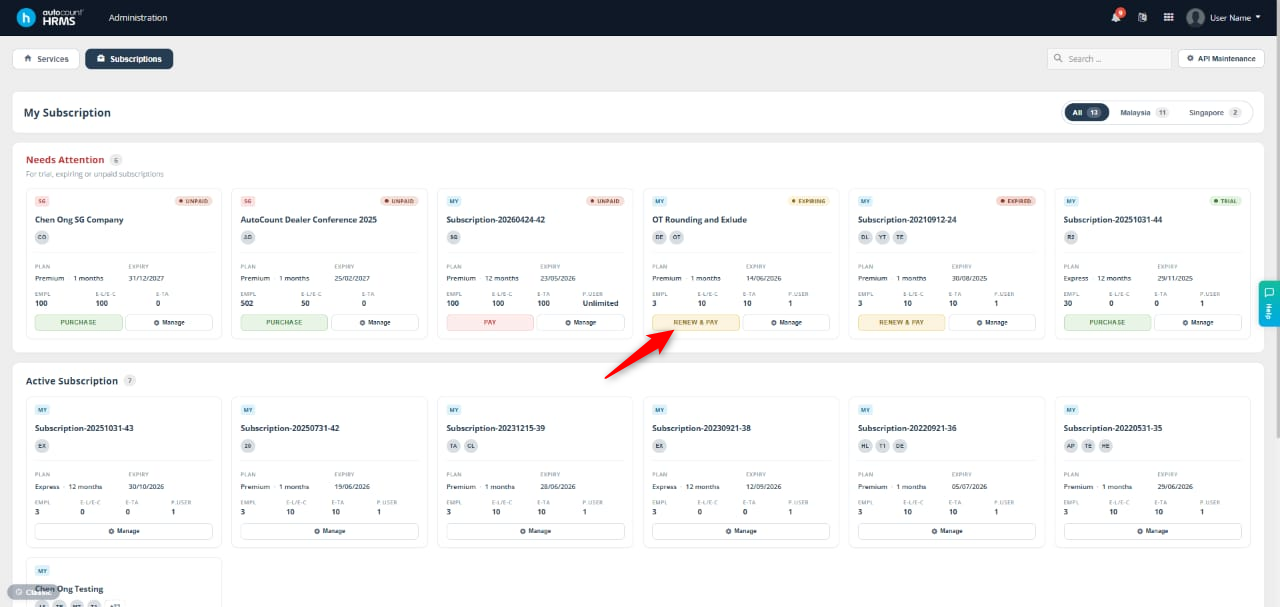
Locate the subscription that needs renewal and click Renew & Pay.
The Plan Renewal tab will appear. Select one of the following options:
Change Plan
Renew Free Plan (if the previous subscription was a free plan)/Renew Current Plan
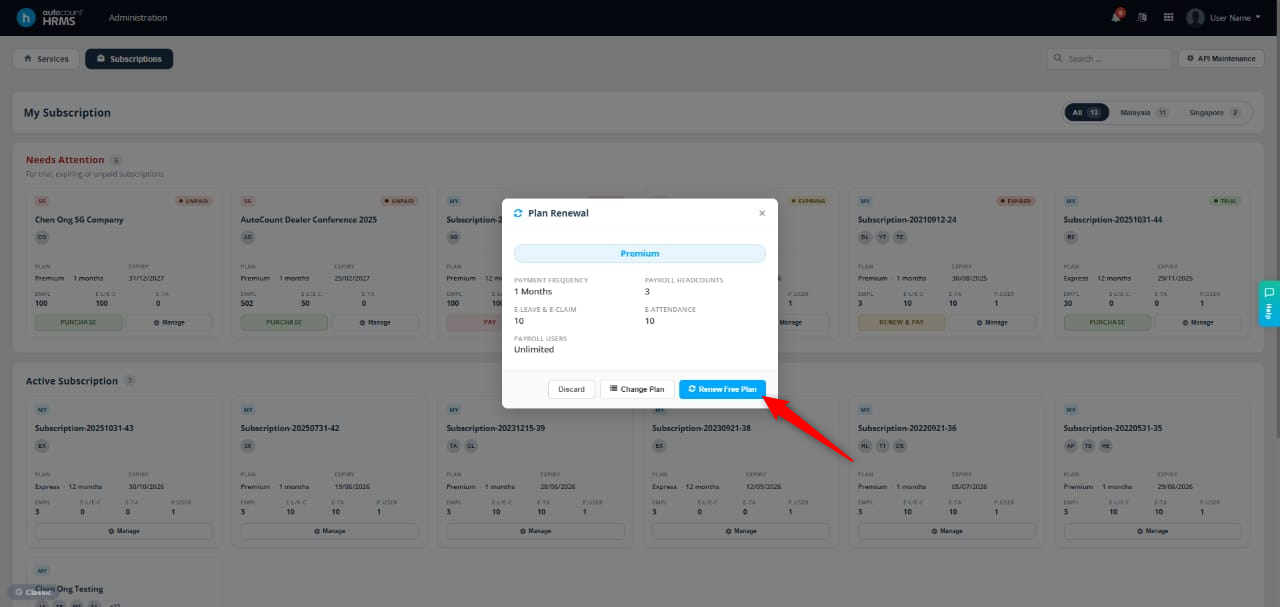
Select Change Plan to proceed.
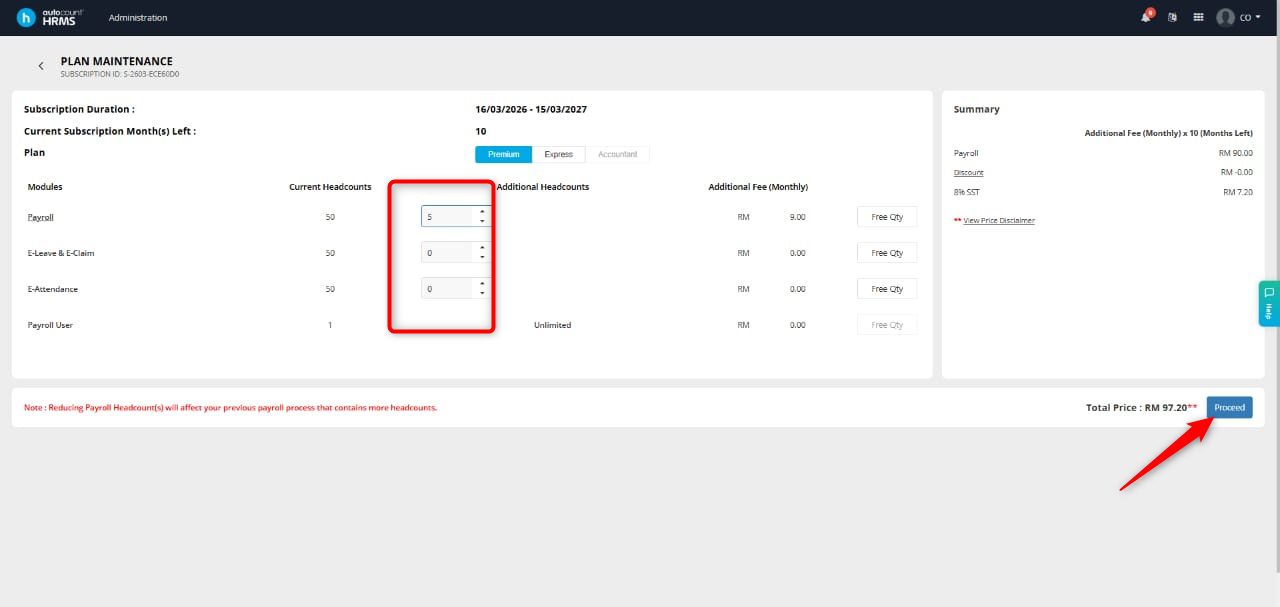
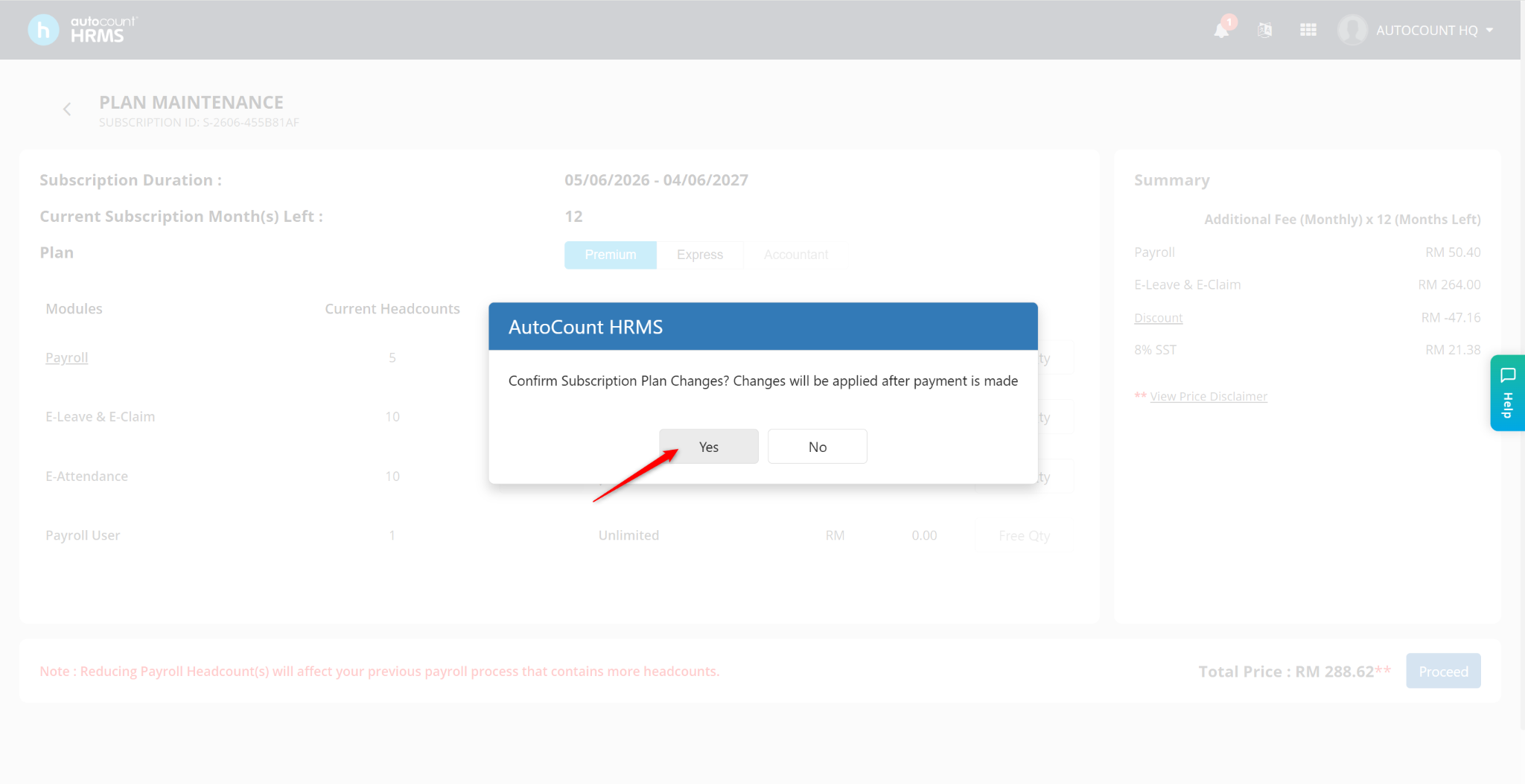
You will be redirected to a new page where you can configure the headcount for each module. Enter the required values and click Proceed.
Click Yes to confirm.
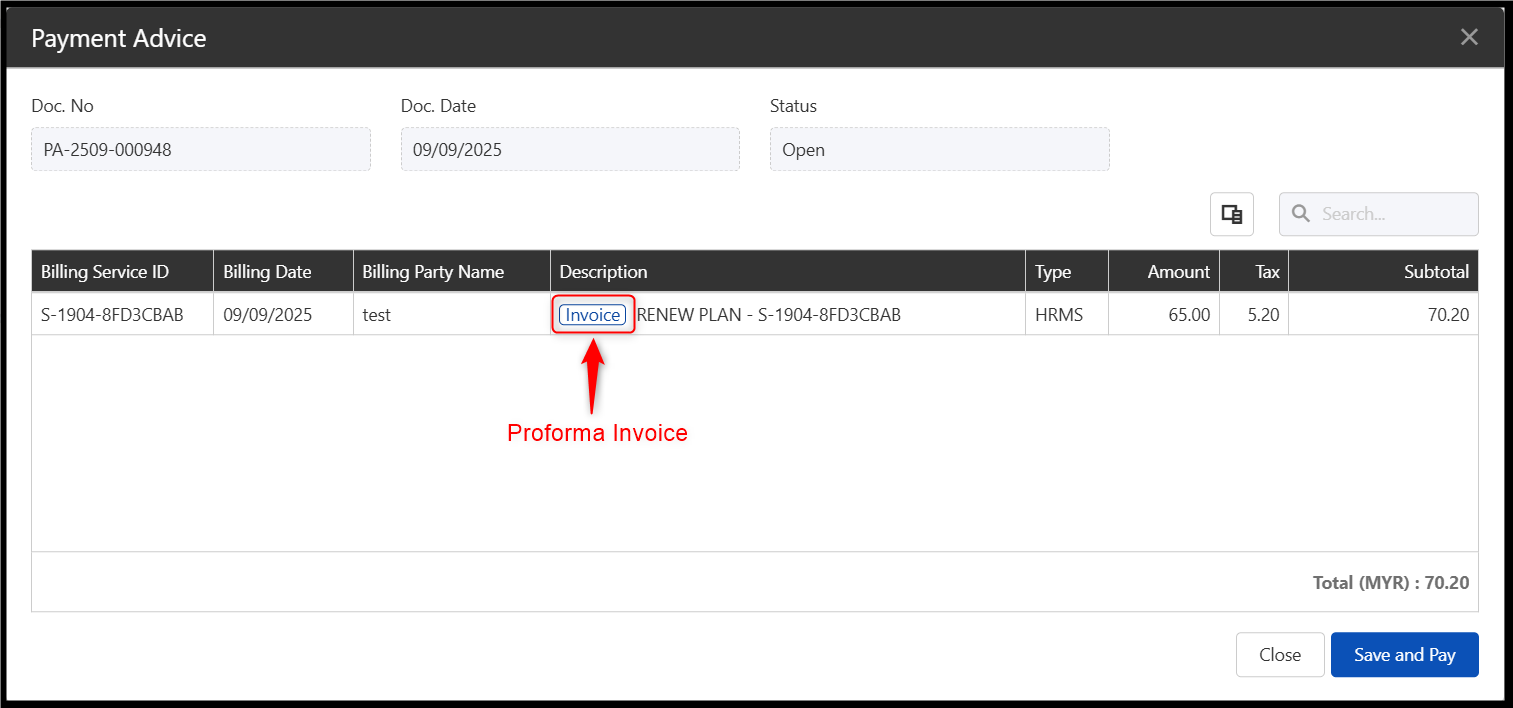
You will be redirected to the Subscription Portal, where you can review the proforma invoice before payment.
Click Save and Pay if you wish to proceed.
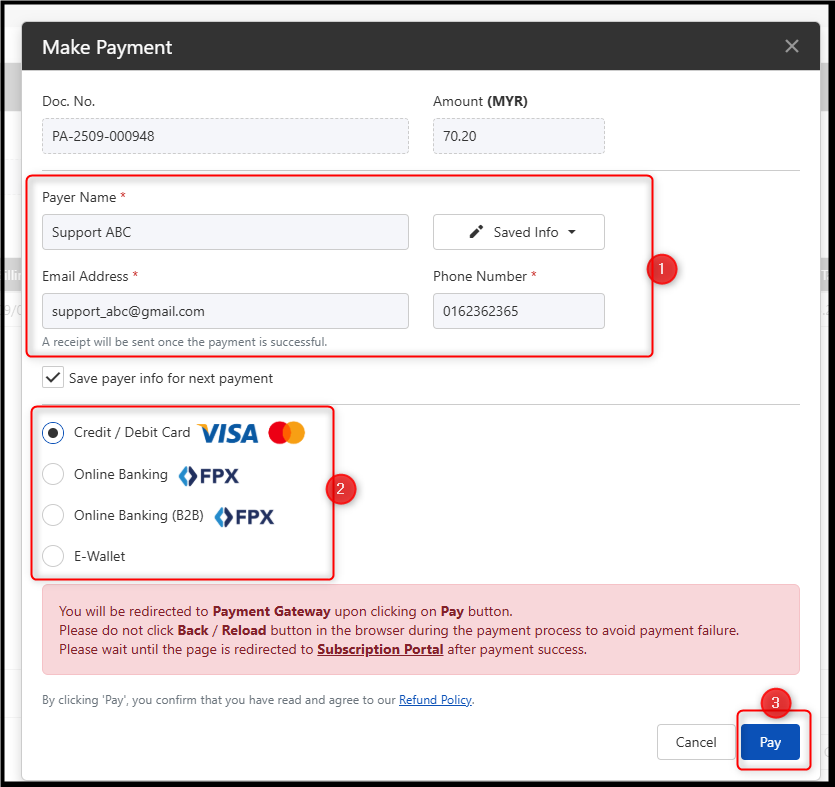
Verify the payer details, then select your preferred payment method.
Click Pay to complete the transaction
Update by: Azirah (20250909)