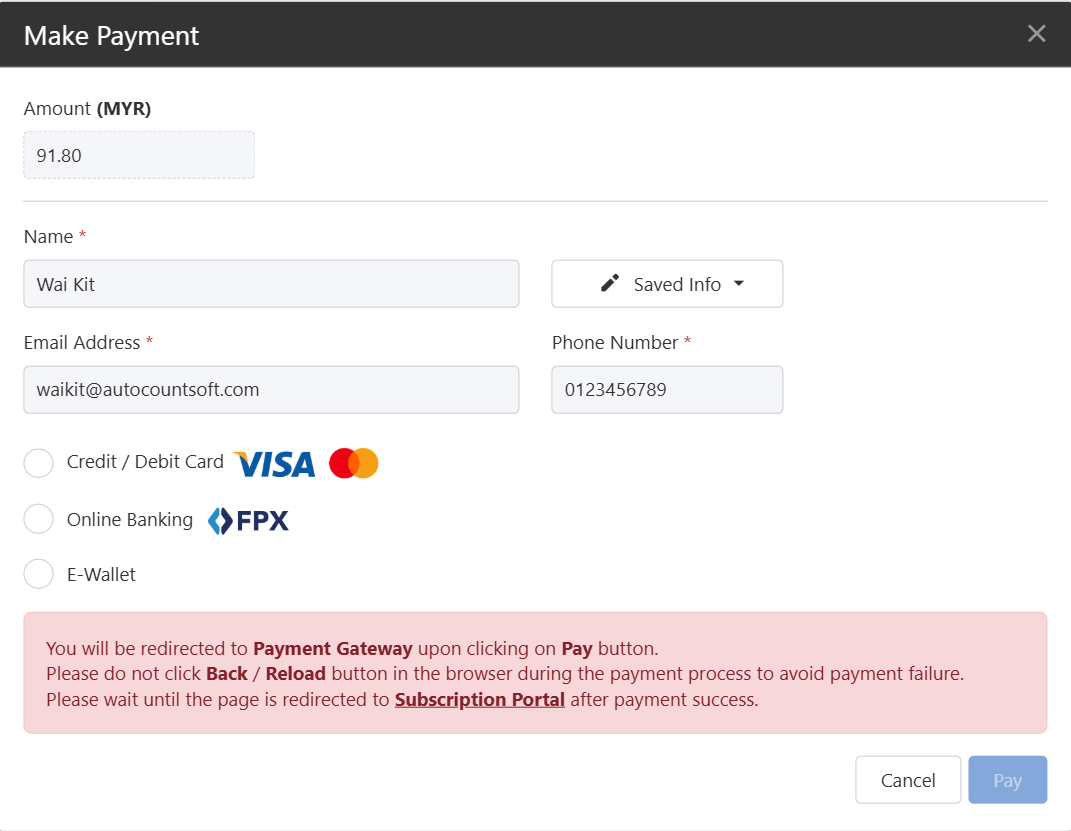
Follow the steps to make payment for unpaid invoices in your subscription.
For Yearly subscription Payment Frequency – Renewal is available 1 month before expiry.
For 1 / 3 / 6 / 9 months subscription Payment Frequencies – Renewal is only available 1 week before expiry.
You will receive reminder notifications as follows:
7 days before subscription end date (1 month before for yearly plan)
3 days before subscription end date
On subscription end date
3 days after subscription end date (Grace Period)
Steps to Pay Unpaid Invoices:
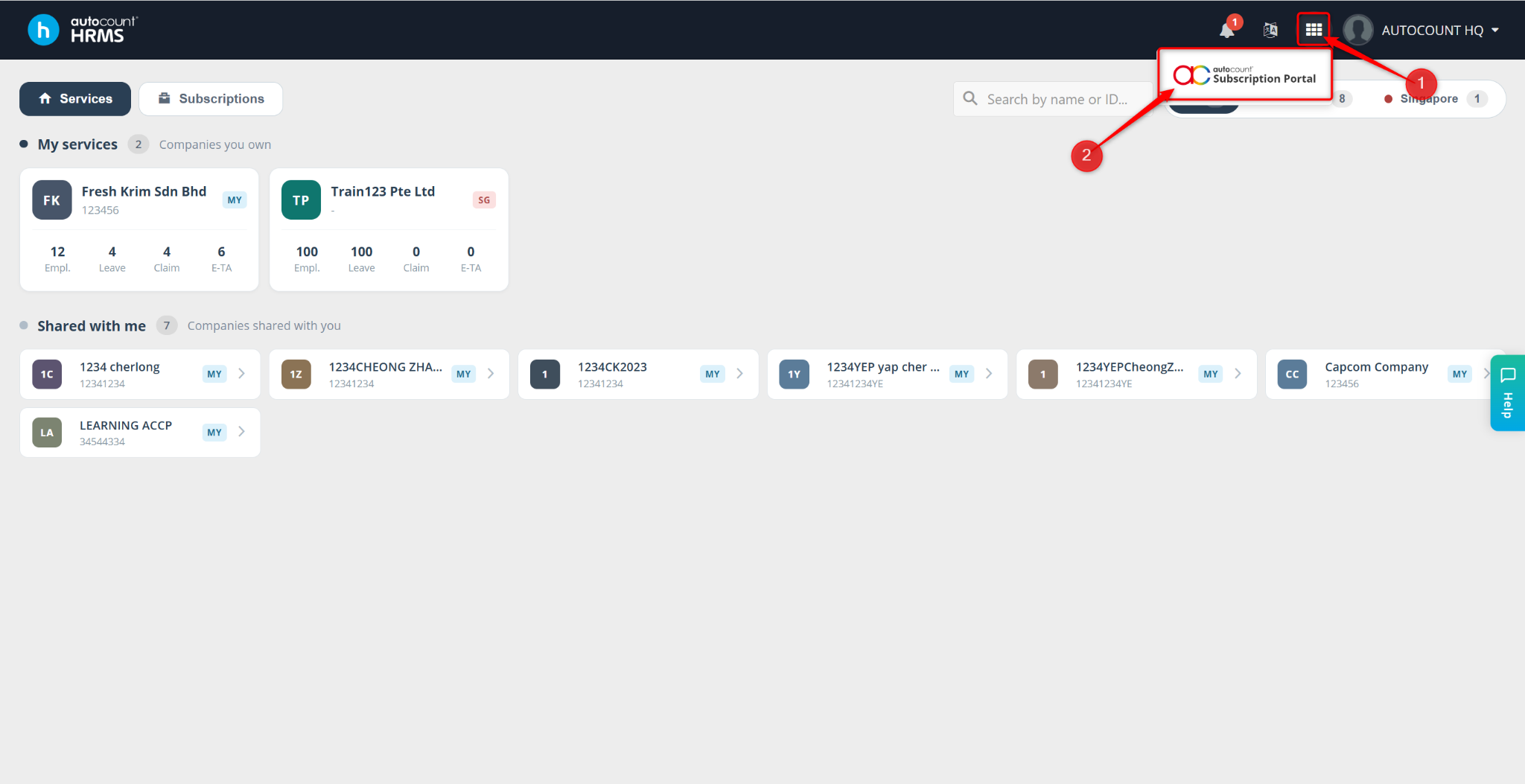
Head to the Subscription Portal by clicking onto the grid icon next to the notification bell. Then, click onto it.
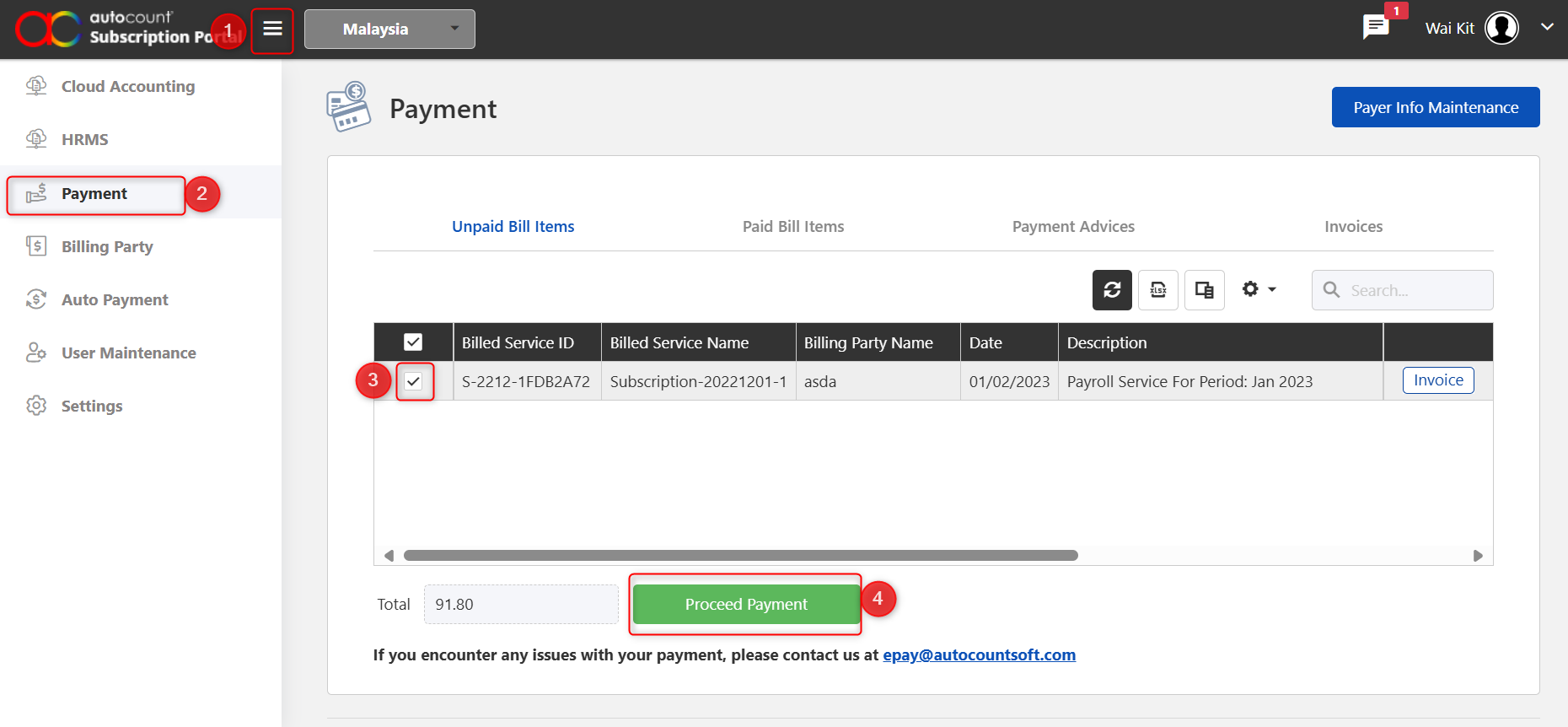
Go to the Payment tab on the left panel.
Tick the checkbox to select the subscription you wish to pay.
Click Proceed Payment.
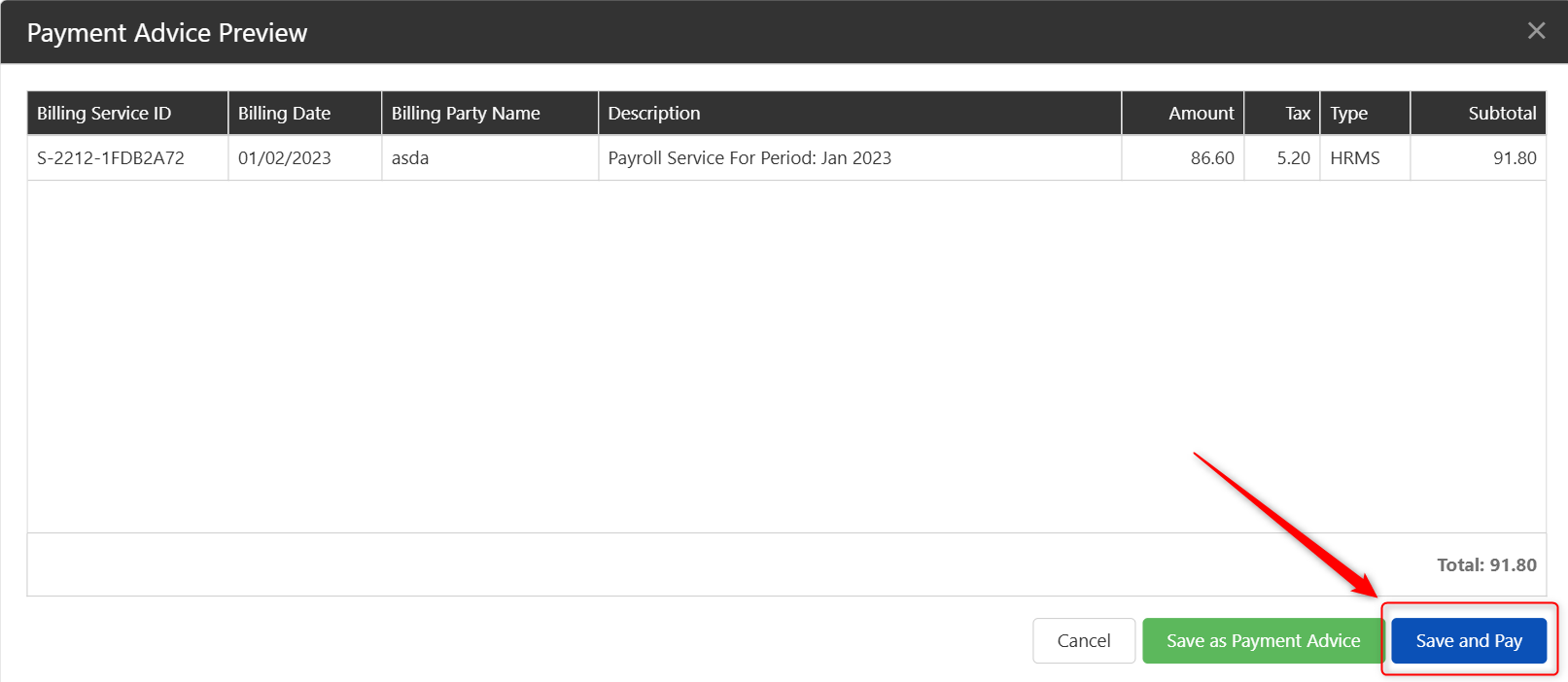
Review the final payable amount and click Save and Pay.
Enter the required payment details:
Name
Email Address
Phone Number
Select your preferred payment method.
Click Pay to complete the transaction.