This guide explains how to retrieve invoices that have already been paid for your subscription.
Steps to Retrieve Paid Invoice:
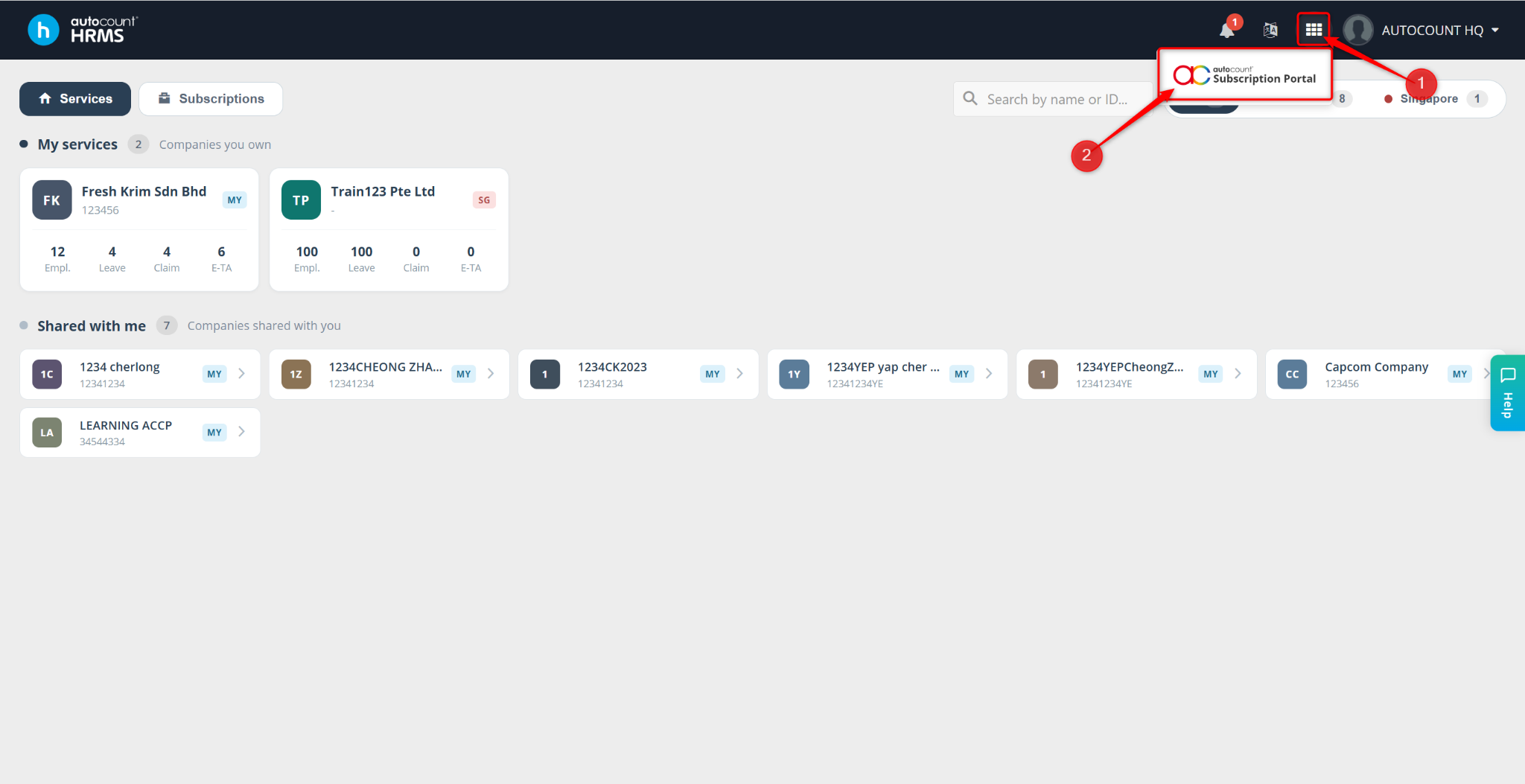
Access the Subscription Portal by clicking the grid icon next to the notification bell, then click onto it.
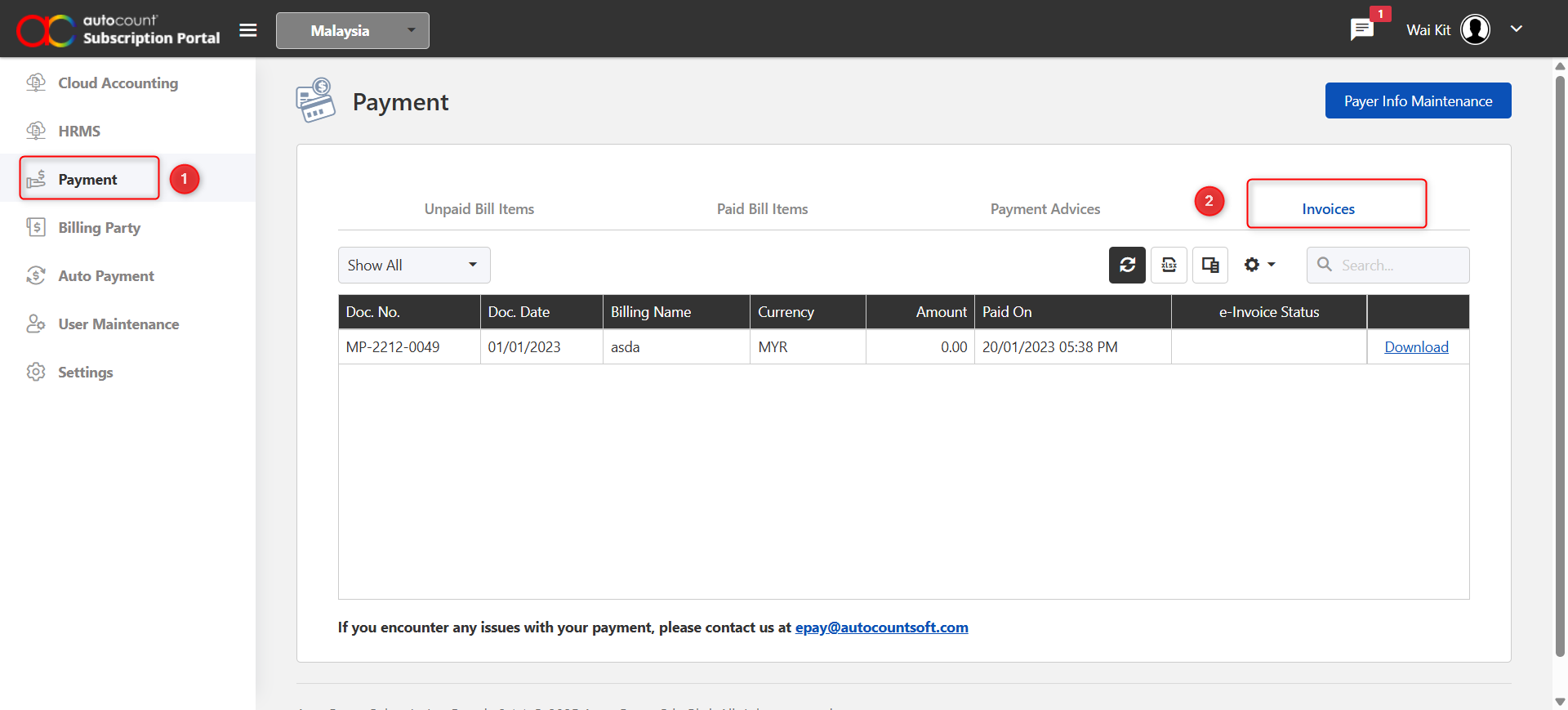
Click the Payment tab on the left panel.
Go to Invoices and locate the invoice you wish to retrieve.
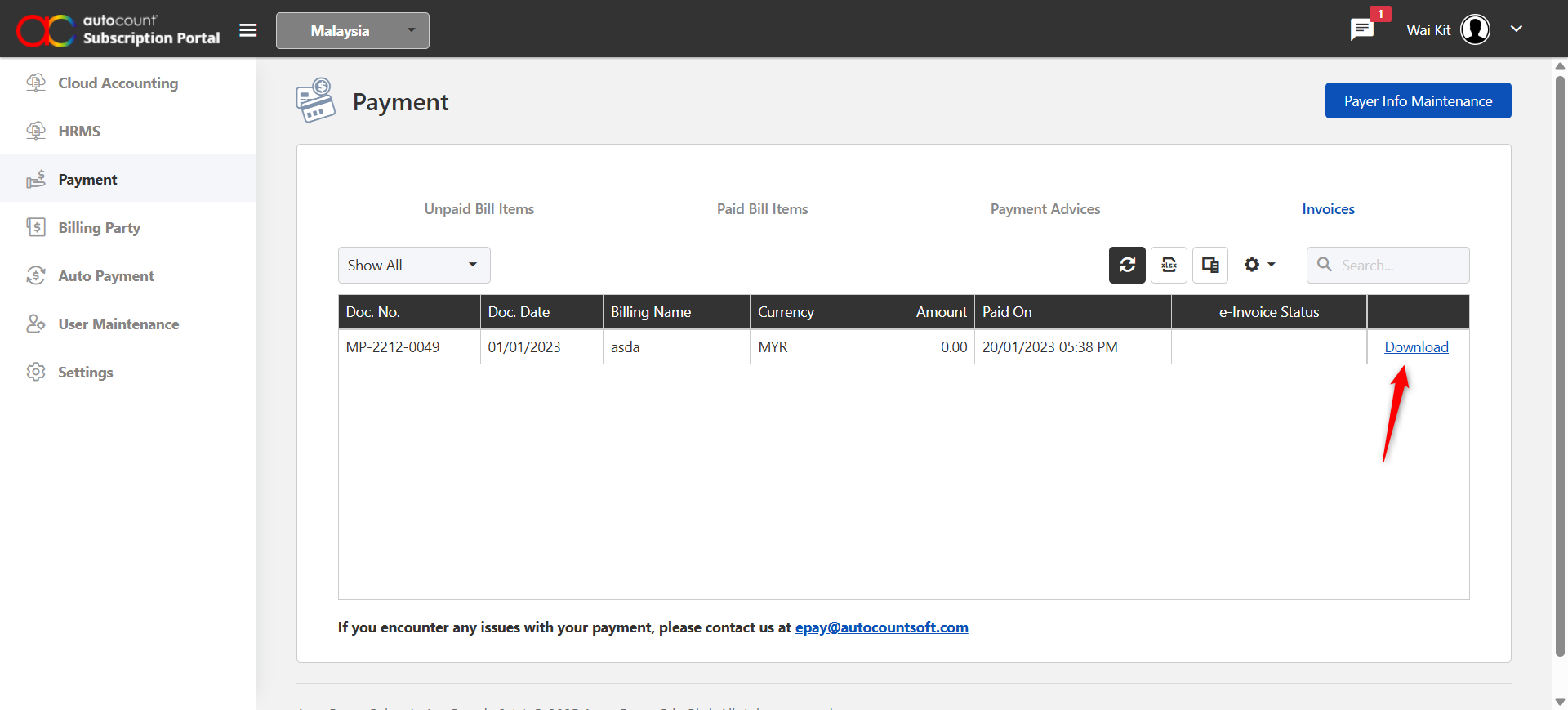
Click Download to download and preview the paid invoice.