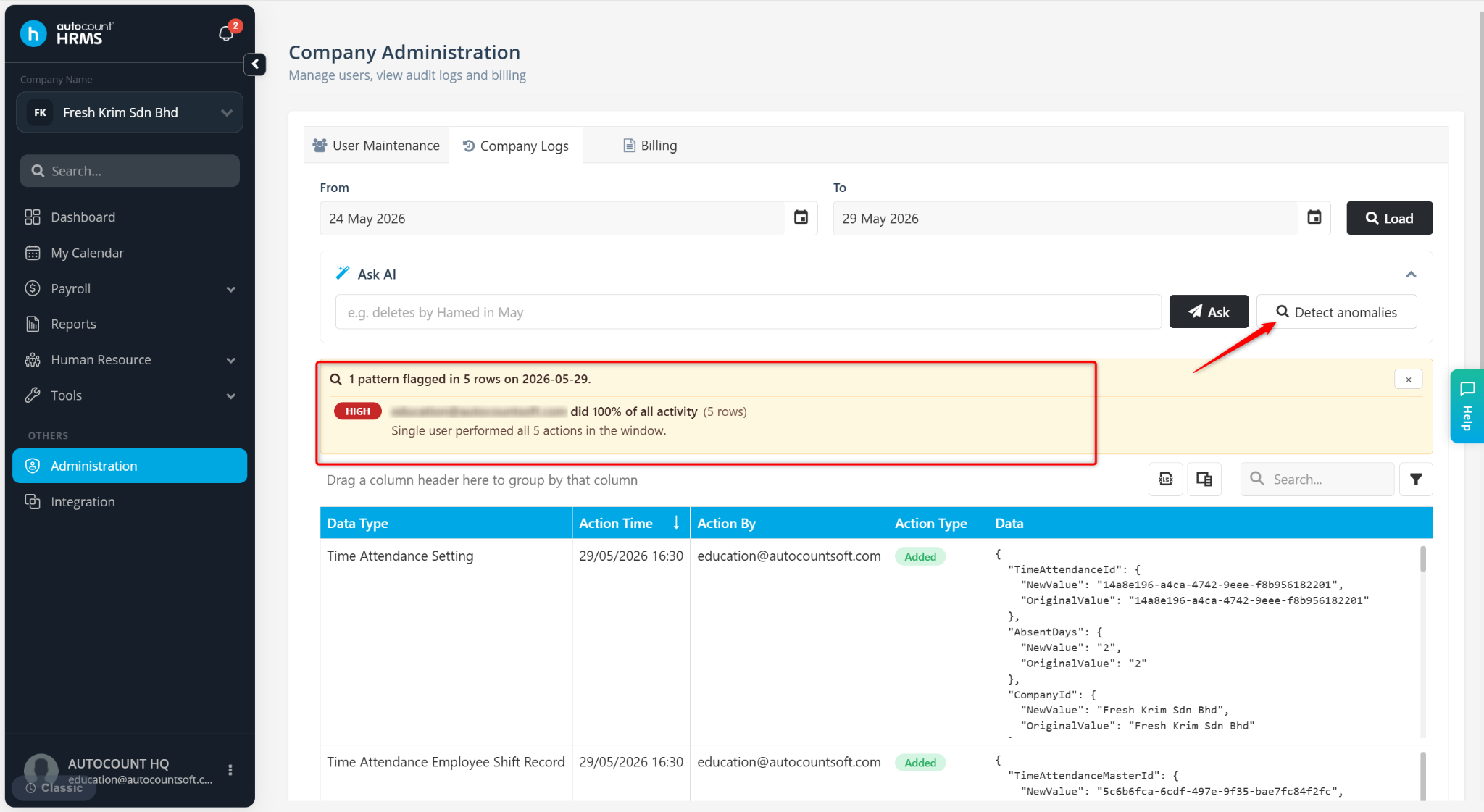
Audit Trail is used to view the history of actions performed in the system. It helps administrators track user activities, monitor changes, and ensure system transparency and security.
Steps to View Audit Trial:
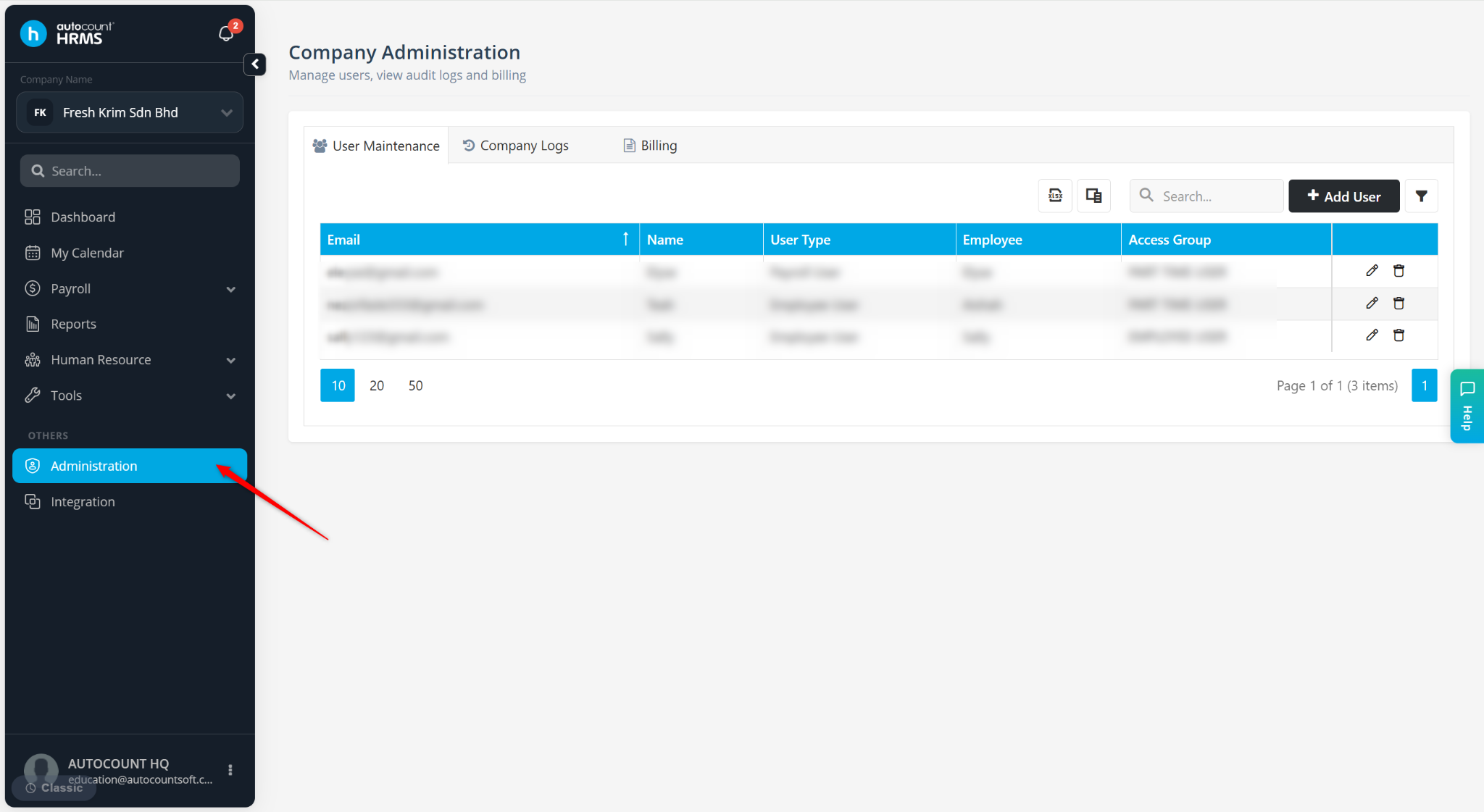
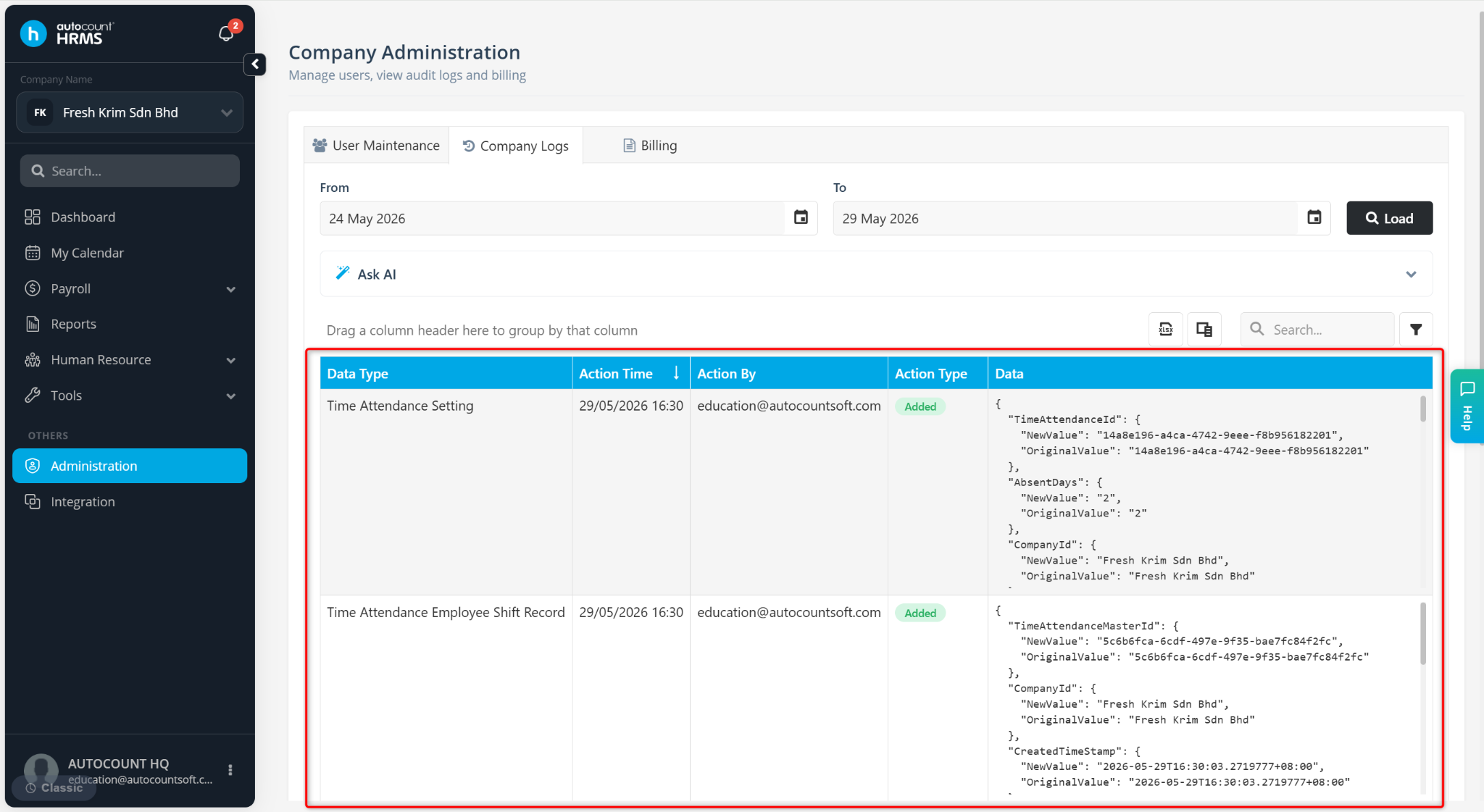
Go to Administration.
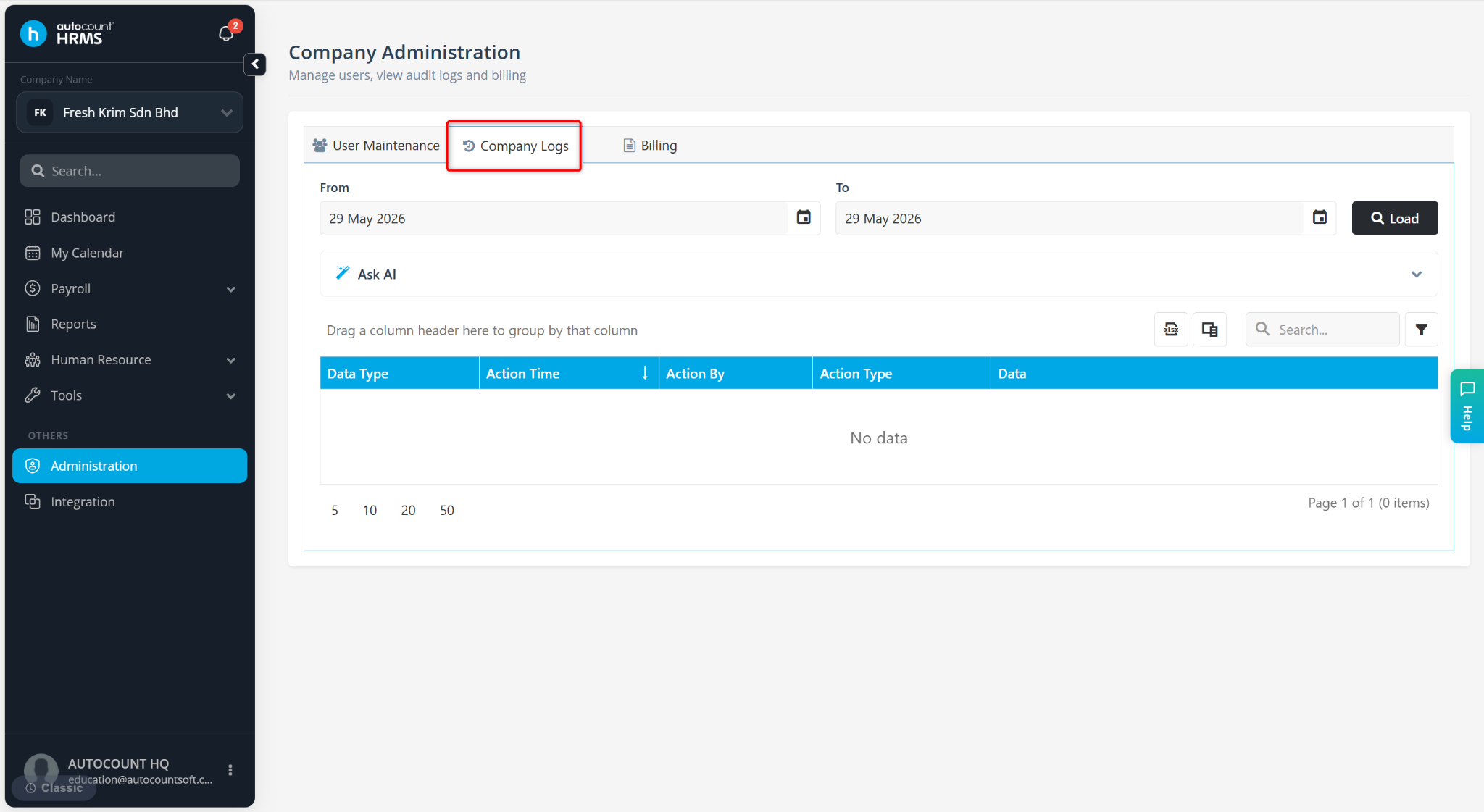
Go to Company Logs.
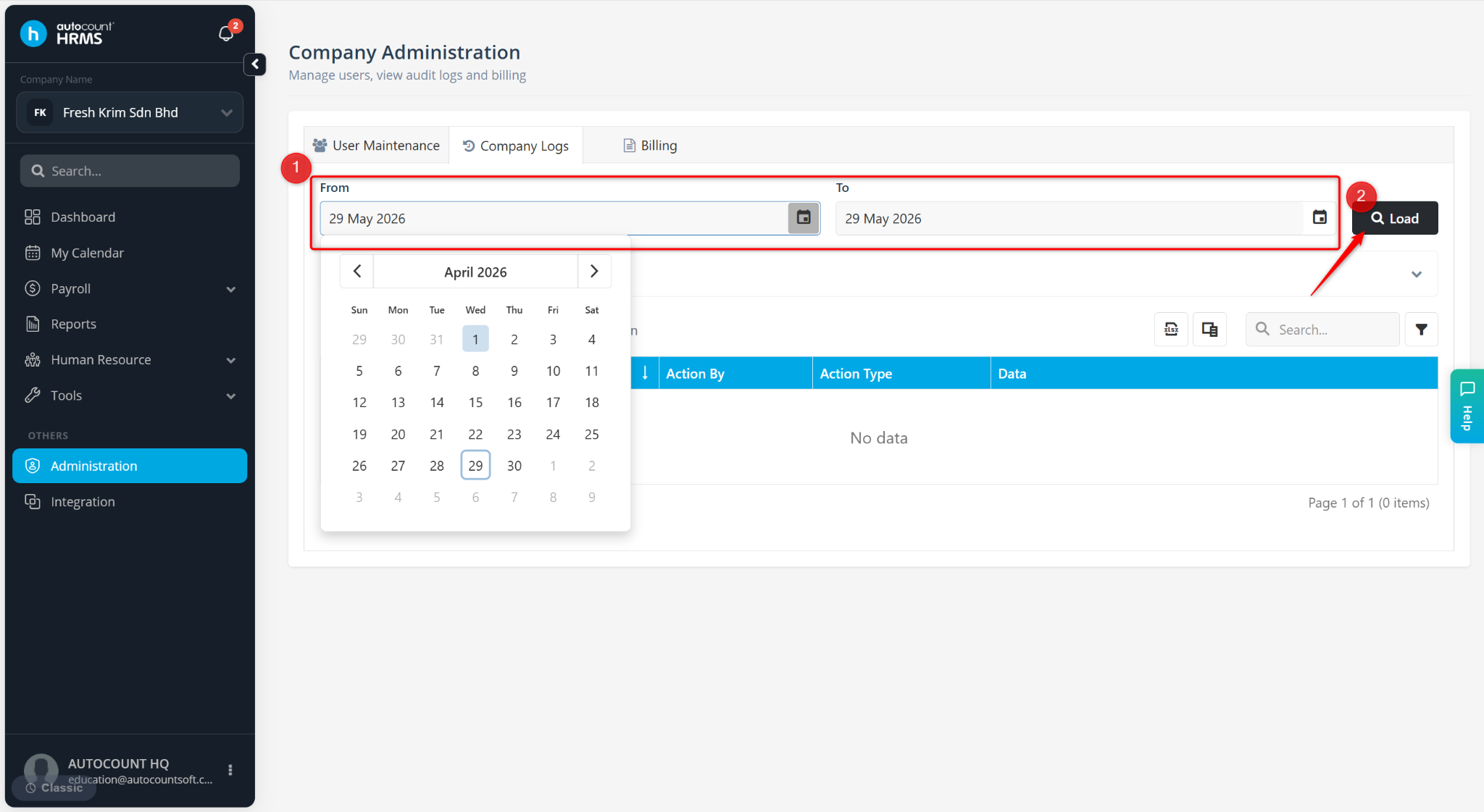
Filter the From and To date, then click Load.
The system will display all user activities within the selected date range.
Expand Ask AI if needed. Enter the required details or query, then click Ask to quickly retrieve related information.
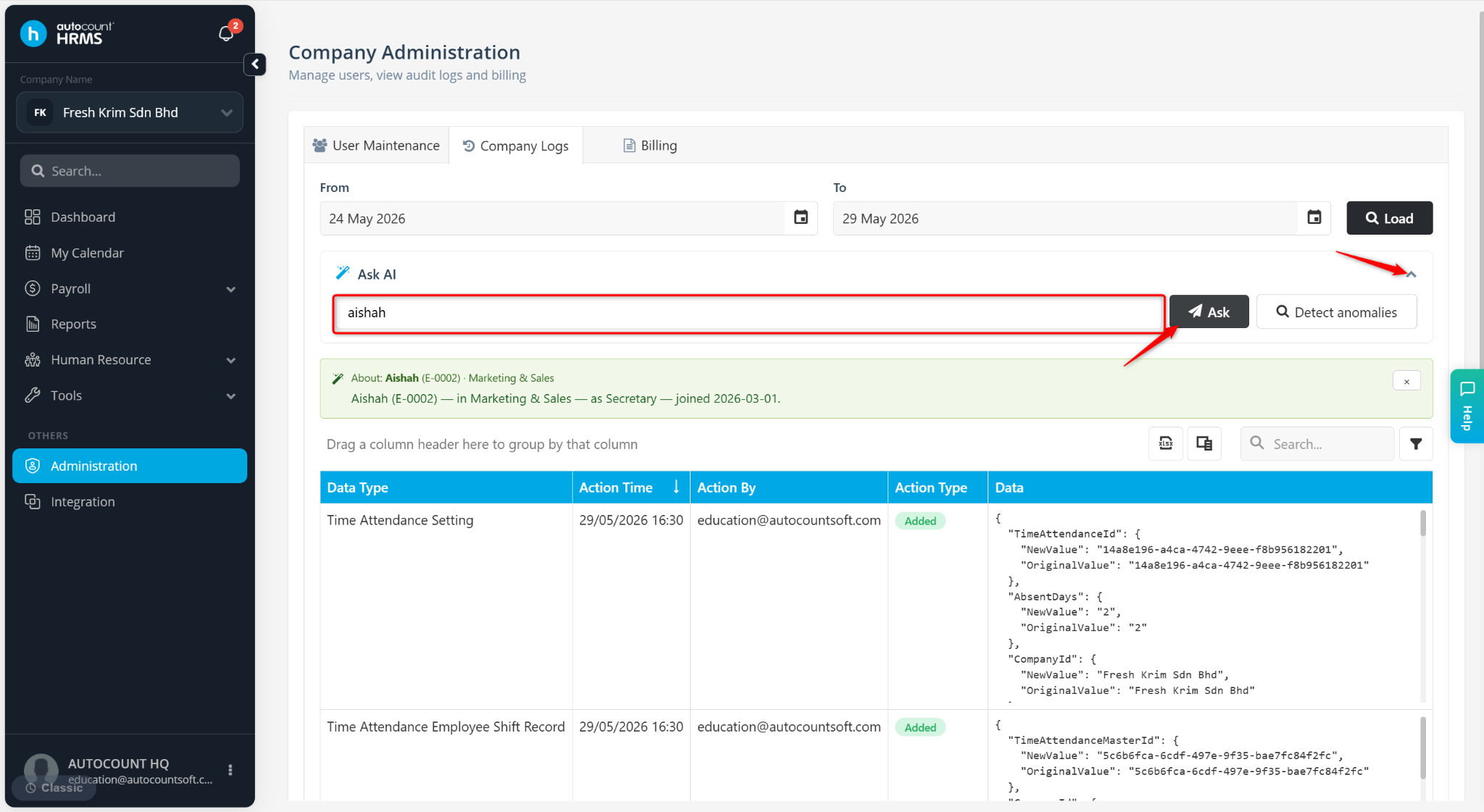
Click Detect Anomalies to identify unusual or suspicious activities within the HRMS system.