User Type is used to define what type of user an employee is in the system. It determines the user’s overall role and access level within HRMS.
The system provides two predefined User Types:
Payroll User
Employee User
Difference Between User Type and Access Group:
Access Group
Controls what modules and functions a user can access.
Can be created and customised based on company needs.
User Type
Determines whether a user is a Payroll User or Employee User.
Acts as a system-level role switch.
ℹ️ Notes:
If an employee needs to process payroll, the User Type and Access Group must be set to Payroll User. If either is incorrect, the employee will not have the required permissions.
Only Subscriber or Administrator users can access Administration to change User Types.
Steps to Change a User’s User Type:
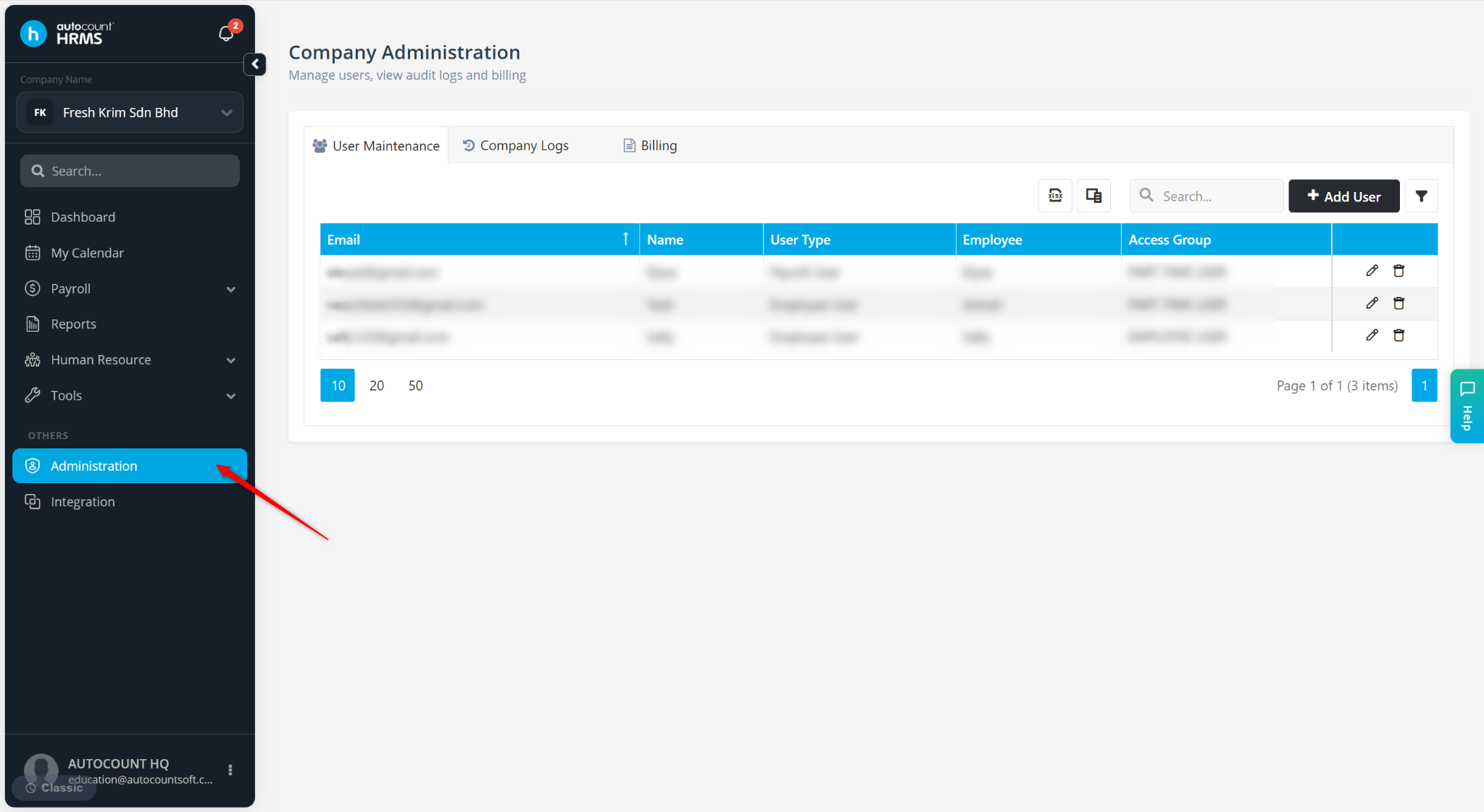
Go to Administration.
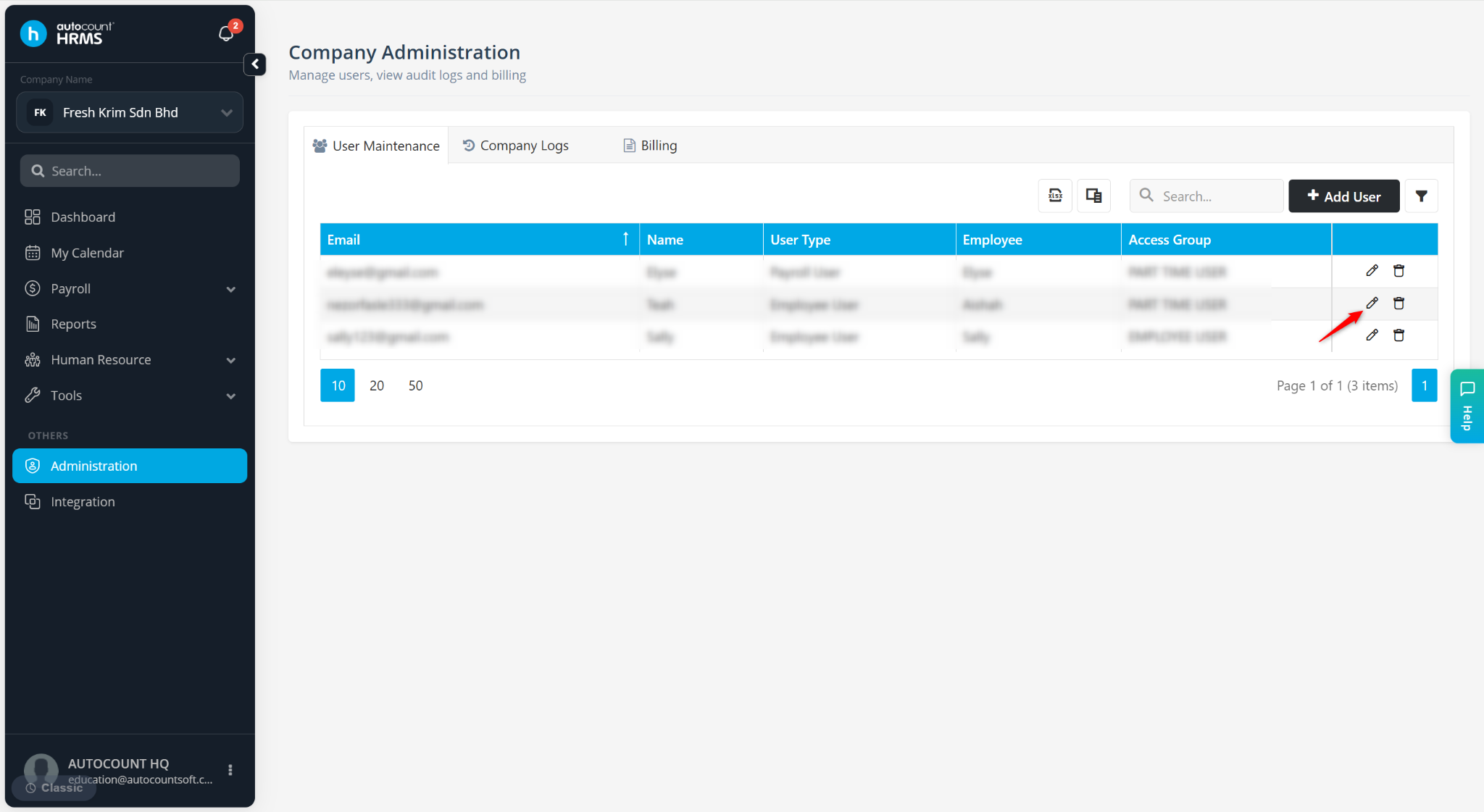
Locate the user and click the pencil icon.
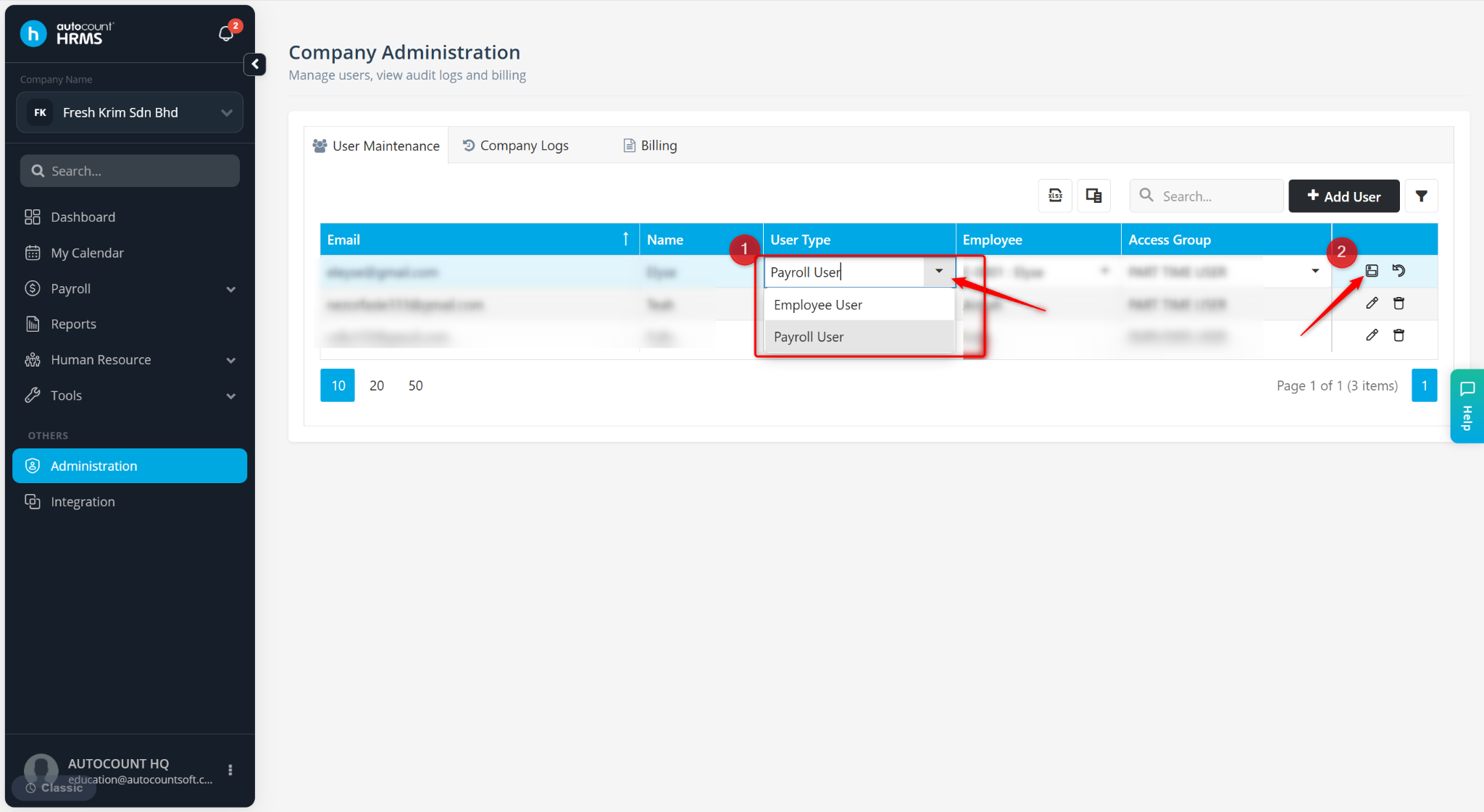
Select Payroll User or Employee User at the User Type column.
Click the diskette (save) icon to save.