The Subscriber can remove a system user through the Administration module when the account is no longer required or needs to be deactivated from the system.
Steps to Remove a User:
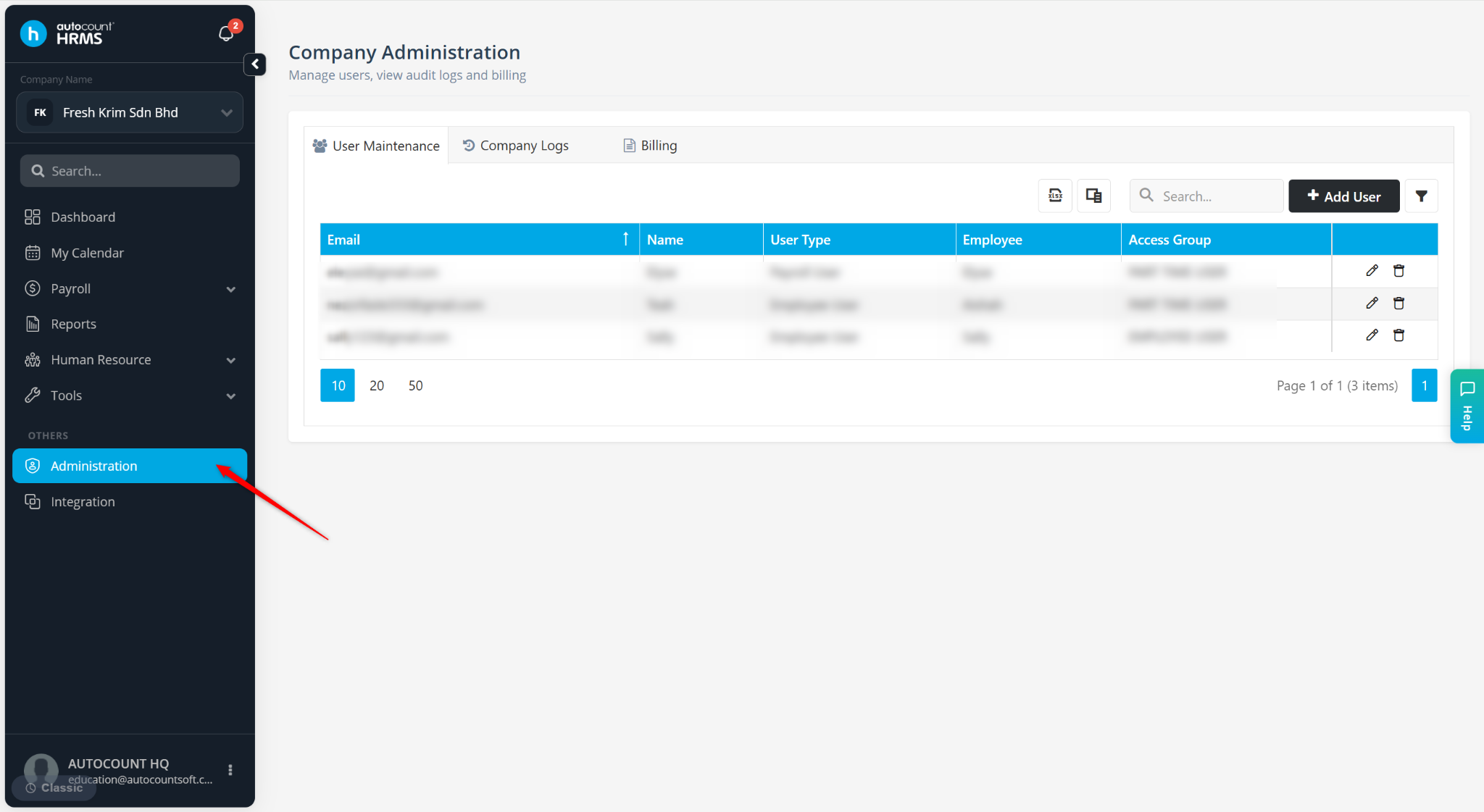
Go to Administration.
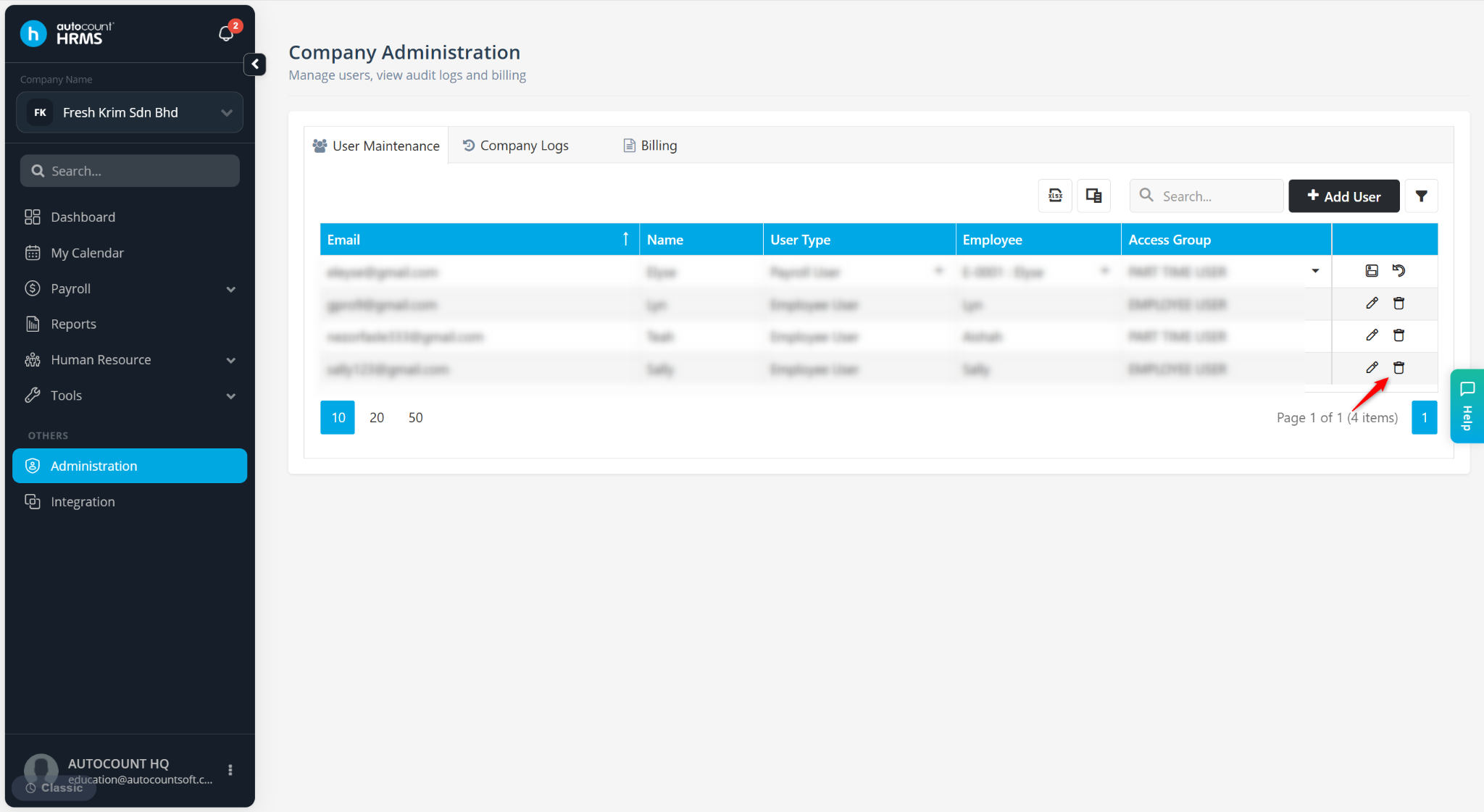
Under User Maintenance, locate the user and click the trash bin icon.
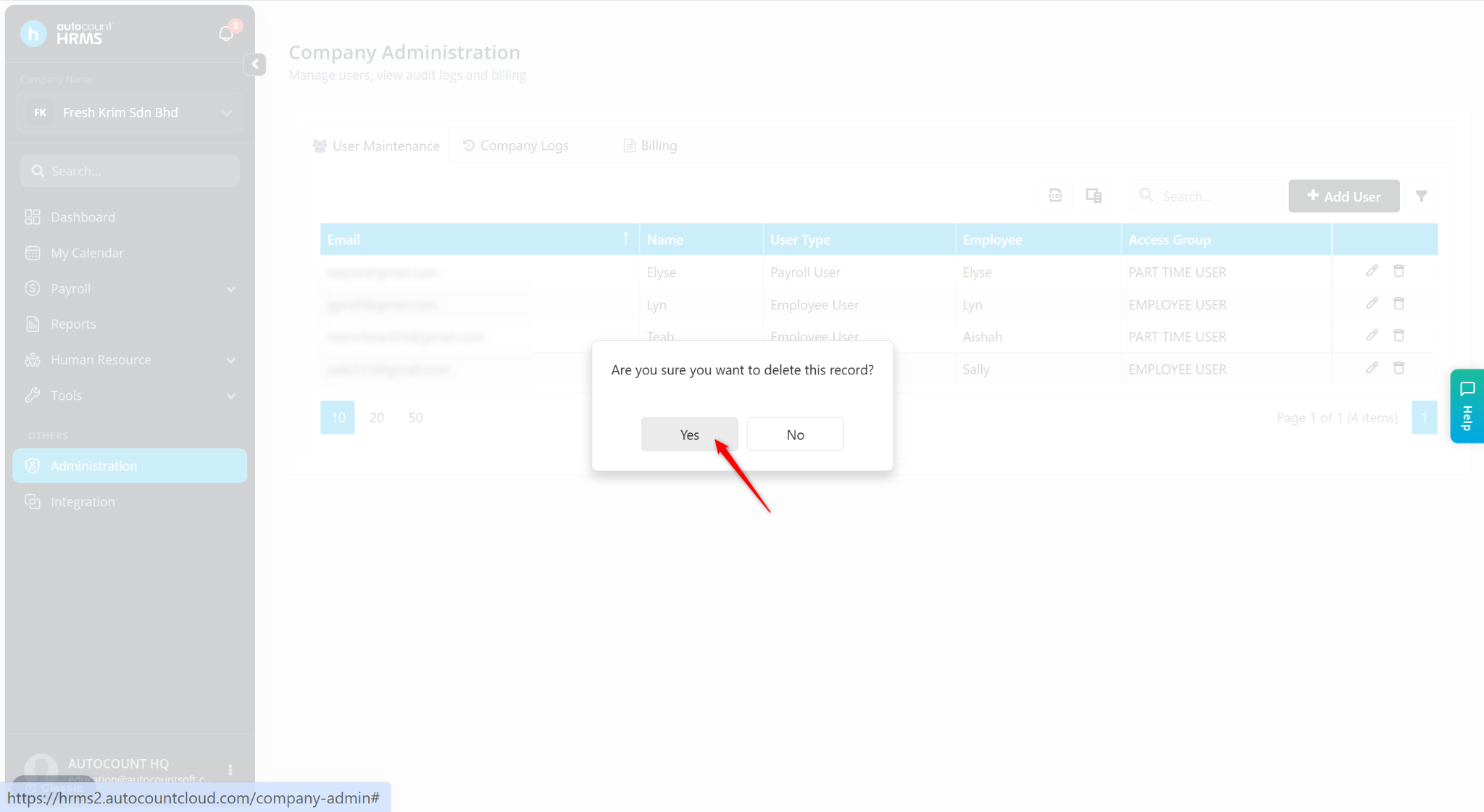
Click Yes to confirm.