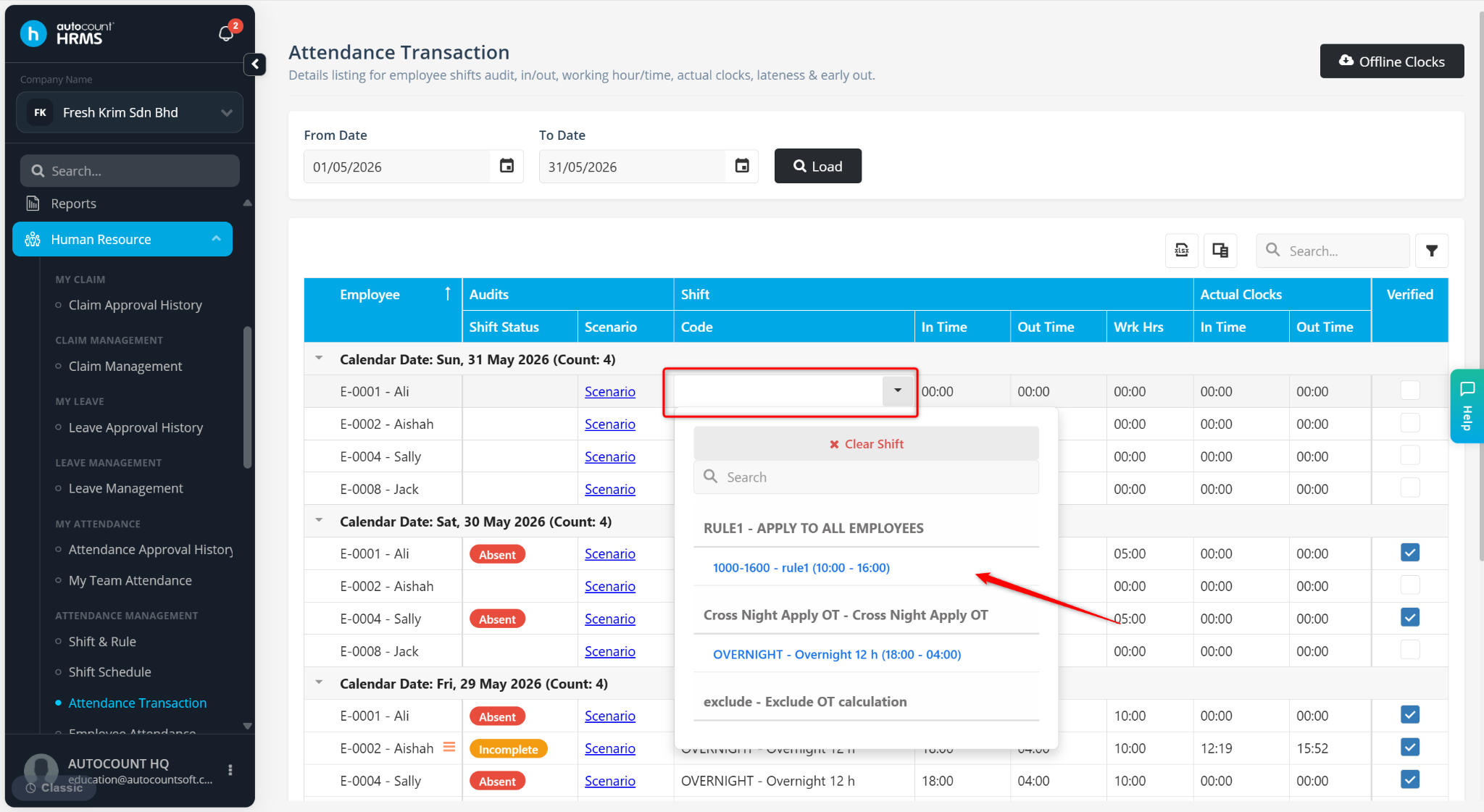
Users can update an employee's assigned shift for a past date through Attendance Transaction.
Steps to Shift after the Present Date:
Go to Human Resources > Attendance Transaction.
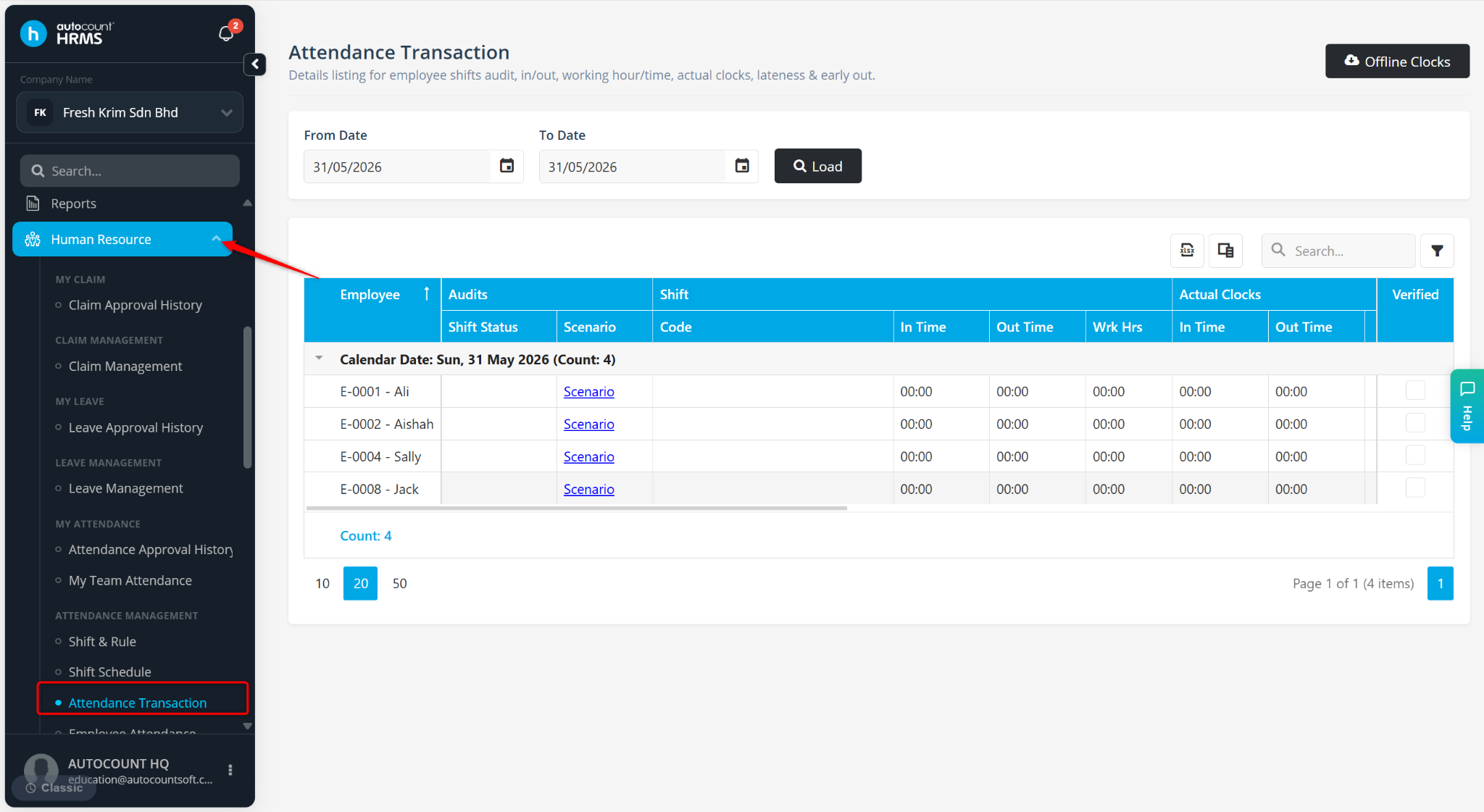
Select the past date that you wish to update.
Locate the employee and click on the Shift Code.
A list of available shifts will be displayed. Select the new shift.