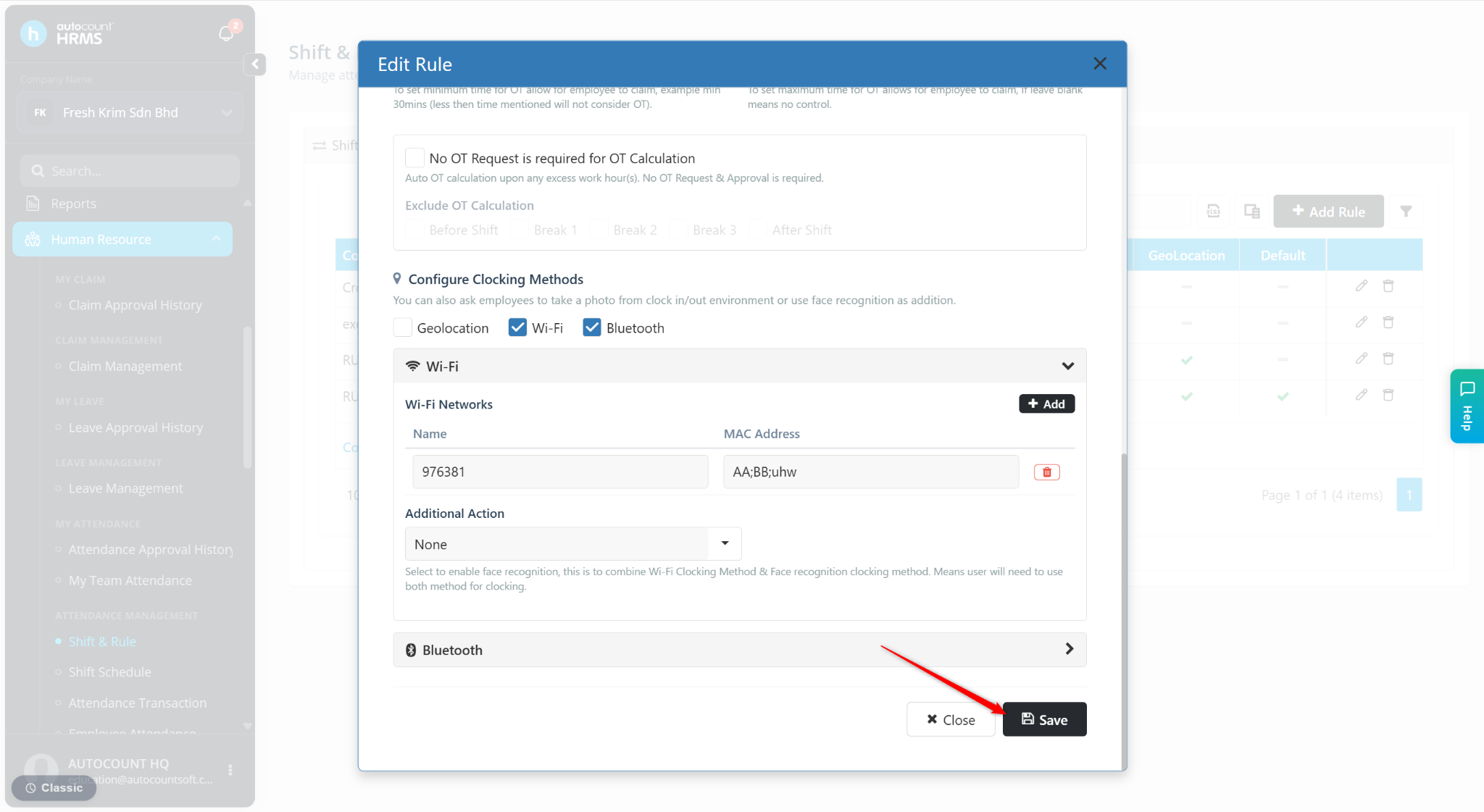
Users can configure Wi-Fi restrictions in Rule Maintenance to ensure employees can only clock in or out when connected to an approved Wi-Fi network.
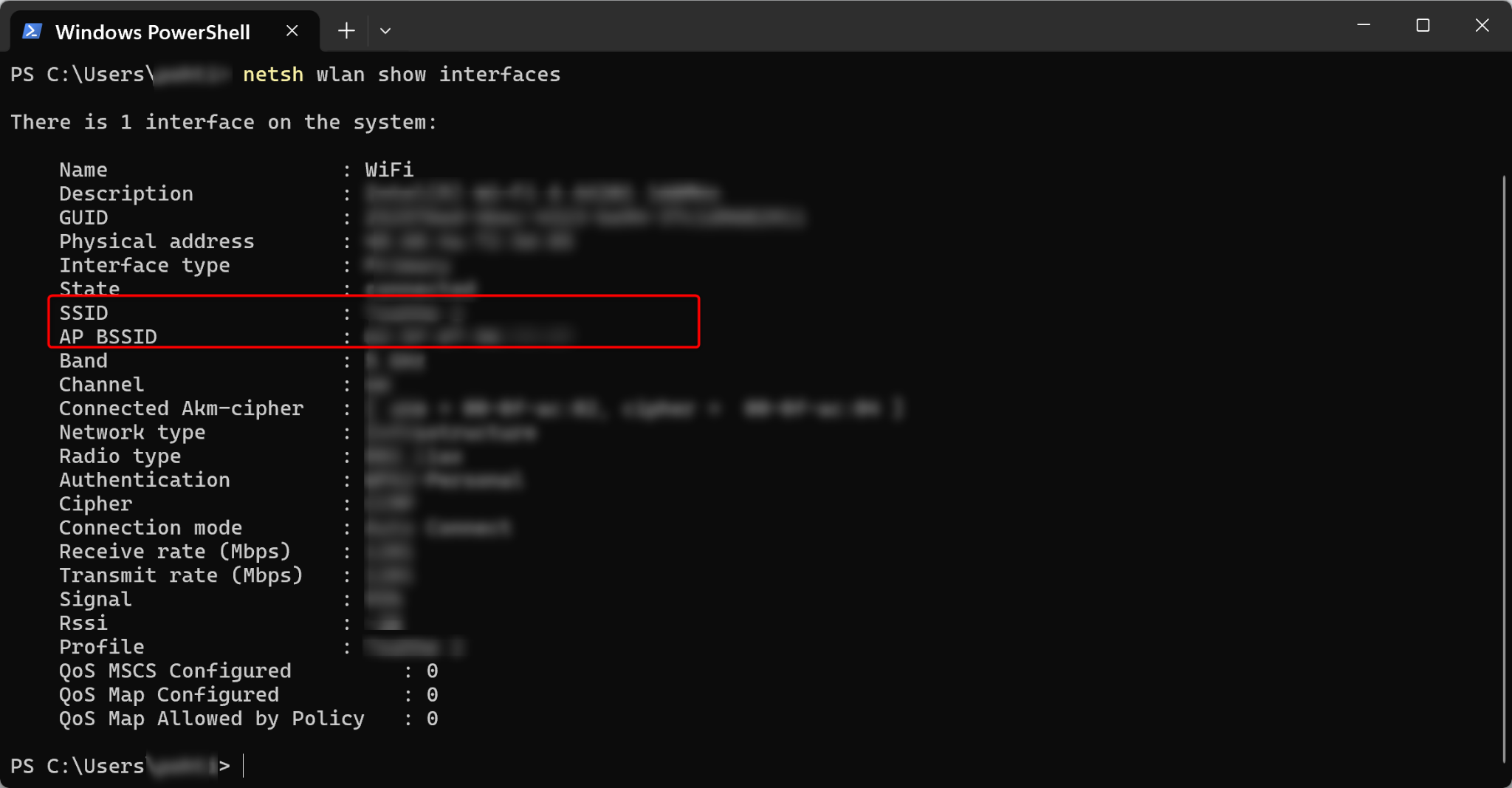
Steps to Get WiFi SSID & BSSID:
Open Command Prompt by searching for CMD or Command Prompt in Windows.
Enter the following command: netsh wlan show interfaces.
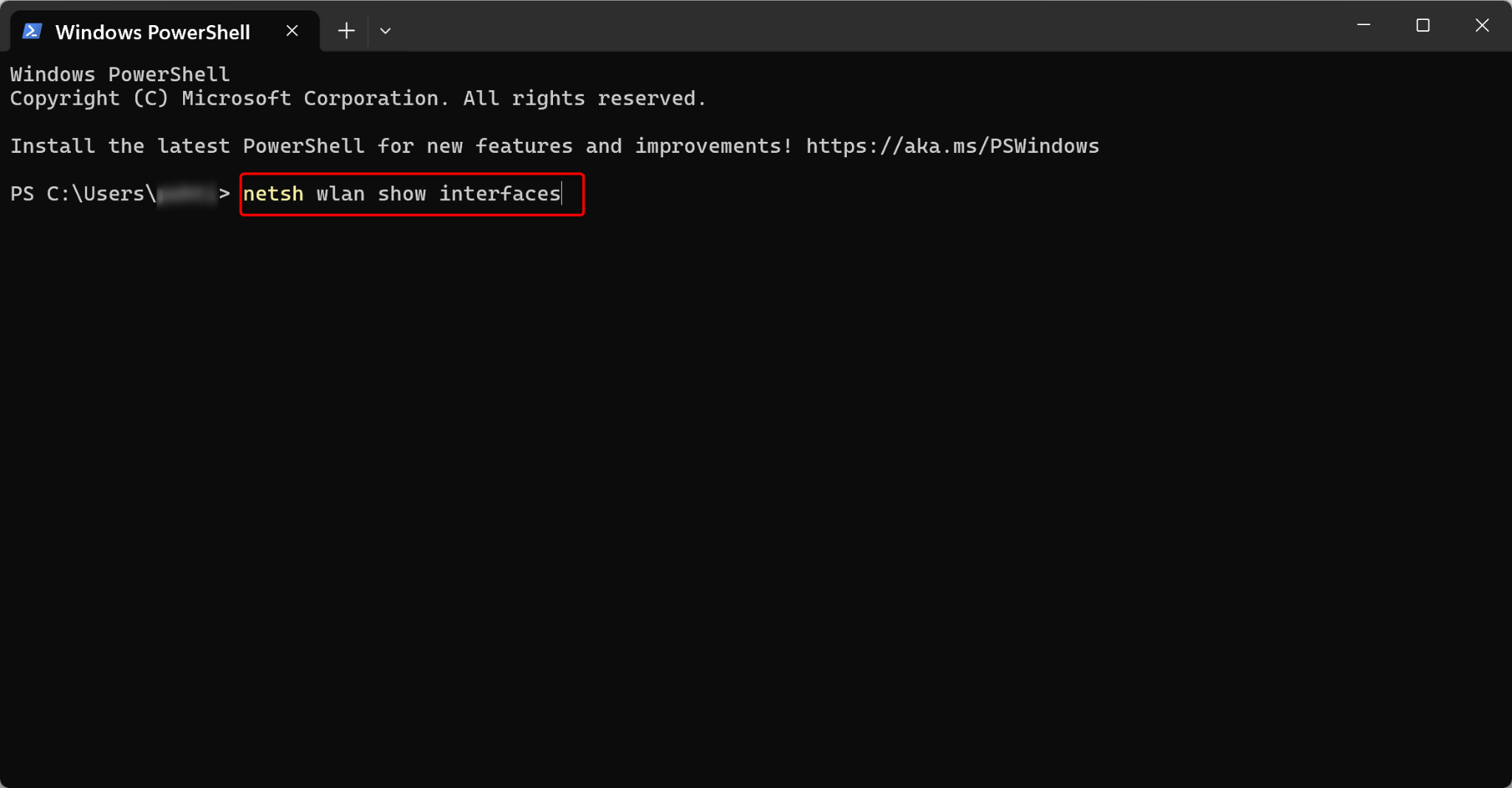
Press Enter.
The SSID (Wi-Fi name) and BSSID (Wi-Fi access point MAC address) will be displayed.
Steps to Configure WiFi in Rule Maintenance:
Go to Human Resource > Shift & Rule.
Go to Rule Maintenance.
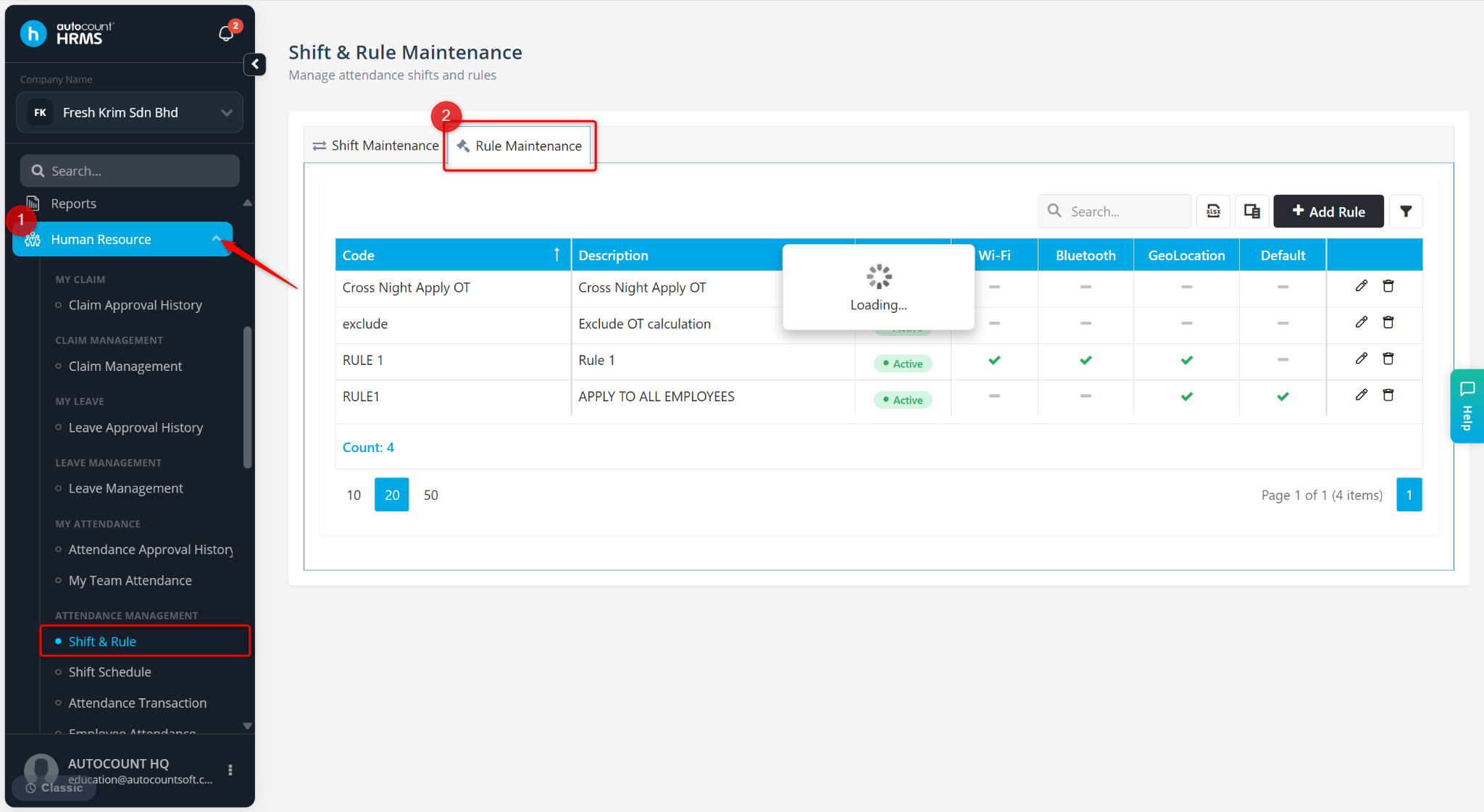
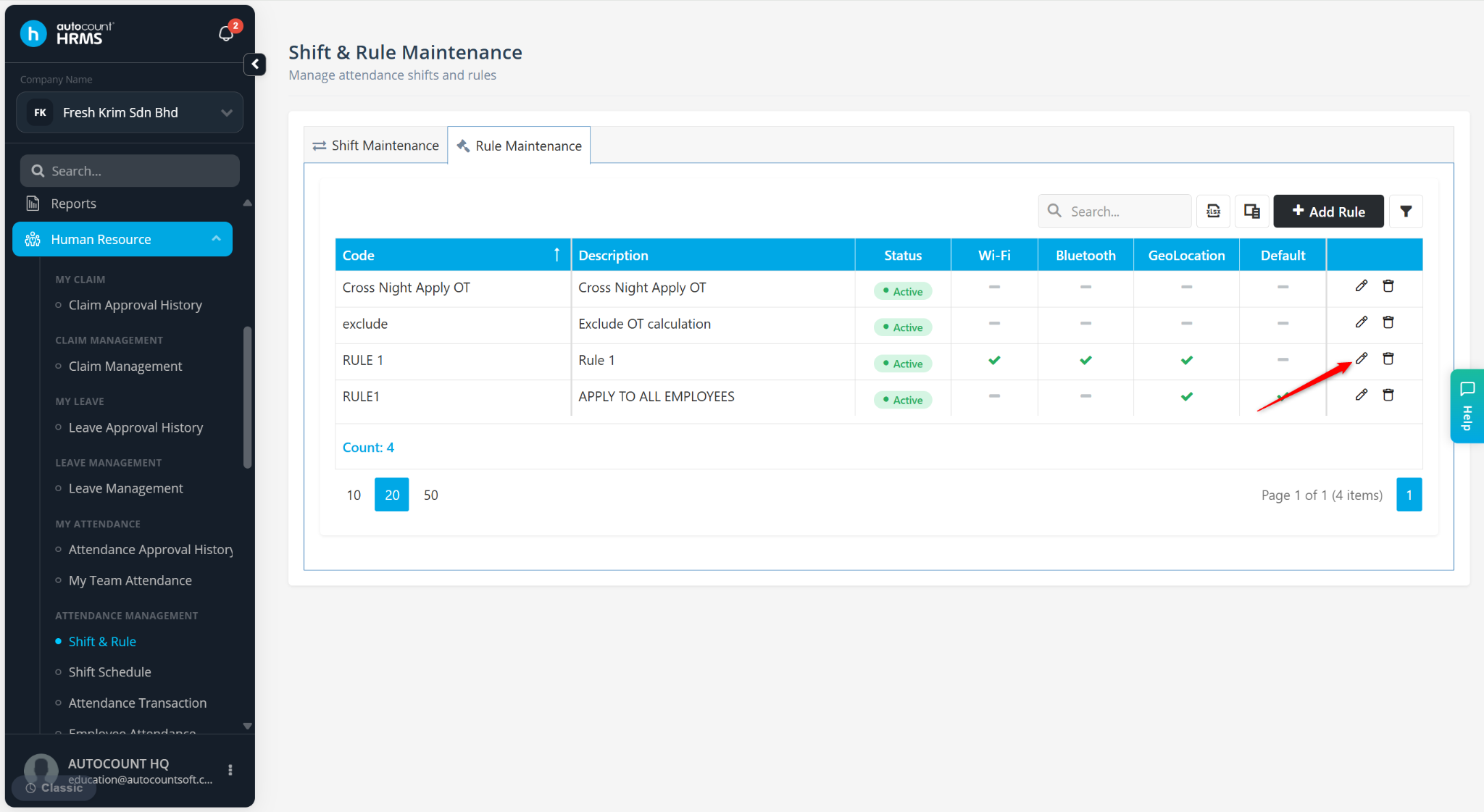
Locate the rule you wish to configure and click the pencil icon.
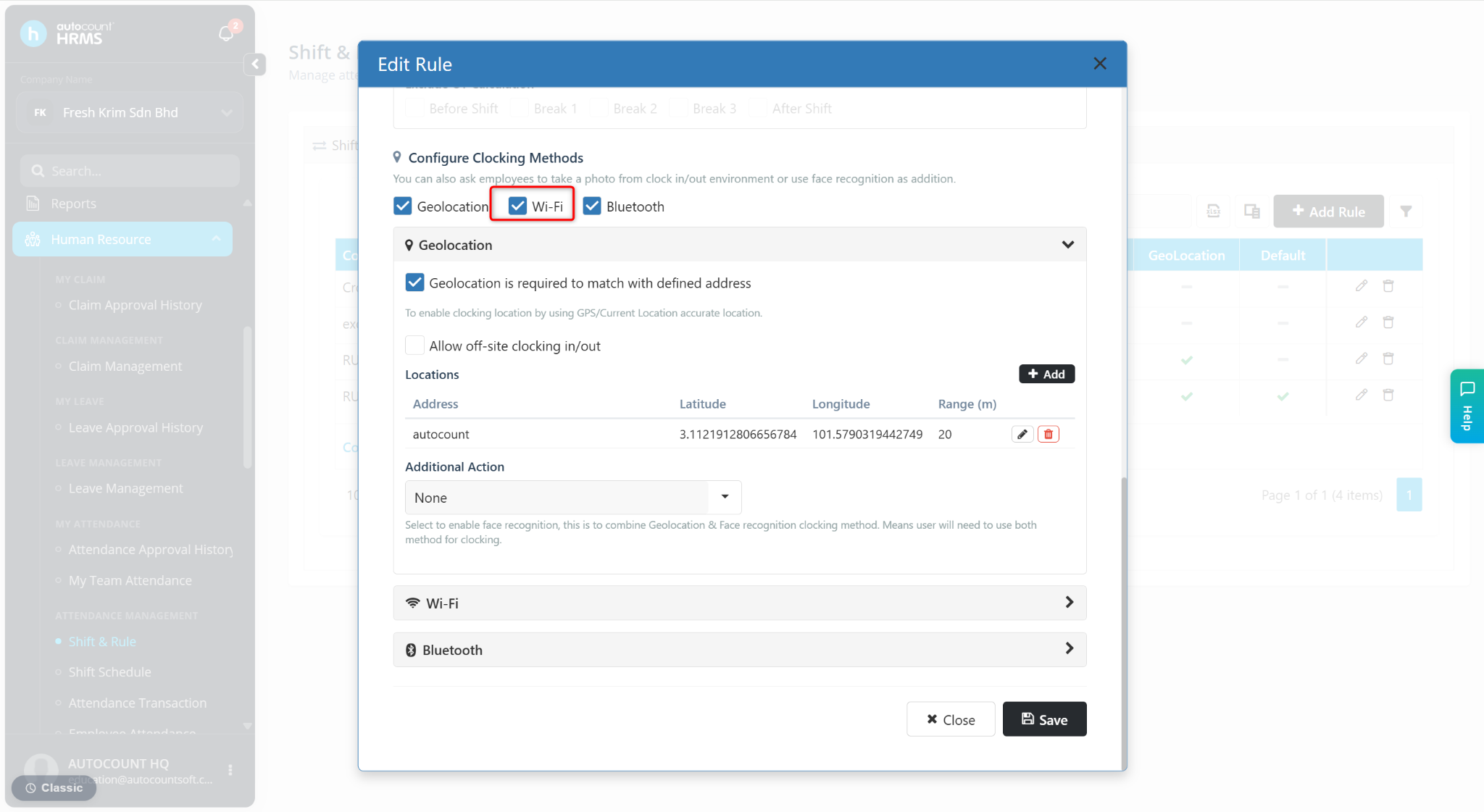
Under Configure Clocking Methods, enable Wi-Fi.
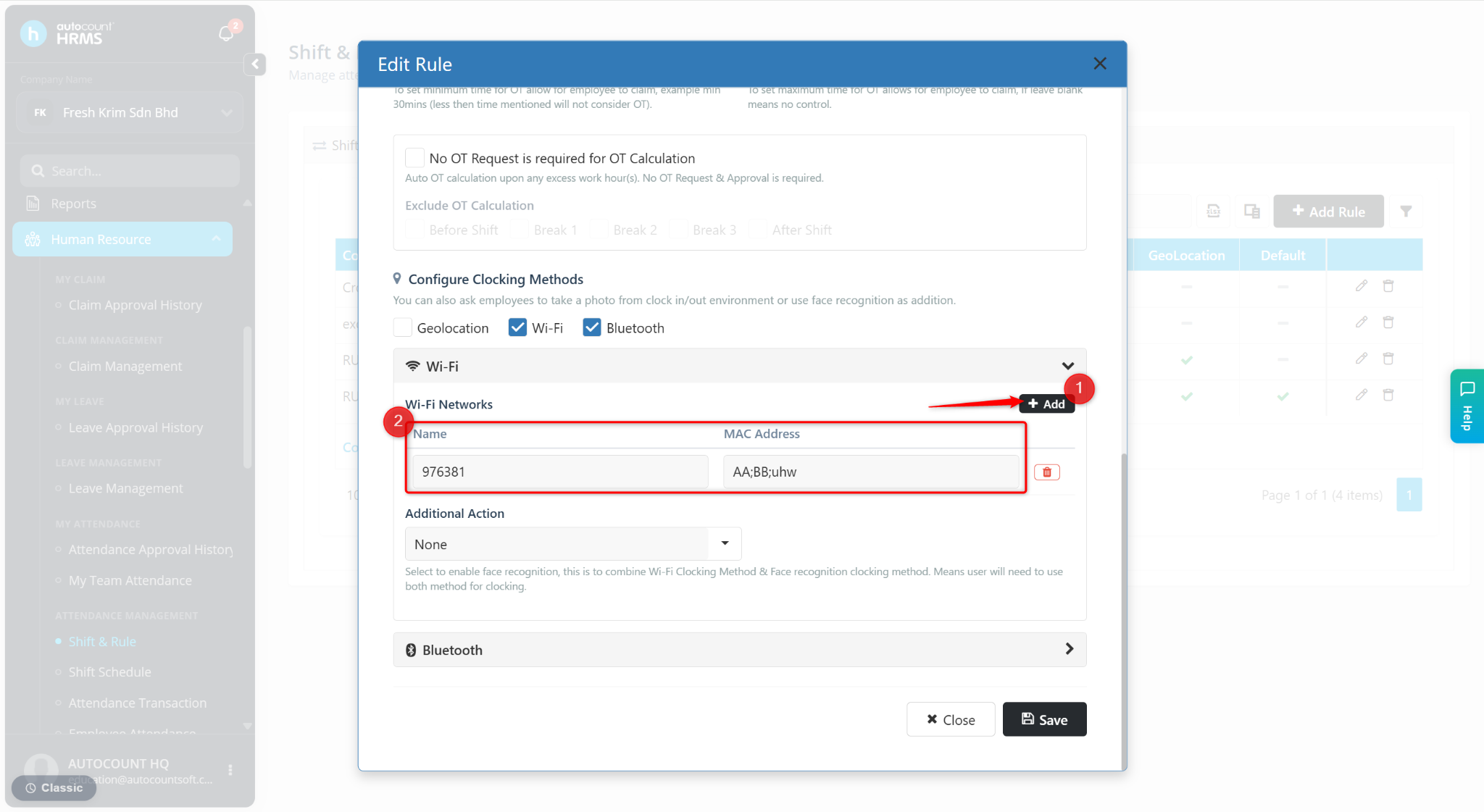
Click + to add a new Wi-Fi entry.
Enter the SSID and BSSID.
Click Save to apply.