
This error occurs because the Attendance Rule Maintenance is set to automatically calculate overtime (Auto OT Calculation), which disables manual OT requests.
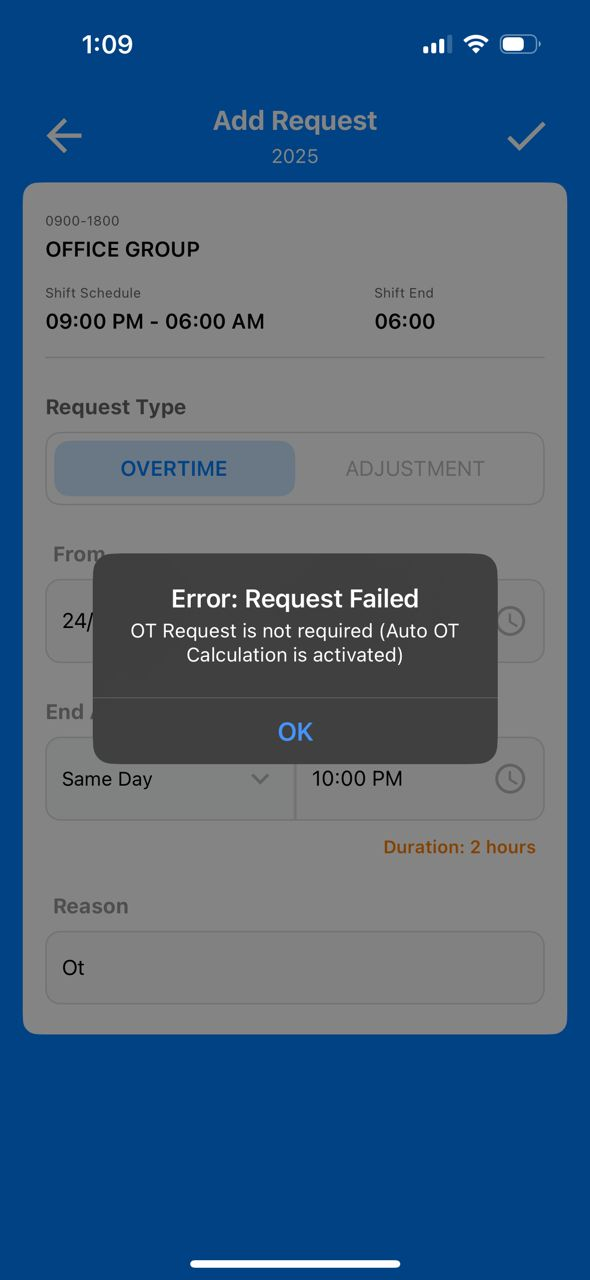
Steps to Resolve this Problem:
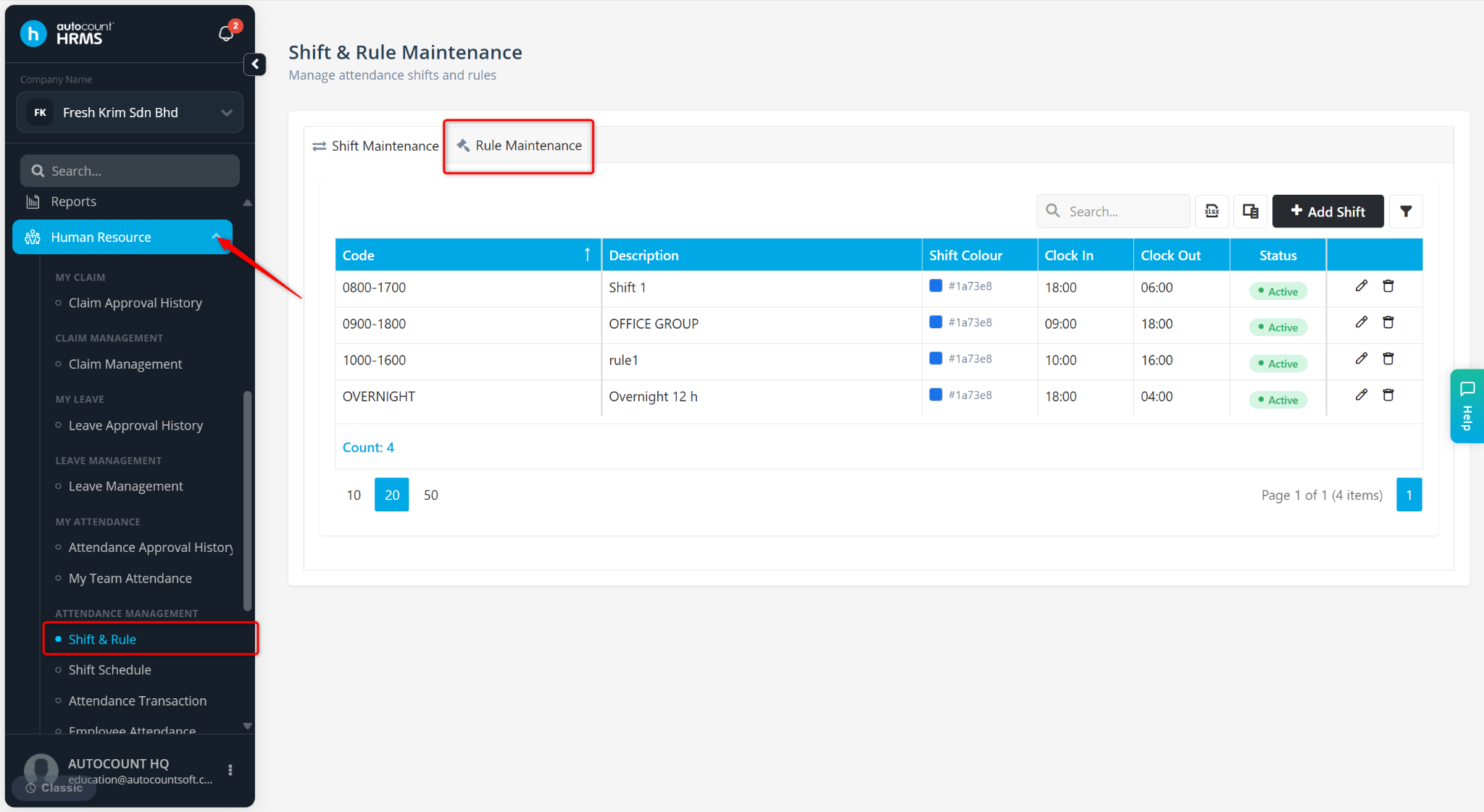
Go to Human Resource > Shift & Rule > Rule Maintenance.
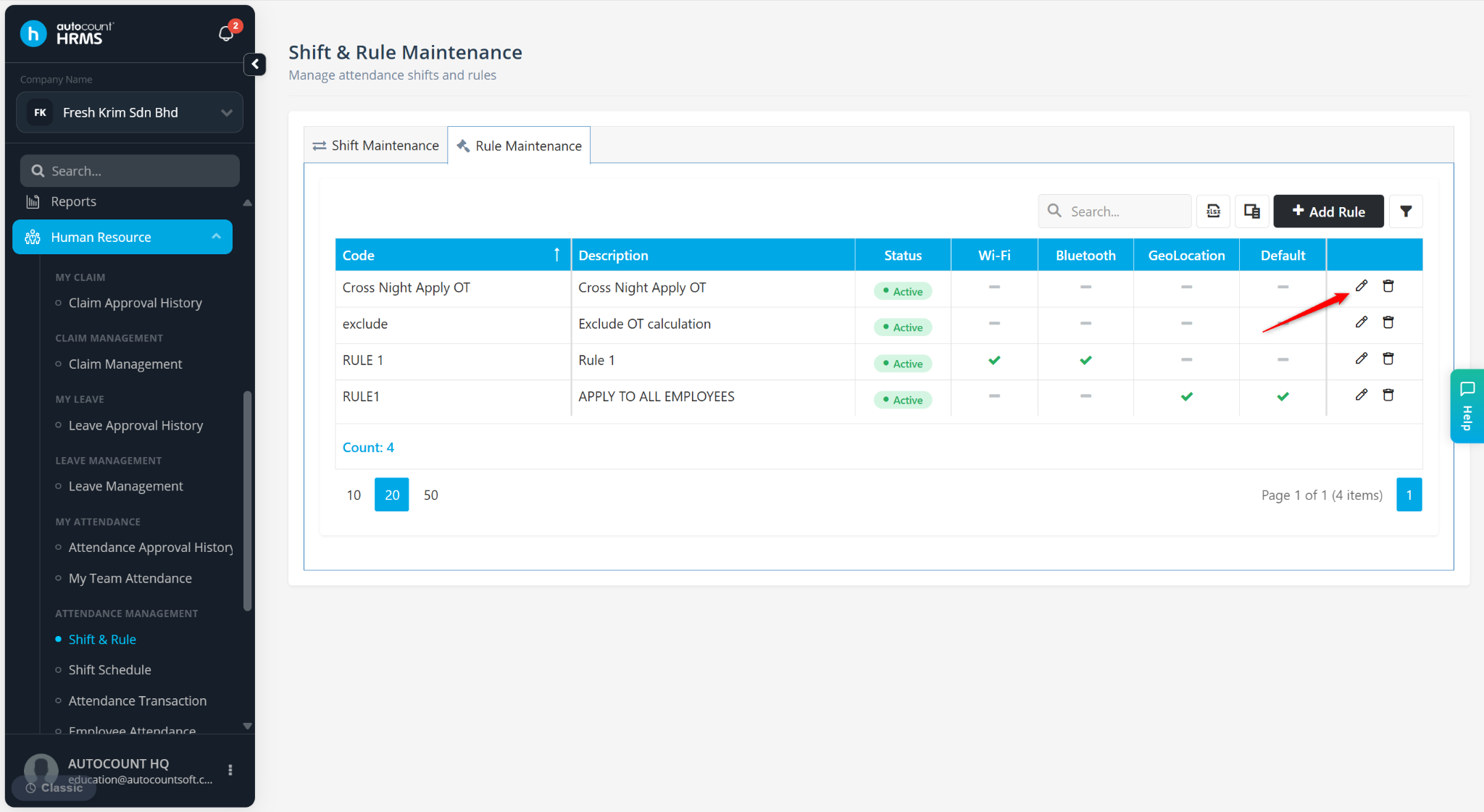
Locate the relevant rule and click the pencil icon.
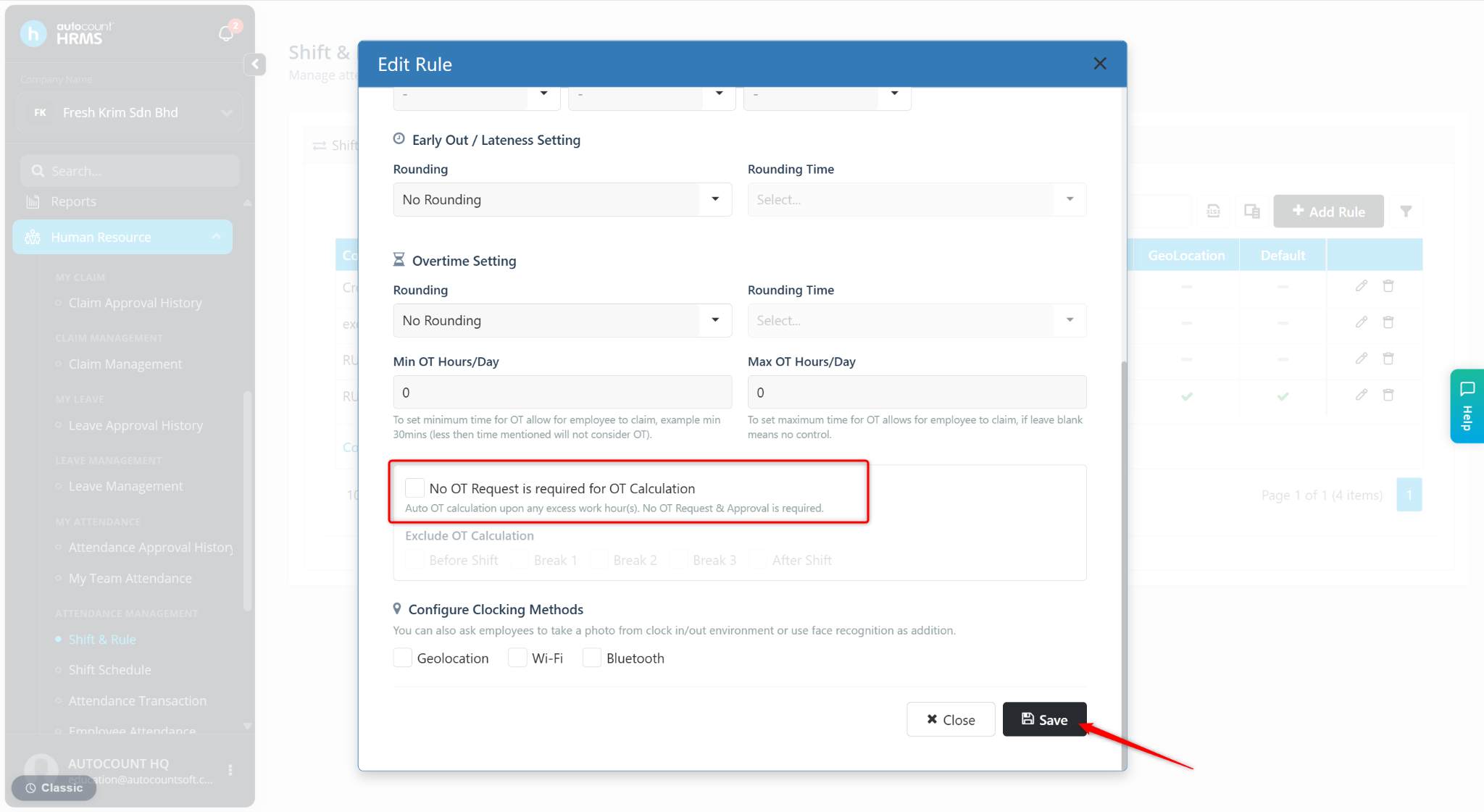
Uncheck No OT Request is required for OT Calculation.
Click Save to apply the changes.
Ask employees to resubmit their OT request.
Employees can submit overtime requests successfully.

Written by: Azirah (20250731)