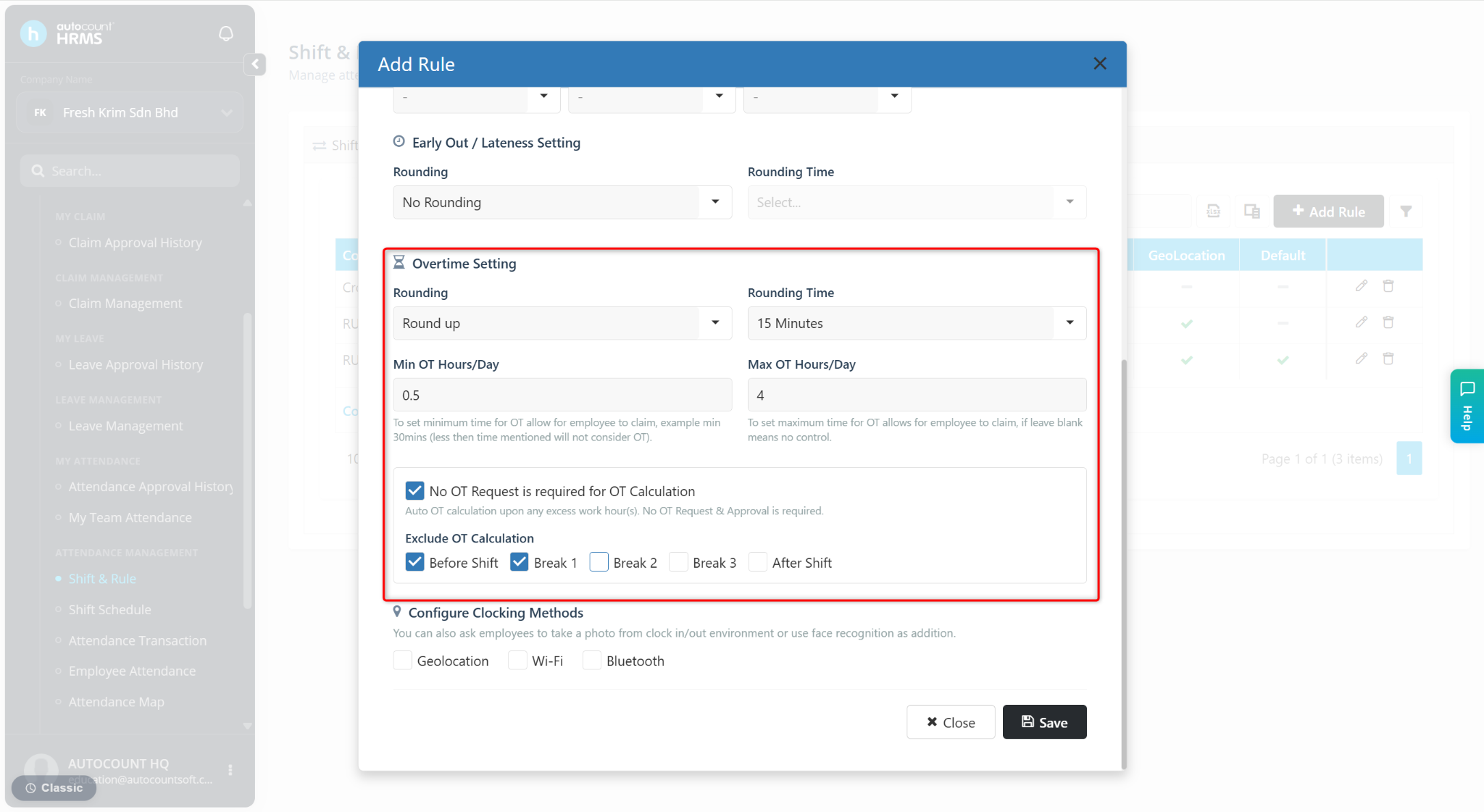
This setting is used to exclude specific periods of worked time from overtime (OT) calculations when No OT Request is Required for OT Calculation is enabled.
Users can choose to exclude any of the following periods:
Before Shift
Break 1
Break 2
Break 3
After Shift
Calculation Formula:
Overtime Worked Hours = Total Worked Hours - Shift Working Hours
Acceptable Overtime Working Hours = Overtime Worked Hours - Exclude Overtime Work Hours (based on the selection)
Example:
Shift Settings
Shift In Time: 10:00 am
Shift Out Time: 4:00 pm
Break Hour: 1 hour
Total Shift Working Hours: 5 hours
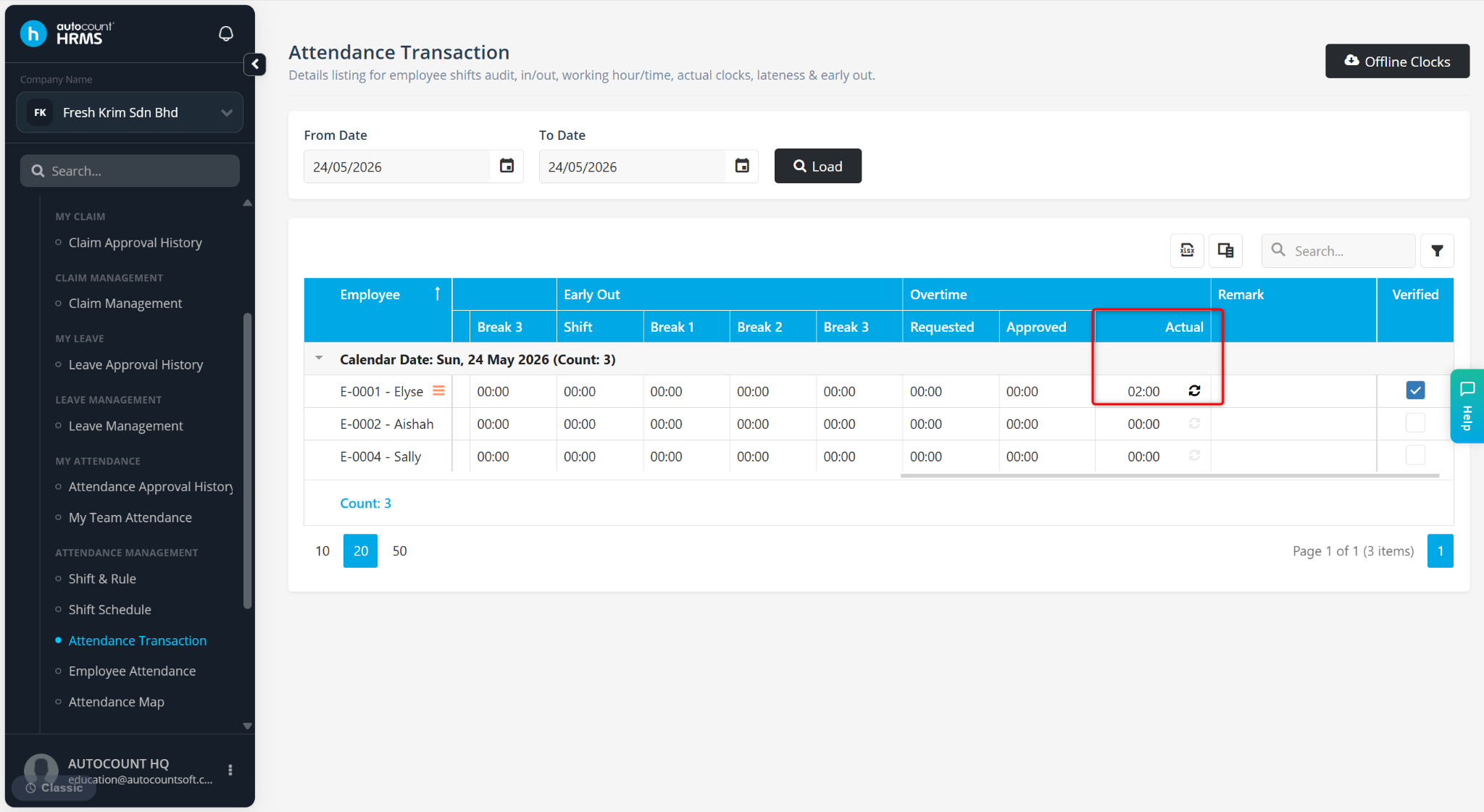
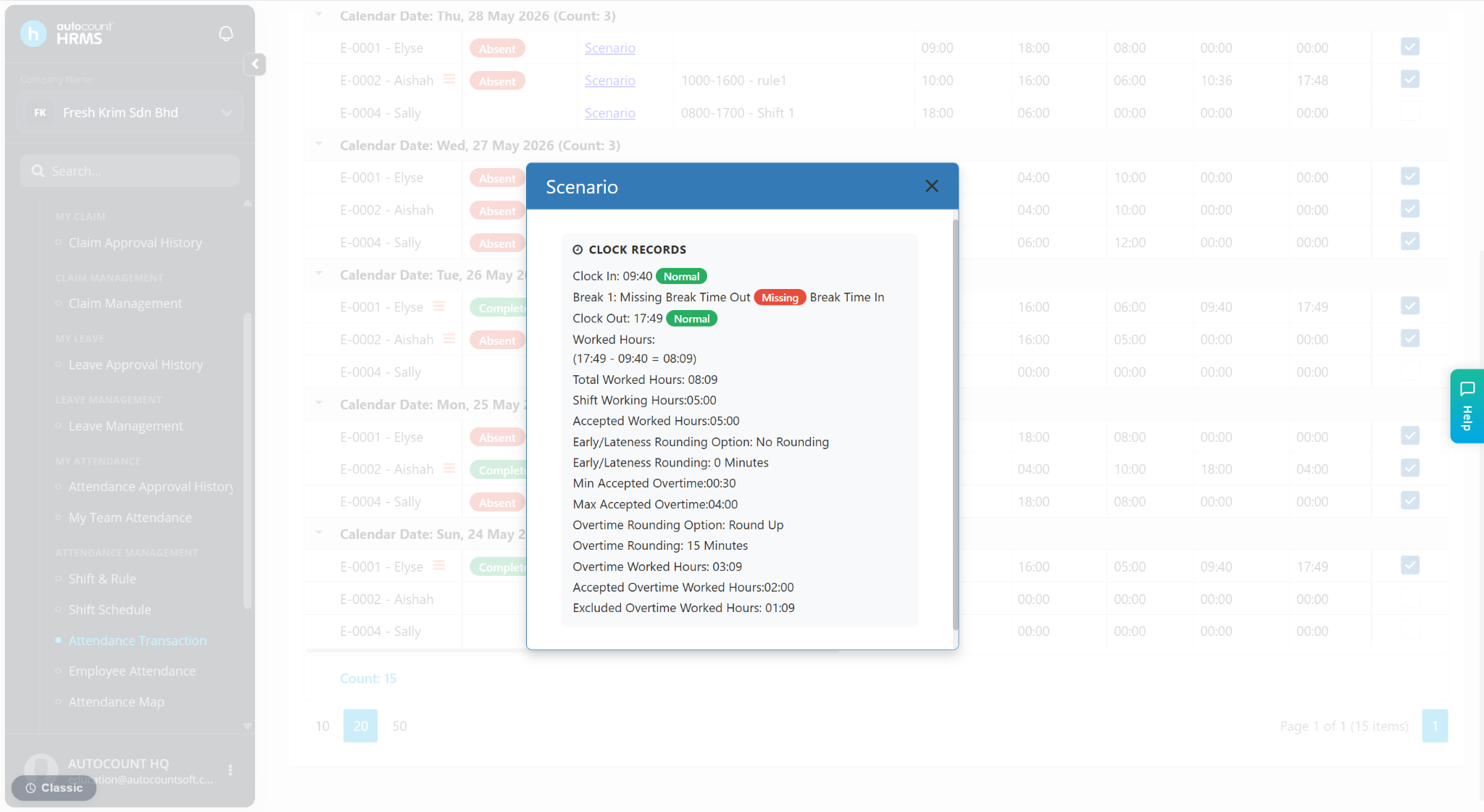
Attendance Transaction
Clock In Time: 9:40 am
Clock Out Time: 5:49 pm
Calculation
Total worked duration: 9:40 am to 5:49 pm = 8 hours 9 minutes
Overtime Worked Hours = Total Worked Hours - Shift Working Hours
= 8.2 hours - 5 hours
= 3.2 hours
Exclude Overtime Worked Hours = Before Shift Time + Break 1 Time
= (10 am - 9:40 am) + 1 hour
= 1.3 hours
Acceptable Overtime Worked Hours = Overtime Worked Hours - Excluded Overtime Worked Hours
= 3.2 hours - 1.3 hours
= 1 hour 49 minutes