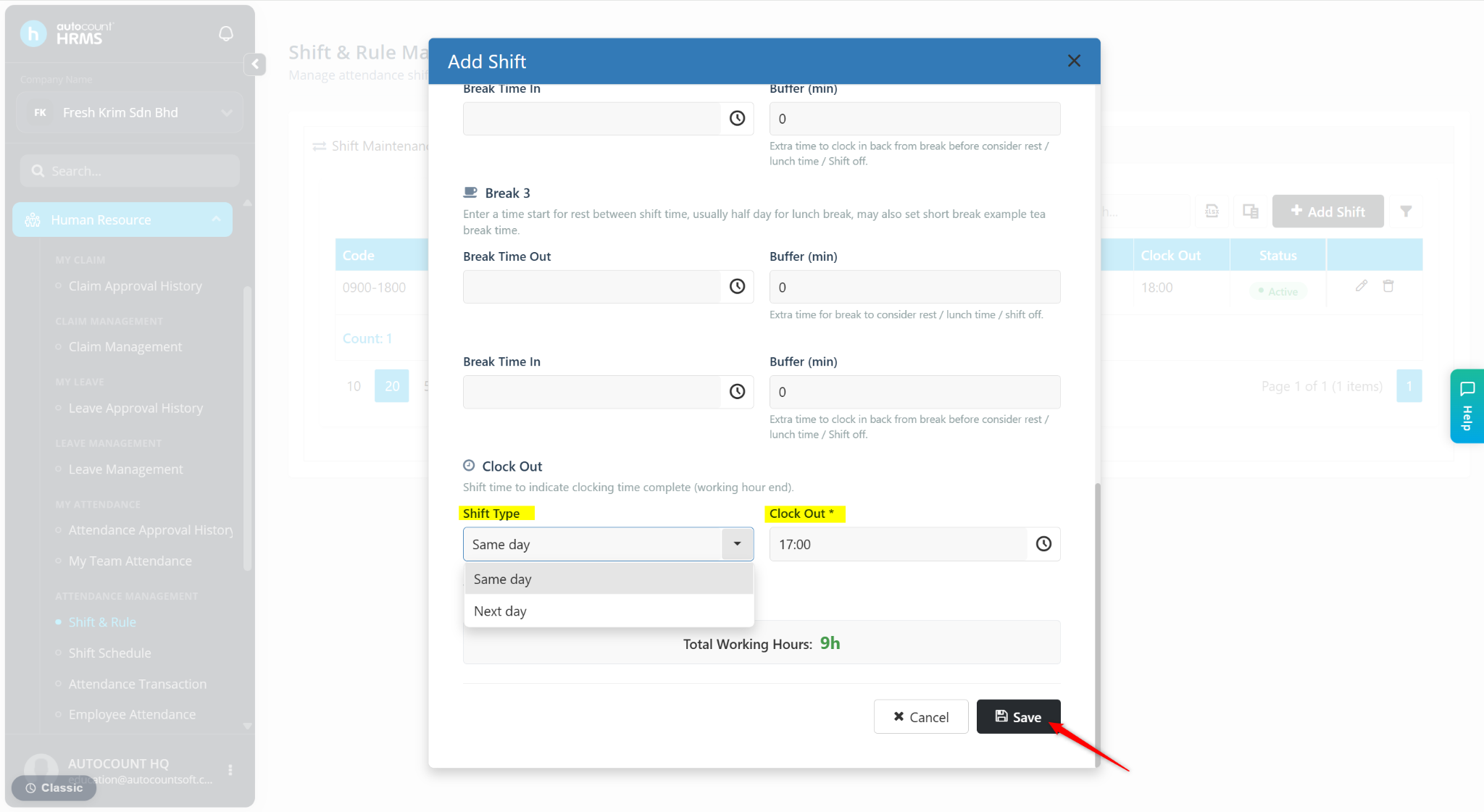
Shift Maintenance is used to define employee working shifts and working hours. It ensures accurate attendance tracking and payroll calculation by setting standards clock-in and clock-out times for employees.
Steps to Create a New Shift:
Go to Human Resource > Shift & Rule.
Go to Shift Maintenance.
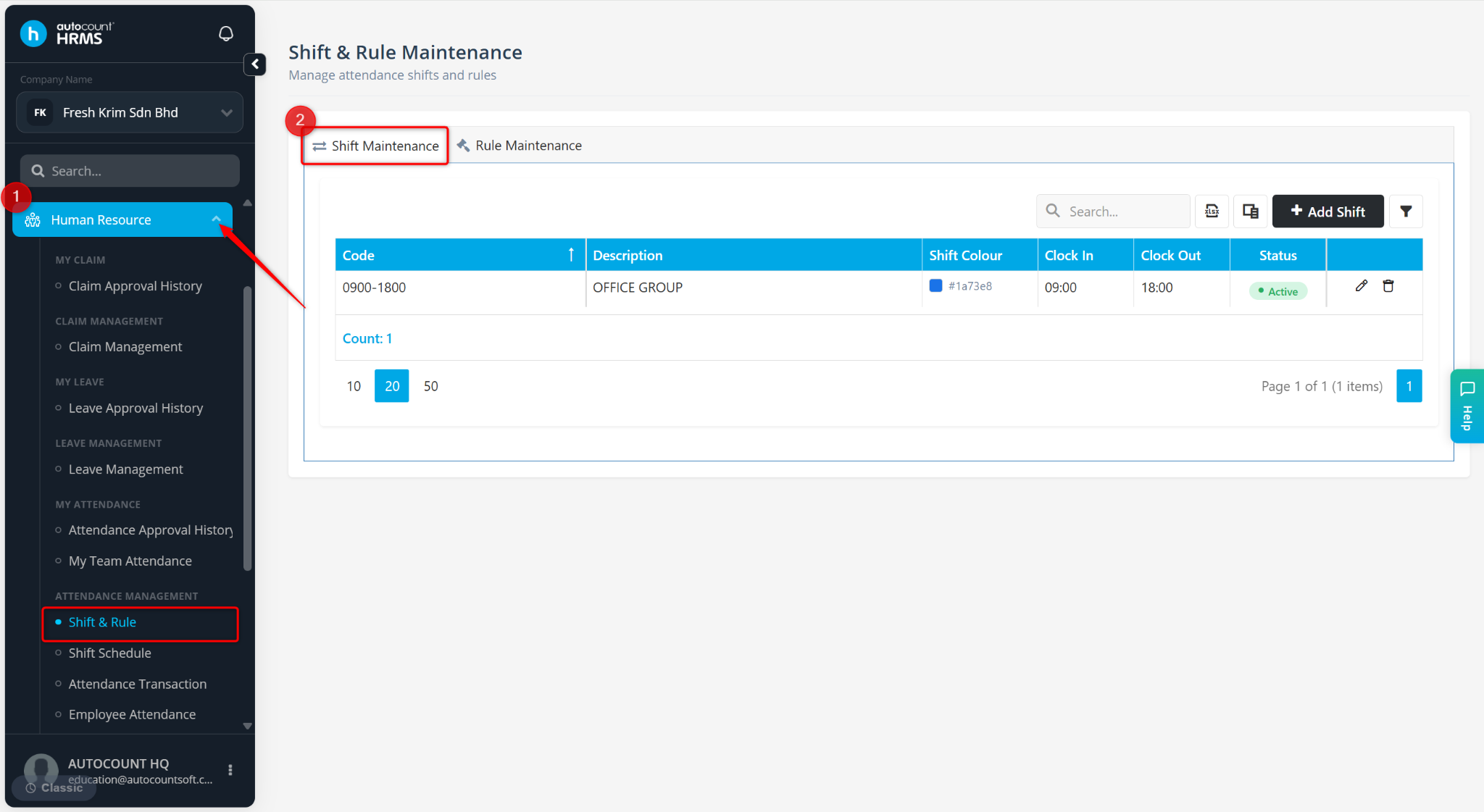
Click Add Shift.
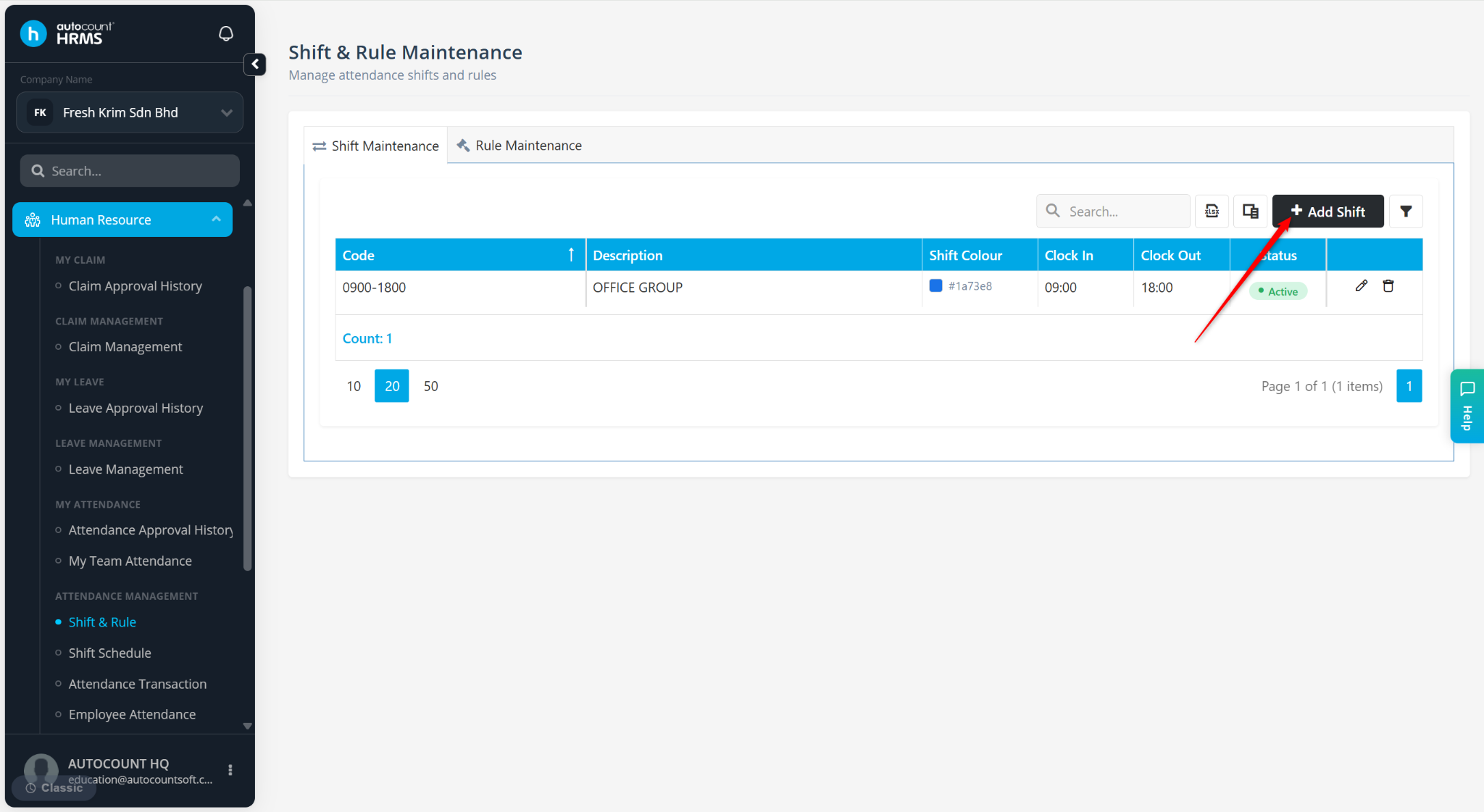
Enter the details:
Code – Enter a shift code.
Description – Enter a short remark.
Clock In – Enter the shift start time.
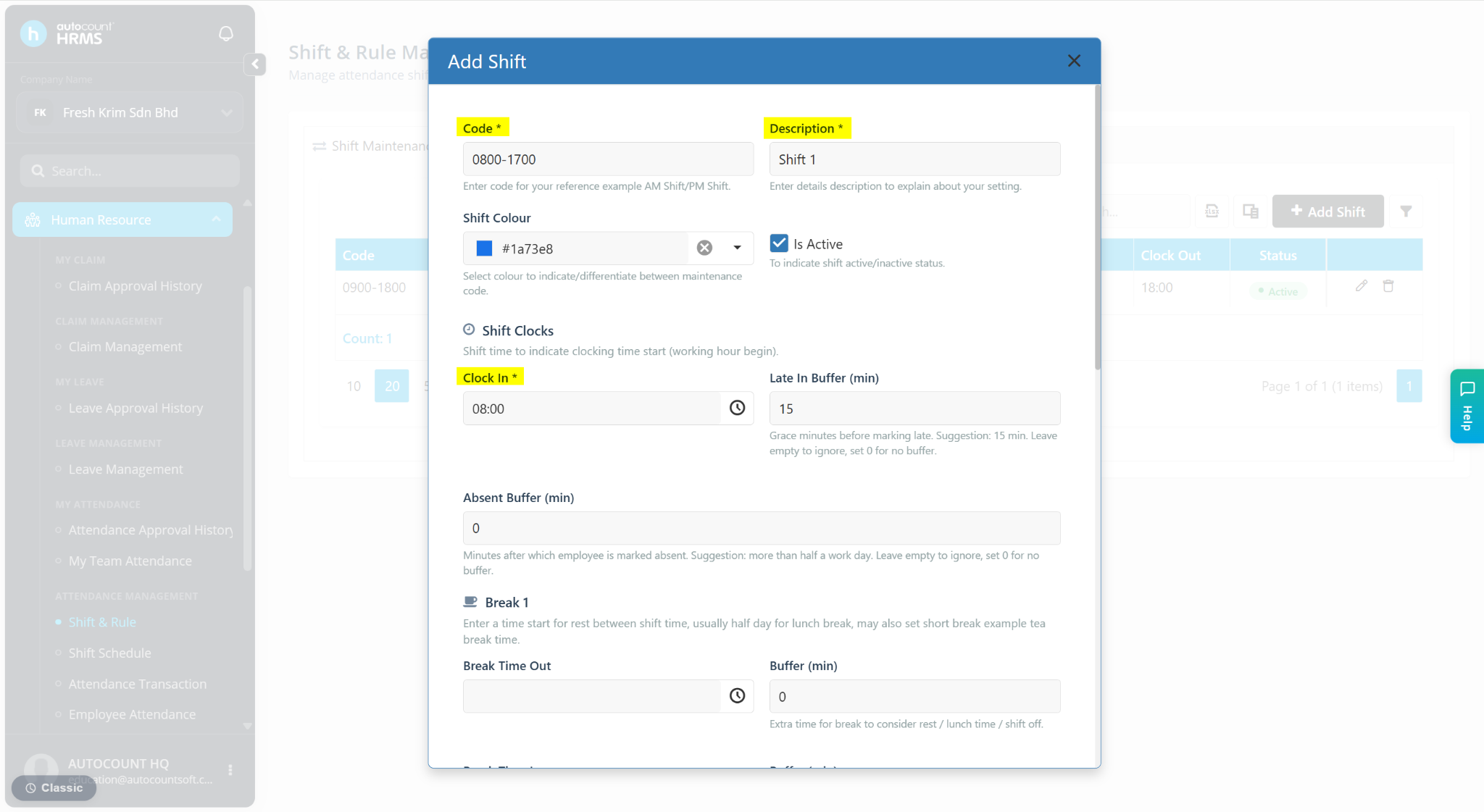
Shift Type –
Same Day – For normal shift.
Next Day – For overnight shift.
Clock Out – Enter the shift end time.
Click Save.