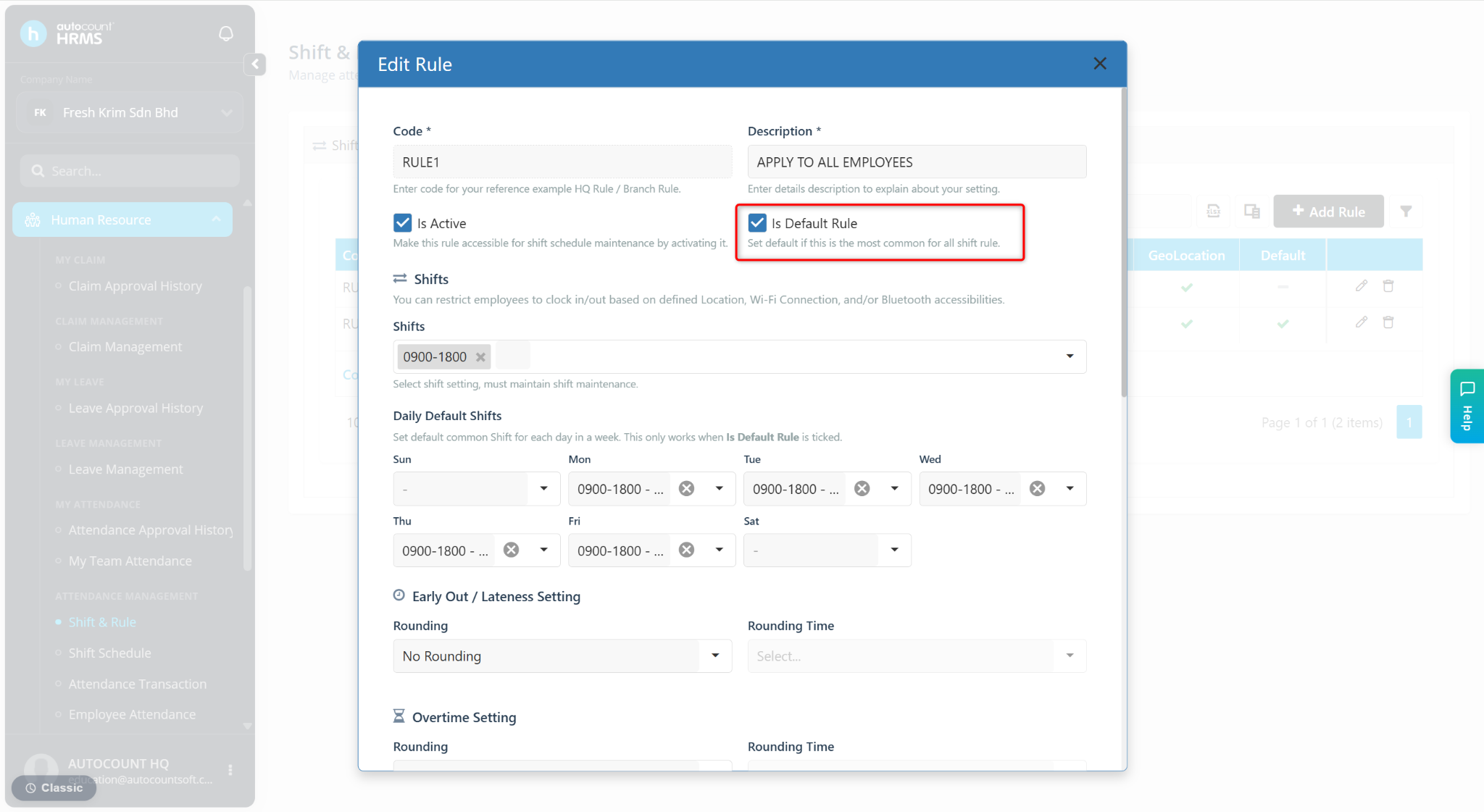
Default Rule is used to define a commonly used working schedule that will automatically apply to employees who do not have a specific shift assigned or are not included in any shift schedule.
When no individual or scheduled shift is available, the system will assign the Default Rule to ensure the employee still has a valid working schedule for attendance and payroll purposes.
Steps to Set a Rule as Default Rule:
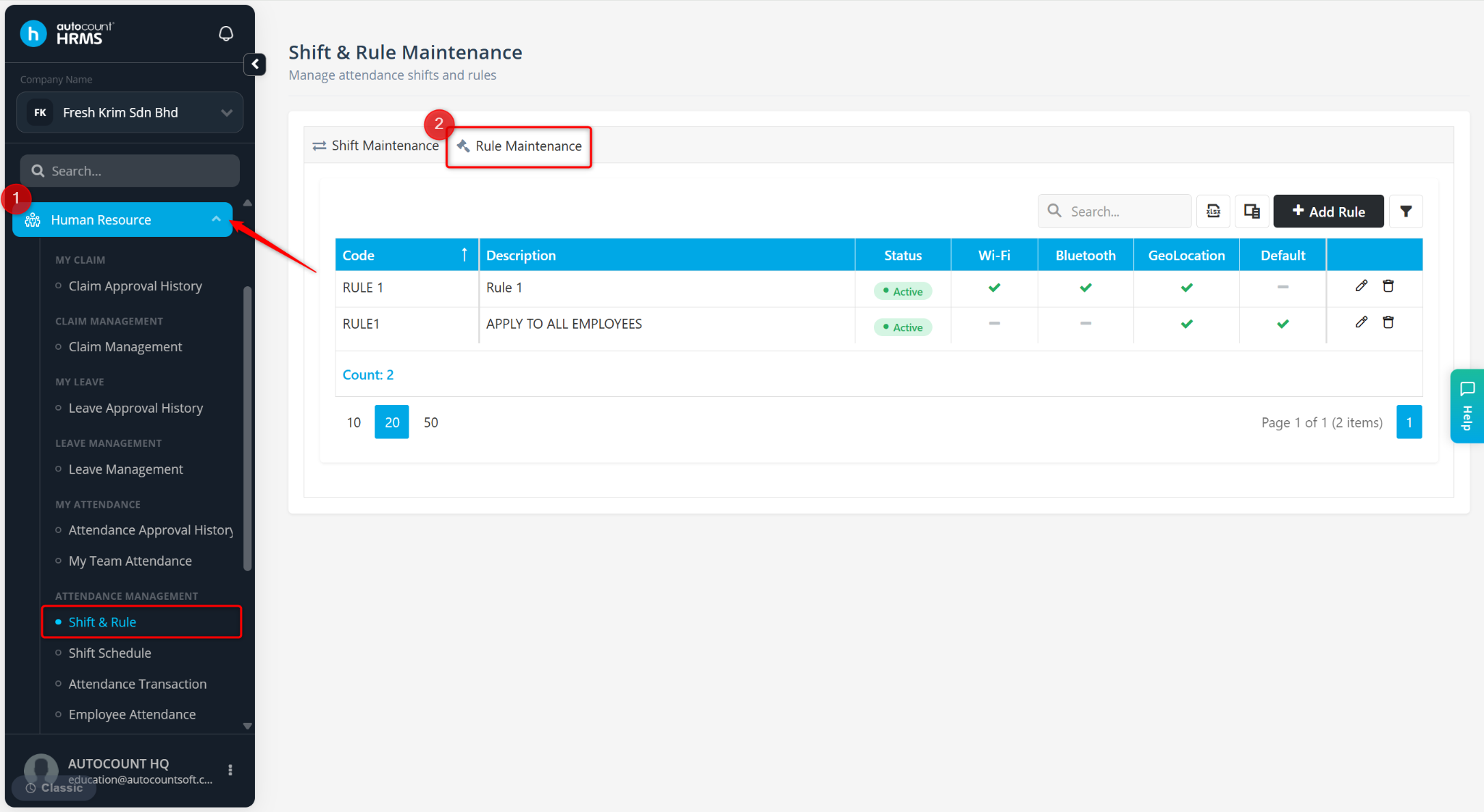
Go to Human Resources > Shift & Rule.
Go to Rule Maintenance.
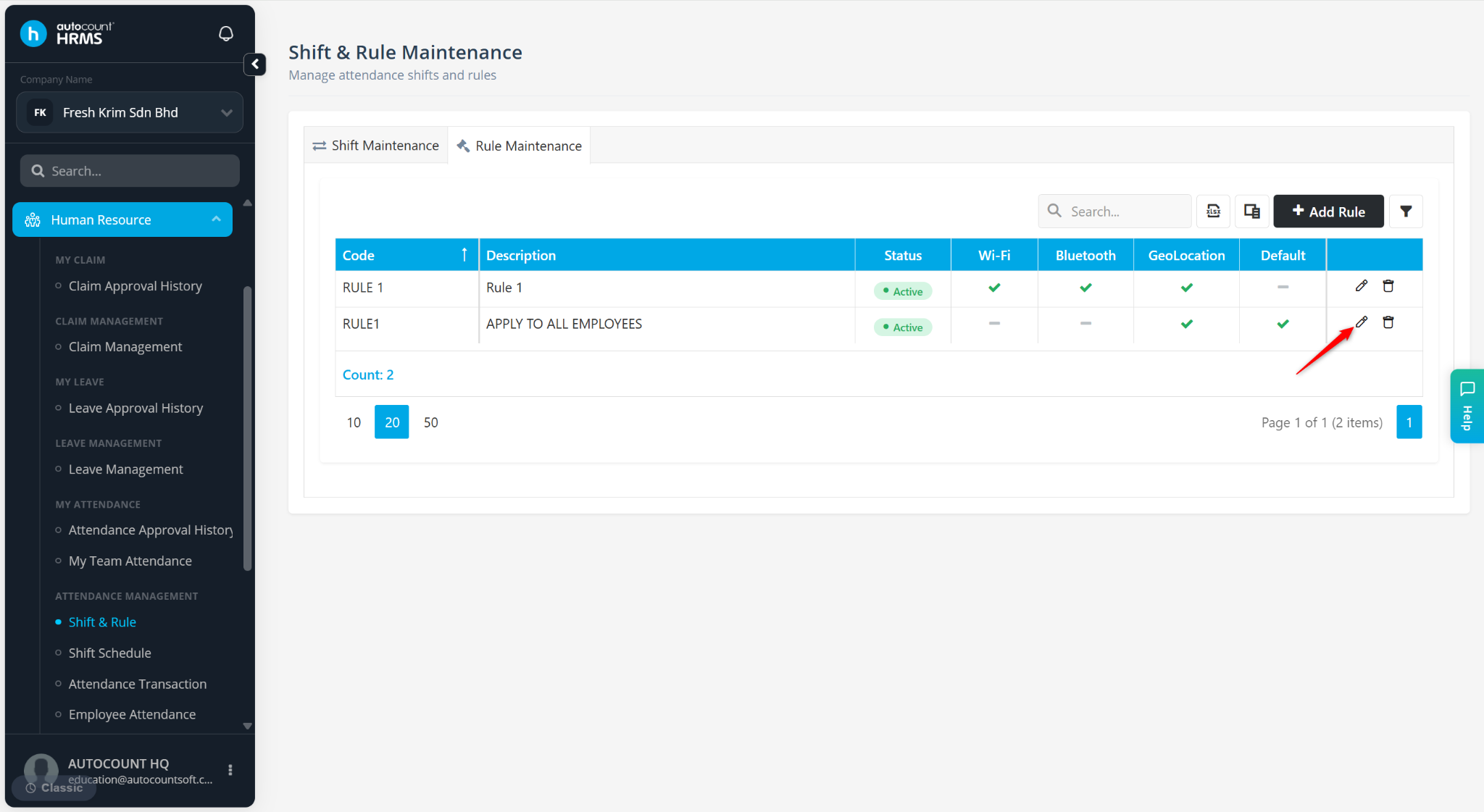
Locate the rule and click the pencil icon.
Tick Is Default Rule.