The Default Overtime Setting allows users to assign a predefined overtime rule to an employee. The assigned overtime rule will be used when calculating overtime pay, ensuring overtime is processed consistently according to company policy.
Steps to Maintain Default Overtime Settings:
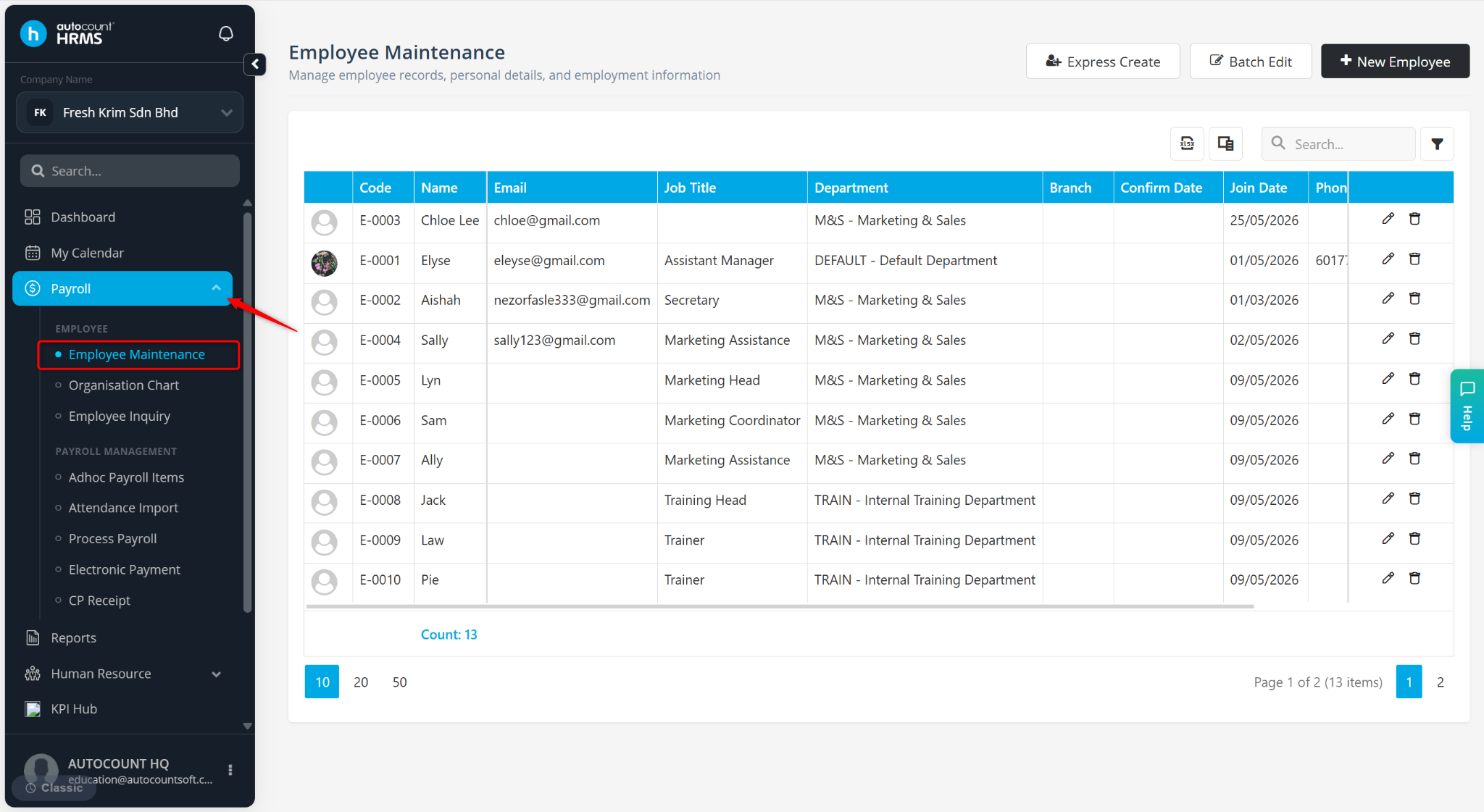
Go to Payroll > Employee Maintenance.
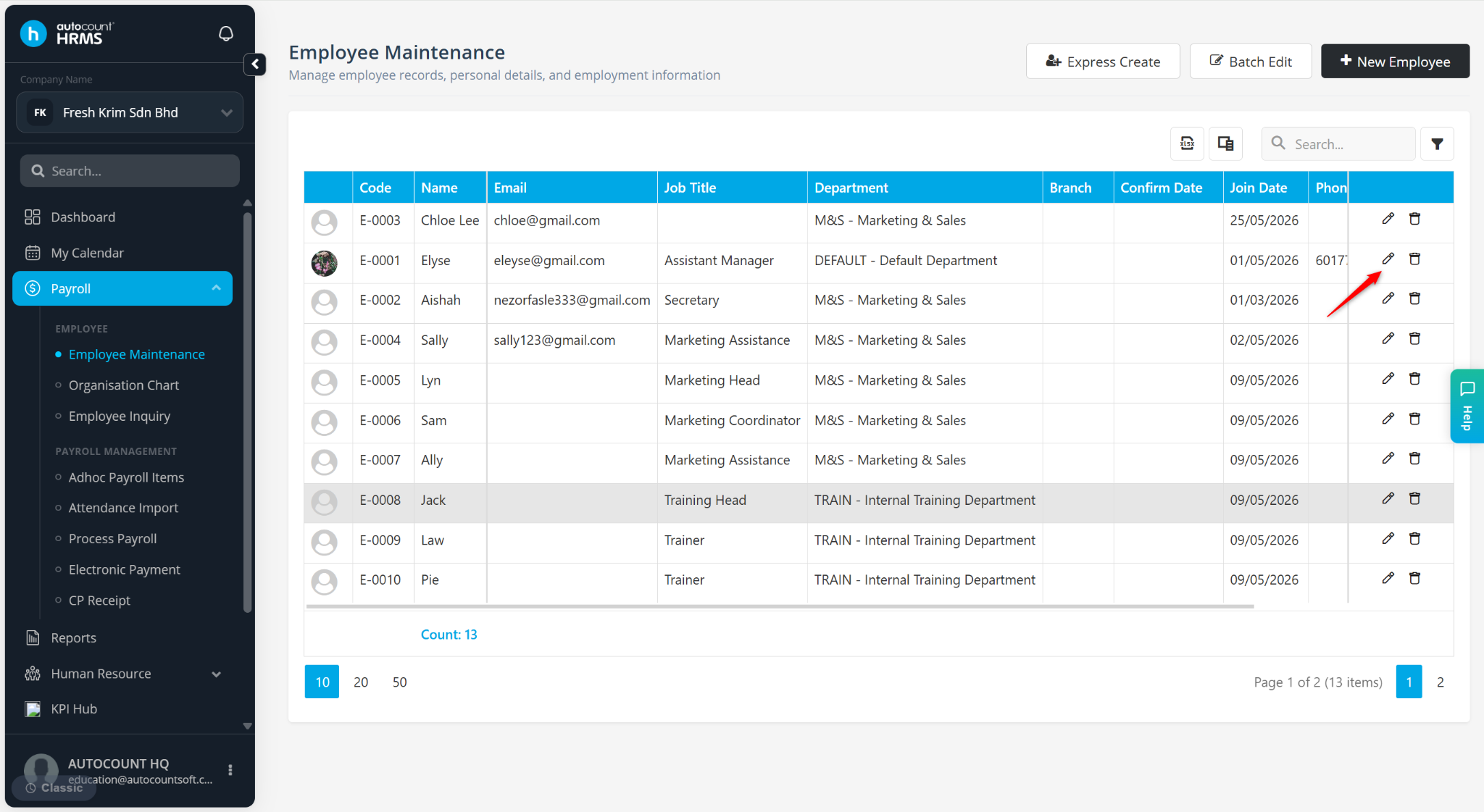
Locate the employee and click the pencil icon next to the employee.
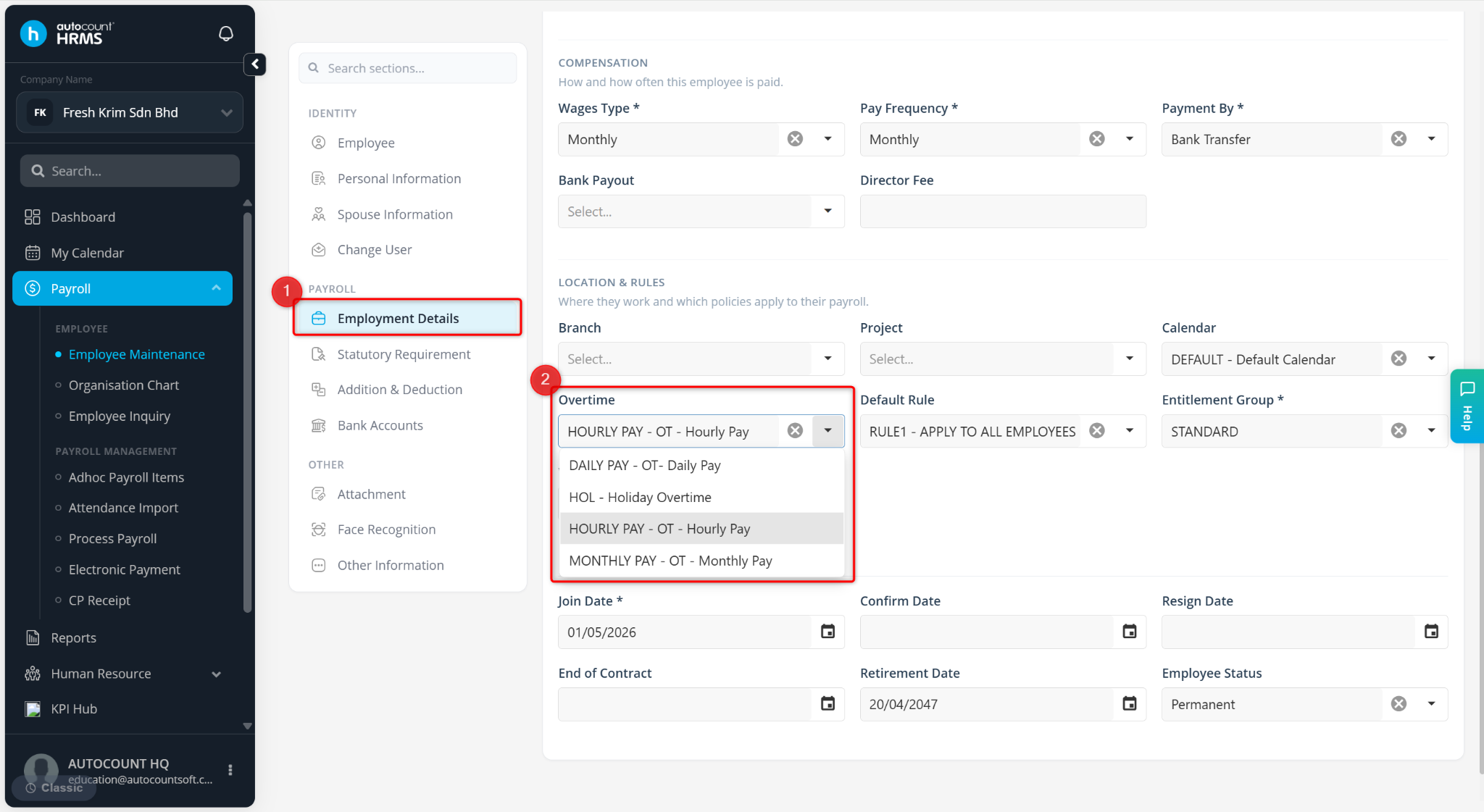
Go to Employment Details.
Select the appropriate Overtime rule. Overtime rules are maintained under Tools > Payroll Items > Overtime.
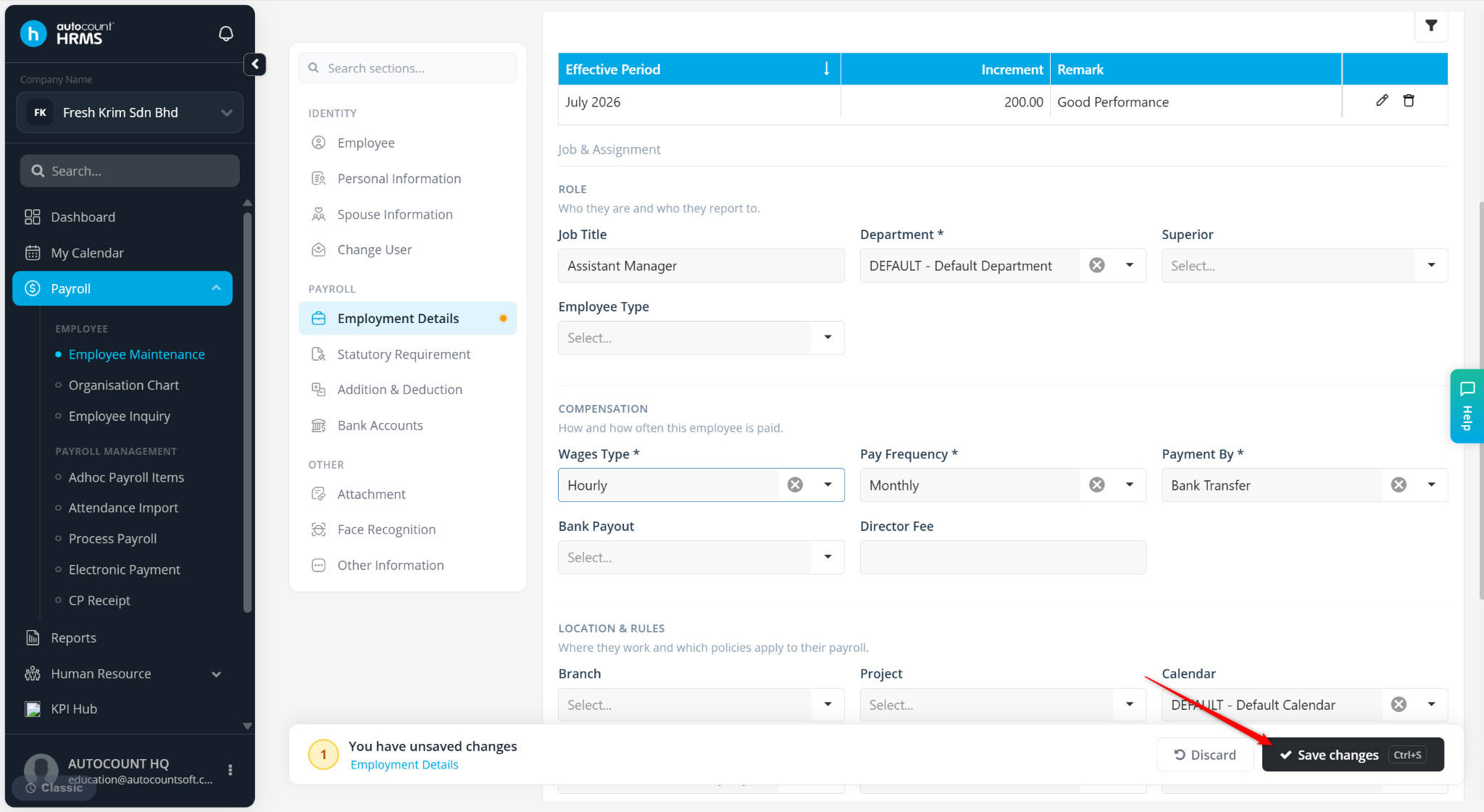
Click Save changes to apply.