
Maintaining accurate spouse and dependent information is important for payroll processing, statutory reporting, tax relief calculations, benefits administration, and employee record management.
Steps to Maintain Spouse Information:
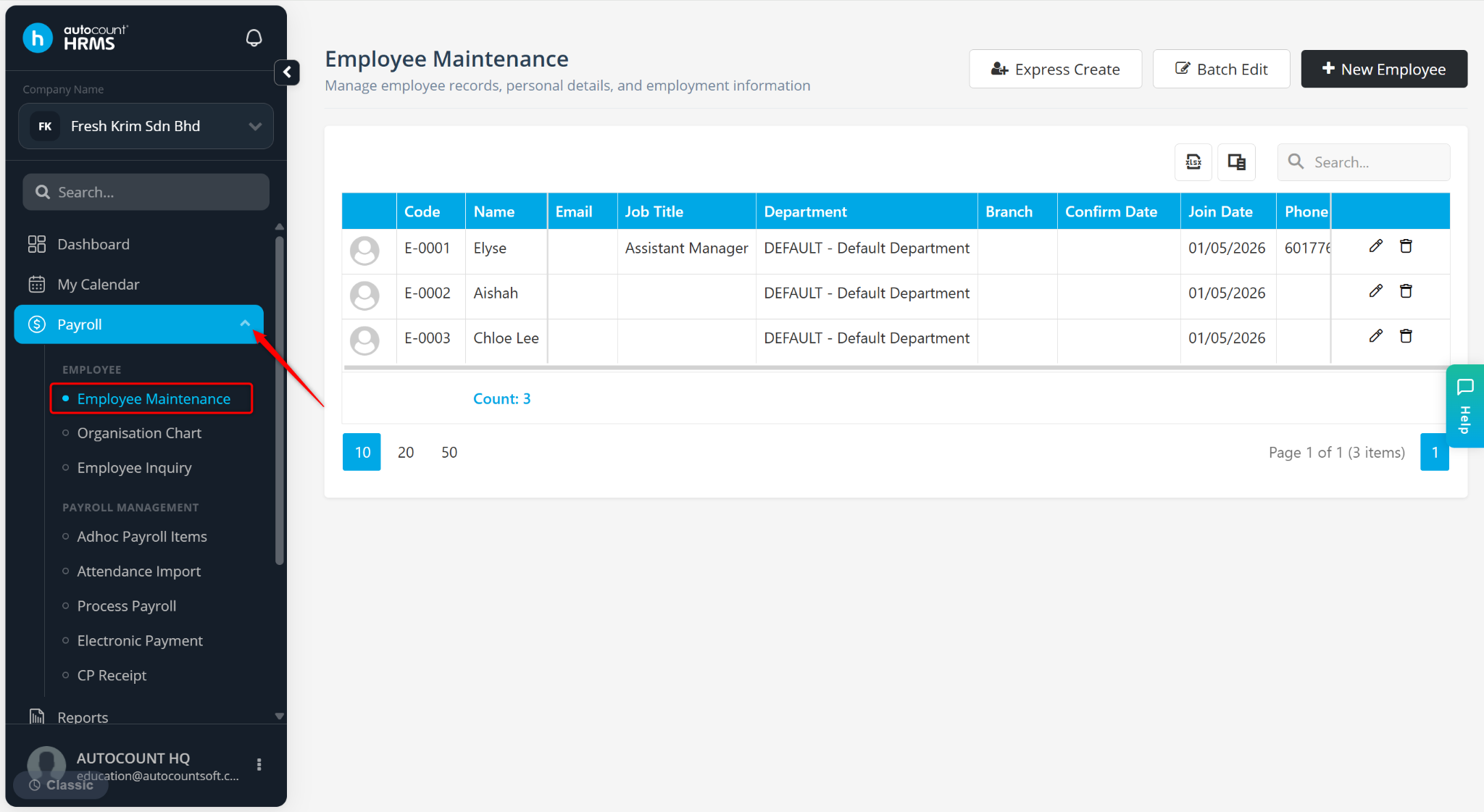
Go to Payroll > Employee Maintenance.
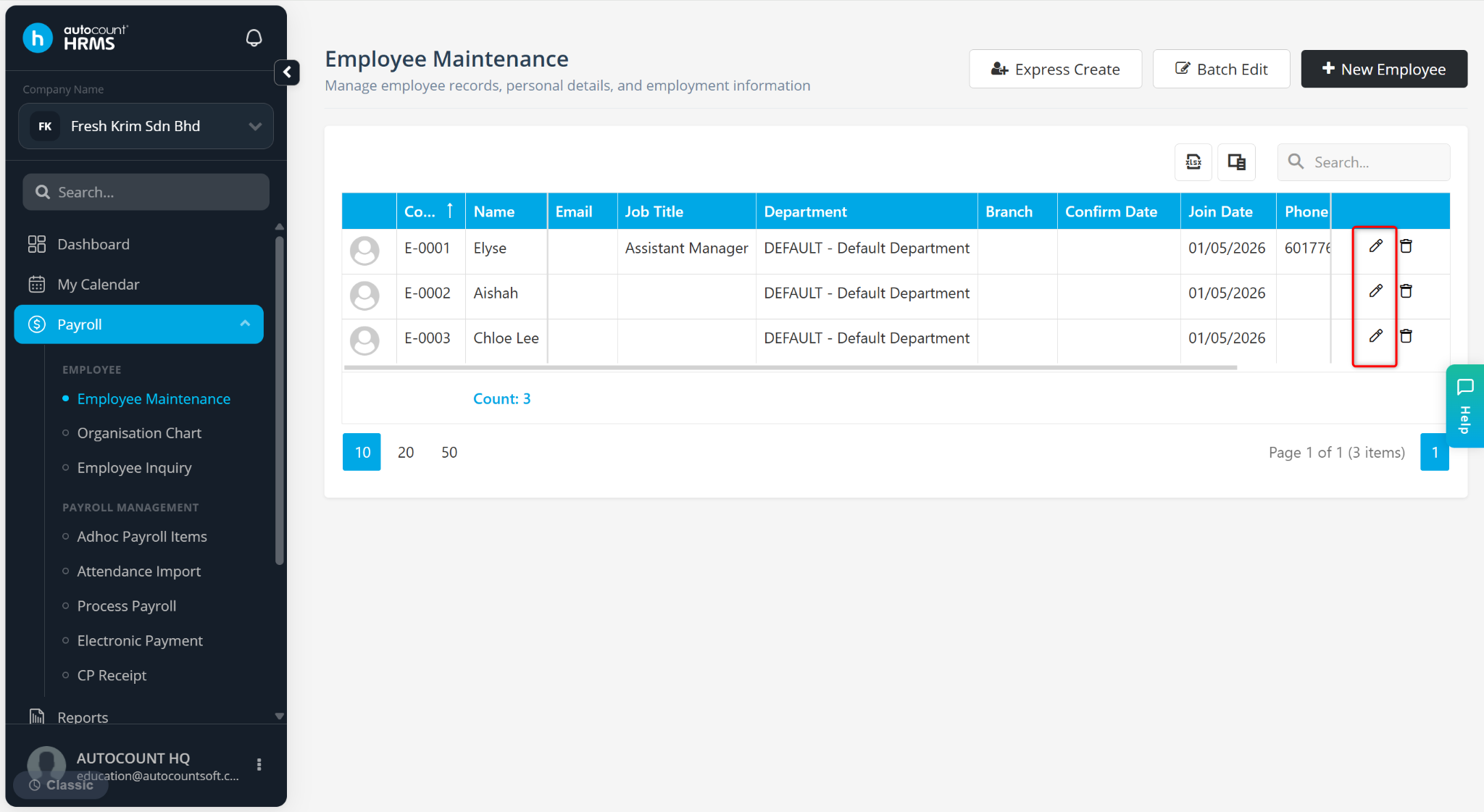
Click on the pencil icon next to the employee’s name.
Go to the Spouse Information tab.
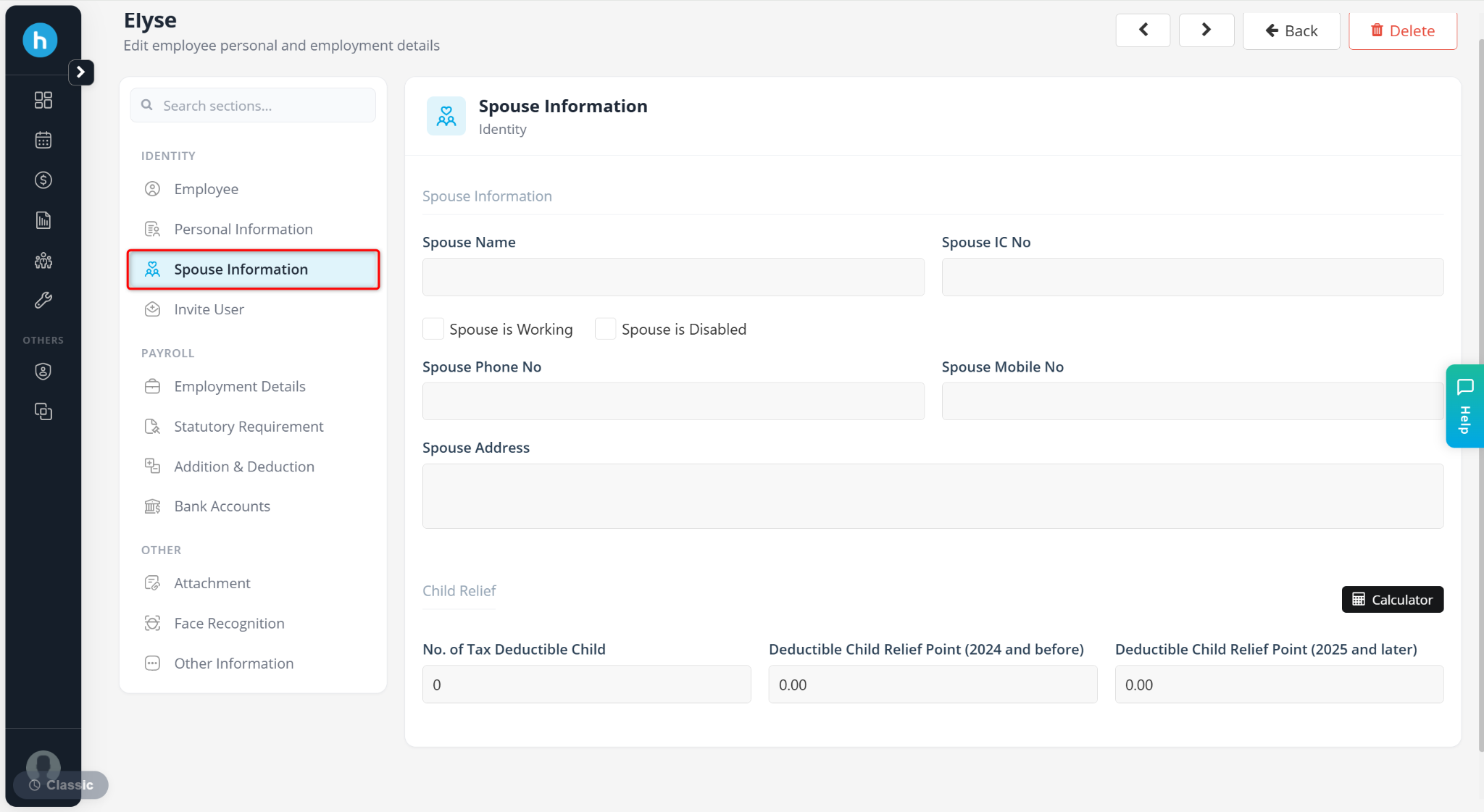
The Spouse Information tab consists of the following sections:
Spouse Information
Child Relief
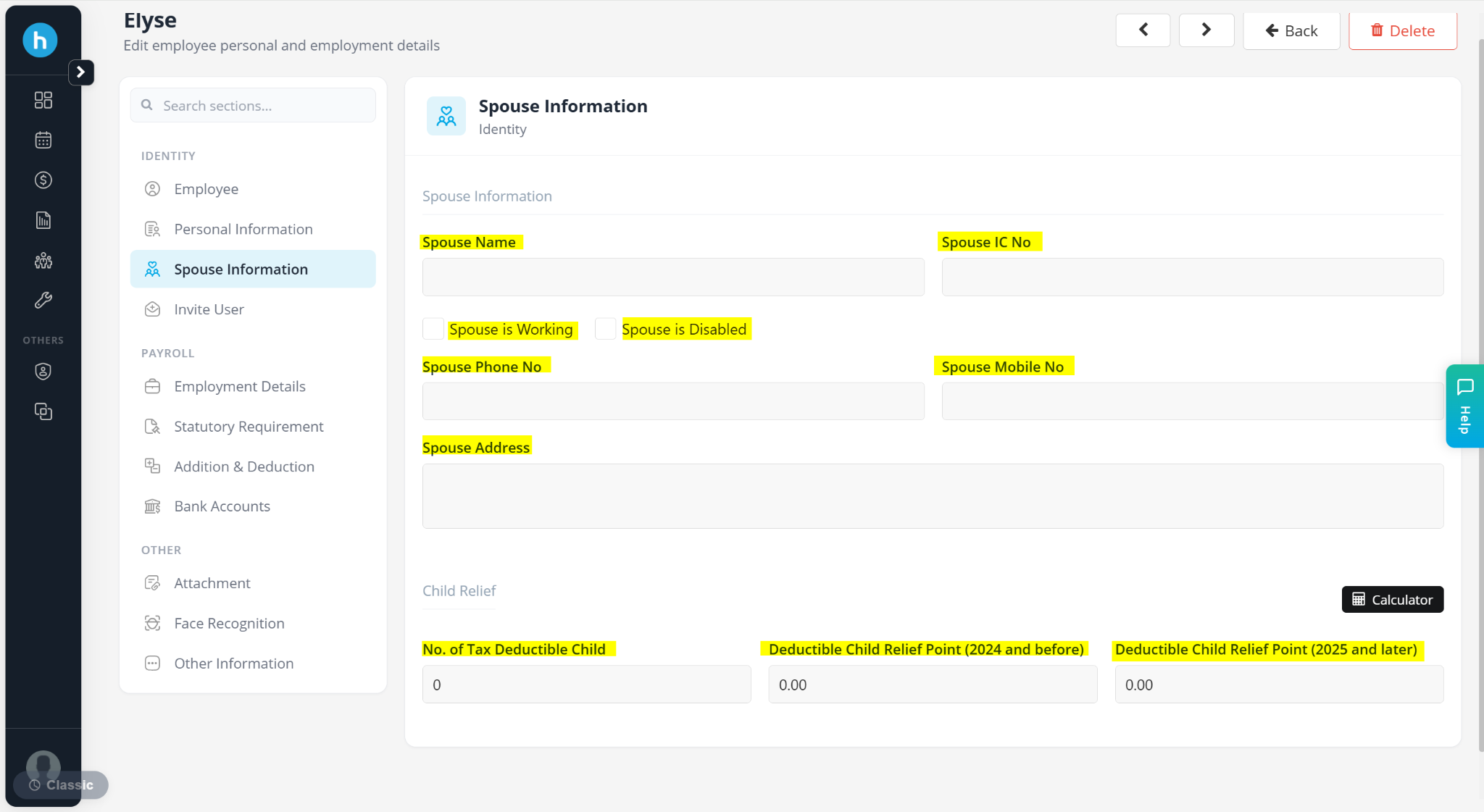
A) Spouse Information
Stores basic spouse details for HR and statutory use.
Spouse Name – Enter the name of employee’s spouse
Spouse IC No – Enter employee’s spouse’s IC number.
Spouse is Working – Tick if the employee’s spouse is employed.
Spouse is Disabled – Tick if the employee’s spouse is disabled.
Spouse Phone No – Enter employee’s spouse’s contact number.
Spouse Mobile No – Enter employee’s spouse’s mobile contact number.
Spouse Address – Enter residential address of the employee’s spouse.
B) Child Relief
Used for tax relief calculation under PCB (Pay As You Earn / Monthly Tax Deduction).
No. of Tax Deductible Child – Enter the number of children eligible for tax relief under tax regulations.
Deductible Child Relief Point (2024 and before) – Enter the applicable child relief points for tax calculation up to 2024.
Deductible Child Relief Point (2025 and later) – Enter the updated child relief points applicable from 2025 onwards, based on current tax rules.