Rule Maintenance is used to define the working rules and restrictions for a shift. It ensures consistency in attendance tracking by setting conditions such as clocking methods, overtime limits, lateness rules, and shift behaviour. These rules act as the framework that governs how employee attendance is recorded and calculated within a shift.
Steps to Create a New Rule:
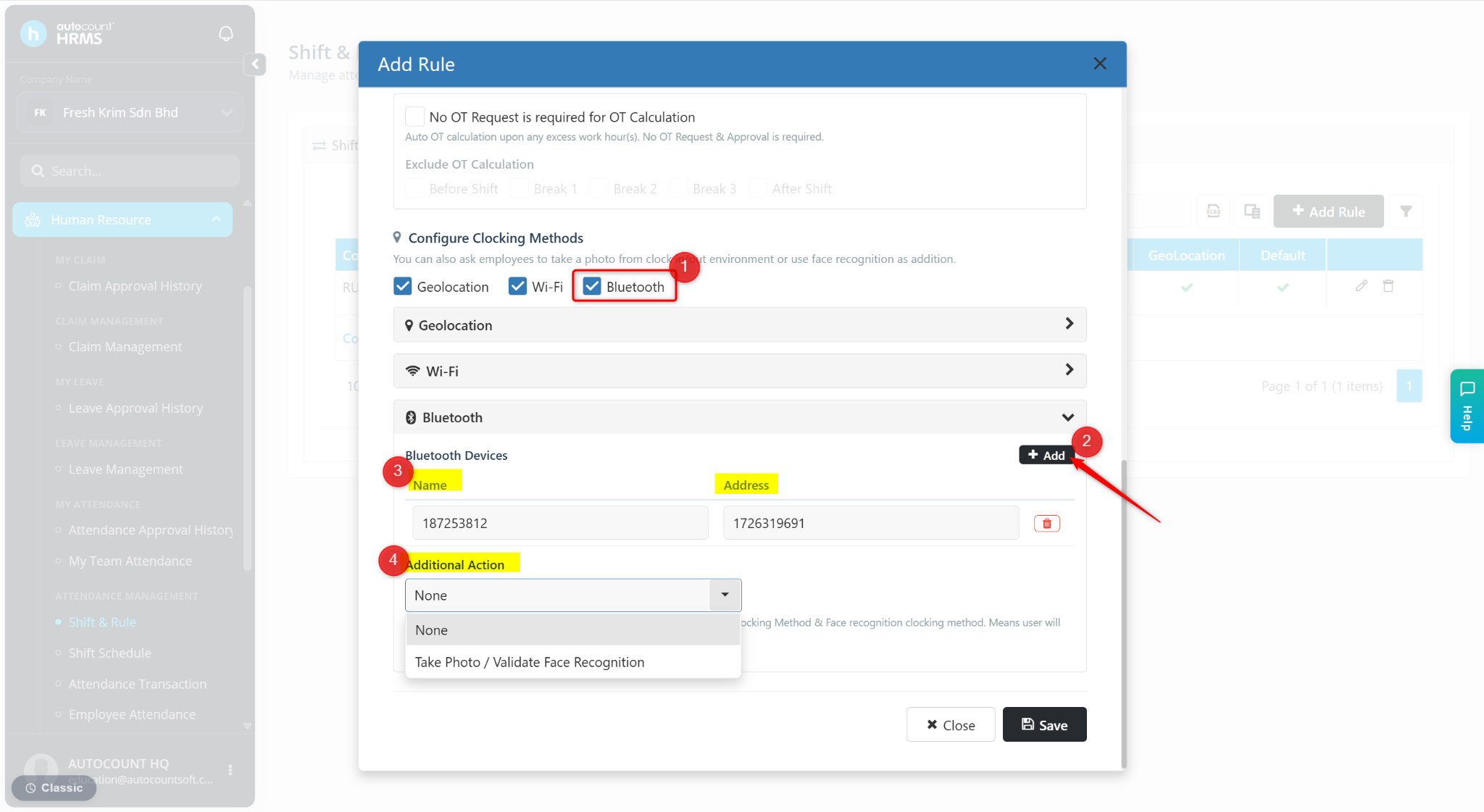
Go to Human Resources > Shift & Rule.
Go to Rule Maintenance.
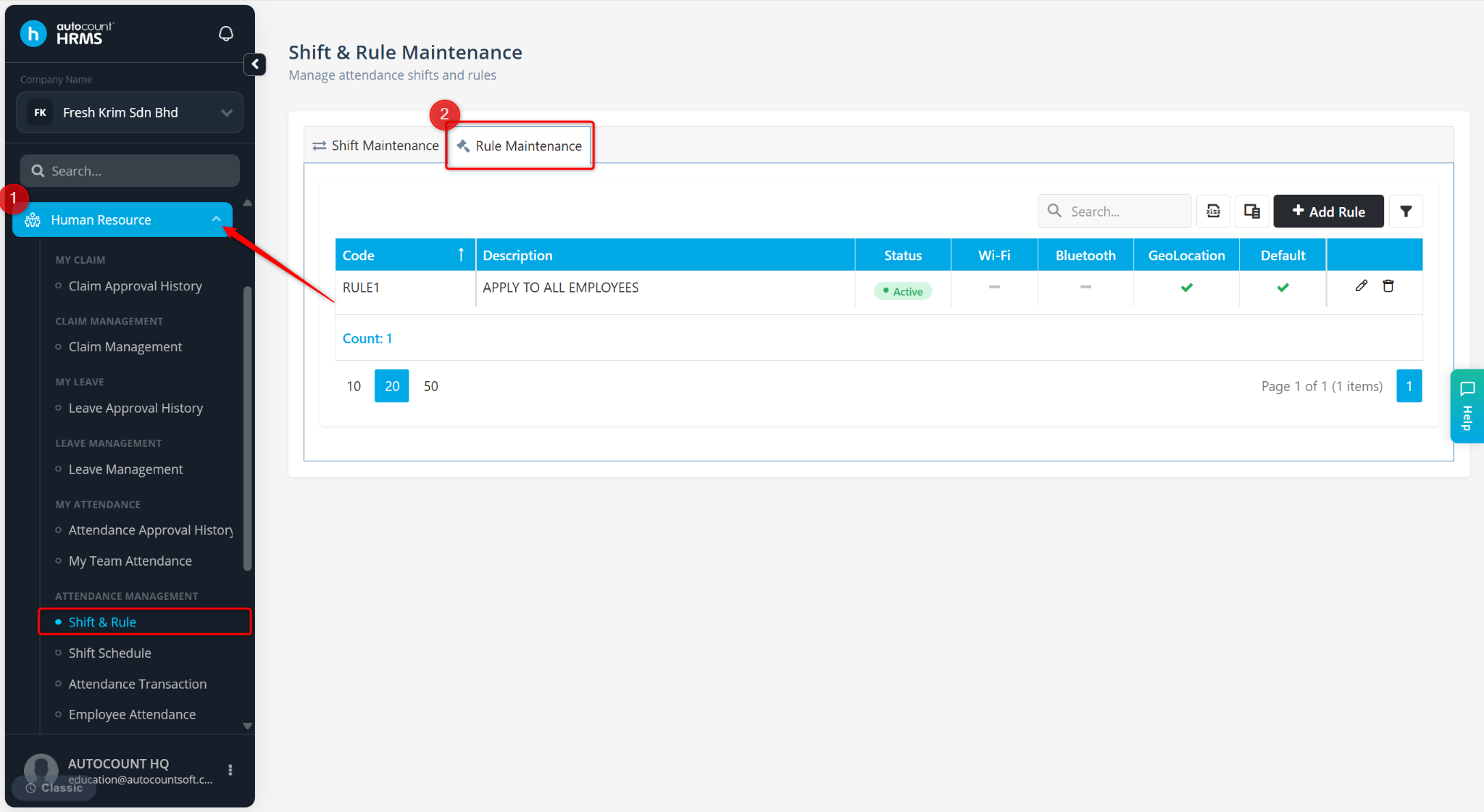
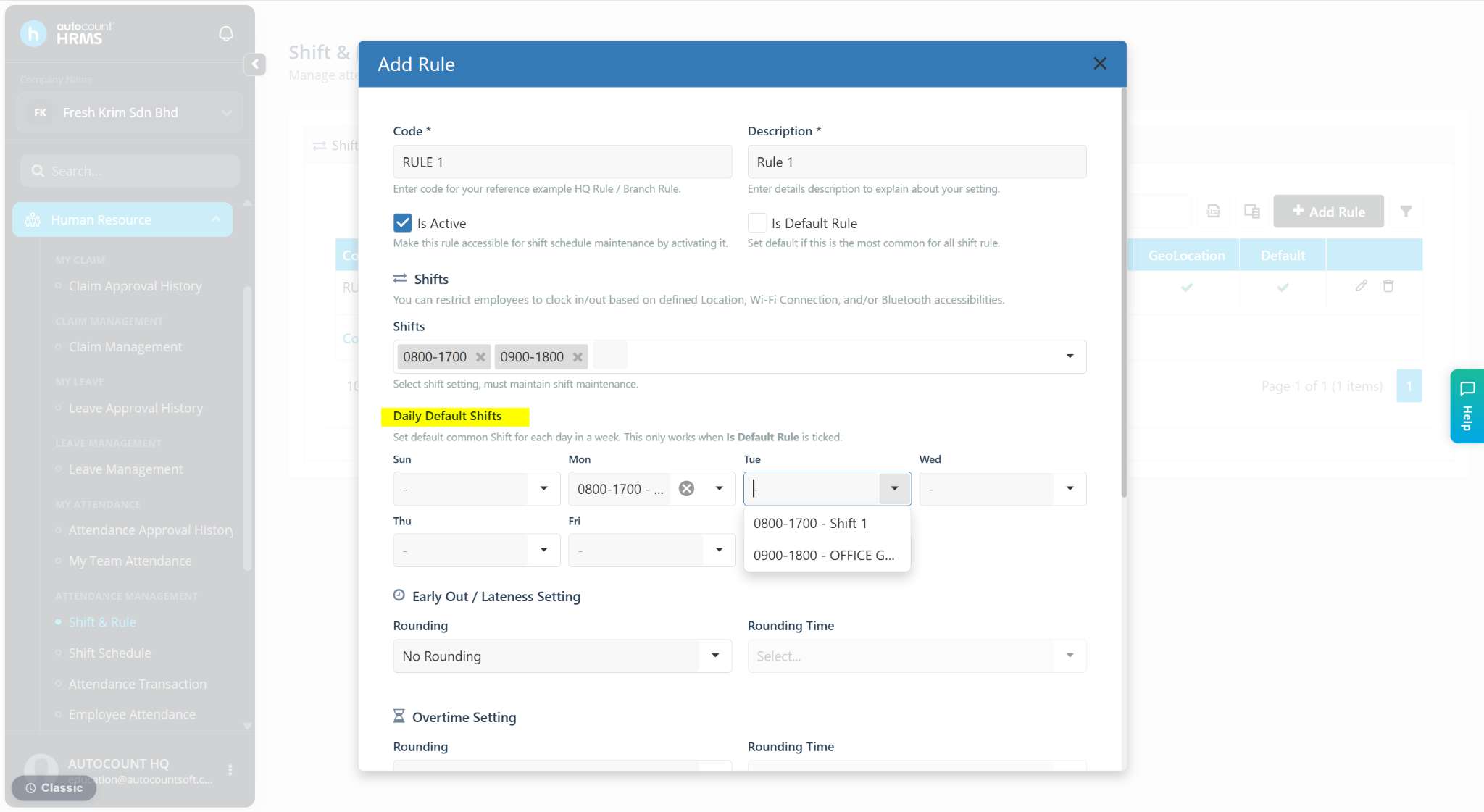
Click +Add Rule.
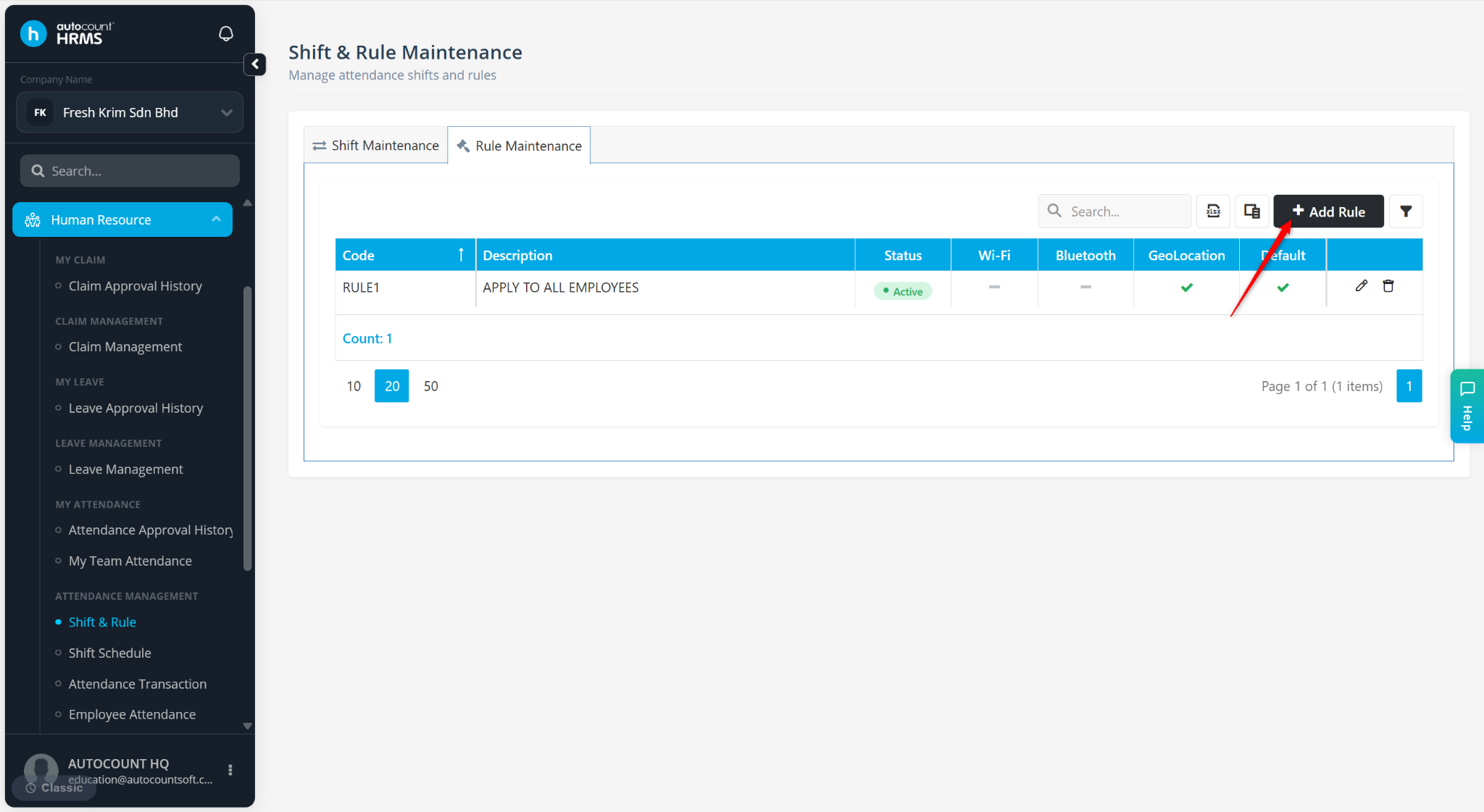
Enter the details:
Code – Enter a rule code.
Description – Enter a short description.
Shifts – Select the applicable shift(s). Refer to Shift Maintenance to create shifts.
At Daily Default Shift, assign shifts for each day of the week if needed.
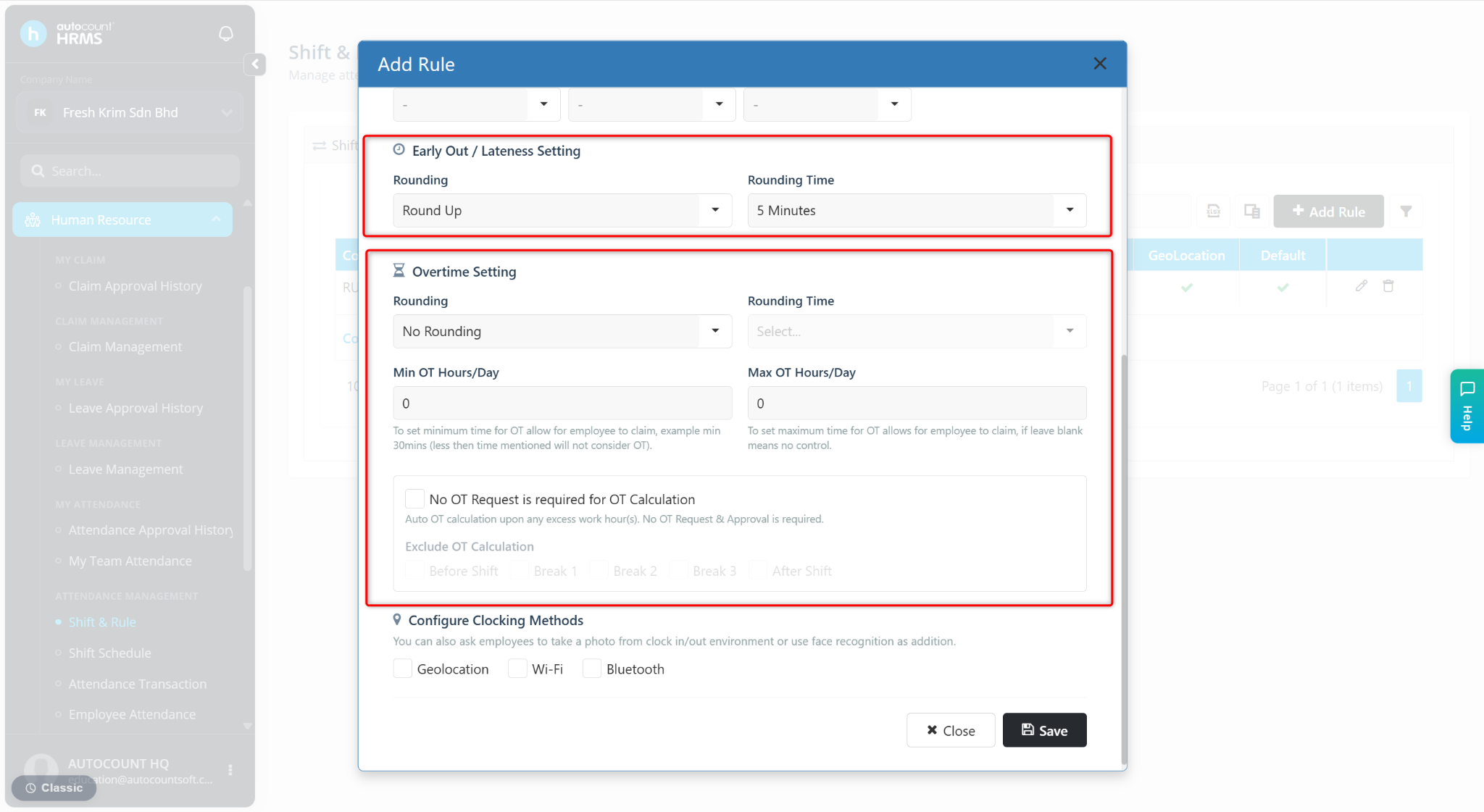
Configure Early Out / Lateness and Overtime Settings if required. Refer to Early Out / Lateness and Overtime Rounding.
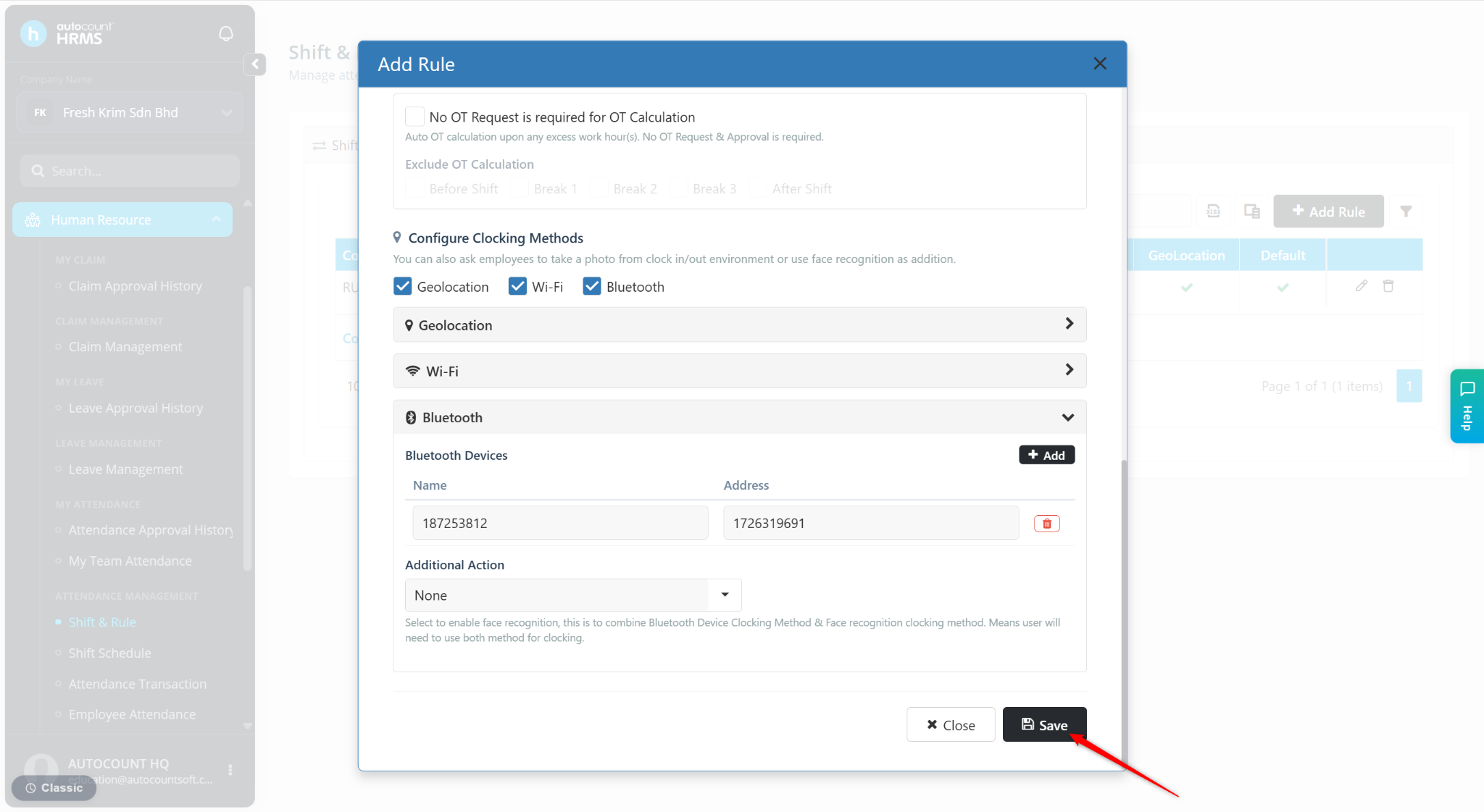
Configure Clocking Methods. Scroll down to view detailed setup steps.
Click Save.
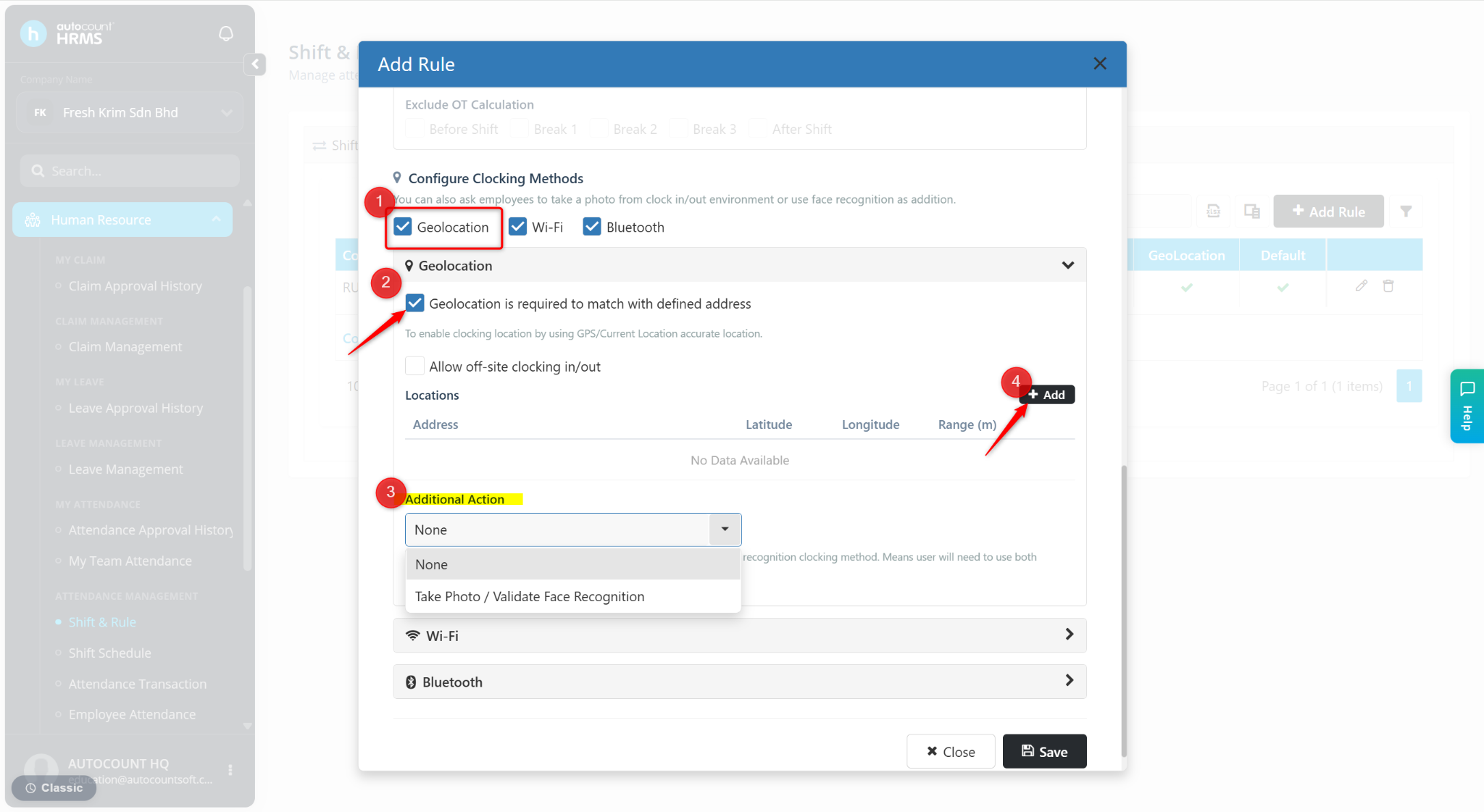
Clocking Methods Setup
A) Geolocation
Tick Geolocation.
Tick Geolocation is required to match with defined address.
Select None or Take Photo / Validate Face Recognition at the Additional Action field if required.
Click Add.
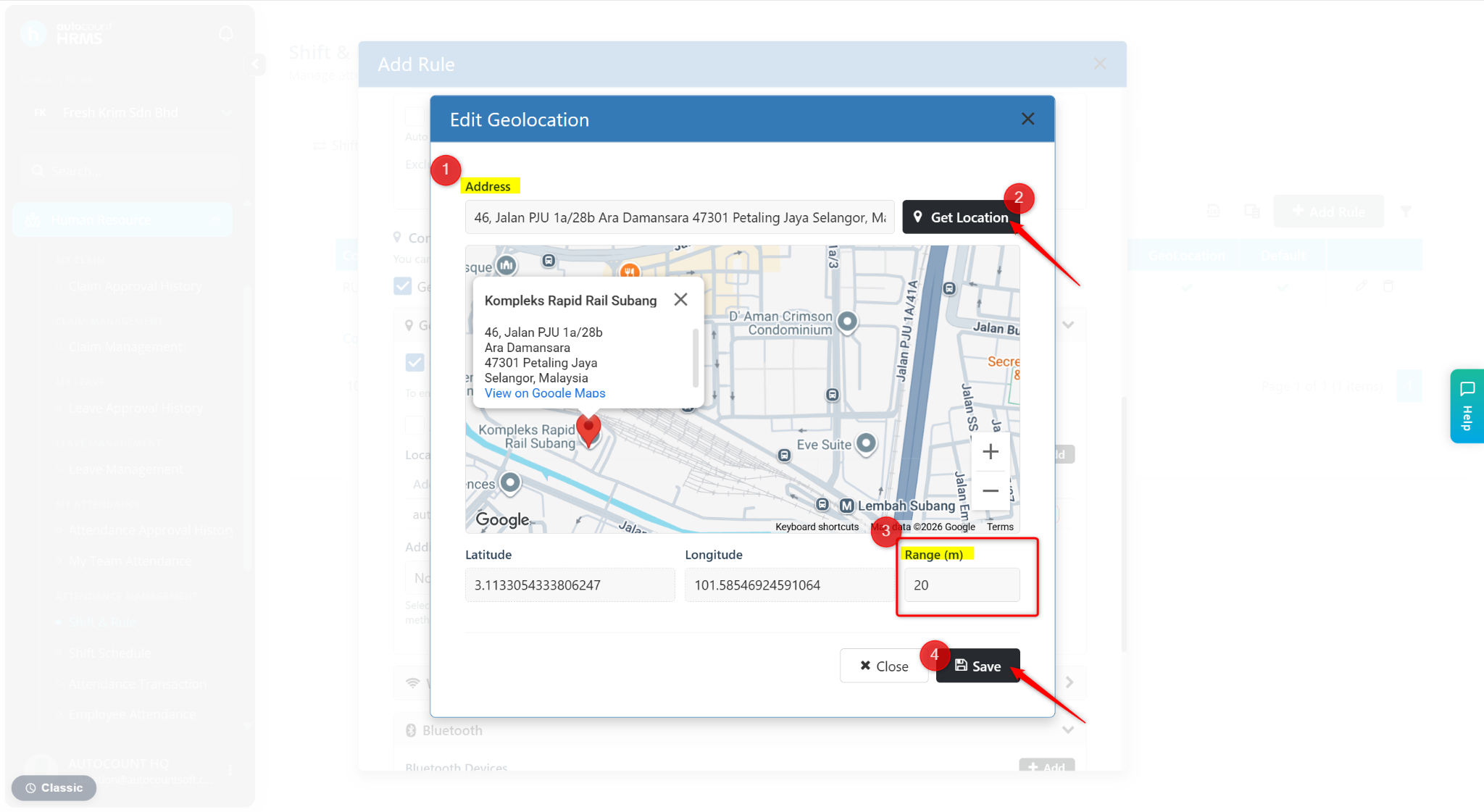
Enter the Address, then click Get Location.
Enter the Range to be included around the location.
Click Save.
B) Wi-Fi
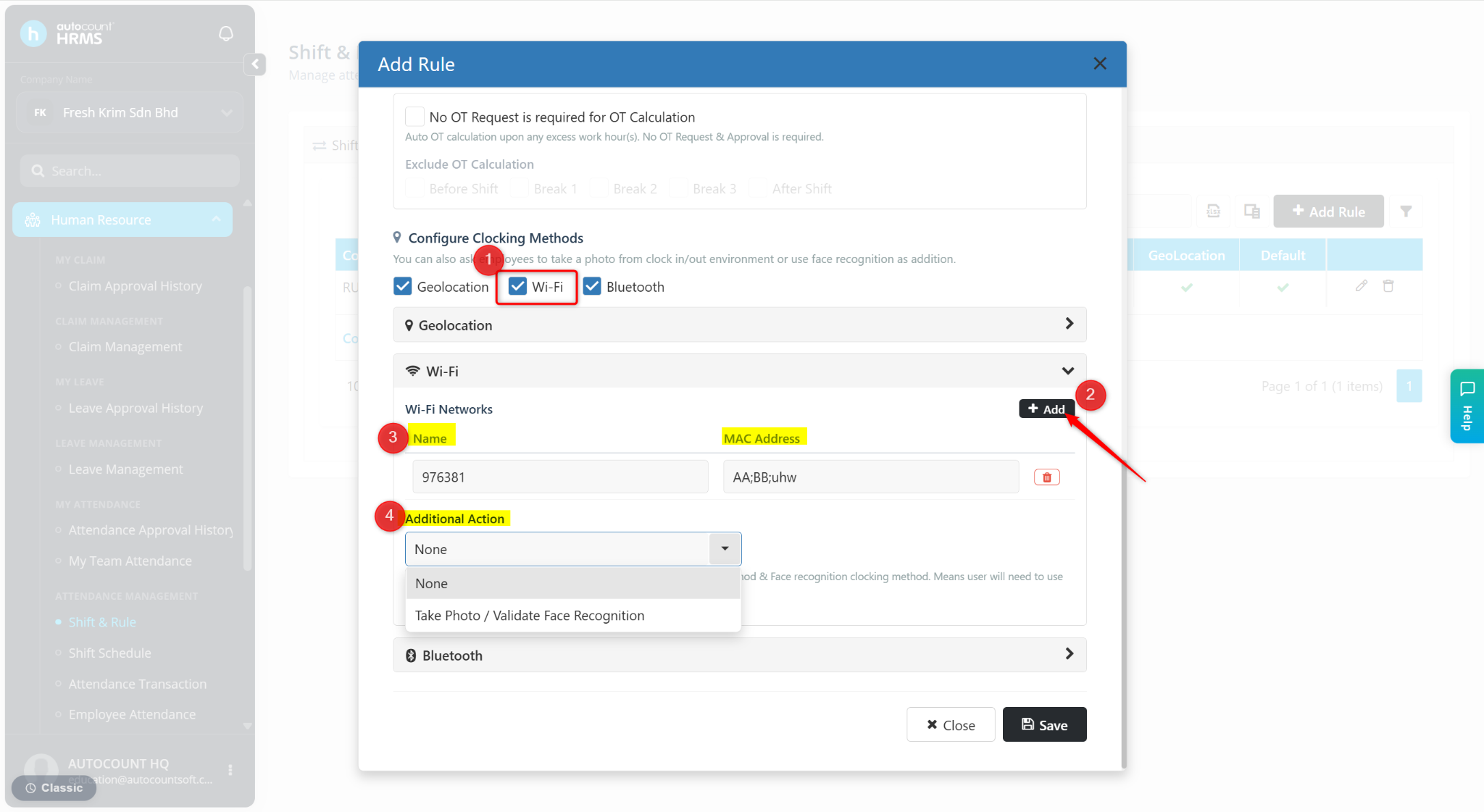
Tick Wi-Fi.
Click + Add.
Enter the Wi-Fi Name and Mac Address.
Select the Additional Action if required.
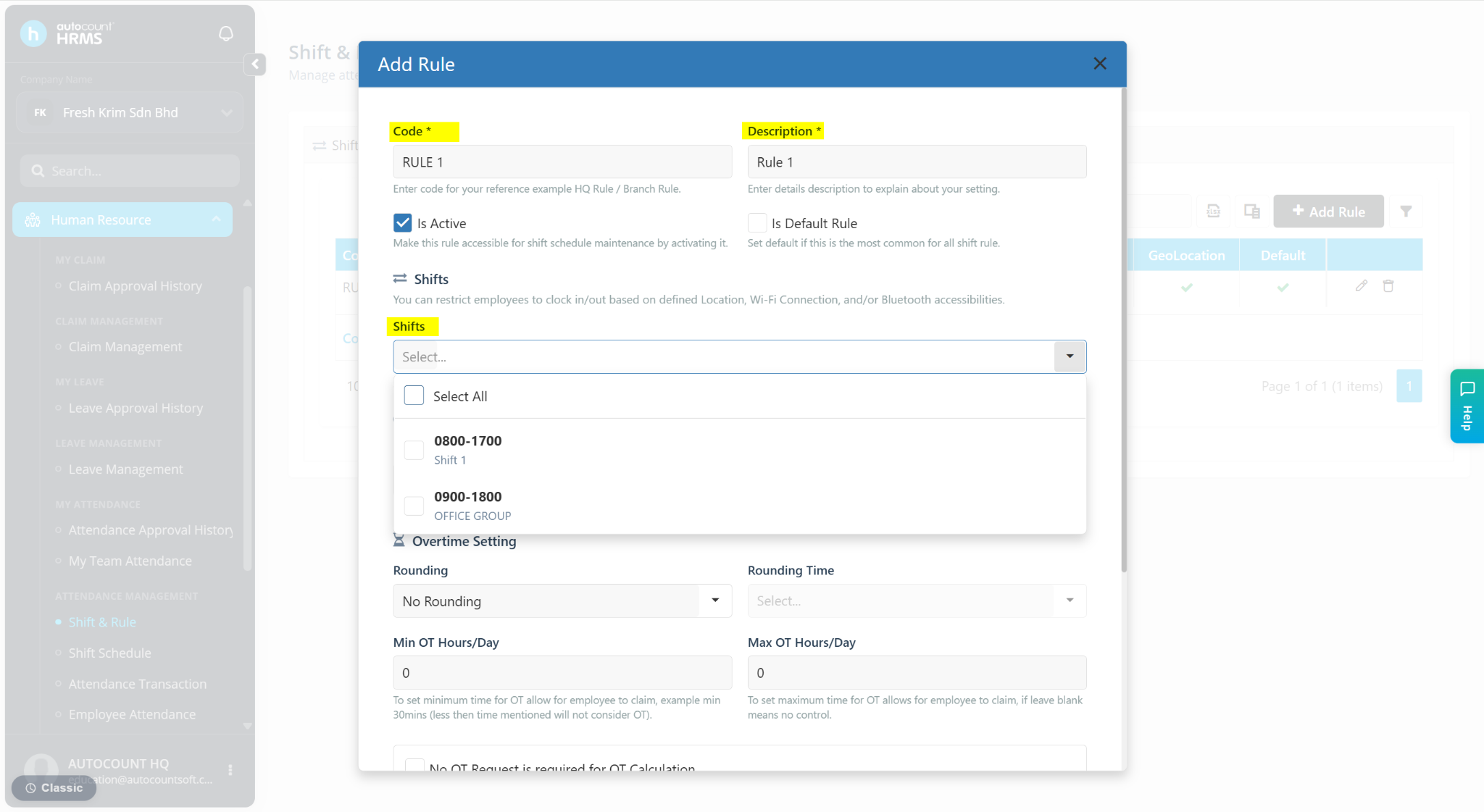
C) Bluetooth
Tick Bluetooth.
Click Add.
Enter the Bluetooth Name and Address.
Select the Additional Action if required.