
This feature allows users to determine when employees are allowed or required to submit overtime requests for attendance approval purposes.
Steps to Maintain Overtime Request Settings:
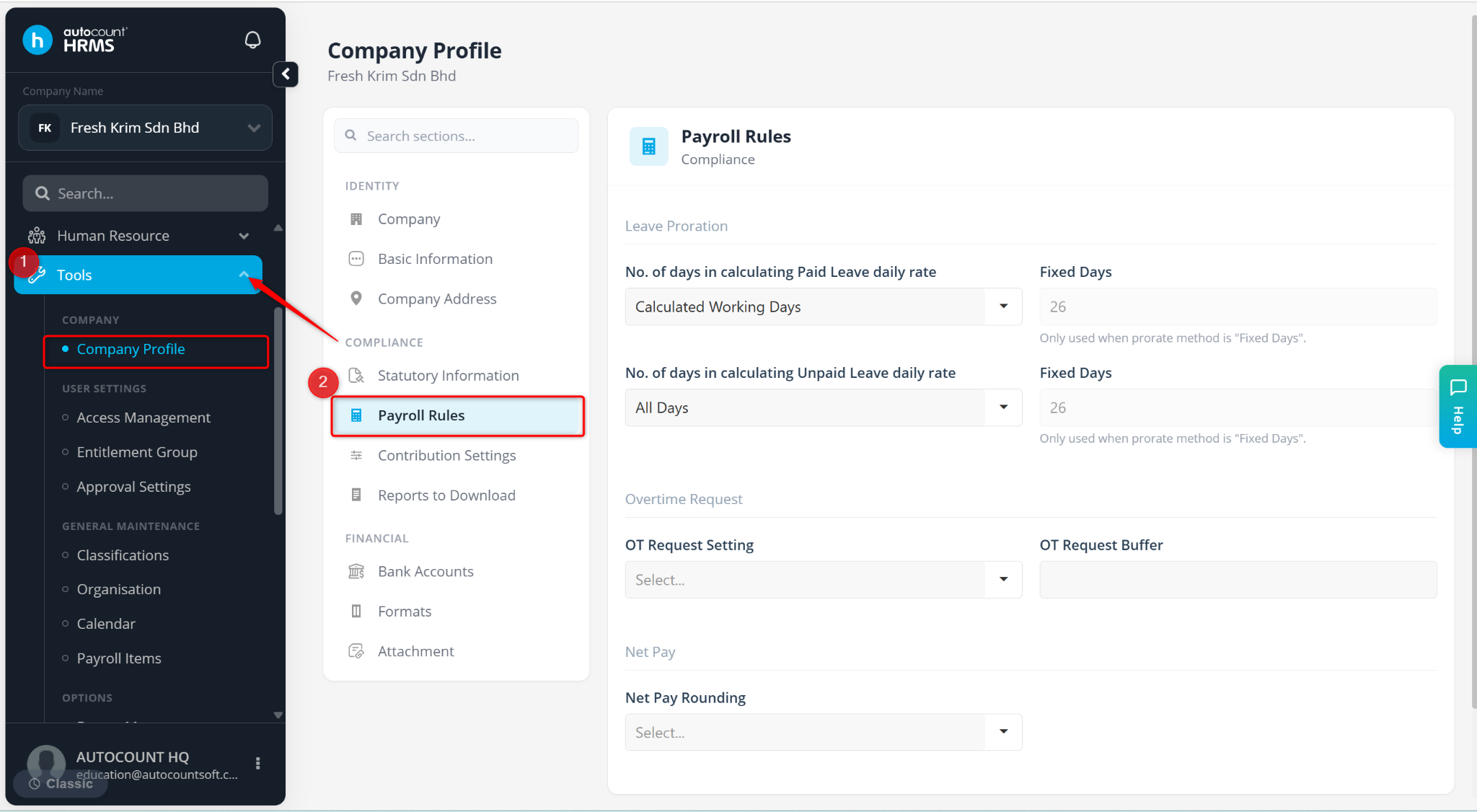
Go to Tools > Company Profile.
Go to Payroll Rules.
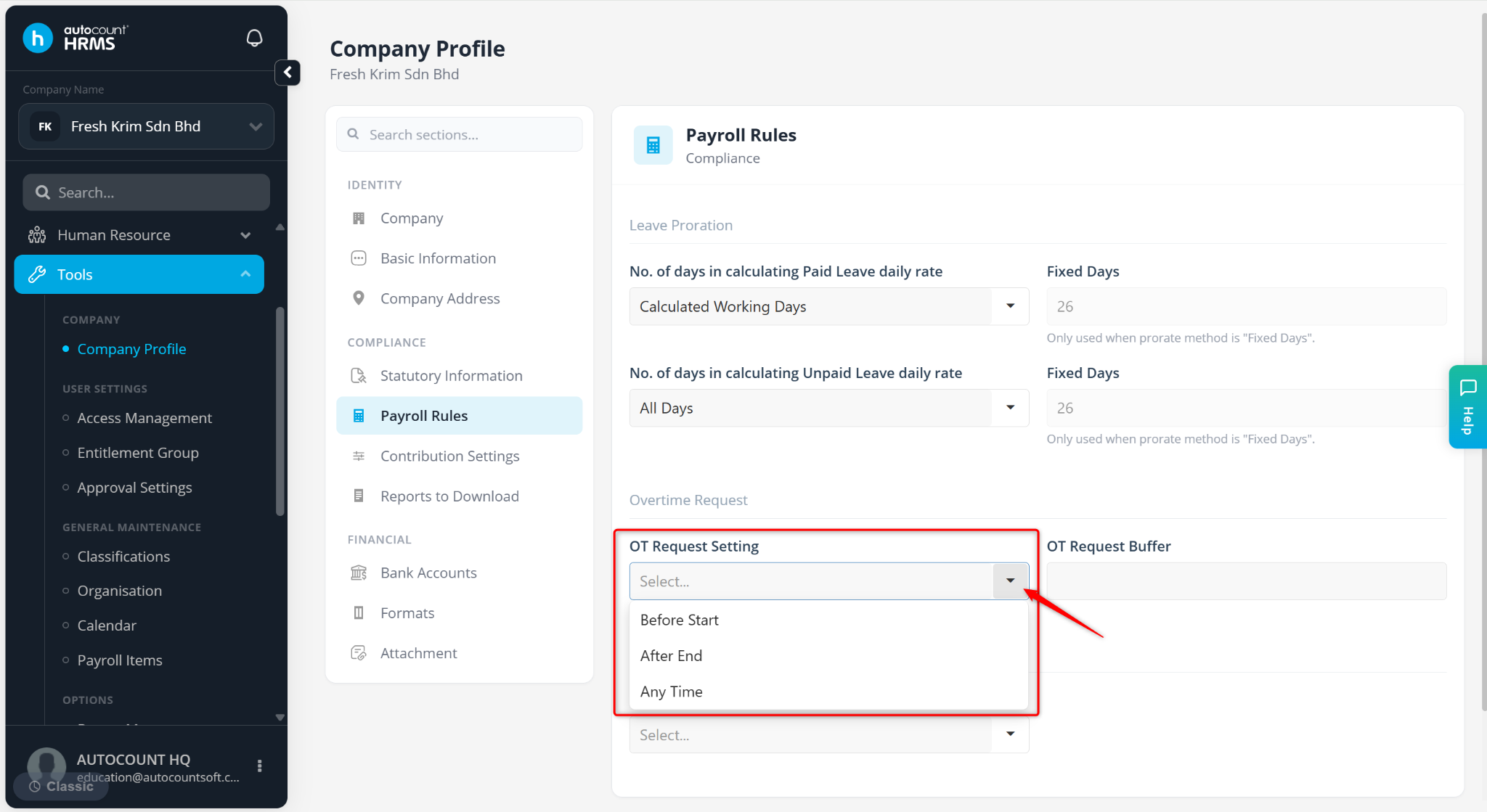
At the OT Request Setting field, select the relevant option:
Before Start – Employees must submit overtime requests before the overtime begins.
After Start – Employees can only submit overtime requests after the overtime has started or ended.
Any Time – Employees can submit overtime requests at any time, before or after the overtime period
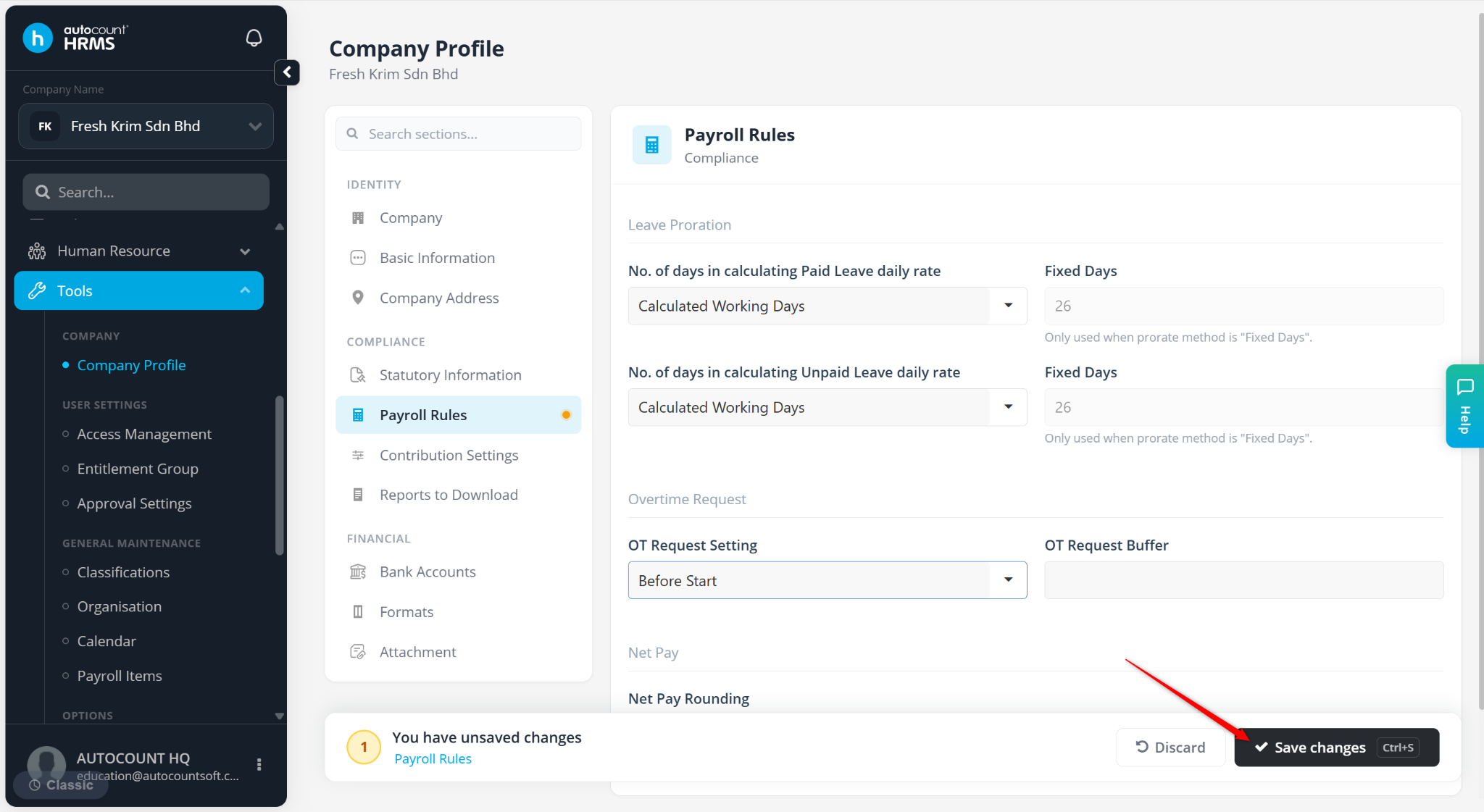
Click Save changes to apply.
ℹ️ Note: Overtime Request Setting is only applicable when eAttendance module is enabled.